Compare commits
9
Commits
| Author | SHA1 | Date | |
|---|---|---|---|
 Andre Neto |
d415215c26 | ||
|
Andre Neto
|
a2aa1973c6 | ||
|
Andre Neto
|
c63df46370 | ||
|
Andre Neto
|
ae46994aac | ||
|
Andre Neto
|
a186c5afad | ||
|
Andre Neto
|
cf8929cc6a | ||
|
Andre Neto
|
40b9a73859 | ||
|
Andre Neto
|
da21a42265 | ||
|
Andre Neto
|
0dcc994dbe |
@@ -43,6 +43,9 @@ htmlcov/
|
|||||||
# ---------------------------------------
|
# ---------------------------------------
|
||||||
# Virtual environments
|
# Virtual environments
|
||||||
# ---------------------------------------
|
# ---------------------------------------
|
||||||
|
# .local/ e o venv que estava versionado: um clone limpo nao o deve trazer.
|
||||||
|
# O ambiente reconstroi-se a partir do requirements.txt.
|
||||||
|
.local/
|
||||||
.venv/
|
.venv/
|
||||||
venv/
|
venv/
|
||||||
env/
|
env/
|
||||||
@@ -141,3 +144,6 @@ node_modules/
|
|||||||
# ---------------------------------------
|
# ---------------------------------------
|
||||||
*.swp
|
*.swp
|
||||||
*.swo
|
*.swo
|
||||||
|
|
||||||
|
# Shell rc pessoal commitado por engano
|
||||||
|
.bashrc
|
||||||
|
|||||||
@@ -1,8 +0,0 @@
|
|||||||
#!/usr/bin/python
|
|
||||||
# -*- coding: utf-8 -*-
|
|
||||||
import re
|
|
||||||
import sys
|
|
||||||
from huggingface_hub.cli.hf import main
|
|
||||||
if __name__ == '__main__':
|
|
||||||
sys.argv[0] = re.sub(r'(-script\.pyw|\.exe)?$', '', sys.argv[0])
|
|
||||||
sys.exit(main())
|
|
||||||
@@ -1,8 +0,0 @@
|
|||||||
#!/usr/bin/python
|
|
||||||
# -*- coding: utf-8 -*-
|
|
||||||
import re
|
|
||||||
import sys
|
|
||||||
from huggingface_hub.commands.huggingface_cli import main
|
|
||||||
if __name__ == '__main__':
|
|
||||||
sys.argv[0] = re.sub(r'(-script\.pyw|\.exe)?$', '', sys.argv[0])
|
|
||||||
sys.exit(main())
|
|
||||||
@@ -1,8 +0,0 @@
|
|||||||
#!/usr/bin/python
|
|
||||||
# -*- coding: utf-8 -*-
|
|
||||||
import re
|
|
||||||
import sys
|
|
||||||
from cli.split import main
|
|
||||||
if __name__ == '__main__':
|
|
||||||
sys.argv[0] = re.sub(r'(-script\.pyw|\.exe)?$', '', sys.argv[0])
|
|
||||||
sys.exit(main())
|
|
||||||
@@ -1,8 +0,0 @@
|
|||||||
#!/usr/bin/python
|
|
||||||
# -*- coding: utf-8 -*-
|
|
||||||
import re
|
|
||||||
import sys
|
|
||||||
from cli.wc import main
|
|
||||||
if __name__ == '__main__':
|
|
||||||
sys.argv[0] = re.sub(r'(-script\.pyw|\.exe)?$', '', sys.argv[0])
|
|
||||||
sys.exit(main())
|
|
||||||
@@ -1,8 +0,0 @@
|
|||||||
#!/usr/bin/python
|
|
||||||
# -*- coding: utf-8 -*-
|
|
||||||
import re
|
|
||||||
import sys
|
|
||||||
from huggingface_hub.inference._mcp.cli import app
|
|
||||||
if __name__ == '__main__':
|
|
||||||
sys.argv[0] = re.sub(r'(-script\.pyw|\.exe)?$', '', sys.argv[0])
|
|
||||||
sys.exit(app())
|
|
||||||
@@ -1 +0,0 @@
|
|||||||
pip
|
|
||||||
@@ -1,118 +0,0 @@
|
|||||||
Metadata-Version: 2.2
|
|
||||||
Name: albucore
|
|
||||||
Version: 0.0.24
|
|
||||||
Summary: High-performance image processing functions for deep learning and computer vision.
|
|
||||||
Author: Vladimir Iglovikov
|
|
||||||
Maintainer: Vladimir Iglovikov
|
|
||||||
License: MIT License
|
|
||||||
|
|
||||||
Copyright (c) 2024 Vladimir Iglovikov
|
|
||||||
|
|
||||||
Permission is hereby granted, free of charge, to any person obtaining a copy
|
|
||||||
of this software and associated documentation files (the "Software"), to deal
|
|
||||||
in the Software without restriction, including without limitation the rights
|
|
||||||
to use, copy, modify, merge, publish, distribute, sublicense, and/or sell
|
|
||||||
copies of the Software, and to permit persons to whom the Software is
|
|
||||||
furnished to do so, subject to the following conditions:
|
|
||||||
|
|
||||||
The above copyright notice and this permission notice shall be included in all
|
|
||||||
copies or substantial portions of the Software.
|
|
||||||
|
|
||||||
THE SOFTWARE IS PROVIDED "AS IS", WITHOUT WARRANTY OF ANY KIND, EXPRESS OR
|
|
||||||
IMPLIED, INCLUDING BUT NOT LIMITED TO THE WARRANTIES OF MERCHANTABILITY,
|
|
||||||
FITNESS FOR A PARTICULAR PURPOSE AND NONINFRINGEMENT. IN NO EVENT SHALL THE
|
|
||||||
AUTHORS OR COPYRIGHT HOLDERS BE LIABLE FOR ANY CLAIM, DAMAGES OR OTHER
|
|
||||||
LIABILITY, WHETHER IN AN ACTION OF CONTRACT, TORT OR OTHERWISE, ARISING FROM,
|
|
||||||
OUT OF OR IN CONNECTION WITH THE SOFTWARE OR THE USE OR OTHER DEALINGS IN THE
|
|
||||||
SOFTWARE.
|
|
||||||
|
|
||||||
Keywords: deep learning,image processing
|
|
||||||
Classifier: Development Status :: 5 - Production/Stable
|
|
||||||
Classifier: Intended Audience :: Developers
|
|
||||||
Classifier: Intended Audience :: Science/Research
|
|
||||||
Classifier: License :: OSI Approved :: MIT License
|
|
||||||
Classifier: Operating System :: OS Independent
|
|
||||||
Classifier: Programming Language :: Python
|
|
||||||
Classifier: Programming Language :: Python :: 3 :: Only
|
|
||||||
Classifier: Programming Language :: Python :: 3.9
|
|
||||||
Classifier: Programming Language :: Python :: 3.10
|
|
||||||
Classifier: Programming Language :: Python :: 3.11
|
|
||||||
Classifier: Programming Language :: Python :: 3.12
|
|
||||||
Classifier: Programming Language :: Python :: 3.13
|
|
||||||
Classifier: Topic :: Scientific/Engineering :: Artificial Intelligence
|
|
||||||
Classifier: Topic :: Scientific/Engineering :: Image Processing
|
|
||||||
Classifier: Topic :: Software Development :: Libraries
|
|
||||||
Classifier: Topic :: Software Development :: Libraries :: Python Modules
|
|
||||||
Classifier: Typing :: Typed
|
|
||||||
Requires-Python: >=3.9
|
|
||||||
Description-Content-Type: text/markdown
|
|
||||||
License-File: LICENSE
|
|
||||||
Requires-Dist: numpy>=1.24.4
|
|
||||||
Requires-Dist: typing-extensions>=4.9.0; python_version < "3.10"
|
|
||||||
Requires-Dist: stringzilla>=3.10.4
|
|
||||||
Requires-Dist: simsimd>=5.9.2
|
|
||||||
Requires-Dist: opencv-python-headless>=4.9.0.80
|
|
||||||
Dynamic: requires-dist
|
|
||||||
|
|
||||||
# Albucore: High-Performance Image Processing Functions
|
|
||||||
|
|
||||||
Albucore is a library of optimized atomic functions designed for efficient image processing. These functions serve as the foundation for [Albumentations](https://github.com/albumentations-team/albumentations), a popular image augmentation library.
|
|
||||||
|
|
||||||
## Overview
|
|
||||||
|
|
||||||
Image processing operations can be implemented in various ways, each with its own performance characteristics depending on the image type, size, and number of channels. Albucore aims to provide the fastest implementation for each operation by leveraging different backends such as NumPy, OpenCV, and custom optimized code.
|
|
||||||
|
|
||||||
Key features:
|
|
||||||
|
|
||||||
- Optimized atomic image processing functions
|
|
||||||
- Automatic selection of the fastest implementation based on input image characteristics
|
|
||||||
- Seamless integration with Albumentations
|
|
||||||
- Extensive benchmarking for performance validation
|
|
||||||
|
|
||||||
## Installation
|
|
||||||
|
|
||||||
```bash
|
|
||||||
pip install albucore
|
|
||||||
```
|
|
||||||
|
|
||||||
## Usage
|
|
||||||
|
|
||||||
```python
|
|
||||||
import numpy as np
|
|
||||||
import albucore
|
|
||||||
# Create a sample image
|
|
||||||
image = np.random.randint(0, 256, (100, 100, 3), dtype=np.uint8)
|
|
||||||
# Apply a function
|
|
||||||
result = albucore.multiply(image, 1.5)
|
|
||||||
```
|
|
||||||
|
|
||||||
Albucore automatically selects the most efficient implementation based on the input image type and characteristics.
|
|
||||||
|
|
||||||
## Functions
|
|
||||||
|
|
||||||
Albucore includes optimized implementations for various image processing operations, including:
|
|
||||||
|
|
||||||
- Arithmetic operations (add, multiply, power)
|
|
||||||
- Normalization (per-channel, global)
|
|
||||||
- Geometric transformations (vertical flip, horizontal flip)
|
|
||||||
- Helper decorators (to_float, to_uint8)
|
|
||||||
|
|
||||||
## Performance
|
|
||||||
|
|
||||||
Albucore uses a combination of techniques to achieve high performance:
|
|
||||||
|
|
||||||
1. **Multiple Implementations**: Each function may have several implementations using different backends (NumPy, OpenCV, custom code).
|
|
||||||
2. **Automatic Selection**: The library automatically chooses the fastest implementation based on the input image type, size, and number of channels.
|
|
||||||
3. **Optimized Algorithms**: Custom implementations are optimized for specific use cases, often outperforming general-purpose libraries.
|
|
||||||
|
|
||||||
### Benchmarks
|
|
||||||
|
|
||||||
We maintain an extensive benchmark suite to ensure Albucore's performance across various scenarios. You can find the benchmarks and their results in the [benchmarks](./benchmarks/README.md) directory.
|
|
||||||
|
|
||||||
## License
|
|
||||||
|
|
||||||
MIT
|
|
||||||
|
|
||||||
## Acknowledgements
|
|
||||||
|
|
||||||
Albucore is part of the [Albumentations](https://github.com/albumentations-team/albumentations) project. We'd like to thank all contributors to [Albumentations](https://albumentations.ai/) and the broader computer vision community for their inspiration and support.
|
|
||||||
@@ -1,14 +0,0 @@
|
|||||||
albucore-0.0.24.dist-info/INSTALLER,sha256=zuuue4knoyJ-UwPPXg8fezS7VCrXJQrAP7zeNuwvFQg,4
|
|
||||||
albucore-0.0.24.dist-info/LICENSE,sha256=ZFt7q2eQj-af8QB3lH5kWdPgPTyyGTngjJVZLQ6eNRY,1075
|
|
||||||
albucore-0.0.24.dist-info/METADATA,sha256=IPmGOVDIIo5Y6HxZ_aNVW190FoRcgknf4y0T_deBlv4,5301
|
|
||||||
albucore-0.0.24.dist-info/RECORD,,
|
|
||||||
albucore-0.0.24.dist-info/WHEEL,sha256=52BFRY2Up02UkjOa29eZOS2VxUrpPORXg1pkohGGUS8,91
|
|
||||||
albucore-0.0.24.dist-info/top_level.txt,sha256=IcS0O8IgkfW6Jlh0jON2MsghR2jNy9y1aAZdVgKI-hc,9
|
|
||||||
albucore/__init__.py,sha256=FPxnsvwh5eG_1eG3rgwIIbCOOmYsjFJPMqwoekxkO1k,419
|
|
||||||
albucore/__pycache__/__init__.cpython-312.pyc,,
|
|
||||||
albucore/__pycache__/decorators.cpython-312.pyc,,
|
|
||||||
albucore/__pycache__/functions.cpython-312.pyc,,
|
|
||||||
albucore/__pycache__/utils.cpython-312.pyc,,
|
|
||||||
albucore/decorators.py,sha256=V5zn7xk_mrVnGjnbTmL9yar7vVSLGmlqrHNKqdAigAg,19450
|
|
||||||
albucore/functions.py,sha256=2cXqswi4xKZZ3fqqIBWtVOL313vc9FDVc-SvXfkGObc,29815
|
|
||||||
albucore/utils.py,sha256=uQoLUm6GG6b3yzafJVnNk5ZaAkUk8D2Wo7XScoADuMs,6009
|
|
||||||
@@ -1,5 +0,0 @@
|
|||||||
Wheel-Version: 1.0
|
|
||||||
Generator: setuptools (76.0.0)
|
|
||||||
Root-Is-Purelib: true
|
|
||||||
Tag: py3-none-any
|
|
||||||
|
|
||||||
@@ -1 +0,0 @@
|
|||||||
albucore
|
|
||||||
@@ -1,15 +0,0 @@
|
|||||||
from importlib.metadata import metadata
|
|
||||||
|
|
||||||
try:
|
|
||||||
_metadata = metadata("albucore")
|
|
||||||
__version__ = _metadata["Version"]
|
|
||||||
__author__ = _metadata["Author"]
|
|
||||||
__maintainer__ = _metadata["Maintainer"]
|
|
||||||
except Exception: # noqa: BLE001
|
|
||||||
__version__ = "unknown"
|
|
||||||
__author__ = "Vladimir Iglovikov"
|
|
||||||
__maintainer__ = "Vladimir Iglovikov"
|
|
||||||
|
|
||||||
from .decorators import *
|
|
||||||
from .functions import *
|
|
||||||
from .utils import *
|
|
||||||
@@ -1,486 +0,0 @@
|
|||||||
import sys
|
|
||||||
from functools import wraps
|
|
||||||
from typing import Any, Callable, Literal, TypeVar, cast
|
|
||||||
|
|
||||||
import numpy as np
|
|
||||||
|
|
||||||
from albucore.utils import MONO_CHANNEL_DIMENSIONS, NUM_MULTI_CHANNEL_DIMENSIONS, P
|
|
||||||
|
|
||||||
if sys.version_info >= (3, 10):
|
|
||||||
from typing import Concatenate
|
|
||||||
else:
|
|
||||||
from typing_extensions import Concatenate
|
|
||||||
|
|
||||||
F = TypeVar("F", bound=Callable[..., Any])
|
|
||||||
|
|
||||||
|
|
||||||
def contiguous(
|
|
||||||
func: Callable[Concatenate[np.ndarray, P], np.ndarray],
|
|
||||||
) -> Callable[Concatenate[np.ndarray, P], np.ndarray]:
|
|
||||||
"""Ensure that input img is contiguous and the output array is also contiguous."""
|
|
||||||
|
|
||||||
@wraps(func)
|
|
||||||
def wrapped_function(img: np.ndarray, *args: P.args, **kwargs: P.kwargs) -> np.ndarray:
|
|
||||||
# Ensure the input array is contiguous
|
|
||||||
img = np.require(img, requirements=["C_CONTIGUOUS"])
|
|
||||||
# Call the original function with the contiguous input
|
|
||||||
result = func(img, *args, **kwargs)
|
|
||||||
# Ensure the output array is contiguous
|
|
||||||
return np.require(result, requirements=["C_CONTIGUOUS"])
|
|
||||||
|
|
||||||
return wrapped_function
|
|
||||||
|
|
||||||
|
|
||||||
def preserve_channel_dim(
|
|
||||||
func: Callable[Concatenate[np.ndarray, P], np.ndarray],
|
|
||||||
) -> Callable[Concatenate[np.ndarray, P], np.ndarray]:
|
|
||||||
"""Preserve dummy channel dim."""
|
|
||||||
|
|
||||||
@wraps(func)
|
|
||||||
def wrapped_function(img: np.ndarray, *args: P.args, **kwargs: P.kwargs) -> np.ndarray:
|
|
||||||
shape = img.shape
|
|
||||||
result = func(img, *args, **kwargs)
|
|
||||||
if len(shape) == NUM_MULTI_CHANNEL_DIMENSIONS and shape[-1] == 1 and result.ndim == MONO_CHANNEL_DIMENSIONS:
|
|
||||||
return np.expand_dims(result, axis=-1)
|
|
||||||
|
|
||||||
if len(shape) == MONO_CHANNEL_DIMENSIONS and result.ndim == NUM_MULTI_CHANNEL_DIMENSIONS:
|
|
||||||
return result[:, :, 0]
|
|
||||||
return result
|
|
||||||
|
|
||||||
return wrapped_function
|
|
||||||
|
|
||||||
|
|
||||||
BatchTransformType = Literal["spatial", "channel", "full"]
|
|
||||||
|
|
||||||
ShapeType = Literal[
|
|
||||||
"DHW", # (D,H,W)
|
|
||||||
"DHWC", # (D,H,W,C)
|
|
||||||
"NHW", # (N,H,W)
|
|
||||||
"NHWC", # (N,H,W,C)
|
|
||||||
"NDHW", # (N,D,H,W)
|
|
||||||
"NDHWC", # (N,D,H,W,C)
|
|
||||||
]
|
|
||||||
|
|
||||||
|
|
||||||
def get_shape_type(
|
|
||||||
shape: tuple[int, ...],
|
|
||||||
has_batch_dim: bool,
|
|
||||||
has_depth_dim: bool,
|
|
||||||
) -> ShapeType:
|
|
||||||
"""Determine the shape type based on dimensions and flags."""
|
|
||||||
ndim = len(shape)
|
|
||||||
|
|
||||||
if has_batch_dim and has_depth_dim:
|
|
||||||
return "NDHWC" if ndim == 5 else "NDHW"
|
|
||||||
if has_batch_dim:
|
|
||||||
return "NHWC" if ndim == 4 else "NHW"
|
|
||||||
if has_depth_dim:
|
|
||||||
return "DHWC" if ndim == 4 else "DHW"
|
|
||||||
raise ValueError("Either batch or depth dimension must be True")
|
|
||||||
|
|
||||||
|
|
||||||
def reshape_3d(data: np.ndarray) -> tuple[np.ndarray, tuple[int, ...]]:
|
|
||||||
"""Reshape (D,H,W) or (D,H,W,C) for spatial transforms."""
|
|
||||||
if data.ndim == 3: # (D,H,W) => (H,W,D)
|
|
||||||
_, height, width = data.shape
|
|
||||||
reshaped = np.require(np.moveaxis(data, 0, -1), requirements=["C_CONTIGUOUS"]) # (H,W,D)
|
|
||||||
return reshaped, data.shape
|
|
||||||
if data.ndim == 4: # (D,H,W,C) => (H,W,D*C)
|
|
||||||
_, height, width, channels = data.shape
|
|
||||||
reshaped = np.moveaxis(data, 0, -2) # (H,W,D,C)
|
|
||||||
final = np.require(reshaped.reshape(height, width, -1), requirements=["C_CONTIGUOUS"]) # (H,W,D*C)
|
|
||||||
return final, data.shape
|
|
||||||
if data.ndim == 5: # (N,D,H,W,C) => (H,W,N*D*C)
|
|
||||||
_, _, height, width, channels = data.shape
|
|
||||||
flat = data.reshape(-1, height, width, channels) # (N*D,H,W,C)
|
|
||||||
reshaped = np.moveaxis(flat, 0, -2) # (H,W,N*D,C)
|
|
||||||
final = np.require(reshaped.reshape(height, width, -1), requirements=["C_CONTIGUOUS"]) # (H,W,N*D*C)
|
|
||||||
return final, data.shape
|
|
||||||
raise ValueError(f"Unsupported number of dimensions: {data.ndim}")
|
|
||||||
|
|
||||||
|
|
||||||
def reshape_batch(data: np.ndarray) -> tuple[np.ndarray, tuple[int, ...]]:
|
|
||||||
"""Reshape (N,H,W) or (N,H,W,C) for spatial transforms."""
|
|
||||||
if data.ndim == 3: # (N,H,W) => (H,W,N)
|
|
||||||
_, height, width = data.shape
|
|
||||||
reshaped = np.require(np.moveaxis(data, 0, -1), requirements=["C_CONTIGUOUS"]) # (H,W,N)
|
|
||||||
return reshaped, data.shape
|
|
||||||
if data.ndim == 4: # (N,H,W,C) => (H,W,N*C)
|
|
||||||
_, height, width, channels = data.shape
|
|
||||||
reshaped = np.moveaxis(data, 0, -2) # (H,W,N,C)
|
|
||||||
final = np.require(reshaped.reshape(height, width, -1), requirements=["C_CONTIGUOUS"]) # (H,W,N*C)
|
|
||||||
return final, data.shape
|
|
||||||
if data.ndim == 5: # (N,D,H,W,C) => (H,W,N*D*C)
|
|
||||||
_, _, height, width, channels = data.shape
|
|
||||||
flat = data.reshape(-1, height, width, channels) # (N*D,H,W,C)
|
|
||||||
reshaped = np.moveaxis(flat, 0, -2) # (H,W,N*D,C)
|
|
||||||
final = np.require(reshaped.reshape(height, width, -1), requirements=["C_CONTIGUOUS"]) # (H,W,N*D*C)
|
|
||||||
return final, data.shape
|
|
||||||
raise ValueError(f"Unsupported number of dimensions: {data.ndim}")
|
|
||||||
|
|
||||||
|
|
||||||
def reshape_batch_3d(data: np.ndarray) -> tuple[np.ndarray, tuple[int, ...]]:
|
|
||||||
"""Reshape (N,D,H,W) or (N,D,H,W,C) for spatial transforms."""
|
|
||||||
if data.ndim == 4: # (N,D,H,W) => (H,W,N*D)
|
|
||||||
_, _, height, width = data.shape
|
|
||||||
flat = data.reshape(-1, height, width) # (N*D,H,W)
|
|
||||||
reshaped = np.require(np.moveaxis(flat, 0, -1), requirements=["C_CONTIGUOUS"]) # (H,W,N*D)
|
|
||||||
return reshaped, data.shape
|
|
||||||
if data.ndim == 5: # (N,D,H,W,C) => (H,W,N*D*C)
|
|
||||||
_, _, height, width, channels = data.shape
|
|
||||||
flat = data.reshape(-1, height, width, channels) # (N*D,H,W,C)
|
|
||||||
reshaped = np.require(np.moveaxis(flat, 0, -2), requirements=["C_CONTIGUOUS"]) # (H,W,N*D,C)
|
|
||||||
final = np.require(reshaped.reshape(height, width, -1), requirements=["C_CONTIGUOUS"]) # (H,W,N*D*C)
|
|
||||||
return final, data.shape
|
|
||||||
raise ValueError(f"Unsupported number of dimensions: {data.ndim}")
|
|
||||||
|
|
||||||
|
|
||||||
def reshape_batch_3d_keep_depth(data: np.ndarray) -> tuple[np.ndarray, tuple[int, ...]]:
|
|
||||||
"""Reshape (N,D,H,W) or (N,D,H,W,C) preserving depth dimension."""
|
|
||||||
if data.ndim == 4: # (N,D,H,W) => (D,H,W,N)
|
|
||||||
_, depth, height, width = data.shape
|
|
||||||
reshaped = np.moveaxis(data, 0, -1) # (D,H,W,N)
|
|
||||||
return np.require(reshaped, requirements=["C_CONTIGUOUS"]), data.shape
|
|
||||||
if data.ndim == 5: # (N,D,H,W,C) => (D,H,W,N*C)
|
|
||||||
_, depth, height, width, _ = data.shape
|
|
||||||
reshaped = np.moveaxis(data, 0, -2) # (D,H,W,N,C)
|
|
||||||
final = np.require(reshaped.reshape(depth, height, width, -1), requirements=["C_CONTIGUOUS"]) # (D,H,W,N*C)
|
|
||||||
return final, data.shape
|
|
||||||
raise ValueError(f"Unsupported number of dimensions: {data.ndim}")
|
|
||||||
|
|
||||||
|
|
||||||
def reshape_3d_keep_depth(data: np.ndarray) -> tuple[np.ndarray, tuple[int, ...]]:
|
|
||||||
"""Reshape (D,H,W) or (D,H,W,C) preserving depth dimension."""
|
|
||||||
if data.ndim in {3, 4}: # (D,H,W) or (D,H,W,C)
|
|
||||||
return data, data.shape
|
|
||||||
raise ValueError(f"Unsupported number of dimensions: {data.ndim}")
|
|
||||||
|
|
||||||
|
|
||||||
def restore_3d(data: np.ndarray, original_shape: tuple[int, ...]) -> np.ndarray:
|
|
||||||
"""Restore (H,W,D) or (H,W,D*C) back to (D,H,W) or (D,H,W,C)."""
|
|
||||||
height, width = data.shape[:2]
|
|
||||||
|
|
||||||
if len(original_shape) == 3: # (H',W',D) => (D,H',W')
|
|
||||||
depth = original_shape[0]
|
|
||||||
# Reshape using the transformed H',W' dimensions
|
|
||||||
reshaped = data.reshape(height, width, depth)
|
|
||||||
return np.ascontiguousarray(np.moveaxis(reshaped, -1, 0))
|
|
||||||
# (H',W',D*C) => (D,H',W',C)
|
|
||||||
depth, _, _, channels = original_shape
|
|
||||||
# Use transformed H',W' dimensions instead of original ones
|
|
||||||
reshaped = data.reshape(height, width, depth, channels) # (H',W',D,C)
|
|
||||||
return np.ascontiguousarray(np.moveaxis(reshaped, -2, 0)) # (D,H',W',C)
|
|
||||||
|
|
||||||
|
|
||||||
def restore_batch(data: np.ndarray, original_shape: tuple[int, ...]) -> np.ndarray:
|
|
||||||
"""Restore (H,W,N) or (H,W,N*C) back to (N,H,W) or (N,H,W,C)."""
|
|
||||||
height, width = data.shape[:2]
|
|
||||||
|
|
||||||
if len(original_shape) == 3: # (H',W',N) => (N,H',W')
|
|
||||||
num_images = original_shape[0]
|
|
||||||
reshaped = data.reshape(height, width, num_images)
|
|
||||||
return np.require(np.moveaxis(reshaped, -1, 0), requirements=["C_CONTIGUOUS"])
|
|
||||||
# (H',W',N*C) => (N,H',W',C)
|
|
||||||
num_images, _, _, channels = original_shape
|
|
||||||
reshaped = data.reshape(height, width, num_images, channels) # (H',W',N,C)
|
|
||||||
return np.require(np.moveaxis(reshaped, -2, 0), requirements=["C_CONTIGUOUS"]) # (N,H',W',C)
|
|
||||||
|
|
||||||
|
|
||||||
def restore_batch_3d(data: np.ndarray, original_shape: tuple[int, ...]) -> np.ndarray:
|
|
||||||
"""Restore (H,W,N*D) or (H,W,N*D*C) back to (N,D,H,W) or (N,D,H,W,C)."""
|
|
||||||
height, width = data.shape[:2]
|
|
||||||
|
|
||||||
if len(original_shape) == 4: # (H',W',N*D) => (N,D,H',W')
|
|
||||||
num_images, depth = original_shape[:2]
|
|
||||||
reshaped = np.moveaxis(data, -1, 0) # (N*D,H',W')
|
|
||||||
return np.require(reshaped.reshape(num_images, depth, height, width), requirements=["C_CONTIGUOUS"])
|
|
||||||
# (H',W',N*D*C) => (N,D,H',W',C)
|
|
||||||
num_images, depth, _, _, channels = original_shape
|
|
||||||
reshaped = data.reshape(height, width, -1, channels) # (H',W',N*D,C)
|
|
||||||
moved = np.moveaxis(reshaped, -2, 0) # (N*D,H',W',C)
|
|
||||||
return np.require(moved.reshape(num_images, depth, height, width, channels), requirements=["C_CONTIGUOUS"])
|
|
||||||
|
|
||||||
|
|
||||||
def restore_batch_3d_keep_depth(data: np.ndarray, original_shape: tuple[int, ...]) -> np.ndarray:
|
|
||||||
"""Restore data that kept its depth dimension.
|
|
||||||
|
|
||||||
For data that was reshaped with keep_depth_dim=True:
|
|
||||||
- (D',H',W',N) => (N,D',H',W')
|
|
||||||
- (D',H',W',N*C) => (N,D',H',W',C)
|
|
||||||
|
|
||||||
Note: D',H',W' can be different from original D,H,W after transforms like RandomCrop3D
|
|
||||||
"""
|
|
||||||
# Use transformed D,H,W dimensions
|
|
||||||
new_depth, new_height, new_width = data.shape[:3]
|
|
||||||
|
|
||||||
if len(original_shape) == 4: # (D',H',W',N) => (N,D',H',W')
|
|
||||||
return np.moveaxis(data, -1, 0)
|
|
||||||
# (D',H',W',N*C) => (N,D',H',W',C)
|
|
||||||
num_images = original_shape[0]
|
|
||||||
channels = original_shape[-1]
|
|
||||||
# Use new_depth, new_height, new_width instead of original dimensions
|
|
||||||
reshaped = data.reshape(new_depth, new_height, new_width, num_images, channels)
|
|
||||||
return np.moveaxis(reshaped, -2, 0)
|
|
||||||
|
|
||||||
|
|
||||||
def restore_3d_keep_depth(data: np.ndarray, original_shape: tuple[int, ...]) -> np.ndarray:
|
|
||||||
"""Restore data that kept its depth dimension.
|
|
||||||
|
|
||||||
For data that was reshaped with keep_depth_dim=True:
|
|
||||||
- (D,H,W) => (D,H,W)
|
|
||||||
- (D,H,W,C) => (D,H,W,C)
|
|
||||||
"""
|
|
||||||
# No reshape needed since we kept the original shape
|
|
||||||
return data
|
|
||||||
|
|
||||||
|
|
||||||
def reshape_3d_channel(data: np.ndarray) -> tuple[np.ndarray, tuple[int, ...]]:
|
|
||||||
"""Reshape (D,H,W) or (D,H,W,C) for channel transforms."""
|
|
||||||
if data.ndim == 3: # (D,H,W) => (D*H,W)
|
|
||||||
depth, height, width = data.shape
|
|
||||||
reshaped = np.require(data.reshape(depth * height, width), requirements=["C_CONTIGUOUS"])
|
|
||||||
return reshaped, data.shape
|
|
||||||
if data.ndim == 4: # (D,H,W,C) => (D*H,W,C)
|
|
||||||
depth, height, width, channels = data.shape
|
|
||||||
reshaped = np.require(data.reshape(depth * height, width, channels), requirements=["C_CONTIGUOUS"])
|
|
||||||
return reshaped, data.shape
|
|
||||||
raise ValueError(f"Unsupported number of dimensions: {data.ndim}")
|
|
||||||
|
|
||||||
|
|
||||||
def reshape_batch_channel(data: np.ndarray) -> tuple[np.ndarray, tuple[int, ...]]:
|
|
||||||
"""Reshape (N,H,W) or (N,H,W,C) for channel transforms."""
|
|
||||||
if data.ndim == 3: # (N,H,W) => (N*H,W)
|
|
||||||
num_images, height, width = data.shape
|
|
||||||
reshaped = np.require(data.reshape(num_images * height, width), requirements=["C_CONTIGUOUS"])
|
|
||||||
return reshaped, data.shape
|
|
||||||
if data.ndim == 4: # (N,H,W,C) => (N*H,W,C)
|
|
||||||
num_images, height, width, channels = data.shape
|
|
||||||
reshaped = np.require(data.reshape(num_images * height, width, channels), requirements=["C_CONTIGUOUS"])
|
|
||||||
return reshaped, data.shape
|
|
||||||
raise ValueError(f"Unsupported number of dimensions: {data.ndim}")
|
|
||||||
|
|
||||||
|
|
||||||
def reshape_batch_3d_channel(data: np.ndarray) -> tuple[np.ndarray, tuple[int, ...]]:
|
|
||||||
"""Reshape (N,D,H,W) or (N,D,H,W,C) for channel transforms."""
|
|
||||||
if data.ndim == 4: # (N,D,H,W) => (N*D*H,W)
|
|
||||||
_, _, _, width = data.shape
|
|
||||||
# Flatten N,D,H together, keep W separate
|
|
||||||
reshaped = np.require(data.reshape(-1, width), requirements=["C_CONTIGUOUS"])
|
|
||||||
return reshaped, data.shape
|
|
||||||
if data.ndim == 5: # (N,D,H,W,C) => (N*D*H,W,C)
|
|
||||||
_, _, _, width, channels = data.shape
|
|
||||||
# Flatten N,D,H together, keep W and C separate
|
|
||||||
reshaped = np.require(data.reshape(-1, width, channels), requirements=["C_CONTIGUOUS"])
|
|
||||||
return reshaped, data.shape
|
|
||||||
raise ValueError(f"Unsupported number of dimensions: {data.ndim}")
|
|
||||||
|
|
||||||
|
|
||||||
def restore_3d_channel(data: np.ndarray, original_shape: tuple[int, ...]) -> np.ndarray:
|
|
||||||
"""Restore (D*H,W) or (D*H,W,C) back to (D,H,W) or (D,H,W,C).
|
|
||||||
|
|
||||||
Args:
|
|
||||||
data: Array of shape (D*H,W') or (D*H,W',C)
|
|
||||||
original_shape: Original shape (D,H,W) or (D,H,W,C)
|
|
||||||
"""
|
|
||||||
if len(original_shape) == 3: # (D*H,W') => (D,H,W')
|
|
||||||
depth, height, _ = original_shape
|
|
||||||
return data.reshape(depth, height, data.shape[1])
|
|
||||||
# (D*H,W',C) => (D,H,W',C)
|
|
||||||
depth, height, _, channels = original_shape
|
|
||||||
return data.reshape(depth, height, data.shape[1], channels)
|
|
||||||
|
|
||||||
|
|
||||||
def restore_batch_channel(data: np.ndarray, original_shape: tuple[int, ...]) -> np.ndarray:
|
|
||||||
"""Restore (N*H,W) or (N*H,W,C) back to (N,H,W) or (N,H,W,C).
|
|
||||||
|
|
||||||
Args:
|
|
||||||
data: Array of shape (N*H,W') or (N*H,W',C)
|
|
||||||
original_shape: Original shape (N,H,W) or (N,H,W,C)
|
|
||||||
"""
|
|
||||||
if len(original_shape) == 3: # (N*H,W') => (N,H,W')
|
|
||||||
num_images, height, _ = original_shape
|
|
||||||
return data.reshape(num_images, height, data.shape[1])
|
|
||||||
# (N*H,W',C) => (N,H,W',C)
|
|
||||||
num_images, height, _, channels = original_shape
|
|
||||||
return data.reshape(num_images, height, data.shape[1], channels)
|
|
||||||
|
|
||||||
|
|
||||||
def restore_batch_3d_channel(data: np.ndarray, original_shape: tuple[int, ...]) -> np.ndarray:
|
|
||||||
"""Restore (N*D*H,W') or (N*D*H,W',C) back to (N,D,H,W',C).
|
|
||||||
|
|
||||||
Note: W' can be different from original W after transforms.
|
|
||||||
"""
|
|
||||||
if len(original_shape) == 4: # (N*D*H,W') => (N,D,H,W')
|
|
||||||
num_images, depth, height, _ = original_shape # Don't use original width
|
|
||||||
new_width = data.shape[1] # Use transformed width
|
|
||||||
return data.reshape(num_images, depth, height, new_width)
|
|
||||||
|
|
||||||
# (N*D*H,W',C) => (N,D,H,W',C)
|
|
||||||
num_images, depth, height, _, channels = original_shape # Don't use original width
|
|
||||||
new_width = data.shape[1] # Use transformed width
|
|
||||||
return data.reshape(num_images, depth, height, new_width, channels)
|
|
||||||
|
|
||||||
|
|
||||||
# Dictionary mapping shape types to channel reshape functions
|
|
||||||
CHANNEL_RESHAPE_FUNCS = {
|
|
||||||
"DHW": reshape_3d_channel,
|
|
||||||
"DHWC": reshape_3d_channel,
|
|
||||||
"NHW": reshape_batch_channel,
|
|
||||||
"NHWC": reshape_batch_channel,
|
|
||||||
"NDHW": reshape_batch_3d_channel,
|
|
||||||
"NDHWC": reshape_batch_3d_channel,
|
|
||||||
}
|
|
||||||
|
|
||||||
# Dictionary mapping shape types to channel restore functions
|
|
||||||
CHANNEL_RESTORE_FUNCS = {
|
|
||||||
"DHW": restore_3d_channel,
|
|
||||||
"DHWC": restore_3d_channel,
|
|
||||||
"NHW": restore_batch_channel,
|
|
||||||
"NHWC": restore_batch_channel,
|
|
||||||
"NDHW": restore_batch_3d_channel,
|
|
||||||
"NDHWC": restore_batch_3d_channel,
|
|
||||||
}
|
|
||||||
|
|
||||||
|
|
||||||
def reshape_for_channel(
|
|
||||||
data: np.ndarray,
|
|
||||||
has_batch_dim: bool,
|
|
||||||
has_depth_dim: bool,
|
|
||||||
keep_depth_dim: bool = False,
|
|
||||||
) -> tuple[np.ndarray, tuple[int, ...]]:
|
|
||||||
"""Choose appropriate reshape function based on data dimensions."""
|
|
||||||
if data.size == 0:
|
|
||||||
raise ValueError("Empty arrays are not supported")
|
|
||||||
|
|
||||||
shape_type = get_shape_type(data.shape, has_batch_dim, has_depth_dim)
|
|
||||||
reshape_func = CHANNEL_RESHAPE_FUNCS[shape_type]
|
|
||||||
return reshape_func(data)
|
|
||||||
|
|
||||||
|
|
||||||
def restore_from_channel(
|
|
||||||
data: np.ndarray,
|
|
||||||
original_shape: tuple[int, ...],
|
|
||||||
has_batch_dim: bool,
|
|
||||||
has_depth_dim: bool,
|
|
||||||
keep_depth_dim: bool = False,
|
|
||||||
) -> np.ndarray:
|
|
||||||
"""Choose appropriate restore function based on data dimensions."""
|
|
||||||
shape_type = get_shape_type(original_shape, has_batch_dim, has_depth_dim)
|
|
||||||
restore_func = CHANNEL_RESTORE_FUNCS[shape_type]
|
|
||||||
result = restore_func(data, original_shape)
|
|
||||||
return np.require(result, requirements=["C_CONTIGUOUS"])
|
|
||||||
|
|
||||||
|
|
||||||
# Dictionary mapping shape types to reshape functions
|
|
||||||
SPATIAL_RESHAPE_FUNCS = {
|
|
||||||
"DHW": reshape_3d,
|
|
||||||
"DHWC": reshape_3d,
|
|
||||||
"NHW": reshape_batch,
|
|
||||||
"NHWC": reshape_batch,
|
|
||||||
"NDHW": reshape_batch_3d,
|
|
||||||
"NDHWC": reshape_batch_3d,
|
|
||||||
}
|
|
||||||
|
|
||||||
# Dictionary mapping shape types to restore functions
|
|
||||||
SPATIAL_RESTORE_FUNCS = {
|
|
||||||
"DHW": restore_3d,
|
|
||||||
"DHWC": restore_3d,
|
|
||||||
"NHW": restore_batch,
|
|
||||||
"NHWC": restore_batch,
|
|
||||||
"NDHW": restore_batch_3d,
|
|
||||||
"NDHWC": restore_batch_3d,
|
|
||||||
}
|
|
||||||
|
|
||||||
|
|
||||||
def reshape_for_spatial(
|
|
||||||
data: np.ndarray,
|
|
||||||
has_batch_dim: bool,
|
|
||||||
has_depth_dim: bool,
|
|
||||||
keep_depth_dim: bool = False,
|
|
||||||
) -> tuple[np.ndarray, tuple[int, ...]]:
|
|
||||||
"""Choose appropriate reshape function based on data dimensions."""
|
|
||||||
if data.size == 0:
|
|
||||||
raise ValueError("Empty arrays are not supported")
|
|
||||||
|
|
||||||
shape_type = get_shape_type(data.shape, has_batch_dim, has_depth_dim)
|
|
||||||
|
|
||||||
if keep_depth_dim:
|
|
||||||
if shape_type in {"NDHW", "NDHWC"}:
|
|
||||||
return reshape_batch_3d_keep_depth(data)
|
|
||||||
if shape_type in {"DHW", "DHWC"}:
|
|
||||||
return reshape_3d_keep_depth(data)
|
|
||||||
|
|
||||||
reshape_func = SPATIAL_RESHAPE_FUNCS[shape_type]
|
|
||||||
return reshape_func(data)
|
|
||||||
|
|
||||||
|
|
||||||
def restore_from_spatial(
|
|
||||||
data: np.ndarray,
|
|
||||||
original_shape: tuple[int, ...],
|
|
||||||
has_batch_dim: bool,
|
|
||||||
has_depth_dim: bool,
|
|
||||||
keep_depth_dim: bool = False,
|
|
||||||
) -> np.ndarray:
|
|
||||||
"""Choose appropriate restore function based on data dimensions."""
|
|
||||||
shape_type = get_shape_type(original_shape, has_batch_dim, has_depth_dim)
|
|
||||||
|
|
||||||
if keep_depth_dim:
|
|
||||||
if shape_type in {"NDHW", "NDHWC"}:
|
|
||||||
result = restore_batch_3d_keep_depth(data, original_shape)
|
|
||||||
elif shape_type in {"DHW", "DHWC"}:
|
|
||||||
result = restore_3d_keep_depth(data, original_shape)
|
|
||||||
else:
|
|
||||||
restore_func = SPATIAL_RESTORE_FUNCS[shape_type]
|
|
||||||
result = restore_func(data, original_shape)
|
|
||||||
|
|
||||||
return np.require(result, requirements=["C_CONTIGUOUS"])
|
|
||||||
|
|
||||||
|
|
||||||
def batch_transform(
|
|
||||||
transform_type: BatchTransformType,
|
|
||||||
has_batch_dim: bool = True,
|
|
||||||
has_depth_dim: bool = False,
|
|
||||||
keep_depth_dim: bool = False,
|
|
||||||
) -> Callable[[F], F]:
|
|
||||||
"""Decorator to handle batch transformations."""
|
|
||||||
|
|
||||||
def decorator(func: F) -> F:
|
|
||||||
@wraps(func)
|
|
||||||
def wrapper(self: Any, data: np.ndarray, *args: Any, **params: Any) -> np.ndarray:
|
|
||||||
data = np.require(data, requirements=["C_CONTIGUOUS"])
|
|
||||||
|
|
||||||
if transform_type == "full":
|
|
||||||
return func(self, data, *args, **params)
|
|
||||||
|
|
||||||
# Define the function mappings with proper types
|
|
||||||
reshape_funcs: dict[str, Callable[..., tuple[np.ndarray, tuple[int, ...]]]] = {
|
|
||||||
"spatial": reshape_for_spatial,
|
|
||||||
"channel": reshape_for_channel,
|
|
||||||
}
|
|
||||||
|
|
||||||
restore_funcs: dict[str, Callable[..., np.ndarray]] = {
|
|
||||||
"spatial": restore_from_spatial,
|
|
||||||
"channel": restore_from_channel,
|
|
||||||
}
|
|
||||||
|
|
||||||
reshape_func = reshape_funcs[transform_type]
|
|
||||||
restore_func = restore_funcs[transform_type]
|
|
||||||
|
|
||||||
reshaped, original_shape = reshape_func(
|
|
||||||
data,
|
|
||||||
has_batch_dim,
|
|
||||||
has_depth_dim,
|
|
||||||
keep_depth_dim,
|
|
||||||
)
|
|
||||||
transformed = func(self, reshaped, *args, **params)
|
|
||||||
return restore_func(
|
|
||||||
transformed,
|
|
||||||
original_shape,
|
|
||||||
has_batch_dim,
|
|
||||||
has_depth_dim,
|
|
||||||
keep_depth_dim,
|
|
||||||
)
|
|
||||||
|
|
||||||
return cast(F, wrapper)
|
|
||||||
|
|
||||||
return decorator
|
|
||||||
@@ -1,852 +0,0 @@
|
|||||||
from __future__ import annotations
|
|
||||||
|
|
||||||
from functools import wraps
|
|
||||||
from typing import Any, Callable, Literal
|
|
||||||
|
|
||||||
import cv2
|
|
||||||
import numpy as np
|
|
||||||
import simsimd as ss
|
|
||||||
import stringzilla as sz
|
|
||||||
|
|
||||||
from albucore.decorators import contiguous, preserve_channel_dim
|
|
||||||
from albucore.utils import (
|
|
||||||
MAX_OPENCV_WORKING_CHANNELS,
|
|
||||||
MAX_VALUES_BY_DTYPE,
|
|
||||||
MONO_CHANNEL_DIMENSIONS,
|
|
||||||
NormalizationType,
|
|
||||||
ValueType,
|
|
||||||
clip,
|
|
||||||
clipped,
|
|
||||||
convert_value,
|
|
||||||
get_max_value,
|
|
||||||
get_num_channels,
|
|
||||||
)
|
|
||||||
|
|
||||||
np_operations = {"multiply": np.multiply, "add": np.add, "power": np.power}
|
|
||||||
|
|
||||||
cv2_operations = {"multiply": cv2.multiply, "add": cv2.add, "power": cv2.pow}
|
|
||||||
|
|
||||||
|
|
||||||
def add_weighted_simsimd(img1: np.ndarray, weight1: float, img2: np.ndarray, weight2: float) -> np.ndarray:
|
|
||||||
original_shape = img1.shape
|
|
||||||
original_dtype = img1.dtype
|
|
||||||
|
|
||||||
if img2.dtype != original_dtype:
|
|
||||||
img2 = clip(img2.astype(original_dtype, copy=False), original_dtype, inplace=True)
|
|
||||||
|
|
||||||
return np.frombuffer(
|
|
||||||
ss.wsum(img1.reshape(-1), img2.astype(original_dtype, copy=False).reshape(-1), alpha=weight1, beta=weight2),
|
|
||||||
dtype=original_dtype,
|
|
||||||
).reshape(
|
|
||||||
original_shape,
|
|
||||||
)
|
|
||||||
|
|
||||||
|
|
||||||
def add_array_simsimd(img: np.ndarray, value: np.ndarray) -> np.ndarray:
|
|
||||||
return add_weighted_simsimd(img, 1, value, 1)
|
|
||||||
|
|
||||||
|
|
||||||
def multiply_by_constant_simsimd(img: np.ndarray, value: float) -> np.ndarray:
|
|
||||||
return add_weighted_simsimd(img, value, np.zeros_like(img), 0)
|
|
||||||
|
|
||||||
|
|
||||||
def add_constant_simsimd(img: np.ndarray, value: float) -> np.ndarray:
|
|
||||||
return add_weighted_simsimd(img, 1, (np.ones_like(img) * value).astype(img.dtype, copy=False), 1)
|
|
||||||
|
|
||||||
|
|
||||||
def create_lut_array(
|
|
||||||
dtype: type[np.number],
|
|
||||||
value: float | np.ndarray,
|
|
||||||
operation: Literal["add", "multiply", "power"],
|
|
||||||
) -> np.ndarray:
|
|
||||||
max_value = MAX_VALUES_BY_DTYPE[dtype]
|
|
||||||
|
|
||||||
if dtype == np.uint8 and operation == "add":
|
|
||||||
value = np.trunc(value)
|
|
||||||
|
|
||||||
value = np.array(value, dtype=np.float32).reshape(-1, 1)
|
|
||||||
lut = np.arange(0, max_value + 1, dtype=np.float32)
|
|
||||||
|
|
||||||
if operation in np_operations:
|
|
||||||
return np_operations[operation](lut, value)
|
|
||||||
|
|
||||||
raise ValueError(f"Unsupported operation: {operation}")
|
|
||||||
|
|
||||||
|
|
||||||
@contiguous
|
|
||||||
def sz_lut(img: np.ndarray, lut: np.ndarray, inplace: bool = True) -> np.ndarray:
|
|
||||||
if not inplace:
|
|
||||||
img = img.copy()
|
|
||||||
|
|
||||||
sz.translate(memoryview(img), memoryview(lut), inplace=True)
|
|
||||||
return img
|
|
||||||
|
|
||||||
|
|
||||||
def apply_lut(
|
|
||||||
img: np.ndarray,
|
|
||||||
value: float | np.ndarray,
|
|
||||||
operation: Literal["add", "multiply", "power"],
|
|
||||||
inplace: bool,
|
|
||||||
) -> np.ndarray:
|
|
||||||
dtype = img.dtype
|
|
||||||
|
|
||||||
if isinstance(value, (int, float)):
|
|
||||||
lut = create_lut_array(dtype, value, operation)
|
|
||||||
return sz_lut(img, clip(lut, dtype, inplace=False), False)
|
|
||||||
|
|
||||||
num_channels = img.shape[-1]
|
|
||||||
|
|
||||||
luts = clip(create_lut_array(dtype, value, operation), dtype, inplace=False)
|
|
||||||
return cv2.merge([sz_lut(img[:, :, i], luts[i], inplace) for i in range(num_channels)])
|
|
||||||
|
|
||||||
|
|
||||||
def prepare_value_opencv(
|
|
||||||
img: np.ndarray,
|
|
||||||
value: np.ndarray | float,
|
|
||||||
operation: Literal["add", "multiply"],
|
|
||||||
) -> np.ndarray:
|
|
||||||
return (
|
|
||||||
_prepare_scalar_value(img, value, operation)
|
|
||||||
if isinstance(value, (int, float))
|
|
||||||
else _prepare_array_value(img, value, operation)
|
|
||||||
)
|
|
||||||
|
|
||||||
|
|
||||||
def _prepare_scalar_value(
|
|
||||||
img: np.ndarray,
|
|
||||||
value: float,
|
|
||||||
operation: Literal["add", "multiply"],
|
|
||||||
) -> np.ndarray | float:
|
|
||||||
if operation == "add" and img.dtype == np.uint8:
|
|
||||||
value = int(value)
|
|
||||||
num_channels = get_num_channels(img)
|
|
||||||
if num_channels > MAX_OPENCV_WORKING_CHANNELS:
|
|
||||||
if operation == "add":
|
|
||||||
# Cast to float32 if value is negative to handle potential underflow issues
|
|
||||||
cast_type = np.float32 if value < 0 else img.dtype
|
|
||||||
return np.full(img.shape, value, dtype=cast_type)
|
|
||||||
if operation == "multiply":
|
|
||||||
return np.full(img.shape, value, dtype=np.float32)
|
|
||||||
return value
|
|
||||||
|
|
||||||
|
|
||||||
def _prepare_array_value(
|
|
||||||
img: np.ndarray,
|
|
||||||
value: np.ndarray,
|
|
||||||
operation: Literal["add", "multiply"],
|
|
||||||
) -> np.ndarray:
|
|
||||||
if value.dtype == np.float64:
|
|
||||||
value = value.astype(np.float32, copy=False)
|
|
||||||
if value.ndim == 1:
|
|
||||||
value = value.reshape(1, 1, -1)
|
|
||||||
value = np.broadcast_to(value, img.shape)
|
|
||||||
if operation == "add" and img.dtype == np.uint8:
|
|
||||||
if np.all(value >= 0):
|
|
||||||
return clip(value, np.uint8, inplace=False)
|
|
||||||
return np.trunc(value).astype(np.float32, copy=False)
|
|
||||||
return value
|
|
||||||
|
|
||||||
|
|
||||||
def apply_numpy(
|
|
||||||
img: np.ndarray,
|
|
||||||
value: float | np.ndarray,
|
|
||||||
operation: Literal["add", "multiply", "power"],
|
|
||||||
) -> np.ndarray:
|
|
||||||
if operation == "add" and img.dtype == np.uint8:
|
|
||||||
value = np.int16(value)
|
|
||||||
|
|
||||||
return np_operations[operation](img.astype(np.float32, copy=False), value)
|
|
||||||
|
|
||||||
|
|
||||||
def multiply_lut(img: np.ndarray, value: np.ndarray | float, inplace: bool) -> np.ndarray:
|
|
||||||
return apply_lut(img, value, "multiply", inplace)
|
|
||||||
|
|
||||||
|
|
||||||
@preserve_channel_dim
|
|
||||||
def multiply_opencv(img: np.ndarray, value: np.ndarray | float) -> np.ndarray:
|
|
||||||
value = prepare_value_opencv(img, value, "multiply")
|
|
||||||
if img.dtype == np.uint8:
|
|
||||||
return cv2.multiply(img.astype(np.float32, copy=False), value)
|
|
||||||
return cv2.multiply(img, value)
|
|
||||||
|
|
||||||
|
|
||||||
def multiply_numpy(img: np.ndarray, value: float | np.ndarray) -> np.ndarray:
|
|
||||||
return apply_numpy(img, value, "multiply")
|
|
||||||
|
|
||||||
|
|
||||||
@clipped
|
|
||||||
def multiply_by_constant(img: np.ndarray, value: float, inplace: bool) -> np.ndarray:
|
|
||||||
if img.dtype == np.uint8:
|
|
||||||
return multiply_lut(img, value, inplace)
|
|
||||||
if img.dtype == np.float32:
|
|
||||||
return multiply_numpy(img, value)
|
|
||||||
return multiply_opencv(img, value)
|
|
||||||
|
|
||||||
|
|
||||||
@clipped
|
|
||||||
def multiply_by_vector(img: np.ndarray, value: np.ndarray, num_channels: int, inplace: bool) -> np.ndarray:
|
|
||||||
# Handle uint8 images separately to use 1a lookup table for performance
|
|
||||||
if img.dtype == np.uint8:
|
|
||||||
return multiply_lut(img, value, inplace)
|
|
||||||
# Check if the number of channels exceeds the maximum that OpenCV can handle
|
|
||||||
if num_channels > MAX_OPENCV_WORKING_CHANNELS:
|
|
||||||
return multiply_numpy(img, value)
|
|
||||||
return multiply_opencv(img, value)
|
|
||||||
|
|
||||||
|
|
||||||
@clipped
|
|
||||||
def multiply_by_array(img: np.ndarray, value: np.ndarray) -> np.ndarray:
|
|
||||||
return multiply_opencv(img, value)
|
|
||||||
|
|
||||||
|
|
||||||
def multiply(img: np.ndarray, value: ValueType, inplace: bool = False) -> np.ndarray:
|
|
||||||
num_channels = get_num_channels(img)
|
|
||||||
value = convert_value(value, num_channels)
|
|
||||||
|
|
||||||
if isinstance(value, (float, int)):
|
|
||||||
return multiply_by_constant(img, value, inplace)
|
|
||||||
|
|
||||||
if isinstance(value, np.ndarray) and value.ndim == 1:
|
|
||||||
return multiply_by_vector(img, value, num_channels, inplace)
|
|
||||||
|
|
||||||
return multiply_by_array(img, value)
|
|
||||||
|
|
||||||
|
|
||||||
@preserve_channel_dim
|
|
||||||
def add_opencv(img: np.ndarray, value: np.ndarray | float, inplace: bool = False) -> np.ndarray:
|
|
||||||
value = prepare_value_opencv(img, value, "add")
|
|
||||||
|
|
||||||
# Convert to float32 if:
|
|
||||||
# 1. uint8 image with negative scalar value
|
|
||||||
# 2. uint8 image with non-uint8 array value
|
|
||||||
needs_float = img.dtype == np.uint8 and (
|
|
||||||
(isinstance(value, (int, float)) and value < 0) or (isinstance(value, np.ndarray) and value.dtype != np.uint8)
|
|
||||||
)
|
|
||||||
|
|
||||||
if needs_float:
|
|
||||||
return cv2.add(
|
|
||||||
img.astype(np.float32, copy=False),
|
|
||||||
value if isinstance(value, (int, float)) else value.astype(np.float32, copy=False),
|
|
||||||
)
|
|
||||||
|
|
||||||
# Use img as the destination array if inplace=True
|
|
||||||
dst = img if inplace else None
|
|
||||||
return cv2.add(img, value, dst=dst)
|
|
||||||
|
|
||||||
|
|
||||||
def add_numpy(img: np.ndarray, value: float | np.ndarray) -> np.ndarray:
|
|
||||||
return apply_numpy(img, value, "add")
|
|
||||||
|
|
||||||
|
|
||||||
def add_lut(img: np.ndarray, value: np.ndarray | float, inplace: bool) -> np.ndarray:
|
|
||||||
return apply_lut(img, value, "add", inplace)
|
|
||||||
|
|
||||||
|
|
||||||
@clipped
|
|
||||||
def add_constant(img: np.ndarray, value: float, inplace: bool = False) -> np.ndarray:
|
|
||||||
return add_opencv(img, value, inplace)
|
|
||||||
|
|
||||||
|
|
||||||
@clipped
|
|
||||||
def add_vector(img: np.ndarray, value: np.ndarray, inplace: bool) -> np.ndarray:
|
|
||||||
if img.dtype == np.uint8:
|
|
||||||
return add_lut(img, value, inplace)
|
|
||||||
return add_opencv(img, value, inplace)
|
|
||||||
|
|
||||||
|
|
||||||
@clipped
|
|
||||||
def add_array(img: np.ndarray, value: np.ndarray, inplace: bool = False) -> np.ndarray:
|
|
||||||
return add_opencv(img, value, inplace)
|
|
||||||
|
|
||||||
|
|
||||||
def add(img: np.ndarray, value: ValueType, inplace: bool = False) -> np.ndarray:
|
|
||||||
num_channels = get_num_channels(img)
|
|
||||||
value = convert_value(value, num_channels)
|
|
||||||
|
|
||||||
if isinstance(value, (float, int)):
|
|
||||||
if value == 0:
|
|
||||||
return img
|
|
||||||
|
|
||||||
if img.dtype == np.uint8:
|
|
||||||
value = int(value)
|
|
||||||
|
|
||||||
return add_constant(img, value, inplace)
|
|
||||||
|
|
||||||
return add_vector(img, value, inplace) if value.ndim == 1 else add_array(img, value, inplace)
|
|
||||||
|
|
||||||
|
|
||||||
def normalize_numpy(img: np.ndarray, mean: float | np.ndarray, denominator: float | np.ndarray) -> np.ndarray:
|
|
||||||
img = img.astype(np.float32, copy=False)
|
|
||||||
img -= mean
|
|
||||||
return img * denominator
|
|
||||||
|
|
||||||
|
|
||||||
@preserve_channel_dim
|
|
||||||
def normalize_opencv(img: np.ndarray, mean: float | np.ndarray, denominator: float | np.ndarray) -> np.ndarray:
|
|
||||||
img = img.astype(np.float32, copy=False)
|
|
||||||
mean_img = np.zeros_like(img, dtype=np.float32)
|
|
||||||
denominator_img = np.zeros_like(img, dtype=np.float32)
|
|
||||||
|
|
||||||
# If mean or denominator are scalar, convert them to arrays
|
|
||||||
if isinstance(mean, (float, int)):
|
|
||||||
mean = np.full(img.shape, mean, dtype=np.float32)
|
|
||||||
if isinstance(denominator, (float, int)):
|
|
||||||
denominator = np.full(img.shape, denominator, dtype=np.float32)
|
|
||||||
|
|
||||||
# Ensure the shapes match for broadcasting
|
|
||||||
mean_img = (mean_img + mean).astype(np.float32, copy=False)
|
|
||||||
denominator_img = denominator_img + denominator
|
|
||||||
|
|
||||||
result = cv2.subtract(img, mean_img)
|
|
||||||
return cv2.multiply(result, denominator_img, dtype=cv2.CV_32F)
|
|
||||||
|
|
||||||
|
|
||||||
@preserve_channel_dim
|
|
||||||
def normalize_lut(img: np.ndarray, mean: float | np.ndarray, denominator: float | np.ndarray) -> np.ndarray:
|
|
||||||
dtype = img.dtype
|
|
||||||
max_value = MAX_VALUES_BY_DTYPE[dtype]
|
|
||||||
num_channels = get_num_channels(img)
|
|
||||||
|
|
||||||
if isinstance(denominator, (float, int)) and isinstance(mean, (float, int)):
|
|
||||||
lut = (np.arange(0, max_value + 1, dtype=np.float32) - mean) * denominator
|
|
||||||
return cv2.LUT(img, lut)
|
|
||||||
|
|
||||||
if isinstance(denominator, np.ndarray) and denominator.shape != ():
|
|
||||||
denominator = denominator.reshape(-1, 1)
|
|
||||||
|
|
||||||
if isinstance(mean, np.ndarray):
|
|
||||||
mean = mean.reshape(-1, 1)
|
|
||||||
|
|
||||||
luts = (np.arange(0, max_value + 1, dtype=np.float32) - mean) * denominator
|
|
||||||
|
|
||||||
return cv2.merge([cv2.LUT(img[:, :, i], luts[i]) for i in range(num_channels)])
|
|
||||||
|
|
||||||
|
|
||||||
def normalize(img: np.ndarray, mean: ValueType, denominator: ValueType) -> np.ndarray:
|
|
||||||
num_channels = get_num_channels(img)
|
|
||||||
denominator = convert_value(denominator, num_channels)
|
|
||||||
mean = convert_value(mean, num_channels)
|
|
||||||
if img.dtype == np.uint8:
|
|
||||||
return normalize_lut(img, mean, denominator)
|
|
||||||
|
|
||||||
return normalize_opencv(img, mean, denominator)
|
|
||||||
|
|
||||||
|
|
||||||
def power_numpy(img: np.ndarray, exponent: float | np.ndarray) -> np.ndarray:
|
|
||||||
return apply_numpy(img, exponent, "power")
|
|
||||||
|
|
||||||
|
|
||||||
@preserve_channel_dim
|
|
||||||
def power_opencv(img: np.ndarray, value: float) -> np.ndarray:
|
|
||||||
"""Handle the 'power' operation for OpenCV."""
|
|
||||||
if img.dtype == np.float32:
|
|
||||||
# For float32 images, cv2.pow works directly
|
|
||||||
return cv2.pow(img, value)
|
|
||||||
if img.dtype == np.uint8 and int(value) == value:
|
|
||||||
# For uint8 images, cv2.pow works directly if value is actual integer, even if it's type is float
|
|
||||||
return cv2.pow(img, value)
|
|
||||||
if img.dtype == np.uint8 and isinstance(value, float):
|
|
||||||
# For uint8 images, convert to float32, apply power, then convert back to uint8
|
|
||||||
img_float = img.astype(np.float32, copy=False)
|
|
||||||
return cv2.pow(img_float, value)
|
|
||||||
|
|
||||||
raise ValueError(f"Unsupported image type {img.dtype} for power operation with value {value}")
|
|
||||||
|
|
||||||
|
|
||||||
# @preserve_channel_dim
|
|
||||||
def power_lut(img: np.ndarray, exponent: float | np.ndarray, inplace: bool = False) -> np.ndarray:
|
|
||||||
return apply_lut(img, exponent, "power", inplace)
|
|
||||||
|
|
||||||
|
|
||||||
@clipped
|
|
||||||
def power(img: np.ndarray, exponent: ValueType, inplace: bool = False) -> np.ndarray:
|
|
||||||
num_channels = get_num_channels(img)
|
|
||||||
exponent = convert_value(exponent, num_channels)
|
|
||||||
if img.dtype == np.uint8:
|
|
||||||
return power_lut(img, exponent, inplace)
|
|
||||||
|
|
||||||
if isinstance(exponent, (float, int)):
|
|
||||||
return power_opencv(img, exponent)
|
|
||||||
|
|
||||||
return power_numpy(img, exponent)
|
|
||||||
|
|
||||||
|
|
||||||
def add_weighted_numpy(img1: np.ndarray, weight1: float, img2: np.ndarray, weight2: float) -> np.ndarray:
|
|
||||||
return img1.astype(np.float32, copy=False) * weight1 + img2.astype(np.float32, copy=False) * weight2
|
|
||||||
|
|
||||||
|
|
||||||
@preserve_channel_dim
|
|
||||||
def add_weighted_opencv(img1: np.ndarray, weight1: float, img2: np.ndarray, weight2: float) -> np.ndarray:
|
|
||||||
return cv2.addWeighted(img1, weight1, img2, weight2, 0)
|
|
||||||
|
|
||||||
|
|
||||||
@preserve_channel_dim
|
|
||||||
def add_weighted_lut(
|
|
||||||
img1: np.ndarray,
|
|
||||||
weight1: float,
|
|
||||||
img2: np.ndarray,
|
|
||||||
weight2: float,
|
|
||||||
inplace: bool = False,
|
|
||||||
) -> np.ndarray:
|
|
||||||
dtype = img1.dtype
|
|
||||||
max_value = MAX_VALUES_BY_DTYPE[dtype]
|
|
||||||
|
|
||||||
if weight1 == 1 and weight2 == 0:
|
|
||||||
return img1
|
|
||||||
|
|
||||||
if weight1 == 0 and weight2 == 1:
|
|
||||||
return img2
|
|
||||||
|
|
||||||
if weight1 == 0 and weight2 == 0:
|
|
||||||
return np.zeros_like(img1)
|
|
||||||
|
|
||||||
if weight1 == 1 and weight2 == 1:
|
|
||||||
return add_array(img1, img2, inplace)
|
|
||||||
|
|
||||||
lut1 = np.arange(0, max_value + 1, dtype=np.float32) * weight1
|
|
||||||
result1 = cv2.LUT(img1, lut1)
|
|
||||||
|
|
||||||
lut2 = np.arange(0, max_value + 1, dtype=np.float32) * weight2
|
|
||||||
result2 = cv2.LUT(img2, lut2)
|
|
||||||
|
|
||||||
return add_opencv(result1, result2, inplace)
|
|
||||||
|
|
||||||
|
|
||||||
@clipped
|
|
||||||
def add_weighted(img1: np.ndarray, weight1: float, img2: np.ndarray, weight2: float) -> np.ndarray:
|
|
||||||
if img1.shape != img2.shape:
|
|
||||||
raise ValueError(f"The input images must have the same shape. Got {img1.shape} and {img2.shape}.")
|
|
||||||
|
|
||||||
return add_weighted_simsimd(img1, weight1, img2, weight2)
|
|
||||||
|
|
||||||
|
|
||||||
def multiply_add_numpy(img: np.ndarray, factor: ValueType, value: ValueType) -> np.ndarray:
|
|
||||||
if isinstance(value, (int, float)) and value == 0 and isinstance(factor, (int, float)) and factor == 0:
|
|
||||||
return np.zeros_like(img, dtype=img.dtype)
|
|
||||||
|
|
||||||
result = np.multiply(img, factor) if factor != 0 else np.zeros_like(img)
|
|
||||||
|
|
||||||
return result if value == 0 else np.add(result, value)
|
|
||||||
|
|
||||||
|
|
||||||
@preserve_channel_dim
|
|
||||||
def multiply_add_opencv(img: np.ndarray, factor: ValueType, value: ValueType) -> np.ndarray:
|
|
||||||
if isinstance(value, (int, float)) and value == 0 and isinstance(factor, (int, float)) and factor == 0:
|
|
||||||
return np.zeros_like(img)
|
|
||||||
|
|
||||||
result = img.astype(np.float32, copy=False)
|
|
||||||
result = (
|
|
||||||
cv2.multiply(result, np.ones_like(result) * factor, dtype=cv2.CV_64F)
|
|
||||||
if factor != 0
|
|
||||||
else np.zeros_like(result, dtype=img.dtype)
|
|
||||||
)
|
|
||||||
return result if value == 0 else cv2.add(result, np.ones_like(result) * value, dtype=cv2.CV_64F)
|
|
||||||
|
|
||||||
|
|
||||||
def multiply_add_lut(img: np.ndarray, factor: ValueType, value: ValueType, inplace: bool) -> np.ndarray:
|
|
||||||
dtype = img.dtype
|
|
||||||
max_value = MAX_VALUES_BY_DTYPE[dtype]
|
|
||||||
num_channels = get_num_channels(img)
|
|
||||||
|
|
||||||
if isinstance(factor, (float, int)) and isinstance(value, (float, int)):
|
|
||||||
lut = clip(np.arange(0, max_value + 1, dtype=np.float32) * factor + value, dtype, inplace=False)
|
|
||||||
return sz_lut(img, lut, inplace)
|
|
||||||
|
|
||||||
if isinstance(factor, np.ndarray) and factor.shape != ():
|
|
||||||
factor = factor.reshape(-1, 1)
|
|
||||||
|
|
||||||
if isinstance(value, np.ndarray) and value.shape != ():
|
|
||||||
value = value.reshape(-1, 1)
|
|
||||||
|
|
||||||
luts = clip(np.arange(0, max_value + 1, dtype=np.float32) * factor + value, dtype, inplace=True)
|
|
||||||
|
|
||||||
return cv2.merge([sz_lut(img[:, :, i], luts[i], inplace) for i in range(num_channels)])
|
|
||||||
|
|
||||||
|
|
||||||
@clipped
|
|
||||||
def multiply_add(img: np.ndarray, factor: ValueType, value: ValueType, inplace: bool = False) -> np.ndarray:
|
|
||||||
num_channels = get_num_channels(img)
|
|
||||||
factor = convert_value(factor, num_channels)
|
|
||||||
value = convert_value(value, num_channels)
|
|
||||||
|
|
||||||
if img.dtype == np.uint8:
|
|
||||||
return multiply_add_lut(img, factor, value, inplace)
|
|
||||||
|
|
||||||
return multiply_add_opencv(img, factor, value)
|
|
||||||
|
|
||||||
|
|
||||||
@preserve_channel_dim
|
|
||||||
def normalize_per_image_opencv(img: np.ndarray, normalization: NormalizationType) -> np.ndarray:
|
|
||||||
img = img.astype(np.float32, copy=False)
|
|
||||||
eps = 1e-4
|
|
||||||
|
|
||||||
if img.ndim == MONO_CHANNEL_DIMENSIONS:
|
|
||||||
img = np.expand_dims(img, axis=-1)
|
|
||||||
|
|
||||||
if normalization == "image" or (img.shape[-1] == 1 and normalization == "image_per_channel"):
|
|
||||||
mean = img.mean().item()
|
|
||||||
std = img.std().item() + eps
|
|
||||||
if img.shape[-1] > MAX_OPENCV_WORKING_CHANNELS:
|
|
||||||
mean = np.full_like(img, mean)
|
|
||||||
std = np.full_like(img, std)
|
|
||||||
normalized_img = cv2.divide(cv2.subtract(img, mean), std)
|
|
||||||
return np.clip(normalized_img, -20, 20, out=normalized_img)
|
|
||||||
|
|
||||||
if normalization == "image_per_channel":
|
|
||||||
mean, std = cv2.meanStdDev(img)
|
|
||||||
mean = mean[:, 0]
|
|
||||||
std = std[:, 0]
|
|
||||||
|
|
||||||
if img.shape[-1] > MAX_OPENCV_WORKING_CHANNELS:
|
|
||||||
mean = np.full_like(img, mean)
|
|
||||||
std = np.full_like(img, std)
|
|
||||||
|
|
||||||
normalized_img = cv2.divide(cv2.subtract(img, mean), std, dtype=cv2.CV_32F)
|
|
||||||
return np.clip(normalized_img, -20, 20, out=normalized_img)
|
|
||||||
|
|
||||||
if normalization == "min_max" or (img.shape[-1] == 1 and normalization == "min_max_per_channel"):
|
|
||||||
img_min = img.min()
|
|
||||||
img_max = img.max()
|
|
||||||
return cv2.normalize(img, None, alpha=0, beta=1, norm_type=cv2.NORM_MINMAX, dtype=cv2.CV_32F)
|
|
||||||
|
|
||||||
if normalization == "min_max_per_channel":
|
|
||||||
img_min = img.min(axis=(0, 1))
|
|
||||||
img_max = img.max(axis=(0, 1))
|
|
||||||
|
|
||||||
if img.shape[-1] > MAX_OPENCV_WORKING_CHANNELS:
|
|
||||||
img_min = np.full_like(img, img_min)
|
|
||||||
img_max = np.full_like(img, img_max)
|
|
||||||
|
|
||||||
return np.clip(
|
|
||||||
cv2.divide(cv2.subtract(img, img_min), (img_max - img_min + eps), dtype=cv2.CV_32F),
|
|
||||||
-20,
|
|
||||||
20,
|
|
||||||
out=img,
|
|
||||||
)
|
|
||||||
|
|
||||||
raise ValueError(f"Unknown normalization method: {normalization}")
|
|
||||||
|
|
||||||
|
|
||||||
@preserve_channel_dim
|
|
||||||
def normalize_per_image_numpy(img: np.ndarray, normalization: NormalizationType) -> np.ndarray:
|
|
||||||
img = img.astype(np.float32, copy=False)
|
|
||||||
eps = 1e-4
|
|
||||||
|
|
||||||
if img.ndim == MONO_CHANNEL_DIMENSIONS:
|
|
||||||
img = np.expand_dims(img, axis=-1)
|
|
||||||
|
|
||||||
if normalization == "image":
|
|
||||||
mean = img.mean()
|
|
||||||
std = img.std() + eps
|
|
||||||
normalized_img = (img - mean) / std
|
|
||||||
return np.clip(normalized_img, -20, 20, out=normalized_img)
|
|
||||||
|
|
||||||
if normalization == "image_per_channel":
|
|
||||||
pixel_mean = img.mean(axis=(0, 1))
|
|
||||||
pixel_std = img.std(axis=(0, 1)) + eps
|
|
||||||
normalized_img = (img - pixel_mean) / pixel_std
|
|
||||||
return np.clip(normalized_img, -20, 20, out=normalized_img)
|
|
||||||
|
|
||||||
if normalization == "min_max":
|
|
||||||
img_min = img.min()
|
|
||||||
img_max = img.max()
|
|
||||||
return np.clip((img - img_min) / (img_max - img_min + eps), -20, 20, out=img)
|
|
||||||
|
|
||||||
if normalization == "min_max_per_channel":
|
|
||||||
img_min = img.min(axis=(0, 1))
|
|
||||||
img_max = img.max(axis=(0, 1))
|
|
||||||
return np.clip((img - img_min) / (img_max - img_min + eps), -20, 20, out=img)
|
|
||||||
|
|
||||||
raise ValueError(f"Unknown normalization method: {normalization}")
|
|
||||||
|
|
||||||
|
|
||||||
@preserve_channel_dim
|
|
||||||
def normalize_per_image_lut(img: np.ndarray, normalization: NormalizationType) -> np.ndarray:
|
|
||||||
dtype = img.dtype
|
|
||||||
max_value = MAX_VALUES_BY_DTYPE[dtype]
|
|
||||||
eps = 1e-4
|
|
||||||
num_channels = get_num_channels(img)
|
|
||||||
|
|
||||||
if img.ndim == MONO_CHANNEL_DIMENSIONS:
|
|
||||||
img = np.expand_dims(img, axis=-1)
|
|
||||||
|
|
||||||
if normalization == "image" or (img.shape[-1] == 1 and normalization == "image_per_channel"):
|
|
||||||
mean = img.mean()
|
|
||||||
std = img.std() + eps
|
|
||||||
lut = (np.arange(0, max_value + 1, dtype=np.float32) - mean) / std
|
|
||||||
return cv2.LUT(img, lut).clip(-20, 20)
|
|
||||||
|
|
||||||
if normalization == "image_per_channel":
|
|
||||||
pixel_mean = img.mean(axis=(0, 1))
|
|
||||||
pixel_std = img.std(axis=(0, 1)) + eps
|
|
||||||
luts = [
|
|
||||||
(np.arange(0, max_value + 1, dtype=np.float32) - pixel_mean[c]) / pixel_std[c] for c in range(num_channels)
|
|
||||||
]
|
|
||||||
return cv2.merge([cv2.LUT(img[:, :, i], luts[i]).clip(-20, 20) for i in range(num_channels)])
|
|
||||||
|
|
||||||
if normalization == "min_max" or (img.shape[-1] == 1 and normalization == "min_max_per_channel"):
|
|
||||||
img_min = img.min()
|
|
||||||
img_max = img.max()
|
|
||||||
lut = (np.arange(0, max_value + 1, dtype=np.float32) - img_min) / (img_max - img_min + eps)
|
|
||||||
return cv2.LUT(img, lut).clip(-20, 20)
|
|
||||||
|
|
||||||
if normalization == "min_max_per_channel":
|
|
||||||
img_min = img.min(axis=(0, 1))
|
|
||||||
img_max = img.max(axis=(0, 1))
|
|
||||||
luts = [
|
|
||||||
(np.arange(0, max_value + 1, dtype=np.float32) - img_min[c]) / (img_max[c] - img_min[c] + eps)
|
|
||||||
for c in range(num_channels)
|
|
||||||
]
|
|
||||||
|
|
||||||
return cv2.merge([cv2.LUT(img[:, :, i], luts[i]) for i in range(num_channels)])
|
|
||||||
|
|
||||||
raise ValueError(f"Unknown normalization method: {normalization}")
|
|
||||||
|
|
||||||
|
|
||||||
def normalize_per_image(img: np.ndarray, normalization: NormalizationType) -> np.ndarray:
|
|
||||||
if img.dtype == np.uint8 and normalization != "per_image_per_channel":
|
|
||||||
return normalize_per_image_lut(img, normalization)
|
|
||||||
|
|
||||||
return normalize_per_image_opencv(img, normalization)
|
|
||||||
|
|
||||||
|
|
||||||
def to_float_numpy(img: np.ndarray, max_value: float | None = None) -> np.ndarray:
|
|
||||||
if max_value is None:
|
|
||||||
max_value = get_max_value(img.dtype)
|
|
||||||
return (img / max_value).astype(np.float32, copy=False)
|
|
||||||
|
|
||||||
|
|
||||||
@preserve_channel_dim
|
|
||||||
def to_float_opencv(img: np.ndarray, max_value: float | None = None) -> np.ndarray:
|
|
||||||
if max_value is None:
|
|
||||||
max_value = get_max_value(img.dtype)
|
|
||||||
|
|
||||||
img_float = img.astype(np.float32, copy=False)
|
|
||||||
|
|
||||||
num_channels = get_num_channels(img)
|
|
||||||
|
|
||||||
if num_channels > MAX_OPENCV_WORKING_CHANNELS:
|
|
||||||
# For images with more than 4 channels, create a full-sized divisor
|
|
||||||
max_value_array = np.full_like(img_float, max_value)
|
|
||||||
return cv2.divide(img_float, max_value_array)
|
|
||||||
|
|
||||||
# For images with 4 or fewer channels, use scalar division
|
|
||||||
return cv2.divide(img_float, max_value)
|
|
||||||
|
|
||||||
|
|
||||||
@preserve_channel_dim
|
|
||||||
def to_float_lut(img: np.ndarray, max_value: float | None = None) -> np.ndarray:
|
|
||||||
if img.dtype != np.uint8:
|
|
||||||
raise ValueError("LUT method is only applicable for uint8 images")
|
|
||||||
|
|
||||||
if max_value is None:
|
|
||||||
max_value = MAX_VALUES_BY_DTYPE[img.dtype]
|
|
||||||
lut = np.arange(256, dtype=np.float32) / max_value
|
|
||||||
return cv2.LUT(img, lut)
|
|
||||||
|
|
||||||
|
|
||||||
def to_float(img: np.ndarray, max_value: float | None = None) -> np.ndarray:
|
|
||||||
if img.dtype == np.float64:
|
|
||||||
return img.astype(np.float32, copy=False)
|
|
||||||
if img.dtype == np.float32:
|
|
||||||
return img
|
|
||||||
if img.dtype == np.uint8:
|
|
||||||
return to_float_lut(img, max_value)
|
|
||||||
return to_float_numpy(img, max_value)
|
|
||||||
|
|
||||||
|
|
||||||
def from_float_numpy(img: np.ndarray, target_dtype: np.dtype, max_value: float | None = None) -> np.ndarray:
|
|
||||||
if max_value is None:
|
|
||||||
max_value = get_max_value(target_dtype)
|
|
||||||
return clip(np.rint(img * max_value), target_dtype, inplace=True)
|
|
||||||
|
|
||||||
|
|
||||||
@preserve_channel_dim
|
|
||||||
def from_float_opencv(img: np.ndarray, target_dtype: np.dtype, max_value: float | None = None) -> np.ndarray:
|
|
||||||
if max_value is None:
|
|
||||||
max_value = get_max_value(target_dtype)
|
|
||||||
|
|
||||||
img_float = img.astype(np.float32, copy=False)
|
|
||||||
|
|
||||||
num_channels = get_num_channels(img)
|
|
||||||
|
|
||||||
if num_channels > MAX_OPENCV_WORKING_CHANNELS:
|
|
||||||
# For images with more than 4 channels, create a full-sized multiplier
|
|
||||||
max_value_array = np.full_like(img_float, max_value)
|
|
||||||
return clip(np.rint(cv2.multiply(img_float, max_value_array)), target_dtype, inplace=False)
|
|
||||||
|
|
||||||
# For images with 4 or fewer channels, use scalar multiplication
|
|
||||||
return clip(np.rint(img * max_value), target_dtype, inplace=False)
|
|
||||||
|
|
||||||
|
|
||||||
def from_float(img: np.ndarray, target_dtype: np.dtype, max_value: float | None = None) -> np.ndarray:
|
|
||||||
"""Convert a floating-point image to the specified target data type.
|
|
||||||
|
|
||||||
This function converts an input floating-point image to the specified target data type,
|
|
||||||
scaling the values appropriately based on the max_value parameter or the maximum value
|
|
||||||
of the target data type.
|
|
||||||
|
|
||||||
Args:
|
|
||||||
img (np.ndarray): Input floating-point image array.
|
|
||||||
target_dtype (np.dtype): Target numpy data type for the output image.
|
|
||||||
max_value (float | None, optional): Maximum value to use for scaling. If None,
|
|
||||||
the maximum value of the target data type will be used. Defaults to None.
|
|
||||||
|
|
||||||
Returns:
|
|
||||||
np.ndarray: Image converted to the target data type.
|
|
||||||
|
|
||||||
Notes:
|
|
||||||
- If the input image is of type float32, the function uses OpenCV for faster processing.
|
|
||||||
- For other input types, it falls back to a numpy-based implementation.
|
|
||||||
- The function clips values to ensure they fit within the range of the target data type.
|
|
||||||
"""
|
|
||||||
if target_dtype == np.float32:
|
|
||||||
return img
|
|
||||||
|
|
||||||
if target_dtype == np.float64:
|
|
||||||
return img.astype(np.float32, copy=False)
|
|
||||||
|
|
||||||
if img.dtype == np.float32:
|
|
||||||
return from_float_opencv(img, target_dtype, max_value)
|
|
||||||
|
|
||||||
return from_float_numpy(img, target_dtype, max_value)
|
|
||||||
|
|
||||||
|
|
||||||
@contiguous
|
|
||||||
def hflip_numpy(img: np.ndarray) -> np.ndarray:
|
|
||||||
return img[:, ::-1, ...]
|
|
||||||
|
|
||||||
|
|
||||||
@preserve_channel_dim
|
|
||||||
def hflip_cv2(img: np.ndarray) -> np.ndarray:
|
|
||||||
# OpenCV's flip function has a limitation of 512 channels
|
|
||||||
if img.ndim > 2 and img.shape[2] > 512:
|
|
||||||
return _flip_multichannel(img, flip_code=1)
|
|
||||||
return cv2.flip(img, 1)
|
|
||||||
|
|
||||||
|
|
||||||
def hflip(img: np.ndarray) -> np.ndarray:
|
|
||||||
return hflip_cv2(img)
|
|
||||||
|
|
||||||
|
|
||||||
@preserve_channel_dim
|
|
||||||
def vflip_cv2(img: np.ndarray) -> np.ndarray:
|
|
||||||
# OpenCV's flip function has a limitation of 512 channels
|
|
||||||
if img.ndim > 2 and img.shape[2] > 512:
|
|
||||||
return _flip_multichannel(img, flip_code=0)
|
|
||||||
return cv2.flip(img, 0)
|
|
||||||
|
|
||||||
|
|
||||||
@contiguous
|
|
||||||
def vflip_numpy(img: np.ndarray) -> np.ndarray:
|
|
||||||
return img[::-1, ...]
|
|
||||||
|
|
||||||
|
|
||||||
def vflip(img: np.ndarray) -> np.ndarray:
|
|
||||||
return vflip_cv2(img)
|
|
||||||
|
|
||||||
|
|
||||||
def _flip_multichannel(img: np.ndarray, flip_code: int) -> np.ndarray:
|
|
||||||
"""Process images with more than 512 channels by splitting into chunks.
|
|
||||||
|
|
||||||
OpenCV's flip function has a limitation where it can only handle images with up to 512 channels.
|
|
||||||
This function works around that limitation by splitting the image into chunks of 512 channels,
|
|
||||||
flipping each chunk separately, and then concatenating the results.
|
|
||||||
|
|
||||||
Args:
|
|
||||||
img: Input image with many channels
|
|
||||||
flip_code: OpenCV flip code (0 for vertical, 1 for horizontal, -1 for both)
|
|
||||||
|
|
||||||
Returns:
|
|
||||||
Flipped image with all channels preserved
|
|
||||||
"""
|
|
||||||
# Get image dimensions
|
|
||||||
height, width = img.shape[:2]
|
|
||||||
num_channels = 1 if img.ndim == 2 else img.shape[2]
|
|
||||||
|
|
||||||
# If the image has 2 dimensions or fewer than 512 channels, use cv2.flip directly
|
|
||||||
if img.ndim == 2 or num_channels <= 512:
|
|
||||||
return cv2.flip(img, flip_code)
|
|
||||||
|
|
||||||
# Process in chunks of 512 channels
|
|
||||||
chunk_size = 512
|
|
||||||
result_chunks = []
|
|
||||||
|
|
||||||
for i in range(0, num_channels, chunk_size):
|
|
||||||
end_idx = min(i + chunk_size, num_channels)
|
|
||||||
chunk = img[:, :, i:end_idx]
|
|
||||||
flipped_chunk = cv2.flip(chunk, flip_code)
|
|
||||||
|
|
||||||
# Ensure the chunk maintains its dimensionality
|
|
||||||
# This is needed when the last chunk has only one channel and cv2.flip reduces the dimensions
|
|
||||||
if flipped_chunk.ndim == 2 and img.ndim == 3:
|
|
||||||
flipped_chunk = np.expand_dims(flipped_chunk, axis=2)
|
|
||||||
|
|
||||||
result_chunks.append(flipped_chunk)
|
|
||||||
|
|
||||||
# Concatenate the chunks along the channel dimension
|
|
||||||
return np.concatenate(result_chunks, axis=2)
|
|
||||||
|
|
||||||
|
|
||||||
def float32_io(func: Callable[..., np.ndarray]) -> Callable[..., np.ndarray]:
|
|
||||||
"""Decorator to ensure float32 input/output for image processing functions.
|
|
||||||
|
|
||||||
This decorator converts the input image to float32 before passing it to the wrapped function,
|
|
||||||
and then converts the result back to the original dtype if it wasn't float32.
|
|
||||||
|
|
||||||
Args:
|
|
||||||
func (Callable[..., np.ndarray]): The image processing function to be wrapped.
|
|
||||||
|
|
||||||
Returns:
|
|
||||||
Callable[..., np.ndarray]: A wrapped function that handles float32 conversion.
|
|
||||||
|
|
||||||
Example:
|
|
||||||
@float32_io
|
|
||||||
def some_image_function(img: np.ndarray) -> np.ndarray:
|
|
||||||
# Function implementation
|
|
||||||
return processed_img
|
|
||||||
"""
|
|
||||||
|
|
||||||
@wraps(func)
|
|
||||||
def float32_wrapper(img: np.ndarray, *args: Any, **kwargs: Any) -> np.ndarray:
|
|
||||||
input_dtype = img.dtype
|
|
||||||
if input_dtype != np.float32:
|
|
||||||
img = to_float(img)
|
|
||||||
result = func(img, *args, **kwargs)
|
|
||||||
|
|
||||||
return from_float(result, target_dtype=input_dtype) if input_dtype != np.float32 else result
|
|
||||||
|
|
||||||
return float32_wrapper
|
|
||||||
|
|
||||||
|
|
||||||
def uint8_io(func: Callable[..., np.ndarray]) -> Callable[..., np.ndarray]:
|
|
||||||
"""Decorator to ensure uint8 input/output for image processing functions.
|
|
||||||
|
|
||||||
This decorator converts the input image to uint8 before passing it to the wrapped function,
|
|
||||||
and then converts the result back to the original dtype if it wasn't uint8.
|
|
||||||
|
|
||||||
Args:
|
|
||||||
func (Callable[..., np.ndarray]): The image processing function to be wrapped.
|
|
||||||
|
|
||||||
Returns:
|
|
||||||
Callable[..., np.ndarray]: A wrapped function that handles uint8 conversion.
|
|
||||||
|
|
||||||
Example:
|
|
||||||
@uint8_io
|
|
||||||
def some_image_function(img: np.ndarray) -> np.ndarray:
|
|
||||||
# Function implementation
|
|
||||||
return processed_img
|
|
||||||
"""
|
|
||||||
|
|
||||||
@wraps(func)
|
|
||||||
def uint8_wrapper(img: np.ndarray, *args: Any, **kwargs: Any) -> np.ndarray:
|
|
||||||
input_dtype = img.dtype
|
|
||||||
|
|
||||||
if input_dtype != np.uint8:
|
|
||||||
img = from_float(img, target_dtype=np.uint8)
|
|
||||||
|
|
||||||
result = func(img, *args, **kwargs)
|
|
||||||
|
|
||||||
return to_float(result) if input_dtype != np.uint8 else result
|
|
||||||
|
|
||||||
return uint8_wrapper
|
|
||||||
@@ -1,195 +0,0 @@
|
|||||||
from __future__ import annotations
|
|
||||||
|
|
||||||
import sys
|
|
||||||
from functools import wraps
|
|
||||||
from typing import Any, Callable, Literal, Union
|
|
||||||
|
|
||||||
if sys.version_info >= (3, 10):
|
|
||||||
from typing import Concatenate, ParamSpec
|
|
||||||
else:
|
|
||||||
from typing_extensions import Concatenate, ParamSpec
|
|
||||||
|
|
||||||
import cv2
|
|
||||||
import numpy as np
|
|
||||||
|
|
||||||
NUM_RGB_CHANNELS = 3
|
|
||||||
MONO_CHANNEL_DIMENSIONS = 2
|
|
||||||
NUM_MULTI_CHANNEL_DIMENSIONS = 3
|
|
||||||
FOUR = 4
|
|
||||||
TWO = 2
|
|
||||||
|
|
||||||
MAX_OPENCV_WORKING_CHANNELS = 4
|
|
||||||
|
|
||||||
NormalizationType = Literal["image", "image_per_channel", "min_max", "min_max_per_channel"]
|
|
||||||
|
|
||||||
P = ParamSpec("P")
|
|
||||||
|
|
||||||
MAX_VALUES_BY_DTYPE = {
|
|
||||||
np.dtype("uint8"): 255,
|
|
||||||
np.dtype("uint16"): 65535,
|
|
||||||
np.dtype("uint32"): 4294967295,
|
|
||||||
np.dtype("float16"): 1.0,
|
|
||||||
np.dtype("float32"): 1.0,
|
|
||||||
np.dtype("float64"): 1.0,
|
|
||||||
np.uint8: 255,
|
|
||||||
np.uint16: 65535,
|
|
||||||
np.uint32: 4294967295,
|
|
||||||
np.float16: 1.0,
|
|
||||||
np.float32: 1.0,
|
|
||||||
np.float64: 1.0,
|
|
||||||
np.int32: 2147483647,
|
|
||||||
}
|
|
||||||
|
|
||||||
NPDTYPE_TO_OPENCV_DTYPE = {
|
|
||||||
np.uint8: cv2.CV_8U,
|
|
||||||
np.uint16: cv2.CV_16U,
|
|
||||||
np.float32: cv2.CV_32F,
|
|
||||||
np.float64: cv2.CV_64F,
|
|
||||||
np.int32: cv2.CV_32S,
|
|
||||||
np.dtype("uint8"): cv2.CV_8U,
|
|
||||||
np.dtype("uint16"): cv2.CV_16U,
|
|
||||||
np.dtype("float32"): cv2.CV_32F,
|
|
||||||
np.dtype("float64"): cv2.CV_64F,
|
|
||||||
np.dtype("int32"): cv2.CV_32S,
|
|
||||||
}
|
|
||||||
|
|
||||||
|
|
||||||
def maybe_process_in_chunks(
|
|
||||||
process_fn: Callable[Concatenate[np.ndarray, P], np.ndarray],
|
|
||||||
*args: P.args,
|
|
||||||
**kwargs: P.kwargs,
|
|
||||||
) -> Callable[[np.ndarray], np.ndarray]:
|
|
||||||
"""Wrap OpenCV function to enable processing images with more than 4 channels.
|
|
||||||
|
|
||||||
Limitations:
|
|
||||||
This wrapper requires image to be the first argument and rest must be sent via named arguments.
|
|
||||||
|
|
||||||
Args:
|
|
||||||
process_fn: Transform function (e.g cv2.resize).
|
|
||||||
args: Additional positional arguments.
|
|
||||||
kwargs: Additional keyword arguments.
|
|
||||||
|
|
||||||
Returns:
|
|
||||||
np.ndarray: Transformed image.
|
|
||||||
"""
|
|
||||||
|
|
||||||
@wraps(process_fn)
|
|
||||||
def __process_fn(img: np.ndarray, *process_args: P.args, **process_kwargs: P.kwargs) -> np.ndarray:
|
|
||||||
# Merge args and kwargs
|
|
||||||
all_args = (*args, *process_args)
|
|
||||||
all_kwargs: dict[str, Any] = kwargs | process_kwargs
|
|
||||||
|
|
||||||
num_channels = get_num_channels(img)
|
|
||||||
if num_channels > MAX_OPENCV_WORKING_CHANNELS:
|
|
||||||
chunks = []
|
|
||||||
for index in range(0, num_channels, 4):
|
|
||||||
if num_channels - index == TWO:
|
|
||||||
# Many OpenCV functions cannot work with 2-channel images
|
|
||||||
for i in range(2):
|
|
||||||
chunk = img[:, :, index + i : index + i + 1]
|
|
||||||
chunk = process_fn(chunk, *all_args, **all_kwargs)
|
|
||||||
chunk = np.expand_dims(chunk, -1)
|
|
||||||
chunks.append(chunk)
|
|
||||||
else:
|
|
||||||
chunk = img[:, :, index : index + 4]
|
|
||||||
chunk = process_fn(chunk, *all_args, **all_kwargs)
|
|
||||||
chunks.append(chunk)
|
|
||||||
return np.dstack(chunks)
|
|
||||||
|
|
||||||
return process_fn(img, *all_args, **all_kwargs)
|
|
||||||
|
|
||||||
return __process_fn
|
|
||||||
|
|
||||||
|
|
||||||
def clip(img: np.ndarray, dtype: Any, inplace: bool = False) -> np.ndarray:
|
|
||||||
max_value = MAX_VALUES_BY_DTYPE[dtype]
|
|
||||||
if inplace:
|
|
||||||
return np.clip(img, 0, max_value, out=img)
|
|
||||||
return np.clip(img, 0, max_value).astype(dtype, copy=False)
|
|
||||||
|
|
||||||
|
|
||||||
def clipped(func: Callable[Concatenate[np.ndarray, P], np.ndarray]) -> Callable[Concatenate[np.ndarray, P], np.ndarray]:
|
|
||||||
@wraps(func)
|
|
||||||
def wrapped_function(img: np.ndarray, *args: P.args, **kwargs: P.kwargs) -> np.ndarray:
|
|
||||||
dtype = img.dtype
|
|
||||||
result = func(img, *args, **kwargs)
|
|
||||||
|
|
||||||
if result.dtype == np.uint8:
|
|
||||||
return result
|
|
||||||
|
|
||||||
return clip(result, dtype)
|
|
||||||
|
|
||||||
return wrapped_function
|
|
||||||
|
|
||||||
|
|
||||||
def get_num_channels(image: np.ndarray) -> int:
|
|
||||||
return image.shape[2] if image.ndim == NUM_MULTI_CHANNEL_DIMENSIONS else 1
|
|
||||||
|
|
||||||
|
|
||||||
def is_grayscale_image(image: np.ndarray) -> bool:
|
|
||||||
return get_num_channels(image) == 1
|
|
||||||
|
|
||||||
|
|
||||||
def get_opencv_dtype_from_numpy(value: np.ndarray | int | np.dtype | object) -> int:
|
|
||||||
if isinstance(value, np.ndarray):
|
|
||||||
value = value.dtype
|
|
||||||
return NPDTYPE_TO_OPENCV_DTYPE[value]
|
|
||||||
|
|
||||||
|
|
||||||
def is_rgb_image(image: np.ndarray) -> bool:
|
|
||||||
return get_num_channels(image) == NUM_RGB_CHANNELS
|
|
||||||
|
|
||||||
|
|
||||||
def is_multispectral_image(image: np.ndarray) -> bool:
|
|
||||||
num_channels = get_num_channels(image)
|
|
||||||
return num_channels not in {1, 3}
|
|
||||||
|
|
||||||
|
|
||||||
def convert_value(value: np.ndarray | float, num_channels: int) -> float | np.ndarray:
|
|
||||||
"""Convert a value to a float or numpy array based on its shape and number of channels.
|
|
||||||
|
|
||||||
Args:
|
|
||||||
value: Input value to convert (numpy array, float, or int)
|
|
||||||
num_channels: Number of channels in the target image
|
|
||||||
|
|
||||||
Returns:
|
|
||||||
float: If value is a scalar or 1D array that should be converted to scalar
|
|
||||||
np.ndarray: If value is a multi-dimensional array or channel vector
|
|
||||||
|
|
||||||
Raises:
|
|
||||||
TypeError: If value is of unsupported type
|
|
||||||
"""
|
|
||||||
# Handle scalar types
|
|
||||||
if isinstance(value, (float, int, np.float32, np.float64)):
|
|
||||||
return float(value) if isinstance(value, (float, int)) else value.item()
|
|
||||||
|
|
||||||
# Handle numpy arrays
|
|
||||||
if isinstance(value, np.ndarray):
|
|
||||||
# Return scalars and 0-dim arrays as float
|
|
||||||
if value.ndim == 0:
|
|
||||||
return value.item()
|
|
||||||
|
|
||||||
# Return multi-dimensional arrays as-is
|
|
||||||
if value.ndim > 1:
|
|
||||||
return value
|
|
||||||
|
|
||||||
# Handle 1D arrays
|
|
||||||
if len(value) == 1 or num_channels == 1 or len(value) < num_channels:
|
|
||||||
return float(value[0])
|
|
||||||
|
|
||||||
return value[:num_channels]
|
|
||||||
|
|
||||||
raise TypeError(f"Unsupported value type: {type(value)}")
|
|
||||||
|
|
||||||
|
|
||||||
ValueType = Union[np.ndarray, float, int]
|
|
||||||
|
|
||||||
|
|
||||||
def get_max_value(dtype: np.dtype) -> float:
|
|
||||||
if dtype not in MAX_VALUES_BY_DTYPE:
|
|
||||||
msg = (
|
|
||||||
f"Can't infer the maximum value for dtype {dtype}. "
|
|
||||||
"You need to specify the maximum value manually by passing the max_value argument."
|
|
||||||
)
|
|
||||||
raise RuntimeError(msg)
|
|
||||||
return MAX_VALUES_BY_DTYPE[dtype]
|
|
||||||
@@ -1 +0,0 @@
|
|||||||
pip
|
|
||||||
@@ -1,538 +0,0 @@
|
|||||||
Metadata-Version: 2.4
|
|
||||||
Name: albumentations
|
|
||||||
Version: 2.0.8
|
|
||||||
Summary: Fast, flexible, and advanced augmentation library for deep learning, computer vision, and medical imaging. Albumentations offers a wide range of transformations for both 2D (images, masks, bboxes, keypoints) and 3D (volumes, volumetric masks, keypoints) data, with optimized performance and seamless integration into ML workflows.
|
|
||||||
Author: Vladimir Iglovikov
|
|
||||||
Maintainer: Vladimir Iglovikov
|
|
||||||
License: MIT License
|
|
||||||
|
|
||||||
Copyright (c) 2017 Vladimir Iglovikov, Alexander Buslaev, Alexander Parinov,
|
|
||||||
|
|
||||||
Permission is hereby granted, free of charge, to any person obtaining a copy
|
|
||||||
of this software and associated documentation files (the "Software"), to deal
|
|
||||||
in the Software without restriction, including without limitation the rights
|
|
||||||
to use, copy, modify, merge, publish, distribute, sublicense, and/or sell
|
|
||||||
copies of the Software, and to permit persons to whom the Software is
|
|
||||||
furnished to do so, subject to the following conditions:
|
|
||||||
|
|
||||||
The above copyright notice and this permission notice shall be included in all
|
|
||||||
copies or substantial portions of the Software.
|
|
||||||
|
|
||||||
THE SOFTWARE IS PROVIDED "AS IS", WITHOUT WARRANTY OF ANY KIND, EXPRESS OR
|
|
||||||
IMPLIED, INCLUDING BUT NOT LIMITED TO THE WARRANTIES OF MERCHANTABILITY,
|
|
||||||
FITNESS FOR A PARTICULAR PURPOSE AND NONINFRINGEMENT. IN NO EVENT SHALL THE
|
|
||||||
AUTHORS OR COPYRIGHT HOLDERS BE LIABLE FOR ANY CLAIM, DAMAGES OR OTHER
|
|
||||||
LIABILITY, WHETHER IN AN ACTION OF CONTRACT, TORT OR OTHERWISE, ARISING FROM,
|
|
||||||
OUT OF OR IN CONNECTION WITH THE SOFTWARE OR THE USE OR OTHER DEALINGS IN THE
|
|
||||||
SOFTWARE.
|
|
||||||
|
|
||||||
Project-URL: Homepage, https://albumentations.ai
|
|
||||||
Keywords: 2D augmentation,3D augmentation,aerial photography,anomaly detection,artificial intelligence,autonomous driving,bounding boxes,classification,computer vision,computer vision library,data augmentation,data preprocessing,data science,deep learning,deep learning library,depth estimation,face recognition,fast augmentation,image augmentation,image processing,image transformation,images,instance segmentation,keras,keypoint detection,keypoints,machine learning,machine learning tools,masks,medical imaging,microscopy,object counting,object detection,optimized performance,panoptic segmentation,pose estimation,python library,pytorch,quality inspection,real-time processing,robotics vision,satellite imagery,semantic segmentation,tensorflow,volumes,volumetric data,volumetric masks
|
|
||||||
Classifier: Development Status :: 5 - Production/Stable
|
|
||||||
Classifier: Intended Audience :: Developers
|
|
||||||
Classifier: Intended Audience :: Healthcare Industry
|
|
||||||
Classifier: Intended Audience :: Information Technology
|
|
||||||
Classifier: Intended Audience :: Science/Research
|
|
||||||
Classifier: License :: OSI Approved :: MIT License
|
|
||||||
Classifier: Operating System :: OS Independent
|
|
||||||
Classifier: Programming Language :: Python
|
|
||||||
Classifier: Programming Language :: Python :: 3 :: Only
|
|
||||||
Classifier: Programming Language :: Python :: 3.9
|
|
||||||
Classifier: Programming Language :: Python :: 3.10
|
|
||||||
Classifier: Programming Language :: Python :: 3.11
|
|
||||||
Classifier: Programming Language :: Python :: 3.12
|
|
||||||
Classifier: Programming Language :: Python :: 3.13
|
|
||||||
Classifier: Topic :: Scientific/Engineering
|
|
||||||
Classifier: Topic :: Scientific/Engineering :: Artificial Intelligence
|
|
||||||
Classifier: Topic :: Scientific/Engineering :: Astronomy
|
|
||||||
Classifier: Topic :: Scientific/Engineering :: Atmospheric Science
|
|
||||||
Classifier: Topic :: Scientific/Engineering :: Bio-Informatics
|
|
||||||
Classifier: Topic :: Scientific/Engineering :: Image Processing
|
|
||||||
Classifier: Topic :: Scientific/Engineering :: Physics
|
|
||||||
Classifier: Topic :: Scientific/Engineering :: Visualization
|
|
||||||
Classifier: Topic :: Software Development :: Libraries
|
|
||||||
Classifier: Topic :: Software Development :: Libraries :: Python Modules
|
|
||||||
Classifier: Typing :: Typed
|
|
||||||
Requires-Python: >=3.9
|
|
||||||
Description-Content-Type: text/markdown
|
|
||||||
License-File: LICENSE
|
|
||||||
Requires-Dist: numpy>=1.24.4
|
|
||||||
Requires-Dist: scipy>=1.10.0
|
|
||||||
Requires-Dist: PyYAML
|
|
||||||
Requires-Dist: typing-extensions>=4.9.0; python_version < "3.10"
|
|
||||||
Requires-Dist: pydantic>=2.9.2
|
|
||||||
Requires-Dist: albucore==0.0.24
|
|
||||||
Requires-Dist: eval-type-backport; python_version < "3.10"
|
|
||||||
Requires-Dist: opencv-python-headless>=4.9.0.80
|
|
||||||
Provides-Extra: hub
|
|
||||||
Requires-Dist: huggingface-hub; extra == "hub"
|
|
||||||
Provides-Extra: pytorch
|
|
||||||
Requires-Dist: torch; extra == "pytorch"
|
|
||||||
Provides-Extra: text
|
|
||||||
Requires-Dist: pillow; extra == "text"
|
|
||||||
Dynamic: license-file
|
|
||||||
Dynamic: requires-dist
|
|
||||||
|
|
||||||
# Albumentations
|
|
||||||
|
|
||||||
[](https://badge.fury.io/py/albumentations)
|
|
||||||

|
|
||||||
[](https://pypi.org/project/albumentations/)
|
|
||||||
[](https://anaconda.org/conda-forge/albumentations)
|
|
||||||
|
|
||||||
> 📣 **Stay updated!** [Subscribe to our newsletter](https://albumentations.ai/subscribe) for the latest releases, tutorials, and tips directly from the Albumentations team.
|
|
||||||
|
|
||||||
[](https://opensource.org/licenses/MIT)
|
|
||||||
[](https://gurubase.io/g/albumentations)
|
|
||||||
|
|
||||||
[Docs](https://albumentations.ai/docs/) | [Discord](https://discord.gg/AKPrrDYNAt) | [Twitter](https://twitter.com/albumentations) | [LinkedIn](https://www.linkedin.com/company/100504475/)
|
|
||||||
|
|
||||||
Albumentations is a Python library for image augmentation. Image augmentation is used in deep learning and computer vision tasks to increase the quality of trained models. The purpose of image augmentation is to create new training samples from the existing data.
|
|
||||||
|
|
||||||
Here is an example of how you can apply some [pixel-level](#pixel-level-transforms) augmentations from Albumentations to create new images from the original one:
|
|
||||||

|
|
||||||
|
|
||||||
## Why Albumentations
|
|
||||||
|
|
||||||
- **Complete Computer Vision Support**: Works with [all major CV tasks](#i-want-to-use-albumentations-for-the-specific-task-such-as-classification-or-segmentation) including classification, segmentation (semantic & instance), object detection, and pose estimation.
|
|
||||||
- **Simple, Unified API**: [One consistent interface](#a-simple-example) for all data types - RGB/grayscale/multispectral images, masks, bounding boxes, and keypoints.
|
|
||||||
- **Rich Augmentation Library**: [70+ high-quality augmentations](https://albumentations.ai/docs/api_reference/augmentations/transforms/) to enhance your training data.
|
|
||||||
- **Fast**: Consistently benchmarked as the [fastest augmentation library](https://albumentations.ai/docs/benchmarking_results/#performance-comparison) also shown [below section](#performance-comparison), with optimizations for production use.
|
|
||||||
- **Deep Learning Integration**: Works with [PyTorch](https://pytorch.org/), [TensorFlow](https://www.tensorflow.org/), and other frameworks. Part of the [PyTorch ecosystem](https://pytorch.org/ecosystem/).
|
|
||||||
- **Created by Experts**: Built by [developers with deep experience in computer vision and machine learning competitions](#authors).
|
|
||||||
|
|
||||||
## Community-Driven Project, Supported By
|
|
||||||
|
|
||||||
Albumentations thrives on developer contributions. We appreciate our sponsors who help sustain the project's infrastructure.
|
|
||||||
|
|
||||||
| 🟠 Exclusive Partner |
|
|
||||||
|-------------------|
|
|
||||||
| Your company could be here |
|
|
||||||
|
|
||||||
| 🟡 Integration Partner |
|
|
||||||
|-------------------|
|
|
||||||
| Your company could be here |
|
|
||||||
|
|
||||||
| 🟢 Community Sponsor |
|
|
||||||
|-----------------|
|
|
||||||
| <a href="https://datature.io" target="_blank"><img src="https://albumentations.ai/assets/sponsors/datature-full.png" width="100" alt="Datature"/></a> |
|
|
||||||
|
|
||||||
---
|
|
||||||
|
|
||||||
### 💝 Become a Sponsor
|
|
||||||
|
|
||||||
Your sponsorship is a way to say "thank you" to the maintainers and contributors who spend their free time building and maintaining Albumentations. Sponsors are featured on our website and README. View sponsorship tiers on [our support page](https://albumentations.ai/support/)
|
|
||||||
|
|
||||||
## Table of contents
|
|
||||||
|
|
||||||
- [Albumentations](#albumentations)
|
|
||||||
- [Why Albumentations](#why-albumentations)
|
|
||||||
- [Community-Driven Project, Supported By](#community-driven-project-supported-by)
|
|
||||||
- [💝 Become a Sponsor](#-become-a-sponsor)
|
|
||||||
- [Table of contents](#table-of-contents)
|
|
||||||
- [Authors](#authors)
|
|
||||||
- [Current Maintainer](#current-maintainer)
|
|
||||||
- [Emeritus Core Team Members](#emeritus-core-team-members)
|
|
||||||
- [Installation](#installation)
|
|
||||||
- [Documentation](#documentation)
|
|
||||||
- [A simple example](#a-simple-example)
|
|
||||||
- [Getting started](#getting-started)
|
|
||||||
- [I am new to image augmentation](#i-am-new-to-image-augmentation)
|
|
||||||
- [I want to use Albumentations for the specific task such as classification or segmentation](#i-want-to-use-albumentations-for-the-specific-task-such-as-classification-or-segmentation)
|
|
||||||
- [I want to know how to use Albumentations with deep learning frameworks](#i-want-to-know-how-to-use-albumentations-with-deep-learning-frameworks)
|
|
||||||
- [I want to explore augmentations and see Albumentations in action](#i-want-to-explore-augmentations-and-see-albumentations-in-action)
|
|
||||||
- [Who is using Albumentations](#who-is-using-albumentations)
|
|
||||||
- [See also](#see-also)
|
|
||||||
- [List of augmentations](#list-of-augmentations)
|
|
||||||
- [Pixel-level transforms](#pixel-level-transforms)
|
|
||||||
- [Spatial-level transforms](#spatial-level-transforms)
|
|
||||||
- [A few more examples of **augmentations**](#a-few-more-examples-of-augmentations)
|
|
||||||
- [Semantic segmentation on the Inria dataset](#semantic-segmentation-on-the-inria-dataset)
|
|
||||||
- [Medical imaging](#medical-imaging)
|
|
||||||
- [Object detection and semantic segmentation on the Mapillary Vistas dataset](#object-detection-and-semantic-segmentation-on-the-mapillary-vistas-dataset)
|
|
||||||
- [Keypoints augmentation](#keypoints-augmentation)
|
|
||||||
- [Benchmarking results](#benchmark-results)
|
|
||||||
- [System Information](#system-information)
|
|
||||||
- [Benchmark Parameters](#benchmark-parameters)
|
|
||||||
- [Library Versions](#library-versions)
|
|
||||||
- [Performance Comparison](#performance-comparison)
|
|
||||||
- [Contributing](#contributing)
|
|
||||||
- [Community](#community)
|
|
||||||
- [Citing](#citing)
|
|
||||||
|
|
||||||
## Authors
|
|
||||||
|
|
||||||
### Current Maintainer
|
|
||||||
|
|
||||||
[**Vladimir I. Iglovikov**](https://www.linkedin.com/in/iglovikov/) | [Kaggle Grandmaster](https://www.kaggle.com/iglovikov)
|
|
||||||
|
|
||||||
### Emeritus Core Team Members
|
|
||||||
|
|
||||||
[**Mikhail Druzhinin**](https://www.linkedin.com/in/mikhail-druzhinin-548229100/) | [Kaggle Expert](https://www.kaggle.com/dipetm)
|
|
||||||
|
|
||||||
[**Alex Parinov**](https://www.linkedin.com/in/alex-parinov/) | [Kaggle Master](https://www.kaggle.com/creafz)
|
|
||||||
|
|
||||||
[**Alexander Buslaev**](https://www.linkedin.com/in/al-buslaev/) | [Kaggle Master](https://www.kaggle.com/albuslaev)
|
|
||||||
|
|
||||||
[**Eugene Khvedchenya**](https://www.linkedin.com/in/cvtalks/) | [Kaggle Grandmaster](https://www.kaggle.com/bloodaxe)
|
|
||||||
|
|
||||||
## Installation
|
|
||||||
|
|
||||||
Albumentations requires Python 3.9 or higher. To install the latest version from PyPI:
|
|
||||||
|
|
||||||
```bash
|
|
||||||
pip install -U albumentations
|
|
||||||
```
|
|
||||||
|
|
||||||
Other installation options are described in the [documentation](https://albumentations.ai/docs/getting_started/installation/).
|
|
||||||
|
|
||||||
## Documentation
|
|
||||||
|
|
||||||
The full documentation is available at **[https://albumentations.ai/docs/](https://albumentations.ai/docs/)**.
|
|
||||||
|
|
||||||
## A simple example
|
|
||||||
|
|
||||||
```python
|
|
||||||
import albumentations as A
|
|
||||||
import cv2
|
|
||||||
|
|
||||||
# Declare an augmentation pipeline
|
|
||||||
transform = A.Compose([
|
|
||||||
A.RandomCrop(width=256, height=256),
|
|
||||||
A.HorizontalFlip(p=0.5),
|
|
||||||
A.RandomBrightnessContrast(p=0.2),
|
|
||||||
])
|
|
||||||
|
|
||||||
# Read an image with OpenCV and convert it to the RGB colorspace
|
|
||||||
image = cv2.imread("image.jpg")
|
|
||||||
image = cv2.cvtColor(image, cv2.COLOR_BGR2RGB)
|
|
||||||
|
|
||||||
# Augment an image
|
|
||||||
transformed = transform(image=image)
|
|
||||||
transformed_image = transformed["image"]
|
|
||||||
```
|
|
||||||
|
|
||||||
## Getting started
|
|
||||||
|
|
||||||
### I am new to image augmentation
|
|
||||||
|
|
||||||
Please start with the [introduction articles](https://albumentations.ai/docs/#learning-path) about why image augmentation is important and how it helps to build better models.
|
|
||||||
|
|
||||||
### I want to use Albumentations for the specific task such as classification or segmentation
|
|
||||||
|
|
||||||
If you want to use Albumentations for a specific task such as classification, segmentation, or object detection, refer to the [set of articles](https://albumentations.ai/docs/#quick-start-guide) that has an in-depth description of this task. We also have a [list of examples](https://albumentations.ai/docs/examples/) on applying Albumentations for different use cases.
|
|
||||||
|
|
||||||
### I want to know how to use Albumentations with deep learning frameworks
|
|
||||||
|
|
||||||
We have [examples of using Albumentations](https://albumentations.ai/docs/#examples-of-how-to-use-albumentations-with-different-deep-learning-frameworks) along with PyTorch and TensorFlow.
|
|
||||||
|
|
||||||
### I want to explore augmentations and see Albumentations in action
|
|
||||||
|
|
||||||
Check the [online demo of the library](https://albumentations-demo.herokuapp.com/). With it, you can apply augmentations to different images and see the result. Also, we have a [list of all available augmentations and their targets](#list-of-augmentations).
|
|
||||||
|
|
||||||
## Who is using Albumentations
|
|
||||||
|
|
||||||
<a href="https://www.apple.com/" target="_blank"><img src="https://www.albumentations.ai/assets/industry/apple.jpeg" width="100"/></a>
|
|
||||||
<a href="https://research.google/" target="_blank"><img src="https://www.albumentations.ai/assets/industry/google.png" width="100"/></a>
|
|
||||||
<a href="https://opensource.fb.com/" target="_blank"><img src="https://www.albumentations.ai/assets/industry/meta_research.png" width="100"/></a>
|
|
||||||
<a href="https://www.nvidia.com/en-us/research/" target="_blank"><img src="https://www.albumentations.ai/assets/industry/nvidia_research.jpeg" width="100"/></a>
|
|
||||||
<a href="https://www.amazon.science/" target="_blank"><img src="https://www.albumentations.ai/assets/industry/amazon_science.png" width="100"/></a>
|
|
||||||
<a href="https://opensource.microsoft.com/" target="_blank"><img src="https://www.albumentations.ai/assets/industry/microsoft.png" width="100"/></a>
|
|
||||||
<a href="https://engineering.salesforce.com/open-source/" target="_blank"><img src="https://www.albumentations.ai/assets/industry/salesforce_open_source.png" width="100"/></a>
|
|
||||||
<a href="https://stability.ai/" target="_blank"><img src="https://www.albumentations.ai/assets/industry/stability.png" width="100"/></a>
|
|
||||||
<a href="https://www.ibm.com/opensource/" target="_blank"><img src="https://www.albumentations.ai/assets/industry/ibm.jpeg" width="100"/></a>
|
|
||||||
<a href="https://huggingface.co/" target="_blank"><img src="https://www.albumentations.ai/assets/industry/hugging_face.png" width="100"/></a>
|
|
||||||
<a href="https://www.sony.com/en/" target="_blank"><img src="https://www.albumentations.ai/assets/industry/sony.png" width="100"/></a>
|
|
||||||
<a href="https://opensource.alibaba.com/" target="_blank"><img src="https://www.albumentations.ai/assets/industry/alibaba.png" width="100"/></a>
|
|
||||||
<a href="https://opensource.tencent.com/" target="_blank"><img src="https://www.albumentations.ai/assets/industry/tencent.png" width="100"/></a>
|
|
||||||
<a href="https://h2o.ai/" target="_blank"><img src="https://www.albumentations.ai/assets/industry/h2o_ai.png" width="100"/></a>
|
|
||||||
|
|
||||||
### See also
|
|
||||||
|
|
||||||
- [A list of papers that cite Albumentations](https://scholar.google.com/citations?view_op=view_citation&citation_for_view=vkjh9X0AAAAJ:r0BpntZqJG4C).
|
|
||||||
- [Open source projects that use Albumentations](https://github.com/albumentations-team/albumentations/network/dependents?dependent_type=PACKAGE).
|
|
||||||
|
|
||||||
## List of augmentations
|
|
||||||
|
|
||||||
### Pixel-level transforms
|
|
||||||
|
|
||||||
Pixel-level transforms will change just an input image and will leave any additional targets such as masks, bounding boxes, and keypoints unchanged. For volumetric data (volumes and 3D masks), these transforms are applied independently to each slice along the Z-axis (depth dimension), maintaining consistency across the volume. The list of pixel-level transforms:
|
|
||||||
|
|
||||||
- [AdditiveNoise](https://explore.albumentations.ai/transform/AdditiveNoise)
|
|
||||||
- [AdvancedBlur](https://explore.albumentations.ai/transform/AdvancedBlur)
|
|
||||||
- [AutoContrast](https://explore.albumentations.ai/transform/AutoContrast)
|
|
||||||
- [Blur](https://explore.albumentations.ai/transform/Blur)
|
|
||||||
- [CLAHE](https://explore.albumentations.ai/transform/CLAHE)
|
|
||||||
- [ChannelDropout](https://explore.albumentations.ai/transform/ChannelDropout)
|
|
||||||
- [ChannelShuffle](https://explore.albumentations.ai/transform/ChannelShuffle)
|
|
||||||
- [ChromaticAberration](https://explore.albumentations.ai/transform/ChromaticAberration)
|
|
||||||
- [ColorJitter](https://explore.albumentations.ai/transform/ColorJitter)
|
|
||||||
- [Defocus](https://explore.albumentations.ai/transform/Defocus)
|
|
||||||
- [Downscale](https://explore.albumentations.ai/transform/Downscale)
|
|
||||||
- [Emboss](https://explore.albumentations.ai/transform/Emboss)
|
|
||||||
- [Equalize](https://explore.albumentations.ai/transform/Equalize)
|
|
||||||
- [FDA](https://explore.albumentations.ai/transform/FDA)
|
|
||||||
- [FancyPCA](https://explore.albumentations.ai/transform/FancyPCA)
|
|
||||||
- [FromFloat](https://explore.albumentations.ai/transform/FromFloat)
|
|
||||||
- [GaussNoise](https://explore.albumentations.ai/transform/GaussNoise)
|
|
||||||
- [GaussianBlur](https://explore.albumentations.ai/transform/GaussianBlur)
|
|
||||||
- [GlassBlur](https://explore.albumentations.ai/transform/GlassBlur)
|
|
||||||
- [HEStain](https://explore.albumentations.ai/transform/HEStain)
|
|
||||||
- [HistogramMatching](https://explore.albumentations.ai/transform/HistogramMatching)
|
|
||||||
- [HueSaturationValue](https://explore.albumentations.ai/transform/HueSaturationValue)
|
|
||||||
- [ISONoise](https://explore.albumentations.ai/transform/ISONoise)
|
|
||||||
- [Illumination](https://explore.albumentations.ai/transform/Illumination)
|
|
||||||
- [ImageCompression](https://explore.albumentations.ai/transform/ImageCompression)
|
|
||||||
- [InvertImg](https://explore.albumentations.ai/transform/InvertImg)
|
|
||||||
- [MedianBlur](https://explore.albumentations.ai/transform/MedianBlur)
|
|
||||||
- [MotionBlur](https://explore.albumentations.ai/transform/MotionBlur)
|
|
||||||
- [MultiplicativeNoise](https://explore.albumentations.ai/transform/MultiplicativeNoise)
|
|
||||||
- [Normalize](https://explore.albumentations.ai/transform/Normalize)
|
|
||||||
- [PixelDistributionAdaptation](https://explore.albumentations.ai/transform/PixelDistributionAdaptation)
|
|
||||||
- [PlanckianJitter](https://explore.albumentations.ai/transform/PlanckianJitter)
|
|
||||||
- [PlasmaBrightnessContrast](https://explore.albumentations.ai/transform/PlasmaBrightnessContrast)
|
|
||||||
- [PlasmaShadow](https://explore.albumentations.ai/transform/PlasmaShadow)
|
|
||||||
- [Posterize](https://explore.albumentations.ai/transform/Posterize)
|
|
||||||
- [RGBShift](https://explore.albumentations.ai/transform/RGBShift)
|
|
||||||
- [RandomBrightnessContrast](https://explore.albumentations.ai/transform/RandomBrightnessContrast)
|
|
||||||
- [RandomFog](https://explore.albumentations.ai/transform/RandomFog)
|
|
||||||
- [RandomGamma](https://explore.albumentations.ai/transform/RandomGamma)
|
|
||||||
- [RandomGravel](https://explore.albumentations.ai/transform/RandomGravel)
|
|
||||||
- [RandomRain](https://explore.albumentations.ai/transform/RandomRain)
|
|
||||||
- [RandomShadow](https://explore.albumentations.ai/transform/RandomShadow)
|
|
||||||
- [RandomSnow](https://explore.albumentations.ai/transform/RandomSnow)
|
|
||||||
- [RandomSunFlare](https://explore.albumentations.ai/transform/RandomSunFlare)
|
|
||||||
- [RandomToneCurve](https://explore.albumentations.ai/transform/RandomToneCurve)
|
|
||||||
- [RingingOvershoot](https://explore.albumentations.ai/transform/RingingOvershoot)
|
|
||||||
- [SaltAndPepper](https://explore.albumentations.ai/transform/SaltAndPepper)
|
|
||||||
- [Sharpen](https://explore.albumentations.ai/transform/Sharpen)
|
|
||||||
- [ShotNoise](https://explore.albumentations.ai/transform/ShotNoise)
|
|
||||||
- [Solarize](https://explore.albumentations.ai/transform/Solarize)
|
|
||||||
- [Spatter](https://explore.albumentations.ai/transform/Spatter)
|
|
||||||
- [Superpixels](https://explore.albumentations.ai/transform/Superpixels)
|
|
||||||
- [TextImage](https://explore.albumentations.ai/transform/TextImage)
|
|
||||||
- [ToFloat](https://explore.albumentations.ai/transform/ToFloat)
|
|
||||||
- [ToGray](https://explore.albumentations.ai/transform/ToGray)
|
|
||||||
- [ToRGB](https://explore.albumentations.ai/transform/ToRGB)
|
|
||||||
- [ToSepia](https://explore.albumentations.ai/transform/ToSepia)
|
|
||||||
- [UnsharpMask](https://explore.albumentations.ai/transform/UnsharpMask)
|
|
||||||
- [ZoomBlur](https://explore.albumentations.ai/transform/ZoomBlur)
|
|
||||||
|
|
||||||
### Spatial-level transforms
|
|
||||||
|
|
||||||
Spatial-level transforms will simultaneously change both an input image as well as additional targets such as masks, bounding boxes, and keypoints. For volumetric data (volumes and 3D masks), these transforms are applied independently to each slice along the Z-axis (depth dimension), maintaining consistency across the volume. The following table shows which additional targets are supported by each transform:
|
|
||||||
|
|
||||||
- Volume: 3D array of shape (D, H, W) or (D, H, W, C) where D is depth, H is height, W is width, and C is number of channels (optional)
|
|
||||||
- Mask3D: Binary or multi-class 3D mask of shape (D, H, W) where each slice represents segmentation for the corresponding volume slice
|
|
||||||
|
|
||||||
| Transform | Image | Mask | BBoxes | Keypoints | Volume | Mask3D |
|
|
||||||
| ------------------------------------------------------------------------------------------------ | :---: | :--: | :----: | :-------: | :----: | :----: |
|
|
||||||
| [Affine](https://explore.albumentations.ai/transform/Affine) | ✓ | ✓ | ✓ | ✓ | ✓ | ✓ |
|
|
||||||
| [AtLeastOneBBoxRandomCrop](https://explore.albumentations.ai/transform/AtLeastOneBBoxRandomCrop) | ✓ | ✓ | ✓ | ✓ | ✓ | ✓ |
|
|
||||||
| [BBoxSafeRandomCrop](https://explore.albumentations.ai/transform/BBoxSafeRandomCrop) | ✓ | ✓ | ✓ | ✓ | ✓ | ✓ |
|
|
||||||
| [CenterCrop](https://explore.albumentations.ai/transform/CenterCrop) | ✓ | ✓ | ✓ | ✓ | ✓ | ✓ |
|
|
||||||
| [CoarseDropout](https://explore.albumentations.ai/transform/CoarseDropout) | ✓ | ✓ | ✓ | ✓ | ✓ | ✓ |
|
|
||||||
| [ConstrainedCoarseDropout](https://explore.albumentations.ai/transform/ConstrainedCoarseDropout) | ✓ | ✓ | ✓ | ✓ | ✓ | ✓ |
|
|
||||||
| [Crop](https://explore.albumentations.ai/transform/Crop) | ✓ | ✓ | ✓ | ✓ | ✓ | ✓ |
|
|
||||||
| [CropAndPad](https://explore.albumentations.ai/transform/CropAndPad) | ✓ | ✓ | ✓ | ✓ | ✓ | ✓ |
|
|
||||||
| [CropNonEmptyMaskIfExists](https://explore.albumentations.ai/transform/CropNonEmptyMaskIfExists) | ✓ | ✓ | ✓ | ✓ | ✓ | ✓ |
|
|
||||||
| [D4](https://explore.albumentations.ai/transform/D4) | ✓ | ✓ | ✓ | ✓ | ✓ | ✓ |
|
|
||||||
| [ElasticTransform](https://explore.albumentations.ai/transform/ElasticTransform) | ✓ | ✓ | ✓ | ✓ | ✓ | ✓ |
|
|
||||||
| [Erasing](https://explore.albumentations.ai/transform/Erasing) | ✓ | ✓ | ✓ | ✓ | ✓ | ✓ |
|
|
||||||
| [FrequencyMasking](https://explore.albumentations.ai/transform/FrequencyMasking) | ✓ | ✓ | ✓ | ✓ | ✓ | ✓ |
|
|
||||||
| [GridDistortion](https://explore.albumentations.ai/transform/GridDistortion) | ✓ | ✓ | ✓ | ✓ | ✓ | ✓ |
|
|
||||||
| [GridDropout](https://explore.albumentations.ai/transform/GridDropout) | ✓ | ✓ | ✓ | ✓ | ✓ | ✓ |
|
|
||||||
| [GridElasticDeform](https://explore.albumentations.ai/transform/GridElasticDeform) | ✓ | ✓ | ✓ | ✓ | ✓ | ✓ |
|
|
||||||
| [HorizontalFlip](https://explore.albumentations.ai/transform/HorizontalFlip) | ✓ | ✓ | ✓ | ✓ | ✓ | ✓ |
|
|
||||||
| [Lambda](https://explore.albumentations.ai/transform/Lambda) | ✓ | ✓ | ✓ | ✓ | ✓ | ✓ |
|
|
||||||
| [LongestMaxSize](https://explore.albumentations.ai/transform/LongestMaxSize) | ✓ | ✓ | ✓ | ✓ | ✓ | ✓ |
|
|
||||||
| [MaskDropout](https://explore.albumentations.ai/transform/MaskDropout) | ✓ | ✓ | ✓ | ✓ | ✓ | ✓ |
|
|
||||||
| [Morphological](https://explore.albumentations.ai/transform/Morphological) | ✓ | ✓ | ✓ | ✓ | ✓ | ✓ |
|
|
||||||
| [Mosaic](https://explore.albumentations.ai/transform/Mosaic) | ✓ | ✓ | ✓ | ✓ | | |
|
|
||||||
| [NoOp](https://explore.albumentations.ai/transform/NoOp) | ✓ | ✓ | ✓ | ✓ | ✓ | ✓ |
|
|
||||||
| [OpticalDistortion](https://explore.albumentations.ai/transform/OpticalDistortion) | ✓ | ✓ | ✓ | ✓ | ✓ | ✓ |
|
|
||||||
| [OverlayElements](https://explore.albumentations.ai/transform/OverlayElements) | ✓ | ✓ | | | | |
|
|
||||||
| [Pad](https://explore.albumentations.ai/transform/Pad) | ✓ | ✓ | ✓ | ✓ | ✓ | ✓ |
|
|
||||||
| [PadIfNeeded](https://explore.albumentations.ai/transform/PadIfNeeded) | ✓ | ✓ | ✓ | ✓ | ✓ | ✓ |
|
|
||||||
| [Perspective](https://explore.albumentations.ai/transform/Perspective) | ✓ | ✓ | ✓ | ✓ | ✓ | ✓ |
|
|
||||||
| [PiecewiseAffine](https://explore.albumentations.ai/transform/PiecewiseAffine) | ✓ | ✓ | ✓ | ✓ | ✓ | ✓ |
|
|
||||||
| [PixelDropout](https://explore.albumentations.ai/transform/PixelDropout) | ✓ | ✓ | ✓ | ✓ | ✓ | ✓ |
|
|
||||||
| [RandomCrop](https://explore.albumentations.ai/transform/RandomCrop) | ✓ | ✓ | ✓ | ✓ | ✓ | ✓ |
|
|
||||||
| [RandomCropFromBorders](https://explore.albumentations.ai/transform/RandomCropFromBorders) | ✓ | ✓ | ✓ | ✓ | ✓ | ✓ |
|
|
||||||
| [RandomCropNearBBox](https://explore.albumentations.ai/transform/RandomCropNearBBox) | ✓ | ✓ | ✓ | ✓ | ✓ | ✓ |
|
|
||||||
| [RandomGridShuffle](https://explore.albumentations.ai/transform/RandomGridShuffle) | ✓ | ✓ | ✓ | ✓ | ✓ | ✓ |
|
|
||||||
| [RandomResizedCrop](https://explore.albumentations.ai/transform/RandomResizedCrop) | ✓ | ✓ | ✓ | ✓ | ✓ | ✓ |
|
|
||||||
| [RandomRotate90](https://explore.albumentations.ai/transform/RandomRotate90) | ✓ | ✓ | ✓ | ✓ | ✓ | ✓ |
|
|
||||||
| [RandomScale](https://explore.albumentations.ai/transform/RandomScale) | ✓ | ✓ | ✓ | ✓ | ✓ | ✓ |
|
|
||||||
| [RandomSizedBBoxSafeCrop](https://explore.albumentations.ai/transform/RandomSizedBBoxSafeCrop) | ✓ | ✓ | ✓ | ✓ | ✓ | ✓ |
|
|
||||||
| [RandomSizedCrop](https://explore.albumentations.ai/transform/RandomSizedCrop) | ✓ | ✓ | ✓ | ✓ | ✓ | ✓ |
|
|
||||||
| [Resize](https://explore.albumentations.ai/transform/Resize) | ✓ | ✓ | ✓ | ✓ | ✓ | ✓ |
|
|
||||||
| [Rotate](https://explore.albumentations.ai/transform/Rotate) | ✓ | ✓ | ✓ | ✓ | ✓ | ✓ |
|
|
||||||
| [SafeRotate](https://explore.albumentations.ai/transform/SafeRotate) | ✓ | ✓ | ✓ | ✓ | ✓ | ✓ |
|
|
||||||
| [ShiftScaleRotate](https://explore.albumentations.ai/transform/ShiftScaleRotate) | ✓ | ✓ | ✓ | ✓ | ✓ | ✓ |
|
|
||||||
| [SmallestMaxSize](https://explore.albumentations.ai/transform/SmallestMaxSize) | ✓ | ✓ | ✓ | ✓ | ✓ | ✓ |
|
|
||||||
| [SquareSymmetry](https://explore.albumentations.ai/transform/SquareSymmetry) | ✓ | ✓ | ✓ | ✓ | ✓ | ✓ |
|
|
||||||
| [ThinPlateSpline](https://explore.albumentations.ai/transform/ThinPlateSpline) | ✓ | ✓ | ✓ | ✓ | ✓ | ✓ |
|
|
||||||
| [TimeMasking](https://explore.albumentations.ai/transform/TimeMasking) | ✓ | ✓ | ✓ | ✓ | ✓ | ✓ |
|
|
||||||
| [TimeReverse](https://explore.albumentations.ai/transform/TimeReverse) | ✓ | ✓ | ✓ | ✓ | ✓ | ✓ |
|
|
||||||
| [Transpose](https://explore.albumentations.ai/transform/Transpose) | ✓ | ✓ | ✓ | ✓ | ✓ | ✓ |
|
|
||||||
| [VerticalFlip](https://explore.albumentations.ai/transform/VerticalFlip) | ✓ | ✓ | ✓ | ✓ | ✓ | ✓ |
|
|
||||||
| [XYMasking](https://explore.albumentations.ai/transform/XYMasking) | ✓ | ✓ | ✓ | ✓ | ✓ | ✓ |
|
|
||||||
|
|
||||||
### 3D transforms
|
|
||||||
|
|
||||||
3D transforms operate on volumetric data and can modify both the input volume and associated 3D mask.
|
|
||||||
|
|
||||||
Where:
|
|
||||||
|
|
||||||
- Volume: 3D array of shape (D, H, W) or (D, H, W, C) where D is depth, H is height, W is width, and C is number of channels (optional)
|
|
||||||
- Mask3D: Binary or multi-class 3D mask of shape (D, H, W) where each slice represents segmentation for the corresponding volume slice
|
|
||||||
|
|
||||||
| Transform | Volume | Mask3D | Keypoints |
|
|
||||||
| ------------------------------------------------------------------------------ | :----: | :----: | :-------: |
|
|
||||||
| [CenterCrop3D](https://explore.albumentations.ai/transform/CenterCrop3D) | ✓ | ✓ | ✓ |
|
|
||||||
| [CoarseDropout3D](https://explore.albumentations.ai/transform/CoarseDropout3D) | ✓ | ✓ | ✓ |
|
|
||||||
| [CubicSymmetry](https://explore.albumentations.ai/transform/CubicSymmetry) | ✓ | ✓ | ✓ |
|
|
||||||
| [Pad3D](https://explore.albumentations.ai/transform/Pad3D) | ✓ | ✓ | ✓ |
|
|
||||||
| [PadIfNeeded3D](https://explore.albumentations.ai/transform/PadIfNeeded3D) | ✓ | ✓ | ✓ |
|
|
||||||
| [RandomCrop3D](https://explore.albumentations.ai/transform/RandomCrop3D) | ✓ | ✓ | ✓ |
|
|
||||||
|
|
||||||
## A few more examples of **augmentations**
|
|
||||||
|
|
||||||
### Semantic segmentation on the Inria dataset
|
|
||||||
|
|
||||||
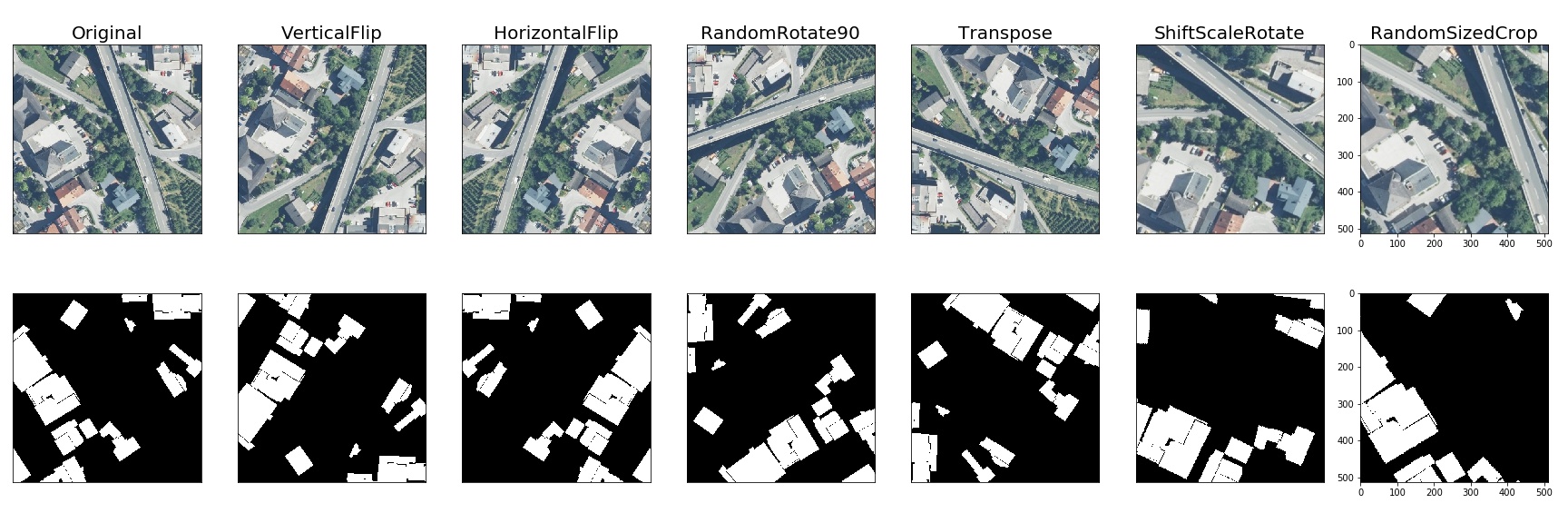
|
|
||||||
|
|
||||||
### Medical imaging
|
|
||||||
|
|
||||||
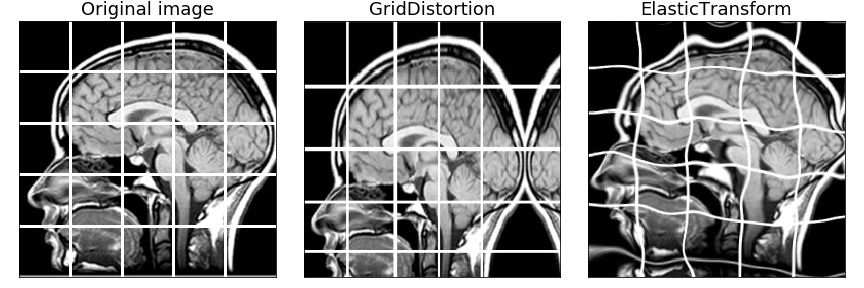
|
|
||||||
|
|
||||||
### Object detection and semantic segmentation on the Mapillary Vistas dataset
|
|
||||||
|
|
||||||
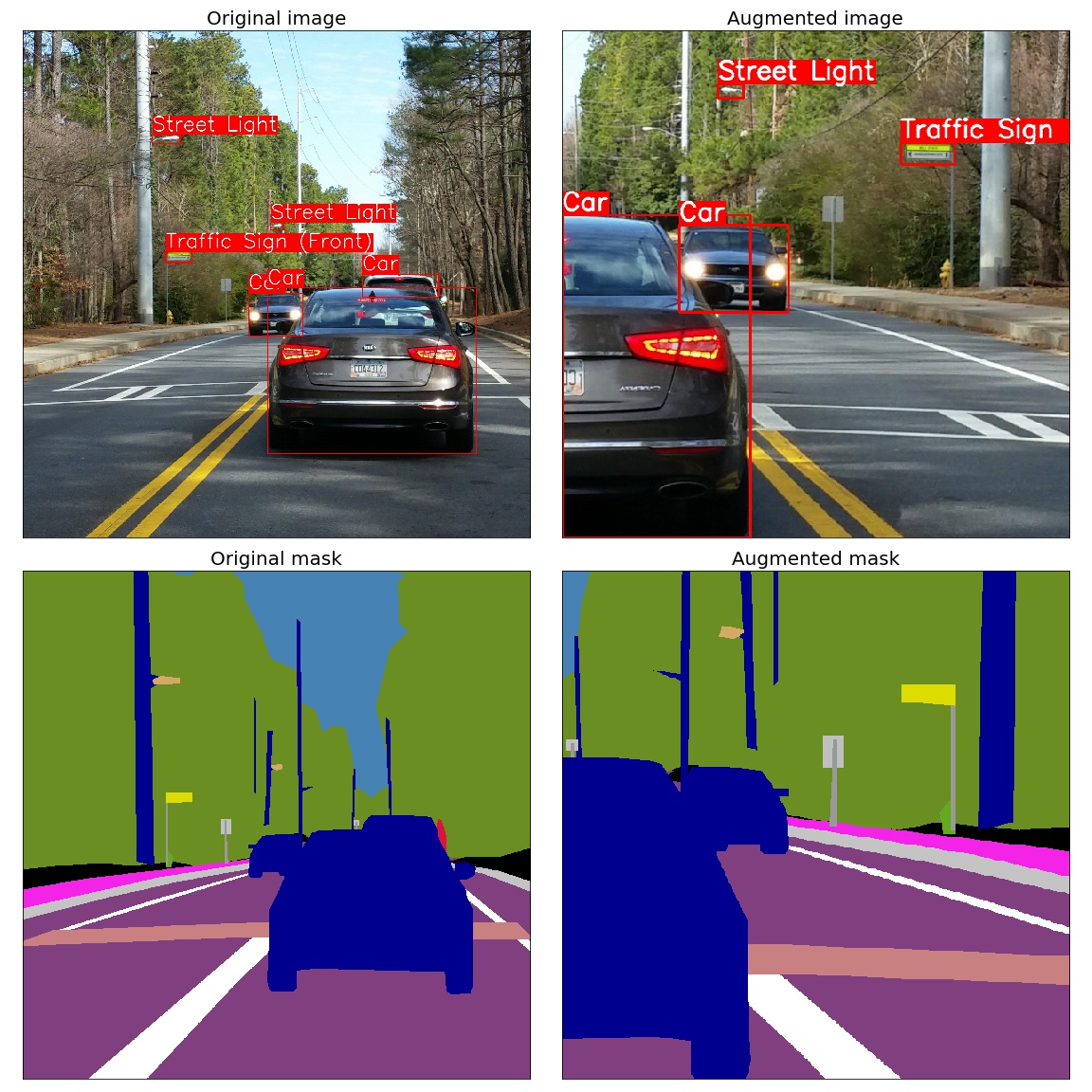
|
|
||||||
|
|
||||||
### Keypoints augmentation
|
|
||||||
|
|
||||||
<img src="https://habrastorage.org/webt/e-/6k/z-/e-6kz-fugp2heak3jzns3bc-r8o.jpeg" width=100%>
|
|
||||||
|
|
||||||
## Benchmark Results
|
|
||||||
|
|
||||||
### Image Benchmark Results
|
|
||||||
|
|
||||||
### System Information
|
|
||||||
|
|
||||||
- Platform: macOS-15.1-arm64-arm-64bit
|
|
||||||
- Processor: arm
|
|
||||||
- CPU Count: 16
|
|
||||||
- Python Version: 3.12.8
|
|
||||||
|
|
||||||
### Benchmark Parameters
|
|
||||||
|
|
||||||
- Number of images: 2000
|
|
||||||
- Runs per transform: 5
|
|
||||||
- Max warmup iterations: 1000
|
|
||||||
|
|
||||||
### Library Versions
|
|
||||||
|
|
||||||
- albumentations: 2.0.4
|
|
||||||
- augly: 1.0.0
|
|
||||||
- imgaug: 0.4.0
|
|
||||||
- kornia: 0.8.0
|
|
||||||
- torchvision: 0.20.1
|
|
||||||
|
|
||||||
## Performance Comparison
|
|
||||||
|
|
||||||
Number shows how many uint8 images per second can be processed on one CPU thread. Larger is better.
|
|
||||||
The Speedup column shows how many times faster Albumentations is compared to the fastest other
|
|
||||||
library for each transform.
|
|
||||||
|
|
||||||
| Transform | albumentations<br>2.0.4 | augly<br>1.0.0 | imgaug<br>0.4.0 | kornia<br>0.8.0 | torchvision<br>0.20.1 | Speedup<br>(Alb/fastest other) |
|
|
||||||
|:---------------------|:--------------------------|:-----------------|:------------------|:------------------|:------------------------|:---------------------------------|
|
|
||||||
| Affine | **1445 ± 9** | - | 1328 ± 16 | 248 ± 6 | 188 ± 2 | 1.09x |
|
|
||||||
| AutoContrast | **1657 ± 13** | - | - | 541 ± 8 | 344 ± 1 | 3.06x |
|
|
||||||
| Blur | **7657 ± 114** | 386 ± 4 | 5381 ± 125 | 265 ± 11 | - | 1.42x |
|
|
||||||
| Brightness | **11985 ± 455** | 2108 ± 32 | 1076 ± 32 | 1127 ± 27 | 854 ± 13 | 5.68x |
|
|
||||||
| CLAHE | **647 ± 4** | - | 555 ± 14 | 165 ± 3 | - | 1.17x |
|
|
||||||
| CenterCrop128 | **119293 ± 2164** | - | - | - | - | N/A |
|
|
||||||
| ChannelDropout | **11534 ± 306** | - | - | 2283 ± 24 | - | 5.05x |
|
|
||||||
| ChannelShuffle | **6772 ± 109** | - | 1252 ± 26 | 1328 ± 44 | 4417 ± 234 | 1.53x |
|
|
||||||
| CoarseDropout | **18962 ± 1346** | - | 1190 ± 22 | - | - | 15.93x |
|
|
||||||
| ColorJitter | **1020 ± 91** | 418 ± 5 | - | 104 ± 4 | 87 ± 1 | 2.44x |
|
|
||||||
| Contrast | **12394 ± 363** | 1379 ± 25 | 717 ± 5 | 1109 ± 41 | 602 ± 13 | 8.99x |
|
|
||||||
| CornerIllumination | **484 ± 7** | - | - | 452 ± 3 | - | 1.07x |
|
|
||||||
| Elastic | 374 ± 2 | - | **395 ± 14** | 1 ± 0 | 3 ± 0 | 0.95x |
|
|
||||||
| Equalize | **1236 ± 21** | - | 814 ± 11 | 306 ± 1 | 795 ± 3 | 1.52x |
|
|
||||||
| Erasing | **27451 ± 2794** | - | - | 1210 ± 27 | 3577 ± 49 | 7.67x |
|
|
||||||
| GaussianBlur | **2350 ± 118** | 387 ± 4 | 1460 ± 23 | 254 ± 5 | 127 ± 4 | 1.61x |
|
|
||||||
| GaussianIllumination | **720 ± 7** | - | - | 436 ± 13 | - | 1.65x |
|
|
||||||
| GaussianNoise | **315 ± 4** | - | 263 ± 9 | 125 ± 1 | - | 1.20x |
|
|
||||||
| Grayscale | **32284 ± 1130** | 6088 ± 107 | 3100 ± 24 | 1201 ± 52 | 2600 ± 23 | 5.30x |
|
|
||||||
| HSV | **1197 ± 23** | - | - | - | - | N/A |
|
|
||||||
| HorizontalFlip | **14460 ± 368** | 8808 ± 1012 | 9599 ± 495 | 1297 ± 13 | 2486 ± 107 | 1.51x |
|
|
||||||
| Hue | **1944 ± 64** | - | - | 150 ± 1 | - | 12.98x |
|
|
||||||
| Invert | **27665 ± 3803** | - | 3682 ± 79 | 2881 ± 43 | 4244 ± 30 | 6.52x |
|
|
||||||
| JpegCompression | **1321 ± 33** | 1202 ± 19 | 687 ± 26 | 120 ± 1 | 889 ± 7 | 1.10x |
|
|
||||||
| LinearIllumination | 479 ± 5 | - | - | **708 ± 6** | - | 0.68x |
|
|
||||||
| MedianBlur | **1229 ± 9** | - | 1152 ± 14 | 6 ± 0 | - | 1.07x |
|
|
||||||
| MotionBlur | **3521 ± 25** | - | 928 ± 37 | 159 ± 1 | - | 3.79x |
|
|
||||||
| Normalize | **1819 ± 49** | - | - | 1251 ± 14 | 1018 ± 7 | 1.45x |
|
|
||||||
| OpticalDistortion | **661 ± 7** | - | - | 174 ± 0 | - | 3.80x |
|
|
||||||
| Pad | **48589 ± 2059** | - | - | - | 4889 ± 183 | 9.94x |
|
|
||||||
| Perspective | **1206 ± 3** | - | 908 ± 8 | 154 ± 3 | 147 ± 5 | 1.33x |
|
|
||||||
| PlankianJitter | **3221 ± 63** | - | - | 2150 ± 52 | - | 1.50x |
|
|
||||||
| PlasmaBrightness | **168 ± 2** | - | - | 85 ± 1 | - | 1.98x |
|
|
||||||
| PlasmaContrast | **145 ± 3** | - | - | 84 ± 0 | - | 1.71x |
|
|
||||||
| PlasmaShadow | 183 ± 5 | - | - | **216 ± 5** | - | 0.85x |
|
|
||||||
| Posterize | **12979 ± 1121** | - | 3111 ± 95 | 836 ± 30 | 4247 ± 26 | 3.06x |
|
|
||||||
| RGBShift | **3391 ± 104** | - | - | 896 ± 9 | - | 3.79x |
|
|
||||||
| Rain | **2043 ± 115** | - | - | 1493 ± 9 | - | 1.37x |
|
|
||||||
| RandomCrop128 | **111859 ± 1374** | 45395 ± 934 | 21408 ± 622 | 2946 ± 42 | 31450 ± 249 | 2.46x |
|
|
||||||
| RandomGamma | **12444 ± 753** | - | 3504 ± 72 | 230 ± 3 | - | 3.55x |
|
|
||||||
| RandomResizedCrop | **4347 ± 37** | - | - | 661 ± 16 | 837 ± 37 | 5.19x |
|
|
||||||
| Resize | **3532 ± 67** | 1083 ± 21 | 2995 ± 70 | 645 ± 13 | 260 ± 9 | 1.18x |
|
|
||||||
| Rotate | **2912 ± 68** | 1739 ± 105 | 2574 ± 10 | 256 ± 2 | 258 ± 4 | 1.13x |
|
|
||||||
| SaltAndPepper | **629 ± 6** | - | - | 480 ± 12 | - | 1.31x |
|
|
||||||
| Saturation | **1596 ± 24** | - | 495 ± 3 | 155 ± 2 | - | 3.22x |
|
|
||||||
| Sharpen | **2346 ± 10** | - | 1101 ± 30 | 201 ± 2 | 220 ± 3 | 2.13x |
|
|
||||||
| Shear | **1299 ± 11** | - | 1244 ± 14 | 261 ± 1 | - | 1.04x |
|
|
||||||
| Snow | **611 ± 9** | - | - | 143 ± 1 | - | 4.28x |
|
|
||||||
| Solarize | **11756 ± 481** | - | 3843 ± 80 | 263 ± 6 | 1032 ± 14 | 3.06x |
|
|
||||||
| ThinPlateSpline | **82 ± 1** | - | - | 58 ± 0 | - | 1.41x |
|
|
||||||
| VerticalFlip | **32386 ± 936** | 16830 ± 1653 | 19935 ± 1708 | 2872 ± 37 | 4696 ± 161 | 1.62x |
|
|
||||||
|
|
||||||
## Contributing
|
|
||||||
|
|
||||||
To create a pull request to the repository, follow the documentation at [CONTRIBUTING.md](CONTRIBUTING.md)
|
|
||||||
|
|
||||||
|
|
||||||
|
|
||||||
## Community
|
|
||||||
|
|
||||||
- [LinkedIn](https://www.linkedin.com/company/albumentations/)
|
|
||||||
- [Twitter](https://twitter.com/albumentations)
|
|
||||||
- [Discord](https://discord.gg/AKPrrDYNAt)
|
|
||||||
|
|
||||||
## Citing
|
|
||||||
|
|
||||||
If you find this library useful for your research, please consider citing [Albumentations: Fast and Flexible Image Augmentations](https://www.mdpi.com/2078-2489/11/2/125):
|
|
||||||
|
|
||||||
```bibtex
|
|
||||||
@Article{info11020125,
|
|
||||||
AUTHOR = {Buslaev, Alexander and Iglovikov, Vladimir I. and Khvedchenya, Eugene and Parinov, Alex and Druzhinin, Mikhail and Kalinin, Alexandr A.},
|
|
||||||
TITLE = {Albumentations: Fast and Flexible Image Augmentations},
|
|
||||||
JOURNAL = {Information},
|
|
||||||
VOLUME = {11},
|
|
||||||
YEAR = {2020},
|
|
||||||
NUMBER = {2},
|
|
||||||
ARTICLE-NUMBER = {125},
|
|
||||||
URL = {https://www.mdpi.com/2078-2489/11/2/125},
|
|
||||||
ISSN = {2078-2489},
|
|
||||||
DOI = {10.3390/info11020125}
|
|
||||||
}
|
|
||||||
```
|
|
||||||
|
|
||||||
---
|
|
||||||
|
|
||||||
## 📫 Stay Connected
|
|
||||||
|
|
||||||
Never miss updates, tutorials, and tips from the Albumentations team! [Subscribe to our newsletter](https://albumentations.ai/subscribe).
|
|
||||||
@@ -1,125 +0,0 @@
|
|||||||
albumentations-2.0.8.dist-info/INSTALLER,sha256=zuuue4knoyJ-UwPPXg8fezS7VCrXJQrAP7zeNuwvFQg,4
|
|
||||||
albumentations-2.0.8.dist-info/METADATA,sha256=maY8c9-aulSSqGDlQF_GUf3fymhCG6HZbnTvMMSGsAM,43078
|
|
||||||
albumentations-2.0.8.dist-info/RECORD,,
|
|
||||||
albumentations-2.0.8.dist-info/REQUESTED,sha256=47DEQpj8HBSa-_TImW-5JCeuQeRkm5NMpJWZG3hSuFU,0
|
|
||||||
albumentations-2.0.8.dist-info/WHEEL,sha256=_zCd3N1l69ArxyTb8rzEoP9TpbYXkqRFSNOD5OuxnTs,91
|
|
||||||
albumentations-2.0.8.dist-info/licenses/LICENSE,sha256=vqTcjpOuJ4S8zUXxzbpT2pe5lka8o5DH1yXhe3LcIYA,1114
|
|
||||||
albumentations-2.0.8.dist-info/top_level.txt,sha256=QQRaMEdXrWuN1Zl2SgSO1zzoJLuECLwMDf6V4jVm0iI,15
|
|
||||||
albumentations/__init__.py,sha256=eqlywnxdf-Kmo9j1j3NYk7jQQhofHALlQParlGDNRnI,808
|
|
||||||
albumentations/__pycache__/__init__.cpython-312.pyc,,
|
|
||||||
albumentations/__pycache__/check_version.cpython-312.pyc,,
|
|
||||||
albumentations/augmentations/__init__.py,sha256=qHQ0t3fYFf-qXQkKN7LyMnEaPzvIGajqJzh8K8NyGw4,782
|
|
||||||
albumentations/augmentations/__pycache__/__init__.cpython-312.pyc,,
|
|
||||||
albumentations/augmentations/__pycache__/utils.cpython-312.pyc,,
|
|
||||||
albumentations/augmentations/blur/__init__.py,sha256=47DEQpj8HBSa-_TImW-5JCeuQeRkm5NMpJWZG3hSuFU,0
|
|
||||||
albumentations/augmentations/blur/__pycache__/__init__.cpython-312.pyc,,
|
|
||||||
albumentations/augmentations/blur/__pycache__/functional.cpython-312.pyc,,
|
|
||||||
albumentations/augmentations/blur/__pycache__/transforms.cpython-312.pyc,,
|
|
||||||
albumentations/augmentations/blur/functional.py,sha256=bO5oiliKqL7p98YOe2Zl7ldD66zoxyTz2u7VexpQJBs,13776
|
|
||||||
albumentations/augmentations/blur/transforms.py,sha256=12rI4oQSZymIex5WwncGhqs-YveDg844lBsq-77BU8s,64630
|
|
||||||
albumentations/augmentations/crops/__init__.py,sha256=47DEQpj8HBSa-_TImW-5JCeuQeRkm5NMpJWZG3hSuFU,0
|
|
||||||
albumentations/augmentations/crops/__pycache__/__init__.cpython-312.pyc,,
|
|
||||||
albumentations/augmentations/crops/__pycache__/functional.cpython-312.pyc,,
|
|
||||||
albumentations/augmentations/crops/__pycache__/transforms.cpython-312.pyc,,
|
|
||||||
albumentations/augmentations/crops/functional.py,sha256=bfrv8IhTjKXoow-dYeqEW5k4iX4GK2w1SrbqauW_22w,16903
|
|
||||||
albumentations/augmentations/crops/transforms.py,sha256=1eP9Zo9KL_14STG8whLp8GDdKRL7frpJFxL9wjCB630,148240
|
|
||||||
albumentations/augmentations/dropout/__init__.py,sha256=47DEQpj8HBSa-_TImW-5JCeuQeRkm5NMpJWZG3hSuFU,0
|
|
||||||
albumentations/augmentations/dropout/__pycache__/__init__.cpython-312.pyc,,
|
|
||||||
albumentations/augmentations/dropout/__pycache__/channel_dropout.cpython-312.pyc,,
|
|
||||||
albumentations/augmentations/dropout/__pycache__/coarse_dropout.cpython-312.pyc,,
|
|
||||||
albumentations/augmentations/dropout/__pycache__/functional.cpython-312.pyc,,
|
|
||||||
albumentations/augmentations/dropout/__pycache__/grid_dropout.cpython-312.pyc,,
|
|
||||||
albumentations/augmentations/dropout/__pycache__/mask_dropout.cpython-312.pyc,,
|
|
||||||
albumentations/augmentations/dropout/__pycache__/transforms.cpython-312.pyc,,
|
|
||||||
albumentations/augmentations/dropout/__pycache__/xy_masking.cpython-312.pyc,,
|
|
||||||
albumentations/augmentations/dropout/channel_dropout.py,sha256=xoIhL5rb6bKjBYGrzHhukSQ5PMUY9zECKClPFEvX8l0,5275
|
|
||||||
albumentations/augmentations/dropout/coarse_dropout.py,sha256=BsgPlHD2mhp8e9xN3bQ3TnODIv_1MeSRDMfUye4Yiw0,24490
|
|
||||||
albumentations/augmentations/dropout/functional.py,sha256=Wpv4P6pQHN3rjbtUtiBq-7gcLuVnezQieGRbYCsD230,38362
|
|
||||||
albumentations/augmentations/dropout/grid_dropout.py,sha256=jG4pa4ZbmSnwCKlxRBJi6QBO5gDO6zo4v5BoDkGeerU,7261
|
|
||||||
albumentations/augmentations/dropout/mask_dropout.py,sha256=L6x2LPLbjq3CM_ZfXUcgG97AZH8bEL4mpX1PxA3Zx5w,10962
|
|
||||||
albumentations/augmentations/dropout/transforms.py,sha256=8sZnobY574Y-z81OzYUf8ArWu4UvupNXbGa4UzjFo1g,18273
|
|
||||||
albumentations/augmentations/dropout/xy_masking.py,sha256=_0L6aW752rCOP8ADvYWD4aJk7guAEVSZVbJYXTTBq4s,8097
|
|
||||||
albumentations/augmentations/geometric/__init__.py,sha256=47DEQpj8HBSa-_TImW-5JCeuQeRkm5NMpJWZG3hSuFU,0
|
|
||||||
albumentations/augmentations/geometric/__pycache__/__init__.cpython-312.pyc,,
|
|
||||||
albumentations/augmentations/geometric/__pycache__/distortion.cpython-312.pyc,,
|
|
||||||
albumentations/augmentations/geometric/__pycache__/flip.cpython-312.pyc,,
|
|
||||||
albumentations/augmentations/geometric/__pycache__/functional.cpython-312.pyc,,
|
|
||||||
albumentations/augmentations/geometric/__pycache__/pad.cpython-312.pyc,,
|
|
||||||
albumentations/augmentations/geometric/__pycache__/resize.cpython-312.pyc,,
|
|
||||||
albumentations/augmentations/geometric/__pycache__/rotate.cpython-312.pyc,,
|
|
||||||
albumentations/augmentations/geometric/__pycache__/transforms.cpython-312.pyc,,
|
|
||||||
albumentations/augmentations/geometric/distortion.py,sha256=YQ5vkrNd4bZUrZDuKJFm6u9PIlfG3g8EYIPgYm-kISg,48045
|
|
||||||
albumentations/augmentations/geometric/flip.py,sha256=pJTNyAyZIt54xcofCqfoiKNXp1xeOmH0XIrRWKrpxVE,22030
|
|
||||||
albumentations/augmentations/geometric/functional.py,sha256=X0w-6C61z8dpu9B8GAb5ByKUmJe3xWM-KMc0m6wTBiA,142044
|
|
||||||
albumentations/augmentations/geometric/pad.py,sha256=JkuUslEFgYYmd-BA-Z0xYDhGbVYbUGZCybo4T1JOJtY,25372
|
|
||||||
albumentations/augmentations/geometric/resize.py,sha256=7pOnGX6zzC-2kRgRBpCbBRzmtIciPCZTCag12G2sgKU,39492
|
|
||||||
albumentations/augmentations/geometric/rotate.py,sha256=aUjFj4KVWh7kgMGVs3Lj6C8xiw94GC6YlMot29tv85c,32180
|
|
||||||
albumentations/augmentations/geometric/transforms.py,sha256=OH-b4fvnYG2uf0Gg58WrqGaoL7Xq4Mn-UKwUbTH2ln0,76126
|
|
||||||
albumentations/augmentations/mixing/__init__.py,sha256=47DEQpj8HBSa-_TImW-5JCeuQeRkm5NMpJWZG3hSuFU,0
|
|
||||||
albumentations/augmentations/mixing/__pycache__/__init__.cpython-312.pyc,,
|
|
||||||
albumentations/augmentations/mixing/__pycache__/domain_adaptation.cpython-312.pyc,,
|
|
||||||
albumentations/augmentations/mixing/__pycache__/domain_adaptation_functional.cpython-312.pyc,,
|
|
||||||
albumentations/augmentations/mixing/__pycache__/functional.cpython-312.pyc,,
|
|
||||||
albumentations/augmentations/mixing/__pycache__/transforms.cpython-312.pyc,,
|
|
||||||
albumentations/augmentations/mixing/domain_adaptation.py,sha256=yg-I81BSFYgYKIXd6iEdpcP7EpeRzSGOR68wG2oV_Tw,34544
|
|
||||||
albumentations/augmentations/mixing/domain_adaptation_functional.py,sha256=MmWakcKVM8cEjSj_S6oNxJelBACAnF9diFaUtiZ8auk,18009
|
|
||||||
albumentations/augmentations/mixing/functional.py,sha256=6VfJaGlGc95FBfAPF0atfGYMiAKJw0YGVXFS2NYdELA,34942
|
|
||||||
albumentations/augmentations/mixing/transforms.py,sha256=q0mHPxZOF1C8uCEHPyzdpUw5kd7G5gCTOTQGor_Hv48,34380
|
|
||||||
albumentations/augmentations/other/__init__.py,sha256=47DEQpj8HBSa-_TImW-5JCeuQeRkm5NMpJWZG3hSuFU,0
|
|
||||||
albumentations/augmentations/other/__pycache__/__init__.cpython-312.pyc,,
|
|
||||||
albumentations/augmentations/other/__pycache__/lambda_transform.cpython-312.pyc,,
|
|
||||||
albumentations/augmentations/other/__pycache__/type_transform.cpython-312.pyc,,
|
|
||||||
albumentations/augmentations/other/lambda_transform.py,sha256=Lvvv4shQCPlOR3Fjr46iuK-2vQTA4rNwJKxI9JhCk4c,6520
|
|
||||||
albumentations/augmentations/other/type_transform.py,sha256=zhhqtivULu2WKzb13OFiHOTkseKGB7khFfm4s8H1oEw,8164
|
|
||||||
albumentations/augmentations/pixel/__init__.py,sha256=47DEQpj8HBSa-_TImW-5JCeuQeRkm5NMpJWZG3hSuFU,0
|
|
||||||
albumentations/augmentations/pixel/__pycache__/__init__.cpython-312.pyc,,
|
|
||||||
albumentations/augmentations/pixel/__pycache__/functional.cpython-312.pyc,,
|
|
||||||
albumentations/augmentations/pixel/__pycache__/transforms.cpython-312.pyc,,
|
|
||||||
albumentations/augmentations/pixel/functional.py,sha256=xmw9hD_ORW71GEPcVvswScI3F5B-qDmLleikcqgpEz4,135459
|
|
||||||
albumentations/augmentations/pixel/transforms.py,sha256=uPNsSp41ZOrv2XaqMLhrdnOVvcpYA3IM--2ecFZANVE,283166
|
|
||||||
albumentations/augmentations/spectrogram/__init__.py,sha256=47DEQpj8HBSa-_TImW-5JCeuQeRkm5NMpJWZG3hSuFU,0
|
|
||||||
albumentations/augmentations/spectrogram/__pycache__/__init__.cpython-312.pyc,,
|
|
||||||
albumentations/augmentations/spectrogram/__pycache__/transform.cpython-312.pyc,,
|
|
||||||
albumentations/augmentations/spectrogram/transform.py,sha256=9EhuF4NlLS0DSJkTQ5EA2_1N3kEHXfrGf3GJj1qrkiw,7356
|
|
||||||
albumentations/augmentations/text/__init__.py,sha256=47DEQpj8HBSa-_TImW-5JCeuQeRkm5NMpJWZG3hSuFU,0
|
|
||||||
albumentations/augmentations/text/__pycache__/__init__.cpython-312.pyc,,
|
|
||||||
albumentations/augmentations/text/__pycache__/functional.cpython-312.pyc,,
|
|
||||||
albumentations/augmentations/text/__pycache__/transforms.cpython-312.pyc,,
|
|
||||||
albumentations/augmentations/text/functional.py,sha256=WOwNlwAlJH7Y33HWwaFiPezHn0TPcGgtOzW4b0BEQMo,10106
|
|
||||||
albumentations/augmentations/text/transforms.py,sha256=Nco6PlvP0K5ErRlwHxAjRC88LdIe-HxtjTIEWeIp6bA,10991
|
|
||||||
albumentations/augmentations/transforms3d/__init__.py,sha256=47DEQpj8HBSa-_TImW-5JCeuQeRkm5NMpJWZG3hSuFU,0
|
|
||||||
albumentations/augmentations/transforms3d/__pycache__/__init__.cpython-312.pyc,,
|
|
||||||
albumentations/augmentations/transforms3d/__pycache__/functional.cpython-312.pyc,,
|
|
||||||
albumentations/augmentations/transforms3d/__pycache__/transforms.cpython-312.pyc,,
|
|
||||||
albumentations/augmentations/transforms3d/functional.py,sha256=McXenIxg2lXr19QxKX-BGpcZMkDS4r_CNf_MIkXKGmI,16163
|
|
||||||
albumentations/augmentations/transforms3d/transforms.py,sha256=357bbh-D4qyJHoH_y7tDctFF1I8zyN966gD6jVHOZGk,56596
|
|
||||||
albumentations/augmentations/utils.py,sha256=vz8jVFoPxidnWJ4MzlZB9AksvY5l08Sobn7u1khlGVQ,9295
|
|
||||||
albumentations/check_version.py,sha256=fQcI6KK-sqQPjihK4kbwQ78hyv8gGTJkCYH4DIeh9r4,6119
|
|
||||||
albumentations/core/__init__.py,sha256=47DEQpj8HBSa-_TImW-5JCeuQeRkm5NMpJWZG3hSuFU,0
|
|
||||||
albumentations/core/__pycache__/__init__.cpython-312.pyc,,
|
|
||||||
albumentations/core/__pycache__/bbox_utils.cpython-312.pyc,,
|
|
||||||
albumentations/core/__pycache__/composition.cpython-312.pyc,,
|
|
||||||
albumentations/core/__pycache__/hub_mixin.cpython-312.pyc,,
|
|
||||||
albumentations/core/__pycache__/keypoints_utils.cpython-312.pyc,,
|
|
||||||
albumentations/core/__pycache__/label_manager.cpython-312.pyc,,
|
|
||||||
albumentations/core/__pycache__/pydantic.cpython-312.pyc,,
|
|
||||||
albumentations/core/__pycache__/serialization.cpython-312.pyc,,
|
|
||||||
albumentations/core/__pycache__/transforms_interface.cpython-312.pyc,,
|
|
||||||
albumentations/core/__pycache__/type_definitions.cpython-312.pyc,,
|
|
||||||
albumentations/core/__pycache__/utils.cpython-312.pyc,,
|
|
||||||
albumentations/core/__pycache__/validation.cpython-312.pyc,,
|
|
||||||
albumentations/core/bbox_utils.py,sha256=MYi7VMhgX3xAjO-vvpQhihqTtdH6-V0fwQRoZFiwYbE,35657
|
|
||||||
albumentations/core/composition.py,sha256=bAJlociTDei_aMxKBYV_qHgdPQ_KVz5qKys27SR5BZI,59634
|
|
||||||
albumentations/core/hub_mixin.py,sha256=bY5U4h2CuXBkBykO8VU_JNzGFy_w6eoyzHhpZXdcVYw,12474
|
|
||||||
albumentations/core/keypoints_utils.py,sha256=4RvQcBH6i8kFNgaW7cCGUra8DUPUSBjeV3lWC10hCUg,19089
|
|
||||||
albumentations/core/label_manager.py,sha256=1QQo3RexpnGwc3K0QHJ7RBVN9qG6XsWX-mwcNwZORAs,13082
|
|
||||||
albumentations/core/pydantic.py,sha256=O-csH5n1h04gigOz0GxcZJAPSpGY2bzhrt10YU3jVHY,7645
|
|
||||||
albumentations/core/serialization.py,sha256=mwBLF4DigR2K3egdCouNt65VLUObkvuoBnzjPnh-EDk,13805
|
|
||||||
albumentations/core/transforms_interface.py,sha256=gCfatqo_fSNkGI59kK6wBMZgZHZHf6Zp82uPkYjiAWc,37138
|
|
||||||
albumentations/core/type_definitions.py,sha256=3d7Cpx78vGRuvcqygVF7BP8mOlDlg-9E4NH8d6JPyRE,3594
|
|
||||||
albumentations/core/utils.py,sha256=CHVA47nW6C93JdXmO8k7_8D1uwJ30HNZN9LMOxBGDqY,20913
|
|
||||||
albumentations/core/validation.py,sha256=PCfiqa-K-Jvu5NCcAp0r-NnDPnoBmJbUNeAoxFABPfk,5383
|
|
||||||
albumentations/pytorch/__init__.py,sha256=_FX2n_Gzz9oGUCHqoQlo4ez2EBuXzhuDHDot-h2SCME,26
|
|
||||||
albumentations/pytorch/__pycache__/__init__.cpython-312.pyc,,
|
|
||||||
albumentations/pytorch/__pycache__/transforms.cpython-312.pyc,,
|
|
||||||
albumentations/pytorch/transforms.py,sha256=PZ1MCraVEOdduxe6hykKzMITvHT02H3Ak76Ewpx-MRA,7237
|
|
||||||
@@ -1,5 +0,0 @@
|
|||||||
Wheel-Version: 1.0
|
|
||||||
Generator: setuptools (80.9.0)
|
|
||||||
Root-Is-Purelib: true
|
|
||||||
Tag: py3-none-any
|
|
||||||
|
|
||||||
@@ -1,21 +0,0 @@
|
|||||||
MIT License
|
|
||||||
|
|
||||||
Copyright (c) 2017 Vladimir Iglovikov, Alexander Buslaev, Alexander Parinov,
|
|
||||||
|
|
||||||
Permission is hereby granted, free of charge, to any person obtaining a copy
|
|
||||||
of this software and associated documentation files (the "Software"), to deal
|
|
||||||
in the Software without restriction, including without limitation the rights
|
|
||||||
to use, copy, modify, merge, publish, distribute, sublicense, and/or sell
|
|
||||||
copies of the Software, and to permit persons to whom the Software is
|
|
||||||
furnished to do so, subject to the following conditions:
|
|
||||||
|
|
||||||
The above copyright notice and this permission notice shall be included in all
|
|
||||||
copies or substantial portions of the Software.
|
|
||||||
|
|
||||||
THE SOFTWARE IS PROVIDED "AS IS", WITHOUT WARRANTY OF ANY KIND, EXPRESS OR
|
|
||||||
IMPLIED, INCLUDING BUT NOT LIMITED TO THE WARRANTIES OF MERCHANTABILITY,
|
|
||||||
FITNESS FOR A PARTICULAR PURPOSE AND NONINFRINGEMENT. IN NO EVENT SHALL THE
|
|
||||||
AUTHORS OR COPYRIGHT HOLDERS BE LIABLE FOR ANY CLAIM, DAMAGES OR OTHER
|
|
||||||
LIABILITY, WHETHER IN AN ACTION OF CONTRACT, TORT OR OTHERWISE, ARISING FROM,
|
|
||||||
OUT OF OR IN CONNECTION WITH THE SOFTWARE OR THE USE OR OTHER DEALINGS IN THE
|
|
||||||
SOFTWARE.
|
|
||||||
@@ -1 +0,0 @@
|
|||||||
albumentations
|
|
||||||
@@ -1,28 +0,0 @@
|
|||||||
from importlib.metadata import metadata
|
|
||||||
|
|
||||||
try:
|
|
||||||
_metadata = metadata("albumentations")
|
|
||||||
__version__ = _metadata["Version"]
|
|
||||||
__author__ = _metadata["Author"]
|
|
||||||
__maintainer__ = _metadata["Maintainer"]
|
|
||||||
except Exception: # noqa: BLE001
|
|
||||||
__version__ = "unknown"
|
|
||||||
__author__ = "Vladimir Iglovikov"
|
|
||||||
__maintainer__ = "Vladimir Iglovikov"
|
|
||||||
|
|
||||||
import os
|
|
||||||
from contextlib import suppress
|
|
||||||
|
|
||||||
from albumentations.check_version import check_for_updates
|
|
||||||
|
|
||||||
from .augmentations import *
|
|
||||||
from .core.composition import *
|
|
||||||
from .core.serialization import *
|
|
||||||
from .core.transforms_interface import *
|
|
||||||
|
|
||||||
with suppress(ImportError):
|
|
||||||
from .pytorch import *
|
|
||||||
|
|
||||||
# Perform the version check after all other initializations
|
|
||||||
if os.getenv("NO_ALBUMENTATIONS_UPDATE", "").lower() not in {"true", "1"}:
|
|
||||||
check_for_updates()
|
|
||||||
@@ -1,23 +0,0 @@
|
|||||||
from .blur.transforms import *
|
|
||||||
from .crops.transforms import *
|
|
||||||
from .dropout.channel_dropout import *
|
|
||||||
from .dropout.coarse_dropout import *
|
|
||||||
from .dropout.grid_dropout import *
|
|
||||||
from .dropout.mask_dropout import *
|
|
||||||
from .dropout.transforms import *
|
|
||||||
from .dropout.xy_masking import *
|
|
||||||
from .geometric.distortion import *
|
|
||||||
from .geometric.flip import *
|
|
||||||
from .geometric.pad import *
|
|
||||||
from .geometric.resize import *
|
|
||||||
from .geometric.rotate import *
|
|
||||||
from .geometric.transforms import *
|
|
||||||
from .mixing.domain_adaptation import *
|
|
||||||
from .mixing.transforms import *
|
|
||||||
from .other.lambda_transform import *
|
|
||||||
from .other.type_transform import *
|
|
||||||
from .pixel.transforms import *
|
|
||||||
from .spectrogram.transform import *
|
|
||||||
from .text.transforms import *
|
|
||||||
from .transforms3d.transforms import *
|
|
||||||
from .utils import *
|
|
||||||
@@ -1,438 +0,0 @@
|
|||||||
"""Functional implementations of various blur operations for image processing.
|
|
||||||
|
|
||||||
This module provides a collection of low-level functions for applying different blur effects
|
|
||||||
to images, including standard blur, median blur, glass blur, defocus, and zoom effects.
|
|
||||||
These functions form the foundation for the corresponding transform classes.
|
|
||||||
"""
|
|
||||||
|
|
||||||
from __future__ import annotations
|
|
||||||
|
|
||||||
import random
|
|
||||||
from collections.abc import Sequence
|
|
||||||
from itertools import product
|
|
||||||
from math import ceil
|
|
||||||
from typing import Literal
|
|
||||||
from warnings import warn
|
|
||||||
|
|
||||||
import cv2
|
|
||||||
import numpy as np
|
|
||||||
from albucore import clipped, float32_io, maybe_process_in_chunks, preserve_channel_dim, uint8_io
|
|
||||||
from pydantic import ValidationInfo
|
|
||||||
|
|
||||||
from albumentations.augmentations.geometric.functional import scale
|
|
||||||
from albumentations.augmentations.pixel.functional import convolve
|
|
||||||
from albumentations.core.type_definitions import EIGHT
|
|
||||||
|
|
||||||
__all__ = ["box_blur", "central_zoom", "defocus", "glass_blur", "median_blur", "zoom_blur"]
|
|
||||||
|
|
||||||
|
|
||||||
@preserve_channel_dim
|
|
||||||
def box_blur(img: np.ndarray, ksize: int) -> np.ndarray:
|
|
||||||
"""Blur an image.
|
|
||||||
|
|
||||||
This function applies a blur to an image.
|
|
||||||
|
|
||||||
Args:
|
|
||||||
img (np.ndarray): Input image.
|
|
||||||
ksize (int): Kernel size.
|
|
||||||
|
|
||||||
Returns:
|
|
||||||
np.ndarray: Blurred image.
|
|
||||||
|
|
||||||
"""
|
|
||||||
blur_fn = maybe_process_in_chunks(cv2.blur, ksize=(ksize, ksize))
|
|
||||||
return blur_fn(img)
|
|
||||||
|
|
||||||
|
|
||||||
@preserve_channel_dim
|
|
||||||
@uint8_io
|
|
||||||
def median_blur(img: np.ndarray, ksize: int) -> np.ndarray:
|
|
||||||
"""Median blur an image.
|
|
||||||
|
|
||||||
This function applies a median blur to an image.
|
|
||||||
|
|
||||||
Args:
|
|
||||||
img (np.ndarray): Input image.
|
|
||||||
ksize (int): Kernel size.
|
|
||||||
|
|
||||||
Returns:
|
|
||||||
np.ndarray: Median blurred image.
|
|
||||||
|
|
||||||
"""
|
|
||||||
blur_fn = maybe_process_in_chunks(cv2.medianBlur, ksize=ksize)
|
|
||||||
return blur_fn(img)
|
|
||||||
|
|
||||||
|
|
||||||
@preserve_channel_dim
|
|
||||||
def glass_blur(
|
|
||||||
img: np.ndarray,
|
|
||||||
sigma: float,
|
|
||||||
max_delta: int,
|
|
||||||
iterations: int,
|
|
||||||
dxy: np.ndarray,
|
|
||||||
mode: Literal["fast", "exact"],
|
|
||||||
) -> np.ndarray:
|
|
||||||
"""Glass blur an image.
|
|
||||||
|
|
||||||
This function applies a glass blur to an image.
|
|
||||||
|
|
||||||
Args:
|
|
||||||
img (np.ndarray): Input image.
|
|
||||||
sigma (float): Sigma.
|
|
||||||
max_delta (int): Maximum delta.
|
|
||||||
iterations (int): Number of iterations.
|
|
||||||
dxy (np.ndarray): Dxy.
|
|
||||||
mode (Literal["fast", "exact"]): Mode.
|
|
||||||
|
|
||||||
Returns:
|
|
||||||
np.ndarray: Glass blurred image.
|
|
||||||
|
|
||||||
"""
|
|
||||||
x = cv2.GaussianBlur(np.array(img), sigmaX=sigma, ksize=(0, 0))
|
|
||||||
|
|
||||||
if mode == "fast":
|
|
||||||
hs = np.arange(img.shape[0] - max_delta, max_delta, -1)
|
|
||||||
ws = np.arange(img.shape[1] - max_delta, max_delta, -1)
|
|
||||||
h: int | np.ndarray = np.tile(hs, ws.shape[0])
|
|
||||||
w: int | np.ndarray = np.repeat(ws, hs.shape[0])
|
|
||||||
|
|
||||||
for i in range(iterations):
|
|
||||||
dy = dxy[:, i, 0]
|
|
||||||
dx = dxy[:, i, 1]
|
|
||||||
x[h, w], x[h + dy, w + dx] = x[h + dy, w + dx], x[h, w]
|
|
||||||
|
|
||||||
elif mode == "exact":
|
|
||||||
for ind, (i, h, w) in enumerate(
|
|
||||||
product(
|
|
||||||
range(iterations),
|
|
||||||
range(img.shape[0] - max_delta, max_delta, -1),
|
|
||||||
range(img.shape[1] - max_delta, max_delta, -1),
|
|
||||||
),
|
|
||||||
):
|
|
||||||
idx = ind if ind < len(dxy) else ind % len(dxy)
|
|
||||||
dy = dxy[idx, i, 0]
|
|
||||||
dx = dxy[idx, i, 1]
|
|
||||||
x[h, w], x[h + dy, w + dx] = x[h + dy, w + dx], x[h, w]
|
|
||||||
else:
|
|
||||||
raise ValueError(f"Unsupported mode `{mode}`. Supports only `fast` and `exact`.")
|
|
||||||
|
|
||||||
return cv2.GaussianBlur(x, sigmaX=sigma, ksize=(0, 0))
|
|
||||||
|
|
||||||
|
|
||||||
def defocus(img: np.ndarray, radius: int, alias_blur: float) -> np.ndarray:
|
|
||||||
"""Defocus an image.
|
|
||||||
|
|
||||||
This function defocuses an image.
|
|
||||||
|
|
||||||
Args:
|
|
||||||
img (np.ndarray): Input image.
|
|
||||||
radius (int): Radius.
|
|
||||||
alias_blur (float): Alias blur.
|
|
||||||
|
|
||||||
Returns:
|
|
||||||
np.ndarray: Defocused image.
|
|
||||||
|
|
||||||
"""
|
|
||||||
length = np.arange(-max(8, radius), max(8, radius) + 1)
|
|
||||||
ksize = 3 if radius <= EIGHT else 5
|
|
||||||
|
|
||||||
x, y = np.meshgrid(length, length)
|
|
||||||
aliased_disk = np.array((x**2 + y**2) <= radius**2, dtype=np.float32)
|
|
||||||
aliased_disk /= np.sum(aliased_disk)
|
|
||||||
|
|
||||||
kernel = cv2.GaussianBlur(aliased_disk, (ksize, ksize), sigmaX=alias_blur)
|
|
||||||
|
|
||||||
return convolve(img, kernel=kernel)
|
|
||||||
|
|
||||||
|
|
||||||
def central_zoom(img: np.ndarray, zoom_factor: int) -> np.ndarray:
|
|
||||||
"""Central zoom an image.
|
|
||||||
|
|
||||||
This function zooms an image.
|
|
||||||
|
|
||||||
Args:
|
|
||||||
img (np.ndarray): Input image.
|
|
||||||
zoom_factor (int): Zoom factor.
|
|
||||||
|
|
||||||
Returns:
|
|
||||||
np.ndarray: Zoomed image.
|
|
||||||
|
|
||||||
"""
|
|
||||||
height, width = img.shape[:2]
|
|
||||||
h_ch, w_ch = ceil(height / zoom_factor), ceil(width / zoom_factor)
|
|
||||||
h_top, w_top = (height - h_ch) // 2, (width - w_ch) // 2
|
|
||||||
|
|
||||||
img = scale(img[h_top : h_top + h_ch, w_top : w_top + w_ch], zoom_factor, cv2.INTER_LINEAR)
|
|
||||||
h_trim_top, w_trim_top = (img.shape[0] - height) // 2, (img.shape[1] - width) // 2
|
|
||||||
return img[h_trim_top : h_trim_top + height, w_trim_top : w_trim_top + width]
|
|
||||||
|
|
||||||
|
|
||||||
@float32_io
|
|
||||||
@clipped
|
|
||||||
def zoom_blur(img: np.ndarray, zoom_factors: np.ndarray | Sequence[int]) -> np.ndarray:
|
|
||||||
"""Zoom blur an image.
|
|
||||||
|
|
||||||
This function zooms and blurs an image.
|
|
||||||
|
|
||||||
Args:
|
|
||||||
img (np.ndarray): Input image.
|
|
||||||
zoom_factors (np.ndarray | Sequence[int]): Zoom factors.
|
|
||||||
|
|
||||||
Returns:
|
|
||||||
np.ndarray: Zoomed and blurred image.
|
|
||||||
|
|
||||||
"""
|
|
||||||
out = np.zeros_like(img, dtype=np.float32)
|
|
||||||
|
|
||||||
for zoom_factor in zoom_factors:
|
|
||||||
out += central_zoom(img, zoom_factor)
|
|
||||||
|
|
||||||
return (img + out) / (len(zoom_factors) + 1)
|
|
||||||
|
|
||||||
|
|
||||||
def _ensure_min_value(result: tuple[int, int], min_value: int, field_name: str | None) -> tuple[int, int]:
|
|
||||||
if result[0] < min_value or result[1] < min_value:
|
|
||||||
new_result = (max(min_value, result[0]), max(min_value, result[1]))
|
|
||||||
warn(
|
|
||||||
f"{field_name}: Invalid kernel size range {result}. "
|
|
||||||
f"Values less than {min_value} are not allowed. "
|
|
||||||
f"Range automatically adjusted to {new_result}.",
|
|
||||||
UserWarning,
|
|
||||||
stacklevel=2,
|
|
||||||
)
|
|
||||||
return new_result
|
|
||||||
return result
|
|
||||||
|
|
||||||
|
|
||||||
def _ensure_odd_values(result: tuple[int, int], field_name: str | None = None) -> tuple[int, int]:
|
|
||||||
new_result = (
|
|
||||||
result[0] if result[0] == 0 or result[0] % 2 == 1 else result[0] + 1,
|
|
||||||
result[1] if result[1] == 0 or result[1] % 2 == 1 else result[1] + 1,
|
|
||||||
)
|
|
||||||
if new_result != result:
|
|
||||||
warn(
|
|
||||||
f"{field_name}: Non-zero kernel sizes must be odd. Range {result} automatically adjusted to {new_result}.",
|
|
||||||
UserWarning,
|
|
||||||
stacklevel=2,
|
|
||||||
)
|
|
||||||
return new_result
|
|
||||||
|
|
||||||
|
|
||||||
def process_blur_limit(value: int | tuple[int, int], info: ValidationInfo, min_value: int = 0) -> tuple[int, int]:
|
|
||||||
"""Process blur limit to ensure valid kernel sizes."""
|
|
||||||
# Convert value to tuple[int, int]
|
|
||||||
if isinstance(value, Sequence):
|
|
||||||
if len(value) != 2:
|
|
||||||
raise ValueError("Sequence must contain exactly 2 elements")
|
|
||||||
result = (int(value[0]), int(value[1]))
|
|
||||||
else:
|
|
||||||
result = (min_value, int(value))
|
|
||||||
|
|
||||||
result = _ensure_min_value(result, min_value, info.field_name)
|
|
||||||
result = _ensure_odd_values(result, info.field_name)
|
|
||||||
|
|
||||||
if result[0] > result[1]:
|
|
||||||
final_result = (result[1], result[1])
|
|
||||||
warn(
|
|
||||||
f"{info.field_name}: Invalid range {result} (min > max). Range automatically adjusted to {final_result}.",
|
|
||||||
UserWarning,
|
|
||||||
stacklevel=2,
|
|
||||||
)
|
|
||||||
return final_result
|
|
||||||
|
|
||||||
return result
|
|
||||||
|
|
||||||
|
|
||||||
def create_motion_kernel(
|
|
||||||
kernel_size: int,
|
|
||||||
angle: float,
|
|
||||||
direction: float,
|
|
||||||
allow_shifted: bool,
|
|
||||||
random_state: random.Random,
|
|
||||||
) -> np.ndarray:
|
|
||||||
"""Create a motion blur kernel.
|
|
||||||
|
|
||||||
Args:
|
|
||||||
kernel_size (int): Size of the kernel (must be odd)
|
|
||||||
angle (float): Angle in degrees (counter-clockwise)
|
|
||||||
direction (float): Blur direction (-1.0 to 1.0)
|
|
||||||
allow_shifted (bool): Allow kernel to be randomly shifted from center
|
|
||||||
random_state (random.Random): Python's random.Random instance
|
|
||||||
|
|
||||||
Returns:
|
|
||||||
np.ndarray: Motion blur kernel
|
|
||||||
|
|
||||||
"""
|
|
||||||
# Validate direction range to prevent unexpected interpolation results
|
|
||||||
direction = np.clip(direction, -1.0, 1.0)
|
|
||||||
|
|
||||||
kernel = np.zeros((kernel_size, kernel_size), dtype=np.float32)
|
|
||||||
center = kernel_size // 2
|
|
||||||
|
|
||||||
# Convert angle to radians
|
|
||||||
angle_rad = np.deg2rad(angle)
|
|
||||||
|
|
||||||
# Calculate direction vector
|
|
||||||
dx = np.cos(angle_rad)
|
|
||||||
dy = np.sin(angle_rad)
|
|
||||||
|
|
||||||
# Create line points with direction bias
|
|
||||||
line_length = kernel_size // 2
|
|
||||||
|
|
||||||
# Apply direction bias to control the distribution of blur
|
|
||||||
if direction < 0:
|
|
||||||
# Backward bias: interpolate between symmetric and backward-only
|
|
||||||
# direction = -1: only backward, direction = 0: symmetric
|
|
||||||
bias_factor = abs(direction)
|
|
||||||
t_start = float(-line_length)
|
|
||||||
t_end = line_length * (1 - bias_factor)
|
|
||||||
elif direction > 0:
|
|
||||||
# Forward bias: interpolate between symmetric and forward-only
|
|
||||||
# direction = 1: only forward, direction = 0: symmetric
|
|
||||||
bias_factor = direction
|
|
||||||
t_start = -line_length * (1 - bias_factor)
|
|
||||||
t_end = float(line_length)
|
|
||||||
else:
|
|
||||||
# Symmetric case (direction = 0)
|
|
||||||
t_start = float(-line_length)
|
|
||||||
t_end = float(line_length)
|
|
||||||
|
|
||||||
# Generate points along the biased line
|
|
||||||
t = np.linspace(t_start, t_end, kernel_size)
|
|
||||||
|
|
||||||
# Generate line coordinates
|
|
||||||
x = center + dx * t
|
|
||||||
y = center + dy * t
|
|
||||||
|
|
||||||
# Apply random shift if allowed
|
|
||||||
if allow_shifted:
|
|
||||||
shift_x = random_state.uniform(-1, 1) * line_length / 2
|
|
||||||
shift_y = random_state.uniform(-1, 1) * line_length / 2
|
|
||||||
x += shift_x
|
|
||||||
y += shift_y
|
|
||||||
|
|
||||||
# Round coordinates and clip to kernel bounds
|
|
||||||
x = np.clip(np.round(x), 0, kernel_size - 1).astype(int)
|
|
||||||
y = np.clip(np.round(y), 0, kernel_size - 1).astype(int)
|
|
||||||
|
|
||||||
# Keep only unique points to avoid multiple assignments
|
|
||||||
points = np.unique(np.column_stack([y, x]), axis=0)
|
|
||||||
kernel[points[:, 0], points[:, 1]] = 1
|
|
||||||
|
|
||||||
# Ensure at least one point is set
|
|
||||||
if not kernel.any():
|
|
||||||
kernel[center, center] = 1
|
|
||||||
|
|
||||||
return kernel
|
|
||||||
|
|
||||||
|
|
||||||
def sample_odd_from_range(random_state: random.Random, low: int, high: int) -> int:
|
|
||||||
"""Sample an odd number from the range [low, high] (inclusive).
|
|
||||||
|
|
||||||
Args:
|
|
||||||
random_state (random.Random): instance of random.Random
|
|
||||||
low (int): lower bound (will be converted to nearest valid odd number)
|
|
||||||
high (int): upper bound (will be converted to nearest valid odd number)
|
|
||||||
|
|
||||||
Returns:
|
|
||||||
int: Randomly sampled odd number from the range
|
|
||||||
|
|
||||||
Note:
|
|
||||||
- Input values will be converted to nearest valid odd numbers:
|
|
||||||
* Values less than 3 will become 3
|
|
||||||
* Even values will be rounded up to next odd number
|
|
||||||
- After normalization, high must be >= low
|
|
||||||
|
|
||||||
"""
|
|
||||||
# Normalize low value
|
|
||||||
low = max(3, low + (low % 2 == 0))
|
|
||||||
# Normalize high value
|
|
||||||
high = max(3, high + (high % 2 == 0))
|
|
||||||
|
|
||||||
# Ensure high >= low after normalization
|
|
||||||
high = max(high, low)
|
|
||||||
|
|
||||||
if low == high:
|
|
||||||
return low
|
|
||||||
|
|
||||||
# Calculate number of possible odd values
|
|
||||||
num_odd_values = (high - low) // 2 + 1
|
|
||||||
# Generate random index and convert to corresponding odd number
|
|
||||||
rand_idx = random_state.randint(0, num_odd_values - 1)
|
|
||||||
return low + (2 * rand_idx)
|
|
||||||
|
|
||||||
|
|
||||||
def create_gaussian_kernel(sigma: float, ksize: int = 0) -> np.ndarray:
|
|
||||||
"""Create a Gaussian kernel following PIL's approach.
|
|
||||||
|
|
||||||
Args:
|
|
||||||
sigma (float): Standard deviation for Gaussian kernel.
|
|
||||||
ksize (int): Kernel size. If 0, size is computed as int(sigma * 3.5) * 2 + 1
|
|
||||||
to match PIL's implementation. Otherwise, must be positive and odd.
|
|
||||||
|
|
||||||
Returns:
|
|
||||||
np.ndarray: 2D normalized Gaussian kernel.
|
|
||||||
|
|
||||||
"""
|
|
||||||
# PIL's kernel creation approach
|
|
||||||
size = int(sigma * 3.5) * 2 + 1 if ksize == 0 else ksize
|
|
||||||
|
|
||||||
# Ensure odd size
|
|
||||||
size = size + 1 if size % 2 == 0 else size
|
|
||||||
|
|
||||||
# Create x coordinates
|
|
||||||
x = np.linspace(-(size // 2), size // 2, size)
|
|
||||||
|
|
||||||
# Compute 1D kernel using vectorized operations
|
|
||||||
kernel_1d = np.exp(-0.5 * (x / sigma) ** 2)
|
|
||||||
kernel_1d = kernel_1d / kernel_1d.sum()
|
|
||||||
|
|
||||||
# Create 2D kernel
|
|
||||||
return kernel_1d[:, np.newaxis] @ kernel_1d[np.newaxis, :]
|
|
||||||
|
|
||||||
|
|
||||||
def create_gaussian_kernel_1d(sigma: float, ksize: int = 0) -> np.ndarray:
|
|
||||||
"""Create a 1D Gaussian kernel following PIL's approach.
|
|
||||||
|
|
||||||
Args:
|
|
||||||
sigma (float): Standard deviation for Gaussian kernel.
|
|
||||||
ksize (int): Kernel size. If 0, size is computed as int(sigma * 3.5) * 2 + 1
|
|
||||||
to match PIL's implementation. Otherwise, must be positive and odd.
|
|
||||||
|
|
||||||
Returns:
|
|
||||||
np.ndarray: 1D normalized Gaussian kernel.
|
|
||||||
|
|
||||||
"""
|
|
||||||
# PIL's kernel creation approach
|
|
||||||
size = int(sigma * 3.5) * 2 + 1 if ksize == 0 else ksize
|
|
||||||
|
|
||||||
# Ensure odd size
|
|
||||||
size = size + 1 if size % 2 == 0 else size
|
|
||||||
|
|
||||||
# Create x coordinates
|
|
||||||
x = create_gaussian_kernel_input_array(size=size)
|
|
||||||
|
|
||||||
# Compute 1D kernel using vectorized operations
|
|
||||||
kernel_1d = np.exp(-0.5 * (x / sigma) ** 2)
|
|
||||||
return kernel_1d / kernel_1d.sum()
|
|
||||||
|
|
||||||
|
|
||||||
def create_gaussian_kernel_input_array(size: int) -> np.ndarray:
|
|
||||||
"""Creates a 1-D array which will create an array of x-coordinates which will be input for the
|
|
||||||
gaussian function (values from -size/2 to size/2 with step size of 1)
|
|
||||||
|
|
||||||
Piecewise function is needed as equivalent python list comprehension is faster than np.linspace
|
|
||||||
for values of size < 100
|
|
||||||
|
|
||||||
Args:
|
|
||||||
size (int): kernel size
|
|
||||||
|
|
||||||
Returns:
|
|
||||||
np.ndarray: x-coordinate array which will be input for gaussian function that will be used for
|
|
||||||
separable gaussian blur
|
|
||||||
|
|
||||||
"""
|
|
||||||
if size < 100:
|
|
||||||
return np.array(list(range(-(size // 2), (size // 2) + 1, 1)))
|
|
||||||
|
|
||||||
return np.linspace(-(size // 2), size // 2, size)
|
|
||||||
File diff suppressed because it is too large
Load Diff
@@ -1,494 +0,0 @@
|
|||||||
"""Functional implementations of image cropping operations.
|
|
||||||
|
|
||||||
This module provides utility functions for performing various cropping operations on images,
|
|
||||||
bounding boxes, and keypoints. It includes functions to calculate crop coordinates, crop images,
|
|
||||||
and handle the corresponding transformations for bounding boxes and keypoints to maintain
|
|
||||||
consistency between different data types during cropping operations.
|
|
||||||
"""
|
|
||||||
|
|
||||||
from __future__ import annotations
|
|
||||||
|
|
||||||
from collections.abc import Sequence
|
|
||||||
from typing import Any
|
|
||||||
|
|
||||||
import cv2
|
|
||||||
import numpy as np
|
|
||||||
from albucore import maybe_process_in_chunks, preserve_channel_dim
|
|
||||||
|
|
||||||
from albumentations.augmentations.geometric import functional as fgeometric
|
|
||||||
from albumentations.augmentations.utils import handle_empty_array
|
|
||||||
from albumentations.core.bbox_utils import denormalize_bboxes, normalize_bboxes
|
|
||||||
|
|
||||||
__all__ = [
|
|
||||||
"crop",
|
|
||||||
"crop_and_pad",
|
|
||||||
"crop_and_pad_bboxes",
|
|
||||||
"crop_and_pad_keypoints",
|
|
||||||
"crop_bboxes_by_coords",
|
|
||||||
"crop_keypoints_by_coords",
|
|
||||||
"get_center_crop_coords",
|
|
||||||
"get_crop_coords",
|
|
||||||
"pad_along_axes",
|
|
||||||
"volume_crop_yx",
|
|
||||||
"volumes_crop_yx",
|
|
||||||
]
|
|
||||||
|
|
||||||
|
|
||||||
def get_crop_coords(
|
|
||||||
image_shape: tuple[int, int],
|
|
||||||
crop_shape: tuple[int, int],
|
|
||||||
h_start: float,
|
|
||||||
w_start: float,
|
|
||||||
) -> tuple[int, int, int, int]:
|
|
||||||
"""Get crop coordinates.
|
|
||||||
|
|
||||||
This function gets the crop coordinates.
|
|
||||||
|
|
||||||
Args:
|
|
||||||
image_shape (tuple[int, int]): Original image shape.
|
|
||||||
crop_shape (tuple[int, int]): Crop shape.
|
|
||||||
h_start (float): Start height.
|
|
||||||
w_start (float): Start width.
|
|
||||||
|
|
||||||
Returns:
|
|
||||||
tuple[int, int, int, int]: Crop coordinates.
|
|
||||||
|
|
||||||
"""
|
|
||||||
# h_start is [0, 1) and should map to [0, (height - crop_height)] (note inclusive)
|
|
||||||
# This is conceptually equivalent to mapping onto `range(0, (height - crop_height + 1))`
|
|
||||||
# See: https://github.com/albumentations-team/albumentations/pull/1080
|
|
||||||
# We want range for coordinated to be [0, image_size], right side is included
|
|
||||||
|
|
||||||
height, width = image_shape[:2]
|
|
||||||
|
|
||||||
# Clip crop dimensions to image dimensions
|
|
||||||
crop_height = min(crop_shape[0], height)
|
|
||||||
crop_width = min(crop_shape[1], width)
|
|
||||||
|
|
||||||
y_min = int((height - crop_height + 1) * h_start)
|
|
||||||
y_max = y_min + crop_height
|
|
||||||
x_min = int((width - crop_width + 1) * w_start)
|
|
||||||
x_max = x_min + crop_width
|
|
||||||
return x_min, y_min, x_max, y_max
|
|
||||||
|
|
||||||
|
|
||||||
def crop_bboxes_by_coords(
|
|
||||||
bboxes: np.ndarray,
|
|
||||||
crop_coords: tuple[int, int, int, int],
|
|
||||||
image_shape: tuple[int, int],
|
|
||||||
normalized_input: bool = True,
|
|
||||||
) -> np.ndarray:
|
|
||||||
"""Crop bounding boxes based on given crop coordinates.
|
|
||||||
|
|
||||||
This function adjusts bounding boxes to fit within a cropped image.
|
|
||||||
|
|
||||||
Args:
|
|
||||||
bboxes (np.ndarray): Array of bounding boxes with shape (N, 4+) where each row is
|
|
||||||
[x_min, y_min, x_max, y_max, ...]. The bounding box coordinates
|
|
||||||
can be either normalized (in [0, 1]) if normalized_input=True or
|
|
||||||
absolute pixel values if normalized_input=False.
|
|
||||||
crop_coords (tuple[int, int, int, int]): Crop coordinates (x_min, y_min, x_max, y_max)
|
|
||||||
in absolute pixel values.
|
|
||||||
image_shape (tuple[int, int]): Original image shape (height, width).
|
|
||||||
normalized_input (bool): Whether input boxes are in normalized coordinates.
|
|
||||||
If True, assumes input is normalized [0,1] and returns normalized coordinates.
|
|
||||||
If False, assumes input is in absolute pixels and returns absolute coordinates.
|
|
||||||
Default: True for backward compatibility.
|
|
||||||
|
|
||||||
Returns:
|
|
||||||
np.ndarray: Array of cropped bounding boxes. Coordinates will be in the same format as input
|
|
||||||
(normalized if normalized_input=True, absolute pixels if normalized_input=False).
|
|
||||||
|
|
||||||
Note:
|
|
||||||
Bounding boxes that fall completely outside the crop area will be removed.
|
|
||||||
Bounding boxes that partially overlap with the crop area will be adjusted to fit within it.
|
|
||||||
|
|
||||||
"""
|
|
||||||
if not bboxes.size:
|
|
||||||
return bboxes
|
|
||||||
|
|
||||||
# Convert to absolute coordinates if needed
|
|
||||||
if normalized_input:
|
|
||||||
cropped_bboxes = denormalize_bboxes(bboxes.copy().astype(np.float32), image_shape)
|
|
||||||
else:
|
|
||||||
cropped_bboxes = bboxes.copy().astype(np.float32)
|
|
||||||
|
|
||||||
x_min, y_min = crop_coords[:2]
|
|
||||||
|
|
||||||
# Subtract crop coordinates
|
|
||||||
cropped_bboxes[:, [0, 2]] -= x_min
|
|
||||||
cropped_bboxes[:, [1, 3]] -= y_min
|
|
||||||
|
|
||||||
# Calculate crop shape
|
|
||||||
crop_height = crop_coords[3] - crop_coords[1]
|
|
||||||
crop_width = crop_coords[2] - crop_coords[0]
|
|
||||||
crop_shape = (crop_height, crop_width)
|
|
||||||
|
|
||||||
# Return in same format as input
|
|
||||||
return normalize_bboxes(cropped_bboxes, crop_shape) if normalized_input else cropped_bboxes
|
|
||||||
|
|
||||||
|
|
||||||
@handle_empty_array("keypoints")
|
|
||||||
def crop_keypoints_by_coords(
|
|
||||||
keypoints: np.ndarray,
|
|
||||||
crop_coords: tuple[int, int, int, int],
|
|
||||||
) -> np.ndarray:
|
|
||||||
"""Crop keypoints using the provided coordinates of bottom-left and top-right corners in pixels.
|
|
||||||
|
|
||||||
Args:
|
|
||||||
keypoints (np.ndarray): An array of keypoints with shape (N, 4+) where each row is (x, y, angle, scale, ...).
|
|
||||||
crop_coords (tuple): Crop box coords (x1, y1, x2, y2).
|
|
||||||
|
|
||||||
Returns:
|
|
||||||
np.ndarray: An array of cropped keypoints with the same shape as the input.
|
|
||||||
|
|
||||||
"""
|
|
||||||
x1, y1 = crop_coords[:2]
|
|
||||||
|
|
||||||
cropped_keypoints = keypoints.copy()
|
|
||||||
cropped_keypoints[:, 0] -= x1 # Adjust x coordinates
|
|
||||||
cropped_keypoints[:, 1] -= y1 # Adjust y coordinates
|
|
||||||
|
|
||||||
return cropped_keypoints
|
|
||||||
|
|
||||||
|
|
||||||
def get_center_crop_coords(image_shape: tuple[int, int], crop_shape: tuple[int, int]) -> tuple[int, int, int, int]:
|
|
||||||
"""Get center crop coordinates.
|
|
||||||
|
|
||||||
This function gets the center crop coordinates.
|
|
||||||
|
|
||||||
Args:
|
|
||||||
image_shape (tuple[int, int]): Original image shape.
|
|
||||||
crop_shape (tuple[int, int]): Crop shape.
|
|
||||||
|
|
||||||
Returns:
|
|
||||||
tuple[int, int, int, int]: Center crop coordinates.
|
|
||||||
|
|
||||||
"""
|
|
||||||
height, width = image_shape[:2]
|
|
||||||
crop_height, crop_width = crop_shape[:2]
|
|
||||||
|
|
||||||
y_min = (height - crop_height) // 2
|
|
||||||
y_max = y_min + crop_height
|
|
||||||
x_min = (width - crop_width) // 2
|
|
||||||
x_max = x_min + crop_width
|
|
||||||
return x_min, y_min, x_max, y_max
|
|
||||||
|
|
||||||
|
|
||||||
def crop(img: np.ndarray, x_min: int, y_min: int, x_max: int, y_max: int) -> np.ndarray:
|
|
||||||
"""Crop an image.
|
|
||||||
|
|
||||||
This function crops an image.
|
|
||||||
|
|
||||||
Args:
|
|
||||||
img (np.ndarray): Input image.
|
|
||||||
x_min (int): Minimum x coordinate.
|
|
||||||
y_min (int): Minimum y coordinate.
|
|
||||||
x_max (int): Maximum x coordinate.
|
|
||||||
y_max (int): Maximum y coordinate.
|
|
||||||
|
|
||||||
Returns:
|
|
||||||
np.ndarray: Cropped image.
|
|
||||||
|
|
||||||
"""
|
|
||||||
height, width = img.shape[:2]
|
|
||||||
if x_max <= x_min or y_max <= y_min:
|
|
||||||
raise ValueError(
|
|
||||||
"We should have x_min < x_max and y_min < y_max. But we got"
|
|
||||||
f" (x_min = {x_min}, y_min = {y_min}, x_max = {x_max}, y_max = {y_max})",
|
|
||||||
)
|
|
||||||
|
|
||||||
if x_min < 0 or x_max > width or y_min < 0 or y_max > height:
|
|
||||||
raise ValueError(
|
|
||||||
"Values for crop should be non negative and equal or smaller than image sizes"
|
|
||||||
f"(x_min = {x_min}, y_min = {y_min}, x_max = {x_max}, y_max = {y_max}, "
|
|
||||||
f"height = {height}, width = {width})",
|
|
||||||
)
|
|
||||||
|
|
||||||
return img[y_min:y_max, x_min:x_max]
|
|
||||||
|
|
||||||
|
|
||||||
@preserve_channel_dim
|
|
||||||
def crop_and_pad(
|
|
||||||
img: np.ndarray,
|
|
||||||
crop_params: tuple[int, int, int, int] | None,
|
|
||||||
pad_params: tuple[int, int, int, int] | None,
|
|
||||||
pad_value: tuple[float, ...] | float | None,
|
|
||||||
image_shape: tuple[int, int],
|
|
||||||
interpolation: int,
|
|
||||||
pad_mode: int,
|
|
||||||
keep_size: bool,
|
|
||||||
) -> np.ndarray:
|
|
||||||
"""Crop and pad an image.
|
|
||||||
|
|
||||||
This function crops and pads an image.
|
|
||||||
|
|
||||||
Args:
|
|
||||||
img (np.ndarray): Input image.
|
|
||||||
crop_params (tuple[int, int, int, int] | None): Crop parameters.
|
|
||||||
pad_params (tuple[int, int, int, int] | None): Pad parameters.
|
|
||||||
pad_value (tuple[float, ...] | float | None): Pad value.
|
|
||||||
image_shape (tuple[int, int]): Original image shape.
|
|
||||||
interpolation (int): Interpolation method.
|
|
||||||
pad_mode (int): Pad mode.
|
|
||||||
keep_size (bool): Whether to keep the original size.
|
|
||||||
|
|
||||||
Returns:
|
|
||||||
np.ndarray: Cropped and padded image.
|
|
||||||
|
|
||||||
"""
|
|
||||||
if crop_params is not None and any(i != 0 for i in crop_params):
|
|
||||||
img = crop(img, *crop_params)
|
|
||||||
if pad_params is not None and any(i != 0 for i in pad_params):
|
|
||||||
img = fgeometric.pad_with_params(
|
|
||||||
img,
|
|
||||||
pad_params[0],
|
|
||||||
pad_params[1],
|
|
||||||
pad_params[2],
|
|
||||||
pad_params[3],
|
|
||||||
border_mode=pad_mode,
|
|
||||||
value=pad_value,
|
|
||||||
)
|
|
||||||
|
|
||||||
if keep_size:
|
|
||||||
rows, cols = image_shape[:2]
|
|
||||||
resize_fn = maybe_process_in_chunks(cv2.resize, dsize=(cols, rows), interpolation=interpolation)
|
|
||||||
return resize_fn(img)
|
|
||||||
|
|
||||||
return img
|
|
||||||
|
|
||||||
|
|
||||||
def crop_and_pad_bboxes(
|
|
||||||
bboxes: np.ndarray,
|
|
||||||
crop_params: tuple[int, int, int, int] | None,
|
|
||||||
pad_params: tuple[int, int, int, int] | None,
|
|
||||||
image_shape: tuple[int, int],
|
|
||||||
result_shape: tuple[int, int],
|
|
||||||
) -> np.ndarray:
|
|
||||||
"""Crop and pad bounding boxes.
|
|
||||||
|
|
||||||
This function crops and pads bounding boxes.
|
|
||||||
|
|
||||||
Args:
|
|
||||||
bboxes (np.ndarray): Array of bounding boxes.
|
|
||||||
crop_params (tuple[int, int, int, int] | None): Crop parameters.
|
|
||||||
pad_params (tuple[int, int, int, int] | None): Pad parameters.
|
|
||||||
image_shape (tuple[int, int]): Original image shape.
|
|
||||||
result_shape (tuple[int, int]): Result image shape.
|
|
||||||
|
|
||||||
Returns:
|
|
||||||
np.ndarray: Array of cropped and padded bounding boxes.
|
|
||||||
|
|
||||||
"""
|
|
||||||
if len(bboxes) == 0:
|
|
||||||
return bboxes
|
|
||||||
|
|
||||||
# Denormalize bboxes
|
|
||||||
denormalized_bboxes = denormalize_bboxes(bboxes, image_shape)
|
|
||||||
|
|
||||||
if crop_params is not None:
|
|
||||||
crop_x, crop_y = crop_params[:2]
|
|
||||||
# Subtract crop values from x and y coordinates
|
|
||||||
denormalized_bboxes[:, [0, 2]] -= crop_x
|
|
||||||
denormalized_bboxes[:, [1, 3]] -= crop_y
|
|
||||||
|
|
||||||
if pad_params is not None:
|
|
||||||
top, _, left, _ = pad_params
|
|
||||||
# Add pad values to x and y coordinates
|
|
||||||
denormalized_bboxes[:, [0, 2]] += left
|
|
||||||
denormalized_bboxes[:, [1, 3]] += top
|
|
||||||
|
|
||||||
# Normalize bboxes to the result shape
|
|
||||||
return normalize_bboxes(denormalized_bboxes, result_shape)
|
|
||||||
|
|
||||||
|
|
||||||
@handle_empty_array("keypoints")
|
|
||||||
def crop_and_pad_keypoints(
|
|
||||||
keypoints: np.ndarray,
|
|
||||||
crop_params: tuple[int, int, int, int] | None = None,
|
|
||||||
pad_params: tuple[int, int, int, int] | None = None,
|
|
||||||
image_shape: tuple[int, int] = (0, 0),
|
|
||||||
result_shape: tuple[int, int] = (0, 0),
|
|
||||||
keep_size: bool = False,
|
|
||||||
) -> np.ndarray:
|
|
||||||
"""Crop and pad multiple keypoints simultaneously.
|
|
||||||
|
|
||||||
Args:
|
|
||||||
keypoints (np.ndarray): Array of keypoints with shape (N, 4+) where each row is (x, y, angle, scale, ...).
|
|
||||||
crop_params (Sequence[int], optional): Crop parameters [crop_x1, crop_y1, ...].
|
|
||||||
pad_params (Sequence[int], optional): Pad parameters [top, bottom, left, right].
|
|
||||||
image_shape (Tuple[int, int]): Original image shape (rows, cols).
|
|
||||||
result_shape (Tuple[int, int]): Result image shape (rows, cols).
|
|
||||||
keep_size (bool): Whether to keep the original size.
|
|
||||||
|
|
||||||
Returns:
|
|
||||||
np.ndarray: Array of transformed keypoints with the same shape as input.
|
|
||||||
|
|
||||||
"""
|
|
||||||
transformed_keypoints = keypoints.copy()
|
|
||||||
|
|
||||||
if crop_params is not None:
|
|
||||||
crop_x1, crop_y1 = crop_params[:2]
|
|
||||||
transformed_keypoints[:, 0] -= crop_x1
|
|
||||||
transformed_keypoints[:, 1] -= crop_y1
|
|
||||||
|
|
||||||
if pad_params is not None:
|
|
||||||
top, _, left, _ = pad_params
|
|
||||||
transformed_keypoints[:, 0] += left
|
|
||||||
transformed_keypoints[:, 1] += top
|
|
||||||
|
|
||||||
rows, cols = image_shape[:2]
|
|
||||||
result_rows, result_cols = result_shape[:2]
|
|
||||||
|
|
||||||
if keep_size and (result_cols != cols or result_rows != rows):
|
|
||||||
scale_x = cols / result_cols
|
|
||||||
scale_y = rows / result_rows
|
|
||||||
return fgeometric.keypoints_scale(transformed_keypoints, scale_x, scale_y)
|
|
||||||
|
|
||||||
return transformed_keypoints
|
|
||||||
|
|
||||||
|
|
||||||
def volume_crop_yx(
|
|
||||||
volume: np.ndarray,
|
|
||||||
x_min: int,
|
|
||||||
y_min: int,
|
|
||||||
x_max: int,
|
|
||||||
y_max: int,
|
|
||||||
) -> np.ndarray:
|
|
||||||
"""Crop a single volume along Y (height) and X (width) axes only.
|
|
||||||
|
|
||||||
Args:
|
|
||||||
volume (np.ndarray): Input volume with shape (D, H, W) or (D, H, W, C).
|
|
||||||
x_min (int): Minimum width coordinate.
|
|
||||||
y_min (int): Minimum height coordinate.
|
|
||||||
x_max (int): Maximum width coordinate.
|
|
||||||
y_max (int): Maximum height coordinate.
|
|
||||||
|
|
||||||
Returns:
|
|
||||||
np.ndarray: Cropped volume (D, H_new, W_new, [C]).
|
|
||||||
|
|
||||||
Raises:
|
|
||||||
ValueError: If crop coordinates are invalid.
|
|
||||||
|
|
||||||
"""
|
|
||||||
_, height, width = volume.shape[:3]
|
|
||||||
if x_max <= x_min or y_max <= y_min:
|
|
||||||
raise ValueError(
|
|
||||||
"Crop coordinates must satisfy min < max. Got: "
|
|
||||||
f"(x_min={x_min}, y_min={y_min}, x_max={x_max}, y_max={y_max})",
|
|
||||||
)
|
|
||||||
|
|
||||||
if x_min < 0 or y_min < 0 or x_max > width or y_max > height:
|
|
||||||
raise ValueError(
|
|
||||||
"Crop coordinates must be within image dimensions (H, W). Got: "
|
|
||||||
f"(x_min={x_min}, y_min={y_min}, x_max={x_max}, y_max={y_max}) "
|
|
||||||
f"for volume shape {volume.shape[:3]}",
|
|
||||||
)
|
|
||||||
|
|
||||||
# Crop along H (axis 1) and W (axis 2)
|
|
||||||
return volume[:, y_min:y_max, x_min:x_max]
|
|
||||||
|
|
||||||
|
|
||||||
def volumes_crop_yx(
|
|
||||||
volumes: np.ndarray,
|
|
||||||
x_min: int,
|
|
||||||
y_min: int,
|
|
||||||
x_max: int,
|
|
||||||
y_max: int,
|
|
||||||
) -> np.ndarray:
|
|
||||||
"""Crop a batch of volumes along Y (height) and X (width) axes only.
|
|
||||||
|
|
||||||
Args:
|
|
||||||
volumes (np.ndarray): Input batch of volumes with shape (B, D, H, W) or (B, D, H, W, C).
|
|
||||||
x_min (int): Minimum width coordinate.
|
|
||||||
y_min (int): Minimum height coordinate.
|
|
||||||
x_max (int): Maximum width coordinate.
|
|
||||||
y_max (int): Maximum height coordinate.
|
|
||||||
|
|
||||||
Returns:
|
|
||||||
np.ndarray: Cropped batch of volumes (B, D, H_new, W_new, [C]).
|
|
||||||
|
|
||||||
Raises:
|
|
||||||
ValueError: If crop coordinates are invalid or volumes shape is incorrect.
|
|
||||||
|
|
||||||
"""
|
|
||||||
if not 4 <= volumes.ndim <= 5:
|
|
||||||
raise ValueError(f"Input volumes should have 4 or 5 dimensions, got {volumes.ndim}")
|
|
||||||
|
|
||||||
depth, height, width = volumes.shape[1:4]
|
|
||||||
if x_max <= x_min or y_max <= y_min:
|
|
||||||
raise ValueError(
|
|
||||||
"Crop coordinates must satisfy min < max. Got: "
|
|
||||||
f"(x_min={x_min}, y_min={y_min}, x_max={x_max}, y_max={y_max})",
|
|
||||||
)
|
|
||||||
|
|
||||||
if x_min < 0 or y_min < 0 or x_max > width or y_max > height:
|
|
||||||
raise ValueError(
|
|
||||||
"Crop coordinates must be within image dimensions (H, W). Got: "
|
|
||||||
f"(x_min={x_min}, y_min={y_min}, x_max={x_max}, y_max={y_max}) "
|
|
||||||
f"for volume shape {(depth, height, width)}",
|
|
||||||
)
|
|
||||||
|
|
||||||
# Crop along H (axis 2) and W (axis 3)
|
|
||||||
return volumes[:, :, y_min:y_max, x_min:x_max]
|
|
||||||
|
|
||||||
|
|
||||||
def pad_along_axes(
|
|
||||||
arr: np.ndarray,
|
|
||||||
pad_top: int,
|
|
||||||
pad_bottom: int,
|
|
||||||
pad_left: int,
|
|
||||||
pad_right: int,
|
|
||||||
h_axis: int,
|
|
||||||
w_axis: int,
|
|
||||||
border_mode: int,
|
|
||||||
pad_value: float | Sequence[float] = 0,
|
|
||||||
) -> np.ndarray:
|
|
||||||
"""Pad an array along specified height (H) and width (W) axes using np.pad.
|
|
||||||
|
|
||||||
Args:
|
|
||||||
arr (np.ndarray): Input array.
|
|
||||||
pad_top (int): Padding added to the top (start of H axis).
|
|
||||||
pad_bottom (int): Padding added to the bottom (end of H axis).
|
|
||||||
pad_left (int): Padding added to the left (start of W axis).
|
|
||||||
pad_right (int): Padding added to the right (end of W axis).
|
|
||||||
h_axis (int): Index of the height axis (Y).
|
|
||||||
w_axis (int): Index of the width axis (X).
|
|
||||||
border_mode (int): OpenCV border mode.
|
|
||||||
pad_value (float | Sequence[float]): Value for constant padding.
|
|
||||||
|
|
||||||
Returns:
|
|
||||||
np.ndarray: Padded array.
|
|
||||||
|
|
||||||
Raises:
|
|
||||||
ValueError: If border_mode is unsupported or axis indices are out of bounds.
|
|
||||||
|
|
||||||
"""
|
|
||||||
ndim = arr.ndim
|
|
||||||
if not (0 <= h_axis < ndim and 0 <= w_axis < ndim):
|
|
||||||
raise ValueError(f"Axis indices {h_axis}, {w_axis} are out of bounds for array with {ndim} dimensions.")
|
|
||||||
if h_axis == w_axis:
|
|
||||||
raise ValueError(f"Height axis {h_axis} and width axis {w_axis} cannot be the same.")
|
|
||||||
|
|
||||||
mode_map = {
|
|
||||||
cv2.BORDER_CONSTANT: "constant",
|
|
||||||
cv2.BORDER_REPLICATE: "edge",
|
|
||||||
cv2.BORDER_REFLECT: "reflect",
|
|
||||||
cv2.BORDER_REFLECT_101: "symmetric",
|
|
||||||
cv2.BORDER_WRAP: "wrap",
|
|
||||||
}
|
|
||||||
if border_mode not in mode_map:
|
|
||||||
raise ValueError(f"Unsupported border_mode: {border_mode}")
|
|
||||||
np_mode = mode_map[border_mode]
|
|
||||||
|
|
||||||
pad_width = [(0, 0)] * ndim # Initialize padding for all dimensions
|
|
||||||
pad_width[h_axis] = (pad_top, pad_bottom)
|
|
||||||
pad_width[w_axis] = (pad_left, pad_right)
|
|
||||||
|
|
||||||
# Initialize kwargs with mode
|
|
||||||
kwargs: dict[str, Any] = {"mode": np_mode}
|
|
||||||
# Add constant_values only if mode is constant
|
|
||||||
if np_mode == "constant":
|
|
||||||
kwargs["constant_values"] = pad_value
|
|
||||||
|
|
||||||
return np.pad(arr, pad_width, **kwargs)
|
|
||||||
-3647
File diff suppressed because it is too large
Load Diff
-134
@@ -1,134 +0,0 @@
|
|||||||
"""Implementation of the Channel Dropout transform for multi-channel images.
|
|
||||||
|
|
||||||
This module provides the ChannelDropout transform, which randomly drops (sets to a fill value)
|
|
||||||
one or more channels in multi-channel images. This augmentation can help models become more
|
|
||||||
robust to missing or corrupted channel information and encourage learning from all available
|
|
||||||
channels rather than relying on a subset.
|
|
||||||
"""
|
|
||||||
|
|
||||||
from __future__ import annotations
|
|
||||||
|
|
||||||
from typing import Annotated, Any
|
|
||||||
|
|
||||||
import numpy as np
|
|
||||||
from albucore import get_num_channels
|
|
||||||
from pydantic import AfterValidator
|
|
||||||
|
|
||||||
from albumentations.core.pydantic import check_range_bounds
|
|
||||||
from albumentations.core.transforms_interface import BaseTransformInitSchema, ImageOnlyTransform
|
|
||||||
|
|
||||||
from .functional import channel_dropout
|
|
||||||
|
|
||||||
__all__ = ["ChannelDropout"]
|
|
||||||
|
|
||||||
MIN_DROPOUT_CHANNEL_LIST_LENGTH = 2
|
|
||||||
|
|
||||||
|
|
||||||
class ChannelDropout(ImageOnlyTransform):
|
|
||||||
"""Randomly drop channels in the input image.
|
|
||||||
|
|
||||||
This transform randomly selects a number of channels to drop from the input image
|
|
||||||
and replaces them with a specified fill value. This can improve model robustness
|
|
||||||
to missing or corrupted channels.
|
|
||||||
|
|
||||||
The technique is conceptually similar to:
|
|
||||||
- Dropout layers in neural networks, which randomly set input units to 0 during training.
|
|
||||||
- CoarseDropout augmentation, which drops out regions in the spatial dimensions of the image.
|
|
||||||
|
|
||||||
However, ChannelDropout operates on the channel dimension, effectively "dropping out"
|
|
||||||
entire color channels or feature maps.
|
|
||||||
|
|
||||||
Args:
|
|
||||||
channel_drop_range (tuple[int, int]): Range from which to choose the number
|
|
||||||
of channels to drop. The actual number will be randomly selected from
|
|
||||||
the inclusive range [min, max]. Default: (1, 1).
|
|
||||||
fill (float): Pixel value used to fill the dropped channels.
|
|
||||||
Default: 0.
|
|
||||||
p (float): Probability of applying the transform. Must be in the range
|
|
||||||
[0, 1]. Default: 0.5.
|
|
||||||
|
|
||||||
Raises:
|
|
||||||
NotImplementedError: If the input image has only one channel.
|
|
||||||
ValueError: If the upper bound of channel_drop_range is greater than or
|
|
||||||
equal to the number of channels in the input image.
|
|
||||||
|
|
||||||
Targets:
|
|
||||||
image, volume
|
|
||||||
|
|
||||||
Image types:
|
|
||||||
uint8, float32
|
|
||||||
|
|
||||||
Examples:
|
|
||||||
>>> import numpy as np
|
|
||||||
>>> import albumentations as A
|
|
||||||
>>> image = np.random.randint(0, 256, (100, 100, 3), dtype=np.uint8)
|
|
||||||
>>> transform = A.ChannelDropout(channel_drop_range=(1, 2), fill=128, p=1.0)
|
|
||||||
>>> result = transform(image=image)
|
|
||||||
>>> dropped_image = result['image']
|
|
||||||
>>> assert dropped_image.shape == image.shape
|
|
||||||
>>> assert np.any(dropped_image != image) # Some channels should be different
|
|
||||||
|
|
||||||
Note:
|
|
||||||
- The number of channels to drop is randomly chosen within the specified range.
|
|
||||||
- Channels are randomly selected for dropping.
|
|
||||||
- This transform is not applicable to single-channel (grayscale) images.
|
|
||||||
- The transform will raise an error if it's not possible to drop the specified
|
|
||||||
number of channels (e.g., trying to drop 3 channels from an RGB image).
|
|
||||||
- This augmentation can be particularly useful for training models to be robust
|
|
||||||
against missing or corrupted channel data in multi-spectral or hyperspectral imagery.
|
|
||||||
|
|
||||||
"""
|
|
||||||
|
|
||||||
class InitSchema(BaseTransformInitSchema):
|
|
||||||
channel_drop_range: Annotated[tuple[int, int], AfterValidator(check_range_bounds(1, None))]
|
|
||||||
fill: float
|
|
||||||
|
|
||||||
def __init__(
|
|
||||||
self,
|
|
||||||
channel_drop_range: tuple[int, int] = (1, 1),
|
|
||||||
fill: float = 0,
|
|
||||||
p: float = 0.5,
|
|
||||||
):
|
|
||||||
super().__init__(p=p)
|
|
||||||
|
|
||||||
self.channel_drop_range = channel_drop_range
|
|
||||||
self.fill = fill
|
|
||||||
|
|
||||||
def apply(self, img: np.ndarray, channels_to_drop: list[int], **params: Any) -> np.ndarray:
|
|
||||||
"""Apply channel dropout to the image.
|
|
||||||
|
|
||||||
Args:
|
|
||||||
img (np.ndarray): Image to apply channel dropout to.
|
|
||||||
channels_to_drop (list[int]): List of channel indices to drop.
|
|
||||||
**params (Any): Additional parameters.
|
|
||||||
|
|
||||||
Returns:
|
|
||||||
np.ndarray: Image with dropped channels.
|
|
||||||
|
|
||||||
"""
|
|
||||||
return channel_dropout(img, channels_to_drop, self.fill)
|
|
||||||
|
|
||||||
def get_params_dependent_on_data(self, params: dict[str, Any], data: dict[str, Any]) -> dict[str, list[int]]:
|
|
||||||
"""Get parameters that depend on input data.
|
|
||||||
|
|
||||||
Args:
|
|
||||||
params (dict[str, Any]): Parameters.
|
|
||||||
data (dict[str, Any]): Input data.
|
|
||||||
|
|
||||||
Returns:
|
|
||||||
dict[str, list[int]]: Dictionary with channels to drop.
|
|
||||||
|
|
||||||
"""
|
|
||||||
image = data["image"] if "image" in data else data["images"][0]
|
|
||||||
num_channels = get_num_channels(image)
|
|
||||||
if num_channels == 1:
|
|
||||||
msg = "Images has one channel. ChannelDropout is not defined."
|
|
||||||
raise NotImplementedError(msg)
|
|
||||||
|
|
||||||
if self.channel_drop_range[1] >= num_channels:
|
|
||||||
msg = "Can not drop all channels in ChannelDropout."
|
|
||||||
raise ValueError(msg)
|
|
||||||
num_drop_channels = self.py_random.randint(*self.channel_drop_range)
|
|
||||||
channels_to_drop = self.py_random.sample(range(num_channels), k=num_drop_channels)
|
|
||||||
|
|
||||||
return {"channels_to_drop": channels_to_drop}
|
|
||||||
-567
@@ -1,567 +0,0 @@
|
|||||||
"""Implementation of coarse dropout and random erasing augmentations.
|
|
||||||
|
|
||||||
This module provides several variations of coarse dropout augmentations, which drop out
|
|
||||||
rectangular regions from images. It includes CoarseDropout for randomly placed dropouts,
|
|
||||||
ConstrainedCoarseDropout for dropping out regions based on masks or bounding boxes,
|
|
||||||
and Erasing for random erasing augmentation. These techniques help models become more
|
|
||||||
robust to occlusions and varying object completeness.
|
|
||||||
"""
|
|
||||||
|
|
||||||
from __future__ import annotations
|
|
||||||
|
|
||||||
from typing import Annotated, Any, Literal
|
|
||||||
from warnings import warn
|
|
||||||
|
|
||||||
import numpy as np
|
|
||||||
from pydantic import AfterValidator
|
|
||||||
|
|
||||||
import albumentations.augmentations.dropout.functional as fdropout
|
|
||||||
from albumentations.augmentations.dropout.transforms import BaseDropout
|
|
||||||
from albumentations.core.bbox_utils import denormalize_bboxes
|
|
||||||
from albumentations.core.pydantic import check_range_bounds, nondecreasing
|
|
||||||
|
|
||||||
__all__ = ["CoarseDropout", "ConstrainedCoarseDropout", "Erasing"]
|
|
||||||
|
|
||||||
|
|
||||||
class CoarseDropout(BaseDropout):
|
|
||||||
"""CoarseDropout randomly drops out rectangular regions from the image and optionally,
|
|
||||||
the corresponding regions in an associated mask, to simulate occlusion and
|
|
||||||
varied object sizes found in real-world settings.
|
|
||||||
|
|
||||||
This transformation is an evolution of CutOut and RandomErasing, offering more
|
|
||||||
flexibility in the size, number of dropout regions, and fill values.
|
|
||||||
|
|
||||||
Args:
|
|
||||||
num_holes_range (tuple[int, int]): Range (min, max) for the number of rectangular
|
|
||||||
regions to drop out. Default: (1, 1)
|
|
||||||
hole_height_range (tuple[int, int] | tuple[float, float]): Range (min, max) for the height
|
|
||||||
of dropout regions. If int, specifies absolute pixel values. If float,
|
|
||||||
interpreted as a fraction of the image height. Default: (0.1, 0.2)
|
|
||||||
hole_width_range (tuple[int, int] | tuple[float, float]): Range (min, max) for the width
|
|
||||||
of dropout regions. If int, specifies absolute pixel values. If float,
|
|
||||||
interpreted as a fraction of the image width. Default: (0.1, 0.2)
|
|
||||||
fill (tuple[float, float] | float | Literal["random", "random_uniform", "inpaint_telea", "inpaint_ns"]):
|
|
||||||
Value for the dropped pixels. Can be:
|
|
||||||
- int or float: all channels are filled with this value
|
|
||||||
- tuple: tuple of values for each channel
|
|
||||||
- 'random': each pixel is filled with random values
|
|
||||||
- 'random_uniform': each hole is filled with a single random color
|
|
||||||
- 'inpaint_telea': uses OpenCV Telea inpainting method
|
|
||||||
- 'inpaint_ns': uses OpenCV Navier-Stokes inpainting method
|
|
||||||
Default: 0
|
|
||||||
fill_mask (tuple[float, float] | float | None): Fill value for dropout regions in the mask.
|
|
||||||
If None, mask regions corresponding to image dropouts are unchanged. Default: None
|
|
||||||
p (float): Probability of applying the transform. Default: 0.5
|
|
||||||
|
|
||||||
Targets:
|
|
||||||
image, mask, bboxes, keypoints, volume, mask3d
|
|
||||||
|
|
||||||
Image types:
|
|
||||||
uint8, float32
|
|
||||||
|
|
||||||
Note:
|
|
||||||
- The actual number and size of dropout regions are randomly chosen within the specified ranges for each
|
|
||||||
application.
|
|
||||||
- When using float values for hole_height_range and hole_width_range, ensure they are between 0 and 1.
|
|
||||||
- This implementation includes deprecation warnings for older parameter names (min_holes, max_holes, etc.).
|
|
||||||
- Inpainting methods ('inpaint_telea', 'inpaint_ns') work only with grayscale or RGB images.
|
|
||||||
- For 'random_uniform' fill, each hole gets a single random color, unlike 'random' where each pixel
|
|
||||||
gets its own random value.
|
|
||||||
|
|
||||||
Example:
|
|
||||||
>>> import numpy as np
|
|
||||||
>>> import albumentations as A
|
|
||||||
>>> image = np.random.randint(0, 256, (100, 100, 3), dtype=np.uint8)
|
|
||||||
>>> mask = np.random.randint(0, 2, (100, 100), dtype=np.uint8)
|
|
||||||
>>> # Example with random uniform fill
|
|
||||||
>>> aug_random = A.CoarseDropout(
|
|
||||||
... num_holes_range=(3, 6),
|
|
||||||
... hole_height_range=(10, 20),
|
|
||||||
... hole_width_range=(10, 20),
|
|
||||||
... fill="random_uniform",
|
|
||||||
... p=1.0
|
|
||||||
... )
|
|
||||||
>>> # Example with inpainting
|
|
||||||
>>> aug_inpaint = A.CoarseDropout(
|
|
||||||
... num_holes_range=(3, 6),
|
|
||||||
... hole_height_range=(10, 20),
|
|
||||||
... hole_width_range=(10, 20),
|
|
||||||
... fill="inpaint_ns",
|
|
||||||
... p=1.0
|
|
||||||
... )
|
|
||||||
>>> transformed = aug_random(image=image, mask=mask)
|
|
||||||
>>> transformed_image, transformed_mask = transformed["image"], transformed["mask"]
|
|
||||||
|
|
||||||
References:
|
|
||||||
- CutOut: https://arxiv.org/abs/1708.04552
|
|
||||||
- Random Erasing: https://arxiv.org/abs/1708.04896
|
|
||||||
- OpenCV Inpainting methods: https://docs.opencv.org/master/df/d3d/tutorial_py_inpainting.html
|
|
||||||
|
|
||||||
"""
|
|
||||||
|
|
||||||
class InitSchema(BaseDropout.InitSchema):
|
|
||||||
num_holes_range: Annotated[
|
|
||||||
tuple[int, int],
|
|
||||||
AfterValidator(check_range_bounds(1, None)),
|
|
||||||
AfterValidator(nondecreasing),
|
|
||||||
]
|
|
||||||
|
|
||||||
hole_height_range: Annotated[
|
|
||||||
tuple[float, float] | tuple[int, int],
|
|
||||||
AfterValidator(nondecreasing),
|
|
||||||
AfterValidator(check_range_bounds(0, None)),
|
|
||||||
]
|
|
||||||
|
|
||||||
hole_width_range: Annotated[
|
|
||||||
tuple[float, float] | tuple[int, int],
|
|
||||||
AfterValidator(nondecreasing),
|
|
||||||
AfterValidator(check_range_bounds(0, None)),
|
|
||||||
]
|
|
||||||
|
|
||||||
def __init__(
|
|
||||||
self,
|
|
||||||
num_holes_range: tuple[int, int] = (1, 2),
|
|
||||||
hole_height_range: tuple[float, float] | tuple[int, int] = (0.1, 0.2),
|
|
||||||
hole_width_range: tuple[float, float] | tuple[int, int] = (0.1, 0.2),
|
|
||||||
fill: tuple[float, ...] | float | Literal["random", "random_uniform", "inpaint_telea", "inpaint_ns"] = 0,
|
|
||||||
fill_mask: tuple[float, ...] | float | None = None,
|
|
||||||
p: float = 0.5,
|
|
||||||
):
|
|
||||||
super().__init__(fill=fill, fill_mask=fill_mask, p=p)
|
|
||||||
self.num_holes_range = num_holes_range
|
|
||||||
self.hole_height_range = hole_height_range
|
|
||||||
self.hole_width_range = hole_width_range
|
|
||||||
|
|
||||||
def calculate_hole_dimensions(
|
|
||||||
self,
|
|
||||||
image_shape: tuple[int, int],
|
|
||||||
height_range: tuple[float, float] | tuple[int, int],
|
|
||||||
width_range: tuple[float, float] | tuple[int, int],
|
|
||||||
size: int,
|
|
||||||
) -> tuple[np.ndarray, np.ndarray]:
|
|
||||||
"""Calculate random hole dimensions based on the provided ranges."""
|
|
||||||
height, width = image_shape[:2]
|
|
||||||
|
|
||||||
if height_range[1] >= 1:
|
|
||||||
min_height = height_range[0]
|
|
||||||
max_height = min(height_range[1], height)
|
|
||||||
|
|
||||||
min_width = width_range[0]
|
|
||||||
max_width = min(width_range[1], width)
|
|
||||||
|
|
||||||
hole_heights = self.random_generator.integers(int(min_height), int(max_height + 1), size=size)
|
|
||||||
hole_widths = self.random_generator.integers(int(min_width), int(max_width + 1), size=size)
|
|
||||||
|
|
||||||
else: # Assume float
|
|
||||||
hole_heights = (height * self.random_generator.uniform(*height_range, size=size)).astype(int)
|
|
||||||
hole_widths = (width * self.random_generator.uniform(*width_range, size=size)).astype(int)
|
|
||||||
|
|
||||||
return hole_heights, hole_widths
|
|
||||||
|
|
||||||
def get_params_dependent_on_data(self, params: dict[str, Any], data: dict[str, Any]) -> dict[str, Any]:
|
|
||||||
"""Get parameters dependent on the data.
|
|
||||||
|
|
||||||
Args:
|
|
||||||
params (dict[str, Any]): Dictionary containing parameters.
|
|
||||||
data (dict[str, Any]): Dictionary containing data.
|
|
||||||
|
|
||||||
Returns:
|
|
||||||
dict[str, Any]: Dictionary with parameters for transformation.
|
|
||||||
|
|
||||||
"""
|
|
||||||
image_shape = params["shape"][:2]
|
|
||||||
|
|
||||||
num_holes = self.py_random.randint(*self.num_holes_range)
|
|
||||||
|
|
||||||
hole_heights, hole_widths = self.calculate_hole_dimensions(
|
|
||||||
image_shape,
|
|
||||||
self.hole_height_range,
|
|
||||||
self.hole_width_range,
|
|
||||||
size=num_holes,
|
|
||||||
)
|
|
||||||
|
|
||||||
height, width = image_shape[:2]
|
|
||||||
|
|
||||||
y_min = self.random_generator.integers(0, height - hole_heights + 1, size=num_holes)
|
|
||||||
x_min = self.random_generator.integers(0, width - hole_widths + 1, size=num_holes)
|
|
||||||
y_max = y_min + hole_heights
|
|
||||||
x_max = x_min + hole_widths
|
|
||||||
|
|
||||||
holes = np.stack([x_min, y_min, x_max, y_max], axis=-1)
|
|
||||||
|
|
||||||
return {"holes": holes, "seed": self.random_generator.integers(0, 2**32 - 1)}
|
|
||||||
|
|
||||||
|
|
||||||
class Erasing(BaseDropout):
|
|
||||||
"""Randomly erases rectangular regions in an image, following the Random Erasing Data Augmentation technique.
|
|
||||||
|
|
||||||
This augmentation helps improve model robustness by randomly masking out rectangular regions in the image,
|
|
||||||
simulating occlusions and encouraging the model to learn from partial information. It's particularly
|
|
||||||
effective for image classification and person re-identification tasks.
|
|
||||||
|
|
||||||
Args:
|
|
||||||
scale (tuple[float, float]): Range for the proportion of image area to erase.
|
|
||||||
The actual area will be randomly sampled from (scale[0] * image_area, scale[1] * image_area).
|
|
||||||
Default: (0.02, 0.33)
|
|
||||||
ratio (tuple[float, float]): Range for the aspect ratio (width/height) of the erased region.
|
|
||||||
The actual ratio will be randomly sampled from (ratio[0], ratio[1]).
|
|
||||||
Default: (0.3, 3.3)
|
|
||||||
fill (tuple[float, float] | float | Literal["random", "random_uniform", "inpaint_telea", "inpaint_ns"]):
|
|
||||||
Value used to fill the erased regions. Can be:
|
|
||||||
- int or float: fills all channels with this value
|
|
||||||
- tuple: fills each channel with corresponding value
|
|
||||||
- "random": fills each pixel with random values
|
|
||||||
- "random_uniform": fills entire erased region with a single random color
|
|
||||||
- "inpaint_telea": uses OpenCV Telea inpainting method
|
|
||||||
- "inpaint_ns": uses OpenCV Navier-Stokes inpainting method
|
|
||||||
Default: 0
|
|
||||||
fill_mask (tuple[float, float] | float | None): Value used to fill erased regions in the mask.
|
|
||||||
If None, mask regions are not modified. Default: None
|
|
||||||
p (float): Probability of applying the transform. Default: 0.5
|
|
||||||
|
|
||||||
Targets:
|
|
||||||
image, mask, bboxes, keypoints, volume, mask3d
|
|
||||||
|
|
||||||
Image types:
|
|
||||||
uint8, float32
|
|
||||||
|
|
||||||
Note:
|
|
||||||
- The transform attempts to find valid erasing parameters up to 10 times.
|
|
||||||
If unsuccessful, no erasing is performed.
|
|
||||||
- The actual erased area and aspect ratio are randomly sampled within
|
|
||||||
the specified ranges for each application.
|
|
||||||
- When using inpainting methods, only grayscale or RGB images are supported.
|
|
||||||
|
|
||||||
Example:
|
|
||||||
>>> import numpy as np
|
|
||||||
>>> import albumentations as A
|
|
||||||
>>> image = np.random.randint(0, 256, (100, 100, 3), dtype=np.uint8)
|
|
||||||
>>> # Basic usage with default parameters
|
|
||||||
>>> transform = A.Erasing()
|
|
||||||
>>> transformed = transform(image=image)
|
|
||||||
>>> # Custom configuration
|
|
||||||
>>> transform = A.Erasing(
|
|
||||||
... scale=(0.1, 0.4),
|
|
||||||
... ratio=(0.5, 2.0),
|
|
||||||
... fill_value="random_uniform",
|
|
||||||
... p=1.0
|
|
||||||
... )
|
|
||||||
>>> transformed = transform(image=image)
|
|
||||||
|
|
||||||
References:
|
|
||||||
- Paper: https://arxiv.org/abs/1708.04896
|
|
||||||
- Implementation inspired by torchvision:
|
|
||||||
https://pytorch.org/vision/stable/transforms.html#torchvision.transforms.RandomErasing
|
|
||||||
|
|
||||||
"""
|
|
||||||
|
|
||||||
class InitSchema(BaseDropout.InitSchema):
|
|
||||||
scale: Annotated[
|
|
||||||
tuple[float, float],
|
|
||||||
AfterValidator(nondecreasing),
|
|
||||||
AfterValidator(check_range_bounds(0, None)),
|
|
||||||
]
|
|
||||||
ratio: Annotated[
|
|
||||||
tuple[float, float],
|
|
||||||
AfterValidator(nondecreasing),
|
|
||||||
AfterValidator(check_range_bounds(0, None)),
|
|
||||||
]
|
|
||||||
|
|
||||||
def __init__(
|
|
||||||
self,
|
|
||||||
scale: tuple[float, float] = (0.02, 0.33),
|
|
||||||
ratio: tuple[float, float] = (0.3, 3.3),
|
|
||||||
fill: tuple[float, ...] | float | Literal["random", "random_uniform", "inpaint_telea", "inpaint_ns"] = 0,
|
|
||||||
fill_mask: tuple[float, ...] | float | None = None,
|
|
||||||
p: float = 0.5,
|
|
||||||
):
|
|
||||||
super().__init__(fill=fill, fill_mask=fill_mask, p=p)
|
|
||||||
|
|
||||||
self.scale = scale
|
|
||||||
self.ratio = ratio
|
|
||||||
|
|
||||||
def get_params_dependent_on_data(self, params: dict[str, Any], data: dict[str, Any]) -> dict[str, Any]:
|
|
||||||
"""Calculate erasing parameters using direct mathematical derivation.
|
|
||||||
|
|
||||||
Given:
|
|
||||||
- Image dimensions (H, W)
|
|
||||||
- Target area (A)
|
|
||||||
- Aspect ratio (r = w/h)
|
|
||||||
|
|
||||||
We know:
|
|
||||||
- h * w = A (area equation)
|
|
||||||
- w = r * h (aspect ratio equation)
|
|
||||||
|
|
||||||
Therefore:
|
|
||||||
- h * (r * h) = A
|
|
||||||
- h² = A/r
|
|
||||||
- h = sqrt(A/r)
|
|
||||||
- w = r * sqrt(A/r) = sqrt(A*r)
|
|
||||||
"""
|
|
||||||
height, width = params["shape"][:2]
|
|
||||||
total_area = height * width
|
|
||||||
|
|
||||||
# Calculate maximum valid area based on dimensions and aspect ratio
|
|
||||||
max_area = total_area * self.scale[1]
|
|
||||||
min_area = total_area * self.scale[0]
|
|
||||||
|
|
||||||
# For each aspect ratio r, the maximum area is constrained by:
|
|
||||||
# h = sqrt(A/r) ≤ H and w = sqrt(A*r) ≤ W
|
|
||||||
# Therefore: A ≤ min(r*H², W²/r)
|
|
||||||
r_min, r_max = self.ratio
|
|
||||||
|
|
||||||
def area_constraint_h(r: float) -> float:
|
|
||||||
return r * height * height
|
|
||||||
|
|
||||||
def area_constraint_w(r: float) -> float:
|
|
||||||
return width * width / r
|
|
||||||
|
|
||||||
# Find maximum valid area considering aspect ratio constraints
|
|
||||||
max_area_h = min(area_constraint_h(r_min), area_constraint_h(r_max))
|
|
||||||
max_area_w = min(area_constraint_w(r_min), area_constraint_w(r_max))
|
|
||||||
max_valid_area = min(max_area, max_area_h, max_area_w)
|
|
||||||
|
|
||||||
if max_valid_area < min_area:
|
|
||||||
return {"holes": np.array([], dtype=np.int32).reshape((0, 4))}
|
|
||||||
|
|
||||||
# Sample valid area and aspect ratio
|
|
||||||
erase_area = self.py_random.uniform(min_area, max_valid_area)
|
|
||||||
|
|
||||||
# Calculate valid aspect ratio range for this area
|
|
||||||
max_r = min(r_max, width * width / erase_area)
|
|
||||||
min_r = max(r_min, erase_area / (height * height))
|
|
||||||
|
|
||||||
if min_r > max_r:
|
|
||||||
return {"holes": np.array([], dtype=np.int32).reshape((0, 4))}
|
|
||||||
|
|
||||||
aspect_ratio = self.py_random.uniform(min_r, max_r)
|
|
||||||
|
|
||||||
# Calculate dimensions
|
|
||||||
h = round(np.sqrt(erase_area / aspect_ratio))
|
|
||||||
w = round(np.sqrt(erase_area * aspect_ratio))
|
|
||||||
|
|
||||||
# Sample position
|
|
||||||
top = self.py_random.randint(0, height - h)
|
|
||||||
left = self.py_random.randint(0, width - w)
|
|
||||||
|
|
||||||
holes = np.array([[left, top, left + w, top + h]], dtype=np.int32)
|
|
||||||
return {"holes": holes, "seed": self.random_generator.integers(0, 2**32 - 1)}
|
|
||||||
|
|
||||||
|
|
||||||
class ConstrainedCoarseDropout(BaseDropout):
|
|
||||||
"""Applies coarse dropout to regions containing specific objects in the image.
|
|
||||||
|
|
||||||
This augmentation creates holes (dropout regions) for each target object in the image.
|
|
||||||
Objects can be specified either by their class indices in a segmentation mask or
|
|
||||||
by their labels in bounding box annotations.
|
|
||||||
|
|
||||||
The hole generation differs between mask and box modes:
|
|
||||||
|
|
||||||
Mask mode:
|
|
||||||
1. For each connected component in the mask matching target indices:
|
|
||||||
- Samples N points randomly from within the object region (with replacement)
|
|
||||||
- Creates holes centered at these points
|
|
||||||
- Hole sizes are proportional to sqrt(component area), not total object area
|
|
||||||
- Each component's holes are sized based on its own area
|
|
||||||
|
|
||||||
Box mode:
|
|
||||||
1. For each bounding box matching target labels:
|
|
||||||
- Creates N holes with random positions inside the box
|
|
||||||
- Hole sizes are proportional to the box dimensions
|
|
||||||
|
|
||||||
In both modes:
|
|
||||||
- N is sampled once from num_holes_range and used for all objects
|
|
||||||
- For example, if num_holes_range=(2,4) and 3 is sampled:
|
|
||||||
* With 3 target objects, you'll get exactly 3 holes per object (9 total)
|
|
||||||
* Holes may overlap within or between objects
|
|
||||||
* All holes are clipped to image boundaries
|
|
||||||
|
|
||||||
Args:
|
|
||||||
num_holes_range (tuple[int, int]): Range for number of holes per object (min, max)
|
|
||||||
hole_height_range (tuple[float, float]): Range for hole height as proportion
|
|
||||||
of object height/size (min, max). E.g., (0.2, 0.4) means:
|
|
||||||
- For boxes: 20-40% of box height
|
|
||||||
- For masks: 20-40% of sqrt(component area)
|
|
||||||
hole_width_range (tuple[float, float]): Range for hole width, similar to height
|
|
||||||
fill (tuple[float, float] | float | Literal["random", "random_uniform", "inpaint_telea", "inpaint_ns"]):
|
|
||||||
Value used to fill the erased regions. Can be:
|
|
||||||
- int or float: fills all channels with this value
|
|
||||||
- tuple: fills each channel with corresponding value
|
|
||||||
- "random": fills each pixel with random values
|
|
||||||
- "random_uniform": fills entire erased region with a single random color
|
|
||||||
- "inpaint_telea": uses OpenCV Telea inpainting method
|
|
||||||
- "inpaint_ns": uses OpenCV Navier-Stokes inpainting method
|
|
||||||
Default: 0
|
|
||||||
fill_mask (tuple[float, float] | float | None): Value used to fill erased regions in the mask.
|
|
||||||
If None, mask regions are not modified. Default: None
|
|
||||||
p (float): Probability of applying the transform
|
|
||||||
mask_indices (List[int], optional): List of class indices in segmentation mask to target.
|
|
||||||
Only objects of these classes will be considered for hole placement.
|
|
||||||
bbox_labels (List[str | int | float], optional): List of object labels in bbox
|
|
||||||
annotations to target. String labels will be automatically encoded.
|
|
||||||
When multiple label fields are specified in BboxParams, only the first
|
|
||||||
label field is used for filtering.
|
|
||||||
|
|
||||||
Targets:
|
|
||||||
image, mask, bboxes, keypoints, volume, mask3d
|
|
||||||
|
|
||||||
Image types:
|
|
||||||
uint8, float32
|
|
||||||
|
|
||||||
Requires one of:
|
|
||||||
- 'mask' key with segmentation mask where:
|
|
||||||
* 0 represents background
|
|
||||||
* Non-zero values represent different object instances/classes
|
|
||||||
* Values must correspond to mask_indices
|
|
||||||
- 'bboxes' key with bounding boxes in format [x_min, y_min, x_max, y_max, label, ...]
|
|
||||||
|
|
||||||
Note:
|
|
||||||
At least one of mask_indices or bbox_labels must be provided.
|
|
||||||
If both are provided, mask_indices takes precedence.
|
|
||||||
|
|
||||||
Examples:
|
|
||||||
>>> # Using segmentation mask
|
|
||||||
>>> transform = ConstrainedCoarseDropout(
|
|
||||||
... num_holes_range=(2, 4), # 2-4 holes per object
|
|
||||||
... hole_height_range=(0.2, 0.4), # 20-40% of sqrt(object area)
|
|
||||||
... hole_width_range=(0.2, 0.4), # 20-40% of sqrt(object area)
|
|
||||||
... mask_indices=[1, 2], # Target objects of class 1 and 2
|
|
||||||
... fill=0, # Fill holes with black
|
|
||||||
... )
|
|
||||||
>>> # Apply to image and its segmentation mask
|
|
||||||
>>> transformed = transform(image=image, mask=mask)
|
|
||||||
|
|
||||||
>>> # Using bounding boxes with Compose
|
|
||||||
>>> transform = A.Compose([
|
|
||||||
... ConstrainedCoarseDropout(
|
|
||||||
... num_holes_range=(1, 3),
|
|
||||||
... hole_height_range=(0.3, 0.5), # 30-50% of box height
|
|
||||||
... hole_width_range=(0.3, 0.5), # 30-50% of box width
|
|
||||||
... bbox_labels=['person'], # Target people
|
|
||||||
... fill=127, # Fill holes with gray
|
|
||||||
... )
|
|
||||||
... ], bbox_params=A.BboxParams(
|
|
||||||
... format='pascal_voc', # [x_min, y_min, x_max, y_max]
|
|
||||||
... label_fields=['labels'] # Specify field containing labels
|
|
||||||
... ))
|
|
||||||
>>> # Apply to image and its bounding boxes
|
|
||||||
>>> transformed = transform(
|
|
||||||
... image=image,
|
|
||||||
... bboxes=[[0, 0, 100, 100, 'car'], [150, 150, 300, 300, 'person']],
|
|
||||||
... labels=['car', 'person']
|
|
||||||
... )
|
|
||||||
|
|
||||||
"""
|
|
||||||
|
|
||||||
class InitSchema(BaseDropout.InitSchema):
|
|
||||||
num_holes_range: Annotated[
|
|
||||||
tuple[int, int],
|
|
||||||
AfterValidator(check_range_bounds(1, None)),
|
|
||||||
AfterValidator(nondecreasing),
|
|
||||||
]
|
|
||||||
|
|
||||||
hole_height_range: Annotated[
|
|
||||||
tuple[float, float],
|
|
||||||
AfterValidator(nondecreasing),
|
|
||||||
AfterValidator(check_range_bounds(0.0, 1.0)),
|
|
||||||
]
|
|
||||||
|
|
||||||
hole_width_range: Annotated[
|
|
||||||
tuple[float, float],
|
|
||||||
AfterValidator(nondecreasing),
|
|
||||||
AfterValidator(check_range_bounds(0.0, 1.0)),
|
|
||||||
]
|
|
||||||
|
|
||||||
mask_indices: Annotated[
|
|
||||||
list[int] | None,
|
|
||||||
AfterValidator(check_range_bounds(1, None)),
|
|
||||||
]
|
|
||||||
|
|
||||||
bbox_labels: list[str | int | float] | None = None
|
|
||||||
|
|
||||||
def __init__(
|
|
||||||
self,
|
|
||||||
num_holes_range: tuple[int, int] = (1, 1),
|
|
||||||
hole_height_range: tuple[float, float] = (0.1, 0.1),
|
|
||||||
hole_width_range: tuple[float, float] = (0.1, 0.1),
|
|
||||||
fill: tuple[float, ...] | float | Literal["random", "random_uniform", "inpaint_telea", "inpaint_ns"] = 0,
|
|
||||||
fill_mask: tuple[float, ...] | float | None = None,
|
|
||||||
p: float = 0.5,
|
|
||||||
mask_indices: list[int] | None = None,
|
|
||||||
bbox_labels: list[str | int | float] | None = None,
|
|
||||||
):
|
|
||||||
super().__init__(fill=fill, fill_mask=fill_mask, p=p)
|
|
||||||
self.num_holes_range = num_holes_range
|
|
||||||
self.hole_height_range = hole_height_range
|
|
||||||
self.hole_width_range = hole_width_range
|
|
||||||
self.mask_indices = mask_indices
|
|
||||||
self.bbox_labels = bbox_labels
|
|
||||||
|
|
||||||
def get_boxes_from_bboxes(self, bboxes: np.ndarray) -> np.ndarray | None:
|
|
||||||
"""Get bounding boxes that match specified labels.
|
|
||||||
|
|
||||||
Uses BboxProcessor's label encoder if bbox_labels contain strings.
|
|
||||||
"""
|
|
||||||
if len(bboxes) == 0 or self.bbox_labels is None:
|
|
||||||
return None
|
|
||||||
|
|
||||||
# Get label encoder from BboxProcessor if needed
|
|
||||||
bbox_processor = self.get_processor("bboxes")
|
|
||||||
if bbox_processor is None:
|
|
||||||
return None
|
|
||||||
|
|
||||||
if not all(isinstance(label, (int, float)) for label in self.bbox_labels):
|
|
||||||
label_fields = bbox_processor.params.label_fields
|
|
||||||
if label_fields is None:
|
|
||||||
raise ValueError("BboxParams.label_fields must be specified when using string labels")
|
|
||||||
|
|
||||||
first_class_label = label_fields[0]
|
|
||||||
# Access encoder through label_manager's metadata
|
|
||||||
metadata = bbox_processor.label_manager.metadata["bboxes"][first_class_label]
|
|
||||||
if metadata.encoder is None:
|
|
||||||
raise ValueError(f"No encoder found for label field {first_class_label}")
|
|
||||||
|
|
||||||
target_labels = metadata.encoder.transform(self.bbox_labels)
|
|
||||||
else:
|
|
||||||
target_labels = np.array(self.bbox_labels)
|
|
||||||
|
|
||||||
# Filter boxes by labels (usually in column 4)
|
|
||||||
mask = np.isin(bboxes[:, 4], target_labels)
|
|
||||||
filtered_boxes = bboxes[mask, :4]
|
|
||||||
|
|
||||||
return filtered_boxes if len(filtered_boxes) > 0 else None
|
|
||||||
|
|
||||||
def get_params_dependent_on_data(self, params: dict[str, Any], data: dict[str, Any]) -> dict[str, Any]:
|
|
||||||
"""Get hole parameters based on either mask indices or bbox labels."""
|
|
||||||
num_holes_per_obj = self.py_random.randint(*self.num_holes_range)
|
|
||||||
|
|
||||||
if self.mask_indices is not None and "mask" in data:
|
|
||||||
holes = fdropout.get_holes_from_mask(
|
|
||||||
data["mask"],
|
|
||||||
num_holes_per_obj,
|
|
||||||
self.mask_indices,
|
|
||||||
self.hole_height_range,
|
|
||||||
self.hole_width_range,
|
|
||||||
self.random_generator,
|
|
||||||
)
|
|
||||||
elif self.bbox_labels is not None and "bboxes" in data:
|
|
||||||
target_boxes = self.get_boxes_from_bboxes(data["bboxes"])
|
|
||||||
if target_boxes is None:
|
|
||||||
holes = np.array([], dtype=np.int32).reshape((0, 4))
|
|
||||||
else:
|
|
||||||
target_boxes = denormalize_bboxes(target_boxes, data["image"].shape[:2])
|
|
||||||
holes = fdropout.get_holes_from_boxes(
|
|
||||||
target_boxes,
|
|
||||||
num_holes_per_obj,
|
|
||||||
self.hole_height_range,
|
|
||||||
self.hole_width_range,
|
|
||||||
self.random_generator,
|
|
||||||
)
|
|
||||||
else:
|
|
||||||
warn("Neither valid mask nor bboxes provided, do not apply Constrained Coarse Dropout", stacklevel=2)
|
|
||||||
holes = np.array([], dtype=np.int32).reshape((0, 4))
|
|
||||||
|
|
||||||
return {
|
|
||||||
"holes": holes,
|
|
||||||
"seed": self.random_generator.integers(0, 2**32 - 1),
|
|
||||||
}
|
|
||||||
-1017
File diff suppressed because it is too large
Load Diff
-166
@@ -1,166 +0,0 @@
|
|||||||
"""Implementation of grid-based dropout augmentation.
|
|
||||||
|
|
||||||
This module provides GridDropout, which creates a regular grid over the image and drops out
|
|
||||||
rectangular regions according to the specified grid pattern. Unlike random dropout methods,
|
|
||||||
grid dropout enforces a structured pattern of occlusions that can help models learn spatial
|
|
||||||
relationships and context across the entire image space.
|
|
||||||
"""
|
|
||||||
|
|
||||||
from __future__ import annotations
|
|
||||||
|
|
||||||
from typing import Annotated, Any, Literal
|
|
||||||
|
|
||||||
from pydantic import AfterValidator, Field
|
|
||||||
|
|
||||||
import albumentations.augmentations.dropout.functional as fdropout
|
|
||||||
from albumentations.augmentations.dropout.transforms import BaseDropout
|
|
||||||
from albumentations.core.pydantic import check_range_bounds, nondecreasing
|
|
||||||
|
|
||||||
__all__ = ["GridDropout"]
|
|
||||||
|
|
||||||
|
|
||||||
class GridDropout(BaseDropout):
|
|
||||||
"""Apply GridDropout augmentation to images, masks, bounding boxes, and keypoints.
|
|
||||||
|
|
||||||
GridDropout drops out rectangular regions of an image and the corresponding mask in a grid fashion.
|
|
||||||
This technique can help improve model robustness by forcing the network to rely on a broader context
|
|
||||||
rather than specific local features.
|
|
||||||
|
|
||||||
Args:
|
|
||||||
ratio (float): The ratio of the mask holes to the unit size (same for horizontal and vertical directions).
|
|
||||||
Must be between 0 and 1. Default: 0.5.
|
|
||||||
unit_size_range (tuple[int, int] | None): Range from which to sample grid size. Default: None.
|
|
||||||
Must be between 2 and the image's shorter edge. If None, grid size is calculated based on image size.
|
|
||||||
holes_number_xy (tuple[int, int] | None): The number of grid units in x and y directions.
|
|
||||||
First value should be between 1 and image width//2,
|
|
||||||
Second value should be between 1 and image height//2.
|
|
||||||
Default: None. If provided, overrides unit_size_range.
|
|
||||||
random_offset (bool): Whether to offset the grid randomly between 0 and (grid unit size - hole size).
|
|
||||||
If True, entered shift_xy is ignored and set randomly. Default: True.
|
|
||||||
fill (tuple[float, float] | float | Literal["random", "random_uniform", "inpaint_telea", "inpaint_ns"]):
|
|
||||||
Value for the dropped pixels. Can be:
|
|
||||||
- int or float: all channels are filled with this value
|
|
||||||
- tuple: tuple of values for each channel
|
|
||||||
- 'random': each pixel is filled with random values
|
|
||||||
- 'random_uniform': each hole is filled with a single random color
|
|
||||||
- 'inpaint_telea': uses OpenCV Telea inpainting method
|
|
||||||
- 'inpaint_ns': uses OpenCV Navier-Stokes inpainting method
|
|
||||||
Default: 0
|
|
||||||
fill_mask (tuple[float, float] | float | None): Value for the dropped pixels in mask.
|
|
||||||
If None, the mask is not modified. Default: None.
|
|
||||||
shift_xy (tuple[int, int]): Offsets of the grid start in x and y directions from (0,0) coordinate.
|
|
||||||
Only used when random_offset is False. Default: (0, 0).
|
|
||||||
p (float): Probability of applying the transform. Default: 0.5.
|
|
||||||
|
|
||||||
Targets:
|
|
||||||
image, mask, bboxes, keypoints, volume, mask3d
|
|
||||||
|
|
||||||
Image types:
|
|
||||||
uint8, float32
|
|
||||||
|
|
||||||
Note:
|
|
||||||
- If both unit_size_range and holes_number_xy are None, the grid size is calculated based on the image size.
|
|
||||||
- The actual number of dropped regions may differ slightly from holes_number_xy due to rounding.
|
|
||||||
- Inpainting methods ('inpaint_telea', 'inpaint_ns') work only with grayscale or RGB images.
|
|
||||||
- For 'random_uniform' fill, each grid cell gets a single random color, unlike 'random' where each pixel
|
|
||||||
gets its own random value.
|
|
||||||
|
|
||||||
Example:
|
|
||||||
>>> import numpy as np
|
|
||||||
>>> import albumentations as A
|
|
||||||
>>> image = np.random.randint(0, 256, (100, 100, 3), dtype=np.uint8)
|
|
||||||
>>> mask = np.random.randint(0, 2, (100, 100), dtype=np.uint8)
|
|
||||||
>>> # Example with standard fill value
|
|
||||||
>>> aug_basic = A.GridDropout(
|
|
||||||
... ratio=0.3,
|
|
||||||
... unit_size_range=(10, 20),
|
|
||||||
... random_offset=True,
|
|
||||||
... p=1.0
|
|
||||||
... )
|
|
||||||
>>> # Example with random uniform fill
|
|
||||||
>>> aug_random = A.GridDropout(
|
|
||||||
... ratio=0.3,
|
|
||||||
... unit_size_range=(10, 20),
|
|
||||||
... fill="random_uniform",
|
|
||||||
... p=1.0
|
|
||||||
... )
|
|
||||||
>>> # Example with inpainting
|
|
||||||
>>> aug_inpaint = A.GridDropout(
|
|
||||||
... ratio=0.3,
|
|
||||||
... unit_size_range=(10, 20),
|
|
||||||
... fill="inpaint_ns",
|
|
||||||
... p=1.0
|
|
||||||
... )
|
|
||||||
>>> transformed = aug_random(image=image, mask=mask)
|
|
||||||
>>> transformed_image, transformed_mask = transformed["image"], transformed["mask"]
|
|
||||||
|
|
||||||
Reference:
|
|
||||||
- Paper: https://arxiv.org/abs/2001.04086
|
|
||||||
- OpenCV Inpainting methods: https://docs.opencv.org/master/df/d3d/tutorial_py_inpainting.html
|
|
||||||
|
|
||||||
"""
|
|
||||||
|
|
||||||
class InitSchema(BaseDropout.InitSchema):
|
|
||||||
ratio: float = Field(gt=0, le=1)
|
|
||||||
|
|
||||||
random_offset: bool
|
|
||||||
|
|
||||||
unit_size_range: (
|
|
||||||
Annotated[tuple[int, int], AfterValidator(check_range_bounds(2, None)), AfterValidator(nondecreasing)]
|
|
||||||
| None
|
|
||||||
)
|
|
||||||
shift_xy: Annotated[tuple[int, int], AfterValidator(check_range_bounds(0, None))]
|
|
||||||
|
|
||||||
holes_number_xy: Annotated[tuple[int, int], AfterValidator(check_range_bounds(1, None))] | None
|
|
||||||
|
|
||||||
def __init__(
|
|
||||||
self,
|
|
||||||
ratio: float = 0.5,
|
|
||||||
random_offset: bool = True,
|
|
||||||
unit_size_range: tuple[int, int] | None = None,
|
|
||||||
holes_number_xy: tuple[int, int] | None = None,
|
|
||||||
shift_xy: tuple[int, int] = (0, 0),
|
|
||||||
fill: tuple[float, ...] | float | Literal["random", "random_uniform", "inpaint_telea", "inpaint_ns"] = 0,
|
|
||||||
fill_mask: tuple[float, ...] | float | None = None,
|
|
||||||
p: float = 0.5,
|
|
||||||
):
|
|
||||||
super().__init__(fill=fill, fill_mask=fill_mask, p=p)
|
|
||||||
self.ratio = ratio
|
|
||||||
self.unit_size_range = unit_size_range
|
|
||||||
self.holes_number_xy = holes_number_xy
|
|
||||||
self.random_offset = random_offset
|
|
||||||
self.shift_xy = shift_xy
|
|
||||||
|
|
||||||
def get_params_dependent_on_data(self, params: dict[str, Any], data: dict[str, Any]) -> dict[str, Any]:
|
|
||||||
"""Get parameters dependent on the data.
|
|
||||||
|
|
||||||
Args:
|
|
||||||
params (dict[str, Any]): Dictionary containing parameters.
|
|
||||||
data (dict[str, Any]): Dictionary containing data.
|
|
||||||
|
|
||||||
Returns:
|
|
||||||
dict[str, Any]: Dictionary with parameters for transformation.
|
|
||||||
|
|
||||||
"""
|
|
||||||
image_shape = params["shape"]
|
|
||||||
if self.holes_number_xy:
|
|
||||||
grid = self.holes_number_xy
|
|
||||||
else:
|
|
||||||
# Calculate grid based on unit_size_range or default
|
|
||||||
unit_height, unit_width = fdropout.calculate_grid_dimensions(
|
|
||||||
image_shape,
|
|
||||||
self.unit_size_range,
|
|
||||||
self.holes_number_xy,
|
|
||||||
self.random_generator,
|
|
||||||
)
|
|
||||||
grid = (image_shape[0] // unit_height, image_shape[1] // unit_width)
|
|
||||||
|
|
||||||
holes = fdropout.generate_grid_holes(
|
|
||||||
image_shape,
|
|
||||||
grid,
|
|
||||||
self.ratio,
|
|
||||||
self.random_offset,
|
|
||||||
self.shift_xy,
|
|
||||||
self.random_generator,
|
|
||||||
)
|
|
||||||
return {"holes": holes, "seed": self.random_generator.integers(0, 2**32 - 1)}
|
|
||||||
-274
@@ -1,274 +0,0 @@
|
|||||||
"""Implementation of mask-based dropout augmentation.
|
|
||||||
|
|
||||||
This module provides the MaskDropout transform, which identifies objects in a segmentation mask
|
|
||||||
and drops out random objects completely. This augmentation is particularly useful for instance
|
|
||||||
segmentation and object detection tasks, as it simulates occlusions or missing objects in a
|
|
||||||
semantically meaningful way, rather than dropping out random pixels or regions.
|
|
||||||
"""
|
|
||||||
|
|
||||||
from __future__ import annotations
|
|
||||||
|
|
||||||
from typing import Any, Literal, cast
|
|
||||||
|
|
||||||
import cv2
|
|
||||||
import numpy as np
|
|
||||||
|
|
||||||
import albumentations.augmentations.dropout.functional as fdropout
|
|
||||||
from albumentations.core.bbox_utils import BboxProcessor, denormalize_bboxes, normalize_bboxes
|
|
||||||
from albumentations.core.keypoints_utils import KeypointsProcessor
|
|
||||||
from albumentations.core.pydantic import OnePlusIntRangeType
|
|
||||||
from albumentations.core.transforms_interface import BaseTransformInitSchema, DualTransform
|
|
||||||
from albumentations.core.type_definitions import ALL_TARGETS
|
|
||||||
|
|
||||||
__all__ = ["MaskDropout"]
|
|
||||||
|
|
||||||
|
|
||||||
class MaskDropout(DualTransform):
|
|
||||||
"""Apply dropout to random objects in a mask, zeroing out the corresponding regions in both the image and mask.
|
|
||||||
|
|
||||||
This transform identifies objects in the mask (where each unique non-zero value represents a distinct object),
|
|
||||||
randomly selects a number of these objects, and sets their corresponding regions to zero in both the image and mask.
|
|
||||||
It can also handle bounding boxes and keypoints, removing or adjusting them based on the dropout regions.
|
|
||||||
|
|
||||||
Args:
|
|
||||||
max_objects (int | tuple[int, int]): Maximum number of objects to dropout. If a single int is provided,
|
|
||||||
it's treated as the upper bound. If a tuple of two ints is provided, it's treated as a range [min, max].
|
|
||||||
fill (float | Literal["inpaint_telea", "inpaint_ns"]): Value to fill dropped out regions in the image.
|
|
||||||
Can be one of:
|
|
||||||
- float: Constant value to fill the regions (e.g., 0 for black, 255 for white)
|
|
||||||
- "inpaint_telea": Use Telea inpainting algorithm (for 3-channel images only)
|
|
||||||
- "inpaint_ns": Use Navier-Stokes inpainting algorithm (for 3-channel images only)
|
|
||||||
fill_mask (float): Value to fill the dropped out regions in the mask.
|
|
||||||
min_area (float): Minimum area (in pixels) of a bounding box that must remain visible after dropout to be kept.
|
|
||||||
Only applicable if bounding box augmentation is enabled. Default: 0.0
|
|
||||||
min_visibility (float): Minimum visibility ratio (visible area / total area) of a bounding box after dropout
|
|
||||||
to be kept. Only applicable if bounding box augmentation is enabled. Default: 0.0
|
|
||||||
p (float): Probability of applying the transform. Default: 0.5.
|
|
||||||
|
|
||||||
Targets:
|
|
||||||
image, mask, bboxes, keypoints, volume, mask3d
|
|
||||||
|
|
||||||
Image types:
|
|
||||||
uint8, float32
|
|
||||||
|
|
||||||
Note:
|
|
||||||
- The mask should be a single-channel image where 0 represents the background and non-zero values represent
|
|
||||||
different object instances.
|
|
||||||
- For bounding box and keypoint augmentation, make sure to set up the corresponding processors in the pipeline.
|
|
||||||
|
|
||||||
Examples:
|
|
||||||
>>> import numpy as np
|
|
||||||
>>> import albumentations as A
|
|
||||||
>>>
|
|
||||||
>>> # Prepare sample data
|
|
||||||
>>> image = np.random.randint(0, 256, (100, 100, 3), dtype=np.uint8)
|
|
||||||
>>> mask = np.zeros((100, 100), dtype=np.uint8)
|
|
||||||
>>> mask[20:40, 20:40] = 1 # Object 1
|
|
||||||
>>> mask[60:80, 60:80] = 2 # Object 2
|
|
||||||
>>> bboxes = np.array([[20, 20, 40, 40], [60, 60, 80, 80]], dtype=np.float32)
|
|
||||||
>>> bbox_labels = [1, 2]
|
|
||||||
>>> keypoints = np.array([[30, 30], [70, 70]], dtype=np.float32)
|
|
||||||
>>> keypoint_labels = [0, 1]
|
|
||||||
>>>
|
|
||||||
>>> # Define the transform with tuple for max_objects
|
|
||||||
>>> transform = A.Compose(
|
|
||||||
... transforms=[
|
|
||||||
... A.MaskDropout(
|
|
||||||
... max_objects=(1, 2), # Using tuple to specify min and max objects to drop
|
|
||||||
... fill=0, # Fill value for dropped regions in image
|
|
||||||
... fill_mask=0, # Fill value for dropped regions in mask
|
|
||||||
... p=1.0
|
|
||||||
... ),
|
|
||||||
... ],
|
|
||||||
... bbox_params=A.BboxParams(
|
|
||||||
... format='pascal_voc',
|
|
||||||
... label_fields=['bbox_labels'],
|
|
||||||
... min_area=1,
|
|
||||||
... min_visibility=0.1
|
|
||||||
... ),
|
|
||||||
... keypoint_params=A.KeypointParams(
|
|
||||||
... format='xy',
|
|
||||||
... label_fields=['keypoint_labels'],
|
|
||||||
... remove_invisible=True
|
|
||||||
... )
|
|
||||||
... )
|
|
||||||
>>>
|
|
||||||
>>> # Apply the transform
|
|
||||||
>>> transformed = transform(
|
|
||||||
... image=image,
|
|
||||||
... mask=mask,
|
|
||||||
... bboxes=bboxes,
|
|
||||||
... bbox_labels=bbox_labels,
|
|
||||||
... keypoints=keypoints,
|
|
||||||
... keypoint_labels=keypoint_labels
|
|
||||||
... )
|
|
||||||
>>>
|
|
||||||
>>> # Get the transformed data
|
|
||||||
>>> transformed_image = transformed['image'] # Image with dropped out regions
|
|
||||||
>>> transformed_mask = transformed['mask'] # Mask with dropped out regions
|
|
||||||
>>> transformed_bboxes = transformed['bboxes'] # Remaining bboxes after dropout
|
|
||||||
>>> transformed_bbox_labels = transformed['bbox_labels'] # Labels for remaining bboxes
|
|
||||||
>>> transformed_keypoints = transformed['keypoints'] # Remaining keypoints after dropout
|
|
||||||
>>> transformed_keypoint_labels = transformed['keypoint_labels'] # Labels for remaining keypoints
|
|
||||||
|
|
||||||
"""
|
|
||||||
|
|
||||||
_targets = ALL_TARGETS
|
|
||||||
|
|
||||||
class InitSchema(BaseTransformInitSchema):
|
|
||||||
max_objects: OnePlusIntRangeType
|
|
||||||
|
|
||||||
fill: float | Literal["inpaint_telea", "inpaint_ns"]
|
|
||||||
fill_mask: float
|
|
||||||
|
|
||||||
def __init__(
|
|
||||||
self,
|
|
||||||
max_objects: tuple[int, int] | int = (1, 1),
|
|
||||||
fill: float | Literal["inpaint_telea", "inpaint_ns"] = 0,
|
|
||||||
fill_mask: float = 0,
|
|
||||||
p: float = 0.5,
|
|
||||||
):
|
|
||||||
super().__init__(p=p)
|
|
||||||
self.max_objects = cast("tuple[int, int]", max_objects)
|
|
||||||
self.fill = fill # type: ignore[assignment]
|
|
||||||
self.fill_mask = fill_mask
|
|
||||||
|
|
||||||
@property
|
|
||||||
def targets_as_params(self) -> list[str]:
|
|
||||||
"""Get targets as parameters.
|
|
||||||
|
|
||||||
Returns:
|
|
||||||
list[str]: List of targets as parameters.
|
|
||||||
|
|
||||||
"""
|
|
||||||
return ["mask"]
|
|
||||||
|
|
||||||
def get_params_dependent_on_data(self, params: dict[str, Any], data: dict[str, Any]) -> dict[str, Any]:
|
|
||||||
"""Get parameters dependent on the data.
|
|
||||||
|
|
||||||
Args:
|
|
||||||
params (dict[str, Any]): Dictionary containing parameters.
|
|
||||||
data (dict[str, Any]): Dictionary containing data.
|
|
||||||
|
|
||||||
Returns:
|
|
||||||
dict[str, Any]: Dictionary with parameters for transformation.
|
|
||||||
|
|
||||||
"""
|
|
||||||
mask = data["mask"]
|
|
||||||
|
|
||||||
label_image, num_labels = fdropout.label(mask, return_num=True)
|
|
||||||
|
|
||||||
if num_labels == 0:
|
|
||||||
dropout_mask = None
|
|
||||||
else:
|
|
||||||
objects_to_drop = self.py_random.randint(*self.max_objects)
|
|
||||||
objects_to_drop = min(num_labels, objects_to_drop)
|
|
||||||
|
|
||||||
if objects_to_drop == num_labels:
|
|
||||||
dropout_mask = mask > 0
|
|
||||||
else:
|
|
||||||
labels_index = self.py_random.sample(range(1, num_labels + 1), objects_to_drop)
|
|
||||||
dropout_mask = np.zeros(mask.shape[:2], dtype=bool)
|
|
||||||
for label_index in labels_index:
|
|
||||||
dropout_mask |= label_image == label_index
|
|
||||||
|
|
||||||
return {"dropout_mask": dropout_mask}
|
|
||||||
|
|
||||||
def apply(self, img: np.ndarray, dropout_mask: np.ndarray | None, **params: Any) -> np.ndarray:
|
|
||||||
"""Apply dropout to the image.
|
|
||||||
|
|
||||||
Args:
|
|
||||||
img (np.ndarray): The image to apply the transform to.
|
|
||||||
dropout_mask (np.ndarray | None): The dropout mask for the image.
|
|
||||||
**params (Any): Additional parameters for the transform.
|
|
||||||
|
|
||||||
Returns:
|
|
||||||
np.ndarray: The transformed image.
|
|
||||||
|
|
||||||
"""
|
|
||||||
if dropout_mask is None:
|
|
||||||
return img
|
|
||||||
|
|
||||||
if self.fill in {"inpaint_telea", "inpaint_ns"}:
|
|
||||||
dropout_mask = dropout_mask.astype(np.uint8)
|
|
||||||
_, _, width, height = cv2.boundingRect(dropout_mask)
|
|
||||||
radius = min(3, max(width, height) // 2)
|
|
||||||
return cv2.inpaint(img, dropout_mask, radius, cast("Literal['inpaint_telea', 'inpaint_ns']", self.fill))
|
|
||||||
|
|
||||||
img = img.copy()
|
|
||||||
img[dropout_mask] = self.fill
|
|
||||||
|
|
||||||
return img
|
|
||||||
|
|
||||||
def apply_to_mask(self, mask: np.ndarray, dropout_mask: np.ndarray | None, **params: Any) -> np.ndarray:
|
|
||||||
"""Apply dropout to the mask.
|
|
||||||
|
|
||||||
Args:
|
|
||||||
mask (np.ndarray): The mask to apply the transform to.
|
|
||||||
dropout_mask (np.ndarray | None): The dropout mask for the mask.
|
|
||||||
**params (Any): Additional parameters for the transform.
|
|
||||||
|
|
||||||
Returns:
|
|
||||||
np.ndarray: The transformed mask.
|
|
||||||
|
|
||||||
"""
|
|
||||||
if dropout_mask is None or self.fill_mask is None:
|
|
||||||
return mask
|
|
||||||
|
|
||||||
mask = mask.copy()
|
|
||||||
mask[dropout_mask] = self.fill_mask
|
|
||||||
return mask
|
|
||||||
|
|
||||||
def apply_to_bboxes(self, bboxes: np.ndarray, dropout_mask: np.ndarray | None, **params: Any) -> np.ndarray:
|
|
||||||
"""Apply dropout to bounding boxes.
|
|
||||||
|
|
||||||
Args:
|
|
||||||
bboxes (np.ndarray): The bounding boxes to apply the transform to.
|
|
||||||
dropout_mask (np.ndarray | None): The dropout mask for the bounding boxes.
|
|
||||||
**params (Any): Additional parameters for the transform.
|
|
||||||
|
|
||||||
Returns:
|
|
||||||
np.ndarray: The transformed bounding boxes.
|
|
||||||
|
|
||||||
"""
|
|
||||||
if dropout_mask is None:
|
|
||||||
return bboxes
|
|
||||||
|
|
||||||
processor = cast("BboxProcessor", self.get_processor("bboxes"))
|
|
||||||
if processor is None:
|
|
||||||
return bboxes
|
|
||||||
|
|
||||||
image_shape = params["shape"][:2]
|
|
||||||
|
|
||||||
denormalized_bboxes = denormalize_bboxes(bboxes, image_shape)
|
|
||||||
|
|
||||||
result = fdropout.mask_dropout_bboxes(
|
|
||||||
denormalized_bboxes,
|
|
||||||
dropout_mask,
|
|
||||||
image_shape,
|
|
||||||
processor.params.min_area,
|
|
||||||
processor.params.min_visibility,
|
|
||||||
)
|
|
||||||
|
|
||||||
return normalize_bboxes(result, image_shape)
|
|
||||||
|
|
||||||
def apply_to_keypoints(self, keypoints: np.ndarray, dropout_mask: np.ndarray | None, **params: Any) -> np.ndarray:
|
|
||||||
"""Apply dropout to keypoints.
|
|
||||||
|
|
||||||
Args:
|
|
||||||
keypoints (np.ndarray): The keypoints to apply the transform to.
|
|
||||||
dropout_mask (np.ndarray | None): The dropout mask for the keypoints.
|
|
||||||
**params (Any): Additional parameters for the transform.
|
|
||||||
|
|
||||||
Returns:
|
|
||||||
np.ndarray: The transformed keypoints.
|
|
||||||
|
|
||||||
"""
|
|
||||||
if dropout_mask is None:
|
|
||||||
return keypoints
|
|
||||||
processor = cast("KeypointsProcessor", self.get_processor("keypoints"))
|
|
||||||
|
|
||||||
if processor is None or not processor.params.remove_invisible:
|
|
||||||
return keypoints
|
|
||||||
|
|
||||||
return fdropout.mask_dropout_keypoints(keypoints, dropout_mask)
|
|
||||||
-461
@@ -1,461 +0,0 @@
|
|||||||
"""Transform classes for dropout-based augmentations.
|
|
||||||
|
|
||||||
This module contains transform classes for various dropout techniques used in image
|
|
||||||
augmentation. It provides the base dropout class and specialized implementations like
|
|
||||||
PixelDropout. These transforms randomly remove or modify pixels, channels, or regions
|
|
||||||
in images, which can help models become more robust to occlusions and missing information.
|
|
||||||
"""
|
|
||||||
|
|
||||||
from __future__ import annotations
|
|
||||||
|
|
||||||
from typing import Any, Literal, cast
|
|
||||||
|
|
||||||
import numpy as np
|
|
||||||
from albucore import get_num_channels
|
|
||||||
from pydantic import Field
|
|
||||||
|
|
||||||
from albumentations.augmentations.dropout import functional as fdropout
|
|
||||||
from albumentations.augmentations.dropout.functional import (
|
|
||||||
cutout,
|
|
||||||
cutout_on_volume,
|
|
||||||
cutout_on_volumes,
|
|
||||||
filter_bboxes_by_holes,
|
|
||||||
filter_keypoints_in_holes,
|
|
||||||
)
|
|
||||||
from albumentations.augmentations.pixel import functional as fpixel
|
|
||||||
from albumentations.core.bbox_utils import BboxProcessor, denormalize_bboxes, normalize_bboxes
|
|
||||||
from albumentations.core.keypoints_utils import KeypointsProcessor
|
|
||||||
from albumentations.core.transforms_interface import BaseTransformInitSchema, DualTransform
|
|
||||||
from albumentations.core.type_definitions import ALL_TARGETS, Targets
|
|
||||||
|
|
||||||
__all__ = ["PixelDropout"]
|
|
||||||
|
|
||||||
|
|
||||||
class BaseDropout(DualTransform):
|
|
||||||
"""Base class for dropout-style transformations.
|
|
||||||
|
|
||||||
This class provides common functionality for various dropout techniques,
|
|
||||||
including applying cutouts to images and masks.
|
|
||||||
|
|
||||||
Args:
|
|
||||||
fill (tuple[float, ...] | float | Literal["random", "random_uniform", "inpaint_telea", "inpaint_ns"]):
|
|
||||||
Value to fill dropped regions.
|
|
||||||
fill_mask (tuple[float, ...] | float | None): Value to fill
|
|
||||||
dropped regions in the mask. If None, the mask is not modified.
|
|
||||||
p (float): Probability of applying the transform.
|
|
||||||
|
|
||||||
Targets:
|
|
||||||
image, mask, bboxes, keypoints, volume, mask3d
|
|
||||||
|
|
||||||
Image types:
|
|
||||||
uint8, float32
|
|
||||||
|
|
||||||
Examples:
|
|
||||||
>>> import numpy as np
|
|
||||||
>>> import albumentations as A
|
|
||||||
>>>
|
|
||||||
>>> # Example of a custom dropout transform inheriting from BaseDropout
|
|
||||||
>>> class CustomDropout(A.BaseDropout):
|
|
||||||
... def __init__(self, num_holes_range=(4, 8), hole_size_range=(10, 20), *args, **kwargs):
|
|
||||||
... super().__init__(*args, **kwargs)
|
|
||||||
... self.num_holes_range = num_holes_range
|
|
||||||
... self.hole_size_range = hole_size_range
|
|
||||||
...
|
|
||||||
... def get_params_dependent_on_data(self, params, data):
|
|
||||||
... img = data["image"]
|
|
||||||
... height, width = img.shape[:2]
|
|
||||||
...
|
|
||||||
... # Generate random holes
|
|
||||||
... num_holes = self.py_random.randint(*self.num_holes_range)
|
|
||||||
... hole_sizes = self.py_random.randint(*self.hole_size_range, size=num_holes)
|
|
||||||
...
|
|
||||||
... holes = []
|
|
||||||
... for i in range(num_holes):
|
|
||||||
... # Random position for each hole
|
|
||||||
... x1 = self.py_random.randint(0, max(1, width - hole_sizes[i]))
|
|
||||||
... y1 = self.py_random.randint(0, max(1, height - hole_sizes[i]))
|
|
||||||
... x2 = min(width, x1 + hole_sizes[i])
|
|
||||||
... y2 = min(height, y1 + hole_sizes[i])
|
|
||||||
... holes.append([x1, y1, x2, y2])
|
|
||||||
...
|
|
||||||
... # Return holes and random seed
|
|
||||||
... return {
|
|
||||||
... "holes": np.array(holes) if holes else np.empty((0, 4), dtype=np.int32),
|
|
||||||
... "seed": self.py_random.integers(0, 100000)
|
|
||||||
... }
|
|
||||||
>>>
|
|
||||||
>>> # Prepare sample data
|
|
||||||
>>> image = np.random.randint(0, 256, (100, 100, 3), dtype=np.uint8)
|
|
||||||
>>> mask = np.random.randint(0, 2, (100, 100), dtype=np.uint8)
|
|
||||||
>>> bboxes = np.array([[0.1, 0.1, 0.4, 0.4], [0.6, 0.6, 0.9, 0.9]])
|
|
||||||
>>>
|
|
||||||
>>> # Create a transform with custom dropout
|
|
||||||
>>> transform = A.Compose([
|
|
||||||
... CustomDropout(
|
|
||||||
... num_holes_range=(3, 6), # Generate 3-6 random holes
|
|
||||||
... hole_size_range=(5, 15), # Holes of size 5-15 pixels
|
|
||||||
... fill=0, # Fill holes with black
|
|
||||||
... fill_mask=1, # Fill mask holes with 1
|
|
||||||
... p=1.0 # Always apply for this example
|
|
||||||
... )
|
|
||||||
... ], bbox_params=A.BboxParams(format='yolo', min_visibility=0.3))
|
|
||||||
>>>
|
|
||||||
>>> # Apply the transform
|
|
||||||
>>> transformed = transform(image=image, mask=mask, bboxes=bboxes)
|
|
||||||
>>>
|
|
||||||
>>> # Get the transformed data
|
|
||||||
>>> dropout_image = transformed["image"] # Image with random holes filled with 0
|
|
||||||
>>> dropout_mask = transformed["mask"] # Mask with same holes filled with 1
|
|
||||||
>>> dropout_bboxes = transformed["bboxes"] # Bboxes filtered by visibility threshold
|
|
||||||
|
|
||||||
"""
|
|
||||||
|
|
||||||
_targets: tuple[Targets, ...] | Targets = ALL_TARGETS
|
|
||||||
|
|
||||||
class InitSchema(BaseTransformInitSchema):
|
|
||||||
fill: tuple[float, ...] | float | Literal["random", "random_uniform", "inpaint_telea", "inpaint_ns"]
|
|
||||||
fill_mask: tuple[float, ...] | float | None
|
|
||||||
|
|
||||||
def __init__(
|
|
||||||
self,
|
|
||||||
fill: tuple[float, ...] | float | Literal["random", "random_uniform", "inpaint_telea", "inpaint_ns"],
|
|
||||||
fill_mask: tuple[float, ...] | float | None,
|
|
||||||
p: float,
|
|
||||||
):
|
|
||||||
super().__init__(p=p)
|
|
||||||
self.fill = fill # type: ignore[assignment]
|
|
||||||
self.fill_mask = fill_mask
|
|
||||||
|
|
||||||
def apply(self, img: np.ndarray, holes: np.ndarray, seed: int, **params: Any) -> np.ndarray:
|
|
||||||
if holes.size == 0:
|
|
||||||
return img
|
|
||||||
if self.fill in {"inpaint_telea", "inpaint_ns"}:
|
|
||||||
num_channels = get_num_channels(img)
|
|
||||||
if num_channels not in {1, 3}:
|
|
||||||
raise ValueError("Inpainting works only for 1 or 3 channel images")
|
|
||||||
return cutout(img, holes, self.fill, np.random.default_rng(seed))
|
|
||||||
|
|
||||||
def apply_to_images(self, images: np.ndarray, holes: np.ndarray, seed: int, **params: Any) -> np.ndarray:
|
|
||||||
if holes.size == 0:
|
|
||||||
return images
|
|
||||||
if self.fill in {"inpaint_telea", "inpaint_ns"}:
|
|
||||||
num_channels = images.shape[3] if images.ndim == 4 else 1
|
|
||||||
if num_channels not in {1, 3}:
|
|
||||||
raise ValueError("Inpainting works only for 1 or 3 channel images")
|
|
||||||
# Images (N, H, W, C) have the same structure as volumes (D, H, W, C)
|
|
||||||
return cutout_on_volume(images, holes, self.fill, np.random.default_rng(seed))
|
|
||||||
|
|
||||||
def apply_to_volume(self, volume: np.ndarray, holes: np.ndarray, seed: int, **params: Any) -> np.ndarray:
|
|
||||||
# Volume (D, H, W, C) has the same structure as images (N, H, W, C)
|
|
||||||
# We can reuse the same logic
|
|
||||||
return self.apply_to_images(volume, holes, seed, **params)
|
|
||||||
|
|
||||||
def apply_to_volumes(self, volumes: np.ndarray, holes: np.ndarray, seed: int, **params: Any) -> np.ndarray:
|
|
||||||
if holes.size == 0:
|
|
||||||
return volumes
|
|
||||||
if self.fill in {"inpaint_telea", "inpaint_ns"}:
|
|
||||||
num_channels = volumes.shape[4] if volumes.ndim == 5 else 1
|
|
||||||
if num_channels not in {1, 3}:
|
|
||||||
raise ValueError("Inpainting works only for 1 or 3 channel images")
|
|
||||||
return cutout_on_volumes(volumes, holes, self.fill, np.random.default_rng(seed))
|
|
||||||
|
|
||||||
def apply_to_mask3d(self, mask: np.ndarray, holes: np.ndarray, seed: int, **params: Any) -> np.ndarray:
|
|
||||||
if self.fill_mask is None or holes.size == 0:
|
|
||||||
return mask
|
|
||||||
return cutout_on_volume(mask, holes, self.fill_mask, np.random.default_rng(seed))
|
|
||||||
|
|
||||||
def apply_to_masks3d(self, mask: np.ndarray, holes: np.ndarray, seed: int, **params: Any) -> np.ndarray:
|
|
||||||
if self.fill_mask is None or holes.size == 0:
|
|
||||||
return mask
|
|
||||||
return cutout_on_volumes(mask, holes, self.fill_mask, np.random.default_rng(seed))
|
|
||||||
|
|
||||||
def apply_to_mask(self, mask: np.ndarray, holes: np.ndarray, seed: int, **params: Any) -> np.ndarray:
|
|
||||||
if self.fill_mask is None or holes.size == 0:
|
|
||||||
return mask
|
|
||||||
return cutout(mask, holes, self.fill_mask, np.random.default_rng(seed))
|
|
||||||
|
|
||||||
def apply_to_bboxes(
|
|
||||||
self,
|
|
||||||
bboxes: np.ndarray,
|
|
||||||
holes: np.ndarray,
|
|
||||||
**params: Any,
|
|
||||||
) -> np.ndarray:
|
|
||||||
if holes.size == 0:
|
|
||||||
return bboxes
|
|
||||||
processor = cast("BboxProcessor", self.get_processor("bboxes"))
|
|
||||||
if processor is None:
|
|
||||||
return bboxes
|
|
||||||
|
|
||||||
image_shape = params["shape"][:2]
|
|
||||||
denormalized_bboxes = denormalize_bboxes(bboxes, image_shape)
|
|
||||||
|
|
||||||
return normalize_bboxes(
|
|
||||||
filter_bboxes_by_holes(
|
|
||||||
denormalized_bboxes,
|
|
||||||
holes,
|
|
||||||
image_shape,
|
|
||||||
min_area=processor.params.min_area,
|
|
||||||
min_visibility=processor.params.min_visibility,
|
|
||||||
),
|
|
||||||
image_shape,
|
|
||||||
)
|
|
||||||
|
|
||||||
def apply_to_keypoints(
|
|
||||||
self,
|
|
||||||
keypoints: np.ndarray,
|
|
||||||
holes: np.ndarray,
|
|
||||||
**params: Any,
|
|
||||||
) -> np.ndarray:
|
|
||||||
if holes.size == 0:
|
|
||||||
return keypoints
|
|
||||||
processor = cast("KeypointsProcessor", self.get_processor("keypoints"))
|
|
||||||
|
|
||||||
if processor is None or not processor.params.remove_invisible:
|
|
||||||
return keypoints
|
|
||||||
|
|
||||||
return filter_keypoints_in_holes(keypoints, holes)
|
|
||||||
|
|
||||||
def get_params_dependent_on_data(self, params: dict[str, Any], data: dict[str, Any]) -> dict[str, Any]:
|
|
||||||
raise NotImplementedError("Subclasses must implement this method.")
|
|
||||||
|
|
||||||
|
|
||||||
class PixelDropout(DualTransform):
|
|
||||||
"""Drops random pixels from the image.
|
|
||||||
|
|
||||||
This transform randomly sets pixels in the image to a specified value, effectively "dropping out" those pixels.
|
|
||||||
It can be applied to both the image and its corresponding mask.
|
|
||||||
|
|
||||||
Args:
|
|
||||||
dropout_prob (float): Probability of dropping out each pixel. Should be in the range [0, 1].
|
|
||||||
Default: 0.01
|
|
||||||
|
|
||||||
per_channel (bool): If True, the dropout mask will be generated independently for each channel.
|
|
||||||
If False, the same dropout mask will be applied to all channels.
|
|
||||||
Default: False
|
|
||||||
|
|
||||||
drop_value (float | tuple[float, ...] | None): Value to assign to the dropped pixels.
|
|
||||||
If None, the value will be randomly sampled for each application:
|
|
||||||
- For uint8 images: Random integer in [0, 255]
|
|
||||||
- For float32 images: Random float in [0, 1]
|
|
||||||
If a single number, that value will be used for all dropped pixels.
|
|
||||||
If a sequence, it should contain one value per channel.
|
|
||||||
Default: 0
|
|
||||||
|
|
||||||
mask_drop_value (float | tuple[float, ...] | None): Value to assign to dropped pixels in the mask.
|
|
||||||
If None, the mask will remain unchanged.
|
|
||||||
If a single number, that value will be used for all dropped pixels in the mask.
|
|
||||||
If a sequence, it should contain one value per channel.
|
|
||||||
Default: None
|
|
||||||
|
|
||||||
p (float): Probability of applying the transform. Should be in the range [0, 1].
|
|
||||||
Default: 0.5
|
|
||||||
|
|
||||||
Targets:
|
|
||||||
image, mask, bboxes, keypoints, volume, mask3d
|
|
||||||
|
|
||||||
Image types:
|
|
||||||
uint8, float32
|
|
||||||
|
|
||||||
Note:
|
|
||||||
- When applied to bounding boxes, this transform may cause some boxes to have zero area
|
|
||||||
if all pixels within the box are dropped. Such boxes will be removed.
|
|
||||||
- When applied to keypoints, keypoints that fall on dropped pixels will be removed if
|
|
||||||
the keypoint processor is configured to remove invisible keypoints.
|
|
||||||
|
|
||||||
Examples:
|
|
||||||
>>> import numpy as np
|
|
||||||
>>> import albumentations as A
|
|
||||||
>>> image = np.random.randint(0, 256, (100, 100, 3), dtype=np.uint8)
|
|
||||||
>>> mask = np.random.randint(0, 2, (100, 100), dtype=np.uint8)
|
|
||||||
>>> transform = A.PixelDropout(dropout_prob=0.1, per_channel=True, p=1.0)
|
|
||||||
>>> result = transform(image=image, mask=mask)
|
|
||||||
>>> dropped_image, dropped_mask = result['image'], result['mask']
|
|
||||||
|
|
||||||
"""
|
|
||||||
|
|
||||||
class InitSchema(BaseTransformInitSchema):
|
|
||||||
dropout_prob: float = Field(ge=0, le=1)
|
|
||||||
per_channel: bool
|
|
||||||
drop_value: tuple[float, ...] | float | None
|
|
||||||
mask_drop_value: tuple[float, ...] | float | None
|
|
||||||
|
|
||||||
_targets = ALL_TARGETS
|
|
||||||
|
|
||||||
def __init__(
|
|
||||||
self,
|
|
||||||
dropout_prob: float = 0.01,
|
|
||||||
per_channel: bool = False,
|
|
||||||
drop_value: tuple[float, ...] | float | None = 0,
|
|
||||||
mask_drop_value: tuple[float, ...] | float | None = None,
|
|
||||||
p: float = 0.5,
|
|
||||||
):
|
|
||||||
super().__init__(p=p)
|
|
||||||
self.dropout_prob = dropout_prob
|
|
||||||
self.per_channel = per_channel
|
|
||||||
self.drop_value = drop_value
|
|
||||||
self.mask_drop_value = mask_drop_value
|
|
||||||
|
|
||||||
def apply(
|
|
||||||
self,
|
|
||||||
img: np.ndarray,
|
|
||||||
drop_mask: np.ndarray,
|
|
||||||
drop_values: np.ndarray,
|
|
||||||
**params: Any,
|
|
||||||
) -> np.ndarray:
|
|
||||||
"""Apply pixel dropout to the image.
|
|
||||||
|
|
||||||
Args:
|
|
||||||
img (np.ndarray): The image to apply the transform to.
|
|
||||||
drop_mask (np.ndarray): The dropout mask.
|
|
||||||
drop_values (np.ndarray): The values to assign to the dropped pixels.
|
|
||||||
**params (Any): Additional parameters for the transform.
|
|
||||||
|
|
||||||
Returns:
|
|
||||||
np.ndarray: The transformed image.
|
|
||||||
|
|
||||||
"""
|
|
||||||
return fpixel.pixel_dropout(img, drop_mask, drop_values)
|
|
||||||
|
|
||||||
def apply_to_mask(
|
|
||||||
self,
|
|
||||||
mask: np.ndarray,
|
|
||||||
mask_drop_mask: np.ndarray,
|
|
||||||
mask_drop_values: float | np.ndarray,
|
|
||||||
**params: Any,
|
|
||||||
) -> np.ndarray:
|
|
||||||
"""Apply pixel dropout to the mask.
|
|
||||||
|
|
||||||
Args:
|
|
||||||
mask (np.ndarray): The mask to apply the transform to.
|
|
||||||
mask_drop_mask (np.ndarray): The dropout mask for the mask.
|
|
||||||
mask_drop_values (float | np.ndarray): The values to assign to the dropped pixels in the mask.
|
|
||||||
**params (Any): Additional parameters for the transform.
|
|
||||||
|
|
||||||
Returns:
|
|
||||||
np.ndarray: The transformed mask.
|
|
||||||
|
|
||||||
"""
|
|
||||||
if self.mask_drop_value is None:
|
|
||||||
return mask
|
|
||||||
|
|
||||||
return fpixel.pixel_dropout(mask, mask_drop_mask, mask_drop_values)
|
|
||||||
|
|
||||||
def apply_to_bboxes(
|
|
||||||
self,
|
|
||||||
bboxes: np.ndarray,
|
|
||||||
drop_mask: np.ndarray | None,
|
|
||||||
**params: Any,
|
|
||||||
) -> np.ndarray:
|
|
||||||
"""Apply pixel dropout to the bounding boxes.
|
|
||||||
|
|
||||||
Args:
|
|
||||||
bboxes (np.ndarray): The bounding boxes to apply the transform to.
|
|
||||||
drop_mask (np.ndarray | None): The dropout mask for the bounding boxes.
|
|
||||||
**params (Any): Additional parameters for the transform.
|
|
||||||
|
|
||||||
Returns:
|
|
||||||
np.ndarray: The transformed bounding boxes.
|
|
||||||
|
|
||||||
"""
|
|
||||||
if drop_mask is None or self.per_channel:
|
|
||||||
return bboxes
|
|
||||||
|
|
||||||
processor = cast("BboxProcessor", self.get_processor("bboxes"))
|
|
||||||
if processor is None:
|
|
||||||
return bboxes
|
|
||||||
|
|
||||||
image_shape = params["shape"][:2]
|
|
||||||
|
|
||||||
denormalized_bboxes = denormalize_bboxes(bboxes, image_shape)
|
|
||||||
|
|
||||||
# If per_channel is True, we need to create a single channel mask
|
|
||||||
# by combining the multi-channel mask (considering a pixel dropped if it's dropped in any channel)
|
|
||||||
if self.per_channel and len(drop_mask.shape) > 2:
|
|
||||||
# Create a single channel mask where a pixel is considered dropped if it's dropped in any channel
|
|
||||||
combined_mask = np.any(drop_mask, axis=-1 if drop_mask.shape[-1] <= 4 else 0)
|
|
||||||
# Ensure the mask has the right shape for the bboxes function
|
|
||||||
if combined_mask.ndim == 3 and combined_mask.shape[0] == 1:
|
|
||||||
combined_mask = combined_mask[0]
|
|
||||||
else:
|
|
||||||
combined_mask = drop_mask
|
|
||||||
|
|
||||||
result = fdropout.mask_dropout_bboxes(
|
|
||||||
denormalized_bboxes,
|
|
||||||
combined_mask,
|
|
||||||
image_shape,
|
|
||||||
processor.params.min_area,
|
|
||||||
processor.params.min_visibility,
|
|
||||||
)
|
|
||||||
|
|
||||||
return normalize_bboxes(result, image_shape)
|
|
||||||
|
|
||||||
def apply_to_keypoints(
|
|
||||||
self,
|
|
||||||
keypoints: np.ndarray,
|
|
||||||
**params: Any,
|
|
||||||
) -> np.ndarray:
|
|
||||||
"""Apply pixel dropout to the keypoints.
|
|
||||||
|
|
||||||
Args:
|
|
||||||
keypoints (np.ndarray): The keypoints to apply the transform to.
|
|
||||||
**params (Any): Additional parameters for the transform.
|
|
||||||
|
|
||||||
Returns:
|
|
||||||
np.ndarray: The transformed keypoints.
|
|
||||||
|
|
||||||
"""
|
|
||||||
return keypoints
|
|
||||||
|
|
||||||
def get_params_dependent_on_data(
|
|
||||||
self,
|
|
||||||
params: dict[str, Any],
|
|
||||||
data: dict[str, Any],
|
|
||||||
) -> dict[str, Any]:
|
|
||||||
"""Generate parameters for pixel dropout based on input data.
|
|
||||||
|
|
||||||
Args:
|
|
||||||
params (dict[str, Any]): Transform parameters
|
|
||||||
data (dict[str, Any]): Input data dictionary
|
|
||||||
|
|
||||||
Returns:
|
|
||||||
dict[str, Any]: Dictionary of parameters for applying the transform
|
|
||||||
|
|
||||||
"""
|
|
||||||
reference_array = data["image"] if "image" in data else data["images"][0]
|
|
||||||
|
|
||||||
# Generate drop mask and values for all targets
|
|
||||||
drop_mask = fpixel.get_drop_mask(
|
|
||||||
reference_array.shape,
|
|
||||||
self.per_channel,
|
|
||||||
self.dropout_prob,
|
|
||||||
self.random_generator,
|
|
||||||
)
|
|
||||||
drop_values = fpixel.prepare_drop_values(
|
|
||||||
reference_array,
|
|
||||||
self.drop_value,
|
|
||||||
self.random_generator,
|
|
||||||
)
|
|
||||||
|
|
||||||
# Handle mask drop values if specified
|
|
||||||
mask_drop_mask = None
|
|
||||||
mask_drop_values = None
|
|
||||||
mask = fpixel.get_mask_array(data)
|
|
||||||
if self.mask_drop_value is not None and mask is not None:
|
|
||||||
mask_drop_mask = fpixel.get_drop_mask(
|
|
||||||
mask.shape,
|
|
||||||
self.per_channel,
|
|
||||||
self.dropout_prob,
|
|
||||||
self.random_generator,
|
|
||||||
)
|
|
||||||
mask_drop_values = fpixel.prepare_drop_values(
|
|
||||||
mask,
|
|
||||||
self.mask_drop_value,
|
|
||||||
self.random_generator,
|
|
||||||
)
|
|
||||||
|
|
||||||
return {
|
|
||||||
"drop_mask": drop_mask,
|
|
||||||
"drop_values": drop_values,
|
|
||||||
"mask_drop_mask": mask_drop_mask if mask_drop_mask is not None else None,
|
|
||||||
"mask_drop_values": mask_drop_values if mask_drop_values is not None else None,
|
|
||||||
}
|
|
||||||
-186
@@ -1,186 +0,0 @@
|
|||||||
"""Implementation of XY masking for time-frequency domain transformations.
|
|
||||||
|
|
||||||
This module provides the XYMasking transform, which applies masking strips along the X and Y axes
|
|
||||||
of an image. This is particularly useful for audio spectrograms, time-series data visualizations,
|
|
||||||
and other grid-like data representations where masking in specific directions (time or frequency)
|
|
||||||
can improve model robustness and generalization.
|
|
||||||
"""
|
|
||||||
|
|
||||||
from __future__ import annotations
|
|
||||||
|
|
||||||
from typing import Any, Literal, cast
|
|
||||||
|
|
||||||
import numpy as np
|
|
||||||
from pydantic import model_validator
|
|
||||||
from typing_extensions import Self
|
|
||||||
|
|
||||||
from albumentations.augmentations.dropout.transforms import BaseDropout
|
|
||||||
from albumentations.core.pydantic import NonNegativeIntRangeType
|
|
||||||
from albumentations.core.transforms_interface import BaseTransformInitSchema
|
|
||||||
|
|
||||||
__all__ = ["XYMasking"]
|
|
||||||
|
|
||||||
|
|
||||||
class XYMasking(BaseDropout):
|
|
||||||
"""Applies masking strips to an image, either horizontally (X axis) or vertically (Y axis),
|
|
||||||
simulating occlusions. This transform is useful for training models to recognize images
|
|
||||||
with varied visibility conditions. It's particularly effective for spectrogram images,
|
|
||||||
allowing spectral and frequency masking to improve model robustness.
|
|
||||||
|
|
||||||
At least one of `max_x_length` or `max_y_length` must be specified, dictating the mask's
|
|
||||||
maximum size along each axis.
|
|
||||||
|
|
||||||
Args:
|
|
||||||
num_masks_x (int | tuple[int, int]): Number or range of horizontal regions to mask. Defaults to 0.
|
|
||||||
num_masks_y (int | tuple[int, int]): Number or range of vertical regions to mask. Defaults to 0.
|
|
||||||
mask_x_length (int | tuple[int, int]): Specifies the length of the masks along
|
|
||||||
the X (horizontal) axis. If an integer is provided, it sets a fixed mask length.
|
|
||||||
If a tuple of two integers (min, max) is provided,
|
|
||||||
the mask length is randomly chosen within this range for each mask.
|
|
||||||
This allows for variable-length masks in the horizontal direction.
|
|
||||||
mask_y_length (int | tuple[int, int]): Specifies the height of the masks along
|
|
||||||
the Y (vertical) axis. Similar to `mask_x_length`, an integer sets a fixed mask height,
|
|
||||||
while a tuple (min, max) allows for variable-height masks, chosen randomly
|
|
||||||
within the specified range for each mask. This flexibility facilitates creating masks of various
|
|
||||||
sizes in the vertical direction.
|
|
||||||
fill (tuple[float, float] | float | Literal["random", "random_uniform", "inpaint_telea", "inpaint_ns"]):
|
|
||||||
Value for the dropped pixels. Can be:
|
|
||||||
- int or float: all channels are filled with this value
|
|
||||||
- tuple: tuple of values for each channel
|
|
||||||
- 'random': each pixel is filled with random values
|
|
||||||
- 'random_uniform': each hole is filled with a single random color
|
|
||||||
- 'inpaint_telea': uses OpenCV Telea inpainting method
|
|
||||||
- 'inpaint_ns': uses OpenCV Navier-Stokes inpainting method
|
|
||||||
Default: 0
|
|
||||||
fill_mask (tuple[float, float] | float | None): Fill value for dropout regions in the mask.
|
|
||||||
If None, mask regions corresponding to image dropouts are unchanged. Default: None
|
|
||||||
p (float): Probability of applying the transform. Defaults to 0.5.
|
|
||||||
|
|
||||||
Targets:
|
|
||||||
image, mask, bboxes, keypoints, volume, mask3d
|
|
||||||
|
|
||||||
Image types:
|
|
||||||
uint8, float32
|
|
||||||
|
|
||||||
Note: Either `max_x_length` or `max_y_length` or both must be defined.
|
|
||||||
|
|
||||||
"""
|
|
||||||
|
|
||||||
class InitSchema(BaseTransformInitSchema):
|
|
||||||
num_masks_x: NonNegativeIntRangeType
|
|
||||||
num_masks_y: NonNegativeIntRangeType
|
|
||||||
mask_x_length: NonNegativeIntRangeType
|
|
||||||
mask_y_length: NonNegativeIntRangeType
|
|
||||||
|
|
||||||
fill: tuple[float, ...] | float | Literal["random", "random_uniform", "inpaint_telea", "inpaint_ns"]
|
|
||||||
fill_mask: tuple[float, ...] | float | None
|
|
||||||
|
|
||||||
@model_validator(mode="after")
|
|
||||||
def _check_mask_length(self) -> Self:
|
|
||||||
if (
|
|
||||||
isinstance(self.mask_x_length, int)
|
|
||||||
and self.mask_x_length <= 0
|
|
||||||
and isinstance(self.mask_y_length, int)
|
|
||||||
and self.mask_y_length <= 0
|
|
||||||
):
|
|
||||||
msg = "At least one of `mask_x_length` or `mask_y_length` Should be a positive number."
|
|
||||||
raise ValueError(msg)
|
|
||||||
|
|
||||||
return self
|
|
||||||
|
|
||||||
def __init__(
|
|
||||||
self,
|
|
||||||
num_masks_x: tuple[int, int] | int = 0,
|
|
||||||
num_masks_y: tuple[int, int] | int = 0,
|
|
||||||
mask_x_length: tuple[int, int] | int = 0,
|
|
||||||
mask_y_length: tuple[int, int] | int = 0,
|
|
||||||
fill: tuple[float, ...] | float | Literal["random", "random_uniform", "inpaint_telea", "inpaint_ns"] = 0,
|
|
||||||
fill_mask: tuple[float, ...] | float | None = None,
|
|
||||||
p: float = 0.5,
|
|
||||||
):
|
|
||||||
super().__init__(p=p, fill=fill, fill_mask=fill_mask)
|
|
||||||
self.num_masks_x = cast("tuple[int, int]", num_masks_x)
|
|
||||||
self.num_masks_y = cast("tuple[int, int]", num_masks_y)
|
|
||||||
|
|
||||||
self.mask_x_length = cast("tuple[int, int]", mask_x_length)
|
|
||||||
self.mask_y_length = cast("tuple[int, int]", mask_y_length)
|
|
||||||
|
|
||||||
def _validate_mask_length(
|
|
||||||
self,
|
|
||||||
mask_length: tuple[int, int] | None,
|
|
||||||
dimension_size: int,
|
|
||||||
dimension_name: str,
|
|
||||||
) -> None:
|
|
||||||
"""Validate the mask length against the corresponding image dimension size."""
|
|
||||||
if mask_length is not None:
|
|
||||||
if isinstance(mask_length, (tuple, list)):
|
|
||||||
if mask_length[0] < 0 or mask_length[1] > dimension_size:
|
|
||||||
raise ValueError(
|
|
||||||
f"{dimension_name} range {mask_length} is out of valid range [0, {dimension_size}]",
|
|
||||||
)
|
|
||||||
elif mask_length < 0 or mask_length > dimension_size:
|
|
||||||
raise ValueError(f"{dimension_name} {mask_length} exceeds image {dimension_name} {dimension_size}")
|
|
||||||
|
|
||||||
def get_params_dependent_on_data(
|
|
||||||
self,
|
|
||||||
params: dict[str, Any],
|
|
||||||
data: dict[str, Any],
|
|
||||||
) -> dict[str, np.ndarray]:
|
|
||||||
"""Get parameters dependent on the data.
|
|
||||||
|
|
||||||
Args:
|
|
||||||
params (dict[str, Any]): Dictionary containing parameters.
|
|
||||||
data (dict[str, Any]): Dictionary containing data.
|
|
||||||
|
|
||||||
Returns:
|
|
||||||
dict[str, np.ndarray]: Dictionary with parameters for transformation.
|
|
||||||
|
|
||||||
"""
|
|
||||||
image_shape = params["shape"][:2]
|
|
||||||
|
|
||||||
height, width = image_shape
|
|
||||||
|
|
||||||
self._validate_mask_length(self.mask_x_length, width, "mask_x_length")
|
|
||||||
self._validate_mask_length(self.mask_y_length, height, "mask_y_length")
|
|
||||||
|
|
||||||
masks_x = self._generate_masks(self.num_masks_x, image_shape, self.mask_x_length, axis="x")
|
|
||||||
masks_y = self._generate_masks(self.num_masks_y, image_shape, self.mask_y_length, axis="y")
|
|
||||||
|
|
||||||
holes = np.array(masks_x + masks_y)
|
|
||||||
|
|
||||||
return {"holes": holes, "seed": self.random_generator.integers(0, 2**32 - 1)}
|
|
||||||
|
|
||||||
def _generate_mask_size(self, mask_length: tuple[int, int]) -> int:
|
|
||||||
return self.py_random.randint(*mask_length)
|
|
||||||
|
|
||||||
def _generate_masks(
|
|
||||||
self,
|
|
||||||
num_masks: tuple[int, int],
|
|
||||||
image_shape: tuple[int, int],
|
|
||||||
max_length: tuple[int, int] | None,
|
|
||||||
axis: str,
|
|
||||||
) -> list[tuple[int, int, int, int]]:
|
|
||||||
if max_length is None or max_length == 0 or (isinstance(num_masks, (int, float)) and num_masks == 0):
|
|
||||||
return []
|
|
||||||
|
|
||||||
masks = []
|
|
||||||
num_masks_integer = (
|
|
||||||
num_masks if isinstance(num_masks, int) else self.py_random.randint(num_masks[0], num_masks[1])
|
|
||||||
)
|
|
||||||
|
|
||||||
height, width = image_shape
|
|
||||||
|
|
||||||
for _ in range(num_masks_integer):
|
|
||||||
length = self._generate_mask_size(max_length)
|
|
||||||
|
|
||||||
if axis == "x":
|
|
||||||
x_min = self.py_random.randint(0, width - length)
|
|
||||||
y_min = 0
|
|
||||||
x_max, y_max = x_min + length, height
|
|
||||||
else: # axis == 'y'
|
|
||||||
y_min = self.py_random.randint(0, height - length)
|
|
||||||
x_min = 0
|
|
||||||
x_max, y_max = width, y_min + length
|
|
||||||
|
|
||||||
masks.append((x_min, y_min, x_max, y_max))
|
|
||||||
return masks
|
|
||||||
-1238
File diff suppressed because it is too large
Load Diff
@@ -1,651 +0,0 @@
|
|||||||
"""Geometric transformations for flip and symmetry operations.
|
|
||||||
|
|
||||||
This module contains transforms that apply various flip and symmetry operations
|
|
||||||
to images and other target types. These transforms modify the geometric arrangement
|
|
||||||
of the input data while preserving the pixel values themselves.
|
|
||||||
|
|
||||||
Available transforms:
|
|
||||||
- VerticalFlip: Flips the input upside down (around the x-axis)
|
|
||||||
- HorizontalFlip: Flips the input left to right (around the y-axis)
|
|
||||||
- Transpose: Swaps rows and columns (flips around the main diagonal)
|
|
||||||
- D4: Applies one of eight possible square symmetry transformations (dihedral group D4)
|
|
||||||
- SquareSymmetry: Alias for D4 with a more intuitive name
|
|
||||||
|
|
||||||
These transforms are particularly useful for:
|
|
||||||
- Data augmentation to improve model generalization
|
|
||||||
- Addressing orientation biases in training data
|
|
||||||
- Working with data that doesn't have a natural orientation (e.g., satellite imagery)
|
|
||||||
- Exploiting symmetries in the problem domain
|
|
||||||
|
|
||||||
All transforms support various target types including images, masks, bounding boxes,
|
|
||||||
keypoints, volumes, and 3D masks, ensuring consistent transformation across
|
|
||||||
different data modalities.
|
|
||||||
"""
|
|
||||||
|
|
||||||
from __future__ import annotations
|
|
||||||
|
|
||||||
from typing import Any, Literal
|
|
||||||
|
|
||||||
import numpy as np
|
|
||||||
from albucore import batch_transform, hflip, vflip
|
|
||||||
|
|
||||||
from albumentations.core.transforms_interface import (
|
|
||||||
BaseTransformInitSchema,
|
|
||||||
DualTransform,
|
|
||||||
)
|
|
||||||
from albumentations.core.type_definitions import (
|
|
||||||
ALL_TARGETS,
|
|
||||||
d4_group_elements,
|
|
||||||
)
|
|
||||||
|
|
||||||
from . import functional as fgeometric
|
|
||||||
|
|
||||||
__all__ = [
|
|
||||||
"D4",
|
|
||||||
"HorizontalFlip",
|
|
||||||
"SquareSymmetry",
|
|
||||||
"Transpose",
|
|
||||||
"VerticalFlip",
|
|
||||||
]
|
|
||||||
|
|
||||||
|
|
||||||
class VerticalFlip(DualTransform):
|
|
||||||
"""Flip the input vertically around the x-axis.
|
|
||||||
|
|
||||||
Args:
|
|
||||||
p (float): Probability of applying the transform. Default: 0.5.
|
|
||||||
|
|
||||||
Targets:
|
|
||||||
image, mask, bboxes, keypoints, volume, mask3d
|
|
||||||
|
|
||||||
Image types:
|
|
||||||
uint8, float32
|
|
||||||
|
|
||||||
Note:
|
|
||||||
- This transform flips the image upside down. The top of the image becomes the bottom and vice versa.
|
|
||||||
- The dimensions of the image remain unchanged.
|
|
||||||
- For multi-channel images (like RGB), each channel is flipped independently.
|
|
||||||
- Bounding boxes are adjusted to match their new positions in the flipped image.
|
|
||||||
- Keypoints are moved to their new positions in the flipped image.
|
|
||||||
|
|
||||||
Mathematical Details:
|
|
||||||
1. For an input image I of shape (H, W, C), the output O is:
|
|
||||||
O[i, j, k] = I[H-1-i, j, k] for all i in [0, H-1], j in [0, W-1], k in [0, C-1]
|
|
||||||
2. For bounding boxes with coordinates (x_min, y_min, x_max, y_max):
|
|
||||||
new_bbox = (x_min, H-y_max, x_max, H-y_min)
|
|
||||||
3. For keypoints with coordinates (x, y):
|
|
||||||
new_keypoint = (x, H-y)
|
|
||||||
where H is the height of the image.
|
|
||||||
|
|
||||||
Examples:
|
|
||||||
>>> import numpy as np
|
|
||||||
>>> import albumentations as A
|
|
||||||
>>> image = np.array([
|
|
||||||
... [[1, 2, 3], [4, 5, 6]],
|
|
||||||
... [[7, 8, 9], [10, 11, 12]]
|
|
||||||
... ])
|
|
||||||
>>> transform = A.VerticalFlip(p=1.0)
|
|
||||||
>>> result = transform(image=image)
|
|
||||||
>>> flipped_image = result['image']
|
|
||||||
>>> print(flipped_image)
|
|
||||||
[[[ 7 8 9]
|
|
||||||
[10 11 12]]
|
|
||||||
[[ 1 2 3]
|
|
||||||
[ 4 5 6]]]
|
|
||||||
# The original image is flipped vertically, with rows reversed
|
|
||||||
|
|
||||||
"""
|
|
||||||
|
|
||||||
_targets = ALL_TARGETS
|
|
||||||
|
|
||||||
def apply(self, img: np.ndarray, **params: Any) -> np.ndarray:
|
|
||||||
"""Apply the vertical flip to an image.
|
|
||||||
|
|
||||||
Args:
|
|
||||||
img (np.ndarray): Image to be flipped.
|
|
||||||
**params (Any): Additional parameters.
|
|
||||||
|
|
||||||
Returns:
|
|
||||||
np.ndarray: Flipped image.
|
|
||||||
|
|
||||||
"""
|
|
||||||
return vflip(img)
|
|
||||||
|
|
||||||
def apply_to_bboxes(self, bboxes: np.ndarray, **params: Any) -> np.ndarray:
|
|
||||||
"""Apply the vertical flip to bounding boxes.
|
|
||||||
|
|
||||||
Args:
|
|
||||||
bboxes (np.ndarray): Bounding boxes to be flipped.
|
|
||||||
**params (Any): Additional parameters.
|
|
||||||
|
|
||||||
Returns:
|
|
||||||
np.ndarray: Flipped bounding boxes.
|
|
||||||
|
|
||||||
"""
|
|
||||||
return fgeometric.bboxes_vflip(bboxes)
|
|
||||||
|
|
||||||
def apply_to_keypoints(self, keypoints: np.ndarray, **params: Any) -> np.ndarray:
|
|
||||||
"""Apply the vertical flip to keypoints.
|
|
||||||
|
|
||||||
Args:
|
|
||||||
keypoints (np.ndarray): Keypoints to be flipped.
|
|
||||||
**params (Any): Additional parameters.
|
|
||||||
|
|
||||||
Returns:
|
|
||||||
np.ndarray: Flipped keypoints.
|
|
||||||
|
|
||||||
"""
|
|
||||||
return fgeometric.keypoints_vflip(keypoints, params["shape"][0])
|
|
||||||
|
|
||||||
def apply_to_images(self, images: np.ndarray, **params: Any) -> np.ndarray:
|
|
||||||
"""Apply the vertical flip to a batch of images.
|
|
||||||
|
|
||||||
Args:
|
|
||||||
images (np.ndarray): Images to be flipped.
|
|
||||||
**params (Any): Additional parameters.
|
|
||||||
|
|
||||||
Returns:
|
|
||||||
np.ndarray: Flipped images.
|
|
||||||
|
|
||||||
"""
|
|
||||||
return fgeometric.volume_vflip(images)
|
|
||||||
|
|
||||||
def apply_to_volume(self, volume: np.ndarray, **params: Any) -> np.ndarray:
|
|
||||||
"""Apply the vertical flip to a volume.
|
|
||||||
|
|
||||||
Args:
|
|
||||||
volume (np.ndarray): Volume to be flipped.
|
|
||||||
**params (Any): Additional parameters.
|
|
||||||
|
|
||||||
Returns:
|
|
||||||
np.ndarray: Flipped volume.
|
|
||||||
|
|
||||||
"""
|
|
||||||
return self.apply_to_images(volume, **params)
|
|
||||||
|
|
||||||
def apply_to_volumes(self, volumes: np.ndarray, **params: Any) -> np.ndarray:
|
|
||||||
"""Apply the vertical flip to a batch of volumes.
|
|
||||||
|
|
||||||
Args:
|
|
||||||
volumes (np.ndarray): Volumes to be flipped.
|
|
||||||
**params (Any): Additional parameters.
|
|
||||||
|
|
||||||
Returns:
|
|
||||||
np.ndarray: Flipped volumes.
|
|
||||||
|
|
||||||
"""
|
|
||||||
return fgeometric.volumes_vflip(volumes)
|
|
||||||
|
|
||||||
def apply_to_mask3d(self, mask3d: np.ndarray, **params: Any) -> np.ndarray:
|
|
||||||
"""Apply the vertical flip to a 3D mask.
|
|
||||||
|
|
||||||
Args:
|
|
||||||
mask3d (np.ndarray): 3D mask to be flipped.
|
|
||||||
**params (Any): Additional parameters.
|
|
||||||
|
|
||||||
Returns:
|
|
||||||
np.ndarray: Flipped 3D mask.
|
|
||||||
|
|
||||||
"""
|
|
||||||
return self.apply_to_images(mask3d, **params)
|
|
||||||
|
|
||||||
def apply_to_masks3d(self, masks3d: np.ndarray, **params: Any) -> np.ndarray:
|
|
||||||
"""Apply the vertical flip to a 3D mask.
|
|
||||||
|
|
||||||
Args:
|
|
||||||
masks3d (np.ndarray): 3D masks to be flipped.
|
|
||||||
**params (Any): Additional parameters.
|
|
||||||
|
|
||||||
Returns:
|
|
||||||
np.ndarray: Flipped 3D mask.
|
|
||||||
|
|
||||||
"""
|
|
||||||
return self.apply_to_volumes(masks3d, **params)
|
|
||||||
|
|
||||||
|
|
||||||
class HorizontalFlip(DualTransform):
|
|
||||||
"""Flip the input horizontally around the y-axis.
|
|
||||||
|
|
||||||
Args:
|
|
||||||
p (float): probability of applying the transform. Default: 0.5.
|
|
||||||
|
|
||||||
Targets:
|
|
||||||
image, mask, bboxes, keypoints, volume, mask3d
|
|
||||||
|
|
||||||
Image types:
|
|
||||||
uint8, float32
|
|
||||||
|
|
||||||
Examples:
|
|
||||||
>>> import numpy as np
|
|
||||||
>>> import albumentations as A
|
|
||||||
>>>
|
|
||||||
>>> # Prepare sample data
|
|
||||||
>>> image = np.array([[[1, 2, 3], [4, 5, 6]], [[7, 8, 9], [10, 11, 12]]])
|
|
||||||
>>> mask = np.array([[1, 0], [0, 1]])
|
|
||||||
>>> bboxes = np.array([[0.1, 0.5, 0.3, 0.9]]) # [x_min, y_min, x_max, y_max] format
|
|
||||||
>>> keypoints = np.array([[0.1, 0.5], [0.9, 0.5]]) # [x, y] format
|
|
||||||
>>>
|
|
||||||
>>> # Create a transform with horizontal flip
|
|
||||||
>>> transform = A.Compose([
|
|
||||||
... A.HorizontalFlip(p=1.0) # Always apply for this example
|
|
||||||
... ], bbox_params=A.BboxParams(format='yolo', label_fields=[]),
|
|
||||||
... keypoint_params=A.KeypointParams(format='normalized'))
|
|
||||||
>>>
|
|
||||||
>>> # Apply the transform
|
|
||||||
>>> transformed = transform(image=image, mask=mask, bboxes=bboxes, keypoints=keypoints)
|
|
||||||
>>>
|
|
||||||
>>> # Get the transformed data
|
|
||||||
>>> flipped_image = transformed["image"] # Image flipped horizontally
|
|
||||||
>>> flipped_mask = transformed["mask"] # Mask flipped horizontally
|
|
||||||
>>> flipped_bboxes = transformed["bboxes"] # BBox coordinates adjusted for horizontal flip
|
|
||||||
>>> flipped_keypoints = transformed["keypoints"] # Keypoint x-coordinates flipped
|
|
||||||
|
|
||||||
"""
|
|
||||||
|
|
||||||
_targets = ALL_TARGETS
|
|
||||||
|
|
||||||
def apply(self, img: np.ndarray, **params: Any) -> np.ndarray:
|
|
||||||
"""Apply the horizontal flip to an image.
|
|
||||||
|
|
||||||
Args:
|
|
||||||
img (np.ndarray): Image to be flipped.
|
|
||||||
**params (Any): Additional parameters.
|
|
||||||
|
|
||||||
Returns:
|
|
||||||
np.ndarray: Flipped image.
|
|
||||||
|
|
||||||
"""
|
|
||||||
return hflip(img)
|
|
||||||
|
|
||||||
def apply_to_bboxes(self, bboxes: np.ndarray, **params: Any) -> np.ndarray:
|
|
||||||
"""Apply the horizontal flip to bounding boxes.
|
|
||||||
|
|
||||||
Args:
|
|
||||||
bboxes (np.ndarray): Bounding boxes to be flipped.
|
|
||||||
**params (Any): Additional parameters.
|
|
||||||
|
|
||||||
Returns:
|
|
||||||
np.ndarray: Flipped bounding boxes.
|
|
||||||
|
|
||||||
"""
|
|
||||||
return fgeometric.bboxes_hflip(bboxes)
|
|
||||||
|
|
||||||
def apply_to_keypoints(self, keypoints: np.ndarray, **params: Any) -> np.ndarray:
|
|
||||||
"""Apply the horizontal flip to keypoints.
|
|
||||||
|
|
||||||
Args:
|
|
||||||
keypoints (np.ndarray): Keypoints to be flipped.
|
|
||||||
**params (Any): Additional parameters.
|
|
||||||
|
|
||||||
Returns:
|
|
||||||
np.ndarray: Flipped keypoints.
|
|
||||||
|
|
||||||
"""
|
|
||||||
return fgeometric.keypoints_hflip(keypoints, params["shape"][1])
|
|
||||||
|
|
||||||
def apply_to_images(self, images: np.ndarray, **params: Any) -> np.ndarray:
|
|
||||||
"""Apply the horizontal flip to a batch of images.
|
|
||||||
|
|
||||||
Args:
|
|
||||||
images (np.ndarray): Images to be flipped.
|
|
||||||
**params (Any): Additional parameters.
|
|
||||||
|
|
||||||
Returns:
|
|
||||||
np.ndarray: Flipped images.
|
|
||||||
|
|
||||||
"""
|
|
||||||
return fgeometric.volume_hflip(images)
|
|
||||||
|
|
||||||
def apply_to_volume(self, volume: np.ndarray, **params: Any) -> np.ndarray:
|
|
||||||
"""Apply the horizontal flip to a volume.
|
|
||||||
|
|
||||||
Args:
|
|
||||||
volume (np.ndarray): Volume to be flipped.
|
|
||||||
**params (Any): Additional parameters.
|
|
||||||
|
|
||||||
Returns:
|
|
||||||
np.ndarray: Flipped volume.
|
|
||||||
|
|
||||||
"""
|
|
||||||
return self.apply_to_images(volume, **params)
|
|
||||||
|
|
||||||
def apply_to_volumes(self, volumes: np.ndarray, **params: Any) -> np.ndarray:
|
|
||||||
"""Apply the horizontal flip to a batch of volumes.
|
|
||||||
|
|
||||||
Args:
|
|
||||||
volumes (np.ndarray): Volumes to be flipped.
|
|
||||||
**params (Any): Additional parameters.
|
|
||||||
|
|
||||||
Returns:
|
|
||||||
np.ndarray: Flipped volumes.
|
|
||||||
|
|
||||||
"""
|
|
||||||
return fgeometric.volumes_hflip(volumes)
|
|
||||||
|
|
||||||
def apply_to_mask3d(self, mask3d: np.ndarray, **params: Any) -> np.ndarray:
|
|
||||||
"""Apply the horizontal flip to a 3D mask.
|
|
||||||
|
|
||||||
Args:
|
|
||||||
mask3d (np.ndarray): 3D mask to be flipped.
|
|
||||||
**params (Any): Additional parameters.
|
|
||||||
|
|
||||||
"""
|
|
||||||
return self.apply_to_images(mask3d, **params)
|
|
||||||
|
|
||||||
def apply_to_masks3d(self, masks3d: np.ndarray, **params: Any) -> np.ndarray:
|
|
||||||
"""Apply the horizontal flip to a 3D mask.
|
|
||||||
|
|
||||||
Args:
|
|
||||||
masks3d (np.ndarray): 3D masks to be flipped.
|
|
||||||
**params (Any): Additional parameters.
|
|
||||||
|
|
||||||
"""
|
|
||||||
return self.apply_to_volumes(masks3d, **params)
|
|
||||||
|
|
||||||
|
|
||||||
class Transpose(DualTransform):
|
|
||||||
"""Transpose the input by swapping its rows and columns.
|
|
||||||
|
|
||||||
This transform flips the image over its main diagonal, effectively switching its width and height.
|
|
||||||
It's equivalent to a 90-degree rotation followed by a horizontal flip.
|
|
||||||
|
|
||||||
Args:
|
|
||||||
p (float): Probability of applying the transform. Default: 0.5.
|
|
||||||
|
|
||||||
Targets:
|
|
||||||
image, mask, bboxes, keypoints, volume, mask3d
|
|
||||||
|
|
||||||
Image types:
|
|
||||||
uint8, float32
|
|
||||||
|
|
||||||
Note:
|
|
||||||
- The dimensions of the output will be swapped compared to the input. For example,
|
|
||||||
an input image of shape (100, 200, 3) will result in an output of shape (200, 100, 3).
|
|
||||||
- This transform is its own inverse. Applying it twice will return the original input.
|
|
||||||
- For multi-channel images (like RGB), the channels are preserved in their original order.
|
|
||||||
- Bounding boxes will have their coordinates adjusted to match the new image dimensions.
|
|
||||||
- Keypoints will have their x and y coordinates swapped.
|
|
||||||
|
|
||||||
Mathematical Details:
|
|
||||||
1. For an input image I of shape (H, W, C), the output O is:
|
|
||||||
O[i, j, k] = I[j, i, k] for all i in [0, W-1], j in [0, H-1], k in [0, C-1]
|
|
||||||
2. For bounding boxes with coordinates (x_min, y_min, x_max, y_max):
|
|
||||||
new_bbox = (y_min, x_min, y_max, x_max)
|
|
||||||
3. For keypoints with coordinates (x, y):
|
|
||||||
new_keypoint = (y, x)
|
|
||||||
|
|
||||||
Examples:
|
|
||||||
>>> import numpy as np
|
|
||||||
>>> import albumentations as A
|
|
||||||
>>> image = np.array([
|
|
||||||
... [[1, 2, 3], [4, 5, 6]],
|
|
||||||
... [[7, 8, 9], [10, 11, 12]]
|
|
||||||
... ])
|
|
||||||
>>> transform = A.Transpose(p=1.0)
|
|
||||||
>>> result = transform(image=image)
|
|
||||||
>>> transposed_image = result['image']
|
|
||||||
>>> print(transposed_image)
|
|
||||||
[[[ 1 2 3]
|
|
||||||
[ 7 8 9]]
|
|
||||||
[[ 4 5 6]
|
|
||||||
[10 11 12]]]
|
|
||||||
# The original 2x2x3 image is now 2x2x3, with rows and columns swapped
|
|
||||||
|
|
||||||
"""
|
|
||||||
|
|
||||||
_targets = ALL_TARGETS
|
|
||||||
|
|
||||||
def apply(self, img: np.ndarray, **params: Any) -> np.ndarray:
|
|
||||||
"""Apply the transpose to an image.
|
|
||||||
|
|
||||||
Args:
|
|
||||||
img (np.ndarray): Image to be transposed.
|
|
||||||
**params (Any): Additional parameters.
|
|
||||||
|
|
||||||
Returns:
|
|
||||||
np.ndarray: Transposed image.
|
|
||||||
|
|
||||||
"""
|
|
||||||
return fgeometric.transpose(img)
|
|
||||||
|
|
||||||
def apply_to_bboxes(self, bboxes: np.ndarray, **params: Any) -> np.ndarray:
|
|
||||||
"""Apply the transpose to bounding boxes.
|
|
||||||
|
|
||||||
Args:
|
|
||||||
bboxes (np.ndarray): Bounding boxes to be transposed.
|
|
||||||
**params (Any): Additional parameters.
|
|
||||||
|
|
||||||
Returns:
|
|
||||||
np.ndarray: Transposed bounding boxes.
|
|
||||||
|
|
||||||
"""
|
|
||||||
return fgeometric.bboxes_transpose(bboxes)
|
|
||||||
|
|
||||||
def apply_to_keypoints(self, keypoints: np.ndarray, **params: Any) -> np.ndarray:
|
|
||||||
"""Apply the transpose to keypoints.
|
|
||||||
|
|
||||||
Args:
|
|
||||||
keypoints (np.ndarray): Keypoints to be transposed.
|
|
||||||
**params (Any): Additional parameters.
|
|
||||||
|
|
||||||
Returns:
|
|
||||||
np.ndarray: Transposed keypoints.
|
|
||||||
|
|
||||||
"""
|
|
||||||
return fgeometric.keypoints_transpose(keypoints)
|
|
||||||
|
|
||||||
|
|
||||||
class D4(DualTransform):
|
|
||||||
"""Applies one of the eight possible D4 dihedral group transformations to a square-shaped input,
|
|
||||||
maintaining the square shape. These transformations correspond to the symmetries of a square,
|
|
||||||
including rotations and reflections.
|
|
||||||
|
|
||||||
The D4 group transformations include:
|
|
||||||
- 'e' (identity): No transformation is applied.
|
|
||||||
- 'r90' (rotation by 90 degrees counterclockwise)
|
|
||||||
- 'r180' (rotation by 180 degrees)
|
|
||||||
- 'r270' (rotation by 270 degrees counterclockwise)
|
|
||||||
- 'v' (reflection across the vertical midline)
|
|
||||||
- 'hvt' (reflection across the anti-diagonal)
|
|
||||||
- 'h' (reflection across the horizontal midline)
|
|
||||||
- 't' (reflection across the main diagonal)
|
|
||||||
|
|
||||||
Even if the probability (`p`) of applying the transform is set to 1, the identity transformation
|
|
||||||
'e' may still occur, which means the input will remain unchanged in one out of eight cases.
|
|
||||||
|
|
||||||
Args:
|
|
||||||
p (float): Probability of applying the transform. Default: 1.0.
|
|
||||||
|
|
||||||
Targets:
|
|
||||||
image, mask, bboxes, keypoints, volume, mask3d
|
|
||||||
|
|
||||||
Image types:
|
|
||||||
uint8, float32
|
|
||||||
|
|
||||||
Note:
|
|
||||||
- This transform is particularly useful for augmenting data that does not have a clear orientation,
|
|
||||||
such as top-view satellite or drone imagery, or certain types of medical images.
|
|
||||||
- The input image should be square-shaped for optimal results. Non-square inputs may lead to
|
|
||||||
unexpected behavior or distortions.
|
|
||||||
- When applied to bounding boxes or keypoints, their coordinates will be adjusted according
|
|
||||||
to the selected transformation.
|
|
||||||
- This transform preserves the aspect ratio and size of the input.
|
|
||||||
|
|
||||||
Examples:
|
|
||||||
>>> import numpy as np
|
|
||||||
>>> import albumentations as A
|
|
||||||
>>> image = np.random.randint(0, 256, (100, 100, 3), dtype=np.uint8)
|
|
||||||
>>> transform = A.Compose([
|
|
||||||
... A.D4(p=1.0),
|
|
||||||
... ])
|
|
||||||
>>> transformed = transform(image=image)
|
|
||||||
>>> transformed_image = transformed['image']
|
|
||||||
# The resulting image will be one of the 8 possible D4 transformations of the input
|
|
||||||
|
|
||||||
"""
|
|
||||||
|
|
||||||
_targets = ALL_TARGETS
|
|
||||||
|
|
||||||
class InitSchema(BaseTransformInitSchema):
|
|
||||||
pass
|
|
||||||
|
|
||||||
def __init__(
|
|
||||||
self,
|
|
||||||
p: float = 1,
|
|
||||||
):
|
|
||||||
super().__init__(p=p)
|
|
||||||
|
|
||||||
def apply(
|
|
||||||
self,
|
|
||||||
img: np.ndarray,
|
|
||||||
group_element: Literal["e", "r90", "r180", "r270", "v", "hvt", "h", "t"],
|
|
||||||
**params: Any,
|
|
||||||
) -> np.ndarray:
|
|
||||||
"""Apply the D4 transform to an image.
|
|
||||||
|
|
||||||
Args:
|
|
||||||
img (np.ndarray): Image to be transformed.
|
|
||||||
group_element (Literal["e", "r90", "r180", "r270", "v", "hvt", "h", "t"]): Group element to apply.
|
|
||||||
**params (Any): Additional parameters.
|
|
||||||
|
|
||||||
Returns:
|
|
||||||
np.ndarray: Transformed image.
|
|
||||||
|
|
||||||
"""
|
|
||||||
return fgeometric.d4(img, group_element)
|
|
||||||
|
|
||||||
def apply_to_bboxes(
|
|
||||||
self,
|
|
||||||
bboxes: np.ndarray,
|
|
||||||
group_element: Literal["e", "r90", "r180", "r270", "v", "hvt", "h", "t"],
|
|
||||||
**params: Any,
|
|
||||||
) -> np.ndarray:
|
|
||||||
"""Apply the D4 transform to bounding boxes.
|
|
||||||
|
|
||||||
Args:
|
|
||||||
bboxes (np.ndarray): Bounding boxes to be transformed.
|
|
||||||
group_element (Literal["e", "r90", "r180", "r270", "v", "hvt", "h", "t"]): Group element to apply.
|
|
||||||
**params (Any): Additional parameters.
|
|
||||||
|
|
||||||
Returns:
|
|
||||||
np.ndarray: Transformed bounding boxes.
|
|
||||||
|
|
||||||
"""
|
|
||||||
return fgeometric.bboxes_d4(bboxes, group_element)
|
|
||||||
|
|
||||||
def apply_to_keypoints(
|
|
||||||
self,
|
|
||||||
keypoints: np.ndarray,
|
|
||||||
group_element: Literal["e", "r90", "r180", "r270", "v", "hvt", "h", "t"],
|
|
||||||
**params: Any,
|
|
||||||
) -> np.ndarray:
|
|
||||||
"""Apply the D4 transform to keypoints.
|
|
||||||
|
|
||||||
Args:
|
|
||||||
keypoints (np.ndarray): Keypoints to be transformed.
|
|
||||||
group_element (Literal["e", "r90", "r180", "r270", "v", "hvt", "h", "t"]): Group element to apply.
|
|
||||||
**params (Any): Additional parameters.
|
|
||||||
|
|
||||||
"""
|
|
||||||
return fgeometric.keypoints_d4(keypoints, group_element, params["shape"])
|
|
||||||
|
|
||||||
@batch_transform("spatial", has_batch_dim=True, has_depth_dim=False)
|
|
||||||
def apply_to_images(self, images: np.ndarray, **params: Any) -> np.ndarray:
|
|
||||||
"""Apply the D4 transform to a batch of images.
|
|
||||||
|
|
||||||
Args:
|
|
||||||
images (np.ndarray): Images to be transformed.
|
|
||||||
**params (Any): Additional parameters.
|
|
||||||
|
|
||||||
"""
|
|
||||||
return self.apply(images, **params)
|
|
||||||
|
|
||||||
@batch_transform("spatial", has_batch_dim=False, has_depth_dim=True)
|
|
||||||
def apply_to_volume(self, volume: np.ndarray, **params: Any) -> np.ndarray:
|
|
||||||
"""Apply the D4 transform to a volume.
|
|
||||||
|
|
||||||
Args:
|
|
||||||
volume (np.ndarray): Volume to be transformed.
|
|
||||||
**params (Any): Additional parameters.
|
|
||||||
|
|
||||||
"""
|
|
||||||
return self.apply(volume, **params)
|
|
||||||
|
|
||||||
@batch_transform("spatial", has_batch_dim=True, has_depth_dim=True)
|
|
||||||
def apply_to_volumes(self, volumes: np.ndarray, **params: Any) -> np.ndarray:
|
|
||||||
"""Apply the D4 transform to a batch of volumes.
|
|
||||||
|
|
||||||
Args:
|
|
||||||
volumes (np.ndarray): Volumes to be transformed.
|
|
||||||
**params (Any): Additional parameters.
|
|
||||||
|
|
||||||
"""
|
|
||||||
return self.apply(volumes, **params)
|
|
||||||
|
|
||||||
@batch_transform("spatial", has_batch_dim=True, has_depth_dim=False)
|
|
||||||
def apply_to_mask3d(self, mask3d: np.ndarray, **params: Any) -> np.ndarray:
|
|
||||||
"""Apply the D4 transform to a 3D mask.
|
|
||||||
|
|
||||||
Args:
|
|
||||||
mask3d (np.ndarray): 3D mask to be transformed.
|
|
||||||
**params (Any): Additional parameters.
|
|
||||||
|
|
||||||
"""
|
|
||||||
return self.apply(mask3d, **params)
|
|
||||||
|
|
||||||
def get_params(self) -> dict[str, Literal["e", "r90", "r180", "r270", "v", "hvt", "h", "t"]]:
|
|
||||||
"""Get the parameters for the D4 transform.
|
|
||||||
|
|
||||||
Returns:
|
|
||||||
dict[str, Literal["e", "r90", "r180", "r270", "v", "hvt", "h", "t"]]: Parameters.
|
|
||||||
|
|
||||||
"""
|
|
||||||
return {
|
|
||||||
"group_element": self.random_generator.choice(d4_group_elements),
|
|
||||||
}
|
|
||||||
|
|
||||||
|
|
||||||
class SquareSymmetry(D4):
|
|
||||||
"""Applies one of the eight possible square symmetry transformations to a square-shaped input.
|
|
||||||
This is an alias for D4 transform with a more intuitive name for those not familiar with group theory.
|
|
||||||
|
|
||||||
The square symmetry transformations include:
|
|
||||||
- Identity: No transformation is applied
|
|
||||||
- 90° rotation: Rotate 90 degrees counterclockwise
|
|
||||||
- 180° rotation: Rotate 180 degrees
|
|
||||||
- 270° rotation: Rotate 270 degrees counterclockwise
|
|
||||||
- Vertical flip: Mirror across vertical axis
|
|
||||||
- Anti-diagonal flip: Mirror across anti-diagonal
|
|
||||||
- Horizontal flip: Mirror across horizontal axis
|
|
||||||
- Main diagonal flip: Mirror across main diagonal
|
|
||||||
|
|
||||||
Args:
|
|
||||||
p (float): Probability of applying the transform. Default: 1.0.
|
|
||||||
|
|
||||||
Targets:
|
|
||||||
image, mask, bboxes, keypoints, volume, mask3d
|
|
||||||
|
|
||||||
Image types:
|
|
||||||
uint8, float32
|
|
||||||
|
|
||||||
Note:
|
|
||||||
- This transform is particularly useful for augmenting data that does not have a clear orientation,
|
|
||||||
such as top-view satellite or drone imagery, or certain types of medical images.
|
|
||||||
- The input image should be square-shaped for optimal results. Non-square inputs may lead to
|
|
||||||
unexpected behavior or distortions.
|
|
||||||
- When applied to bounding boxes or keypoints, their coordinates will be adjusted according
|
|
||||||
to the selected transformation.
|
|
||||||
- This transform preserves the aspect ratio and size of the input.
|
|
||||||
|
|
||||||
Examples:
|
|
||||||
>>> import numpy as np
|
|
||||||
>>> import albumentations as A
|
|
||||||
>>> image = np.random.randint(0, 256, (100, 100, 3), dtype=np.uint8)
|
|
||||||
>>> transform = A.Compose([
|
|
||||||
... A.SquareSymmetry(p=1.0),
|
|
||||||
... ])
|
|
||||||
>>> transformed = transform(image=image)
|
|
||||||
>>> transformed_image = transformed['image']
|
|
||||||
# The resulting image will be one of the 8 possible square symmetry transformations of the input
|
|
||||||
|
|
||||||
"""
|
|
||||||
-4039
File diff suppressed because it is too large
Load Diff
@@ -1,676 +0,0 @@
|
|||||||
"""Padding transformations for images and related data.
|
|
||||||
|
|
||||||
This module provides transformations for padding images and associated data. Padding is the process
|
|
||||||
of adding pixels to the borders of an image to increase its dimensions. Common use cases include:
|
|
||||||
|
|
||||||
- Ensuring uniform sizes for model inputs in a batch
|
|
||||||
- Making image dimensions divisible by specific values (often required by CNNs)
|
|
||||||
- Creating space around an image for annotations or visual purposes
|
|
||||||
- Standardizing data dimensions for processing pipelines
|
|
||||||
|
|
||||||
Padding transformations in this module support various border modes (constant, reflection, replication)
|
|
||||||
and properly handle all target types including images, masks, bounding boxes, and keypoints.
|
|
||||||
"""
|
|
||||||
|
|
||||||
from __future__ import annotations
|
|
||||||
|
|
||||||
from numbers import Real
|
|
||||||
from typing import Any, Literal
|
|
||||||
|
|
||||||
import cv2
|
|
||||||
import numpy as np
|
|
||||||
from pydantic import (
|
|
||||||
Field,
|
|
||||||
model_validator,
|
|
||||||
)
|
|
||||||
from typing_extensions import Self
|
|
||||||
|
|
||||||
from albumentations.core.bbox_utils import (
|
|
||||||
denormalize_bboxes,
|
|
||||||
normalize_bboxes,
|
|
||||||
)
|
|
||||||
from albumentations.core.transforms_interface import (
|
|
||||||
BaseTransformInitSchema,
|
|
||||||
DualTransform,
|
|
||||||
)
|
|
||||||
from albumentations.core.type_definitions import ALL_TARGETS
|
|
||||||
|
|
||||||
from . import functional as fgeometric
|
|
||||||
|
|
||||||
__all__ = [
|
|
||||||
"Pad",
|
|
||||||
"PadIfNeeded",
|
|
||||||
]
|
|
||||||
|
|
||||||
NUM_PADS_XY = 2
|
|
||||||
NUM_PADS_ALL_SIDES = 4
|
|
||||||
|
|
||||||
|
|
||||||
class Pad(DualTransform):
|
|
||||||
"""Pad the sides of an image by specified number of pixels.
|
|
||||||
|
|
||||||
Args:
|
|
||||||
padding (int, tuple[int, int] or tuple[int, int, int, int]): Padding values. Can be:
|
|
||||||
* int - pad all sides by this value
|
|
||||||
* tuple[int, int] - (pad_x, pad_y) to pad left/right by pad_x and top/bottom by pad_y
|
|
||||||
* tuple[int, int, int, int] - (left, top, right, bottom) specific padding per side
|
|
||||||
fill (tuple[float, ...] | float): Padding value if border_mode is cv2.BORDER_CONSTANT
|
|
||||||
fill_mask (tuple[float, ...] | float): Padding value for mask if border_mode is cv2.BORDER_CONSTANT
|
|
||||||
border_mode (OpenCV flag): OpenCV border mode
|
|
||||||
p (float): probability of applying the transform. Default: 1.0.
|
|
||||||
|
|
||||||
Targets:
|
|
||||||
image, mask, bboxes, keypoints, volume, mask3d
|
|
||||||
|
|
||||||
Image types:
|
|
||||||
uint8, float32
|
|
||||||
|
|
||||||
References:
|
|
||||||
PyTorch Pad: https://pytorch.org/vision/main/generated/torchvision.transforms.v2.Pad.html
|
|
||||||
|
|
||||||
Examples:
|
|
||||||
>>> import numpy as np
|
|
||||||
>>> import albumentations as A
|
|
||||||
>>> import cv2
|
|
||||||
>>>
|
|
||||||
>>> # Prepare sample data
|
|
||||||
>>> image = np.random.randint(0, 256, (100, 100, 3), dtype=np.uint8)
|
|
||||||
>>> mask = np.random.randint(0, 2, (100, 100), dtype=np.uint8)
|
|
||||||
>>> bboxes = np.array([[10, 10, 50, 50], [40, 40, 80, 80]], dtype=np.float32)
|
|
||||||
>>> bbox_labels = [1, 2]
|
|
||||||
>>> keypoints = np.array([[20, 30], [60, 70]], dtype=np.float32)
|
|
||||||
>>> keypoint_labels = [0, 1]
|
|
||||||
>>>
|
|
||||||
>>> # Example 1: Pad all sides by the same value
|
|
||||||
>>> transform = A.Compose([
|
|
||||||
... A.Pad(padding=20, border_mode=cv2.BORDER_CONSTANT, fill=0),
|
|
||||||
... ], bbox_params=A.BboxParams(format='pascal_voc', label_fields=['bbox_labels']),
|
|
||||||
... keypoint_params=A.KeypointParams(format='xy', label_fields=['keypoint_labels']))
|
|
||||||
>>>
|
|
||||||
>>> # Apply the transform
|
|
||||||
>>> padded = transform(
|
|
||||||
... image=image,
|
|
||||||
... mask=mask,
|
|
||||||
... bboxes=bboxes,
|
|
||||||
... bbox_labels=bbox_labels,
|
|
||||||
... keypoints=keypoints,
|
|
||||||
... keypoint_labels=keypoint_labels
|
|
||||||
... )
|
|
||||||
>>>
|
|
||||||
>>> # Get the padded data
|
|
||||||
>>> padded_image = padded['image'] # Shape will be (140, 140, 3)
|
|
||||||
>>> padded_mask = padded['mask'] # Shape will be (140, 140)
|
|
||||||
>>> padded_bboxes = padded['bboxes'] # Bounding boxes coordinates adjusted to the padded image
|
|
||||||
>>> padded_keypoints = padded['keypoints'] # Keypoints coordinates adjusted to the padded image
|
|
||||||
>>>
|
|
||||||
>>> # Example 2: Different padding for sides using (pad_x, pad_y)
|
|
||||||
>>> transform_xy = A.Compose([
|
|
||||||
... A.Pad(
|
|
||||||
... padding=(10, 30), # 10px padding on left/right, 30px on top/bottom
|
|
||||||
... border_mode=cv2.BORDER_CONSTANT,
|
|
||||||
... fill=128 # Gray padding color
|
|
||||||
... ),
|
|
||||||
... ])
|
|
||||||
>>>
|
|
||||||
>>> padded_xy = transform_xy(image=image)
|
|
||||||
>>> padded_xy_image = padded_xy['image'] # Shape will be (160, 120, 3)
|
|
||||||
>>>
|
|
||||||
>>> # Example 3: Different padding for each side
|
|
||||||
>>> transform_sides = A.Compose([
|
|
||||||
... A.Pad(
|
|
||||||
... padding=(5, 10, 15, 20), # (left, top, right, bottom)
|
|
||||||
... border_mode=cv2.BORDER_CONSTANT,
|
|
||||||
... fill=0,
|
|
||||||
... fill_mask=0
|
|
||||||
... ),
|
|
||||||
... ], bbox_params=A.BboxParams(format='pascal_voc', label_fields=['bbox_labels']))
|
|
||||||
>>>
|
|
||||||
>>> padded_sides = transform_sides(
|
|
||||||
... image=image,
|
|
||||||
... mask=mask,
|
|
||||||
... bboxes=bboxes,
|
|
||||||
... bbox_labels=bbox_labels
|
|
||||||
... )
|
|
||||||
>>>
|
|
||||||
>>> padded_sides_image = padded_sides['image'] # Shape will be (130, 120, 3)
|
|
||||||
>>> padded_sides_bboxes = padded_sides['bboxes'] # Bounding boxes adjusted to the new coordinates
|
|
||||||
>>>
|
|
||||||
>>> # Example 4: Using different border_mode options
|
|
||||||
>>> # Create a smaller image for better visualization of reflection/wrapping
|
|
||||||
>>> small_image = np.random.randint(0, 256, (10, 10, 3), dtype=np.uint8)
|
|
||||||
>>>
|
|
||||||
>>> # Reflection padding
|
|
||||||
>>> reflect_pad = A.Compose([
|
|
||||||
... A.Pad(padding=5, border_mode=cv2.BORDER_REFLECT_101),
|
|
||||||
... ])
|
|
||||||
>>> reflected = reflect_pad(image=small_image)
|
|
||||||
>>> reflected_image = reflected['image'] # Shape will be (20, 20, 3) with reflected edges
|
|
||||||
>>>
|
|
||||||
>>> # Replicate padding
|
|
||||||
>>> replicate_pad = A.Compose([
|
|
||||||
... A.Pad(padding=5, border_mode=cv2.BORDER_REPLICATE),
|
|
||||||
... ])
|
|
||||||
>>> replicated = replicate_pad(image=small_image)
|
|
||||||
>>> replicated_image = replicated['image'] # Shape will be (20, 20, 3) with replicated edges
|
|
||||||
>>>
|
|
||||||
>>> # Example 5: Padding with masks and constant border mode
|
|
||||||
>>> binary_mask = np.zeros((50, 50), dtype=np.uint8)
|
|
||||||
>>> binary_mask[10:40, 10:40] = 1 # Set center region to 1
|
|
||||||
>>>
|
|
||||||
>>> mask_transform = A.Compose([
|
|
||||||
... A.Pad(
|
|
||||||
... padding=10,
|
|
||||||
... border_mode=cv2.BORDER_CONSTANT,
|
|
||||||
... fill=0, # Black padding for image
|
|
||||||
... fill_mask=0 # Use 0 for mask padding (background)
|
|
||||||
... ),
|
|
||||||
... ])
|
|
||||||
>>>
|
|
||||||
>>> padded_mask_result = mask_transform(image=image, mask=binary_mask)
|
|
||||||
>>> padded_binary_mask = padded_mask_result['mask'] # Shape will be (70, 70)
|
|
||||||
|
|
||||||
"""
|
|
||||||
|
|
||||||
_targets = ALL_TARGETS
|
|
||||||
|
|
||||||
class InitSchema(BaseTransformInitSchema):
|
|
||||||
padding: int | tuple[int, int] | tuple[int, int, int, int]
|
|
||||||
fill: tuple[float, ...] | float
|
|
||||||
fill_mask: tuple[float, ...] | float
|
|
||||||
border_mode: Literal[
|
|
||||||
cv2.BORDER_CONSTANT,
|
|
||||||
cv2.BORDER_REPLICATE,
|
|
||||||
cv2.BORDER_REFLECT,
|
|
||||||
cv2.BORDER_WRAP,
|
|
||||||
cv2.BORDER_REFLECT_101,
|
|
||||||
]
|
|
||||||
|
|
||||||
def __init__(
|
|
||||||
self,
|
|
||||||
padding: int | tuple[int, int] | tuple[int, int, int, int] = 0,
|
|
||||||
fill: tuple[float, ...] | float = 0,
|
|
||||||
fill_mask: tuple[float, ...] | float = 0,
|
|
||||||
border_mode: Literal[
|
|
||||||
cv2.BORDER_CONSTANT,
|
|
||||||
cv2.BORDER_REPLICATE,
|
|
||||||
cv2.BORDER_REFLECT,
|
|
||||||
cv2.BORDER_WRAP,
|
|
||||||
cv2.BORDER_REFLECT_101,
|
|
||||||
] = cv2.BORDER_CONSTANT,
|
|
||||||
p: float = 1.0,
|
|
||||||
):
|
|
||||||
super().__init__(p=p)
|
|
||||||
self.padding = padding
|
|
||||||
self.fill = fill
|
|
||||||
self.fill_mask = fill_mask
|
|
||||||
self.border_mode = border_mode
|
|
||||||
|
|
||||||
def apply(
|
|
||||||
self,
|
|
||||||
img: np.ndarray,
|
|
||||||
pad_top: int,
|
|
||||||
pad_bottom: int,
|
|
||||||
pad_left: int,
|
|
||||||
pad_right: int,
|
|
||||||
**params: Any,
|
|
||||||
) -> np.ndarray:
|
|
||||||
"""Apply the Pad transform to an image.
|
|
||||||
|
|
||||||
Args:
|
|
||||||
img (np.ndarray): Image to be transformed.
|
|
||||||
pad_top (int): Top padding.
|
|
||||||
pad_bottom (int): Bottom padding.
|
|
||||||
pad_left (int): Left padding.
|
|
||||||
pad_right (int): Right padding.
|
|
||||||
**params (Any): Additional parameters.
|
|
||||||
|
|
||||||
"""
|
|
||||||
return fgeometric.pad_with_params(
|
|
||||||
img,
|
|
||||||
pad_top,
|
|
||||||
pad_bottom,
|
|
||||||
pad_left,
|
|
||||||
pad_right,
|
|
||||||
border_mode=self.border_mode,
|
|
||||||
value=self.fill,
|
|
||||||
)
|
|
||||||
|
|
||||||
def apply_to_mask(
|
|
||||||
self,
|
|
||||||
mask: np.ndarray,
|
|
||||||
pad_top: int,
|
|
||||||
pad_bottom: int,
|
|
||||||
pad_left: int,
|
|
||||||
pad_right: int,
|
|
||||||
**params: Any,
|
|
||||||
) -> np.ndarray:
|
|
||||||
"""Apply the Pad transform to a mask.
|
|
||||||
|
|
||||||
Args:
|
|
||||||
mask (np.ndarray): Mask to be transformed.
|
|
||||||
pad_top (int): Top padding.
|
|
||||||
pad_bottom (int): Bottom padding.
|
|
||||||
pad_left (int): Left padding.
|
|
||||||
pad_right (int): Right padding.
|
|
||||||
**params (Any): Additional parameters.
|
|
||||||
|
|
||||||
"""
|
|
||||||
return fgeometric.pad_with_params(
|
|
||||||
mask,
|
|
||||||
pad_top,
|
|
||||||
pad_bottom,
|
|
||||||
pad_left,
|
|
||||||
pad_right,
|
|
||||||
border_mode=self.border_mode,
|
|
||||||
value=self.fill_mask,
|
|
||||||
)
|
|
||||||
|
|
||||||
def apply_to_bboxes(
|
|
||||||
self,
|
|
||||||
bboxes: np.ndarray,
|
|
||||||
pad_top: int,
|
|
||||||
pad_bottom: int,
|
|
||||||
pad_left: int,
|
|
||||||
pad_right: int,
|
|
||||||
**params: Any,
|
|
||||||
) -> np.ndarray:
|
|
||||||
"""Apply the Pad transform to bounding boxes.
|
|
||||||
|
|
||||||
Args:
|
|
||||||
bboxes (np.ndarray): Bounding boxes to be transformed.
|
|
||||||
pad_top (int): Top padding.
|
|
||||||
pad_bottom (int): Bottom padding.
|
|
||||||
pad_left (int): Left padding.
|
|
||||||
pad_right (int): Right padding.
|
|
||||||
**params (Any): Additional parameters.
|
|
||||||
|
|
||||||
"""
|
|
||||||
image_shape = params["shape"][:2]
|
|
||||||
bboxes_np = denormalize_bboxes(bboxes, params["shape"])
|
|
||||||
|
|
||||||
result = fgeometric.pad_bboxes(
|
|
||||||
bboxes_np,
|
|
||||||
pad_top,
|
|
||||||
pad_bottom,
|
|
||||||
pad_left,
|
|
||||||
pad_right,
|
|
||||||
self.border_mode,
|
|
||||||
image_shape=image_shape,
|
|
||||||
)
|
|
||||||
|
|
||||||
rows, cols = params["shape"][:2]
|
|
||||||
return normalize_bboxes(
|
|
||||||
result,
|
|
||||||
(rows + pad_top + pad_bottom, cols + pad_left + pad_right),
|
|
||||||
)
|
|
||||||
|
|
||||||
def apply_to_keypoints(
|
|
||||||
self,
|
|
||||||
keypoints: np.ndarray,
|
|
||||||
pad_top: int,
|
|
||||||
pad_bottom: int,
|
|
||||||
pad_left: int,
|
|
||||||
pad_right: int,
|
|
||||||
**params: Any,
|
|
||||||
) -> np.ndarray:
|
|
||||||
"""Apply the Pad transform to keypoints.
|
|
||||||
|
|
||||||
Args:
|
|
||||||
keypoints (np.ndarray): Keypoints to be transformed.
|
|
||||||
pad_top (int): Top padding.
|
|
||||||
pad_bottom (int): Bottom padding.
|
|
||||||
pad_left (int): Left padding.
|
|
||||||
pad_right (int): Right padding.
|
|
||||||
**params (Any): Additional parameters.
|
|
||||||
|
|
||||||
"""
|
|
||||||
return fgeometric.pad_keypoints(
|
|
||||||
keypoints,
|
|
||||||
pad_top,
|
|
||||||
pad_bottom,
|
|
||||||
pad_left,
|
|
||||||
pad_right,
|
|
||||||
self.border_mode,
|
|
||||||
image_shape=params["shape"][:2],
|
|
||||||
)
|
|
||||||
|
|
||||||
def apply_to_images(
|
|
||||||
self,
|
|
||||||
images: np.ndarray,
|
|
||||||
pad_top: int,
|
|
||||||
pad_bottom: int,
|
|
||||||
pad_left: int,
|
|
||||||
pad_right: int,
|
|
||||||
**params: Any,
|
|
||||||
) -> np.ndarray:
|
|
||||||
"""Apply the Pad transform to a batch of images.
|
|
||||||
|
|
||||||
Args:
|
|
||||||
images (np.ndarray): Batch of images to be transformed.
|
|
||||||
pad_top (int): Top padding.
|
|
||||||
pad_bottom (int): Bottom padding.
|
|
||||||
pad_left (int): Left padding.
|
|
||||||
pad_right (int): Right padding.
|
|
||||||
**params (Any): Additional parameters.
|
|
||||||
|
|
||||||
"""
|
|
||||||
return fgeometric.pad_images_with_params(
|
|
||||||
images,
|
|
||||||
pad_top,
|
|
||||||
pad_bottom,
|
|
||||||
pad_left,
|
|
||||||
pad_right,
|
|
||||||
border_mode=self.border_mode,
|
|
||||||
value=self.fill,
|
|
||||||
)
|
|
||||||
|
|
||||||
def get_params_dependent_on_data(
|
|
||||||
self,
|
|
||||||
params: dict[str, Any],
|
|
||||||
data: dict[str, Any],
|
|
||||||
) -> dict[str, Any]:
|
|
||||||
"""Get the parameters dependent on the data.
|
|
||||||
|
|
||||||
Args:
|
|
||||||
params (dict[str, Any]): Parameters.
|
|
||||||
data (dict[str, Any]): Data.
|
|
||||||
|
|
||||||
Returns:
|
|
||||||
dict[str, Any]: Parameters.
|
|
||||||
|
|
||||||
"""
|
|
||||||
if isinstance(self.padding, Real):
|
|
||||||
pad_top = pad_bottom = pad_left = pad_right = self.padding
|
|
||||||
elif isinstance(self.padding, (tuple, list)):
|
|
||||||
if len(self.padding) == NUM_PADS_XY:
|
|
||||||
pad_left = pad_right = self.padding[0]
|
|
||||||
pad_top = pad_bottom = self.padding[1]
|
|
||||||
elif len(self.padding) == NUM_PADS_ALL_SIDES:
|
|
||||||
pad_left, pad_top, pad_right, pad_bottom = self.padding # type: ignore[misc]
|
|
||||||
else:
|
|
||||||
raise TypeError(
|
|
||||||
"Padding must be a single number, a pair of numbers, or a quadruple of numbers",
|
|
||||||
)
|
|
||||||
else:
|
|
||||||
raise TypeError(
|
|
||||||
"Padding must be a single number, a pair of numbers, or a quadruple of numbers",
|
|
||||||
)
|
|
||||||
|
|
||||||
return {
|
|
||||||
"pad_top": pad_top,
|
|
||||||
"pad_bottom": pad_bottom,
|
|
||||||
"pad_left": pad_left,
|
|
||||||
"pad_right": pad_right,
|
|
||||||
}
|
|
||||||
|
|
||||||
|
|
||||||
class PadIfNeeded(Pad):
|
|
||||||
"""Pads the sides of an image if the image dimensions are less than the specified minimum dimensions.
|
|
||||||
If the `pad_height_divisor` or `pad_width_divisor` is specified, the function additionally ensures
|
|
||||||
that the image dimensions are divisible by these values.
|
|
||||||
|
|
||||||
Args:
|
|
||||||
min_height (int | None): Minimum desired height of the image. Ensures image height is at least this value.
|
|
||||||
If not specified, pad_height_divisor must be provided.
|
|
||||||
min_width (int | None): Minimum desired width of the image. Ensures image width is at least this value.
|
|
||||||
If not specified, pad_width_divisor must be provided.
|
|
||||||
pad_height_divisor (int | None): If set, pads the image height to make it divisible by this value.
|
|
||||||
If not specified, min_height must be provided.
|
|
||||||
pad_width_divisor (int | None): If set, pads the image width to make it divisible by this value.
|
|
||||||
If not specified, min_width must be provided.
|
|
||||||
position (Literal["center", "top_left", "top_right", "bottom_left", "bottom_right", "random"]):
|
|
||||||
Position where the image is to be placed after padding. Default is 'center'.
|
|
||||||
border_mode (int): Specifies the border mode to use if padding is required.
|
|
||||||
The default is `cv2.BORDER_CONSTANT`.
|
|
||||||
fill (tuple[float, ...] | float | None): Value to fill the border pixels if the border mode
|
|
||||||
is `cv2.BORDER_CONSTANT`. Default is None.
|
|
||||||
fill_mask (tuple[float, ...] | float | None): Similar to `fill` but used for padding masks. Default is None.
|
|
||||||
p (float): Probability of applying the transform. Default is 1.0.
|
|
||||||
|
|
||||||
Targets:
|
|
||||||
image, mask, bboxes, keypoints, volume, mask3d
|
|
||||||
|
|
||||||
Image types:
|
|
||||||
uint8, float32
|
|
||||||
|
|
||||||
Note:
|
|
||||||
- Either `min_height` or `pad_height_divisor` must be set, but not both.
|
|
||||||
- Either `min_width` or `pad_width_divisor` must be set, but not both.
|
|
||||||
- If `border_mode` is set to `cv2.BORDER_CONSTANT`, `value` must be provided.
|
|
||||||
- The transform will maintain consistency across all targets (image, mask, bboxes, keypoints, volume).
|
|
||||||
- For bounding boxes, the coordinates will be adjusted to account for the padding.
|
|
||||||
- For keypoints, their positions will be shifted according to the padding.
|
|
||||||
|
|
||||||
Examples:
|
|
||||||
>>> import numpy as np
|
|
||||||
>>> import albumentations as A
|
|
||||||
>>> import cv2
|
|
||||||
>>>
|
|
||||||
>>> # Prepare sample data
|
|
||||||
>>> image = np.random.randint(0, 256, (100, 100, 3), dtype=np.uint8)
|
|
||||||
>>> mask = np.random.randint(0, 2, (100, 100), dtype=np.uint8)
|
|
||||||
>>> bboxes = np.array([[10, 10, 50, 50], [40, 40, 80, 80]], dtype=np.float32)
|
|
||||||
>>> bbox_labels = [1, 2]
|
|
||||||
>>> keypoints = np.array([[20, 30], [60, 70]], dtype=np.float32)
|
|
||||||
>>> keypoint_labels = [0, 1]
|
|
||||||
>>>
|
|
||||||
>>> # Example 1: Basic usage with min_height and min_width
|
|
||||||
>>> transform = A.Compose([
|
|
||||||
... A.PadIfNeeded(min_height=150, min_width=200, border_mode=cv2.BORDER_CONSTANT, fill=0),
|
|
||||||
... ], bbox_params=A.BboxParams(format='pascal_voc', label_fields=['bbox_labels']),
|
|
||||||
... keypoint_params=A.KeypointParams(format='xy', label_fields=['keypoint_labels']))
|
|
||||||
>>>
|
|
||||||
>>> # Apply the transform
|
|
||||||
>>> padded = transform(
|
|
||||||
... image=image,
|
|
||||||
... mask=mask,
|
|
||||||
... bboxes=bboxes,
|
|
||||||
... bbox_labels=bbox_labels,
|
|
||||||
... keypoints=keypoints,
|
|
||||||
... keypoint_labels=keypoint_labels
|
|
||||||
... )
|
|
||||||
>>>
|
|
||||||
>>> # Get the padded data
|
|
||||||
>>> padded_image = padded['image'] # Shape will be (150, 200, 3)
|
|
||||||
>>> padded_mask = padded['mask'] # Shape will be (150, 200)
|
|
||||||
>>> padded_bboxes = padded['bboxes'] # Bounding boxes adjusted for the padded image
|
|
||||||
>>> padded_bbox_labels = padded['bbox_labels'] # Labels remain unchanged
|
|
||||||
>>> padded_keypoints = padded['keypoints'] # Keypoints adjusted for the padded image
|
|
||||||
>>> padded_keypoint_labels = padded['keypoint_labels'] # Labels remain unchanged
|
|
||||||
>>>
|
|
||||||
>>> # Example 2: Using pad_height_divisor and pad_width_divisor
|
|
||||||
>>> # This ensures the output dimensions are divisible by the specified values
|
|
||||||
>>> transform_divisor = A.Compose([
|
|
||||||
... A.PadIfNeeded(
|
|
||||||
... pad_height_divisor=32,
|
|
||||||
... pad_width_divisor=32,
|
|
||||||
... border_mode=cv2.BORDER_CONSTANT,
|
|
||||||
... fill=0
|
|
||||||
... ),
|
|
||||||
... ])
|
|
||||||
>>>
|
|
||||||
>>> padded_divisor = transform_divisor(image=image)
|
|
||||||
>>> padded_divisor_image = padded_divisor['image'] # Shape will be (128, 128, 3) - divisible by 32
|
|
||||||
>>>
|
|
||||||
>>> # Example 3: Different position options
|
|
||||||
>>> # Create a small recognizable image for better visualization of positioning
|
|
||||||
>>> small_image = np.zeros((50, 50, 3), dtype=np.uint8)
|
|
||||||
>>> small_image[20:30, 20:30, :] = 255 # White square in the middle
|
|
||||||
>>>
|
|
||||||
>>> # Top-left positioning
|
|
||||||
>>> top_left_pad = A.Compose([
|
|
||||||
... A.PadIfNeeded(
|
|
||||||
... min_height=100,
|
|
||||||
... min_width=100,
|
|
||||||
... position="top_left",
|
|
||||||
... border_mode=cv2.BORDER_CONSTANT,
|
|
||||||
... fill=128 # Gray padding
|
|
||||||
... ),
|
|
||||||
... ])
|
|
||||||
>>> top_left_result = top_left_pad(image=small_image)
|
|
||||||
>>> top_left_image = top_left_result['image'] # Image will be at top-left of 100x100 canvas
|
|
||||||
>>>
|
|
||||||
>>> # Center positioning (default)
|
|
||||||
>>> center_pad = A.Compose([
|
|
||||||
... A.PadIfNeeded(
|
|
||||||
... min_height=100,
|
|
||||||
... min_width=100,
|
|
||||||
... position="center",
|
|
||||||
... border_mode=cv2.BORDER_CONSTANT,
|
|
||||||
... fill=128
|
|
||||||
... ),
|
|
||||||
... ])
|
|
||||||
>>> center_result = center_pad(image=small_image)
|
|
||||||
>>> center_image = center_result['image'] # Image will be centered in 100x100 canvas
|
|
||||||
>>>
|
|
||||||
>>> # Example 4: Different border_mode options
|
|
||||||
>>> # Reflection padding
|
|
||||||
>>> reflect_pad = A.Compose([
|
|
||||||
... A.PadIfNeeded(
|
|
||||||
... min_height=100,
|
|
||||||
... min_width=100,
|
|
||||||
... border_mode=cv2.BORDER_REFLECT_101
|
|
||||||
... ),
|
|
||||||
... ])
|
|
||||||
>>> reflected = reflect_pad(image=small_image)
|
|
||||||
>>> reflected_image = reflected['image'] # Will use reflection for padding
|
|
||||||
>>>
|
|
||||||
>>> # Replication padding
|
|
||||||
>>> replicate_pad = A.Compose([
|
|
||||||
... A.PadIfNeeded(
|
|
||||||
... min_height=100,
|
|
||||||
... min_width=100,
|
|
||||||
... border_mode=cv2.BORDER_REPLICATE
|
|
||||||
... ),
|
|
||||||
... ])
|
|
||||||
>>> replicated = replicate_pad(image=small_image)
|
|
||||||
>>> replicated_image = replicated['image'] # Will use edge replication for padding
|
|
||||||
>>>
|
|
||||||
>>> # Example 5: Working with masks and custom fill values
|
|
||||||
>>> binary_mask = np.zeros((50, 50), dtype=np.uint8)
|
|
||||||
>>> binary_mask[10:40, 10:40] = 1 # Set center region to 1
|
|
||||||
>>>
|
|
||||||
>>> mask_transform = A.Compose([
|
|
||||||
... A.PadIfNeeded(
|
|
||||||
... min_height=100,
|
|
||||||
... min_width=100,
|
|
||||||
... border_mode=cv2.BORDER_CONSTANT,
|
|
||||||
... fill=0, # Black padding for image
|
|
||||||
... fill_mask=0 # Use 0 for mask padding (background)
|
|
||||||
... ),
|
|
||||||
... ], bbox_params=A.BboxParams(format='pascal_voc', label_fields=['bbox_labels']))
|
|
||||||
>>>
|
|
||||||
>>> padded_mask_result = mask_transform(
|
|
||||||
... image=image,
|
|
||||||
... mask=binary_mask,
|
|
||||||
... bboxes=bboxes,
|
|
||||||
... bbox_labels=bbox_labels
|
|
||||||
... )
|
|
||||||
>>> padded_binary_mask = padded_mask_result['mask'] # Shape will be (100, 100)
|
|
||||||
>>> padded_result_bboxes = padded_mask_result['bboxes'] # Adjusted for padding
|
|
||||||
>>> padded_result_bbox_labels = padded_mask_result['bbox_labels'] # Labels remain unchanged
|
|
||||||
|
|
||||||
"""
|
|
||||||
|
|
||||||
class InitSchema(BaseTransformInitSchema):
|
|
||||||
min_height: int | None = Field(ge=1)
|
|
||||||
min_width: int | None = Field(ge=1)
|
|
||||||
pad_height_divisor: int | None = Field(ge=1)
|
|
||||||
pad_width_divisor: int | None = Field(ge=1)
|
|
||||||
position: Literal["center", "top_left", "top_right", "bottom_left", "bottom_right", "random"]
|
|
||||||
border_mode: Literal[
|
|
||||||
cv2.BORDER_CONSTANT,
|
|
||||||
cv2.BORDER_REPLICATE,
|
|
||||||
cv2.BORDER_REFLECT,
|
|
||||||
cv2.BORDER_WRAP,
|
|
||||||
cv2.BORDER_REFLECT_101,
|
|
||||||
]
|
|
||||||
|
|
||||||
fill: tuple[float, ...] | float
|
|
||||||
fill_mask: tuple[float, ...] | float
|
|
||||||
|
|
||||||
@model_validator(mode="after")
|
|
||||||
def _validate_divisibility(self) -> Self:
|
|
||||||
if (self.min_height is None) == (self.pad_height_divisor is None):
|
|
||||||
msg = "Only one of 'min_height' and 'pad_height_divisor' parameters must be set"
|
|
||||||
raise ValueError(msg)
|
|
||||||
if (self.min_width is None) == (self.pad_width_divisor is None):
|
|
||||||
msg = "Only one of 'min_width' and 'pad_width_divisor' parameters must be set"
|
|
||||||
raise ValueError(msg)
|
|
||||||
|
|
||||||
if self.border_mode == cv2.BORDER_CONSTANT and self.fill is None:
|
|
||||||
msg = "If 'border_mode' is set to 'BORDER_CONSTANT', 'fill' must be provided."
|
|
||||||
raise ValueError(msg)
|
|
||||||
|
|
||||||
return self
|
|
||||||
|
|
||||||
def __init__(
|
|
||||||
self,
|
|
||||||
min_height: int | None = 1024,
|
|
||||||
min_width: int | None = 1024,
|
|
||||||
pad_height_divisor: int | None = None,
|
|
||||||
pad_width_divisor: int | None = None,
|
|
||||||
position: Literal["center", "top_left", "top_right", "bottom_left", "bottom_right", "random"] = "center",
|
|
||||||
border_mode: Literal[
|
|
||||||
cv2.BORDER_CONSTANT,
|
|
||||||
cv2.BORDER_REPLICATE,
|
|
||||||
cv2.BORDER_REFLECT,
|
|
||||||
cv2.BORDER_WRAP,
|
|
||||||
cv2.BORDER_REFLECT_101,
|
|
||||||
] = cv2.BORDER_CONSTANT,
|
|
||||||
fill: tuple[float, ...] | float = 0,
|
|
||||||
fill_mask: tuple[float, ...] | float = 0,
|
|
||||||
p: float = 1.0,
|
|
||||||
):
|
|
||||||
# Initialize with dummy padding that will be calculated later
|
|
||||||
super().__init__(
|
|
||||||
padding=0,
|
|
||||||
fill=fill,
|
|
||||||
fill_mask=fill_mask,
|
|
||||||
border_mode=border_mode,
|
|
||||||
p=p,
|
|
||||||
)
|
|
||||||
self.min_height = min_height
|
|
||||||
self.min_width = min_width
|
|
||||||
self.pad_height_divisor = pad_height_divisor
|
|
||||||
self.pad_width_divisor = pad_width_divisor
|
|
||||||
self.position = position
|
|
||||||
|
|
||||||
def get_params_dependent_on_data(
|
|
||||||
self,
|
|
||||||
params: dict[str, Any],
|
|
||||||
data: dict[str, Any],
|
|
||||||
) -> dict[str, Any]:
|
|
||||||
"""Get the parameters dependent on the data.
|
|
||||||
|
|
||||||
Args:
|
|
||||||
params (dict[str, Any]): Parameters.
|
|
||||||
data (dict[str, Any]): Data.
|
|
||||||
|
|
||||||
Returns:
|
|
||||||
dict[str, Any]: Parameters.
|
|
||||||
|
|
||||||
"""
|
|
||||||
h_pad_top, h_pad_bottom, w_pad_left, w_pad_right = fgeometric.get_padding_params(
|
|
||||||
image_shape=params["shape"][:2],
|
|
||||||
min_height=self.min_height,
|
|
||||||
min_width=self.min_width,
|
|
||||||
pad_height_divisor=self.pad_height_divisor,
|
|
||||||
pad_width_divisor=self.pad_width_divisor,
|
|
||||||
)
|
|
||||||
|
|
||||||
h_pad_top, h_pad_bottom, w_pad_left, w_pad_right = fgeometric.adjust_padding_by_position(
|
|
||||||
h_top=h_pad_top,
|
|
||||||
h_bottom=h_pad_bottom,
|
|
||||||
w_left=w_pad_left,
|
|
||||||
w_right=w_pad_right,
|
|
||||||
position=self.position,
|
|
||||||
py_random=self.py_random,
|
|
||||||
)
|
|
||||||
|
|
||||||
return {
|
|
||||||
"pad_top": h_pad_top,
|
|
||||||
"pad_bottom": h_pad_bottom,
|
|
||||||
"pad_left": w_pad_left,
|
|
||||||
"pad_right": w_pad_right,
|
|
||||||
}
|
|
||||||
@@ -1,956 +0,0 @@
|
|||||||
"""Transforms for resizing images and associated data.
|
|
||||||
|
|
||||||
This module provides transform classes for resizing operations, including uniform resizing,
|
|
||||||
scaling with aspect ratio preservation, and size-constrained transformations.
|
|
||||||
"""
|
|
||||||
|
|
||||||
from __future__ import annotations
|
|
||||||
|
|
||||||
from collections.abc import Sequence
|
|
||||||
from typing import Any, Literal, cast
|
|
||||||
|
|
||||||
import cv2
|
|
||||||
import numpy as np
|
|
||||||
from albucore import batch_transform
|
|
||||||
from pydantic import Field, field_validator, model_validator
|
|
||||||
from typing_extensions import Self
|
|
||||||
|
|
||||||
from albumentations.core.transforms_interface import BaseTransformInitSchema, DualTransform
|
|
||||||
from albumentations.core.type_definitions import ALL_TARGETS
|
|
||||||
from albumentations.core.utils import to_tuple
|
|
||||||
|
|
||||||
from . import functional as fgeometric
|
|
||||||
|
|
||||||
__all__ = ["LongestMaxSize", "RandomScale", "Resize", "SmallestMaxSize"]
|
|
||||||
|
|
||||||
|
|
||||||
class RandomScale(DualTransform):
|
|
||||||
"""Randomly resize the input. Output image size is different from the input image size.
|
|
||||||
|
|
||||||
Args:
|
|
||||||
scale_limit (float or tuple[float, float]): scaling factor range. If scale_limit is a single float value, the
|
|
||||||
range will be (-scale_limit, scale_limit). Note that the scale_limit will be biased by 1.
|
|
||||||
If scale_limit is a tuple, like (low, high), sampling will be done from the range (1 + low, 1 + high).
|
|
||||||
Default: (-0.1, 0.1).
|
|
||||||
interpolation (OpenCV flag): flag that is used to specify the interpolation algorithm. Should be one of:
|
|
||||||
cv2.INTER_NEAREST, cv2.INTER_LINEAR, cv2.INTER_CUBIC, cv2.INTER_AREA, cv2.INTER_LANCZOS4.
|
|
||||||
Default: cv2.INTER_LINEAR.
|
|
||||||
mask_interpolation (OpenCV flag): flag that is used to specify the interpolation algorithm for mask.
|
|
||||||
Should be one of: cv2.INTER_NEAREST, cv2.INTER_LINEAR, cv2.INTER_CUBIC, cv2.INTER_AREA, cv2.INTER_LANCZOS4.
|
|
||||||
Default: cv2.INTER_NEAREST.
|
|
||||||
area_for_downscale (Literal[None, "image", "image_mask"]): Controls automatic use of INTER_AREA interpolation
|
|
||||||
for downscaling. Options:
|
|
||||||
- None: No automatic interpolation selection, always use the specified interpolation method
|
|
||||||
- "image": Use INTER_AREA when downscaling images, retain specified interpolation for upscaling and masks
|
|
||||||
- "image_mask": Use INTER_AREA when downscaling both images and masks
|
|
||||||
Default: None.
|
|
||||||
p (float): probability of applying the transform. Default: 0.5.
|
|
||||||
|
|
||||||
Targets:
|
|
||||||
image, mask, bboxes, keypoints, volume, mask3d
|
|
||||||
|
|
||||||
Image types:
|
|
||||||
uint8, float32
|
|
||||||
|
|
||||||
Note:
|
|
||||||
- The output image size is different from the input image size.
|
|
||||||
- Scale factor is sampled independently per image side (width and height).
|
|
||||||
- Bounding box coordinates are scaled accordingly.
|
|
||||||
- Keypoint coordinates are scaled accordingly.
|
|
||||||
- When area_for_downscale is set, INTER_AREA interpolation will be used automatically for
|
|
||||||
downscaling (scale < 1.0), which provides better quality for size reduction.
|
|
||||||
|
|
||||||
Mathematical formulation:
|
|
||||||
Let (W, H) be the original image dimensions and (W', H') be the output dimensions.
|
|
||||||
The scale factor s is sampled from the range [1 + scale_limit[0], 1 + scale_limit[1]].
|
|
||||||
Then, W' = W * s and H' = H * s.
|
|
||||||
|
|
||||||
Examples:
|
|
||||||
>>> import numpy as np
|
|
||||||
>>> import albumentations as A
|
|
||||||
>>> import cv2
|
|
||||||
>>>
|
|
||||||
>>> # Create sample data for demonstration
|
|
||||||
>>> image = np.zeros((100, 100, 3), dtype=np.uint8)
|
|
||||||
>>> # Add some shapes to visualize scaling effects
|
|
||||||
>>> cv2.rectangle(image, (25, 25), (75, 75), (255, 0, 0), -1) # Red square
|
|
||||||
>>> cv2.circle(image, (50, 50), 10, (0, 255, 0), -1) # Green circle
|
|
||||||
>>>
|
|
||||||
>>> # Create a mask for segmentation
|
|
||||||
>>> mask = np.zeros((100, 100), dtype=np.uint8)
|
|
||||||
>>> mask[25:75, 25:75] = 1 # Mask covering the red square
|
|
||||||
>>>
|
|
||||||
>>> # Create bounding boxes and keypoints
|
|
||||||
>>> bboxes = np.array([[25, 25, 75, 75]]) # Box around the red square
|
|
||||||
>>> bbox_labels = [1]
|
|
||||||
>>> keypoints = np.array([[50, 50]]) # Center of circle
|
|
||||||
>>> keypoint_labels = [0]
|
|
||||||
>>>
|
|
||||||
>>> # Apply RandomScale transform with comprehensive parameters
|
|
||||||
>>> transform = A.Compose([
|
|
||||||
... A.RandomScale(
|
|
||||||
... scale_limit=(-0.3, 0.5), # Scale between 0.7x and 1.5x
|
|
||||||
... interpolation=cv2.INTER_LINEAR,
|
|
||||||
... mask_interpolation=cv2.INTER_NEAREST,
|
|
||||||
... area_for_downscale="image", # Use INTER_AREA for image downscaling
|
|
||||||
... p=1.0 # Always apply
|
|
||||||
... )
|
|
||||||
... ], bbox_params=A.BboxParams(format='pascal_voc', label_fields=['bbox_labels']),
|
|
||||||
... keypoint_params=A.KeypointParams(format='xy', label_fields=['keypoint_labels']))
|
|
||||||
>>>
|
|
||||||
>>> # Apply the transform to all targets
|
|
||||||
>>> result = transform(
|
|
||||||
... image=image,
|
|
||||||
... mask=mask,
|
|
||||||
... bboxes=bboxes,
|
|
||||||
... bbox_labels=bbox_labels,
|
|
||||||
... keypoints=keypoints,
|
|
||||||
... keypoint_labels=keypoint_labels
|
|
||||||
... )
|
|
||||||
>>>
|
|
||||||
>>> # Get the transformed results
|
|
||||||
>>> scaled_image = result['image'] # Dimensions will be between 70-150 pixels
|
|
||||||
>>> scaled_mask = result['mask'] # Mask scaled proportionally to image
|
|
||||||
>>> scaled_bboxes = result['bboxes'] # Bounding boxes adjusted to new dimensions
|
|
||||||
>>> scaled_bbox_labels = result['bbox_labels'] # Labels remain unchanged
|
|
||||||
>>> scaled_keypoints = result['keypoints'] # Keypoints adjusted to new dimensions
|
|
||||||
>>> scaled_keypoint_labels = result['keypoint_labels'] # Labels remain unchanged
|
|
||||||
>>>
|
|
||||||
>>> # The image dimensions will vary based on the randomly sampled scale factor
|
|
||||||
>>> # With scale_limit=(-0.3, 0.5), dimensions could be anywhere from 70% to 150% of original
|
|
||||||
|
|
||||||
"""
|
|
||||||
|
|
||||||
_targets = ALL_TARGETS
|
|
||||||
|
|
||||||
class InitSchema(BaseTransformInitSchema):
|
|
||||||
scale_limit: tuple[float, float] | float
|
|
||||||
area_for_downscale: Literal[None, "image", "image_mask"]
|
|
||||||
interpolation: Literal[
|
|
||||||
cv2.INTER_NEAREST,
|
|
||||||
cv2.INTER_NEAREST_EXACT,
|
|
||||||
cv2.INTER_LINEAR,
|
|
||||||
cv2.INTER_CUBIC,
|
|
||||||
cv2.INTER_AREA,
|
|
||||||
cv2.INTER_LANCZOS4,
|
|
||||||
cv2.INTER_LINEAR_EXACT,
|
|
||||||
]
|
|
||||||
mask_interpolation: Literal[
|
|
||||||
cv2.INTER_NEAREST,
|
|
||||||
cv2.INTER_NEAREST_EXACT,
|
|
||||||
cv2.INTER_LINEAR,
|
|
||||||
cv2.INTER_CUBIC,
|
|
||||||
cv2.INTER_AREA,
|
|
||||||
cv2.INTER_LANCZOS4,
|
|
||||||
cv2.INTER_LINEAR_EXACT,
|
|
||||||
]
|
|
||||||
|
|
||||||
@field_validator("scale_limit")
|
|
||||||
@classmethod
|
|
||||||
def _check_scale_limit(cls, v: tuple[float, float] | float) -> tuple[float, float]:
|
|
||||||
return to_tuple(v)
|
|
||||||
|
|
||||||
def __init__(
|
|
||||||
self,
|
|
||||||
scale_limit: tuple[float, float] | float = (-0.1, 0.1),
|
|
||||||
interpolation: Literal[
|
|
||||||
cv2.INTER_NEAREST,
|
|
||||||
cv2.INTER_NEAREST_EXACT,
|
|
||||||
cv2.INTER_LINEAR,
|
|
||||||
cv2.INTER_CUBIC,
|
|
||||||
cv2.INTER_AREA,
|
|
||||||
cv2.INTER_LANCZOS4,
|
|
||||||
cv2.INTER_LINEAR_EXACT,
|
|
||||||
] = cv2.INTER_LINEAR,
|
|
||||||
mask_interpolation: Literal[
|
|
||||||
cv2.INTER_NEAREST,
|
|
||||||
cv2.INTER_NEAREST_EXACT,
|
|
||||||
cv2.INTER_LINEAR,
|
|
||||||
cv2.INTER_CUBIC,
|
|
||||||
cv2.INTER_AREA,
|
|
||||||
cv2.INTER_LANCZOS4,
|
|
||||||
cv2.INTER_LINEAR_EXACT,
|
|
||||||
] = cv2.INTER_NEAREST,
|
|
||||||
area_for_downscale: Literal[None, "image", "image_mask"] = None,
|
|
||||||
p: float = 0.5,
|
|
||||||
):
|
|
||||||
super().__init__(p=p)
|
|
||||||
self.scale_limit = cast("tuple[float, float]", scale_limit)
|
|
||||||
self.interpolation = interpolation
|
|
||||||
self.mask_interpolation = mask_interpolation
|
|
||||||
self.area_for_downscale = area_for_downscale
|
|
||||||
|
|
||||||
def get_params(self) -> dict[str, float]:
|
|
||||||
"""Get parameters for the transform.
|
|
||||||
|
|
||||||
Returns:
|
|
||||||
dict[str, float]: Dictionary with parameters.
|
|
||||||
|
|
||||||
"""
|
|
||||||
return {"scale": self.py_random.uniform(*self.scale_limit) + 1.0}
|
|
||||||
|
|
||||||
def apply(
|
|
||||||
self,
|
|
||||||
img: np.ndarray,
|
|
||||||
scale: float,
|
|
||||||
**params: Any,
|
|
||||||
) -> np.ndarray:
|
|
||||||
"""Apply scaling to the image.
|
|
||||||
|
|
||||||
Args:
|
|
||||||
img (np.ndarray): Image to scale.
|
|
||||||
scale (float): Scaling factor.
|
|
||||||
**params (Any): Additional parameters.
|
|
||||||
|
|
||||||
Returns:
|
|
||||||
np.ndarray: Scaled image.
|
|
||||||
|
|
||||||
"""
|
|
||||||
interpolation = self.interpolation
|
|
||||||
if self.area_for_downscale in ["image", "image_mask"] and scale < 1.0:
|
|
||||||
interpolation = cv2.INTER_AREA
|
|
||||||
|
|
||||||
return fgeometric.scale(img, scale, interpolation)
|
|
||||||
|
|
||||||
def apply_to_mask(
|
|
||||||
self,
|
|
||||||
mask: np.ndarray,
|
|
||||||
scale: float,
|
|
||||||
**params: Any,
|
|
||||||
) -> np.ndarray:
|
|
||||||
"""Apply scaling to the mask.
|
|
||||||
|
|
||||||
Args:
|
|
||||||
mask (np.ndarray): Mask to scale.
|
|
||||||
scale (float): Scaling factor.
|
|
||||||
**params (Any): Additional parameters.
|
|
||||||
|
|
||||||
Returns:
|
|
||||||
np.ndarray: Scaled mask.
|
|
||||||
|
|
||||||
"""
|
|
||||||
interpolation = self.mask_interpolation
|
|
||||||
if self.area_for_downscale == "image_mask" and scale < 1.0:
|
|
||||||
interpolation = cv2.INTER_AREA
|
|
||||||
|
|
||||||
return fgeometric.scale(mask, scale, interpolation)
|
|
||||||
|
|
||||||
def apply_to_bboxes(self, bboxes: np.ndarray, **params: Any) -> np.ndarray:
|
|
||||||
"""Apply the transform to bounding boxes.
|
|
||||||
|
|
||||||
Args:
|
|
||||||
bboxes (np.ndarray): Bounding boxes to transform.
|
|
||||||
**params (Any): Additional parameters.
|
|
||||||
|
|
||||||
Returns:
|
|
||||||
np.ndarray: Transformed bounding boxes which are scale invariant.
|
|
||||||
|
|
||||||
"""
|
|
||||||
# Bounding box coordinates are scale invariant
|
|
||||||
return bboxes
|
|
||||||
|
|
||||||
def apply_to_keypoints(
|
|
||||||
self,
|
|
||||||
keypoints: np.ndarray,
|
|
||||||
scale: float,
|
|
||||||
**params: Any,
|
|
||||||
) -> np.ndarray:
|
|
||||||
"""Apply scaling to keypoints.
|
|
||||||
|
|
||||||
Args:
|
|
||||||
keypoints (np.ndarray): Keypoints to scale.
|
|
||||||
scale (float): Scaling factor.
|
|
||||||
**params (Any): Additional parameters.
|
|
||||||
|
|
||||||
Returns:
|
|
||||||
np.ndarray: Scaled keypoints.
|
|
||||||
|
|
||||||
"""
|
|
||||||
return fgeometric.keypoints_scale(keypoints, scale, scale)
|
|
||||||
|
|
||||||
|
|
||||||
class MaxSizeTransform(DualTransform):
|
|
||||||
"""Base class for transforms that resize based on maximum size constraints.
|
|
||||||
|
|
||||||
This class provides common functionality for derived transforms like LongestMaxSize and
|
|
||||||
SmallestMaxSize that resize images based on size constraints while preserving aspect ratio.
|
|
||||||
|
|
||||||
Args:
|
|
||||||
max_size (int, Sequence[int], optional): Maximum size constraint. The specific interpretation
|
|
||||||
depends on the derived class. Default: None.
|
|
||||||
max_size_hw (tuple[int | None, int | None], optional): Maximum (height, width) constraints.
|
|
||||||
Either max_size or max_size_hw must be specified, but not both. Default: None.
|
|
||||||
interpolation (OpenCV flag): Flag for the interpolation algorithm. Should be one of:
|
|
||||||
cv2.INTER_NEAREST, cv2.INTER_LINEAR, cv2.INTER_CUBIC, cv2.INTER_AREA, cv2.INTER_LANCZOS4.
|
|
||||||
Default: cv2.INTER_LINEAR.
|
|
||||||
mask_interpolation (OpenCV flag): Flag for the mask interpolation algorithm.
|
|
||||||
Should be one of: cv2.INTER_NEAREST, cv2.INTER_LINEAR, cv2.INTER_CUBIC, cv2.INTER_AREA, cv2.INTER_LANCZOS4.
|
|
||||||
Default: cv2.INTER_NEAREST.
|
|
||||||
area_for_downscale (Literal[None, "image", "image_mask"]): Controls automatic use of INTER_AREA interpolation
|
|
||||||
for downscaling. Options:
|
|
||||||
- None: No automatic interpolation selection, always use the specified interpolation method
|
|
||||||
- "image": Use INTER_AREA when downscaling images, retain specified interpolation for upscaling and masks
|
|
||||||
- "image_mask": Use INTER_AREA when downscaling both images and masks
|
|
||||||
Default: None.
|
|
||||||
p (float): Probability of applying the transform. Default: 1.
|
|
||||||
|
|
||||||
Targets:
|
|
||||||
image, mask, bboxes, keypoints, volume, mask3d
|
|
||||||
|
|
||||||
Image types:
|
|
||||||
uint8, float32
|
|
||||||
|
|
||||||
Note:
|
|
||||||
- This is a base class that should be extended by concrete resize transforms.
|
|
||||||
- The scaling calculation is implemented in derived classes.
|
|
||||||
- Aspect ratio is preserved by applying the same scale factor to both dimensions.
|
|
||||||
- When area_for_downscale is set, INTER_AREA interpolation will be used automatically for
|
|
||||||
downscaling (scale < 1.0), which provides better quality for size reduction.
|
|
||||||
|
|
||||||
Examples:
|
|
||||||
>>> import numpy as np
|
|
||||||
>>> import albumentations as A
|
|
||||||
>>> import cv2
|
|
||||||
>>>
|
|
||||||
>>> # Example of creating a custom transform that extends MaxSizeTransform
|
|
||||||
>>> class CustomMaxSize(A.MaxSizeTransform):
|
|
||||||
... def get_params_dependent_on_data(self, params, data):
|
|
||||||
... img_h, img_w = params["shape"][:2]
|
|
||||||
... # Calculate scale factor - here we scale to make the image area constant
|
|
||||||
... target_area = 300 * 300 # Target area of 300x300
|
|
||||||
... current_area = img_h * img_w
|
|
||||||
... scale = np.sqrt(target_area / current_area)
|
|
||||||
... return {"scale": scale}
|
|
||||||
>>>
|
|
||||||
>>> # Prepare sample data
|
|
||||||
>>> image = np.zeros((100, 200, 3), dtype=np.uint8)
|
|
||||||
>>> # Add a rectangle to visualize the effect
|
|
||||||
>>> cv2.rectangle(image, (50, 20), (150, 80), (255, 0, 0), -1)
|
|
||||||
>>>
|
|
||||||
>>> # Create a mask
|
|
||||||
>>> mask = np.zeros((100, 200), dtype=np.uint8)
|
|
||||||
>>> mask[20:80, 50:150] = 1
|
|
||||||
>>>
|
|
||||||
>>> # Create bounding boxes and keypoints
|
|
||||||
>>> bboxes = np.array([[50, 20, 150, 80]])
|
|
||||||
>>> bbox_labels = [1]
|
|
||||||
>>> keypoints = np.array([[100, 50]])
|
|
||||||
>>> keypoint_labels = [0]
|
|
||||||
>>>
|
|
||||||
>>> # Apply the custom transform
|
|
||||||
>>> transform = A.Compose([
|
|
||||||
... CustomMaxSize(
|
|
||||||
... max_size=None,
|
|
||||||
... max_size_hw=(None, None), # Not used in our custom implementation
|
|
||||||
... interpolation=cv2.INTER_LINEAR,
|
|
||||||
... mask_interpolation=cv2.INTER_NEAREST,
|
|
||||||
... area_for_downscale="image", # Use INTER_AREA when downscaling images
|
|
||||||
... p=1.0
|
|
||||||
... )
|
|
||||||
... ], bbox_params=A.BboxParams(format='pascal_voc', label_fields=['bbox_labels']),
|
|
||||||
... keypoint_params=A.KeypointParams(format='xy', label_fields=['keypoint_labels']))
|
|
||||||
>>>
|
|
||||||
>>> # Apply the transform
|
|
||||||
>>> result = transform(
|
|
||||||
... image=image,
|
|
||||||
... mask=mask,
|
|
||||||
... bboxes=bboxes,
|
|
||||||
... bbox_labels=bbox_labels,
|
|
||||||
... keypoints=keypoints,
|
|
||||||
... keypoint_labels=keypoint_labels
|
|
||||||
... )
|
|
||||||
>>>
|
|
||||||
>>> # Get results
|
|
||||||
>>> transformed_image = result['image'] # Shape will be approximately (122, 245, 3)
|
|
||||||
>>> transformed_mask = result['mask'] # Shape will be approximately (122, 245)
|
|
||||||
>>> transformed_bboxes = result['bboxes'] # Bounding boxes are scale invariant
|
|
||||||
>>> transformed_keypoints = result['keypoints'] # Keypoints scaled proportionally
|
|
||||||
>>> transformed_bbox_labels = result['bbox_labels'] # Labels remain unchanged
|
|
||||||
>>> transformed_keypoint_labels = result['keypoint_labels'] # Labels remain unchanged
|
|
||||||
|
|
||||||
"""
|
|
||||||
|
|
||||||
_targets = ALL_TARGETS
|
|
||||||
|
|
||||||
class InitSchema(BaseTransformInitSchema):
|
|
||||||
max_size: int | list[int] | None
|
|
||||||
max_size_hw: tuple[int | None, int | None] | None
|
|
||||||
area_for_downscale: Literal[None, "image", "image_mask"]
|
|
||||||
interpolation: Literal[
|
|
||||||
cv2.INTER_NEAREST,
|
|
||||||
cv2.INTER_NEAREST_EXACT,
|
|
||||||
cv2.INTER_LINEAR,
|
|
||||||
cv2.INTER_CUBIC,
|
|
||||||
cv2.INTER_AREA,
|
|
||||||
cv2.INTER_LANCZOS4,
|
|
||||||
cv2.INTER_LINEAR_EXACT,
|
|
||||||
]
|
|
||||||
mask_interpolation: Literal[
|
|
||||||
cv2.INTER_NEAREST,
|
|
||||||
cv2.INTER_NEAREST_EXACT,
|
|
||||||
cv2.INTER_LINEAR,
|
|
||||||
cv2.INTER_CUBIC,
|
|
||||||
cv2.INTER_AREA,
|
|
||||||
cv2.INTER_LANCZOS4,
|
|
||||||
cv2.INTER_LINEAR_EXACT,
|
|
||||||
]
|
|
||||||
|
|
||||||
@model_validator(mode="after")
|
|
||||||
def validate_size_parameters(self) -> Self:
|
|
||||||
if self.max_size is None and self.max_size_hw is None:
|
|
||||||
raise ValueError("Either max_size or max_size_hw must be specified")
|
|
||||||
if self.max_size is not None and self.max_size_hw is not None:
|
|
||||||
raise ValueError("Only one of max_size or max_size_hw should be specified")
|
|
||||||
return self
|
|
||||||
|
|
||||||
def __init__(
|
|
||||||
self,
|
|
||||||
max_size: int | Sequence[int] | None = None,
|
|
||||||
max_size_hw: tuple[int | None, int | None] | None = None,
|
|
||||||
interpolation: Literal[
|
|
||||||
cv2.INTER_NEAREST,
|
|
||||||
cv2.INTER_NEAREST_EXACT,
|
|
||||||
cv2.INTER_LINEAR,
|
|
||||||
cv2.INTER_CUBIC,
|
|
||||||
cv2.INTER_AREA,
|
|
||||||
cv2.INTER_LANCZOS4,
|
|
||||||
cv2.INTER_LINEAR_EXACT,
|
|
||||||
] = cv2.INTER_LINEAR,
|
|
||||||
mask_interpolation: Literal[
|
|
||||||
cv2.INTER_NEAREST,
|
|
||||||
cv2.INTER_NEAREST_EXACT,
|
|
||||||
cv2.INTER_LINEAR,
|
|
||||||
cv2.INTER_CUBIC,
|
|
||||||
cv2.INTER_AREA,
|
|
||||||
cv2.INTER_LANCZOS4,
|
|
||||||
cv2.INTER_LINEAR_EXACT,
|
|
||||||
] = cv2.INTER_NEAREST,
|
|
||||||
area_for_downscale: Literal[None, "image", "image_mask"] = None,
|
|
||||||
p: float = 1,
|
|
||||||
):
|
|
||||||
super().__init__(p=p)
|
|
||||||
self.max_size = max_size
|
|
||||||
self.max_size_hw = max_size_hw
|
|
||||||
self.interpolation = interpolation
|
|
||||||
self.mask_interpolation = mask_interpolation
|
|
||||||
self.area_for_downscale = area_for_downscale
|
|
||||||
|
|
||||||
def apply(
|
|
||||||
self,
|
|
||||||
img: np.ndarray,
|
|
||||||
scale: float,
|
|
||||||
**params: Any,
|
|
||||||
) -> np.ndarray:
|
|
||||||
height, width = img.shape[:2]
|
|
||||||
new_height, new_width = max(1, round(height * scale)), max(1, round(width * scale))
|
|
||||||
|
|
||||||
interpolation = self.interpolation
|
|
||||||
if self.area_for_downscale in ["image", "image_mask"] and scale < 1.0:
|
|
||||||
interpolation = cv2.INTER_AREA
|
|
||||||
|
|
||||||
return fgeometric.resize(img, (new_height, new_width), interpolation=interpolation)
|
|
||||||
|
|
||||||
def apply_to_mask(
|
|
||||||
self,
|
|
||||||
mask: np.ndarray,
|
|
||||||
scale: float,
|
|
||||||
**params: Any,
|
|
||||||
) -> np.ndarray:
|
|
||||||
height, width = mask.shape[:2]
|
|
||||||
new_height, new_width = max(1, round(height * scale)), max(1, round(width * scale))
|
|
||||||
|
|
||||||
interpolation = self.mask_interpolation
|
|
||||||
if self.area_for_downscale == "image_mask" and scale < 1.0:
|
|
||||||
interpolation = cv2.INTER_AREA
|
|
||||||
|
|
||||||
return fgeometric.resize(mask, (new_height, new_width), interpolation=interpolation)
|
|
||||||
|
|
||||||
def apply_to_bboxes(self, bboxes: np.ndarray, **params: Any) -> np.ndarray:
|
|
||||||
# Bounding box coordinates are scale invariant
|
|
||||||
return bboxes
|
|
||||||
|
|
||||||
def apply_to_keypoints(
|
|
||||||
self,
|
|
||||||
keypoints: np.ndarray,
|
|
||||||
scale: float,
|
|
||||||
**params: Any,
|
|
||||||
) -> np.ndarray:
|
|
||||||
return fgeometric.keypoints_scale(keypoints, scale, scale)
|
|
||||||
|
|
||||||
@batch_transform("spatial", has_batch_dim=True, has_depth_dim=False)
|
|
||||||
def apply_to_images(self, images: np.ndarray, *args: Any, **params: Any) -> np.ndarray:
|
|
||||||
return self.apply(images, *args, **params)
|
|
||||||
|
|
||||||
@batch_transform("spatial", has_batch_dim=False, has_depth_dim=True)
|
|
||||||
def apply_to_volume(self, volume: np.ndarray, *args: Any, **params: Any) -> np.ndarray:
|
|
||||||
return self.apply(volume, *args, **params)
|
|
||||||
|
|
||||||
@batch_transform("spatial", has_batch_dim=True, has_depth_dim=True)
|
|
||||||
def apply_to_volumes(self, volumes: np.ndarray, *args: Any, **params: Any) -> np.ndarray:
|
|
||||||
return self.apply(volumes, *args, **params)
|
|
||||||
|
|
||||||
@batch_transform("spatial", has_batch_dim=True, has_depth_dim=True)
|
|
||||||
def apply_to_mask3d(self, mask3d: np.ndarray, *args: Any, **params: Any) -> np.ndarray:
|
|
||||||
return self.apply_to_mask(mask3d, *args, **params)
|
|
||||||
|
|
||||||
@batch_transform("spatial", has_batch_dim=True, has_depth_dim=True)
|
|
||||||
def apply_to_masks3d(self, masks3d: np.ndarray, *args: Any, **params: Any) -> np.ndarray:
|
|
||||||
return self.apply_to_mask(masks3d, *args, **params)
|
|
||||||
|
|
||||||
|
|
||||||
class LongestMaxSize(MaxSizeTransform):
|
|
||||||
"""Rescale an image so that the longest side is equal to max_size or sides meet max_size_hw constraints,
|
|
||||||
keeping the aspect ratio.
|
|
||||||
|
|
||||||
Args:
|
|
||||||
max_size (int, Sequence[int], optional): Maximum size of the longest side after the transformation.
|
|
||||||
When using a list or tuple, the max size will be randomly selected from the values provided. Default: None.
|
|
||||||
max_size_hw (tuple[int | None, int | None], optional): Maximum (height, width) constraints. Supports:
|
|
||||||
- (height, width): Both dimensions must fit within these bounds
|
|
||||||
- (height, None): Only height is constrained, width scales proportionally
|
|
||||||
- (None, width): Only width is constrained, height scales proportionally
|
|
||||||
If specified, max_size must be None. Default: None.
|
|
||||||
interpolation (OpenCV flag): interpolation method. Default: cv2.INTER_LINEAR.
|
|
||||||
mask_interpolation (OpenCV flag): flag that is used to specify the interpolation algorithm for mask.
|
|
||||||
Should be one of: cv2.INTER_NEAREST, cv2.INTER_LINEAR, cv2.INTER_CUBIC, cv2.INTER_AREA, cv2.INTER_LANCZOS4.
|
|
||||||
Default: cv2.INTER_NEAREST.
|
|
||||||
area_for_downscale (Literal[None, "image", "image_mask"]): Controls automatic use of INTER_AREA interpolation
|
|
||||||
for downscaling. Options:
|
|
||||||
- None: No automatic interpolation selection, always use the specified interpolation method
|
|
||||||
- "image": Use INTER_AREA when downscaling images, retain specified interpolation for upscaling and masks
|
|
||||||
- "image_mask": Use INTER_AREA when downscaling both images and masks
|
|
||||||
Default: None.
|
|
||||||
p (float): probability of applying the transform. Default: 1.
|
|
||||||
|
|
||||||
Targets:
|
|
||||||
image, mask, bboxes, keypoints, volume, mask3d
|
|
||||||
|
|
||||||
Image types:
|
|
||||||
uint8, float32
|
|
||||||
|
|
||||||
Note:
|
|
||||||
- If the longest side of the image is already equal to max_size, the image will not be resized.
|
|
||||||
- This transform will not crop the image. The resulting image may be smaller than specified in both dimensions.
|
|
||||||
- For non-square images, both sides will be scaled proportionally to maintain the aspect ratio.
|
|
||||||
- Bounding boxes and keypoints are scaled accordingly.
|
|
||||||
- When area_for_downscale is set, INTER_AREA will be used for downscaling, providing better quality.
|
|
||||||
|
|
||||||
Mathematical Details:
|
|
||||||
Let (W, H) be the original width and height of the image.
|
|
||||||
|
|
||||||
When using max_size:
|
|
||||||
1. The scaling factor s is calculated as:
|
|
||||||
s = max_size / max(W, H)
|
|
||||||
2. The new dimensions (W', H') are:
|
|
||||||
W' = W * s
|
|
||||||
H' = H * s
|
|
||||||
|
|
||||||
When using max_size_hw=(H_target, W_target):
|
|
||||||
1. For both dimensions specified:
|
|
||||||
s = min(H_target/H, W_target/W)
|
|
||||||
This ensures both dimensions fit within the specified bounds.
|
|
||||||
|
|
||||||
2. For height only (W_target=None):
|
|
||||||
s = H_target/H
|
|
||||||
Width will scale proportionally.
|
|
||||||
|
|
||||||
3. For width only (H_target=None):
|
|
||||||
s = W_target/W
|
|
||||||
Height will scale proportionally.
|
|
||||||
|
|
||||||
4. The new dimensions (W', H') are:
|
|
||||||
W' = W * s
|
|
||||||
H' = H * s
|
|
||||||
|
|
||||||
Examples:
|
|
||||||
>>> import albumentations as A
|
|
||||||
>>> import cv2
|
|
||||||
>>> # Using max_size
|
|
||||||
>>> transform1 = A.LongestMaxSize(max_size=1024, area_for_downscale="image")
|
|
||||||
>>> # Input image (1500, 800) -> Output (1024, 546)
|
|
||||||
>>>
|
|
||||||
>>> # Using max_size_hw with both dimensions
|
|
||||||
>>> transform2 = A.LongestMaxSize(max_size_hw=(800, 1024), area_for_downscale="image_mask")
|
|
||||||
>>> # Input (1500, 800) -> Output (800, 427)
|
|
||||||
>>> # Input (800, 1500) -> Output (546, 1024)
|
|
||||||
>>>
|
|
||||||
>>> # Using max_size_hw with only height
|
|
||||||
>>> transform3 = A.LongestMaxSize(max_size_hw=(800, None))
|
|
||||||
>>> # Input (1500, 800) -> Output (800, 427)
|
|
||||||
>>>
|
|
||||||
>>> # Common use case with padding
|
|
||||||
>>> transform4 = A.Compose([
|
|
||||||
... A.LongestMaxSize(max_size=1024, area_for_downscale="image"),
|
|
||||||
... A.PadIfNeeded(min_height=1024, min_width=1024),
|
|
||||||
... ])
|
|
||||||
|
|
||||||
"""
|
|
||||||
|
|
||||||
def get_params_dependent_on_data(self, params: dict[str, Any], data: dict[str, Any]) -> dict[str, Any]:
|
|
||||||
"""Calculate parameters that depend on the input data.
|
|
||||||
|
|
||||||
Args:
|
|
||||||
params (dict[str, Any]): Parameters dictionary.
|
|
||||||
data (dict[str, Any]): Dictionary containing input data.
|
|
||||||
|
|
||||||
Returns:
|
|
||||||
dict[str, Any]: Dictionary with parameters calculated based on input data.
|
|
||||||
|
|
||||||
"""
|
|
||||||
img_h, img_w = params["shape"][:2]
|
|
||||||
|
|
||||||
if self.max_size is not None:
|
|
||||||
if isinstance(self.max_size, (list, tuple)):
|
|
||||||
max_size = self.py_random.choice(self.max_size)
|
|
||||||
else:
|
|
||||||
max_size = self.max_size
|
|
||||||
scale = max_size / max(img_h, img_w)
|
|
||||||
elif self.max_size_hw is not None:
|
|
||||||
# We know max_size_hw is not None here due to model validator
|
|
||||||
max_h, max_w = self.max_size_hw
|
|
||||||
if max_h is not None and max_w is not None:
|
|
||||||
# Scale based on longest side to maintain aspect ratio
|
|
||||||
h_scale = max_h / img_h
|
|
||||||
w_scale = max_w / img_w
|
|
||||||
scale = min(h_scale, w_scale)
|
|
||||||
elif max_h is not None:
|
|
||||||
# Only height specified
|
|
||||||
scale = max_h / img_h
|
|
||||||
else:
|
|
||||||
# Only width specified
|
|
||||||
scale = max_w / img_w
|
|
||||||
|
|
||||||
return {"scale": scale}
|
|
||||||
|
|
||||||
|
|
||||||
class SmallestMaxSize(MaxSizeTransform):
|
|
||||||
"""Rescale an image so that minimum side is equal to max_size or sides meet max_size_hw constraints,
|
|
||||||
keeping the aspect ratio.
|
|
||||||
|
|
||||||
Args:
|
|
||||||
max_size (int, list of int, optional): Maximum size of smallest side of the image after the transformation.
|
|
||||||
When using a list, max size will be randomly selected from the values in the list. Default: None.
|
|
||||||
max_size_hw (tuple[int | None, int | None], optional): Maximum (height, width) constraints. Supports:
|
|
||||||
- (height, width): Both dimensions must be at least these values
|
|
||||||
- (height, None): Only height is constrained, width scales proportionally
|
|
||||||
- (None, width): Only width is constrained, height scales proportionally
|
|
||||||
If specified, max_size must be None. Default: None.
|
|
||||||
interpolation (OpenCV flag): Flag that is used to specify the interpolation algorithm. Should be one of:
|
|
||||||
cv2.INTER_NEAREST, cv2.INTER_LINEAR, cv2.INTER_CUBIC, cv2.INTER_AREA, cv2.INTER_LANCZOS4.
|
|
||||||
Default: cv2.INTER_LINEAR.
|
|
||||||
mask_interpolation (OpenCV flag): flag that is used to specify the interpolation algorithm for mask.
|
|
||||||
Should be one of: cv2.INTER_NEAREST, cv2.INTER_LINEAR, cv2.INTER_CUBIC, cv2.INTER_AREA, cv2.INTER_LANCZOS4.
|
|
||||||
Default: cv2.INTER_NEAREST.
|
|
||||||
area_for_downscale (Literal[None, "image", "image_mask"]): Controls automatic use of INTER_AREA interpolation
|
|
||||||
for downscaling. Options:
|
|
||||||
- None: No automatic interpolation selection, always use the specified interpolation method
|
|
||||||
- "image": Use INTER_AREA when downscaling images, retain specified interpolation for upscaling and masks
|
|
||||||
- "image_mask": Use INTER_AREA when downscaling both images and masks
|
|
||||||
Default: None.
|
|
||||||
p (float): Probability of applying the transform. Default: 1.
|
|
||||||
|
|
||||||
Targets:
|
|
||||||
image, mask, bboxes, keypoints, volume, mask3d
|
|
||||||
|
|
||||||
Image types:
|
|
||||||
uint8, float32
|
|
||||||
|
|
||||||
Note:
|
|
||||||
- If the smallest side of the image is already equal to max_size, the image will not be resized.
|
|
||||||
- This transform will not crop the image. The resulting image may be larger than specified in both dimensions.
|
|
||||||
- For non-square images, both sides will be scaled proportionally to maintain the aspect ratio.
|
|
||||||
- Bounding boxes and keypoints are scaled accordingly.
|
|
||||||
- When area_for_downscale is set, INTER_AREA will be used for downscaling, providing better quality.
|
|
||||||
|
|
||||||
Mathematical Details:
|
|
||||||
Let (W, H) be the original width and height of the image.
|
|
||||||
|
|
||||||
When using max_size:
|
|
||||||
1. The scaling factor s is calculated as:
|
|
||||||
s = max_size / min(W, H)
|
|
||||||
2. The new dimensions (W', H') are:
|
|
||||||
W' = W * s
|
|
||||||
H' = H * s
|
|
||||||
|
|
||||||
When using max_size_hw=(H_target, W_target):
|
|
||||||
1. For both dimensions specified:
|
|
||||||
s = max(H_target/H, W_target/W)
|
|
||||||
This ensures both dimensions are at least as large as specified.
|
|
||||||
|
|
||||||
2. For height only (W_target=None):
|
|
||||||
s = H_target/H
|
|
||||||
Width will scale proportionally.
|
|
||||||
|
|
||||||
3. For width only (H_target=None):
|
|
||||||
s = W_target/W
|
|
||||||
Height will scale proportionally.
|
|
||||||
|
|
||||||
4. The new dimensions (W', H') are:
|
|
||||||
W' = W * s
|
|
||||||
H' = H * s
|
|
||||||
|
|
||||||
Examples:
|
|
||||||
>>> import numpy as np
|
|
||||||
>>> import albumentations as A
|
|
||||||
>>> # Using max_size
|
|
||||||
>>> transform1 = A.SmallestMaxSize(max_size=120, area_for_downscale="image")
|
|
||||||
>>> # Input image (100, 150) -> Output (120, 180)
|
|
||||||
>>>
|
|
||||||
>>> # Using max_size_hw with both dimensions
|
|
||||||
>>> transform2 = A.SmallestMaxSize(max_size_hw=(100, 200), area_for_downscale="image_mask")
|
|
||||||
>>> # Input (80, 160) -> Output (100, 200)
|
|
||||||
>>> # Input (160, 80) -> Output (400, 200)
|
|
||||||
>>>
|
|
||||||
>>> # Using max_size_hw with only height
|
|
||||||
>>> transform3 = A.SmallestMaxSize(max_size_hw=(100, None))
|
|
||||||
>>> # Input (80, 160) -> Output (100, 200)
|
|
||||||
|
|
||||||
"""
|
|
||||||
|
|
||||||
def get_params_dependent_on_data(self, params: dict[str, Any], data: dict[str, Any]) -> dict[str, Any]:
|
|
||||||
"""Calculate parameters that depend on the input data.
|
|
||||||
|
|
||||||
Args:
|
|
||||||
params (dict[str, Any]): Parameters dictionary.
|
|
||||||
data (dict[str, Any]): Dictionary containing input data.
|
|
||||||
|
|
||||||
Returns:
|
|
||||||
dict[str, Any]: Dictionary with parameters calculated based on input data.
|
|
||||||
|
|
||||||
"""
|
|
||||||
img_h, img_w = params["shape"][:2]
|
|
||||||
|
|
||||||
if self.max_size is not None:
|
|
||||||
if isinstance(self.max_size, (list, tuple)):
|
|
||||||
max_size = self.py_random.choice(self.max_size)
|
|
||||||
else:
|
|
||||||
max_size = self.max_size
|
|
||||||
scale = max_size / min(img_h, img_w)
|
|
||||||
elif self.max_size_hw is not None:
|
|
||||||
max_h, max_w = self.max_size_hw
|
|
||||||
if max_h is not None and max_w is not None:
|
|
||||||
# Scale based on smallest side to maintain aspect ratio
|
|
||||||
h_scale = max_h / img_h
|
|
||||||
w_scale = max_w / img_w
|
|
||||||
scale = max(h_scale, w_scale)
|
|
||||||
elif max_h is not None:
|
|
||||||
# Only height specified
|
|
||||||
scale = max_h / img_h
|
|
||||||
else:
|
|
||||||
# Only width specified
|
|
||||||
scale = max_w / img_w
|
|
||||||
|
|
||||||
return {"scale": scale}
|
|
||||||
|
|
||||||
|
|
||||||
class Resize(DualTransform):
|
|
||||||
"""Resize the input to the given height and width.
|
|
||||||
|
|
||||||
Args:
|
|
||||||
height (int): desired height of the output.
|
|
||||||
width (int): desired width of the output.
|
|
||||||
interpolation (OpenCV flag): flag that is used to specify the interpolation algorithm. Should be one of:
|
|
||||||
cv2.INTER_NEAREST, cv2.INTER_LINEAR, cv2.INTER_CUBIC, cv2.INTER_AREA, cv2.INTER_LANCZOS4.
|
|
||||||
Default: cv2.INTER_LINEAR.
|
|
||||||
mask_interpolation (OpenCV flag): flag that is used to specify the interpolation algorithm for mask.
|
|
||||||
Should be one of: cv2.INTER_NEAREST, cv2.INTER_LINEAR, cv2.INTER_CUBIC, cv2.INTER_AREA, cv2.INTER_LANCZOS4.
|
|
||||||
Default: cv2.INTER_NEAREST.
|
|
||||||
area_for_downscale (Literal[None, "image", "image_mask"]): Controls automatic use of INTER_AREA interpolation
|
|
||||||
for downscaling. Options:
|
|
||||||
- None: No automatic interpolation selection, always use the specified interpolation method
|
|
||||||
- "image": Use INTER_AREA when downscaling images, retain specified interpolation for upscaling and masks
|
|
||||||
- "image_mask": Use INTER_AREA when downscaling both images and masks
|
|
||||||
Default: None.
|
|
||||||
p (float): probability of applying the transform. Default: 1.
|
|
||||||
|
|
||||||
Targets:
|
|
||||||
image, mask, bboxes, keypoints, volume, mask3d
|
|
||||||
|
|
||||||
Image types:
|
|
||||||
uint8, float32
|
|
||||||
|
|
||||||
Examples:
|
|
||||||
>>> import numpy as np
|
|
||||||
>>> import albumentations as A
|
|
||||||
>>> import cv2
|
|
||||||
>>>
|
|
||||||
>>> # Create sample data for demonstration
|
|
||||||
>>> image = np.zeros((100, 100, 3), dtype=np.uint8)
|
|
||||||
>>> # Add some shapes to visualize resize effects
|
|
||||||
>>> cv2.rectangle(image, (25, 25), (75, 75), (255, 0, 0), -1) # Red square
|
|
||||||
>>> cv2.circle(image, (50, 50), 10, (0, 255, 0), -1) # Green circle
|
|
||||||
>>>
|
|
||||||
>>> # Create a mask for segmentation
|
|
||||||
>>> mask = np.zeros((100, 100), dtype=np.uint8)
|
|
||||||
>>> mask[25:75, 25:75] = 1 # Mask covering the red square
|
|
||||||
>>>
|
|
||||||
>>> # Create bounding boxes and keypoints
|
|
||||||
>>> bboxes = np.array([[25, 25, 75, 75]]) # Box around the red square
|
|
||||||
>>> bbox_labels = [1]
|
|
||||||
>>> keypoints = np.array([[50, 50]]) # Center of circle
|
|
||||||
>>> keypoint_labels = [0]
|
|
||||||
>>>
|
|
||||||
>>> # Resize all data to 224x224 (common input size for many CNNs)
|
|
||||||
>>> transform = A.Compose([
|
|
||||||
... A.Resize(
|
|
||||||
... height=224,
|
|
||||||
... width=224,
|
|
||||||
... interpolation=cv2.INTER_LINEAR,
|
|
||||||
... mask_interpolation=cv2.INTER_NEAREST,
|
|
||||||
... area_for_downscale="image", # Use INTER_AREA when downscaling images
|
|
||||||
... p=1.0
|
|
||||||
... )
|
|
||||||
... ], bbox_params=A.BboxParams(format='pascal_voc', label_fields=['bbox_labels']),
|
|
||||||
... keypoint_params=A.KeypointParams(format='xy', label_fields=['keypoint_labels']))
|
|
||||||
>>>
|
|
||||||
>>> # Apply the transform to all targets
|
|
||||||
>>> result = transform(
|
|
||||||
... image=image,
|
|
||||||
... mask=mask,
|
|
||||||
... bboxes=bboxes,
|
|
||||||
... bbox_labels=bbox_labels,
|
|
||||||
... keypoints=keypoints,
|
|
||||||
... keypoint_labels=keypoint_labels
|
|
||||||
... )
|
|
||||||
>>>
|
|
||||||
>>> # Get the transformed results
|
|
||||||
>>> resized_image = result['image'] # Shape will be (224, 224, 3)
|
|
||||||
>>> resized_mask = result['mask'] # Shape will be (224, 224)
|
|
||||||
>>> resized_bboxes = result['bboxes'] # Bounding boxes scaled to new dimensions
|
|
||||||
>>> resized_bbox_labels = result['bbox_labels'] # Labels remain unchanged
|
|
||||||
>>> resized_keypoints = result['keypoints'] # Keypoints scaled to new dimensions
|
|
||||||
>>> resized_keypoint_labels = result['keypoint_labels'] # Labels remain unchanged
|
|
||||||
>>>
|
|
||||||
>>> # Note: When resizing from 100x100 to 224x224:
|
|
||||||
>>> # - The red square will be scaled from (25-75) to approximately (56-168)
|
|
||||||
>>> # - The keypoint at (50, 50) will move to approximately (112, 112)
|
|
||||||
>>> # - All spatial relationships are preserved but coordinates are scaled
|
|
||||||
|
|
||||||
"""
|
|
||||||
|
|
||||||
_targets = ALL_TARGETS
|
|
||||||
|
|
||||||
class InitSchema(BaseTransformInitSchema):
|
|
||||||
height: int = Field(ge=1)
|
|
||||||
width: int = Field(ge=1)
|
|
||||||
area_for_downscale: Literal[None, "image", "image_mask"]
|
|
||||||
interpolation: Literal[
|
|
||||||
cv2.INTER_NEAREST,
|
|
||||||
cv2.INTER_NEAREST_EXACT,
|
|
||||||
cv2.INTER_LINEAR,
|
|
||||||
cv2.INTER_CUBIC,
|
|
||||||
cv2.INTER_AREA,
|
|
||||||
cv2.INTER_LANCZOS4,
|
|
||||||
cv2.INTER_LINEAR_EXACT,
|
|
||||||
]
|
|
||||||
mask_interpolation: Literal[
|
|
||||||
cv2.INTER_NEAREST,
|
|
||||||
cv2.INTER_NEAREST_EXACT,
|
|
||||||
cv2.INTER_LINEAR,
|
|
||||||
cv2.INTER_CUBIC,
|
|
||||||
cv2.INTER_AREA,
|
|
||||||
cv2.INTER_LANCZOS4,
|
|
||||||
cv2.INTER_LINEAR_EXACT,
|
|
||||||
]
|
|
||||||
|
|
||||||
def __init__(
|
|
||||||
self,
|
|
||||||
height: int,
|
|
||||||
width: int,
|
|
||||||
interpolation: Literal[
|
|
||||||
cv2.INTER_NEAREST,
|
|
||||||
cv2.INTER_NEAREST_EXACT,
|
|
||||||
cv2.INTER_LINEAR,
|
|
||||||
cv2.INTER_CUBIC,
|
|
||||||
cv2.INTER_AREA,
|
|
||||||
cv2.INTER_LANCZOS4,
|
|
||||||
cv2.INTER_LINEAR_EXACT,
|
|
||||||
] = cv2.INTER_LINEAR,
|
|
||||||
mask_interpolation: Literal[
|
|
||||||
cv2.INTER_NEAREST,
|
|
||||||
cv2.INTER_NEAREST_EXACT,
|
|
||||||
cv2.INTER_LINEAR,
|
|
||||||
cv2.INTER_CUBIC,
|
|
||||||
cv2.INTER_AREA,
|
|
||||||
cv2.INTER_LANCZOS4,
|
|
||||||
cv2.INTER_LINEAR_EXACT,
|
|
||||||
] = cv2.INTER_NEAREST,
|
|
||||||
area_for_downscale: Literal[None, "image", "image_mask"] = None,
|
|
||||||
p: float = 1,
|
|
||||||
):
|
|
||||||
super().__init__(p=p)
|
|
||||||
self.height = height
|
|
||||||
self.width = width
|
|
||||||
self.interpolation = interpolation
|
|
||||||
self.mask_interpolation = mask_interpolation
|
|
||||||
self.area_for_downscale = area_for_downscale
|
|
||||||
|
|
||||||
def apply(self, img: np.ndarray, **params: Any) -> np.ndarray:
|
|
||||||
"""Apply resizing to the image.
|
|
||||||
|
|
||||||
Args:
|
|
||||||
img (np.ndarray): Image to resize.
|
|
||||||
**params (Any): Additional parameters.
|
|
||||||
|
|
||||||
Returns:
|
|
||||||
np.ndarray: Resized image.
|
|
||||||
|
|
||||||
"""
|
|
||||||
height, width = img.shape[:2]
|
|
||||||
is_downscale = (self.height < height) or (self.width < width)
|
|
||||||
|
|
||||||
interpolation = self.interpolation
|
|
||||||
if self.area_for_downscale in ["image", "image_mask"] and is_downscale:
|
|
||||||
interpolation = cv2.INTER_AREA
|
|
||||||
|
|
||||||
return fgeometric.resize(img, (self.height, self.width), interpolation=interpolation)
|
|
||||||
|
|
||||||
def apply_to_mask(self, mask: np.ndarray, **params: Any) -> np.ndarray:
|
|
||||||
"""Apply resizing to the mask.
|
|
||||||
|
|
||||||
Args:
|
|
||||||
mask (np.ndarray): Mask to resize.
|
|
||||||
**params (Any): Additional parameters.
|
|
||||||
|
|
||||||
Returns:
|
|
||||||
np.ndarray: Resized mask.
|
|
||||||
|
|
||||||
"""
|
|
||||||
height, width = mask.shape[:2]
|
|
||||||
is_downscale = (self.height < height) or (self.width < width)
|
|
||||||
|
|
||||||
interpolation = self.mask_interpolation
|
|
||||||
if self.area_for_downscale == "image_mask" and is_downscale:
|
|
||||||
interpolation = cv2.INTER_AREA
|
|
||||||
|
|
||||||
return fgeometric.resize(mask, (self.height, self.width), interpolation=interpolation)
|
|
||||||
|
|
||||||
def apply_to_bboxes(self, bboxes: np.ndarray, **params: Any) -> np.ndarray:
|
|
||||||
"""Apply the transform to bounding boxes.
|
|
||||||
|
|
||||||
Args:
|
|
||||||
bboxes (np.ndarray): Bounding boxes to transform.
|
|
||||||
**params (Any): Additional parameters.
|
|
||||||
|
|
||||||
Returns:
|
|
||||||
np.ndarray: Transformed bounding boxes which are scale invariant.
|
|
||||||
|
|
||||||
"""
|
|
||||||
# Bounding box coordinates are scale invariant
|
|
||||||
return bboxes
|
|
||||||
|
|
||||||
def apply_to_keypoints(self, keypoints: np.ndarray, **params: Any) -> np.ndarray:
|
|
||||||
"""Apply resizing to keypoints.
|
|
||||||
|
|
||||||
Args:
|
|
||||||
keypoints (np.ndarray): Keypoints to resize.
|
|
||||||
**params (Any): Additional parameters.
|
|
||||||
|
|
||||||
Returns:
|
|
||||||
np.ndarray: Resized keypoints.
|
|
||||||
|
|
||||||
"""
|
|
||||||
height, width = params["shape"][:2]
|
|
||||||
scale_x = self.width / width
|
|
||||||
scale_y = self.height / height
|
|
||||||
return fgeometric.keypoints_scale(keypoints, scale_x, scale_y)
|
|
||||||
@@ -1,850 +0,0 @@
|
|||||||
"""Transforms for rotating images and associated data.
|
|
||||||
|
|
||||||
This module provides classes for rotating images, masks, bounding boxes, and keypoints.
|
|
||||||
Includes transforms for 90-degree rotations and arbitrary angle rotations with various
|
|
||||||
border handling options.
|
|
||||||
"""
|
|
||||||
|
|
||||||
from __future__ import annotations
|
|
||||||
|
|
||||||
import math
|
|
||||||
from typing import Any, cast
|
|
||||||
|
|
||||||
import cv2
|
|
||||||
import numpy as np
|
|
||||||
from typing_extensions import Literal
|
|
||||||
|
|
||||||
from albumentations.augmentations.crops import functional as fcrops
|
|
||||||
from albumentations.augmentations.geometric.transforms import Affine
|
|
||||||
from albumentations.core.pydantic import SymmetricRangeType
|
|
||||||
from albumentations.core.transforms_interface import (
|
|
||||||
BaseTransformInitSchema,
|
|
||||||
DualTransform,
|
|
||||||
)
|
|
||||||
from albumentations.core.type_definitions import ALL_TARGETS
|
|
||||||
|
|
||||||
from . import functional as fgeometric
|
|
||||||
|
|
||||||
__all__ = ["RandomRotate90", "Rotate", "SafeRotate"]
|
|
||||||
|
|
||||||
SMALL_NUMBER = 1e-10
|
|
||||||
|
|
||||||
|
|
||||||
class RandomRotate90(DualTransform):
|
|
||||||
"""Randomly rotate the input by 90 degrees zero or more times.
|
|
||||||
|
|
||||||
Even with p=1.0, the transform has a 1/4 probability of being identity:
|
|
||||||
- With probability p * 1/4: no rotation (0 degrees)
|
|
||||||
- With probability p * 1/4: rotate 90 degrees
|
|
||||||
- With probability p * 1/4: rotate 180 degrees
|
|
||||||
- With probability p * 1/4: rotate 270 degrees
|
|
||||||
|
|
||||||
For example:
|
|
||||||
- With p=1.0: Each rotation angle (including 0°) has 0.25 probability
|
|
||||||
- With p=0.8: Each rotation angle has 0.2 probability, and no transform has 0.2 probability
|
|
||||||
- With p=0.5: Each rotation angle has 0.125 probability, and no transform has 0.5 probability
|
|
||||||
|
|
||||||
Common applications:
|
|
||||||
- Aerial/satellite imagery: Objects can appear in any orientation
|
|
||||||
- Medical imaging: Scans/slides may not have a consistent orientation
|
|
||||||
- Document analysis: Pages or symbols might be rotated
|
|
||||||
- Microscopy: Cell orientation is often arbitrary
|
|
||||||
- Game development: Sprites/textures that should work in multiple orientations
|
|
||||||
|
|
||||||
Not recommended for:
|
|
||||||
- Natural scene images where gravity matters (e.g., landscape photography)
|
|
||||||
- Face detection/recognition tasks
|
|
||||||
- Text recognition (unless text can appear rotated)
|
|
||||||
- Tasks where object orientation is important for classification
|
|
||||||
|
|
||||||
Note:
|
|
||||||
If your domain has both 90-degree rotation AND flip symmetries
|
|
||||||
(e.g., satellite imagery, microscopy), consider using `D4` transform instead.
|
|
||||||
`D4` is more efficient and mathematically correct as it:
|
|
||||||
- Samples uniformly from all 8 possible combinations of rotations and flips
|
|
||||||
- Properly represents the dihedral group D4 symmetries
|
|
||||||
- Avoids potential correlation between separate rotation and flip augmentations
|
|
||||||
|
|
||||||
Args:
|
|
||||||
p (float): probability of applying the transform. Default: 1.0.
|
|
||||||
Note that even with p=1.0, there's still a 0.25 probability
|
|
||||||
of getting a 0-degree rotation (identity transform).
|
|
||||||
|
|
||||||
Targets:
|
|
||||||
image, mask, bboxes, keypoints, volume, mask3d
|
|
||||||
|
|
||||||
Image types:
|
|
||||||
uint8, float32
|
|
||||||
|
|
||||||
Examples:
|
|
||||||
>>> import numpy as np
|
|
||||||
>>> import albumentations as A
|
|
||||||
>>> # Create example data
|
|
||||||
>>> image = np.random.randint(0, 256, (100, 100, 3), dtype=np.uint8)
|
|
||||||
>>> mask = np.random.randint(0, 2, (100, 100), dtype=np.uint8)
|
|
||||||
>>> bboxes = np.array([[10, 10, 50, 50], [40, 40, 80, 80]], dtype=np.float32)
|
|
||||||
>>> bbox_labels = [1, 2] # Class labels for bounding boxes
|
|
||||||
>>> keypoints = np.array([[20, 30], [60, 70]], dtype=np.float32)
|
|
||||||
>>> keypoint_labels = [0, 1] # Labels for keypoints
|
|
||||||
>>> # Define the transform
|
|
||||||
>>> transform = A.Compose([
|
|
||||||
... A.RandomRotate90(p=1.0),
|
|
||||||
... ], bbox_params=A.BboxParams(format='pascal_voc', label_fields=['bbox_labels']),
|
|
||||||
... keypoint_params=A.KeypointParams(format='xy', label_fields=['keypoint_labels']))
|
|
||||||
>>> # Apply the transform to all targets
|
|
||||||
>>> transformed = transform(
|
|
||||||
... image=image,
|
|
||||||
... mask=mask,
|
|
||||||
... bboxes=bboxes,
|
|
||||||
... bbox_labels=bbox_labels,
|
|
||||||
... keypoints=keypoints,
|
|
||||||
... keypoint_labels=keypoint_labels
|
|
||||||
... )
|
|
||||||
>>> rotated_image = transformed["image"]
|
|
||||||
>>> rotated_mask = transformed["mask"]
|
|
||||||
>>> rotated_bboxes = transformed["bboxes"]
|
|
||||||
>>> rotated_bbox_labels = transformed["bbox_labels"]
|
|
||||||
>>> rotated_keypoints = transformed["keypoints"]
|
|
||||||
>>> rotated_keypoint_labels = transformed["keypoint_labels"]
|
|
||||||
|
|
||||||
"""
|
|
||||||
|
|
||||||
_targets = ALL_TARGETS
|
|
||||||
|
|
||||||
def __init__(
|
|
||||||
self,
|
|
||||||
p: float = 1,
|
|
||||||
):
|
|
||||||
super().__init__(p=p)
|
|
||||||
|
|
||||||
def apply(self, img: np.ndarray, factor: Literal[0, 1, 2, 3], **params: Any) -> np.ndarray:
|
|
||||||
"""Apply rotation to the input image.
|
|
||||||
|
|
||||||
Args:
|
|
||||||
img (np.ndarray): Image to rotate.
|
|
||||||
factor (Literal[0, 1, 2, 3]): Number of times to rotate by 90 degrees.
|
|
||||||
**params (Any): Additional parameters.
|
|
||||||
|
|
||||||
Returns:
|
|
||||||
np.ndarray: Rotated image.
|
|
||||||
|
|
||||||
"""
|
|
||||||
return fgeometric.rot90(img, factor)
|
|
||||||
|
|
||||||
def get_params(self) -> dict[str, int]:
|
|
||||||
"""Get parameters for the transform.
|
|
||||||
|
|
||||||
Returns:
|
|
||||||
dict[str, int]: Dictionary with the rotation factor.
|
|
||||||
|
|
||||||
"""
|
|
||||||
# Random int in the range [0, 3]
|
|
||||||
return {"factor": self.py_random.randint(0, 3)}
|
|
||||||
|
|
||||||
def apply_to_bboxes(
|
|
||||||
self,
|
|
||||||
bboxes: np.ndarray,
|
|
||||||
factor: Literal[0, 1, 2, 3],
|
|
||||||
**params: Any,
|
|
||||||
) -> np.ndarray:
|
|
||||||
"""Apply rotation to bounding boxes.
|
|
||||||
|
|
||||||
Args:
|
|
||||||
bboxes (np.ndarray): Bounding boxes to rotate.
|
|
||||||
factor (Literal[0, 1, 2, 3]): Number of times to rotate by 90 degrees.
|
|
||||||
**params (Any): Additional parameters.
|
|
||||||
|
|
||||||
Returns:
|
|
||||||
np.ndarray: Rotated bounding boxes.
|
|
||||||
|
|
||||||
"""
|
|
||||||
return fgeometric.bboxes_rot90(bboxes, factor)
|
|
||||||
|
|
||||||
def apply_to_keypoints(
|
|
||||||
self,
|
|
||||||
keypoints: np.ndarray,
|
|
||||||
factor: Literal[0, 1, 2, 3],
|
|
||||||
**params: Any,
|
|
||||||
) -> np.ndarray:
|
|
||||||
"""Apply rotation to keypoints.
|
|
||||||
|
|
||||||
Args:
|
|
||||||
keypoints (np.ndarray): Keypoints to rotate.
|
|
||||||
factor (Literal[0, 1, 2, 3]): Number of times to rotate by 90 degrees.
|
|
||||||
**params (Any): Additional parameters.
|
|
||||||
|
|
||||||
Returns:
|
|
||||||
np.ndarray: Rotated keypoints.
|
|
||||||
|
|
||||||
"""
|
|
||||||
return fgeometric.keypoints_rot90(keypoints, factor, params["shape"])
|
|
||||||
|
|
||||||
def apply_to_volume(self, volume: np.ndarray, factor: Literal[0, 1, 2, 3], **params: Any) -> np.ndarray:
|
|
||||||
"""Apply rotation to the input volume.
|
|
||||||
|
|
||||||
Args:
|
|
||||||
volume (np.ndarray): Volume to rotate.
|
|
||||||
factor (Literal[0, 1, 2, 3]): Number of times to rotate by 90 degrees.
|
|
||||||
**params (Any): Additional parameters.
|
|
||||||
|
|
||||||
Returns:
|
|
||||||
np.ndarray: Rotated volume.
|
|
||||||
|
|
||||||
"""
|
|
||||||
return fgeometric.volume_rot90(volume, factor)
|
|
||||||
|
|
||||||
def apply_to_volumes(self, volumes: np.ndarray, factor: Literal[0, 1, 2, 3], **params: Any) -> np.ndarray:
|
|
||||||
"""Apply rotation to the input volumes.
|
|
||||||
|
|
||||||
Args:
|
|
||||||
volumes (np.ndarray): Volumes to rotate.
|
|
||||||
factor (Literal[0, 1, 2, 3]): Number of times to rotate by 90 degrees.
|
|
||||||
**params (Any): Additional parameters.
|
|
||||||
|
|
||||||
Returns:
|
|
||||||
np.ndarray: Rotated volumes.
|
|
||||||
|
|
||||||
"""
|
|
||||||
return fgeometric.volumes_rot90(volumes, factor)
|
|
||||||
|
|
||||||
def apply_to_mask3d(self, mask3d: np.ndarray, factor: Literal[0, 1, 2, 3], **params: Any) -> np.ndarray:
|
|
||||||
"""Apply rotation to the input mask3d.
|
|
||||||
|
|
||||||
Args:
|
|
||||||
mask3d (np.ndarray): Mask3d to rotate.
|
|
||||||
factor (Literal[0, 1, 2, 3]): Number of times to rotate by 90 degrees.
|
|
||||||
**params (Any): Additional parameters.
|
|
||||||
|
|
||||||
Returns:
|
|
||||||
np.ndarray: Rotated mask3d.
|
|
||||||
|
|
||||||
"""
|
|
||||||
return fgeometric.volume_rot90(mask3d, factor)
|
|
||||||
|
|
||||||
def apply_to_masks3d(self, masks3d: np.ndarray, factor: Literal[0, 1, 2, 3], **params: Any) -> np.ndarray:
|
|
||||||
"""Apply rotation to the input masks3d.
|
|
||||||
|
|
||||||
Args:
|
|
||||||
masks3d (np.ndarray): Masks3d to rotate.
|
|
||||||
factor (Literal[0, 1, 2, 3]): Number of times to rotate by 90 degrees.
|
|
||||||
**params (Any): Additional parameters.
|
|
||||||
|
|
||||||
Returns:
|
|
||||||
np.ndarray: Rotated masks3d.
|
|
||||||
|
|
||||||
"""
|
|
||||||
return fgeometric.volumes_rot90(masks3d, factor)
|
|
||||||
|
|
||||||
|
|
||||||
class RotateInitSchema(BaseTransformInitSchema):
|
|
||||||
limit: SymmetricRangeType
|
|
||||||
|
|
||||||
interpolation: Literal[cv2.INTER_NEAREST, cv2.INTER_LINEAR, cv2.INTER_CUBIC, cv2.INTER_AREA, cv2.INTER_LANCZOS4]
|
|
||||||
|
|
||||||
mask_interpolation: Literal[
|
|
||||||
cv2.INTER_NEAREST,
|
|
||||||
cv2.INTER_LINEAR,
|
|
||||||
cv2.INTER_CUBIC,
|
|
||||||
cv2.INTER_AREA,
|
|
||||||
cv2.INTER_LANCZOS4,
|
|
||||||
]
|
|
||||||
|
|
||||||
border_mode: Literal[
|
|
||||||
cv2.BORDER_CONSTANT,
|
|
||||||
cv2.BORDER_REPLICATE,
|
|
||||||
cv2.BORDER_REFLECT,
|
|
||||||
cv2.BORDER_WRAP,
|
|
||||||
cv2.BORDER_REFLECT_101,
|
|
||||||
]
|
|
||||||
|
|
||||||
fill: tuple[float, ...] | float
|
|
||||||
fill_mask: tuple[float, ...] | float | None
|
|
||||||
|
|
||||||
|
|
||||||
class Rotate(DualTransform):
|
|
||||||
"""Rotate the input by an angle selected randomly from the uniform distribution.
|
|
||||||
|
|
||||||
Args:
|
|
||||||
limit (float | tuple[float, float]): Range from which a random angle is picked. If limit is a single float,
|
|
||||||
an angle is picked from (-limit, limit). Default: (-90, 90)
|
|
||||||
interpolation (OpenCV flag): Flag that is used to specify the interpolation algorithm. Should be one of:
|
|
||||||
cv2.INTER_NEAREST, cv2.INTER_LINEAR, cv2.INTER_CUBIC, cv2.INTER_AREA, cv2.INTER_LANCZOS4.
|
|
||||||
Default: cv2.INTER_LINEAR.
|
|
||||||
border_mode (OpenCV flag): Flag that is used to specify the pixel extrapolation method. Should be one of:
|
|
||||||
cv2.BORDER_CONSTANT, cv2.BORDER_REPLICATE, cv2.BORDER_REFLECT, cv2.BORDER_WRAP, cv2.BORDER_REFLECT_101.
|
|
||||||
Default: cv2.BORDER_CONSTANT
|
|
||||||
fill (tuple[float, ...] | float): Padding value if border_mode is cv2.BORDER_CONSTANT.
|
|
||||||
fill_mask (tuple[float, ...] | float): Padding value if border_mode is cv2.BORDER_CONSTANT applied for masks.
|
|
||||||
rotate_method (Literal["largest_box", "ellipse"]): Method to rotate bounding boxes.
|
|
||||||
Should be 'largest_box' or 'ellipse'. Default: 'largest_box'
|
|
||||||
crop_border (bool): Whether to crop border after rotation. If True, the output image size might differ
|
|
||||||
from the input. Default: False
|
|
||||||
mask_interpolation (OpenCV flag): flag that is used to specify the interpolation algorithm for mask.
|
|
||||||
Should be one of: cv2.INTER_NEAREST, cv2.INTER_LINEAR, cv2.INTER_CUBIC, cv2.INTER_AREA, cv2.INTER_LANCZOS4.
|
|
||||||
Default: cv2.INTER_NEAREST.
|
|
||||||
p (float): Probability of applying the transform. Default: 0.5.
|
|
||||||
|
|
||||||
Targets:
|
|
||||||
image, mask, bboxes, keypoints, volume, mask3d
|
|
||||||
|
|
||||||
Image types:
|
|
||||||
uint8, float32
|
|
||||||
|
|
||||||
Note:
|
|
||||||
- The rotation angle is randomly selected for each execution within the range specified by 'limit'.
|
|
||||||
- When 'crop_border' is False, the output image will have the same size as the input, potentially
|
|
||||||
introducing black triangles in the corners.
|
|
||||||
- When 'crop_border' is True, the output image is cropped to remove black triangles, which may result
|
|
||||||
in a smaller image.
|
|
||||||
- Bounding boxes are rotated and may change size or shape.
|
|
||||||
- Keypoints are rotated around the center of the image.
|
|
||||||
|
|
||||||
Mathematical Details:
|
|
||||||
1. An angle θ is randomly sampled from the range specified by 'limit'.
|
|
||||||
2. The image is rotated around its center by θ degrees.
|
|
||||||
3. The rotation matrix R is:
|
|
||||||
R = [cos(θ) -sin(θ)]
|
|
||||||
[sin(θ) cos(θ)]
|
|
||||||
4. Each point (x, y) in the image is transformed to (x', y') by:
|
|
||||||
[x'] [cos(θ) -sin(θ)] [x - cx] [cx]
|
|
||||||
[y'] = [sin(θ) cos(θ)] [y - cy] + [cy]
|
|
||||||
where (cx, cy) is the center of the image.
|
|
||||||
5. If 'crop_border' is True, the image is cropped to the largest rectangle that fits inside the rotated image.
|
|
||||||
|
|
||||||
Examples:
|
|
||||||
>>> import numpy as np
|
|
||||||
>>> import albumentations as A
|
|
||||||
>>> # Create example data
|
|
||||||
>>> image = np.random.randint(0, 256, (100, 100, 3), dtype=np.uint8)
|
|
||||||
>>> mask = np.random.randint(0, 2, (100, 100), dtype=np.uint8)
|
|
||||||
>>> bboxes = np.array([[10, 10, 50, 50], [40, 40, 80, 80]], dtype=np.float32)
|
|
||||||
>>> bbox_labels = [1, 2] # Class labels for bounding boxes
|
|
||||||
>>> keypoints = np.array([[20, 30], [60, 70]], dtype=np.float32)
|
|
||||||
>>> keypoint_labels = [0, 1] # Labels for keypoints
|
|
||||||
>>> # Define the transform
|
|
||||||
>>> transform = A.Compose([
|
|
||||||
... A.Rotate(limit=45, p=1.0),
|
|
||||||
... ], bbox_params=A.BboxParams(format='pascal_voc', label_fields=['bbox_labels']),
|
|
||||||
... keypoint_params=A.KeypointParams(format='xy', label_fields=['keypoint_labels']))
|
|
||||||
>>> # Apply the transform to all targets
|
|
||||||
>>> transformed = transform(
|
|
||||||
... image=image,
|
|
||||||
... mask=mask,
|
|
||||||
... bboxes=bboxes,
|
|
||||||
... bbox_labels=bbox_labels,
|
|
||||||
... keypoints=keypoints,
|
|
||||||
... keypoint_labels=keypoint_labels
|
|
||||||
... )
|
|
||||||
>>> rotated_image = transformed["image"]
|
|
||||||
>>> rotated_mask = transformed["mask"]
|
|
||||||
>>> rotated_bboxes = transformed["bboxes"]
|
|
||||||
>>> rotated_bbox_labels = transformed["bbox_labels"]
|
|
||||||
>>> rotated_keypoints = transformed["keypoints"]
|
|
||||||
>>> rotated_keypoint_labels = transformed["keypoint_labels"]
|
|
||||||
|
|
||||||
"""
|
|
||||||
|
|
||||||
_targets = ALL_TARGETS
|
|
||||||
|
|
||||||
class InitSchema(RotateInitSchema):
|
|
||||||
rotate_method: Literal["largest_box", "ellipse"]
|
|
||||||
crop_border: bool
|
|
||||||
|
|
||||||
fill: tuple[float, ...] | float
|
|
||||||
fill_mask: tuple[float, ...] | float
|
|
||||||
|
|
||||||
def __init__(
|
|
||||||
self,
|
|
||||||
limit: tuple[float, float] | float = (-90, 90),
|
|
||||||
interpolation: Literal[
|
|
||||||
cv2.INTER_NEAREST,
|
|
||||||
cv2.INTER_LINEAR,
|
|
||||||
cv2.INTER_CUBIC,
|
|
||||||
cv2.INTER_AREA,
|
|
||||||
cv2.INTER_LANCZOS4,
|
|
||||||
] = cv2.INTER_LINEAR,
|
|
||||||
border_mode: Literal[
|
|
||||||
cv2.BORDER_CONSTANT,
|
|
||||||
cv2.BORDER_REPLICATE,
|
|
||||||
cv2.BORDER_REFLECT,
|
|
||||||
cv2.BORDER_WRAP,
|
|
||||||
cv2.BORDER_REFLECT_101,
|
|
||||||
] = cv2.BORDER_CONSTANT,
|
|
||||||
rotate_method: Literal["largest_box", "ellipse"] = "largest_box",
|
|
||||||
crop_border: bool = False,
|
|
||||||
mask_interpolation: Literal[
|
|
||||||
cv2.INTER_NEAREST,
|
|
||||||
cv2.INTER_LINEAR,
|
|
||||||
cv2.INTER_CUBIC,
|
|
||||||
cv2.INTER_AREA,
|
|
||||||
cv2.INTER_LANCZOS4,
|
|
||||||
] = cv2.INTER_NEAREST,
|
|
||||||
fill: tuple[float, ...] | float = 0,
|
|
||||||
fill_mask: tuple[float, ...] | float = 0,
|
|
||||||
p: float = 0.5,
|
|
||||||
):
|
|
||||||
super().__init__(p=p)
|
|
||||||
self.limit = cast("tuple[float, float]", limit)
|
|
||||||
self.interpolation = interpolation
|
|
||||||
self.mask_interpolation = mask_interpolation
|
|
||||||
self.border_mode = border_mode
|
|
||||||
self.fill = fill
|
|
||||||
self.fill_mask = fill_mask
|
|
||||||
self.rotate_method = rotate_method
|
|
||||||
self.crop_border = crop_border
|
|
||||||
|
|
||||||
def apply(
|
|
||||||
self,
|
|
||||||
img: np.ndarray,
|
|
||||||
matrix: np.ndarray,
|
|
||||||
x_min: int,
|
|
||||||
x_max: int,
|
|
||||||
y_min: int,
|
|
||||||
y_max: int,
|
|
||||||
**params: Any,
|
|
||||||
) -> np.ndarray:
|
|
||||||
"""Apply affine transformation to the image.
|
|
||||||
|
|
||||||
Args:
|
|
||||||
img (np.ndarray): Image to transform.
|
|
||||||
matrix (np.ndarray): Affine transformation matrix.
|
|
||||||
x_min (int): Minimum x-coordinate for cropping (if crop_border is True).
|
|
||||||
x_max (int): Maximum x-coordinate for cropping (if crop_border is True).
|
|
||||||
y_min (int): Minimum y-coordinate for cropping (if crop_border is True).
|
|
||||||
y_max (int): Maximum y-coordinate for cropping (if crop_border is True).
|
|
||||||
**params (Any): Additional parameters.
|
|
||||||
|
|
||||||
Returns:
|
|
||||||
np.ndarray: Transformed image.
|
|
||||||
|
|
||||||
"""
|
|
||||||
img_out = fgeometric.warp_affine(
|
|
||||||
img,
|
|
||||||
matrix,
|
|
||||||
self.interpolation,
|
|
||||||
self.fill,
|
|
||||||
self.border_mode,
|
|
||||||
params["shape"][:2],
|
|
||||||
)
|
|
||||||
if self.crop_border:
|
|
||||||
return fcrops.crop(img_out, x_min, y_min, x_max, y_max)
|
|
||||||
return img_out
|
|
||||||
|
|
||||||
def apply_to_mask(
|
|
||||||
self,
|
|
||||||
mask: np.ndarray,
|
|
||||||
matrix: np.ndarray,
|
|
||||||
x_min: int,
|
|
||||||
x_max: int,
|
|
||||||
y_min: int,
|
|
||||||
y_max: int,
|
|
||||||
**params: Any,
|
|
||||||
) -> np.ndarray:
|
|
||||||
"""Apply affine transformation to the mask.
|
|
||||||
|
|
||||||
Args:
|
|
||||||
mask (np.ndarray): Mask to transform.
|
|
||||||
matrix (np.ndarray): Affine transformation matrix.
|
|
||||||
x_min (int): Minimum x-coordinate for cropping (if crop_border is True).
|
|
||||||
x_max (int): Maximum x-coordinate for cropping (if crop_border is True).
|
|
||||||
y_min (int): Minimum y-coordinate for cropping (if crop_border is True).
|
|
||||||
y_max (int): Maximum y-coordinate for cropping (if crop_border is True).
|
|
||||||
**params (Any): Additional parameters.
|
|
||||||
|
|
||||||
Returns:
|
|
||||||
np.ndarray: Transformed mask.
|
|
||||||
|
|
||||||
"""
|
|
||||||
img_out = fgeometric.warp_affine(
|
|
||||||
mask,
|
|
||||||
matrix,
|
|
||||||
self.mask_interpolation,
|
|
||||||
self.fill_mask,
|
|
||||||
self.border_mode,
|
|
||||||
params["shape"][:2],
|
|
||||||
)
|
|
||||||
if self.crop_border:
|
|
||||||
return fcrops.crop(img_out, x_min, y_min, x_max, y_max)
|
|
||||||
return img_out
|
|
||||||
|
|
||||||
def apply_to_bboxes(
|
|
||||||
self,
|
|
||||||
bboxes: np.ndarray,
|
|
||||||
bbox_matrix: np.ndarray,
|
|
||||||
x_min: int,
|
|
||||||
x_max: int,
|
|
||||||
y_min: int,
|
|
||||||
y_max: int,
|
|
||||||
**params: Any,
|
|
||||||
) -> np.ndarray:
|
|
||||||
"""Apply affine transformation to bounding boxes.
|
|
||||||
|
|
||||||
Args:
|
|
||||||
bboxes (np.ndarray): Bounding boxes to transform.
|
|
||||||
bbox_matrix (np.ndarray): Affine transformation matrix for bounding boxes.
|
|
||||||
x_min (int): Minimum x-coordinate for cropping (if crop_border is True).
|
|
||||||
x_max (int): Maximum x-coordinate for cropping (if crop_border is True).
|
|
||||||
y_min (int): Minimum y-coordinate for cropping (if crop_border is True).
|
|
||||||
y_max (int): Maximum y-coordinate for cropping (if crop_border is True).
|
|
||||||
**params (Any): Additional parameters.
|
|
||||||
|
|
||||||
Returns:
|
|
||||||
np.ndarray: Transformed bounding boxes.
|
|
||||||
|
|
||||||
"""
|
|
||||||
image_shape = params["shape"][:2]
|
|
||||||
bboxes_out = fgeometric.bboxes_affine(
|
|
||||||
bboxes,
|
|
||||||
bbox_matrix,
|
|
||||||
self.rotate_method,
|
|
||||||
image_shape,
|
|
||||||
self.border_mode,
|
|
||||||
image_shape,
|
|
||||||
)
|
|
||||||
if self.crop_border:
|
|
||||||
return fcrops.crop_bboxes_by_coords(
|
|
||||||
bboxes_out,
|
|
||||||
(x_min, y_min, x_max, y_max),
|
|
||||||
image_shape,
|
|
||||||
)
|
|
||||||
return bboxes_out
|
|
||||||
|
|
||||||
def apply_to_keypoints(
|
|
||||||
self,
|
|
||||||
keypoints: np.ndarray,
|
|
||||||
matrix: np.ndarray,
|
|
||||||
x_min: int,
|
|
||||||
x_max: int,
|
|
||||||
y_min: int,
|
|
||||||
y_max: int,
|
|
||||||
**params: Any,
|
|
||||||
) -> np.ndarray:
|
|
||||||
"""Apply affine transformation to keypoints.
|
|
||||||
|
|
||||||
Args:
|
|
||||||
keypoints (np.ndarray): Keypoints to transform.
|
|
||||||
matrix (np.ndarray): Affine transformation matrix.
|
|
||||||
x_min (int): Minimum x-coordinate for cropping (if crop_border is True).
|
|
||||||
x_max (int): Maximum x-coordinate for cropping (if crop_border is True).
|
|
||||||
y_min (int): Minimum y-coordinate for cropping (if crop_border is True).
|
|
||||||
y_max (int): Maximum y-coordinate for cropping (if crop_border is True).
|
|
||||||
**params (Any): Additional parameters.
|
|
||||||
|
|
||||||
Returns:
|
|
||||||
np.ndarray: Transformed keypoints.
|
|
||||||
|
|
||||||
"""
|
|
||||||
keypoints_out = fgeometric.keypoints_affine(
|
|
||||||
keypoints,
|
|
||||||
matrix,
|
|
||||||
params["shape"][:2],
|
|
||||||
scale={"x": 1, "y": 1},
|
|
||||||
border_mode=self.border_mode,
|
|
||||||
)
|
|
||||||
if self.crop_border:
|
|
||||||
return fcrops.crop_keypoints_by_coords(
|
|
||||||
keypoints_out,
|
|
||||||
(x_min, y_min, x_max, y_max),
|
|
||||||
)
|
|
||||||
return keypoints_out
|
|
||||||
|
|
||||||
@staticmethod
|
|
||||||
def _rotated_rect_with_max_area(
|
|
||||||
height: int,
|
|
||||||
width: int,
|
|
||||||
angle: float,
|
|
||||||
) -> dict[str, int]:
|
|
||||||
"""Given a rectangle of size wxh that has been rotated by 'angle' (in
|
|
||||||
degrees), computes the width and height of the largest possible
|
|
||||||
axis-aligned rectangle (maximal area) within the rotated rectangle.
|
|
||||||
|
|
||||||
References:
|
|
||||||
Rotate image and crop out black borders: https://stackoverflow.com/questions/16702966/rotate-image-and-crop-out-black-borders
|
|
||||||
|
|
||||||
"""
|
|
||||||
angle = math.radians(angle)
|
|
||||||
width_is_longer = width >= height
|
|
||||||
side_long, side_short = (width, height) if width_is_longer else (height, width)
|
|
||||||
|
|
||||||
# since the solutions for angle, -angle and 180-angle are all the same,
|
|
||||||
# it is sufficient to look at the first quadrant and the absolute values of sin,cos:
|
|
||||||
sin_a, cos_a = abs(math.sin(angle)), abs(math.cos(angle))
|
|
||||||
if side_short <= 2.0 * sin_a * cos_a * side_long or abs(sin_a - cos_a) < SMALL_NUMBER:
|
|
||||||
# half constrained case: two crop corners touch the longer side,
|
|
||||||
# the other two corners are on the mid-line parallel to the longer line
|
|
||||||
x = 0.5 * side_short
|
|
||||||
wr, hr = (x / sin_a, x / cos_a) if width_is_longer else (x / cos_a, x / sin_a)
|
|
||||||
else:
|
|
||||||
# fully constrained case: crop touches all 4 sides
|
|
||||||
cos_2a = cos_a * cos_a - sin_a * sin_a
|
|
||||||
wr, hr = (
|
|
||||||
(width * cos_a - height * sin_a) / cos_2a,
|
|
||||||
(height * cos_a - width * sin_a) / cos_2a,
|
|
||||||
)
|
|
||||||
|
|
||||||
return {
|
|
||||||
"x_min": max(0, int(width / 2 - wr / 2)),
|
|
||||||
"x_max": min(width, int(width / 2 + wr / 2)),
|
|
||||||
"y_min": max(0, int(height / 2 - hr / 2)),
|
|
||||||
"y_max": min(height, int(height / 2 + hr / 2)),
|
|
||||||
}
|
|
||||||
|
|
||||||
def get_params_dependent_on_data(
|
|
||||||
self,
|
|
||||||
params: dict[str, Any],
|
|
||||||
data: dict[str, Any],
|
|
||||||
) -> dict[str, Any]:
|
|
||||||
"""Get parameters dependent on the data.
|
|
||||||
|
|
||||||
Args:
|
|
||||||
params (dict[str, Any]): Dictionary containing parameters.
|
|
||||||
data (dict[str, Any]): Dictionary containing data.
|
|
||||||
|
|
||||||
Returns:
|
|
||||||
dict[str, Any]: Dictionary with parameters for transformation.
|
|
||||||
|
|
||||||
"""
|
|
||||||
angle = self.py_random.uniform(*self.limit)
|
|
||||||
|
|
||||||
if self.crop_border:
|
|
||||||
height, width = params["shape"][:2]
|
|
||||||
out_params = self._rotated_rect_with_max_area(height, width, angle)
|
|
||||||
else:
|
|
||||||
out_params = {"x_min": -1, "x_max": -1, "y_min": -1, "y_max": -1}
|
|
||||||
|
|
||||||
center = fgeometric.center(params["shape"][:2])
|
|
||||||
bbox_center = fgeometric.center_bbox(params["shape"][:2])
|
|
||||||
|
|
||||||
translate: dict[str, int] = {"x": 0, "y": 0}
|
|
||||||
shear: dict[str, float] = {"x": 0, "y": 0}
|
|
||||||
scale: dict[str, float] = {"x": 1, "y": 1}
|
|
||||||
rotate = angle
|
|
||||||
|
|
||||||
matrix = fgeometric.create_affine_transformation_matrix(
|
|
||||||
translate,
|
|
||||||
shear,
|
|
||||||
scale,
|
|
||||||
rotate,
|
|
||||||
center,
|
|
||||||
)
|
|
||||||
bbox_matrix = fgeometric.create_affine_transformation_matrix(
|
|
||||||
translate,
|
|
||||||
shear,
|
|
||||||
scale,
|
|
||||||
rotate,
|
|
||||||
bbox_center,
|
|
||||||
)
|
|
||||||
out_params["matrix"] = matrix
|
|
||||||
out_params["bbox_matrix"] = bbox_matrix
|
|
||||||
|
|
||||||
return out_params
|
|
||||||
|
|
||||||
|
|
||||||
class SafeRotate(Affine):
|
|
||||||
"""Rotate the input inside the input's frame by an angle selected randomly from the uniform distribution.
|
|
||||||
|
|
||||||
This transformation ensures that the entire rotated image fits within the original frame by scaling it
|
|
||||||
down if necessary. The resulting image maintains its original dimensions but may contain artifacts due to the
|
|
||||||
rotation and scaling process.
|
|
||||||
|
|
||||||
Args:
|
|
||||||
limit (float | tuple[float, float]): Range from which a random angle is picked. If limit is a single float,
|
|
||||||
an angle is picked from (-limit, limit). Default: (-90, 90)
|
|
||||||
interpolation (OpenCV flag): Flag that is used to specify the interpolation algorithm. Should be one of:
|
|
||||||
cv2.INTER_NEAREST, cv2.INTER_LINEAR, cv2.INTER_CUBIC, cv2.INTER_AREA, cv2.INTER_LANCZOS4.
|
|
||||||
Default: cv2.INTER_LINEAR.
|
|
||||||
border_mode (OpenCV flag): Flag that is used to specify the pixel extrapolation method. Should be one of:
|
|
||||||
cv2.BORDER_CONSTANT, cv2.BORDER_REPLICATE, cv2.BORDER_REFLECT, cv2.BORDER_WRAP, cv2.BORDER_REFLECT_101.
|
|
||||||
Default: cv2.BORDER_REFLECT_101
|
|
||||||
fill (tuple[float, float] | float): Padding value if border_mode is cv2.BORDER_CONSTANT.
|
|
||||||
fill_mask (tuple[float, float] | float): Padding value if border_mode is cv2.BORDER_CONSTANT applied
|
|
||||||
for masks.
|
|
||||||
rotate_method (Literal["largest_box", "ellipse"]): Method to rotate bounding boxes.
|
|
||||||
Should be 'largest_box' or 'ellipse'. Default: 'largest_box'
|
|
||||||
mask_interpolation (OpenCV flag): flag that is used to specify the interpolation algorithm for mask.
|
|
||||||
Should be one of: cv2.INTER_NEAREST, cv2.INTER_LINEAR, cv2.INTER_CUBIC, cv2.INTER_AREA, cv2.INTER_LANCZOS4.
|
|
||||||
Default: cv2.INTER_NEAREST.
|
|
||||||
p (float): Probability of applying the transform. Default: 0.5.
|
|
||||||
|
|
||||||
Targets:
|
|
||||||
image, mask, bboxes, keypoints, volume, mask3d
|
|
||||||
|
|
||||||
Image types:
|
|
||||||
uint8, float32
|
|
||||||
|
|
||||||
Note:
|
|
||||||
- The rotation is performed around the center of the image.
|
|
||||||
- After rotation, the image is scaled to fit within the original frame, which may cause some distortion.
|
|
||||||
- The output image will always have the same dimensions as the input image.
|
|
||||||
- Bounding boxes and keypoints are transformed along with the image.
|
|
||||||
|
|
||||||
Mathematical Details:
|
|
||||||
1. An angle θ is randomly sampled from the range specified by 'limit'.
|
|
||||||
2. The image is rotated around its center by θ degrees.
|
|
||||||
3. The rotation matrix R is:
|
|
||||||
R = [cos(θ) -sin(θ)]
|
|
||||||
[sin(θ) cos(θ)]
|
|
||||||
4. The scaling factor s is calculated to ensure the rotated image fits within the original frame:
|
|
||||||
s = min(width / (width * |cos(θ)| + height * |sin(θ)|),
|
|
||||||
height / (width * |sin(θ)| + height * |cos(θ)|))
|
|
||||||
5. The combined transformation matrix T is:
|
|
||||||
T = [s*cos(θ) -s*sin(θ) tx]
|
|
||||||
[s*sin(θ) s*cos(θ) ty]
|
|
||||||
where tx and ty are translation factors to keep the image centered.
|
|
||||||
6. Each point (x, y) in the image is transformed to (x', y') by:
|
|
||||||
[x'] [s*cos(θ) s*sin(θ)] [x - cx] [cx]
|
|
||||||
[y'] = [-s*sin(θ) s*cos(θ)] [y - cy] + [cy]
|
|
||||||
where (cx, cy) is the center of the image.
|
|
||||||
|
|
||||||
Examples:
|
|
||||||
>>> import numpy as np
|
|
||||||
>>> import albumentations as A
|
|
||||||
>>> # Create example data
|
|
||||||
>>> image = np.random.randint(0, 256, (100, 100, 3), dtype=np.uint8)
|
|
||||||
>>> mask = np.random.randint(0, 2, (100, 100), dtype=np.uint8)
|
|
||||||
>>> bboxes = np.array([[10, 10, 50, 50], [40, 40, 80, 80]], dtype=np.float32)
|
|
||||||
>>> bbox_labels = [1, 2] # Class labels for bounding boxes
|
|
||||||
>>> keypoints = np.array([[20, 30], [60, 70]], dtype=np.float32)
|
|
||||||
>>> keypoint_labels = [0, 1] # Labels for keypoints
|
|
||||||
>>> # Define the transform
|
|
||||||
>>> transform = A.Compose([
|
|
||||||
... A.SafeRotate(limit=45, p=1.0),
|
|
||||||
... ], bbox_params=A.BboxParams(format='pascal_voc', label_fields=['bbox_labels']),
|
|
||||||
... keypoint_params=A.KeypointParams(format='xy', label_fields=['keypoint_labels']))
|
|
||||||
>>> # Apply the transform to all targets
|
|
||||||
>>> transformed = transform(
|
|
||||||
... image=image,
|
|
||||||
... mask=mask,
|
|
||||||
... bboxes=bboxes,
|
|
||||||
... bbox_labels=bbox_labels,
|
|
||||||
... keypoints=keypoints,
|
|
||||||
... keypoint_labels=keypoint_labels
|
|
||||||
... )
|
|
||||||
>>> rotated_image = transformed["image"]
|
|
||||||
>>> rotated_mask = transformed["mask"]
|
|
||||||
>>> rotated_bboxes = transformed["bboxes"]
|
|
||||||
>>> rotated_bbox_labels = transformed["bbox_labels"]
|
|
||||||
>>> rotated_keypoints = transformed["keypoints"]
|
|
||||||
>>> rotated_keypoint_labels = transformed["keypoint_labels"]
|
|
||||||
|
|
||||||
"""
|
|
||||||
|
|
||||||
_targets = ALL_TARGETS
|
|
||||||
|
|
||||||
class InitSchema(RotateInitSchema):
|
|
||||||
rotate_method: Literal["largest_box", "ellipse"]
|
|
||||||
|
|
||||||
def __init__(
|
|
||||||
self,
|
|
||||||
limit: tuple[float, float] | float = (-90, 90),
|
|
||||||
interpolation: Literal[
|
|
||||||
cv2.INTER_NEAREST,
|
|
||||||
cv2.INTER_LINEAR,
|
|
||||||
cv2.INTER_CUBIC,
|
|
||||||
cv2.INTER_AREA,
|
|
||||||
cv2.INTER_LANCZOS4,
|
|
||||||
] = cv2.INTER_LINEAR,
|
|
||||||
border_mode: Literal[
|
|
||||||
cv2.BORDER_CONSTANT,
|
|
||||||
cv2.BORDER_REPLICATE,
|
|
||||||
cv2.BORDER_REFLECT,
|
|
||||||
cv2.BORDER_WRAP,
|
|
||||||
cv2.BORDER_REFLECT_101,
|
|
||||||
] = cv2.BORDER_CONSTANT,
|
|
||||||
rotate_method: Literal["largest_box", "ellipse"] = "largest_box",
|
|
||||||
mask_interpolation: Literal[
|
|
||||||
cv2.INTER_NEAREST,
|
|
||||||
cv2.INTER_LINEAR,
|
|
||||||
cv2.INTER_CUBIC,
|
|
||||||
cv2.INTER_AREA,
|
|
||||||
cv2.INTER_LANCZOS4,
|
|
||||||
] = cv2.INTER_NEAREST,
|
|
||||||
fill: tuple[float, ...] | float = 0,
|
|
||||||
fill_mask: tuple[float, ...] | float = 0,
|
|
||||||
p: float = 0.5,
|
|
||||||
):
|
|
||||||
super().__init__(
|
|
||||||
rotate=limit,
|
|
||||||
interpolation=interpolation,
|
|
||||||
border_mode=border_mode,
|
|
||||||
fill=fill,
|
|
||||||
fill_mask=fill_mask,
|
|
||||||
rotate_method=rotate_method,
|
|
||||||
fit_output=True,
|
|
||||||
mask_interpolation=mask_interpolation,
|
|
||||||
p=p,
|
|
||||||
)
|
|
||||||
self.limit = cast("tuple[float, float]", limit)
|
|
||||||
|
|
||||||
def _create_safe_rotate_matrix(
|
|
||||||
self,
|
|
||||||
angle: float,
|
|
||||||
center: tuple[float, float],
|
|
||||||
image_shape: tuple[int, int],
|
|
||||||
) -> tuple[np.ndarray, dict[str, float]]:
|
|
||||||
height, width = image_shape[:2]
|
|
||||||
rotation_mat = cv2.getRotationMatrix2D(center, angle, 1.0)
|
|
||||||
|
|
||||||
# Calculate new image size
|
|
||||||
abs_cos = abs(rotation_mat[0, 0])
|
|
||||||
abs_sin = abs(rotation_mat[0, 1])
|
|
||||||
new_w = int(height * abs_sin + width * abs_cos)
|
|
||||||
new_h = int(height * abs_cos + width * abs_sin)
|
|
||||||
|
|
||||||
# Adjust the rotation matrix to take into account the new size
|
|
||||||
rotation_mat[0, 2] += new_w / 2 - center[0]
|
|
||||||
rotation_mat[1, 2] += new_h / 2 - center[1]
|
|
||||||
|
|
||||||
# Calculate scaling factors
|
|
||||||
scale_x = width / new_w
|
|
||||||
scale_y = height / new_h
|
|
||||||
|
|
||||||
# Create scaling matrix
|
|
||||||
scale_mat = np.array([[scale_x, 0, 0], [0, scale_y, 0], [0, 0, 1]])
|
|
||||||
|
|
||||||
# Combine rotation and scaling
|
|
||||||
matrix = scale_mat @ np.vstack([rotation_mat, [0, 0, 1]])
|
|
||||||
|
|
||||||
return matrix, {"x": scale_x, "y": scale_y}
|
|
||||||
|
|
||||||
def get_params_dependent_on_data(
|
|
||||||
self,
|
|
||||||
params: dict[str, Any],
|
|
||||||
data: dict[str, Any],
|
|
||||||
) -> dict[str, Any]:
|
|
||||||
"""Get parameters dependent on the data.
|
|
||||||
|
|
||||||
Args:
|
|
||||||
params (dict[str, Any]): Dictionary containing parameters.
|
|
||||||
data (dict[str, Any]): Dictionary containing data.
|
|
||||||
|
|
||||||
Returns:
|
|
||||||
dict[str, Any]: Dictionary with parameters for transformation.
|
|
||||||
|
|
||||||
"""
|
|
||||||
image_shape = params["shape"][:2]
|
|
||||||
angle = self.py_random.uniform(*self.limit)
|
|
||||||
|
|
||||||
# Calculate centers for image and bbox
|
|
||||||
image_center = fgeometric.center(image_shape)
|
|
||||||
bbox_center = fgeometric.center_bbox(image_shape)
|
|
||||||
|
|
||||||
# Create matrices for image and bbox
|
|
||||||
matrix, scale = self._create_safe_rotate_matrix(
|
|
||||||
angle,
|
|
||||||
image_center,
|
|
||||||
image_shape,
|
|
||||||
)
|
|
||||||
bbox_matrix, _ = self._create_safe_rotate_matrix(
|
|
||||||
angle,
|
|
||||||
bbox_center,
|
|
||||||
image_shape,
|
|
||||||
)
|
|
||||||
|
|
||||||
return {
|
|
||||||
"rotate": angle,
|
|
||||||
"scale": scale,
|
|
||||||
"matrix": matrix,
|
|
||||||
"bbox_matrix": bbox_matrix,
|
|
||||||
"output_shape": image_shape,
|
|
||||||
}
|
|
||||||
-1962
File diff suppressed because it is too large
Load Diff
-786
@@ -1,786 +0,0 @@
|
|||||||
"""Domain adaptation transforms for image augmentation.
|
|
||||||
|
|
||||||
This module provides transformations designed to bridge the domain gap between
|
|
||||||
datasets by adapting the style of an input image to match that of reference images
|
|
||||||
from a target domain. Adaptations are based on matching statistical properties
|
|
||||||
like histograms, frequency spectra, or overall pixel distributions.
|
|
||||||
"""
|
|
||||||
|
|
||||||
from __future__ import annotations
|
|
||||||
|
|
||||||
import warnings
|
|
||||||
from collections.abc import Sequence
|
|
||||||
from typing import Annotated, Any, Callable, Literal, cast
|
|
||||||
|
|
||||||
import cv2
|
|
||||||
import numpy as np
|
|
||||||
from pydantic import AfterValidator, field_validator, model_validator
|
|
||||||
from typing_extensions import Self
|
|
||||||
|
|
||||||
from albumentations.augmentations.mixing.domain_adaptation_functional import (
|
|
||||||
adapt_pixel_distribution,
|
|
||||||
apply_histogram,
|
|
||||||
fourier_domain_adaptation,
|
|
||||||
)
|
|
||||||
from albumentations.augmentations.utils import read_rgb_image
|
|
||||||
from albumentations.core.pydantic import ZeroOneRangeType, check_range_bounds, nondecreasing
|
|
||||||
from albumentations.core.transforms_interface import BaseTransformInitSchema, ImageOnlyTransform
|
|
||||||
|
|
||||||
__all__ = [
|
|
||||||
"FDA",
|
|
||||||
"HistogramMatching",
|
|
||||||
"PixelDistributionAdaptation",
|
|
||||||
]
|
|
||||||
|
|
||||||
MAX_BETA_LIMIT = 0.5
|
|
||||||
|
|
||||||
|
|
||||||
# Base class for Domain Adaptation Init Schema
|
|
||||||
class BaseDomainAdaptationInitSchema(BaseTransformInitSchema):
|
|
||||||
reference_images: Sequence[Any] | None
|
|
||||||
read_fn: Callable[[Any], np.ndarray] | None
|
|
||||||
metadata_key: str
|
|
||||||
|
|
||||||
@model_validator(mode="after")
|
|
||||||
def _check_deprecated_args(self) -> Self:
|
|
||||||
if self.reference_images is not None:
|
|
||||||
warnings.warn(
|
|
||||||
"'reference_images' and 'read_fn' arguments are deprecated. "
|
|
||||||
"Please pass pre-loaded reference images "
|
|
||||||
f"using the '{self.metadata_key}' key in the input data dictionary.",
|
|
||||||
DeprecationWarning,
|
|
||||||
stacklevel=3, # Adjust stacklevel as needed
|
|
||||||
)
|
|
||||||
|
|
||||||
if self.read_fn is None:
|
|
||||||
msg = "read_fn cannot be None when using the deprecated 'reference_images' argument."
|
|
||||||
raise ValueError(msg)
|
|
||||||
|
|
||||||
return self
|
|
||||||
|
|
||||||
|
|
||||||
class BaseDomainAdaptation(ImageOnlyTransform):
|
|
||||||
"""Base class for domain adaptation transforms.
|
|
||||||
|
|
||||||
Domain adaptation transforms modify source images to match the characteristics of a target domain.
|
|
||||||
These transforms typically require an additional reference image or dataset from the target domain
|
|
||||||
to extract style information or domain-specific features.
|
|
||||||
|
|
||||||
This base class provides the framework for implementing various domain adaptation techniques such as
|
|
||||||
color transfer, style transfer, frequency domain adaptation, or histogram matching.
|
|
||||||
|
|
||||||
Args:
|
|
||||||
reference_images (Sequence[Any] | None): Deprecated. Sequence of references to images from the target
|
|
||||||
domain. Should be used with read_fn to load actual images. Prefer passing pre-loaded images via
|
|
||||||
metadata_key.
|
|
||||||
read_fn (Callable[[Any], np.ndarray] | None): Deprecated. Function to read an image from a reference.
|
|
||||||
Should be used with reference_images.
|
|
||||||
metadata_key (str): Key in the input data dictionary that contains pre-loaded target domain images.
|
|
||||||
p (float): Probability of applying the transform. Default: 0.5.
|
|
||||||
|
|
||||||
Targets:
|
|
||||||
image
|
|
||||||
|
|
||||||
Image types:
|
|
||||||
uint8, float32
|
|
||||||
|
|
||||||
Notes:
|
|
||||||
- Subclasses should implement the `apply` method to perform the actual adaptation.
|
|
||||||
- Use `targets_as_params` property to define what additional data your transform needs.
|
|
||||||
- Override `get_params_dependent_on_data` to extract the target domain data.
|
|
||||||
- Domain adaptation often requires per-sample auxiliary data, which should be passed
|
|
||||||
through the main data dictionary rather than at initialization time.
|
|
||||||
|
|
||||||
Examples:
|
|
||||||
>>> import numpy as np
|
|
||||||
>>> import albumentations as A
|
|
||||||
>>> import cv2
|
|
||||||
>>>
|
|
||||||
>>> # Implement a simple color transfer domain adaptation transform
|
|
||||||
>>> class SimpleColorTransfer(A.BaseDomainAdaptation):
|
|
||||||
... class InitSchema(A.BaseTransformInitSchema):
|
|
||||||
... intensity: float = Field(gt=0, le=1)
|
|
||||||
... reference_key: str
|
|
||||||
...
|
|
||||||
... def __init__(
|
|
||||||
... self,
|
|
||||||
... intensity: float = 0.5,
|
|
||||||
... reference_key: str = "target_image",
|
|
||||||
... p: float = 1.0
|
|
||||||
... ):
|
|
||||||
... super().__init__(p=p)
|
|
||||||
... self.intensity = intensity
|
|
||||||
... self.reference_key = reference_key
|
|
||||||
...
|
|
||||||
... @property
|
|
||||||
... def targets_as_params(self) -> list[str]:
|
|
||||||
... return [self.reference_key] # We need target domain image
|
|
||||||
...
|
|
||||||
... def get_params_dependent_on_data(
|
|
||||||
... self,
|
|
||||||
... params: dict[str, Any],
|
|
||||||
... data: dict[str, Any]
|
|
||||||
... ) -> dict[str, Any]:
|
|
||||||
... target_image = data.get(self.reference_key)
|
|
||||||
... if target_image is None:
|
|
||||||
... # Fallback if target image is not provided
|
|
||||||
... return {"target_image": None}
|
|
||||||
... return {"target_image": target_image}
|
|
||||||
...
|
|
||||||
... def apply(
|
|
||||||
... self,
|
|
||||||
... img: np.ndarray,
|
|
||||||
... target_image: np.ndarray = None,
|
|
||||||
... **params
|
|
||||||
... ) -> np.ndarray:
|
|
||||||
... if target_image is None:
|
|
||||||
... return img
|
|
||||||
...
|
|
||||||
... # Simple color transfer implementation
|
|
||||||
... # Calculate mean and std of source and target images
|
|
||||||
... src_mean = np.mean(img, axis=(0, 1))
|
|
||||||
... src_std = np.std(img, axis=(0, 1))
|
|
||||||
... tgt_mean = np.mean(target_image, axis=(0, 1))
|
|
||||||
... tgt_std = np.std(target_image, axis=(0, 1))
|
|
||||||
...
|
|
||||||
... # Normalize source image
|
|
||||||
... normalized = (img - src_mean) / (src_std + 1e-7)
|
|
||||||
...
|
|
||||||
... # Scale by target statistics and blend with original
|
|
||||||
... transformed = normalized * tgt_std + tgt_mean
|
|
||||||
... transformed = np.clip(transformed, 0, 255).astype(np.uint8)
|
|
||||||
...
|
|
||||||
... # Blend the result based on intensity
|
|
||||||
... result = cv2.addWeighted(img, 1 - self.intensity, transformed, self.intensity, 0)
|
|
||||||
... return result
|
|
||||||
>>>
|
|
||||||
>>> # Usage example with a target image from a different domain
|
|
||||||
>>> source_image = np.random.randint(0, 256, (100, 100, 3), dtype=np.uint8)
|
|
||||||
>>> target_image = np.random.randint(100, 200, (200, 200, 3), dtype=np.uint8) # Different domain image
|
|
||||||
>>>
|
|
||||||
>>> # Create the transform with the pipeline
|
|
||||||
>>> transform = A.Compose([
|
|
||||||
... SimpleColorTransfer(intensity=0.7, reference_key="target_img", p=1.0),
|
|
||||||
... ])
|
|
||||||
>>>
|
|
||||||
>>> # Apply the transform with the target image passed in the data dictionary
|
|
||||||
>>> result = transform(image=source_image, target_img=target_image)
|
|
||||||
>>> adapted_image = result["image"] # Image with characteristics transferred from target domain
|
|
||||||
|
|
||||||
"""
|
|
||||||
|
|
||||||
InitSchema: type[BaseDomainAdaptationInitSchema]
|
|
||||||
|
|
||||||
def __init__(
|
|
||||||
self,
|
|
||||||
reference_images: Sequence[Any] | None,
|
|
||||||
read_fn: Callable[[Any], np.ndarray] | None,
|
|
||||||
metadata_key: str,
|
|
||||||
p: float = 0.5,
|
|
||||||
):
|
|
||||||
super().__init__(p=p)
|
|
||||||
self.reference_images = reference_images
|
|
||||||
self.read_fn = read_fn
|
|
||||||
self.metadata_key = metadata_key
|
|
||||||
|
|
||||||
@property
|
|
||||||
def targets_as_params(self) -> list[str]:
|
|
||||||
return [self.metadata_key]
|
|
||||||
|
|
||||||
def _get_reference_image(self, data: dict[str, Any]) -> np.ndarray:
|
|
||||||
"""Retrieves the reference image from metadata or deprecated arguments."""
|
|
||||||
reference_image = None
|
|
||||||
|
|
||||||
if metadata_images := data.get(self.metadata_key):
|
|
||||||
if not isinstance(metadata_images, Sequence) or not metadata_images:
|
|
||||||
raise ValueError(
|
|
||||||
f"Metadata key '{self.metadata_key}' should contain a non-empty sequence of numpy arrays.",
|
|
||||||
)
|
|
||||||
if not isinstance(metadata_images[0], np.ndarray):
|
|
||||||
raise ValueError(
|
|
||||||
f"Images in metadata key '{self.metadata_key}' should be numpy arrays.",
|
|
||||||
)
|
|
||||||
reference_image = self.py_random.choice(metadata_images)
|
|
||||||
|
|
||||||
if self.reference_images is not None:
|
|
||||||
warnings.warn(
|
|
||||||
f"Both 'reference_images' (deprecated constructor argument) and metadata via "
|
|
||||||
f"'{self.metadata_key}' were provided. Prioritizing metadata.",
|
|
||||||
UserWarning,
|
|
||||||
stacklevel=3, # Adjust stacklevel as needed
|
|
||||||
)
|
|
||||||
|
|
||||||
elif self.reference_images is not None:
|
|
||||||
# Deprecation warning is handled by the InitSchema validator
|
|
||||||
if self.read_fn is None:
|
|
||||||
# This case should ideally be caught by InitSchema, but safety check
|
|
||||||
msg = "read_fn cannot be None when using the deprecated 'reference_images' argument."
|
|
||||||
raise ValueError(msg)
|
|
||||||
ref_source = self.py_random.choice(self.reference_images)
|
|
||||||
reference_image = self.read_fn(ref_source)
|
|
||||||
else:
|
|
||||||
raise ValueError(
|
|
||||||
f"{self.__class__.__name__} requires reference images. Provide them via the `metadata_key` "
|
|
||||||
f"'{self.metadata_key}' in the input data, or use the deprecated 'reference_images' argument.",
|
|
||||||
)
|
|
||||||
|
|
||||||
if reference_image is None:
|
|
||||||
# Should not happen if logic above is correct, but safety check
|
|
||||||
msg = "Could not obtain a reference image."
|
|
||||||
raise RuntimeError(msg)
|
|
||||||
|
|
||||||
return reference_image
|
|
||||||
|
|
||||||
def to_dict_private(self) -> dict[str, Any]:
|
|
||||||
"""Convert the transform to a dictionary for serialization.
|
|
||||||
|
|
||||||
Raises:
|
|
||||||
NotImplementedError: Domain adaptation transforms cannot be reliably serialized
|
|
||||||
when using metadata key or deprecated arguments.
|
|
||||||
|
|
||||||
"""
|
|
||||||
if self.reference_images is not None:
|
|
||||||
msg = (
|
|
||||||
f"{self.__class__.__name__} cannot be reliably serialized when using the deprecated 'reference_images'."
|
|
||||||
)
|
|
||||||
raise NotImplementedError(msg)
|
|
||||||
|
|
||||||
msg = (
|
|
||||||
f"{self.__class__.__name__} cannot be reliably serialized due to its dependency "
|
|
||||||
"on external data via metadata."
|
|
||||||
)
|
|
||||||
raise NotImplementedError(msg)
|
|
||||||
|
|
||||||
|
|
||||||
class HistogramMatching(BaseDomainAdaptation):
|
|
||||||
"""Adjust the pixel value distribution of an input image to match a reference image.
|
|
||||||
|
|
||||||
This transform modifies the pixel intensities of the input image so that its histogram
|
|
||||||
matches the histogram of a provided reference image. This process is applied independently
|
|
||||||
to each channel of the image if it is multi-channel.
|
|
||||||
|
|
||||||
Why use Histogram Matching?
|
|
||||||
|
|
||||||
**Domain Adaptation:** Helps bridge the gap between images from different sources
|
|
||||||
(e.g., different cameras, lighting conditions, synthetic vs. real data) by aligning
|
|
||||||
their overall intensity and contrast characteristics.
|
|
||||||
|
|
||||||
*Use Case Example:* Imagine you have labeled training images from one source (e.g., daytime photos,
|
|
||||||
medical scans from Hospital A) but expect your model to work on images from a different
|
|
||||||
source at test time (e.g., nighttime photos, scans from Hospital B). You might only have
|
|
||||||
unlabeled images from the target (test) domain. HistogramMatching can be used to make your
|
|
||||||
labeled training images resemble the *style* (intensity and contrast distribution) of the
|
|
||||||
unlabeled target images. By training on these adapted images, your model may generalize
|
|
||||||
better to the target domain without needing labels for it.
|
|
||||||
|
|
||||||
How it works:
|
|
||||||
The core idea is to map the pixel values of the input image such that its cumulative
|
|
||||||
distribution function (CDF) matches the CDF of the reference image. This effectively
|
|
||||||
reshapes the input image's histogram to resemble the reference's histogram.
|
|
||||||
|
|
||||||
Args:
|
|
||||||
metadata_key (str): Key in the input `data` dictionary to retrieve the reference image(s).
|
|
||||||
The value should be a sequence (e.g., list) of numpy arrays (pre-loaded images).
|
|
||||||
Default: "hm_metadata".
|
|
||||||
blend_ratio (tuple[float, float]): Range for the blending factor between the original
|
|
||||||
and the histogram-matched image. A value of 0 means the original image is returned,
|
|
||||||
1 means the fully matched image is returned. A random value within this range [min, max]
|
|
||||||
is sampled for each application. This allows for varying degrees of adaptation.
|
|
||||||
Default: (0.5, 1.0).
|
|
||||||
p (float): Probability of applying the transform. Default: 0.5.
|
|
||||||
|
|
||||||
Targets:
|
|
||||||
image
|
|
||||||
|
|
||||||
Image types:
|
|
||||||
uint8, float32
|
|
||||||
|
|
||||||
Note:
|
|
||||||
- Requires at least one reference image to be provided via the `metadata_key` argument.
|
|
||||||
- The `reference_images` and `read_fn` constructor arguments are deprecated.
|
|
||||||
|
|
||||||
Examples:
|
|
||||||
>>> import numpy as np
|
|
||||||
>>> import albumentations as A
|
|
||||||
>>> import cv2
|
|
||||||
>>>
|
|
||||||
>>> # Create sample images for demonstration
|
|
||||||
>>> # Source image: dark image with low contrast
|
|
||||||
>>> source_image = np.ones((100, 100, 3), dtype=np.uint8) * 50 # Dark gray image
|
|
||||||
>>> source_image[30:70, 30:70] = 100 # Add slightly brighter square in center
|
|
||||||
>>>
|
|
||||||
>>> # Target image: higher brightness and contrast
|
|
||||||
>>> target_image = np.ones((100, 100, 3), dtype=np.uint8) * 150 # Bright image
|
|
||||||
>>> target_image[20:80, 20:80] = 200 # Add even brighter square
|
|
||||||
>>>
|
|
||||||
>>> # Initialize the histogram matching transform with custom settings
|
|
||||||
>>> transform = A.Compose([
|
|
||||||
... A.HistogramMatching(
|
|
||||||
... blend_ratio=(0.7, 0.9), # Control the strength of histogram matching
|
|
||||||
... metadata_key="reference_imgs", # Custom metadata key
|
|
||||||
... p=1.0
|
|
||||||
... )
|
|
||||||
... ])
|
|
||||||
>>>
|
|
||||||
>>> # Apply the transform
|
|
||||||
>>> result = transform(
|
|
||||||
... image=source_image,
|
|
||||||
... reference_imgs=[target_image] # Pass reference image via metadata key
|
|
||||||
... )
|
|
||||||
>>>
|
|
||||||
>>> # Get the histogram-matched image
|
|
||||||
>>> matched_image = result["image"]
|
|
||||||
>>>
|
|
||||||
>>> # The matched_image will have brightness and contrast similar to target_image
|
|
||||||
>>> # while preserving the content of source_image
|
|
||||||
>>>
|
|
||||||
>>> # Multiple reference images can be provided:
|
|
||||||
>>> ref_imgs = [
|
|
||||||
... target_image,
|
|
||||||
... np.random.randint(100, 200, (100, 100, 3), dtype=np.uint8) # Another reference image
|
|
||||||
... ]
|
|
||||||
>>> multiple_refs_result = transform(image=source_image, reference_imgs=ref_imgs)
|
|
||||||
>>> # A random reference image from the list will be chosen for each transform application
|
|
||||||
|
|
||||||
References:
|
|
||||||
Histogram Matching in scikit-image:
|
|
||||||
https://scikit-image.org/docs/dev/auto_examples/color_exposure/plot_histogram_matching.html
|
|
||||||
|
|
||||||
"""
|
|
||||||
|
|
||||||
class InitSchema(BaseDomainAdaptationInitSchema):
|
|
||||||
blend_ratio: Annotated[
|
|
||||||
tuple[float, float],
|
|
||||||
AfterValidator(nondecreasing),
|
|
||||||
AfterValidator(check_range_bounds(0, 1)),
|
|
||||||
]
|
|
||||||
|
|
||||||
def __init__(
|
|
||||||
self,
|
|
||||||
reference_images: Sequence[Any] | None = None,
|
|
||||||
blend_ratio: tuple[float, float] = (0.5, 1.0),
|
|
||||||
read_fn: Callable[[Any], np.ndarray] | None = read_rgb_image,
|
|
||||||
metadata_key: str = "hm_metadata",
|
|
||||||
p: float = 0.5,
|
|
||||||
):
|
|
||||||
super().__init__(reference_images=reference_images, read_fn=read_fn, metadata_key=metadata_key, p=p)
|
|
||||||
self.blend_ratio = blend_ratio
|
|
||||||
|
|
||||||
def get_params_dependent_on_data(self, params: dict[str, Any], data: dict[str, Any]) -> dict[str, Any]:
|
|
||||||
"""Generate parameters for the transform based on input data.
|
|
||||||
|
|
||||||
Args:
|
|
||||||
params (dict[str, Any]): Parameters from the previous transform in the pipeline
|
|
||||||
data (dict[str, Any]): Input data dictionary containing the image and metadata
|
|
||||||
|
|
||||||
Returns:
|
|
||||||
dict[str, Any]: Dictionary containing the reference image and blend ratio
|
|
||||||
|
|
||||||
"""
|
|
||||||
reference_image = self._get_reference_image(data)
|
|
||||||
return {
|
|
||||||
"reference_image": reference_image,
|
|
||||||
"blend_ratio": self.py_random.uniform(*self.blend_ratio),
|
|
||||||
}
|
|
||||||
|
|
||||||
def apply(
|
|
||||||
self,
|
|
||||||
img: np.ndarray,
|
|
||||||
reference_image: np.ndarray,
|
|
||||||
blend_ratio: float,
|
|
||||||
**params: Any,
|
|
||||||
) -> np.ndarray:
|
|
||||||
"""Apply histogram matching to the input image.
|
|
||||||
|
|
||||||
Args:
|
|
||||||
img (np.ndarray): Input image to be transformed
|
|
||||||
reference_image (np.ndarray): Reference image for histogram matching
|
|
||||||
blend_ratio (float): Blending factor between the original and matched image
|
|
||||||
**params (Any): Additional parameters
|
|
||||||
|
|
||||||
Returns:
|
|
||||||
np.ndarray: Transformed image with histogram matched to the reference image
|
|
||||||
|
|
||||||
"""
|
|
||||||
return apply_histogram(img, reference_image, blend_ratio)
|
|
||||||
|
|
||||||
|
|
||||||
class FDA(BaseDomainAdaptation):
|
|
||||||
"""Fourier Domain Adaptation (FDA).
|
|
||||||
|
|
||||||
Adapts the style of the input image to match the style of a reference image
|
|
||||||
by manipulating their frequency components in the Fourier domain. This is
|
|
||||||
particularly useful for unsupervised domain adaptation (UDA).
|
|
||||||
|
|
||||||
Why use FDA?
|
|
||||||
|
|
||||||
**Domain Adaptation:** FDA helps bridge the domain gap between source and target
|
|
||||||
datasets (e.g., synthetic vs. real, day vs. night) by aligning their low-frequency
|
|
||||||
Fourier spectrum components. This can improve model performance on the target domain
|
|
||||||
without requiring target labels.
|
|
||||||
|
|
||||||
*Use Case Example:* Imagine you have labeled training data acquired under certain conditions
|
|
||||||
(e.g., images from Hospital A using a specific scanner) but need your model to perform well
|
|
||||||
on data from a different distribution (e.g., unlabeled images from Hospital B with a different scanner).
|
|
||||||
FDA can adapt the labeled source images to match the *style* (frequency characteristics)
|
|
||||||
of the unlabeled target images, potentially improving the model's generalization to the
|
|
||||||
target domain at test time.
|
|
||||||
|
|
||||||
How it works:
|
|
||||||
FDA operates in the frequency domain. It replaces the low-frequency components
|
|
||||||
of the source image's Fourier transform with the low-frequency components from the
|
|
||||||
reference (target domain) image's Fourier transform. The `beta_limit` parameter
|
|
||||||
controls the size of the frequency window being swapped.
|
|
||||||
|
|
||||||
Args:
|
|
||||||
metadata_key (str): Key in the input `data` dictionary to retrieve the reference image(s).
|
|
||||||
The value should be a sequence (e.g., list) of numpy arrays (pre-loaded images).
|
|
||||||
Default: "fda_metadata".
|
|
||||||
beta_limit (tuple[float, float] | float): Controls the extent of the low-frequency
|
|
||||||
spectrum swap. A larger beta means more components are swapped. Corresponds to the L
|
|
||||||
parameter in the original paper. Should be in the range [0, 0.5]. Sampling is uniform
|
|
||||||
within the provided range [min, max]. Default: (0, 0.1).
|
|
||||||
p (float): Probability of applying the transform. Default: 0.5.
|
|
||||||
|
|
||||||
Targets:
|
|
||||||
image
|
|
||||||
|
|
||||||
Image types:
|
|
||||||
uint8, float32
|
|
||||||
|
|
||||||
Note:
|
|
||||||
- Requires at least one reference image to be provided via the `metadata_key` argument.
|
|
||||||
- The `reference_images` and `read_fn` constructor arguments are deprecated.
|
|
||||||
|
|
||||||
Examples:
|
|
||||||
>>> import numpy as np
|
|
||||||
>>> import albumentations as A
|
|
||||||
>>> import cv2
|
|
||||||
>>>
|
|
||||||
>>> # Create sample images for demonstration
|
|
||||||
>>> # Source image: synthetic or simulated image (e.g., from a rendered game environment)
|
|
||||||
>>> source_img = np.zeros((100, 100, 3), dtype=np.uint8)
|
|
||||||
>>> # Create a pattern in the source image
|
|
||||||
>>> source_img[20:80, 20:80, 0] = 200 # Red square
|
|
||||||
>>> source_img[40:60, 40:60, 1] = 200 # Green inner square
|
|
||||||
>>>
|
|
||||||
>>> # Target domain image: real-world image with different texture/frequency characteristics
|
|
||||||
>>> # For this example, we'll create an image with different frequency patterns
|
|
||||||
>>> target_img = np.zeros((100, 100, 3), dtype=np.uint8)
|
|
||||||
>>> for i in range(100):
|
|
||||||
... for j in range(100):
|
|
||||||
... # Create a high-frequency pattern
|
|
||||||
... target_img[i, j, 0] = ((i + j) % 8) * 30
|
|
||||||
... target_img[i, j, 1] = ((i - j) % 8) * 30
|
|
||||||
... target_img[i, j, 2] = ((i * j) % 8) * 30
|
|
||||||
>>>
|
|
||||||
>>> # Example 1: FDA with minimal adaptation (small beta value)
|
|
||||||
>>> # This will subtly adjust the frequency characteristics
|
|
||||||
>>> minimal_fda = A.Compose([
|
|
||||||
... A.FDA(
|
|
||||||
... beta_limit=(0.01, 0.05), # Small beta range for subtle adaptation
|
|
||||||
... metadata_key="target_domain", # Custom metadata key
|
|
||||||
... p=1.0
|
|
||||||
... )
|
|
||||||
... ])
|
|
||||||
>>>
|
|
||||||
>>> # Apply the transform with minimal adaptation
|
|
||||||
>>> minimal_result = minimal_fda(
|
|
||||||
... image=source_img,
|
|
||||||
... target_domain=[target_img] # Pass reference image via custom metadata key
|
|
||||||
... )
|
|
||||||
>>> minimal_adapted_img = minimal_result["image"]
|
|
||||||
>>>
|
|
||||||
>>> # Example 2: FDA with moderate adaptation (medium beta value)
|
|
||||||
>>> moderate_fda = A.Compose([
|
|
||||||
... A.FDA(
|
|
||||||
... beta_limit=(0.1, 0.2), # Medium beta range
|
|
||||||
... metadata_key="target_domain",
|
|
||||||
... p=1.0
|
|
||||||
... )
|
|
||||||
... ])
|
|
||||||
>>>
|
|
||||||
>>> moderate_result = moderate_fda(image=source_img, target_domain=[target_img])
|
|
||||||
>>> moderate_adapted_img = moderate_result["image"]
|
|
||||||
>>>
|
|
||||||
>>> # Example 3: FDA with strong adaptation (larger beta value)
|
|
||||||
>>> strong_fda = A.Compose([
|
|
||||||
... A.FDA(
|
|
||||||
... beta_limit=(0.3, 0.5), # Larger beta range (upper limit is MAX_BETA_LIMIT)
|
|
||||||
... metadata_key="target_domain",
|
|
||||||
... p=1.0
|
|
||||||
... )
|
|
||||||
... ])
|
|
||||||
>>>
|
|
||||||
>>> strong_result = strong_fda(image=source_img, target_domain=[target_img])
|
|
||||||
>>> strong_adapted_img = strong_result["image"]
|
|
||||||
>>>
|
|
||||||
>>> # Example 4: Using multiple target domain images
|
|
||||||
>>> # Creating a list of target domain images with different characteristics
|
|
||||||
>>> target_imgs = [target_img]
|
|
||||||
>>>
|
|
||||||
>>> # Add another target image with different pattern
|
|
||||||
>>> another_target = np.zeros((100, 100, 3), dtype=np.uint8)
|
|
||||||
>>> for i in range(100):
|
|
||||||
... for j in range(100):
|
|
||||||
... another_target[i, j, 0] = (i // 10) * 25
|
|
||||||
... another_target[i, j, 1] = (j // 10) * 25
|
|
||||||
... another_target[i, j, 2] = ((i + j) // 10) * 25
|
|
||||||
>>> target_imgs.append(another_target)
|
|
||||||
>>>
|
|
||||||
>>> # Using default FDA settings with multiple target images
|
|
||||||
>>> multi_target_fda = A.Compose([
|
|
||||||
... A.FDA(p=1.0) # Using default settings with default metadata_key="fda_metadata"
|
|
||||||
... ])
|
|
||||||
>>>
|
|
||||||
>>> # A random target image will be selected from the list for each application
|
|
||||||
>>> multi_target_result = multi_target_fda(image=source_img, fda_metadata=target_imgs)
|
|
||||||
>>> adapted_image = multi_target_result["image"]
|
|
||||||
|
|
||||||
References:
|
|
||||||
- FDA: https://github.com/YanchaoYang/FDA
|
|
||||||
- FDA: https://openaccess.thecvf.com/content_CVPR_2020/papers/Yang_FDA_Fourier_Domain_Adaptation_for_Semantic_Segmentation_CVPR_2020_paper.pdf
|
|
||||||
|
|
||||||
"""
|
|
||||||
|
|
||||||
class InitSchema(BaseDomainAdaptationInitSchema):
|
|
||||||
beta_limit: ZeroOneRangeType
|
|
||||||
|
|
||||||
@field_validator("beta_limit")
|
|
||||||
@classmethod
|
|
||||||
def _check_ranges(cls, value: tuple[float, float]) -> tuple[float, float]:
|
|
||||||
bounds = 0, MAX_BETA_LIMIT
|
|
||||||
if not bounds[0] <= value[0] <= value[1] <= bounds[1]:
|
|
||||||
raise ValueError(f"Values should be in the range {bounds} got {value} ")
|
|
||||||
return value
|
|
||||||
|
|
||||||
def __init__(
|
|
||||||
self,
|
|
||||||
reference_images: Sequence[Any] | None = None,
|
|
||||||
beta_limit: tuple[float, float] | float = (0, 0.1),
|
|
||||||
read_fn: Callable[[Any], np.ndarray] | None = read_rgb_image,
|
|
||||||
metadata_key: str = "fda_metadata",
|
|
||||||
p: float = 0.5,
|
|
||||||
):
|
|
||||||
super().__init__(reference_images=reference_images, read_fn=read_fn, metadata_key=metadata_key, p=p)
|
|
||||||
self.beta_limit = cast("tuple[float, float]", beta_limit)
|
|
||||||
|
|
||||||
def get_params_dependent_on_data(self, params: dict[str, Any], data: dict[str, Any]) -> dict[str, Any]:
|
|
||||||
"""Generate parameters for the transform based on input data."""
|
|
||||||
target_image = self._get_reference_image(data)
|
|
||||||
height, width = params["shape"][:2]
|
|
||||||
|
|
||||||
# Resize the target image to match the input image dimensions
|
|
||||||
target_image_resized = cv2.resize(target_image, dsize=(width, height))
|
|
||||||
|
|
||||||
return {"target_image": target_image_resized, "beta": self.py_random.uniform(*self.beta_limit)}
|
|
||||||
|
|
||||||
def apply(
|
|
||||||
self,
|
|
||||||
img: np.ndarray,
|
|
||||||
target_image: np.ndarray,
|
|
||||||
beta: float,
|
|
||||||
**params: Any,
|
|
||||||
) -> np.ndarray:
|
|
||||||
"""Apply Fourier Domain Adaptation to the input image.
|
|
||||||
|
|
||||||
Args:
|
|
||||||
img (np.ndarray): Input image to be transformed
|
|
||||||
target_image (np.ndarray): Target domain image for adaptation
|
|
||||||
beta (float): Coefficient controlling the extent of frequency component swapping
|
|
||||||
**params (Any): Additional parameters
|
|
||||||
|
|
||||||
Returns:
|
|
||||||
np.ndarray: Transformed image with adapted frequency components
|
|
||||||
|
|
||||||
"""
|
|
||||||
return fourier_domain_adaptation(img, target_image, beta)
|
|
||||||
|
|
||||||
|
|
||||||
class PixelDistributionAdaptation(BaseDomainAdaptation):
|
|
||||||
"""Adapts the pixel value distribution of an input image to match a reference image
|
|
||||||
using statistical transformations (PCA, StandardScaler, or MinMaxScaler).
|
|
||||||
|
|
||||||
This transform aims to harmonize images from different domains by aligning their pixel-level
|
|
||||||
statistical properties.
|
|
||||||
|
|
||||||
Why use Pixel Distribution Adaptation?
|
|
||||||
**Domain Adaptation:** Useful for aligning images across domains with differing pixel statistics
|
|
||||||
(e.g., caused by different sensors, lighting, or post-processing).
|
|
||||||
|
|
||||||
*Use Case Example:* Consider having labeled data from Scanner A and needing the model to perform
|
|
||||||
well on unlabeled data from Scanner B, where images might have different overall brightness,
|
|
||||||
contrast, or color biases. This transform can adapt the labeled images from Scanner A to
|
|
||||||
mimic the pixel distribution *style* of the images from Scanner B, potentially improving
|
|
||||||
generalization without needing labels for Scanner B data.
|
|
||||||
|
|
||||||
How it works:
|
|
||||||
1. A chosen statistical transform (`transform_type`) is fitted to both the input (source) image
|
|
||||||
and the reference (target) image separately.
|
|
||||||
2. The input image is transformed using the transform fitted on it (moving it to a standardized space).
|
|
||||||
3. The inverse transform *fitted on the reference image* is applied to the result from step 2
|
|
||||||
(moving the standardized input into the reference image's statistical space).
|
|
||||||
4. The result is optionally blended with the original input image using `blend_ratio`.
|
|
||||||
|
|
||||||
Args:
|
|
||||||
metadata_key (str): Key in the input `data` dictionary to retrieve the reference image(s).
|
|
||||||
The value should be a sequence (e.g., list) of numpy arrays (pre-loaded images).
|
|
||||||
Default: "pda_metadata".
|
|
||||||
blend_ratio (tuple[float, float]): Specifies the minimum and maximum blend ratio for mixing
|
|
||||||
the adapted image with the original. A value of 0 means the original image is returned,
|
|
||||||
1 means the fully adapted image is returned. A random value within this range [min, max]
|
|
||||||
is sampled for each application. Default: (0.25, 1.0).
|
|
||||||
transform_type (Literal["pca", "standard", "minmax"]): Specifies the type of statistical
|
|
||||||
transformation to apply:
|
|
||||||
- "pca": Principal Component Analysis.
|
|
||||||
- "standard": StandardScaler (zero mean, unit variance).
|
|
||||||
- "minmax": MinMaxScaler (scales to [0, 1] range).
|
|
||||||
Default: "pca".
|
|
||||||
p (float): The probability of applying the transform. Default: 0.5.
|
|
||||||
|
|
||||||
Targets:
|
|
||||||
image
|
|
||||||
|
|
||||||
Image types:
|
|
||||||
uint8, float32
|
|
||||||
|
|
||||||
Note:
|
|
||||||
- Requires at least one reference image to be provided via the `metadata_key` argument.
|
|
||||||
- The `reference_images` and `read_fn` constructor arguments are deprecated.
|
|
||||||
|
|
||||||
Examples:
|
|
||||||
>>> import numpy as np
|
|
||||||
>>> import albumentations as A
|
|
||||||
>>> import cv2
|
|
||||||
>>>
|
|
||||||
>>> # Create sample images for demonstration
|
|
||||||
>>> # Source image: simulated image from domain A (e.g., medical scan from one scanner)
|
|
||||||
>>> source_image = np.random.normal(100, 20, (100, 100, 3)).clip(0, 255).astype(np.uint8)
|
|
||||||
>>>
|
|
||||||
>>> # Reference image: image from domain B with different statistical properties
|
|
||||||
>>> # (e.g., scan from a different scanner with different intensity distribution)
|
|
||||||
>>> reference_image = np.random.normal(150, 30, (100, 100, 3)).clip(0, 255).astype(np.uint8)
|
|
||||||
>>>
|
|
||||||
>>> # Example 1: Using PCA transformation (default)
|
|
||||||
>>> pca_transform = A.Compose([
|
|
||||||
... A.PixelDistributionAdaptation(
|
|
||||||
... transform_type="pca",
|
|
||||||
... blend_ratio=(0.8, 1.0), # Strong adaptation
|
|
||||||
... metadata_key="reference_images",
|
|
||||||
... p=1.0
|
|
||||||
... )
|
|
||||||
... ])
|
|
||||||
>>>
|
|
||||||
>>> # Apply the transform with the reference image
|
|
||||||
>>> pca_result = pca_transform(
|
|
||||||
... image=source_image,
|
|
||||||
... reference_images=[reference_image]
|
|
||||||
... )
|
|
||||||
>>>
|
|
||||||
>>> # Get the adapted image
|
|
||||||
>>> pca_adapted_image = pca_result["image"]
|
|
||||||
>>>
|
|
||||||
>>> # Example 2: Using StandardScaler transformation
|
|
||||||
>>> standard_transform = A.Compose([
|
|
||||||
... A.PixelDistributionAdaptation(
|
|
||||||
... transform_type="standard",
|
|
||||||
... blend_ratio=(0.5, 0.7), # Moderate adaptation
|
|
||||||
... metadata_key="reference_images",
|
|
||||||
... p=1.0
|
|
||||||
... )
|
|
||||||
... ])
|
|
||||||
>>>
|
|
||||||
>>> standard_result = standard_transform(
|
|
||||||
... image=source_image,
|
|
||||||
... reference_images=[reference_image]
|
|
||||||
... )
|
|
||||||
>>> standard_adapted_image = standard_result["image"]
|
|
||||||
>>>
|
|
||||||
>>> # Example 3: Using MinMaxScaler transformation
|
|
||||||
>>> minmax_transform = A.Compose([
|
|
||||||
... A.PixelDistributionAdaptation(
|
|
||||||
... transform_type="minmax",
|
|
||||||
... blend_ratio=(0.3, 0.5), # Subtle adaptation
|
|
||||||
... metadata_key="reference_images",
|
|
||||||
... p=1.0
|
|
||||||
... )
|
|
||||||
... ])
|
|
||||||
>>>
|
|
||||||
>>> minmax_result = minmax_transform(
|
|
||||||
... image=source_image,
|
|
||||||
... reference_images=[reference_image]
|
|
||||||
... )
|
|
||||||
>>> minmax_adapted_image = minmax_result["image"]
|
|
||||||
>>>
|
|
||||||
>>> # Example 4: Using multiple reference images
|
|
||||||
>>> # When multiple reference images are provided, one is randomly selected for each transformation
|
|
||||||
>>> multiple_references = [
|
|
||||||
... reference_image,
|
|
||||||
... np.random.normal(180, 25, (100, 100, 3)).clip(0, 255).astype(np.uint8),
|
|
||||||
... np.random.normal(120, 40, (100, 100, 3)).clip(0, 255).astype(np.uint8)
|
|
||||||
... ]
|
|
||||||
>>>
|
|
||||||
>>> multi_ref_transform = A.Compose([
|
|
||||||
... A.PixelDistributionAdaptation(p=1.0) # Using default settings
|
|
||||||
... ])
|
|
||||||
>>>
|
|
||||||
>>> # Each time the transform is applied, it randomly selects one of the reference images
|
|
||||||
>>> multi_ref_result = multi_ref_transform(
|
|
||||||
... image=source_image,
|
|
||||||
... pda_metadata=multiple_references # Using the default metadata key
|
|
||||||
... )
|
|
||||||
>>> adapted_image = multi_ref_result["image"]
|
|
||||||
|
|
||||||
References:
|
|
||||||
Qudida: https://github.com/arsenyinfo/qudida
|
|
||||||
|
|
||||||
"""
|
|
||||||
|
|
||||||
class InitSchema(BaseDomainAdaptationInitSchema):
|
|
||||||
blend_ratio: Annotated[
|
|
||||||
tuple[float, float],
|
|
||||||
AfterValidator(nondecreasing),
|
|
||||||
AfterValidator(check_range_bounds(0, 1)),
|
|
||||||
]
|
|
||||||
transform_type: Literal["pca", "standard", "minmax"]
|
|
||||||
|
|
||||||
def __init__(
|
|
||||||
self,
|
|
||||||
reference_images: Sequence[Any] | None = None,
|
|
||||||
blend_ratio: tuple[float, float] = (0.25, 1.0),
|
|
||||||
read_fn: Callable[[Any], np.ndarray] | None = read_rgb_image,
|
|
||||||
transform_type: Literal["pca", "standard", "minmax"] = "pca",
|
|
||||||
metadata_key: str = "pda_metadata",
|
|
||||||
p: float = 0.5,
|
|
||||||
):
|
|
||||||
super().__init__(reference_images=reference_images, read_fn=read_fn, metadata_key=metadata_key, p=p)
|
|
||||||
self.blend_ratio = blend_ratio
|
|
||||||
self.transform_type = transform_type
|
|
||||||
|
|
||||||
def get_params_dependent_on_data(self, params: dict[str, Any], data: dict[str, Any]) -> dict[str, Any]:
|
|
||||||
"""Get parameters for the transform."""
|
|
||||||
reference_image = self._get_reference_image(data)
|
|
||||||
return {
|
|
||||||
"reference_image": reference_image,
|
|
||||||
"blend_ratio": self.py_random.uniform(*self.blend_ratio),
|
|
||||||
}
|
|
||||||
|
|
||||||
def apply(self, img: np.ndarray, reference_image: np.ndarray, blend_ratio: float, **params: Any) -> np.ndarray:
|
|
||||||
"""Apply pixel distribution adaptation to the input image.
|
|
||||||
|
|
||||||
Args:
|
|
||||||
img (np.ndarray): Input image to be transformed
|
|
||||||
reference_image (np.ndarray): Reference image for distribution adaptation
|
|
||||||
blend_ratio (float): Blending factor between the original and adapted image
|
|
||||||
**params (Any): Additional parameters
|
|
||||||
|
|
||||||
Returns:
|
|
||||||
np.ndarray: Transformed image with pixel distribution adapted to the reference image
|
|
||||||
|
|
||||||
"""
|
|
||||||
return adapt_pixel_distribution(
|
|
||||||
img,
|
|
||||||
ref=reference_image,
|
|
||||||
weight=blend_ratio,
|
|
||||||
transform_type=self.transform_type,
|
|
||||||
)
|
|
||||||
-453
@@ -1,453 +0,0 @@
|
|||||||
"""Functional implementations for domain adaptation image transformations.
|
|
||||||
|
|
||||||
This module provides low-level functions and classes for performing domain adaptation
|
|
||||||
between images. It includes implementations for histogram matching, Fourier domain adaptation,
|
|
||||||
and pixel distribution matching with various normalization techniques.
|
|
||||||
"""
|
|
||||||
|
|
||||||
from __future__ import annotations
|
|
||||||
|
|
||||||
import abc
|
|
||||||
from copy import deepcopy
|
|
||||||
from typing import Literal
|
|
||||||
|
|
||||||
import cv2
|
|
||||||
import numpy as np
|
|
||||||
from albucore import add_weighted, clip, clipped, from_float, get_num_channels, preserve_channel_dim, to_float, uint8_io
|
|
||||||
from typing_extensions import Protocol
|
|
||||||
|
|
||||||
import albumentations.augmentations.geometric.functional as fgeometric
|
|
||||||
from albumentations.augmentations.utils import PCA
|
|
||||||
from albumentations.core.type_definitions import MONO_CHANNEL_DIMENSIONS
|
|
||||||
|
|
||||||
__all__ = [
|
|
||||||
"adapt_pixel_distribution",
|
|
||||||
"apply_histogram",
|
|
||||||
"fourier_domain_adaptation",
|
|
||||||
]
|
|
||||||
|
|
||||||
|
|
||||||
class BaseScaler:
|
|
||||||
def __init__(self) -> None:
|
|
||||||
self.data_min: np.ndarray | None = None
|
|
||||||
self.data_max: np.ndarray | None = None
|
|
||||||
self.mean: np.ndarray | None = None
|
|
||||||
self.var: np.ndarray | None = None
|
|
||||||
self.scale: np.ndarray | None = None
|
|
||||||
|
|
||||||
def fit(self, x: np.ndarray) -> None:
|
|
||||||
raise NotImplementedError
|
|
||||||
|
|
||||||
def transform(self, x: np.ndarray) -> np.ndarray:
|
|
||||||
raise NotImplementedError
|
|
||||||
|
|
||||||
def fit_transform(self, x: np.ndarray) -> np.ndarray:
|
|
||||||
self.fit(x)
|
|
||||||
return self.transform(x)
|
|
||||||
|
|
||||||
def inverse_transform(self, x: np.ndarray) -> np.ndarray:
|
|
||||||
raise NotImplementedError
|
|
||||||
|
|
||||||
|
|
||||||
class MinMaxScaler(BaseScaler):
|
|
||||||
def __init__(self, feature_range: tuple[float, float] = (0.0, 1.0)) -> None:
|
|
||||||
super().__init__()
|
|
||||||
self.min: float = feature_range[0]
|
|
||||||
self.max: float = feature_range[1]
|
|
||||||
self.data_range: np.ndarray | None = None
|
|
||||||
|
|
||||||
def fit(self, x: np.ndarray) -> None:
|
|
||||||
self.data_min = np.min(x, axis=0)
|
|
||||||
self.data_max = np.max(x, axis=0)
|
|
||||||
self.data_range = self.data_max - self.data_min
|
|
||||||
# Handle case where data_min equals data_max
|
|
||||||
self.data_range[self.data_range == 0] = 1
|
|
||||||
|
|
||||||
def transform(self, x: np.ndarray) -> np.ndarray:
|
|
||||||
if self.data_min is None or self.data_max is None or self.data_range is None:
|
|
||||||
raise ValueError(
|
|
||||||
"This MinMaxScaler instance is not fitted yet. "
|
|
||||||
"Call 'fit' with appropriate arguments before using this estimator.",
|
|
||||||
)
|
|
||||||
|
|
||||||
x_std = np.subtract(x, self.data_min).astype(float)
|
|
||||||
np.divide(x_std, self.data_range, out=x_std)
|
|
||||||
np.multiply(x_std, (self.max - self.min), out=x_std)
|
|
||||||
np.add(x_std, self.min, out=x_std)
|
|
||||||
|
|
||||||
return x_std
|
|
||||||
|
|
||||||
def inverse_transform(self, x: np.ndarray) -> np.ndarray:
|
|
||||||
if self.data_min is None or self.data_max is None or self.data_range is None:
|
|
||||||
raise ValueError(
|
|
||||||
"This MinMaxScaler instance is not fitted yet. "
|
|
||||||
"Call 'fit' with appropriate arguments before using this estimator.",
|
|
||||||
)
|
|
||||||
x_std = ((x - self.min) / (self.max - self.min)).astype(float)
|
|
||||||
return x_std * self.data_range + self.data_min
|
|
||||||
|
|
||||||
|
|
||||||
class StandardScaler(BaseScaler):
|
|
||||||
def __init__(self) -> None:
|
|
||||||
super().__init__()
|
|
||||||
|
|
||||||
def fit(self, x: np.ndarray) -> None:
|
|
||||||
self.mean = np.mean(x, axis=0)
|
|
||||||
self.var = np.var(x, axis=0)
|
|
||||||
self.scale = np.sqrt(self.var)
|
|
||||||
# Handle case where variance is zero
|
|
||||||
self.scale[self.scale == 0] = 1
|
|
||||||
|
|
||||||
def transform(self, x: np.ndarray) -> np.ndarray:
|
|
||||||
if self.mean is None or self.scale is None:
|
|
||||||
raise ValueError(
|
|
||||||
"This StandardScaler instance is not fitted yet. "
|
|
||||||
"Call 'fit' with appropriate arguments before using this estimator.",
|
|
||||||
)
|
|
||||||
return (x - self.mean) / self.scale
|
|
||||||
|
|
||||||
def inverse_transform(self, x: np.ndarray) -> np.ndarray:
|
|
||||||
if self.mean is None or self.scale is None:
|
|
||||||
raise ValueError(
|
|
||||||
"This StandardScaler instance is not fitted yet. "
|
|
||||||
"Call 'fit' with appropriate arguments before using this estimator.",
|
|
||||||
)
|
|
||||||
return (x * self.scale) + self.mean
|
|
||||||
|
|
||||||
|
|
||||||
class TransformerInterface(Protocol):
|
|
||||||
@abc.abstractmethod
|
|
||||||
def inverse_transform(self, x: np.ndarray) -> np.ndarray: ...
|
|
||||||
|
|
||||||
@abc.abstractmethod
|
|
||||||
def fit(self, x: np.ndarray, y: np.ndarray | None = None) -> np.ndarray: ...
|
|
||||||
|
|
||||||
@abc.abstractmethod
|
|
||||||
def transform(self, x: np.ndarray, y: np.ndarray | None = None) -> np.ndarray: ...
|
|
||||||
|
|
||||||
|
|
||||||
class DomainAdapter:
|
|
||||||
def __init__(
|
|
||||||
self,
|
|
||||||
transformer: TransformerInterface,
|
|
||||||
ref_img: np.ndarray,
|
|
||||||
color_conversions: tuple[None, None] = (None, None),
|
|
||||||
):
|
|
||||||
self.color_in, self.color_out = color_conversions
|
|
||||||
self.source_transformer = deepcopy(transformer)
|
|
||||||
self.target_transformer = transformer
|
|
||||||
self.num_channels = get_num_channels(ref_img)
|
|
||||||
self.target_transformer.fit(self.flatten(ref_img))
|
|
||||||
|
|
||||||
def to_colorspace(self, img: np.ndarray) -> np.ndarray:
|
|
||||||
return img if self.color_in is None else cv2.cvtColor(img, self.color_in)
|
|
||||||
|
|
||||||
def from_colorspace(self, img: np.ndarray) -> np.ndarray:
|
|
||||||
if self.color_out is None:
|
|
||||||
return img
|
|
||||||
return cv2.cvtColor(clip(img, np.uint8, inplace=True), self.color_out)
|
|
||||||
|
|
||||||
def flatten(self, img: np.ndarray) -> np.ndarray:
|
|
||||||
img = self.to_colorspace(img)
|
|
||||||
img = to_float(img)
|
|
||||||
return img.reshape(-1, self.num_channels)
|
|
||||||
|
|
||||||
def reconstruct(self, pixels: np.ndarray, height: int, width: int) -> np.ndarray:
|
|
||||||
pixels = clip(pixels, np.uint8, inplace=True)
|
|
||||||
if self.num_channels == 1:
|
|
||||||
return self.from_colorspace(pixels.reshape(height, width))
|
|
||||||
return self.from_colorspace(pixels.reshape(height, width, self.num_channels))
|
|
||||||
|
|
||||||
@staticmethod
|
|
||||||
def _pca_sign(x: np.ndarray) -> np.ndarray:
|
|
||||||
return np.sign(np.trace(x.components_))
|
|
||||||
|
|
||||||
def __call__(self, image: np.ndarray) -> np.ndarray:
|
|
||||||
height, width = image.shape[:2]
|
|
||||||
pixels = self.flatten(image)
|
|
||||||
self.source_transformer.fit(pixels)
|
|
||||||
|
|
||||||
if (
|
|
||||||
hasattr(self.target_transformer, "components_")
|
|
||||||
and hasattr(self.source_transformer, "components_")
|
|
||||||
and self._pca_sign(self.target_transformer) != self._pca_sign(self.source_transformer)
|
|
||||||
):
|
|
||||||
self.target_transformer.components_ *= -1
|
|
||||||
|
|
||||||
representation = self.source_transformer.transform(pixels)
|
|
||||||
result = self.target_transformer.inverse_transform(representation)
|
|
||||||
return self.reconstruct(result, height, width)
|
|
||||||
|
|
||||||
|
|
||||||
@clipped
|
|
||||||
@preserve_channel_dim
|
|
||||||
def adapt_pixel_distribution(
|
|
||||||
img: np.ndarray,
|
|
||||||
ref: np.ndarray,
|
|
||||||
transform_type: Literal["pca", "standard", "minmax"],
|
|
||||||
weight: float,
|
|
||||||
) -> np.ndarray:
|
|
||||||
"""Adapt the pixel distribution of an image to match a reference image.
|
|
||||||
|
|
||||||
This function adapts the pixel distribution of an image to match a reference image
|
|
||||||
using a specified transformation type and weight.
|
|
||||||
|
|
||||||
Args:
|
|
||||||
img (np.ndarray): The input image to be adapted.
|
|
||||||
ref (np.ndarray): The reference image.
|
|
||||||
transform_type (Literal["pca", "standard", "minmax"]): The type of transformation to use.
|
|
||||||
weight (float): The weight of the transformation.
|
|
||||||
|
|
||||||
Returns:
|
|
||||||
np.ndarray: The adapted image.
|
|
||||||
|
|
||||||
Raises:
|
|
||||||
ValueError: If the input image and reference image have different dtypes or numbers of channels.
|
|
||||||
|
|
||||||
"""
|
|
||||||
if img.dtype != ref.dtype:
|
|
||||||
raise ValueError("Input image and reference image must have the same dtype.")
|
|
||||||
img_num_channels = get_num_channels(img)
|
|
||||||
ref_num_channels = get_num_channels(ref)
|
|
||||||
|
|
||||||
if img_num_channels != ref_num_channels:
|
|
||||||
raise ValueError("Input image and reference image must have the same number of channels.")
|
|
||||||
|
|
||||||
if img_num_channels == 1:
|
|
||||||
img = np.squeeze(img)
|
|
||||||
ref = np.squeeze(ref)
|
|
||||||
|
|
||||||
if img.shape != ref.shape:
|
|
||||||
ref = cv2.resize(ref, dsize=img.shape[:2], interpolation=cv2.INTER_AREA)
|
|
||||||
|
|
||||||
original_dtype = img.dtype
|
|
||||||
|
|
||||||
if original_dtype == np.float32:
|
|
||||||
img = from_float(img, np.uint8)
|
|
||||||
ref = from_float(ref, np.uint8)
|
|
||||||
|
|
||||||
transformer = {"pca": PCA, "standard": StandardScaler, "minmax": MinMaxScaler}[transform_type]()
|
|
||||||
adapter = DomainAdapter(transformer=transformer, ref_img=ref)
|
|
||||||
transformed = adapter(img).astype(np.float32)
|
|
||||||
|
|
||||||
result = img.astype(np.float32) * (1 - weight) + transformed * weight
|
|
||||||
|
|
||||||
return result if original_dtype == np.uint8 else to_float(result)
|
|
||||||
|
|
||||||
|
|
||||||
def low_freq_mutate(amp_src: np.ndarray, amp_trg: np.ndarray, beta: float) -> np.ndarray:
|
|
||||||
image_shape = amp_src.shape[:2]
|
|
||||||
|
|
||||||
border = int(np.floor(min(image_shape) * beta))
|
|
||||||
|
|
||||||
center_x, center_y = fgeometric.center(image_shape)
|
|
||||||
|
|
||||||
height, width = image_shape
|
|
||||||
|
|
||||||
h1, h2 = max(0, int(center_y - border)), min(int(center_y + border), height)
|
|
||||||
w1, w2 = max(0, int(center_x - border)), min(int(center_x + border), width)
|
|
||||||
amp_src[h1:h2, w1:w2] = amp_trg[h1:h2, w1:w2]
|
|
||||||
return amp_src
|
|
||||||
|
|
||||||
|
|
||||||
@clipped
|
|
||||||
@preserve_channel_dim
|
|
||||||
def fourier_domain_adaptation(img: np.ndarray, target_img: np.ndarray, beta: float) -> np.ndarray:
|
|
||||||
"""Apply Fourier Domain Adaptation to the input image using a target image.
|
|
||||||
|
|
||||||
This function performs domain adaptation in the frequency domain by modifying the amplitude
|
|
||||||
spectrum of the source image based on the target image's amplitude spectrum. It preserves
|
|
||||||
the phase information of the source image, which helps maintain its content while adapting
|
|
||||||
its style to match the target image.
|
|
||||||
|
|
||||||
Args:
|
|
||||||
img (np.ndarray): The source image to be adapted. Can be grayscale or RGB.
|
|
||||||
target_img (np.ndarray): The target image used as a reference for adaptation.
|
|
||||||
Should have the same dimensions as the source image.
|
|
||||||
beta (float): The adaptation strength, typically in the range [0, 1].
|
|
||||||
Higher values result in stronger adaptation towards the target image's style.
|
|
||||||
|
|
||||||
Returns:
|
|
||||||
np.ndarray: The adapted image with the same shape and type as the input image.
|
|
||||||
|
|
||||||
Raises:
|
|
||||||
ValueError: If the source and target images have different shapes.
|
|
||||||
|
|
||||||
Note:
|
|
||||||
- Both input images are converted to float32 for processing.
|
|
||||||
- The function handles both grayscale (2D) and color (3D) images.
|
|
||||||
- For grayscale images, an extra dimension is added to facilitate uniform processing.
|
|
||||||
- The adaptation is performed channel-wise for color images.
|
|
||||||
- The output is clipped to the valid range and preserves the original number of channels.
|
|
||||||
|
|
||||||
The adaptation process involves the following steps for each channel:
|
|
||||||
1. Compute the 2D Fourier Transform of both source and target images.
|
|
||||||
2. Shift the zero frequency component to the center of the spectrum.
|
|
||||||
3. Extract amplitude and phase information from the source image's spectrum.
|
|
||||||
4. Mutate the source amplitude using the target amplitude and the beta parameter.
|
|
||||||
5. Combine the mutated amplitude with the original phase.
|
|
||||||
6. Perform the inverse Fourier Transform to obtain the adapted channel.
|
|
||||||
|
|
||||||
The `low_freq_mutate` function (not shown here) is responsible for the actual
|
|
||||||
amplitude mutation, focusing on low-frequency components which carry style information.
|
|
||||||
|
|
||||||
Example:
|
|
||||||
>>> import numpy as np
|
|
||||||
>>> import albumentations as A
|
|
||||||
>>> source_img = np.random.rand(100, 100, 3).astype(np.float32)
|
|
||||||
>>> target_img = np.random.rand(100, 100, 3).astype(np.float32)
|
|
||||||
>>> adapted_img = A.fourier_domain_adaptation(source_img, target_img, beta=0.5)
|
|
||||||
>>> assert adapted_img.shape == source_img.shape
|
|
||||||
|
|
||||||
References:
|
|
||||||
FDA: Fourier Domain Adaptation for Semantic Segmentation: Yang and Soatto, 2020, CVPR
|
|
||||||
https://openaccess.thecvf.com/content_CVPR_2020/papers/Yang_FDA_Fourier_Domain_Adaptation_for_Semantic_Segmentation_CVPR_2020_paper.pdf
|
|
||||||
|
|
||||||
"""
|
|
||||||
src_img = img.astype(np.float32)
|
|
||||||
trg_img = target_img.astype(np.float32)
|
|
||||||
|
|
||||||
if src_img.ndim == MONO_CHANNEL_DIMENSIONS:
|
|
||||||
src_img = np.expand_dims(src_img, axis=-1)
|
|
||||||
if trg_img.ndim == MONO_CHANNEL_DIMENSIONS:
|
|
||||||
trg_img = np.expand_dims(trg_img, axis=-1)
|
|
||||||
|
|
||||||
num_channels = src_img.shape[-1]
|
|
||||||
|
|
||||||
# Prepare container for the output image
|
|
||||||
src_in_trg = np.zeros_like(src_img)
|
|
||||||
|
|
||||||
for channel_id in range(num_channels):
|
|
||||||
# Perform FFT on each channel
|
|
||||||
fft_src = np.fft.fft2(src_img[:, :, channel_id])
|
|
||||||
fft_trg = np.fft.fft2(trg_img[:, :, channel_id])
|
|
||||||
|
|
||||||
# Shift the zero frequency component to the center
|
|
||||||
fft_src_shifted = np.fft.fftshift(fft_src)
|
|
||||||
fft_trg_shifted = np.fft.fftshift(fft_trg)
|
|
||||||
|
|
||||||
# Extract amplitude and phase
|
|
||||||
amp_src, pha_src = np.abs(fft_src_shifted), np.angle(fft_src_shifted)
|
|
||||||
amp_trg = np.abs(fft_trg_shifted)
|
|
||||||
|
|
||||||
# Mutate the amplitude part of the source with the target
|
|
||||||
mutated_amp = low_freq_mutate(amp_src.copy(), amp_trg, beta)
|
|
||||||
|
|
||||||
# Combine the mutated amplitude with the original phase
|
|
||||||
fft_src_mutated = np.fft.ifftshift(mutated_amp * np.exp(1j * pha_src))
|
|
||||||
|
|
||||||
# Perform inverse FFT
|
|
||||||
src_in_trg_channel = np.fft.ifft2(fft_src_mutated)
|
|
||||||
|
|
||||||
# Store the result in the corresponding channel of the output image
|
|
||||||
src_in_trg[:, :, channel_id] = np.real(src_in_trg_channel)
|
|
||||||
|
|
||||||
return src_in_trg
|
|
||||||
|
|
||||||
|
|
||||||
@clipped
|
|
||||||
@preserve_channel_dim
|
|
||||||
def apply_histogram(img: np.ndarray, reference_image: np.ndarray, blend_ratio: float) -> np.ndarray:
|
|
||||||
"""Apply histogram matching to an input image using a reference image and blend the result.
|
|
||||||
|
|
||||||
This function performs histogram matching between the input image and a reference image,
|
|
||||||
then blends the result with the original input image based on the specified blend ratio.
|
|
||||||
|
|
||||||
Args:
|
|
||||||
img (np.ndarray): The input image to be transformed. Can be either grayscale or RGB.
|
|
||||||
Supported dtypes: uint8, float32 (values should be in [0, 1] range).
|
|
||||||
reference_image (np.ndarray): The reference image used for histogram matching.
|
|
||||||
Should have the same number of channels as the input image.
|
|
||||||
Supported dtypes: uint8, float32 (values should be in [0, 1] range).
|
|
||||||
blend_ratio (float): The ratio for blending the matched image with the original image.
|
|
||||||
Should be in the range [0, 1], where 0 means no change and 1 means full histogram matching.
|
|
||||||
|
|
||||||
Returns:
|
|
||||||
np.ndarray: The transformed image after histogram matching and blending.
|
|
||||||
The output will have the same shape and dtype as the input image.
|
|
||||||
|
|
||||||
Supported image types:
|
|
||||||
- Grayscale images: 2D arrays
|
|
||||||
- RGB images: 3D arrays with 3 channels
|
|
||||||
- Multispectral images: 3D arrays with more than 3 channels
|
|
||||||
|
|
||||||
Note:
|
|
||||||
- If the input and reference images have different sizes, the reference image
|
|
||||||
will be resized to match the input image's dimensions.
|
|
||||||
- The function uses a custom implementation of histogram matching based on OpenCV and NumPy.
|
|
||||||
- The @clipped and @preserve_channel_dim decorators ensure the output is within
|
|
||||||
the valid range and maintains the original number of dimensions.
|
|
||||||
|
|
||||||
"""
|
|
||||||
# Resize reference image only if necessary
|
|
||||||
if img.shape[:2] != reference_image.shape[:2]:
|
|
||||||
reference_image = cv2.resize(reference_image, dsize=(img.shape[1], img.shape[0]))
|
|
||||||
|
|
||||||
img = np.squeeze(img)
|
|
||||||
reference_image = np.squeeze(reference_image)
|
|
||||||
|
|
||||||
# Match histograms between the images
|
|
||||||
matched = match_histograms(img, reference_image)
|
|
||||||
|
|
||||||
# Blend the original image and the matched image
|
|
||||||
return add_weighted(matched, blend_ratio, img, 1 - blend_ratio)
|
|
||||||
|
|
||||||
|
|
||||||
@uint8_io
|
|
||||||
@preserve_channel_dim
|
|
||||||
def match_histograms(image: np.ndarray, reference: np.ndarray) -> np.ndarray:
|
|
||||||
"""Adjust an image so that its cumulative histogram matches that of another.
|
|
||||||
|
|
||||||
The adjustment is applied separately for each channel.
|
|
||||||
|
|
||||||
Args:
|
|
||||||
image (np.ndarray): Input image. Can be gray-scale or in color.
|
|
||||||
reference (np.ndarray): Image to match histogram of. Must have the same number of channels as image.
|
|
||||||
channel_axis (int | None): If None, the image is assumed to be a grayscale (single channel) image.
|
|
||||||
Otherwise, this indicates which axis of the array corresponds to channels.
|
|
||||||
|
|
||||||
Returns:
|
|
||||||
np.ndarray: Transformed input image.
|
|
||||||
|
|
||||||
Raises:
|
|
||||||
ValueError: Thrown when the number of channels in the input image and the reference differ.
|
|
||||||
|
|
||||||
"""
|
|
||||||
if reference.dtype != np.uint8:
|
|
||||||
reference = from_float(reference, np.uint8)
|
|
||||||
|
|
||||||
if image.ndim != reference.ndim:
|
|
||||||
raise ValueError("Image and reference must have the same number of dimensions.")
|
|
||||||
|
|
||||||
# Expand dimensions for grayscale images
|
|
||||||
if image.ndim == 2:
|
|
||||||
image = np.expand_dims(image, axis=-1)
|
|
||||||
if reference.ndim == 2:
|
|
||||||
reference = np.expand_dims(reference, axis=-1)
|
|
||||||
|
|
||||||
matched = np.empty(image.shape, dtype=np.uint8)
|
|
||||||
|
|
||||||
num_channels = image.shape[-1]
|
|
||||||
|
|
||||||
for channel in range(num_channels):
|
|
||||||
matched_channel = _match_cumulative_cdf(image[..., channel], reference[..., channel]).astype(np.uint8)
|
|
||||||
matched[..., channel] = matched_channel
|
|
||||||
|
|
||||||
return matched
|
|
||||||
|
|
||||||
|
|
||||||
def _match_cumulative_cdf(source: np.ndarray, template: np.ndarray) -> np.ndarray:
|
|
||||||
src_lookup = source.reshape(-1)
|
|
||||||
src_counts = np.bincount(src_lookup)
|
|
||||||
tmpl_counts = np.bincount(template.reshape(-1))
|
|
||||||
|
|
||||||
# omit values where the count was 0
|
|
||||||
tmpl_values = np.nonzero(tmpl_counts)[0]
|
|
||||||
tmpl_counts = tmpl_counts[tmpl_values]
|
|
||||||
|
|
||||||
# calculate normalized quantiles for each array
|
|
||||||
src_quantiles = np.cumsum(src_counts) / source.size
|
|
||||||
tmpl_quantiles = np.cumsum(tmpl_counts) / template.size
|
|
||||||
|
|
||||||
interp_a_values = np.interp(src_quantiles, tmpl_quantiles, tmpl_values)
|
|
||||||
return interp_a_values[src_lookup].reshape(source.shape).astype(np.uint8)
|
|
||||||
-878
@@ -1,878 +0,0 @@
|
|||||||
"""Functional implementations for image mixing operations.
|
|
||||||
|
|
||||||
This module provides utility functions for blending and combining images,
|
|
||||||
such as copy-and-paste operations with masking.
|
|
||||||
"""
|
|
||||||
|
|
||||||
from __future__ import annotations
|
|
||||||
|
|
||||||
import random
|
|
||||||
from collections.abc import Sequence
|
|
||||||
from typing import Any, Literal, TypedDict, cast
|
|
||||||
from warnings import warn
|
|
||||||
|
|
||||||
import cv2
|
|
||||||
import numpy as np
|
|
||||||
|
|
||||||
import albumentations.augmentations.geometric.functional as fgeometric
|
|
||||||
from albumentations.augmentations.crops.transforms import Crop
|
|
||||||
from albumentations.augmentations.geometric.resize import LongestMaxSize, SmallestMaxSize
|
|
||||||
from albumentations.core.bbox_utils import BboxProcessor, denormalize_bboxes, normalize_bboxes
|
|
||||||
from albumentations.core.composition import Compose
|
|
||||||
from albumentations.core.keypoints_utils import KeypointsProcessor
|
|
||||||
from albumentations.core.type_definitions import (
|
|
||||||
NUM_BBOXES_COLUMNS_IN_ALBUMENTATIONS,
|
|
||||||
NUM_KEYPOINTS_COLUMNS_IN_ALBUMENTATIONS,
|
|
||||||
)
|
|
||||||
|
|
||||||
|
|
||||||
# Type definition for a processed mosaic item
|
|
||||||
class ProcessedMosaicItem(TypedDict):
|
|
||||||
"""Represents a single data item (primary or additional) after preprocessing.
|
|
||||||
|
|
||||||
Includes the original image/mask and the *preprocessed* annotations.
|
|
||||||
"""
|
|
||||||
|
|
||||||
image: np.ndarray # Image is mandatory
|
|
||||||
mask: np.ndarray | None
|
|
||||||
bboxes: np.ndarray | None
|
|
||||||
keypoints: np.ndarray | None
|
|
||||||
|
|
||||||
|
|
||||||
def copy_and_paste_blend(
|
|
||||||
base_image: np.ndarray,
|
|
||||||
overlay_image: np.ndarray,
|
|
||||||
overlay_mask: np.ndarray,
|
|
||||||
offset: tuple[int, int],
|
|
||||||
) -> np.ndarray:
|
|
||||||
"""Blend images by copying pixels from an overlay image to a base image using a mask.
|
|
||||||
|
|
||||||
This function copies pixels from the overlay image to the base image only where
|
|
||||||
the mask has non-zero values. The overlay is placed at the specified offset
|
|
||||||
from the top-left corner of the base image.
|
|
||||||
|
|
||||||
Args:
|
|
||||||
base_image (np.ndarray): The destination image that will be modified.
|
|
||||||
overlay_image (np.ndarray): The source image containing pixels to copy.
|
|
||||||
overlay_mask (np.ndarray): Binary mask indicating which pixels to copy from the overlay.
|
|
||||||
Pixels are copied where mask > 0.
|
|
||||||
offset (tuple[int, int]): The (y, x) offset specifying where to place the
|
|
||||||
top-left corner of the overlay relative to the base image.
|
|
||||||
|
|
||||||
Returns:
|
|
||||||
np.ndarray: The blended image with the overlay applied to the base image.
|
|
||||||
|
|
||||||
"""
|
|
||||||
y_offset, x_offset = offset
|
|
||||||
|
|
||||||
blended_image = base_image.copy()
|
|
||||||
mask_indices = np.where(overlay_mask > 0)
|
|
||||||
blended_image[mask_indices[0] + y_offset, mask_indices[1] + x_offset] = overlay_image[
|
|
||||||
mask_indices[0],
|
|
||||||
mask_indices[1],
|
|
||||||
]
|
|
||||||
return blended_image
|
|
||||||
|
|
||||||
|
|
||||||
def calculate_mosaic_center_point(
|
|
||||||
grid_yx: tuple[int, int],
|
|
||||||
cell_shape: tuple[int, int],
|
|
||||||
target_size: tuple[int, int],
|
|
||||||
center_range: tuple[float, float],
|
|
||||||
py_random: random.Random,
|
|
||||||
) -> tuple[int, int]:
|
|
||||||
"""Calculates the center point for the mosaic crop using proportional sampling within the valid zone.
|
|
||||||
|
|
||||||
Ensures the center point allows a crop of target_size to overlap
|
|
||||||
all grid cells, applying randomness based on center_range proportionally
|
|
||||||
within the valid region where the center can lie.
|
|
||||||
|
|
||||||
Args:
|
|
||||||
grid_yx (tuple[int, int]): The (rows, cols) of the mosaic grid.
|
|
||||||
cell_shape (tuple[int, int]): Shape of each cell in the mosaic grid.
|
|
||||||
target_size (tuple[int, int]): The final output (height, width).
|
|
||||||
center_range (tuple[float, float]): Range [0.0-1.0] for sampling center proportionally
|
|
||||||
within the valid zone.
|
|
||||||
py_random (random.Random): Random state instance.
|
|
||||||
|
|
||||||
Returns:
|
|
||||||
tuple[int, int]: The calculated (x, y) center point relative to the
|
|
||||||
top-left of the conceptual large grid.
|
|
||||||
|
|
||||||
"""
|
|
||||||
rows, cols = grid_yx
|
|
||||||
cell_h, cell_w = cell_shape
|
|
||||||
target_h, target_w = target_size
|
|
||||||
|
|
||||||
large_grid_h = rows * cell_h
|
|
||||||
large_grid_w = cols * cell_w
|
|
||||||
|
|
||||||
# Define valid center range bounds (inclusive)
|
|
||||||
# The center must be far enough from edges so the crop window fits
|
|
||||||
min_cx = target_w // 2
|
|
||||||
max_cx = large_grid_w - (target_w + 1) // 2
|
|
||||||
min_cy = target_h // 2
|
|
||||||
max_cy = large_grid_h - (target_h + 1) // 2
|
|
||||||
|
|
||||||
# Calculate valid range dimensions (size of the safe zone)
|
|
||||||
valid_w = max_cx - min_cx + 1
|
|
||||||
valid_h = max_cy - min_cy + 1
|
|
||||||
|
|
||||||
# Sample relative position within the valid range using center_range
|
|
||||||
rel_x = py_random.uniform(*center_range)
|
|
||||||
rel_y = py_random.uniform(*center_range)
|
|
||||||
|
|
||||||
# Calculate center coordinates by scaling relative position within valid range
|
|
||||||
# Add the minimum bound to shift the range start
|
|
||||||
center_x = min_cx + int(valid_w * rel_x)
|
|
||||||
center_y = min_cy + int(valid_h * rel_y)
|
|
||||||
|
|
||||||
# Ensure the result is strictly within the calculated bounds after int conversion
|
|
||||||
# (This clip is mostly a safety measure, shouldn't be needed with correct int conversion)
|
|
||||||
center_x = max(min_cx, min(center_x, max_cx))
|
|
||||||
center_y = max(min_cy, min(center_y, max_cy))
|
|
||||||
|
|
||||||
return center_x, center_y
|
|
||||||
|
|
||||||
|
|
||||||
def calculate_cell_placements(
|
|
||||||
grid_yx: tuple[int, int],
|
|
||||||
cell_shape: tuple[int, int],
|
|
||||||
target_size: tuple[int, int],
|
|
||||||
center_xy: tuple[int, int],
|
|
||||||
) -> list[tuple[int, int, int, int]]:
|
|
||||||
"""Calculates placements by clipping arange-defined grid lines to the crop window.
|
|
||||||
|
|
||||||
Args:
|
|
||||||
grid_yx (tuple[int, int]): The (rows, cols) of the mosaic grid.
|
|
||||||
cell_shape (tuple[int, int]): Shape of each cell in the mosaic grid.
|
|
||||||
target_size (tuple[int, int]): The final output (height, width).
|
|
||||||
center_xy (tuple[int, int]): The calculated (x, y) center of the final crop window,
|
|
||||||
relative to the top-left of the conceptual large grid.
|
|
||||||
|
|
||||||
Returns:
|
|
||||||
list[tuple[int, int, int, int]]:
|
|
||||||
A list containing placement coordinates `(x_min, y_min, x_max, y_max)`
|
|
||||||
for each resulting cell part on the final output canvas.
|
|
||||||
|
|
||||||
"""
|
|
||||||
rows, cols = grid_yx
|
|
||||||
cell_h, cell_w = cell_shape
|
|
||||||
target_h, target_w = target_size
|
|
||||||
center_x, center_y = center_xy
|
|
||||||
|
|
||||||
# 1. Generate grid line coordinates using arange for the large grid
|
|
||||||
y_coords_large = np.arange(rows + 1) * cell_h
|
|
||||||
x_coords_large = np.arange(cols + 1) * cell_w
|
|
||||||
|
|
||||||
# 2. Calculate Crop Window boundaries
|
|
||||||
crop_x_min = center_x - target_w // 2
|
|
||||||
crop_y_min = center_y - target_h // 2
|
|
||||||
crop_x_max = crop_x_min + target_w
|
|
||||||
crop_y_max = crop_y_min + target_h
|
|
||||||
|
|
||||||
def _clip_coords(coords: np.ndarray, min_val: int, max_val: int) -> np.ndarray:
|
|
||||||
clipped_coords = np.clip(coords, min_val, max_val)
|
|
||||||
# Subtract min_val to convert absolute clipped coordinates
|
|
||||||
# into coordinates relative to the crop window's origin (min_val becomes 0).
|
|
||||||
return np.unique(clipped_coords) - min_val
|
|
||||||
|
|
||||||
y_coords_clipped = _clip_coords(y_coords_large, crop_y_min, crop_y_max)
|
|
||||||
x_coords_clipped = _clip_coords(x_coords_large, crop_x_min, crop_x_max)
|
|
||||||
|
|
||||||
# 4. Form all cell coordinates efficiently
|
|
||||||
num_x_intervals = len(x_coords_clipped) - 1
|
|
||||||
num_y_intervals = len(y_coords_clipped) - 1
|
|
||||||
result = []
|
|
||||||
|
|
||||||
for y_idx in range(num_y_intervals):
|
|
||||||
y_min = y_coords_clipped[y_idx]
|
|
||||||
y_max = y_coords_clipped[y_idx + 1]
|
|
||||||
for x_idx in range(num_x_intervals):
|
|
||||||
x_min = x_coords_clipped[x_idx]
|
|
||||||
x_max = x_coords_clipped[x_idx + 1]
|
|
||||||
result.append((int(x_min), int(y_min), int(x_max), int(y_max)))
|
|
||||||
|
|
||||||
return result
|
|
||||||
|
|
||||||
|
|
||||||
def _check_data_compatibility(
|
|
||||||
primary_data: np.ndarray | None,
|
|
||||||
item_data: np.ndarray | None,
|
|
||||||
data_key: Literal["image", "mask"],
|
|
||||||
) -> tuple[bool, str | None]: # Returns (is_compatible, error_message)
|
|
||||||
"""Checks if the dimensions and channels of item_data match primary_data."""
|
|
||||||
# 1. Check if item has the required data (image is always required)
|
|
||||||
if item_data is None:
|
|
||||||
if data_key == "image":
|
|
||||||
return False, "Item is missing required key 'image'"
|
|
||||||
# Mask is optional, missing is compatible
|
|
||||||
return True, None
|
|
||||||
|
|
||||||
# 2. If item data exists, check against primary data (if primary data exists)
|
|
||||||
if primary_data is None: # No primary data to compare against
|
|
||||||
return True, None
|
|
||||||
|
|
||||||
# Both primary and item data exist, compare them
|
|
||||||
primary_ndim = primary_data.ndim
|
|
||||||
item_ndim = item_data.ndim
|
|
||||||
|
|
||||||
if primary_ndim != item_ndim:
|
|
||||||
return False, (
|
|
||||||
f"Item '{data_key}' has {item_ndim} dimensions, but primary has {primary_ndim}. "
|
|
||||||
f"Primary shape: {primary_data.shape}, Item shape: {item_data.shape}"
|
|
||||||
)
|
|
||||||
|
|
||||||
if primary_ndim == 3:
|
|
||||||
primary_channels = primary_data.shape[-1]
|
|
||||||
item_channels = item_data.shape[-1]
|
|
||||||
if primary_channels != item_channels:
|
|
||||||
return False, (
|
|
||||||
f"Item '{data_key}' has {item_channels} channels, but primary has {primary_channels}. "
|
|
||||||
f"Primary shape: {primary_data.shape}, Item shape: {item_data.shape}"
|
|
||||||
)
|
|
||||||
|
|
||||||
# Dimensions match (either both 2D or both 3D with same channels)
|
|
||||||
return True, None
|
|
||||||
|
|
||||||
|
|
||||||
def filter_valid_metadata(
|
|
||||||
metadata_input: Sequence[dict[str, Any]] | None,
|
|
||||||
metadata_key_name: str,
|
|
||||||
data: dict[str, Any],
|
|
||||||
) -> list[dict[str, Any]]:
|
|
||||||
"""Filters a list of metadata dicts, keeping only valid ones based on data compatibility."""
|
|
||||||
if not isinstance(metadata_input, Sequence):
|
|
||||||
warn(
|
|
||||||
f"Metadata under key '{metadata_key_name}' is not a Sequence (e.g., list or tuple). "
|
|
||||||
f"Returning empty list for additional items.",
|
|
||||||
UserWarning,
|
|
||||||
stacklevel=3,
|
|
||||||
)
|
|
||||||
return []
|
|
||||||
|
|
||||||
valid_items = []
|
|
||||||
primary_image = data.get("image")
|
|
||||||
primary_mask = data.get("mask")
|
|
||||||
|
|
||||||
for i, item in enumerate(metadata_input):
|
|
||||||
if not isinstance(item, dict):
|
|
||||||
warn(
|
|
||||||
f"Item at index {i} in '{metadata_key_name}' is not a dict and will be skipped.",
|
|
||||||
UserWarning,
|
|
||||||
stacklevel=4,
|
|
||||||
)
|
|
||||||
continue
|
|
||||||
|
|
||||||
item_is_valid = True # Assume valid initially
|
|
||||||
for target_key, primary_target_data in [
|
|
||||||
("image", primary_image),
|
|
||||||
("mask", primary_mask),
|
|
||||||
]:
|
|
||||||
item_target_data = item.get(target_key)
|
|
||||||
|
|
||||||
is_compatible, error_msg = _check_data_compatibility(
|
|
||||||
primary_target_data,
|
|
||||||
item_target_data,
|
|
||||||
cast("Literal['image', 'mask']", target_key),
|
|
||||||
)
|
|
||||||
|
|
||||||
if not is_compatible:
|
|
||||||
msg = (
|
|
||||||
f"Item at index {i} in '{metadata_key_name}' skipped due "
|
|
||||||
f"to incompatibility in '{target_key}': {error_msg}"
|
|
||||||
)
|
|
||||||
warn(msg, UserWarning, stacklevel=4)
|
|
||||||
item_is_valid = False
|
|
||||||
break # Stop checking other targets for this item
|
|
||||||
|
|
||||||
if item_is_valid:
|
|
||||||
valid_items.append(item)
|
|
||||||
|
|
||||||
return valid_items
|
|
||||||
|
|
||||||
|
|
||||||
def assign_items_to_grid_cells(
|
|
||||||
num_items: int,
|
|
||||||
cell_placements: list[tuple[int, int, int, int]],
|
|
||||||
py_random: random.Random,
|
|
||||||
) -> dict[tuple[int, int, int, int], int]:
|
|
||||||
"""Assigns item indices to placement coordinate tuples.
|
|
||||||
|
|
||||||
Assigns the primary item (index 0) to the placement with the largest area,
|
|
||||||
and assigns the remaining items (indices 1 to num_items-1) randomly to the
|
|
||||||
remaining placements.
|
|
||||||
|
|
||||||
Args:
|
|
||||||
num_items (int): The total number of items to assign (primary + additional + replicas).
|
|
||||||
cell_placements (list[tuple[int, int, int, int]]): List of placement
|
|
||||||
coords (x1, y1, x2, y2) for cells to be filled.
|
|
||||||
py_random (random.Random): Random state instance.
|
|
||||||
|
|
||||||
Returns:
|
|
||||||
dict[tuple[int, int, int, int], int]: Dict mapping placement coords (x1, y1, x2, y2)
|
|
||||||
to assigned item index.
|
|
||||||
|
|
||||||
"""
|
|
||||||
if not cell_placements:
|
|
||||||
return {}
|
|
||||||
|
|
||||||
# Find the placement tuple with the largest area for primary assignment
|
|
||||||
primary_placement = max(
|
|
||||||
cell_placements,
|
|
||||||
key=lambda coords: (coords[2] - coords[0]) * (coords[3] - coords[1]),
|
|
||||||
)
|
|
||||||
|
|
||||||
placement_to_item_index: dict[tuple[int, int, int, int], int] = {
|
|
||||||
primary_placement: 0,
|
|
||||||
}
|
|
||||||
|
|
||||||
# Use list comprehension for potentially better performance
|
|
||||||
remaining_placements = [coords for coords in cell_placements if coords != primary_placement]
|
|
||||||
|
|
||||||
# Indices for additional/replicated items start from 1
|
|
||||||
remaining_item_indices = list(range(1, num_items))
|
|
||||||
py_random.shuffle(remaining_item_indices)
|
|
||||||
|
|
||||||
num_to_assign = min(len(remaining_placements), len(remaining_item_indices))
|
|
||||||
for i in range(num_to_assign):
|
|
||||||
placement_to_item_index[remaining_placements[i]] = remaining_item_indices[i]
|
|
||||||
|
|
||||||
return placement_to_item_index
|
|
||||||
|
|
||||||
|
|
||||||
def _preprocess_item_annotations(
|
|
||||||
item: dict[str, Any],
|
|
||||||
processor: BboxProcessor | KeypointsProcessor | None,
|
|
||||||
data_key: Literal["bboxes", "keypoints"],
|
|
||||||
) -> np.ndarray | None:
|
|
||||||
"""Helper to preprocess annotations (bboxes or keypoints) for a single item."""
|
|
||||||
original_data = item.get(data_key)
|
|
||||||
|
|
||||||
# Check if processor exists and the relevant data key is in the item
|
|
||||||
if processor and data_key in item and item.get(data_key) is not None:
|
|
||||||
# === Add validation for required label fields ===
|
|
||||||
required_labels = processor.params.label_fields
|
|
||||||
|
|
||||||
if required_labels and [field for field in required_labels if field not in item]:
|
|
||||||
raise ValueError(
|
|
||||||
f"Item contains '{data_key}' but is missing required label "
|
|
||||||
"fields: {[field for field in required_labels if field not in item]}. "
|
|
||||||
f"Ensure all label fields declared in {type(processor.params).__name__} "
|
|
||||||
f"({required_labels}) are present in the item dictionary when '{data_key}' is present.",
|
|
||||||
)
|
|
||||||
# === End validation ===
|
|
||||||
|
|
||||||
# Create a temporary minimal dict for the processor
|
|
||||||
temp_data = {
|
|
||||||
"image": item["image"],
|
|
||||||
data_key: item[data_key],
|
|
||||||
}
|
|
||||||
|
|
||||||
# Add declared label fields if they exist in the item (already validated above)
|
|
||||||
if required_labels:
|
|
||||||
for field in required_labels:
|
|
||||||
# Check again just in case validation logic changes, avoids KeyError
|
|
||||||
if field in item:
|
|
||||||
temp_data[field] = item[field]
|
|
||||||
|
|
||||||
# Preprocess modifies temp_data in-place
|
|
||||||
processor.preprocess(temp_data)
|
|
||||||
# Return the potentially modified data from the temp dict
|
|
||||||
return temp_data.get(data_key)
|
|
||||||
|
|
||||||
# Return original data if no processor or data key wasn't in item
|
|
||||||
return original_data
|
|
||||||
|
|
||||||
|
|
||||||
def preprocess_selected_mosaic_items(
|
|
||||||
selected_raw_items: list[dict[str, Any]],
|
|
||||||
bbox_processor: BboxProcessor | None, # Allow None
|
|
||||||
keypoint_processor: KeypointsProcessor | None, # Allow None
|
|
||||||
) -> list[ProcessedMosaicItem]:
|
|
||||||
"""Preprocesses bboxes/keypoints for selected raw additional items.
|
|
||||||
|
|
||||||
Iterates through items, preprocesses annotations individually using processors
|
|
||||||
(updating label encoders), and returns a list of dicts with original image/mask
|
|
||||||
and the corresponding preprocessed bboxes/keypoints.
|
|
||||||
"""
|
|
||||||
if not selected_raw_items:
|
|
||||||
return []
|
|
||||||
|
|
||||||
result_data_items: list[ProcessedMosaicItem] = []
|
|
||||||
|
|
||||||
for item in selected_raw_items:
|
|
||||||
processed_bboxes = _preprocess_item_annotations(item, bbox_processor, "bboxes")
|
|
||||||
processed_keypoints = _preprocess_item_annotations(item, keypoint_processor, "keypoints")
|
|
||||||
|
|
||||||
# Construct the final processed item dict
|
|
||||||
processed_item_dict: ProcessedMosaicItem = {
|
|
||||||
"image": item["image"],
|
|
||||||
"mask": item.get("mask"),
|
|
||||||
"bboxes": processed_bboxes, # Already np.ndarray or None
|
|
||||||
"keypoints": processed_keypoints, # Already np.ndarray or None
|
|
||||||
}
|
|
||||||
result_data_items.append(processed_item_dict)
|
|
||||||
|
|
||||||
return result_data_items
|
|
||||||
|
|
||||||
|
|
||||||
def get_opposite_crop_coords(
|
|
||||||
cell_size: tuple[int, int],
|
|
||||||
crop_size: tuple[int, int],
|
|
||||||
cell_position: Literal["top_left", "top_right", "center", "bottom_left", "bottom_right"],
|
|
||||||
) -> tuple[int, int, int, int]:
|
|
||||||
"""Calculates crop coordinates positioned opposite to the specified cell_position.
|
|
||||||
|
|
||||||
Given a cell of `cell_size`, this function determines the top-left (x_min, y_min)
|
|
||||||
and bottom-right (x_max, y_max) coordinates for a crop of `crop_size`, such
|
|
||||||
that the crop is located in the corner or center opposite to `cell_position`.
|
|
||||||
|
|
||||||
For example, if `cell_position` is "top_left", the crop coordinates will
|
|
||||||
correspond to the bottom-right region of the cell.
|
|
||||||
|
|
||||||
Args:
|
|
||||||
cell_size: The (height, width) of the cell from which to crop.
|
|
||||||
crop_size: The (height, width) of the desired crop.
|
|
||||||
cell_position: The reference position within the cell. The crop will be
|
|
||||||
taken from the opposite position.
|
|
||||||
|
|
||||||
Returns:
|
|
||||||
tuple[int, int, int, int]: (x_min, y_min, x_max, y_max) representing the crop coordinates.
|
|
||||||
|
|
||||||
Raises:
|
|
||||||
ValueError: If crop_size is larger than cell_size in either dimension.
|
|
||||||
|
|
||||||
"""
|
|
||||||
cell_h, cell_w = cell_size
|
|
||||||
crop_h, crop_w = crop_size
|
|
||||||
|
|
||||||
if crop_h > cell_h or crop_w > cell_w:
|
|
||||||
raise ValueError(f"Crop size {crop_size} cannot be larger than cell size {cell_size}")
|
|
||||||
|
|
||||||
# Determine top-left corner (x_min, y_min) based on the OPPOSITE position
|
|
||||||
if cell_position == "top_left": # Crop from bottom_right
|
|
||||||
x_min = cell_w - crop_w
|
|
||||||
y_min = cell_h - crop_h
|
|
||||||
elif cell_position == "top_right": # Crop from bottom_left
|
|
||||||
x_min = 0
|
|
||||||
y_min = cell_h - crop_h
|
|
||||||
elif cell_position == "bottom_left": # Crop from top_right
|
|
||||||
x_min = cell_w - crop_w
|
|
||||||
y_min = 0
|
|
||||||
elif cell_position == "bottom_right": # Crop from top_left
|
|
||||||
x_min = 0
|
|
||||||
y_min = 0
|
|
||||||
elif cell_position == "center": # Crop from center
|
|
||||||
x_min = (cell_w - crop_w) // 2
|
|
||||||
y_min = (cell_h - crop_h) // 2
|
|
||||||
else:
|
|
||||||
# Should be unreachable due to Literal type hint, but good practice
|
|
||||||
raise ValueError(f"Invalid cell_position: {cell_position}")
|
|
||||||
|
|
||||||
# Calculate bottom-right corner
|
|
||||||
x_max = x_min + crop_w
|
|
||||||
y_max = y_min + crop_h
|
|
||||||
|
|
||||||
return x_min, y_min, x_max, y_max
|
|
||||||
|
|
||||||
|
|
||||||
def process_cell_geometry(
|
|
||||||
cell_shape: tuple[int, int],
|
|
||||||
item: ProcessedMosaicItem,
|
|
||||||
target_shape: tuple[int, int],
|
|
||||||
fill: float | tuple[float, ...],
|
|
||||||
fill_mask: float | tuple[float, ...],
|
|
||||||
fit_mode: Literal["cover", "contain"],
|
|
||||||
interpolation: int,
|
|
||||||
mask_interpolation: int,
|
|
||||||
cell_position: Literal["top_left", "top_right", "center", "bottom_left", "bottom_right"],
|
|
||||||
) -> ProcessedMosaicItem:
|
|
||||||
"""Applies geometric transformations (padding and/or cropping) to a single mosaic item.
|
|
||||||
|
|
||||||
Uses a Compose pipeline with PadIfNeeded and Crop to ensure the output
|
|
||||||
matches the target cell dimensions exactly, handling both padding and cropping cases.
|
|
||||||
|
|
||||||
Args:
|
|
||||||
cell_shape: (tuple[int, int]): Shape of the cell.
|
|
||||||
item: (ProcessedMosaicItem): The preprocessed mosaic item dictionary.
|
|
||||||
target_shape: (tuple[int, int]): Target shape of the cell.
|
|
||||||
fill: (float | tuple[float, ...]): Fill value for image padding.
|
|
||||||
fill_mask: (float | tuple[float, ...]): Fill value for mask padding.
|
|
||||||
fit_mode: (Literal["cover", "contain"]): Fit mode for the mosaic.
|
|
||||||
interpolation: (int): Interpolation method for image.
|
|
||||||
mask_interpolation: (int): Interpolation method for mask.
|
|
||||||
cell_position: (Literal["top_left", "top_right", "center", "bottom_left", "bottom_right"]): Position
|
|
||||||
of the cell.
|
|
||||||
|
|
||||||
Returns: (ProcessedMosaicItem): Dictionary containing the geometrically processed image,
|
|
||||||
mask, bboxes, and keypoints, fitting the target dimensions.
|
|
||||||
|
|
||||||
"""
|
|
||||||
# Define the pipeline: PadIfNeeded first, then Crop
|
|
||||||
compose_kwargs: dict[str, Any] = {"p": 1.0}
|
|
||||||
if item.get("bboxes") is not None:
|
|
||||||
compose_kwargs["bbox_params"] = {"format": "albumentations"}
|
|
||||||
if item.get("keypoints") is not None:
|
|
||||||
compose_kwargs["keypoint_params"] = {"format": "albumentations"}
|
|
||||||
|
|
||||||
crop_coords = get_opposite_crop_coords(cell_shape, target_shape, cell_position)
|
|
||||||
|
|
||||||
if fit_mode == "cover":
|
|
||||||
geom_pipeline = Compose(
|
|
||||||
[
|
|
||||||
SmallestMaxSize(
|
|
||||||
max_size_hw=cell_shape,
|
|
||||||
interpolation=interpolation,
|
|
||||||
mask_interpolation=mask_interpolation,
|
|
||||||
p=1.0,
|
|
||||||
),
|
|
||||||
Crop(
|
|
||||||
x_min=crop_coords[0],
|
|
||||||
y_min=crop_coords[1],
|
|
||||||
x_max=crop_coords[2],
|
|
||||||
y_max=crop_coords[3],
|
|
||||||
),
|
|
||||||
],
|
|
||||||
**compose_kwargs,
|
|
||||||
)
|
|
||||||
elif fit_mode == "contain":
|
|
||||||
geom_pipeline = Compose(
|
|
||||||
[
|
|
||||||
LongestMaxSize(
|
|
||||||
max_size_hw=cell_shape,
|
|
||||||
interpolation=interpolation,
|
|
||||||
mask_interpolation=mask_interpolation,
|
|
||||||
p=1.0,
|
|
||||||
),
|
|
||||||
Crop(
|
|
||||||
x_min=crop_coords[0],
|
|
||||||
y_min=crop_coords[1],
|
|
||||||
x_max=crop_coords[2],
|
|
||||||
y_max=crop_coords[3],
|
|
||||||
pad_if_needed=True,
|
|
||||||
fill=fill,
|
|
||||||
fill_mask=fill_mask,
|
|
||||||
p=1.0,
|
|
||||||
),
|
|
||||||
],
|
|
||||||
**compose_kwargs,
|
|
||||||
)
|
|
||||||
else:
|
|
||||||
raise ValueError(f"Invalid fit_mode: {fit_mode}. Must be 'cover' or 'contain'.")
|
|
||||||
|
|
||||||
# Prepare input data for the pipeline
|
|
||||||
geom_input = {"image": item["image"]}
|
|
||||||
if item.get("mask") is not None:
|
|
||||||
geom_input["mask"] = item["mask"]
|
|
||||||
if item.get("bboxes") is not None:
|
|
||||||
# Compose expects bboxes in a specific format, ensure it's compatible
|
|
||||||
# Assuming item['bboxes'] is already preprocessed correctly
|
|
||||||
geom_input["bboxes"] = item["bboxes"]
|
|
||||||
if item.get("keypoints") is not None:
|
|
||||||
geom_input["keypoints"] = item["keypoints"]
|
|
||||||
|
|
||||||
# Apply the pipeline
|
|
||||||
processed_item = geom_pipeline(**geom_input)
|
|
||||||
|
|
||||||
# Ensure output dict has the same structure as ProcessedMosaicItem
|
|
||||||
# Compose might not return None for missing keys, handle explicitly
|
|
||||||
return {
|
|
||||||
"image": processed_item["image"],
|
|
||||||
"mask": processed_item.get("mask"),
|
|
||||||
"bboxes": processed_item.get("bboxes"),
|
|
||||||
"keypoints": processed_item.get("keypoints"),
|
|
||||||
}
|
|
||||||
|
|
||||||
|
|
||||||
def shift_cell_coordinates(
|
|
||||||
processed_item_geom: ProcessedMosaicItem,
|
|
||||||
placement_coords: tuple[int, int, int, int],
|
|
||||||
) -> ProcessedMosaicItem:
|
|
||||||
"""Shifts the coordinates of geometrically processed bboxes and keypoints.
|
|
||||||
|
|
||||||
Args:
|
|
||||||
processed_item_geom: (ProcessedMosaicItem): The output from process_cell_geometry.
|
|
||||||
placement_coords: (tuple[int, int, int, int]): The (x1, y1, x2, y2) placement on the final canvas.
|
|
||||||
|
|
||||||
Returns: (ProcessedMosaicItem): A dictionary with keys 'bboxes' and 'keypoints', containing the shifted
|
|
||||||
numpy arrays (potentially empty).
|
|
||||||
|
|
||||||
"""
|
|
||||||
tgt_x1, tgt_y1, _, _ = placement_coords
|
|
||||||
|
|
||||||
shifted_bboxes = None
|
|
||||||
shifted_keypoints = None
|
|
||||||
|
|
||||||
bboxes_geom = processed_item_geom.get("bboxes")
|
|
||||||
if bboxes_geom is not None and np.asarray(bboxes_geom).size > 0:
|
|
||||||
bboxes_geom_arr = np.asarray(bboxes_geom) # Ensure it's an array
|
|
||||||
bbox_shift_vector = np.array([tgt_x1, tgt_y1, tgt_x1, tgt_y1], dtype=np.int32)
|
|
||||||
shifted_bboxes = fgeometric.shift_bboxes(bboxes_geom_arr, bbox_shift_vector)
|
|
||||||
|
|
||||||
keypoints_geom = processed_item_geom.get("keypoints")
|
|
||||||
if keypoints_geom is not None and np.asarray(keypoints_geom).size > 0:
|
|
||||||
keypoints_geom_arr = np.asarray(keypoints_geom) # Ensure it's an array
|
|
||||||
kp_shift_vector = np.array([tgt_x1, tgt_y1, 0], dtype=keypoints_geom_arr.dtype)
|
|
||||||
shifted_keypoints = fgeometric.shift_keypoints(keypoints_geom_arr, kp_shift_vector)
|
|
||||||
|
|
||||||
return {
|
|
||||||
"bboxes": shifted_bboxes,
|
|
||||||
"keypoints": shifted_keypoints,
|
|
||||||
"image": processed_item_geom["image"],
|
|
||||||
"mask": processed_item_geom.get("mask"),
|
|
||||||
}
|
|
||||||
|
|
||||||
|
|
||||||
def assemble_mosaic_from_processed_cells(
|
|
||||||
processed_cells: dict[tuple[int, int, int, int], dict[str, Any]],
|
|
||||||
target_shape: tuple[int, ...], # Use full canvas shape (H, W) or (H, W, C)
|
|
||||||
dtype: np.dtype,
|
|
||||||
data_key: Literal["image", "mask"],
|
|
||||||
fill: float | tuple[float, ...] | None, # Value for image fill or mask fill
|
|
||||||
) -> np.ndarray:
|
|
||||||
"""Assembles the final mosaic image or mask from processed cell data onto a canvas.
|
|
||||||
|
|
||||||
Initializes the canvas with the fill value and overwrites with processed segments.
|
|
||||||
Handles potentially multi-channel masks.
|
|
||||||
Addresses potential broadcasting errors if mask segments have unexpected dimensions.
|
|
||||||
Assumes input data is valid and correctly sized.
|
|
||||||
|
|
||||||
Args:
|
|
||||||
processed_cells (dict[tuple[int, int, int, int], dict[str, Any]]): Dictionary mapping
|
|
||||||
placement coords to processed cell data.
|
|
||||||
target_shape (tuple[int, ...]): The target shape of the output canvas (e.g., (H, W) or (H, W, C)).
|
|
||||||
dtype (np.dtype): NumPy dtype for the canvas.
|
|
||||||
data_key (Literal["image", "mask"]): Specifies whether to assemble 'image' or 'mask'.
|
|
||||||
fill (float | tuple[float, ...] | None): Value used to initialize the canvas (image fill or mask fill).
|
|
||||||
Should be a float/int or a tuple matching the number of channels.
|
|
||||||
If None, defaults to 0.
|
|
||||||
|
|
||||||
Returns:
|
|
||||||
np.ndarray: The assembled mosaic canvas.
|
|
||||||
|
|
||||||
"""
|
|
||||||
# Use 0 as default fill if None is provided
|
|
||||||
actual_fill = fill if fill is not None else 0
|
|
||||||
|
|
||||||
# Convert fill to numpy array to handle broadcasting in np.full
|
|
||||||
fill_value = np.array(actual_fill, dtype=dtype)
|
|
||||||
# Initialize canvas with the fill value.
|
|
||||||
# If fill_value shape is incompatible with target_shape, np.full will raise ValueError.
|
|
||||||
canvas = np.full(target_shape, fill_value=fill_value, dtype=dtype)
|
|
||||||
|
|
||||||
# Iterate and paste segments onto the pre-filled canvas
|
|
||||||
for placement_coords, cell_data in processed_cells.items():
|
|
||||||
segment = cell_data.get(data_key)
|
|
||||||
|
|
||||||
# If segment exists, paste it over the filled background
|
|
||||||
if segment is not None:
|
|
||||||
tgt_x1, tgt_y1, tgt_x2, tgt_y2 = placement_coords
|
|
||||||
|
|
||||||
canvas[tgt_y1:tgt_y2, tgt_x1:tgt_x2] = segment
|
|
||||||
|
|
||||||
return canvas
|
|
||||||
|
|
||||||
|
|
||||||
def process_all_mosaic_geometries(
|
|
||||||
canvas_shape: tuple[int, int],
|
|
||||||
cell_shape: tuple[int, int],
|
|
||||||
placement_to_item_index: dict[tuple[int, int, int, int], int],
|
|
||||||
final_items_for_grid: list[ProcessedMosaicItem],
|
|
||||||
fill: float | tuple[float, ...],
|
|
||||||
fill_mask: float | tuple[float, ...],
|
|
||||||
fit_mode: Literal["cover", "contain"],
|
|
||||||
interpolation: Literal[
|
|
||||||
cv2.INTER_NEAREST,
|
|
||||||
cv2.INTER_NEAREST_EXACT,
|
|
||||||
cv2.INTER_LINEAR,
|
|
||||||
cv2.INTER_CUBIC,
|
|
||||||
cv2.INTER_AREA,
|
|
||||||
cv2.INTER_LANCZOS4,
|
|
||||||
cv2.INTER_LINEAR_EXACT,
|
|
||||||
],
|
|
||||||
mask_interpolation: Literal[
|
|
||||||
cv2.INTER_NEAREST,
|
|
||||||
cv2.INTER_NEAREST_EXACT,
|
|
||||||
cv2.INTER_LINEAR,
|
|
||||||
cv2.INTER_CUBIC,
|
|
||||||
cv2.INTER_AREA,
|
|
||||||
cv2.INTER_LANCZOS4,
|
|
||||||
cv2.INTER_LINEAR_EXACT,
|
|
||||||
],
|
|
||||||
) -> dict[tuple[int, int, int, int], ProcessedMosaicItem]:
|
|
||||||
"""Processes the geometry (cropping/padding) for all assigned mosaic cells.
|
|
||||||
|
|
||||||
Iterates through assigned placements, applies geometric transforms via process_cell_geometry,
|
|
||||||
and returns a dictionary mapping final placement coordinates to the processed item data.
|
|
||||||
The bbox/keypoint coordinates in the returned dict are *not* shifted yet.
|
|
||||||
|
|
||||||
Args:
|
|
||||||
canvas_shape (tuple[int, int]): The shape of the canvas.
|
|
||||||
cell_shape (tuple[int, int]): Shape of each cell in the mosaic grid.
|
|
||||||
placement_to_item_index (dict[tuple[int, int, int, int], int]): Mapping from placement
|
|
||||||
coordinates (x1, y1, x2, y2) to assigned item index.
|
|
||||||
final_items_for_grid (list[ProcessedMosaicItem]): List of all preprocessed items available.
|
|
||||||
fill (float | tuple[float, ...]): Fill value for image padding.
|
|
||||||
fill_mask (float | tuple[float, ...]): Fill value for mask padding.
|
|
||||||
fit_mode (Literal["cover", "contain"]): Fit mode for the mosaic.
|
|
||||||
interpolation (int): Interpolation method for image.
|
|
||||||
mask_interpolation (int): Interpolation method for mask.
|
|
||||||
|
|
||||||
Returns:
|
|
||||||
dict[tuple[int, int, int, int], ProcessedMosaicItem]: Dictionary mapping final placement
|
|
||||||
coordinates (x1, y1, x2, y2) to the geometrically processed item data (image, mask, un-shifted bboxes/kps).
|
|
||||||
|
|
||||||
"""
|
|
||||||
processed_cells_geom: dict[tuple[int, int, int, int], ProcessedMosaicItem] = {}
|
|
||||||
|
|
||||||
# Iterate directly over placements and their assigned item indices
|
|
||||||
for placement_coords, item_idx in placement_to_item_index.items():
|
|
||||||
item = final_items_for_grid[item_idx]
|
|
||||||
tgt_x1, tgt_y1, tgt_x2, tgt_y2 = placement_coords
|
|
||||||
target_h = tgt_y2 - tgt_y1
|
|
||||||
target_w = tgt_x2 - tgt_x1
|
|
||||||
|
|
||||||
cell_position = get_cell_relative_position(placement_coords, canvas_shape)
|
|
||||||
|
|
||||||
# Apply geometric processing (crop/pad)
|
|
||||||
processed_cells_geom[placement_coords] = process_cell_geometry(
|
|
||||||
cell_shape=cell_shape,
|
|
||||||
item=item,
|
|
||||||
target_shape=(target_h, target_w),
|
|
||||||
fill=fill,
|
|
||||||
fill_mask=fill_mask,
|
|
||||||
fit_mode=fit_mode,
|
|
||||||
interpolation=interpolation,
|
|
||||||
mask_interpolation=mask_interpolation,
|
|
||||||
cell_position=cell_position,
|
|
||||||
)
|
|
||||||
|
|
||||||
return processed_cells_geom
|
|
||||||
|
|
||||||
|
|
||||||
def get_cell_relative_position(
|
|
||||||
placement_coords: tuple[int, int, int, int],
|
|
||||||
target_shape: tuple[int, int],
|
|
||||||
) -> Literal["top_left", "top_right", "center", "bottom_left", "bottom_right"]:
|
|
||||||
"""Determines the position of a cell relative to the center of the target canvas.
|
|
||||||
|
|
||||||
Compares the cell center to the canvas center and returns its quadrant
|
|
||||||
or "center" if it lies on or very close to a central axis.
|
|
||||||
|
|
||||||
Args:
|
|
||||||
placement_coords (tuple[int, int, int, int]): The (x_min, y_min, x_max, y_max) coordinates
|
|
||||||
of the cell.
|
|
||||||
target_shape (tuple[int, int]): The (height, width) of the overall target canvas.
|
|
||||||
|
|
||||||
Returns:
|
|
||||||
Literal["top_left", "top_right", "center", "bottom_left", "bottom_right"]:
|
|
||||||
The position of the cell relative to the center of the target canvas.
|
|
||||||
|
|
||||||
"""
|
|
||||||
target_h, target_w = target_shape
|
|
||||||
x1, y1, x2, y2 = placement_coords
|
|
||||||
|
|
||||||
canvas_center_x = target_w / 2.0
|
|
||||||
canvas_center_y = target_h / 2.0
|
|
||||||
|
|
||||||
cell_center_x = (x1 + x2) / 2.0
|
|
||||||
cell_center_y = (y1 + y2) / 2.0
|
|
||||||
|
|
||||||
# Determine vertical position
|
|
||||||
if cell_center_y < canvas_center_y:
|
|
||||||
v_pos = "top"
|
|
||||||
elif cell_center_y > canvas_center_y:
|
|
||||||
v_pos = "bottom"
|
|
||||||
else: # Exactly on the horizontal center line
|
|
||||||
v_pos = "center"
|
|
||||||
|
|
||||||
# Determine horizontal position
|
|
||||||
if cell_center_x < canvas_center_x:
|
|
||||||
h_pos = "left"
|
|
||||||
elif cell_center_x > canvas_center_x:
|
|
||||||
h_pos = "right"
|
|
||||||
else: # Exactly on the vertical center line
|
|
||||||
h_pos = "center"
|
|
||||||
|
|
||||||
# Map positions to the final string
|
|
||||||
position_map = {
|
|
||||||
("top", "left"): "top_left",
|
|
||||||
("top", "right"): "top_right",
|
|
||||||
("bottom", "left"): "bottom_left",
|
|
||||||
("bottom", "right"): "bottom_right",
|
|
||||||
}
|
|
||||||
|
|
||||||
# Default to "center" if the combination is not in the map
|
|
||||||
# (which happens if either v_pos or h_pos is "center")
|
|
||||||
return cast(
|
|
||||||
"Literal['top_left', 'top_right', 'center', 'bottom_left', 'bottom_right']",
|
|
||||||
position_map.get((v_pos, h_pos), "center"),
|
|
||||||
)
|
|
||||||
|
|
||||||
|
|
||||||
def shift_all_coordinates(
|
|
||||||
processed_cells_geom: dict[tuple[int, int, int, int], ProcessedMosaicItem],
|
|
||||||
canvas_shape: tuple[int, int],
|
|
||||||
) -> dict[tuple[int, int, int, int], ProcessedMosaicItem]: # Return type matches input, but values are updated
|
|
||||||
"""Shifts coordinates for all geometrically processed cells.
|
|
||||||
|
|
||||||
Iterates through the processed cells (keyed by placement coords), applies coordinate
|
|
||||||
shifting to bboxes/keypoints, and returns a new dictionary with the same keys
|
|
||||||
but updated ProcessedMosaicItem values containing the *shifted* coordinates.
|
|
||||||
|
|
||||||
Args:
|
|
||||||
processed_cells_geom (dict[tuple[int, int, int, int], ProcessedMosaicItem]):
|
|
||||||
Output from process_all_mosaic_geometries (keyed by placement coords).
|
|
||||||
canvas_shape (tuple[int, int]): The shape of the canvas.
|
|
||||||
|
|
||||||
Returns:
|
|
||||||
dict[tuple[int, int, int, int], ProcessedMosaicItem]: Final dictionary mapping
|
|
||||||
placement coords (x1, y1, x2, y2) to processed cell data with shifted coordinates.
|
|
||||||
|
|
||||||
"""
|
|
||||||
final_processed_cells: dict[tuple[int, int, int, int], ProcessedMosaicItem] = {}
|
|
||||||
canvas_h, canvas_w = canvas_shape
|
|
||||||
|
|
||||||
for placement_coords, cell_data_geom in processed_cells_geom.items():
|
|
||||||
tgt_x1, tgt_y1 = placement_coords[:2]
|
|
||||||
|
|
||||||
cell_width = placement_coords[2] - placement_coords[0]
|
|
||||||
cell_height = placement_coords[3] - placement_coords[1]
|
|
||||||
|
|
||||||
# Extract geometrically processed bboxes/keypoints
|
|
||||||
bboxes_geom = cell_data_geom.get("bboxes")
|
|
||||||
keypoints_geom = cell_data_geom.get("keypoints")
|
|
||||||
|
|
||||||
final_cell_data = {
|
|
||||||
"image": cell_data_geom["image"],
|
|
||||||
"mask": cell_data_geom.get("mask"),
|
|
||||||
}
|
|
||||||
|
|
||||||
# Perform shifting if data exists
|
|
||||||
if bboxes_geom is not None and bboxes_geom.size > 0:
|
|
||||||
bboxes_geom_arr = np.asarray(bboxes_geom)
|
|
||||||
bbox_denoramlized = denormalize_bboxes(bboxes_geom_arr, {"height": cell_height, "width": cell_width})
|
|
||||||
bbox_shift_vector = np.array([tgt_x1, tgt_y1, tgt_x1, tgt_y1], dtype=np.float32)
|
|
||||||
|
|
||||||
shifted_bboxes_denormalized = fgeometric.shift_bboxes(bbox_denoramlized, bbox_shift_vector)
|
|
||||||
shifted_bboxes = normalize_bboxes(shifted_bboxes_denormalized, {"height": canvas_h, "width": canvas_w})
|
|
||||||
final_cell_data["bboxes"] = shifted_bboxes
|
|
||||||
else:
|
|
||||||
final_cell_data["bboxes"] = np.empty((0, NUM_BBOXES_COLUMNS_IN_ALBUMENTATIONS))
|
|
||||||
|
|
||||||
if keypoints_geom is not None and keypoints_geom.size > 0:
|
|
||||||
keypoints_geom_arr = np.asarray(keypoints_geom)
|
|
||||||
|
|
||||||
# Ensure shift vector matches keypoint dtype (usually float)
|
|
||||||
kp_shift_vector = np.array([tgt_x1, tgt_y1, 0], dtype=keypoints_geom_arr.dtype)
|
|
||||||
|
|
||||||
shifted_keypoints = fgeometric.shift_keypoints(keypoints_geom_arr, kp_shift_vector)
|
|
||||||
|
|
||||||
final_cell_data["keypoints"] = shifted_keypoints
|
|
||||||
else:
|
|
||||||
final_cell_data["keypoints"] = np.empty((0, NUM_KEYPOINTS_COLUMNS_IN_ALBUMENTATIONS))
|
|
||||||
|
|
||||||
final_processed_cells[placement_coords] = cast("ProcessedMosaicItem", final_cell_data)
|
|
||||||
|
|
||||||
return final_processed_cells
|
|
||||||
-832
@@ -1,832 +0,0 @@
|
|||||||
"""Transforms that combine multiple images and their associated annotations.
|
|
||||||
|
|
||||||
This module contains transformations that take multiple input sources (e.g., a primary image
|
|
||||||
and additional images provided via metadata) and combine them into a single output.
|
|
||||||
Examples include overlaying elements (`OverlayElements`) or creating complex compositions
|
|
||||||
like `Mosaic`.
|
|
||||||
"""
|
|
||||||
|
|
||||||
from __future__ import annotations
|
|
||||||
|
|
||||||
import random
|
|
||||||
from copy import deepcopy
|
|
||||||
from typing import Annotated, Any, Literal, cast
|
|
||||||
|
|
||||||
import cv2
|
|
||||||
import numpy as np
|
|
||||||
from pydantic import AfterValidator, model_validator
|
|
||||||
from typing_extensions import Self
|
|
||||||
|
|
||||||
from albumentations.augmentations.mixing import functional as fmixing
|
|
||||||
from albumentations.core.bbox_utils import BboxProcessor, check_bboxes, denormalize_bboxes, filter_bboxes
|
|
||||||
from albumentations.core.keypoints_utils import KeypointsProcessor
|
|
||||||
from albumentations.core.pydantic import check_range_bounds, nondecreasing
|
|
||||||
from albumentations.core.transforms_interface import BaseTransformInitSchema, DualTransform
|
|
||||||
from albumentations.core.type_definitions import LENGTH_RAW_BBOX, Targets
|
|
||||||
|
|
||||||
__all__ = ["Mosaic", "OverlayElements"]
|
|
||||||
|
|
||||||
|
|
||||||
class OverlayElements(DualTransform):
|
|
||||||
"""Apply overlay elements such as images and masks onto an input image. This transformation can be used to add
|
|
||||||
various objects (e.g., stickers, logos) to images with optional masks and bounding boxes for better placement
|
|
||||||
control.
|
|
||||||
|
|
||||||
Args:
|
|
||||||
metadata_key (str): Additional target key for metadata. Default `overlay_metadata`.
|
|
||||||
p (float): Probability of applying the transformation. Default: 0.5.
|
|
||||||
|
|
||||||
Possible Metadata Fields:
|
|
||||||
- image (np.ndarray): The overlay image to be applied. This is a required field.
|
|
||||||
- bbox (list[int]): The bounding box specifying the region where the overlay should be applied. It should
|
|
||||||
contain four floats: [y_min, x_min, y_max, x_max]. If `label_id` is provided, it should
|
|
||||||
be appended as the fifth element in the bbox. BBox should be in Albumentations format,
|
|
||||||
that is the same as normalized Pascal VOC format
|
|
||||||
[x_min / width, y_min / height, x_max / width, y_max / height]
|
|
||||||
- mask (np.ndarray): An optional mask that defines the non-rectangular region of the overlay image. If not
|
|
||||||
provided, the entire overlay image is used.
|
|
||||||
- mask_id (int): An optional identifier for the mask. If provided, the regions specified by the mask will
|
|
||||||
be labeled with this identifier in the output mask.
|
|
||||||
|
|
||||||
Targets:
|
|
||||||
image, mask
|
|
||||||
|
|
||||||
Image types:
|
|
||||||
uint8, float32
|
|
||||||
|
|
||||||
References:
|
|
||||||
doc-augmentation: https://github.com/danaaubakirova/doc-augmentation
|
|
||||||
|
|
||||||
Examples:
|
|
||||||
>>> import numpy as np
|
|
||||||
>>> import albumentations as A
|
|
||||||
>>> import cv2
|
|
||||||
>>>
|
|
||||||
>>> # Prepare primary data (base image and mask)
|
|
||||||
>>> image = np.zeros((300, 300, 3), dtype=np.uint8)
|
|
||||||
>>> mask = np.zeros((300, 300), dtype=np.uint8)
|
|
||||||
>>>
|
|
||||||
>>> # 1. Create a simple overlay image (a red square)
|
|
||||||
>>> overlay_image1 = np.zeros((50, 50, 3), dtype=np.uint8)
|
|
||||||
>>> overlay_image1[:, :, 0] = 255 # Red color
|
|
||||||
>>>
|
|
||||||
>>> # 2. Create another overlay with a mask (a blue circle with transparency)
|
|
||||||
>>> overlay_image2 = np.zeros((80, 80, 3), dtype=np.uint8)
|
|
||||||
>>> overlay_image2[:, :, 2] = 255 # Blue color
|
|
||||||
>>> overlay_mask2 = np.zeros((80, 80), dtype=np.uint8)
|
|
||||||
>>> # Create a circular mask
|
|
||||||
>>> center = (40, 40)
|
|
||||||
>>> radius = 30
|
|
||||||
>>> for i in range(80):
|
|
||||||
... for j in range(80):
|
|
||||||
... if (i - center[0])**2 + (j - center[1])**2 < radius**2:
|
|
||||||
... overlay_mask2[i, j] = 255
|
|
||||||
>>>
|
|
||||||
>>> # 3. Create an overlay with both bbox and mask_id
|
|
||||||
>>> overlay_image3 = np.zeros((60, 120, 3), dtype=np.uint8)
|
|
||||||
>>> overlay_image3[:, :, 1] = 255 # Green color
|
|
||||||
>>> # Create a rectangular mask with rounded corners
|
|
||||||
>>> overlay_mask3 = np.zeros((60, 120), dtype=np.uint8)
|
|
||||||
>>> cv2.rectangle(overlay_mask3, (10, 10), (110, 50), 255, -1)
|
|
||||||
>>>
|
|
||||||
>>> # Create the metadata list - each item is a dictionary with overlay information
|
|
||||||
>>> overlay_metadata = [
|
|
||||||
... {
|
|
||||||
... 'image': overlay_image1,
|
|
||||||
... # No bbox provided - will be placed randomly
|
|
||||||
... },
|
|
||||||
... {
|
|
||||||
... 'image': overlay_image2,
|
|
||||||
... 'bbox': [0.6, 0.1, 0.9, 0.4], # Normalized coordinates [x_min, y_min, x_max, y_max]
|
|
||||||
... 'mask': overlay_mask2,
|
|
||||||
... 'mask_id': 1 # This overlay will update the mask with id 1
|
|
||||||
... },
|
|
||||||
... {
|
|
||||||
... 'image': overlay_image3,
|
|
||||||
... 'bbox': [0.1, 0.7, 0.5, 0.9], # Bottom left placement
|
|
||||||
... 'mask': overlay_mask3,
|
|
||||||
... 'mask_id': 2 # This overlay will update the mask with id 2
|
|
||||||
... }
|
|
||||||
... ]
|
|
||||||
>>>
|
|
||||||
>>> # Create the transform
|
|
||||||
>>> transform = A.Compose([
|
|
||||||
... A.OverlayElements(p=1.0),
|
|
||||||
... ])
|
|
||||||
>>>
|
|
||||||
>>> # Apply the transform
|
|
||||||
>>> result = transform(
|
|
||||||
... image=image,
|
|
||||||
... mask=mask,
|
|
||||||
... overlay_metadata=overlay_metadata # Pass metadata using the default key
|
|
||||||
... )
|
|
||||||
>>>
|
|
||||||
>>> # Get results with overlays applied
|
|
||||||
>>> result_image = result['image'] # Image with the three overlays applied
|
|
||||||
>>> result_mask = result['mask'] # Mask with regions labeled using the mask_id values
|
|
||||||
>>>
|
|
||||||
>>> # Let's verify the mask contains the specified mask_id values
|
|
||||||
>>> has_mask_id_1 = np.any(result_mask == 1) # Should be True
|
|
||||||
>>> has_mask_id_2 = np.any(result_mask == 2) # Should be True
|
|
||||||
|
|
||||||
"""
|
|
||||||
|
|
||||||
_targets = (Targets.IMAGE, Targets.MASK)
|
|
||||||
|
|
||||||
class InitSchema(BaseTransformInitSchema):
|
|
||||||
metadata_key: str
|
|
||||||
|
|
||||||
def __init__(
|
|
||||||
self,
|
|
||||||
metadata_key: str = "overlay_metadata",
|
|
||||||
p: float = 0.5,
|
|
||||||
):
|
|
||||||
super().__init__(p=p)
|
|
||||||
self.metadata_key = metadata_key
|
|
||||||
|
|
||||||
@property
|
|
||||||
def targets_as_params(self) -> list[str]:
|
|
||||||
"""Get list of targets that should be passed as parameters to transforms.
|
|
||||||
|
|
||||||
Returns:
|
|
||||||
list[str]: List containing the metadata key name
|
|
||||||
|
|
||||||
"""
|
|
||||||
return [self.metadata_key]
|
|
||||||
|
|
||||||
@staticmethod
|
|
||||||
def preprocess_metadata(
|
|
||||||
metadata: dict[str, Any],
|
|
||||||
img_shape: tuple[int, int],
|
|
||||||
random_state: random.Random,
|
|
||||||
) -> dict[str, Any]:
|
|
||||||
"""Process overlay metadata to prepare for application.
|
|
||||||
|
|
||||||
Args:
|
|
||||||
metadata (dict[str, Any]): Dictionary containing overlay data such as image, mask, bbox
|
|
||||||
img_shape (tuple[int, int]): Shape of the target image as (height, width)
|
|
||||||
random_state (random.Random): Random state object for reproducible randomness
|
|
||||||
|
|
||||||
Returns:
|
|
||||||
dict[str, Any]: Processed overlay data including resized overlay image, mask,
|
|
||||||
offset coordinates, and bounding box information
|
|
||||||
|
|
||||||
"""
|
|
||||||
overlay_image = metadata["image"]
|
|
||||||
overlay_height, overlay_width = overlay_image.shape[:2]
|
|
||||||
image_height, image_width = img_shape[:2]
|
|
||||||
|
|
||||||
if "bbox" in metadata:
|
|
||||||
bbox = metadata["bbox"]
|
|
||||||
bbox_np = np.array([bbox])
|
|
||||||
check_bboxes(bbox_np)
|
|
||||||
denormalized_bbox = denormalize_bboxes(bbox_np, img_shape[:2])[0]
|
|
||||||
|
|
||||||
x_min, y_min, x_max, y_max = (int(x) for x in denormalized_bbox[:4])
|
|
||||||
|
|
||||||
if "mask" in metadata:
|
|
||||||
mask = metadata["mask"]
|
|
||||||
mask = cv2.resize(mask, (x_max - x_min, y_max - y_min), interpolation=cv2.INTER_NEAREST)
|
|
||||||
else:
|
|
||||||
mask = np.ones((y_max - y_min, x_max - x_min), dtype=np.uint8)
|
|
||||||
|
|
||||||
overlay_image = cv2.resize(overlay_image, (x_max - x_min, y_max - y_min), interpolation=cv2.INTER_AREA)
|
|
||||||
offset = (y_min, x_min)
|
|
||||||
|
|
||||||
if len(bbox) == LENGTH_RAW_BBOX and "bbox_id" in metadata:
|
|
||||||
bbox = [x_min, y_min, x_max, y_max, metadata["bbox_id"]]
|
|
||||||
else:
|
|
||||||
bbox = (x_min, y_min, x_max, y_max, *bbox[4:])
|
|
||||||
else:
|
|
||||||
if image_height < overlay_height or image_width < overlay_width:
|
|
||||||
overlay_image = cv2.resize(overlay_image, (image_width, image_height), interpolation=cv2.INTER_AREA)
|
|
||||||
overlay_height, overlay_width = overlay_image.shape[:2]
|
|
||||||
|
|
||||||
mask = metadata["mask"] if "mask" in metadata else np.ones_like(overlay_image, dtype=np.uint8)
|
|
||||||
|
|
||||||
max_x_offset = image_width - overlay_width
|
|
||||||
max_y_offset = image_height - overlay_height
|
|
||||||
|
|
||||||
offset_x = random_state.randint(0, max_x_offset)
|
|
||||||
offset_y = random_state.randint(0, max_y_offset)
|
|
||||||
|
|
||||||
offset = (offset_y, offset_x)
|
|
||||||
|
|
||||||
bbox = [
|
|
||||||
offset_x,
|
|
||||||
offset_y,
|
|
||||||
offset_x + overlay_width,
|
|
||||||
offset_y + overlay_height,
|
|
||||||
]
|
|
||||||
|
|
||||||
if "bbox_id" in metadata:
|
|
||||||
bbox = [*bbox, metadata["bbox_id"]]
|
|
||||||
|
|
||||||
result = {
|
|
||||||
"overlay_image": overlay_image,
|
|
||||||
"overlay_mask": mask,
|
|
||||||
"offset": offset,
|
|
||||||
"bbox": bbox,
|
|
||||||
}
|
|
||||||
|
|
||||||
if "mask_id" in metadata:
|
|
||||||
result["mask_id"] = metadata["mask_id"]
|
|
||||||
|
|
||||||
return result
|
|
||||||
|
|
||||||
def get_params_dependent_on_data(self, params: dict[str, Any], data: dict[str, Any]) -> dict[str, Any]:
|
|
||||||
"""Generate parameters for overlay transform based on input data.
|
|
||||||
|
|
||||||
Args:
|
|
||||||
params (dict[str, Any]): Dictionary of existing parameters
|
|
||||||
data (dict[str, Any]): Dictionary containing input data with image and metadata
|
|
||||||
|
|
||||||
Returns:
|
|
||||||
dict[str, Any]: Dictionary containing processed overlay data ready for application
|
|
||||||
|
|
||||||
"""
|
|
||||||
metadata = data[self.metadata_key]
|
|
||||||
img_shape = params["shape"]
|
|
||||||
|
|
||||||
if isinstance(metadata, list):
|
|
||||||
overlay_data = [self.preprocess_metadata(md, img_shape, self.py_random) for md in metadata]
|
|
||||||
else:
|
|
||||||
overlay_data = [self.preprocess_metadata(metadata, img_shape, self.py_random)]
|
|
||||||
|
|
||||||
return {
|
|
||||||
"overlay_data": overlay_data,
|
|
||||||
}
|
|
||||||
|
|
||||||
def apply(
|
|
||||||
self,
|
|
||||||
img: np.ndarray,
|
|
||||||
overlay_data: list[dict[str, Any]],
|
|
||||||
**params: Any,
|
|
||||||
) -> np.ndarray:
|
|
||||||
"""Apply overlay elements to the input image.
|
|
||||||
|
|
||||||
Args:
|
|
||||||
img (np.ndarray): Input image
|
|
||||||
overlay_data (list[dict[str, Any]]): List of dictionaries containing overlay information
|
|
||||||
**params (Any): Additional parameters
|
|
||||||
|
|
||||||
Returns:
|
|
||||||
np.ndarray: Image with overlays applied
|
|
||||||
|
|
||||||
"""
|
|
||||||
for data in overlay_data:
|
|
||||||
overlay_image = data["overlay_image"]
|
|
||||||
overlay_mask = data["overlay_mask"]
|
|
||||||
offset = data["offset"]
|
|
||||||
img = fmixing.copy_and_paste_blend(img, overlay_image, overlay_mask, offset=offset)
|
|
||||||
return img
|
|
||||||
|
|
||||||
def apply_to_mask(
|
|
||||||
self,
|
|
||||||
mask: np.ndarray,
|
|
||||||
overlay_data: list[dict[str, Any]],
|
|
||||||
**params: Any,
|
|
||||||
) -> np.ndarray:
|
|
||||||
"""Apply overlay masks to the input mask.
|
|
||||||
|
|
||||||
Args:
|
|
||||||
mask (np.ndarray): Input mask
|
|
||||||
overlay_data (list[dict[str, Any]]): List of dictionaries containing overlay information
|
|
||||||
**params (Any): Additional parameters
|
|
||||||
|
|
||||||
Returns:
|
|
||||||
np.ndarray: Mask with overlay masks applied using the specified mask_id values
|
|
||||||
|
|
||||||
"""
|
|
||||||
for data in overlay_data:
|
|
||||||
if "mask_id" in data and data["mask_id"] is not None:
|
|
||||||
overlay_mask = data["overlay_mask"]
|
|
||||||
offset = data["offset"]
|
|
||||||
mask_id = data["mask_id"]
|
|
||||||
|
|
||||||
y_min, x_min = offset
|
|
||||||
y_max = y_min + overlay_mask.shape[0]
|
|
||||||
x_max = x_min + overlay_mask.shape[1]
|
|
||||||
|
|
||||||
mask_section = mask[y_min:y_max, x_min:x_max]
|
|
||||||
mask_section[overlay_mask > 0] = mask_id
|
|
||||||
|
|
||||||
return mask
|
|
||||||
|
|
||||||
|
|
||||||
class Mosaic(DualTransform):
|
|
||||||
"""Combine multiple images and their annotations into a single image using a mosaic grid layout.
|
|
||||||
|
|
||||||
This transform takes a primary input image (and its annotations) and combines it with
|
|
||||||
additional images/annotations provided via metadata. It calculates the geometry for
|
|
||||||
a mosaic grid, selects additional items, preprocesses annotations consistently
|
|
||||||
(handling label encoding updates), applies geometric transformations, and assembles
|
|
||||||
the final output.
|
|
||||||
|
|
||||||
Args:
|
|
||||||
grid_yx (tuple[int, int]): The number of rows (y) and columns (x) in the mosaic grid.
|
|
||||||
Determines the maximum number of images involved (grid_yx[0] * grid_yx[1]).
|
|
||||||
Default: (2, 2).
|
|
||||||
target_size (tuple[int, int]): The desired output (height, width) for the final mosaic image.
|
|
||||||
after cropping the mosaic grid.
|
|
||||||
cell_shape (tuple[int, int]): cell shape of each cell in the mosaic grid.
|
|
||||||
metadata_key (str): Key in the input dictionary specifying the list of additional data dictionaries
|
|
||||||
for the mosaic. Each dictionary in the list should represent one potential additional item.
|
|
||||||
Expected keys: 'image' (required, np.ndarray), and optionally 'mask' (np.ndarray),
|
|
||||||
'bboxes' (np.ndarray), 'keypoints' (np.ndarray), and any relevant label fields
|
|
||||||
(e.g., 'class_labels') corresponding to those specified in `Compose`'s `bbox_params` or
|
|
||||||
`keypoint_params`. Default: "mosaic_metadata".
|
|
||||||
center_range (tuple[float, float]): Range [0.0-1.0] to sample the center point of the mosaic view
|
|
||||||
relative to the valid central region of the conceptual large grid. This affects which parts
|
|
||||||
of the assembled grid are visible in the final crop. Default: (0.3, 0.7).
|
|
||||||
interpolation (int): OpenCV interpolation flag used for resizing images during geometric processing.
|
|
||||||
Default: cv2.INTER_LINEAR.
|
|
||||||
mask_interpolation (int): OpenCV interpolation flag used for resizing masks during geometric processing.
|
|
||||||
Default: cv2.INTER_NEAREST.
|
|
||||||
fill (tuple[float, ...] | float): Value used for padding images if needed during geometric processing.
|
|
||||||
Default: 0.
|
|
||||||
fill_mask (tuple[float, ...] | float): Value used for padding masks if needed during geometric processing.
|
|
||||||
Default: 0.
|
|
||||||
p (float): Probability of applying the transform. Default: 0.5.
|
|
||||||
|
|
||||||
Workflow (`get_params_dependent_on_data`):
|
|
||||||
1. Calculate Geometry & Visible Cells: Determine which grid cells are visible in the final
|
|
||||||
`target_size` crop and their placement coordinates on the output canvas.
|
|
||||||
2. Validate Raw Additional Metadata: Filter the list provided via `metadata_key`,
|
|
||||||
keeping only valid items (dicts with an 'image' key).
|
|
||||||
3. Select Subset of Raw Additional Metadata: Choose a subset of the valid raw items based
|
|
||||||
on the number of visible cells requiring additional data.
|
|
||||||
4. Preprocess Selected Raw Additional Items: Preprocess bboxes/keypoints for the *selected*
|
|
||||||
additional items *only*. This uses shared processors from `Compose`, updating their
|
|
||||||
internal state (e.g., `LabelEncoder`) based on labels in these selected items.
|
|
||||||
5. Prepare Primary Data: Extract preprocessed primary data fields from the input `data` dictionary
|
|
||||||
into a `primary` dictionary.
|
|
||||||
6. Determine & Perform Replication: If fewer additional items were selected than needed,
|
|
||||||
replicate the preprocessed primary data as required.
|
|
||||||
7. Combine Final Items: Create the list of all preprocessed items (primary, selected additional,
|
|
||||||
replicated primary) that will be used.
|
|
||||||
8. Assign Items to VISIBLE Grid Cells
|
|
||||||
9. Process Geometry & Shift Coordinates: For each assigned item:
|
|
||||||
a. Apply geometric transforms (Crop, Resize, Pad) to image/mask.
|
|
||||||
b. Apply geometric shift to the *preprocessed* bboxes/keypoints based on cell placement.
|
|
||||||
10. Return Parameters: Return the processed cell data (image, mask, shifted bboxes, shifted kps)
|
|
||||||
keyed by placement coordinates.
|
|
||||||
|
|
||||||
Label Handling:
|
|
||||||
- The transform relies on `bbox_processor` and `keypoint_processor` provided by `Compose`.
|
|
||||||
- `Compose.preprocess` initially fits the processors' `LabelEncoder` on the primary data.
|
|
||||||
- This transform (`Mosaic`) preprocesses the *selected* additional raw items using the same
|
|
||||||
processors. If new labels are found, the shared `LabelEncoder` state is updated via its
|
|
||||||
`update` method.
|
|
||||||
- `Compose.postprocess` uses the final updated encoder state to decode all labels present
|
|
||||||
in the mosaic output for the current `Compose` call.
|
|
||||||
- The encoder state is transient per `Compose` call.
|
|
||||||
|
|
||||||
Targets:
|
|
||||||
image, mask, bboxes, keypoints
|
|
||||||
|
|
||||||
Image types:
|
|
||||||
uint8, float32
|
|
||||||
|
|
||||||
Reference:
|
|
||||||
YOLOv4: Optimal Speed and Accuracy of Object Detection: https://arxiv.org/pdf/2004.10934
|
|
||||||
|
|
||||||
Examples:
|
|
||||||
>>> import numpy as np
|
|
||||||
>>> import albumentations as A
|
|
||||||
>>> import cv2
|
|
||||||
>>>
|
|
||||||
>>> # Prepare primary data
|
|
||||||
>>> primary_image = np.random.randint(0, 256, (100, 100, 3), dtype=np.uint8)
|
|
||||||
>>> primary_mask = np.random.randint(0, 2, (100, 100), dtype=np.uint8)
|
|
||||||
>>> primary_bboxes = np.array([[10, 10, 40, 40], [50, 50, 90, 90]], dtype=np.float32)
|
|
||||||
>>> primary_labels = [1, 2]
|
|
||||||
>>>
|
|
||||||
>>> # Prepare additional images for mosaic
|
|
||||||
>>> additional_image1 = np.random.randint(0, 256, (100, 100, 3), dtype=np.uint8)
|
|
||||||
>>> additional_mask1 = np.random.randint(0, 2, (100, 100), dtype=np.uint8)
|
|
||||||
>>> additional_bboxes1 = np.array([[20, 20, 60, 60]], dtype=np.float32)
|
|
||||||
>>> additional_labels1 = [3]
|
|
||||||
>>>
|
|
||||||
>>> additional_image2 = np.random.randint(0, 256, (100, 100, 3), dtype=np.uint8)
|
|
||||||
>>> additional_mask2 = np.random.randint(0, 2, (100, 100), dtype=np.uint8)
|
|
||||||
>>> additional_bboxes2 = np.array([[30, 30, 70, 70]], dtype=np.float32)
|
|
||||||
>>> additional_labels2 = [4]
|
|
||||||
>>>
|
|
||||||
>>> additional_image3 = np.random.randint(0, 256, (100, 100, 3), dtype=np.uint8)
|
|
||||||
>>> additional_mask3 = np.random.randint(0, 2, (100, 100), dtype=np.uint8)
|
|
||||||
>>> additional_bboxes3 = np.array([[5, 5, 45, 45]], dtype=np.float32)
|
|
||||||
>>> additional_labels3 = [5]
|
|
||||||
>>>
|
|
||||||
>>> # Create metadata for additional images - structured as a list of dicts
|
|
||||||
>>> mosaic_metadata = [
|
|
||||||
... {
|
|
||||||
... 'image': additional_image1,
|
|
||||||
... 'mask': additional_mask1,
|
|
||||||
... 'bboxes': additional_bboxes1,
|
|
||||||
... 'labels': additional_labels1
|
|
||||||
... },
|
|
||||||
... {
|
|
||||||
... 'image': additional_image2,
|
|
||||||
... 'mask': additional_mask2,
|
|
||||||
... 'bboxes': additional_bboxes2,
|
|
||||||
... 'labels': additional_labels2
|
|
||||||
... },
|
|
||||||
... {
|
|
||||||
... 'image': additional_image3,
|
|
||||||
... 'mask': additional_mask3,
|
|
||||||
... 'bboxes': additional_bboxes3,
|
|
||||||
... 'labels': additional_labels3
|
|
||||||
... }
|
|
||||||
... ]
|
|
||||||
>>>
|
|
||||||
>>> # Create the transform with Mosaic
|
|
||||||
>>> transform = A.Compose([
|
|
||||||
... A.Mosaic(
|
|
||||||
... grid_yx=(2, 2),
|
|
||||||
... target_size=(200, 200),
|
|
||||||
... cell_shape=(120, 120),
|
|
||||||
... center_range=(0.4, 0.6),
|
|
||||||
... fit_mode="cover",
|
|
||||||
... p=1.0
|
|
||||||
... ),
|
|
||||||
... ], bbox_params=A.BboxParams(format='pascal_voc', label_fields=['labels']))
|
|
||||||
>>>
|
|
||||||
>>> # Apply the transform
|
|
||||||
>>> transformed = transform(
|
|
||||||
... image=primary_image,
|
|
||||||
... mask=primary_mask,
|
|
||||||
... bboxes=primary_bboxes,
|
|
||||||
... labels=primary_labels,
|
|
||||||
... mosaic_metadata=mosaic_metadata # Pass the metadata using the default key
|
|
||||||
... )
|
|
||||||
>>>
|
|
||||||
>>> # Access the transformed data
|
|
||||||
>>> mosaic_image = transformed['image'] # Combined mosaic image
|
|
||||||
>>> mosaic_mask = transformed['mask'] # Combined mosaic mask
|
|
||||||
>>> mosaic_bboxes = transformed['bboxes'] # Combined and repositioned bboxes
|
|
||||||
>>> mosaic_labels = transformed['labels'] # Combined labels from all images
|
|
||||||
|
|
||||||
"""
|
|
||||||
|
|
||||||
_targets = (Targets.IMAGE, Targets.MASK, Targets.BBOXES, Targets.KEYPOINTS)
|
|
||||||
|
|
||||||
class InitSchema(BaseTransformInitSchema):
|
|
||||||
grid_yx: tuple[int, int]
|
|
||||||
target_size: Annotated[
|
|
||||||
tuple[int, int],
|
|
||||||
AfterValidator(check_range_bounds(1, None)),
|
|
||||||
]
|
|
||||||
cell_shape: Annotated[
|
|
||||||
tuple[int, int],
|
|
||||||
AfterValidator(check_range_bounds(1, None)),
|
|
||||||
]
|
|
||||||
metadata_key: str
|
|
||||||
center_range: Annotated[
|
|
||||||
tuple[float, float],
|
|
||||||
AfterValidator(check_range_bounds(0, 1)),
|
|
||||||
AfterValidator(nondecreasing),
|
|
||||||
]
|
|
||||||
interpolation: Literal[
|
|
||||||
cv2.INTER_NEAREST,
|
|
||||||
cv2.INTER_NEAREST_EXACT,
|
|
||||||
cv2.INTER_LINEAR,
|
|
||||||
cv2.INTER_CUBIC,
|
|
||||||
cv2.INTER_AREA,
|
|
||||||
cv2.INTER_LANCZOS4,
|
|
||||||
cv2.INTER_LINEAR_EXACT,
|
|
||||||
]
|
|
||||||
mask_interpolation: Literal[
|
|
||||||
cv2.INTER_NEAREST,
|
|
||||||
cv2.INTER_NEAREST_EXACT,
|
|
||||||
cv2.INTER_LINEAR,
|
|
||||||
cv2.INTER_CUBIC,
|
|
||||||
cv2.INTER_AREA,
|
|
||||||
cv2.INTER_LANCZOS4,
|
|
||||||
cv2.INTER_LINEAR_EXACT,
|
|
||||||
]
|
|
||||||
fill: tuple[float, ...] | float
|
|
||||||
fill_mask: tuple[float, ...] | float
|
|
||||||
fit_mode: Literal["cover", "contain"]
|
|
||||||
|
|
||||||
@model_validator(mode="after")
|
|
||||||
def _check_cell_shape(self) -> Self:
|
|
||||||
if (
|
|
||||||
self.cell_shape[0] * self.grid_yx[0] < self.target_size[0]
|
|
||||||
or self.cell_shape[1] * self.grid_yx[1] < self.target_size[1]
|
|
||||||
):
|
|
||||||
raise ValueError("Target size should be smaller than cell cell_size * grid_yx")
|
|
||||||
return self
|
|
||||||
|
|
||||||
def __init__(
|
|
||||||
self,
|
|
||||||
grid_yx: tuple[int, int] = (2, 2),
|
|
||||||
target_size: tuple[int, int] = (512, 512),
|
|
||||||
cell_shape: tuple[int, int] = (512, 512),
|
|
||||||
center_range: tuple[float, float] = (0.3, 0.7),
|
|
||||||
fit_mode: Literal["cover", "contain"] = "cover",
|
|
||||||
interpolation: Literal[
|
|
||||||
cv2.INTER_NEAREST,
|
|
||||||
cv2.INTER_NEAREST_EXACT,
|
|
||||||
cv2.INTER_LINEAR,
|
|
||||||
cv2.INTER_CUBIC,
|
|
||||||
cv2.INTER_AREA,
|
|
||||||
cv2.INTER_LANCZOS4,
|
|
||||||
cv2.INTER_LINEAR_EXACT,
|
|
||||||
] = cv2.INTER_LINEAR,
|
|
||||||
mask_interpolation: Literal[
|
|
||||||
cv2.INTER_NEAREST,
|
|
||||||
cv2.INTER_NEAREST_EXACT,
|
|
||||||
cv2.INTER_LINEAR,
|
|
||||||
cv2.INTER_CUBIC,
|
|
||||||
cv2.INTER_AREA,
|
|
||||||
cv2.INTER_LANCZOS4,
|
|
||||||
cv2.INTER_LINEAR_EXACT,
|
|
||||||
] = cv2.INTER_NEAREST,
|
|
||||||
fill: tuple[float, ...] | float = 0,
|
|
||||||
fill_mask: tuple[float, ...] | float = 0,
|
|
||||||
metadata_key: str = "mosaic_metadata",
|
|
||||||
p: float = 0.5,
|
|
||||||
) -> None:
|
|
||||||
super().__init__(p=p)
|
|
||||||
self.grid_yx = grid_yx
|
|
||||||
self.target_size = target_size
|
|
||||||
|
|
||||||
self.metadata_key = metadata_key
|
|
||||||
self.center_range = center_range
|
|
||||||
self.interpolation = interpolation
|
|
||||||
self.mask_interpolation = mask_interpolation
|
|
||||||
self.fill = fill
|
|
||||||
self.fill_mask = fill_mask
|
|
||||||
self.fit_mode = fit_mode
|
|
||||||
self.cell_shape = cell_shape
|
|
||||||
|
|
||||||
@property
|
|
||||||
def targets_as_params(self) -> list[str]:
|
|
||||||
"""Get list of targets that should be passed as parameters to transforms.
|
|
||||||
|
|
||||||
Returns:
|
|
||||||
list[str]: List containing the metadata key name
|
|
||||||
|
|
||||||
"""
|
|
||||||
return [self.metadata_key]
|
|
||||||
|
|
||||||
def _calculate_geometry(self, data: dict[str, Any]) -> list[tuple[int, int, int, int]]:
|
|
||||||
# Step 1: Calculate Geometry & Cell Placements
|
|
||||||
center_xy = fmixing.calculate_mosaic_center_point(
|
|
||||||
grid_yx=self.grid_yx,
|
|
||||||
cell_shape=self.cell_shape,
|
|
||||||
target_size=self.target_size,
|
|
||||||
center_range=self.center_range,
|
|
||||||
py_random=self.py_random,
|
|
||||||
)
|
|
||||||
|
|
||||||
return fmixing.calculate_cell_placements(
|
|
||||||
grid_yx=self.grid_yx,
|
|
||||||
cell_shape=self.cell_shape,
|
|
||||||
target_size=self.target_size,
|
|
||||||
center_xy=center_xy,
|
|
||||||
)
|
|
||||||
|
|
||||||
def _select_additional_items(self, data: dict[str, Any], num_additional_needed: int) -> list[dict[str, Any]]:
|
|
||||||
valid_items = fmixing.filter_valid_metadata(data.get(self.metadata_key), self.metadata_key, data)
|
|
||||||
if len(valid_items) > num_additional_needed:
|
|
||||||
return self.py_random.sample(valid_items, num_additional_needed)
|
|
||||||
return valid_items
|
|
||||||
|
|
||||||
def _preprocess_additional_items(
|
|
||||||
self,
|
|
||||||
additional_items: list[dict[str, Any]],
|
|
||||||
data: dict[str, Any],
|
|
||||||
) -> list[fmixing.ProcessedMosaicItem]:
|
|
||||||
if "bboxes" in data or "keypoints" in data:
|
|
||||||
bbox_processor = cast("BboxProcessor", self.get_processor("bboxes"))
|
|
||||||
keypoint_processor = cast("KeypointsProcessor", self.get_processor("keypoints"))
|
|
||||||
return fmixing.preprocess_selected_mosaic_items(additional_items, bbox_processor, keypoint_processor)
|
|
||||||
return cast("list[fmixing.ProcessedMosaicItem]", list(additional_items))
|
|
||||||
|
|
||||||
def _prepare_final_items(
|
|
||||||
self,
|
|
||||||
primary: fmixing.ProcessedMosaicItem,
|
|
||||||
additional_items: list[fmixing.ProcessedMosaicItem],
|
|
||||||
num_needed: int,
|
|
||||||
) -> list[fmixing.ProcessedMosaicItem]:
|
|
||||||
num_replications = max(0, num_needed - len(additional_items))
|
|
||||||
replicated = [deepcopy(primary) for _ in range(num_replications)]
|
|
||||||
return [primary, *additional_items, *replicated]
|
|
||||||
|
|
||||||
def get_params_dependent_on_data(self, params: dict[str, Any], data: dict[str, Any]) -> dict[str, Any]:
|
|
||||||
"""Orchestrates the steps to calculate mosaic parameters by calling helper methods."""
|
|
||||||
cell_placements = self._calculate_geometry(data)
|
|
||||||
|
|
||||||
num_cells = len(cell_placements)
|
|
||||||
num_additional_needed = max(0, num_cells - 1)
|
|
||||||
|
|
||||||
additional_items = self._select_additional_items(data, num_additional_needed)
|
|
||||||
|
|
||||||
preprocessed_additional = self._preprocess_additional_items(additional_items, data)
|
|
||||||
|
|
||||||
primary = self.get_primary_data(data)
|
|
||||||
final_items = self._prepare_final_items(primary, preprocessed_additional, num_additional_needed)
|
|
||||||
|
|
||||||
placement_to_item_index = fmixing.assign_items_to_grid_cells(
|
|
||||||
num_items=len(final_items),
|
|
||||||
cell_placements=cell_placements,
|
|
||||||
py_random=self.py_random,
|
|
||||||
)
|
|
||||||
|
|
||||||
processed_cells = fmixing.process_all_mosaic_geometries(
|
|
||||||
canvas_shape=self.target_size,
|
|
||||||
cell_shape=self.cell_shape,
|
|
||||||
placement_to_item_index=placement_to_item_index,
|
|
||||||
final_items_for_grid=final_items,
|
|
||||||
fill=self.fill,
|
|
||||||
fill_mask=self.fill_mask if self.fill_mask is not None else self.fill,
|
|
||||||
fit_mode=self.fit_mode,
|
|
||||||
interpolation=self.interpolation,
|
|
||||||
mask_interpolation=self.mask_interpolation,
|
|
||||||
)
|
|
||||||
|
|
||||||
if "bboxes" in data or "keypoints" in data:
|
|
||||||
processed_cells = fmixing.shift_all_coordinates(processed_cells, canvas_shape=self.target_size)
|
|
||||||
|
|
||||||
result = {"processed_cells": processed_cells, "target_shape": self._get_target_shape(data["image"].shape)}
|
|
||||||
if "mask" in data:
|
|
||||||
result["target_mask_shape"] = self._get_target_shape(data["mask"].shape)
|
|
||||||
return result
|
|
||||||
|
|
||||||
@staticmethod
|
|
||||||
def get_primary_data(data: dict[str, Any]) -> fmixing.ProcessedMosaicItem:
|
|
||||||
"""Get a copy of the primary data (data passed in `data` parameter) to avoid modifying the original data.
|
|
||||||
|
|
||||||
Args:
|
|
||||||
data (dict[str, Any]): Dictionary containing the primary data.
|
|
||||||
|
|
||||||
Returns:
|
|
||||||
fmixing.ProcessedMosaicItem: A copy of the primary data.
|
|
||||||
|
|
||||||
"""
|
|
||||||
mask = data.get("mask")
|
|
||||||
if mask is not None:
|
|
||||||
mask = mask.copy()
|
|
||||||
bboxes = data.get("bboxes")
|
|
||||||
if bboxes is not None:
|
|
||||||
bboxes = bboxes.copy()
|
|
||||||
keypoints = data.get("keypoints")
|
|
||||||
if keypoints is not None:
|
|
||||||
keypoints = keypoints.copy()
|
|
||||||
return {
|
|
||||||
"image": data["image"],
|
|
||||||
"mask": mask,
|
|
||||||
"bboxes": bboxes,
|
|
||||||
"keypoints": keypoints,
|
|
||||||
}
|
|
||||||
|
|
||||||
def _get_target_shape(self, np_shape: tuple[int, ...]) -> list[int]:
|
|
||||||
target_shape = list(np_shape)
|
|
||||||
target_shape[0] = self.target_size[0]
|
|
||||||
target_shape[1] = self.target_size[1]
|
|
||||||
return target_shape
|
|
||||||
|
|
||||||
def apply(
|
|
||||||
self,
|
|
||||||
img: np.ndarray,
|
|
||||||
processed_cells: dict[tuple[int, int, int, int], dict[str, Any]],
|
|
||||||
target_shape: tuple[int, int],
|
|
||||||
**params: Any,
|
|
||||||
) -> np.ndarray:
|
|
||||||
"""Apply mosaic transformation to the input image.
|
|
||||||
|
|
||||||
Args:
|
|
||||||
img (np.ndarray): Input image
|
|
||||||
processed_cells (dict[tuple[int, int, int, int], dict[str, Any]]): Dictionary of processed cell data
|
|
||||||
target_shape (tuple[int, int]): Shape of the target image.
|
|
||||||
**params (Any): Additional parameters
|
|
||||||
|
|
||||||
Returns:
|
|
||||||
np.ndarray: Mosaic transformed image
|
|
||||||
|
|
||||||
"""
|
|
||||||
return fmixing.assemble_mosaic_from_processed_cells(
|
|
||||||
processed_cells=processed_cells,
|
|
||||||
target_shape=target_shape,
|
|
||||||
dtype=img.dtype,
|
|
||||||
data_key="image",
|
|
||||||
fill=self.fill,
|
|
||||||
)
|
|
||||||
|
|
||||||
def apply_to_mask(
|
|
||||||
self,
|
|
||||||
mask: np.ndarray,
|
|
||||||
processed_cells: dict[tuple[int, int, int, int], dict[str, Any]],
|
|
||||||
target_mask_shape: tuple[int, int],
|
|
||||||
**params: Any,
|
|
||||||
) -> np.ndarray:
|
|
||||||
"""Apply mosaic transformation to the input mask.
|
|
||||||
|
|
||||||
Args:
|
|
||||||
mask (np.ndarray): Input mask.
|
|
||||||
processed_cells (dict): Dictionary of processed cell data containing cropped/padded mask segments.
|
|
||||||
target_mask_shape (tuple[int, int]): Shape of the target mask.
|
|
||||||
**params (Any): Additional parameters (unused).
|
|
||||||
|
|
||||||
Returns:
|
|
||||||
np.ndarray: Mosaic transformed mask.
|
|
||||||
|
|
||||||
"""
|
|
||||||
return fmixing.assemble_mosaic_from_processed_cells(
|
|
||||||
processed_cells=processed_cells,
|
|
||||||
target_shape=target_mask_shape,
|
|
||||||
dtype=mask.dtype,
|
|
||||||
data_key="mask",
|
|
||||||
fill=self.fill_mask,
|
|
||||||
)
|
|
||||||
|
|
||||||
def apply_to_bboxes(
|
|
||||||
self,
|
|
||||||
bboxes: np.ndarray, # Original bboxes - ignored
|
|
||||||
processed_cells: dict[tuple[int, int, int, int], dict[str, Any]],
|
|
||||||
**params: Any,
|
|
||||||
) -> np.ndarray:
|
|
||||||
"""Applies mosaic transformation to bounding boxes.
|
|
||||||
|
|
||||||
Args:
|
|
||||||
bboxes (np.ndarray): Original bounding boxes (ignored).
|
|
||||||
processed_cells (dict): Dictionary mapping placement coords to processed cell data
|
|
||||||
(containing shifted bboxes in absolute pixel coords).
|
|
||||||
**params (Any): Additional parameters (unused).
|
|
||||||
|
|
||||||
Returns:
|
|
||||||
np.ndarray: Final combined, filtered, bounding boxes.
|
|
||||||
|
|
||||||
"""
|
|
||||||
all_shifted_bboxes = []
|
|
||||||
|
|
||||||
for cell_data in processed_cells.values():
|
|
||||||
shifted_bboxes = cell_data["bboxes"]
|
|
||||||
if shifted_bboxes.size > 0:
|
|
||||||
all_shifted_bboxes.append(shifted_bboxes)
|
|
||||||
|
|
||||||
if not all_shifted_bboxes:
|
|
||||||
return np.empty((0, bboxes.shape[1]), dtype=bboxes.dtype)
|
|
||||||
|
|
||||||
# Concatenate (these are absolute pixel coordinates)
|
|
||||||
combined_bboxes = np.concatenate(all_shifted_bboxes, axis=0)
|
|
||||||
|
|
||||||
# Apply filtering using processor parameters
|
|
||||||
bbox_processor = cast("BboxProcessor", self.get_processor("bboxes"))
|
|
||||||
# Assume processor exists if bboxes are being processed
|
|
||||||
shape_dict: dict[Literal["depth", "height", "width"], int] = {
|
|
||||||
"height": self.target_size[0],
|
|
||||||
"width": self.target_size[1],
|
|
||||||
}
|
|
||||||
return filter_bboxes(
|
|
||||||
combined_bboxes,
|
|
||||||
shape_dict,
|
|
||||||
min_area=bbox_processor.params.min_area,
|
|
||||||
min_visibility=bbox_processor.params.min_visibility,
|
|
||||||
min_width=bbox_processor.params.min_width,
|
|
||||||
min_height=bbox_processor.params.min_height,
|
|
||||||
max_accept_ratio=bbox_processor.params.max_accept_ratio,
|
|
||||||
)
|
|
||||||
|
|
||||||
def apply_to_keypoints(
|
|
||||||
self,
|
|
||||||
keypoints: np.ndarray, # Original keypoints - ignored
|
|
||||||
processed_cells: dict[tuple[int, int, int, int], dict[str, Any]],
|
|
||||||
**params: Any,
|
|
||||||
) -> np.ndarray:
|
|
||||||
"""Applies mosaic transformation to keypoints.
|
|
||||||
|
|
||||||
Args:
|
|
||||||
keypoints (np.ndarray): Original keypoints (ignored).
|
|
||||||
processed_cells (dict): Dictionary mapping placement coords to processed cell data
|
|
||||||
(containing shifted keypoints).
|
|
||||||
**params (Any): Additional parameters (unused).
|
|
||||||
|
|
||||||
Returns:
|
|
||||||
np.ndarray: Final combined, filtered keypoints.
|
|
||||||
|
|
||||||
"""
|
|
||||||
all_shifted_keypoints = []
|
|
||||||
|
|
||||||
for cell_data in processed_cells.values():
|
|
||||||
shifted_keypoints = cell_data["keypoints"]
|
|
||||||
if shifted_keypoints.size > 0:
|
|
||||||
all_shifted_keypoints.append(shifted_keypoints)
|
|
||||||
|
|
||||||
if not all_shifted_keypoints:
|
|
||||||
return np.empty((0, keypoints.shape[1]), dtype=keypoints.dtype)
|
|
||||||
|
|
||||||
combined_keypoints = np.concatenate(all_shifted_keypoints, axis=0)
|
|
||||||
|
|
||||||
# Filter out keypoints outside the target canvas boundaries
|
|
||||||
target_h, target_w = self.target_size
|
|
||||||
valid_indices = (
|
|
||||||
(combined_keypoints[:, 0] >= 0)
|
|
||||||
& (combined_keypoints[:, 0] < target_w)
|
|
||||||
& (combined_keypoints[:, 1] >= 0)
|
|
||||||
& (combined_keypoints[:, 1] < target_h)
|
|
||||||
)
|
|
||||||
|
|
||||||
return combined_keypoints[valid_indices]
|
|
||||||
-180
@@ -1,180 +0,0 @@
|
|||||||
"""Lambda transform module for creating custom user-defined transformations.
|
|
||||||
|
|
||||||
This module provides a flexible transform class that allows users to define their own
|
|
||||||
custom transformation functions for different targets (image, mask, keypoints, bboxes).
|
|
||||||
It's particularly useful for implementing custom logic that isn't available in the
|
|
||||||
standard transforms.
|
|
||||||
|
|
||||||
The Lambda transform accepts different callable functions for each target type and
|
|
||||||
applies them when the transform is executed. This allows for maximum flexibility
|
|
||||||
while maintaining compatibility with the Albumentations pipeline structure.
|
|
||||||
|
|
||||||
Key features:
|
|
||||||
- Apply different custom functions to different target types
|
|
||||||
- Compatible with all Albumentations pipeline features
|
|
||||||
- Support for all image types and formats
|
|
||||||
- Ability to handle any number of channels
|
|
||||||
- Warning system for lambda expressions and multiprocessing compatibility
|
|
||||||
|
|
||||||
Note that using actual lambda expressions (rather than named functions) can cause
|
|
||||||
issues with multiprocessing, as lambdas cannot be properly pickled.
|
|
||||||
"""
|
|
||||||
|
|
||||||
from __future__ import annotations
|
|
||||||
|
|
||||||
import warnings
|
|
||||||
from types import LambdaType
|
|
||||||
from typing import Any, Callable
|
|
||||||
|
|
||||||
import numpy as np
|
|
||||||
|
|
||||||
from albumentations.augmentations.pixel import functional as fpixel
|
|
||||||
from albumentations.core.transforms_interface import NoOp
|
|
||||||
from albumentations.core.utils import format_args
|
|
||||||
|
|
||||||
__all__ = ["Lambda"]
|
|
||||||
|
|
||||||
|
|
||||||
class Lambda(NoOp):
|
|
||||||
"""A flexible transformation class for using user-defined transformation functions per targets.
|
|
||||||
Function signature must include **kwargs to accept optional arguments like interpolation method, image size, etc:
|
|
||||||
|
|
||||||
Args:
|
|
||||||
image (Callable[..., Any] | None): Image transformation function.
|
|
||||||
mask (Callable[..., Any] | None): Mask transformation function.
|
|
||||||
keypoints (Callable[..., Any] | None): Keypoints transformation function.
|
|
||||||
bboxes (Callable[..., Any] | None): BBoxes transformation function.
|
|
||||||
p (float): probability of applying the transform. Default: 1.0.
|
|
||||||
|
|
||||||
Targets:
|
|
||||||
image, mask, bboxes, keypoints, volume, mask3d
|
|
||||||
|
|
||||||
Image types:
|
|
||||||
uint8, float32
|
|
||||||
|
|
||||||
Number of channels:
|
|
||||||
Any
|
|
||||||
|
|
||||||
"""
|
|
||||||
|
|
||||||
def __init__(
|
|
||||||
self,
|
|
||||||
image: Callable[..., Any] | None = None,
|
|
||||||
mask: Callable[..., Any] | None = None,
|
|
||||||
keypoints: Callable[..., Any] | None = None,
|
|
||||||
bboxes: Callable[..., Any] | None = None,
|
|
||||||
name: str | None = None,
|
|
||||||
p: float = 1.0,
|
|
||||||
):
|
|
||||||
super().__init__(p=p)
|
|
||||||
|
|
||||||
self.name = name
|
|
||||||
self.custom_apply_fns = dict.fromkeys(("image", "mask", "keypoints", "bboxes"), fpixel.noop)
|
|
||||||
for target_name, custom_apply_fn in {
|
|
||||||
"image": image,
|
|
||||||
"mask": mask,
|
|
||||||
"keypoints": keypoints,
|
|
||||||
"bboxes": bboxes,
|
|
||||||
}.items():
|
|
||||||
if custom_apply_fn is not None:
|
|
||||||
if isinstance(custom_apply_fn, LambdaType) and custom_apply_fn.__name__ == "<lambda>":
|
|
||||||
warnings.warn(
|
|
||||||
"Using lambda is incompatible with multiprocessing. "
|
|
||||||
"Consider using regular functions or partial().",
|
|
||||||
stacklevel=2,
|
|
||||||
)
|
|
||||||
|
|
||||||
self.custom_apply_fns[target_name] = custom_apply_fn
|
|
||||||
|
|
||||||
def apply(self, img: np.ndarray, **params: Any) -> np.ndarray:
|
|
||||||
"""Apply the Lambda transform to the input image.
|
|
||||||
|
|
||||||
Args:
|
|
||||||
img (np.ndarray): The input image to apply the Lambda transform to.
|
|
||||||
**params (Any): Additional parameters (not used in this transform).
|
|
||||||
|
|
||||||
Returns:
|
|
||||||
np.ndarray: The image with the applied Lambda transform.
|
|
||||||
|
|
||||||
"""
|
|
||||||
fn = self.custom_apply_fns["image"]
|
|
||||||
return fn(img, **params)
|
|
||||||
|
|
||||||
def apply_to_mask(self, mask: np.ndarray, **params: Any) -> np.ndarray:
|
|
||||||
"""Apply the Lambda transform to the input mask.
|
|
||||||
|
|
||||||
Args:
|
|
||||||
mask (np.ndarray): The input mask to apply the Lambda transform to.
|
|
||||||
**params (Any): Additional parameters (not used in this transform).
|
|
||||||
|
|
||||||
Returns:
|
|
||||||
np.ndarray: The mask with the applied Lambda transform.
|
|
||||||
|
|
||||||
"""
|
|
||||||
fn = self.custom_apply_fns["mask"]
|
|
||||||
return fn(mask, **params)
|
|
||||||
|
|
||||||
def apply_to_bboxes(self, bboxes: np.ndarray, **params: Any) -> np.ndarray:
|
|
||||||
"""Apply the Lambda transform to the input bounding boxes.
|
|
||||||
|
|
||||||
Args:
|
|
||||||
bboxes (np.ndarray): The input bounding boxes to apply the Lambda transform to.
|
|
||||||
**params (Any): Additional parameters (not used in this transform).
|
|
||||||
|
|
||||||
Returns:
|
|
||||||
np.ndarray: The bounding boxes with the applied Lambda transform.
|
|
||||||
|
|
||||||
"""
|
|
||||||
fn = self.custom_apply_fns["bboxes"]
|
|
||||||
return fn(bboxes, **params)
|
|
||||||
|
|
||||||
def apply_to_keypoints(self, keypoints: np.ndarray, **params: Any) -> np.ndarray:
|
|
||||||
"""Apply the Lambda transform to the input keypoints.
|
|
||||||
|
|
||||||
Args:
|
|
||||||
keypoints (np.ndarray): The input keypoints to apply the Lambda transform to.
|
|
||||||
**params (Any): Additional parameters (not used in this transform).
|
|
||||||
|
|
||||||
Returns:
|
|
||||||
np.ndarray: The keypoints with the applied Lambda transform.
|
|
||||||
|
|
||||||
"""
|
|
||||||
fn = self.custom_apply_fns["keypoints"]
|
|
||||||
return fn(keypoints, **params)
|
|
||||||
|
|
||||||
@classmethod
|
|
||||||
def is_serializable(cls) -> bool:
|
|
||||||
"""Check if the Lambda transform is serializable.
|
|
||||||
|
|
||||||
Returns:
|
|
||||||
bool: True if the transform is serializable, False otherwise.
|
|
||||||
|
|
||||||
"""
|
|
||||||
return False
|
|
||||||
|
|
||||||
def to_dict_private(self) -> dict[str, Any]:
|
|
||||||
"""Convert the Lambda transform to a dictionary.
|
|
||||||
|
|
||||||
Returns:
|
|
||||||
dict[str, Any]: The dictionary representation of the transform.
|
|
||||||
|
|
||||||
"""
|
|
||||||
if self.name is None:
|
|
||||||
msg = (
|
|
||||||
"To make a Lambda transform serializable you should provide the `name` argument, "
|
|
||||||
"e.g. `Lambda(name='my_transform', image=<some func>, ...)`."
|
|
||||||
)
|
|
||||||
raise ValueError(msg)
|
|
||||||
return {"__class_fullname__": self.get_class_fullname(), "__name__": self.name}
|
|
||||||
|
|
||||||
def __repr__(self) -> str:
|
|
||||||
"""Return the string representation of the Lambda transform.
|
|
||||||
|
|
||||||
Returns:
|
|
||||||
str: The string representation of the Lambda transform.
|
|
||||||
|
|
||||||
"""
|
|
||||||
state = {"name": self.name}
|
|
||||||
state.update(self.custom_apply_fns.items()) # type: ignore[arg-type]
|
|
||||||
state.update(self.get_base_init_args())
|
|
||||||
return f"{self.__class__.__name__}({format_args(state)})"
|
|
||||||
-223
@@ -1,223 +0,0 @@
|
|||||||
"""Transforms for type conversion between float and other data types.
|
|
||||||
|
|
||||||
This module provides transform classes for converting image data types, primarily
|
|
||||||
for converting between floating point and integer representations. These transforms
|
|
||||||
are useful for preprocessing before neural network input (ToFloat) and for converting
|
|
||||||
network outputs back to standard image formats (FromFloat).
|
|
||||||
"""
|
|
||||||
|
|
||||||
from __future__ import annotations
|
|
||||||
|
|
||||||
from typing import Any
|
|
||||||
|
|
||||||
import numpy as np
|
|
||||||
from albucore import (
|
|
||||||
clip,
|
|
||||||
from_float,
|
|
||||||
get_max_value,
|
|
||||||
to_float,
|
|
||||||
)
|
|
||||||
from pydantic import (
|
|
||||||
model_validator,
|
|
||||||
)
|
|
||||||
from typing_extensions import Literal, Self
|
|
||||||
|
|
||||||
from albumentations.core.transforms_interface import (
|
|
||||||
BaseTransformInitSchema,
|
|
||||||
ImageOnlyTransform,
|
|
||||||
)
|
|
||||||
|
|
||||||
__all__ = [
|
|
||||||
"FromFloat",
|
|
||||||
"ToFloat",
|
|
||||||
]
|
|
||||||
|
|
||||||
|
|
||||||
class ToFloat(ImageOnlyTransform):
|
|
||||||
"""Convert the input image to a floating-point representation.
|
|
||||||
|
|
||||||
This transform divides pixel values by `max_value` to get a float32 output array
|
|
||||||
where all values lie in the range [0, 1.0]. It's useful for normalizing image data
|
|
||||||
before feeding it into neural networks or other algorithms that expect float input.
|
|
||||||
|
|
||||||
Args:
|
|
||||||
max_value (float | None): The maximum possible input value. If None, the transform
|
|
||||||
will try to infer the maximum value by inspecting the data type of the input image:
|
|
||||||
- uint8: 255
|
|
||||||
- uint16: 65535
|
|
||||||
- uint32: 4294967295
|
|
||||||
- float32: 1.0
|
|
||||||
Default: None.
|
|
||||||
p (float): Probability of applying the transform. Default: 1.0.
|
|
||||||
|
|
||||||
Targets:
|
|
||||||
image, volume
|
|
||||||
|
|
||||||
Image types:
|
|
||||||
uint8, uint16, uint32, float32
|
|
||||||
|
|
||||||
Returns:
|
|
||||||
np.ndarray: Image in floating point representation, with values in range [0, 1.0].
|
|
||||||
|
|
||||||
Note:
|
|
||||||
- If the input image is already float32 with values in [0, 1], it will be returned unchanged.
|
|
||||||
- For integer types (uint8, uint16, uint32), the function will scale the values to [0, 1] range.
|
|
||||||
- The output will always be float32, regardless of the input type.
|
|
||||||
- This transform is often used as a preprocessing step before applying other transformations
|
|
||||||
or feeding the image into a neural network.
|
|
||||||
|
|
||||||
Raises:
|
|
||||||
TypeError: If the input image data type is not supported.
|
|
||||||
|
|
||||||
Examples:
|
|
||||||
>>> import numpy as np
|
|
||||||
>>> import albumentations as A
|
|
||||||
>>>
|
|
||||||
# Convert uint8 image to float
|
|
||||||
>>> image = np.random.randint(0, 256, (100, 100, 3), dtype=np.uint8)
|
|
||||||
>>> transform = A.ToFloat(max_value=None)
|
|
||||||
>>> float_image = transform(image=image)['image']
|
|
||||||
>>> assert float_image.dtype == np.float32
|
|
||||||
>>> assert 0 <= float_image.min() <= float_image.max() <= 1.0
|
|
||||||
>>>
|
|
||||||
# Convert uint16 image to float with custom max_value
|
|
||||||
>>> image = np.random.randint(0, 4096, (100, 100, 3), dtype=np.uint16)
|
|
||||||
>>> transform = A.ToFloat(max_value=4095)
|
|
||||||
>>> float_image = transform(image=image)['image']
|
|
||||||
>>> assert float_image.dtype == np.float32
|
|
||||||
>>> assert 0 <= float_image.min() <= float_image.max() <= 1.0
|
|
||||||
|
|
||||||
See Also:
|
|
||||||
FromFloat: The inverse operation, converting from float back to the original data type.
|
|
||||||
|
|
||||||
"""
|
|
||||||
|
|
||||||
class InitSchema(BaseTransformInitSchema):
|
|
||||||
max_value: float | None
|
|
||||||
|
|
||||||
def __init__(
|
|
||||||
self,
|
|
||||||
max_value: float | None = None,
|
|
||||||
p: float = 1.0,
|
|
||||||
):
|
|
||||||
super().__init__(p=p)
|
|
||||||
self.max_value = max_value
|
|
||||||
|
|
||||||
def apply(self, img: np.ndarray, **params: Any) -> np.ndarray:
|
|
||||||
"""Apply the ToFloat transform to the input image.
|
|
||||||
|
|
||||||
Args:
|
|
||||||
img (np.ndarray): The input image to apply the ToFloat transform to.
|
|
||||||
**params (Any): Additional parameters (not used in this transform).
|
|
||||||
|
|
||||||
Returns:
|
|
||||||
np.ndarray: The image with the applied ToFloat transform.
|
|
||||||
|
|
||||||
"""
|
|
||||||
return to_float(img, self.max_value)
|
|
||||||
|
|
||||||
|
|
||||||
class FromFloat(ImageOnlyTransform):
|
|
||||||
"""Convert an image from floating point representation to the specified data type.
|
|
||||||
|
|
||||||
This transform is designed to convert images from a normalized floating-point representation
|
|
||||||
(typically with values in the range [0, 1]) to other data types, scaling the values appropriately.
|
|
||||||
|
|
||||||
Args:
|
|
||||||
dtype (str): The desired output data type. Supported types include 'uint8', 'uint16',
|
|
||||||
'uint32'. Default: 'uint8'.
|
|
||||||
max_value (float | None): The maximum value for the output dtype. If None, the transform
|
|
||||||
will attempt to infer the maximum value based on the dtype.
|
|
||||||
Default: None.
|
|
||||||
p (float): Probability of applying the transform. Default: 1.0.
|
|
||||||
|
|
||||||
Targets:
|
|
||||||
image, volume
|
|
||||||
|
|
||||||
Image types:
|
|
||||||
float32, float64
|
|
||||||
|
|
||||||
Note:
|
|
||||||
- This is the inverse transform for ToFloat.
|
|
||||||
- Input images are expected to be in floating point format with values in the range [0, 1].
|
|
||||||
- For integer output types (uint8, uint16, uint32), the function will scale the values
|
|
||||||
to the appropriate range (e.g., 0-255 for uint8).
|
|
||||||
- For float output types (float32, float64), the values will remain in the [0, 1] range.
|
|
||||||
- The transform uses the `from_float` function internally, which ensures output values
|
|
||||||
are within the valid range for the specified dtype.
|
|
||||||
|
|
||||||
Examples:
|
|
||||||
>>> import numpy as np
|
|
||||||
>>> import albumentations as A
|
|
||||||
>>> transform = A.FromFloat(dtype='uint8', max_value=None, p=1.0)
|
|
||||||
>>> image = np.random.rand(100, 100, 3).astype(np.float32) # Float image in [0, 1] range
|
|
||||||
>>> result = transform(image=image)
|
|
||||||
>>> uint8_image = result['image']
|
|
||||||
>>> assert uint8_image.dtype == np.uint8
|
|
||||||
>>> assert uint8_image.min() >= 0 and uint8_image.max() <= 255
|
|
||||||
|
|
||||||
"""
|
|
||||||
|
|
||||||
class InitSchema(BaseTransformInitSchema):
|
|
||||||
dtype: Literal["uint8", "uint16", "uint32"]
|
|
||||||
max_value: float | None
|
|
||||||
|
|
||||||
@model_validator(mode="after")
|
|
||||||
def _update_max_value(self) -> Self:
|
|
||||||
if self.max_value is None:
|
|
||||||
self.max_value = get_max_value(np.dtype(self.dtype))
|
|
||||||
|
|
||||||
return self
|
|
||||||
|
|
||||||
def __init__(
|
|
||||||
self,
|
|
||||||
dtype: Literal["uint8", "uint16", "uint32"] = "uint8",
|
|
||||||
max_value: float | None = None,
|
|
||||||
p: float = 1.0,
|
|
||||||
):
|
|
||||||
super().__init__(p=p)
|
|
||||||
self.dtype = dtype
|
|
||||||
self.max_value = max_value
|
|
||||||
|
|
||||||
def apply(self, img: np.ndarray, **params: Any) -> np.ndarray:
|
|
||||||
"""Apply the FromFloat transform to the input image.
|
|
||||||
|
|
||||||
Args:
|
|
||||||
img (np.ndarray): The input image to apply the FromFloat transform to.
|
|
||||||
**params (Any): Additional parameters (not used in this transform).
|
|
||||||
|
|
||||||
Returns:
|
|
||||||
np.ndarray: The image with the applied FromFloat transform.
|
|
||||||
|
|
||||||
"""
|
|
||||||
return from_float(img, np.dtype(self.dtype), self.max_value)
|
|
||||||
|
|
||||||
def apply_to_images(self, images: np.ndarray, **params: Any) -> np.ndarray:
|
|
||||||
"""Apply the FromFloat transform to the input images.
|
|
||||||
|
|
||||||
Args:
|
|
||||||
images (np.ndarray): The input images to apply the FromFloat transform to.
|
|
||||||
**params (Any): Additional parameters (not used in this transform).
|
|
||||||
|
|
||||||
"""
|
|
||||||
return clip(np.rint(images * self.max_value), np.dtype(self.dtype), inplace=True)
|
|
||||||
|
|
||||||
def apply_to_volume(self, volume: np.ndarray, **params: Any) -> np.ndarray:
|
|
||||||
"""Apply the FromFloat transform to the input volume.
|
|
||||||
|
|
||||||
Args:
|
|
||||||
volume (np.ndarray): The input volume to apply the FromFloat transform to.
|
|
||||||
**params (Any): Additional parameters (not used in this transform).
|
|
||||||
|
|
||||||
"""
|
|
||||||
return self.apply_to_images(volume, **params)
|
|
||||||
|
|
||||||
def apply_to_volumes(self, volumes: np.ndarray, **params: Any) -> np.ndarray:
|
|
||||||
"""Apply the FromFloat transform to the input volumes.
|
|
||||||
|
|
||||||
Args:
|
|
||||||
volumes (np.ndarray): The input volumes to apply the FromFloat transform to.
|
|
||||||
**params (Any): Additional parameters (not used in this transform).
|
|
||||||
|
|
||||||
"""
|
|
||||||
return self.apply_to_images(volumes, **params)
|
|
||||||
-4085
File diff suppressed because it is too large
Load Diff
-7340
File diff suppressed because it is too large
Load Diff
-220
@@ -1,220 +0,0 @@
|
|||||||
"""Transforms for spectrogram augmentation.
|
|
||||||
|
|
||||||
This module provides transforms specifically designed for augmenting spectrograms
|
|
||||||
in audio processing tasks. Includes time reversal, time masking, and frequency
|
|
||||||
masking transforms commonly used in audio machine learning applications.
|
|
||||||
"""
|
|
||||||
|
|
||||||
from __future__ import annotations
|
|
||||||
|
|
||||||
from warnings import warn
|
|
||||||
|
|
||||||
from pydantic import Field
|
|
||||||
|
|
||||||
from albumentations.augmentations.dropout.xy_masking import XYMasking
|
|
||||||
from albumentations.augmentations.geometric.flip import HorizontalFlip
|
|
||||||
from albumentations.core.transforms_interface import BaseTransformInitSchema
|
|
||||||
from albumentations.core.type_definitions import ALL_TARGETS
|
|
||||||
|
|
||||||
__all__ = [
|
|
||||||
"FrequencyMasking",
|
|
||||||
"TimeMasking",
|
|
||||||
"TimeReverse",
|
|
||||||
]
|
|
||||||
|
|
||||||
|
|
||||||
class TimeReverse(HorizontalFlip):
|
|
||||||
"""Reverse the time axis of a spectrogram image, also known as time inversion.
|
|
||||||
|
|
||||||
Time inversion of a spectrogram is analogous to the random flip of an image,
|
|
||||||
an augmentation technique widely used in the visual domain. This can be relevant
|
|
||||||
in the context of audio classification tasks when working with spectrograms.
|
|
||||||
The technique was successfully applied in the AudioCLIP paper, which extended
|
|
||||||
CLIP to handle image, text, and audio inputs.
|
|
||||||
|
|
||||||
This transform is implemented as a subclass of HorizontalFlip since reversing
|
|
||||||
time in a spectrogram is equivalent to flipping the image horizontally.
|
|
||||||
|
|
||||||
Args:
|
|
||||||
p (float): probability of applying the transform. Default: 0.5.
|
|
||||||
|
|
||||||
Targets:
|
|
||||||
image, mask, bboxes, keypoints, volume, mask3d
|
|
||||||
|
|
||||||
Image types:
|
|
||||||
uint8, float32
|
|
||||||
|
|
||||||
Number of channels:
|
|
||||||
Any
|
|
||||||
|
|
||||||
Note:
|
|
||||||
This transform is functionally identical to HorizontalFlip but provides
|
|
||||||
a more semantically meaningful name when working with spectrograms and
|
|
||||||
other time-series visualizations.
|
|
||||||
|
|
||||||
References:
|
|
||||||
- AudioCLIP paper: https://arxiv.org/abs/2106.13043
|
|
||||||
- Audiomentations: https://iver56.github.io/audiomentations/waveform_transforms/reverse/
|
|
||||||
|
|
||||||
"""
|
|
||||||
|
|
||||||
_targets = ALL_TARGETS
|
|
||||||
|
|
||||||
class InitSchema(BaseTransformInitSchema):
|
|
||||||
pass
|
|
||||||
|
|
||||||
def __init__(
|
|
||||||
self,
|
|
||||||
p: float = 0.5,
|
|
||||||
):
|
|
||||||
warn(
|
|
||||||
"TimeReverse is an alias for HorizontalFlip transform. "
|
|
||||||
"Consider using HorizontalFlip directly from albumentations.HorizontalFlip. ",
|
|
||||||
UserWarning,
|
|
||||||
stacklevel=2,
|
|
||||||
)
|
|
||||||
super().__init__(p=p)
|
|
||||||
|
|
||||||
|
|
||||||
class TimeMasking(XYMasking):
|
|
||||||
"""Apply masking to a spectrogram in the time domain.
|
|
||||||
|
|
||||||
This transform masks random segments along the time axis of a spectrogram,
|
|
||||||
implementing the time masking technique proposed in the SpecAugment paper.
|
|
||||||
Time masking helps in training models to be robust against temporal variations
|
|
||||||
and missing information in audio signals.
|
|
||||||
|
|
||||||
This is a specialized version of XYMasking configured for time masking only.
|
|
||||||
For more advanced use cases (e.g., multiple masks, frequency masking, or custom
|
|
||||||
fill values), consider using XYMasking directly.
|
|
||||||
|
|
||||||
Args:
|
|
||||||
time_mask_param (int): Maximum possible length of the mask in the time domain.
|
|
||||||
Must be a positive integer. Length of the mask is uniformly sampled from (0, time_mask_param).
|
|
||||||
p (float): probability of applying the transform. Default: 0.5.
|
|
||||||
|
|
||||||
Targets:
|
|
||||||
image, mask, bboxes, keypoints, volume, mask3d
|
|
||||||
|
|
||||||
Image types:
|
|
||||||
uint8, float32
|
|
||||||
|
|
||||||
Number of channels:
|
|
||||||
Any
|
|
||||||
|
|
||||||
Note:
|
|
||||||
This transform is implemented as a subset of XYMasking with fixed parameters:
|
|
||||||
- Single horizontal mask (num_masks_x=1)
|
|
||||||
- No vertical masks (num_masks_y=0)
|
|
||||||
- Zero fill value
|
|
||||||
- Random mask length up to time_mask_param
|
|
||||||
|
|
||||||
For more flexibility, including:
|
|
||||||
- Multiple masks
|
|
||||||
- Custom fill values
|
|
||||||
- Frequency masking
|
|
||||||
- Combined time-frequency masking
|
|
||||||
Consider using albumentations.XYMasking directly.
|
|
||||||
|
|
||||||
References:
|
|
||||||
- SpecAugment paper: https://arxiv.org/abs/1904.08779
|
|
||||||
- Original implementation: https://pytorch.org/audio/stable/transforms.html#timemask
|
|
||||||
|
|
||||||
"""
|
|
||||||
|
|
||||||
class InitSchema(BaseTransformInitSchema):
|
|
||||||
time_mask_param: int = Field(gt=0)
|
|
||||||
|
|
||||||
def __init__(
|
|
||||||
self,
|
|
||||||
time_mask_param: int = 40,
|
|
||||||
p: float = 0.5,
|
|
||||||
):
|
|
||||||
warn(
|
|
||||||
"TimeMasking is a specialized version of XYMasking. "
|
|
||||||
"For more flexibility (multiple masks, custom fill values, frequency masking), "
|
|
||||||
"consider using XYMasking directly from albumentations.XYMasking.",
|
|
||||||
UserWarning,
|
|
||||||
stacklevel=2,
|
|
||||||
)
|
|
||||||
super().__init__(
|
|
||||||
num_masks_x=1,
|
|
||||||
num_masks_y=0,
|
|
||||||
mask_x_length=(0, time_mask_param),
|
|
||||||
fill=0,
|
|
||||||
fill_mask=0,
|
|
||||||
p=p,
|
|
||||||
)
|
|
||||||
self.time_mask_param = time_mask_param
|
|
||||||
|
|
||||||
|
|
||||||
class FrequencyMasking(XYMasking):
|
|
||||||
"""Apply masking to a spectrogram in the frequency domain.
|
|
||||||
|
|
||||||
This transform masks random segments along the frequency axis of a spectrogram,
|
|
||||||
implementing the frequency masking technique proposed in the SpecAugment paper.
|
|
||||||
Frequency masking helps in training models to be robust against frequency variations
|
|
||||||
and missing spectral information in audio signals.
|
|
||||||
|
|
||||||
This is a specialized version of XYMasking configured for frequency masking only.
|
|
||||||
For more advanced use cases (e.g., multiple masks, time masking, or custom
|
|
||||||
fill values), consider using XYMasking directly.
|
|
||||||
|
|
||||||
Args:
|
|
||||||
freq_mask_param (int): Maximum possible length of the mask in the frequency domain.
|
|
||||||
Must be a positive integer. Length of the mask is uniformly sampled from (0, freq_mask_param).
|
|
||||||
p (float): probability of applying the transform. Default: 0.5.
|
|
||||||
|
|
||||||
Targets:
|
|
||||||
image, mask, bboxes, keypoints, volume, mask3d
|
|
||||||
|
|
||||||
Image types:
|
|
||||||
uint8, float32
|
|
||||||
|
|
||||||
Number of channels:
|
|
||||||
Any
|
|
||||||
|
|
||||||
Note:
|
|
||||||
This transform is implemented as a subset of XYMasking with fixed parameters:
|
|
||||||
- Single vertical mask (num_masks_y=1)
|
|
||||||
- No horizontal masks (num_masks_x=0)
|
|
||||||
- Zero fill value
|
|
||||||
- Random mask length up to freq_mask_param
|
|
||||||
|
|
||||||
For more flexibility, including:
|
|
||||||
- Multiple masks
|
|
||||||
- Custom fill values
|
|
||||||
- Time masking
|
|
||||||
- Combined time-frequency masking
|
|
||||||
Consider using albumentations.XYMasking directly.
|
|
||||||
|
|
||||||
References:
|
|
||||||
- SpecAugment paper: https://arxiv.org/abs/1904.08779
|
|
||||||
- Original implementation: https://pytorch.org/audio/stable/transforms.html#freqmask
|
|
||||||
|
|
||||||
"""
|
|
||||||
|
|
||||||
class InitSchema(BaseTransformInitSchema):
|
|
||||||
freq_mask_param: int = Field(gt=0)
|
|
||||||
|
|
||||||
def __init__(
|
|
||||||
self,
|
|
||||||
freq_mask_param: int = 30,
|
|
||||||
p: float = 0.5,
|
|
||||||
):
|
|
||||||
warn(
|
|
||||||
"FrequencyMasking is a specialized version of XYMasking. "
|
|
||||||
"For more flexibility (multiple masks, custom fill values, time masking), "
|
|
||||||
"consider using XYMasking directly from albumentations.XYMasking.",
|
|
||||||
UserWarning,
|
|
||||||
stacklevel=2,
|
|
||||||
)
|
|
||||||
super().__init__(
|
|
||||||
p=p,
|
|
||||||
fill=0,
|
|
||||||
fill_mask=0,
|
|
||||||
mask_y_length=(0, freq_mask_param),
|
|
||||||
num_masks_x=0,
|
|
||||||
num_masks_y=1,
|
|
||||||
)
|
|
||||||
self.freq_mask_param = freq_mask_param
|
|
||||||
@@ -1,272 +0,0 @@
|
|||||||
"""Functional implementations for text manipulation and rendering.
|
|
||||||
|
|
||||||
This module provides utility functions for manipulating text in strings and
|
|
||||||
rendering text onto images. Includes functions for word manipulation, text drawing,
|
|
||||||
and handling text regions in images.
|
|
||||||
"""
|
|
||||||
|
|
||||||
from __future__ import annotations
|
|
||||||
|
|
||||||
import random
|
|
||||||
from typing import TYPE_CHECKING, Any
|
|
||||||
|
|
||||||
import cv2
|
|
||||||
import numpy as np
|
|
||||||
from albucore import (
|
|
||||||
MONO_CHANNEL_DIMENSIONS,
|
|
||||||
NUM_MULTI_CHANNEL_DIMENSIONS,
|
|
||||||
NUM_RGB_CHANNELS,
|
|
||||||
preserve_channel_dim,
|
|
||||||
uint8_io,
|
|
||||||
)
|
|
||||||
|
|
||||||
from albumentations.core.type_definitions import PAIR
|
|
||||||
|
|
||||||
# Importing wordnet and other dependencies only for type checking
|
|
||||||
if TYPE_CHECKING:
|
|
||||||
from PIL import Image
|
|
||||||
|
|
||||||
|
|
||||||
def delete_random_words(words: list[str], num_words: int, py_random: random.Random) -> str:
|
|
||||||
"""Delete a specified number of random words from a list.
|
|
||||||
|
|
||||||
This function randomly removes words from the input list and joins the remaining
|
|
||||||
words with spaces to form a new string.
|
|
||||||
|
|
||||||
Args:
|
|
||||||
words (list[str]): List of words to process.
|
|
||||||
num_words (int): Number of words to delete.
|
|
||||||
py_random (random.Random): Random number generator for reproducibility.
|
|
||||||
|
|
||||||
Returns:
|
|
||||||
str: New string with specified words removed. Returns empty string if
|
|
||||||
num_words is greater than or equal to the length of words.
|
|
||||||
|
|
||||||
"""
|
|
||||||
if num_words >= len(words):
|
|
||||||
return ""
|
|
||||||
|
|
||||||
indices_to_delete = py_random.sample(range(len(words)), num_words)
|
|
||||||
new_words = [word for idx, word in enumerate(words) if idx not in indices_to_delete]
|
|
||||||
return " ".join(new_words)
|
|
||||||
|
|
||||||
|
|
||||||
def swap_random_words(words: list[str], num_words: int, py_random: random.Random) -> str:
|
|
||||||
"""Swap random pairs of words in a list of words.
|
|
||||||
|
|
||||||
This function randomly selects pairs of words and swaps their positions
|
|
||||||
a specified number of times.
|
|
||||||
|
|
||||||
Args:
|
|
||||||
words (list[str]): List of words to process.
|
|
||||||
num_words (int): Number of swaps to perform.
|
|
||||||
py_random (random.Random): Random number generator for reproducibility.
|
|
||||||
|
|
||||||
Returns:
|
|
||||||
str: New string with words swapped. If num_words is 0 or the list has fewer
|
|
||||||
than 2 words, returns the original string.
|
|
||||||
|
|
||||||
"""
|
|
||||||
if num_words == 0 or len(words) < PAIR:
|
|
||||||
return " ".join(words)
|
|
||||||
|
|
||||||
words = words.copy()
|
|
||||||
|
|
||||||
for _ in range(num_words):
|
|
||||||
idx1, idx2 = py_random.sample(range(len(words)), 2)
|
|
||||||
words[idx1], words[idx2] = words[idx2], words[idx1]
|
|
||||||
return " ".join(words)
|
|
||||||
|
|
||||||
|
|
||||||
def insert_random_stopwords(
|
|
||||||
words: list[str],
|
|
||||||
num_insertions: int,
|
|
||||||
stopwords: tuple[str, ...] | None,
|
|
||||||
py_random: random.Random,
|
|
||||||
) -> str:
|
|
||||||
"""Insert random stopwords into a list of words.
|
|
||||||
|
|
||||||
This function randomly inserts stopwords at random positions in the
|
|
||||||
list of words a specified number of times.
|
|
||||||
|
|
||||||
Args:
|
|
||||||
words (list[str]): List of words to process.
|
|
||||||
num_insertions (int): Number of stopwords to insert.
|
|
||||||
stopwords (tuple[str, ...] | None): Tuple of stopwords to choose from.
|
|
||||||
If None, default stopwords will be used.
|
|
||||||
py_random (random.Random): Random number generator for reproducibility.
|
|
||||||
|
|
||||||
Returns:
|
|
||||||
str: New string with stopwords inserted.
|
|
||||||
|
|
||||||
"""
|
|
||||||
if stopwords is None:
|
|
||||||
stopwords = ("and", "the", "is", "in", "at", "of") # Default stopwords if none provided
|
|
||||||
|
|
||||||
for _ in range(num_insertions):
|
|
||||||
idx = py_random.randint(0, len(words))
|
|
||||||
words.insert(idx, py_random.choice(stopwords))
|
|
||||||
return " ".join(words)
|
|
||||||
|
|
||||||
|
|
||||||
def convert_image_to_pil(image: np.ndarray) -> Image:
|
|
||||||
"""Convert a NumPy array image to a PIL image."""
|
|
||||||
try:
|
|
||||||
from PIL import Image
|
|
||||||
except ImportError:
|
|
||||||
raise ImportError("Pillow is not installed") from ImportError
|
|
||||||
|
|
||||||
if image.ndim == MONO_CHANNEL_DIMENSIONS: # (height, width)
|
|
||||||
return Image.fromarray(image)
|
|
||||||
if image.ndim == NUM_MULTI_CHANNEL_DIMENSIONS and image.shape[2] == 1: # (height, width, 1)
|
|
||||||
return Image.fromarray(image[:, :, 0], mode="L")
|
|
||||||
if image.ndim == NUM_MULTI_CHANNEL_DIMENSIONS and image.shape[2] == NUM_RGB_CHANNELS: # (height, width, 3)
|
|
||||||
return Image.fromarray(image)
|
|
||||||
|
|
||||||
raise TypeError(f"Unsupported image shape: {image.shape}")
|
|
||||||
|
|
||||||
|
|
||||||
def draw_text_on_pil_image(pil_image: Image, metadata_list: list[dict[str, Any]]) -> Image:
|
|
||||||
"""Draw text on a PIL image."""
|
|
||||||
try:
|
|
||||||
from PIL import ImageDraw
|
|
||||||
except ImportError:
|
|
||||||
raise ImportError("Pillow is not installed") from ImportError
|
|
||||||
|
|
||||||
draw = ImageDraw.Draw(pil_image)
|
|
||||||
for metadata in metadata_list:
|
|
||||||
bbox_coords = metadata["bbox_coords"]
|
|
||||||
text = metadata["text"]
|
|
||||||
font = metadata["font"]
|
|
||||||
font_color = metadata["font_color"]
|
|
||||||
|
|
||||||
# Adapt font_color based on image mode
|
|
||||||
if pil_image.mode == "L": # Grayscale
|
|
||||||
# For grayscale images, use only the first value or average the RGB values
|
|
||||||
if isinstance(font_color, tuple):
|
|
||||||
if len(font_color) >= 3:
|
|
||||||
# Average RGB values for grayscale
|
|
||||||
font_color = int(sum(font_color[:3]) / 3)
|
|
||||||
elif len(font_color) == 1:
|
|
||||||
font_color = int(font_color[0])
|
|
||||||
# For RGB and other modes, ensure font_color is a tuple of integers
|
|
||||||
elif isinstance(font_color, tuple):
|
|
||||||
font_color = tuple(int(c) for c in font_color)
|
|
||||||
|
|
||||||
position = bbox_coords[:2]
|
|
||||||
draw.text(position, text, font=font, fill=font_color)
|
|
||||||
return pil_image
|
|
||||||
|
|
||||||
|
|
||||||
def draw_text_on_multi_channel_image(image: np.ndarray, metadata_list: list[dict[str, Any]]) -> np.ndarray:
|
|
||||||
"""Draw text on a multi-channel image with more than three channels."""
|
|
||||||
try:
|
|
||||||
from PIL import Image, ImageDraw
|
|
||||||
except ImportError:
|
|
||||||
raise ImportError("Pillow is not installed") from ImportError
|
|
||||||
|
|
||||||
channels = [Image.fromarray(image[:, :, i]) for i in range(image.shape[2])]
|
|
||||||
pil_images = [ImageDraw.Draw(channel) for channel in channels]
|
|
||||||
|
|
||||||
for metadata in metadata_list:
|
|
||||||
bbox_coords = metadata["bbox_coords"]
|
|
||||||
text = metadata["text"]
|
|
||||||
font = metadata["font"]
|
|
||||||
font_color = metadata["font_color"]
|
|
||||||
|
|
||||||
# Handle font_color as tuple[float, ...]
|
|
||||||
# Ensure we have enough color values for all channels
|
|
||||||
if len(font_color) < image.shape[2]:
|
|
||||||
# If fewer values than channels, pad with zeros
|
|
||||||
font_color = tuple(list(font_color) + [0] * (image.shape[2] - len(font_color)))
|
|
||||||
elif len(font_color) > image.shape[2]:
|
|
||||||
# If more values than channels, truncate
|
|
||||||
font_color = font_color[: image.shape[2]]
|
|
||||||
|
|
||||||
# Convert to integers for PIL
|
|
||||||
font_color = [int(c) for c in font_color]
|
|
||||||
|
|
||||||
position = bbox_coords[:2]
|
|
||||||
|
|
||||||
# For each channel, use the corresponding color value
|
|
||||||
for channel_id, pil_image in enumerate(pil_images):
|
|
||||||
# For single-channel PIL images, color must be an integer
|
|
||||||
pil_image.text(position, text, font=font, fill=font_color[channel_id])
|
|
||||||
|
|
||||||
return np.stack([np.array(channel) for channel in channels], axis=2)
|
|
||||||
|
|
||||||
|
|
||||||
@uint8_io
|
|
||||||
@preserve_channel_dim
|
|
||||||
def render_text(image: np.ndarray, metadata_list: list[dict[str, Any]], clear_bg: bool) -> np.ndarray:
|
|
||||||
"""Render text onto an image based on provided metadata.
|
|
||||||
|
|
||||||
This function draws text on an image using metadata that specifies text content,
|
|
||||||
position, font, and color. It can optionally clear the background before rendering.
|
|
||||||
The function handles different image types (grayscale, RGB, multi-channel).
|
|
||||||
|
|
||||||
Args:
|
|
||||||
image (np.ndarray): Image to draw text on.
|
|
||||||
metadata_list (list[dict[str, Any]]): List of metadata dictionaries containing:
|
|
||||||
- bbox_coords: Bounding box coordinates (x_min, y_min, x_max, y_max)
|
|
||||||
- text: Text string to render
|
|
||||||
- font: PIL ImageFont object
|
|
||||||
- font_color: Color for the text
|
|
||||||
clear_bg (bool): Whether to clear (inpaint) the background under the text.
|
|
||||||
|
|
||||||
Returns:
|
|
||||||
np.ndarray: Image with text rendered on it.
|
|
||||||
|
|
||||||
"""
|
|
||||||
# First clean background under boxes using seamless clone if clear_bg is True
|
|
||||||
if clear_bg:
|
|
||||||
image = inpaint_text_background(image, metadata_list)
|
|
||||||
|
|
||||||
if len(image.shape) == MONO_CHANNEL_DIMENSIONS or (
|
|
||||||
len(image.shape) == NUM_MULTI_CHANNEL_DIMENSIONS and image.shape[2] in {1, NUM_RGB_CHANNELS}
|
|
||||||
):
|
|
||||||
pil_image = convert_image_to_pil(image)
|
|
||||||
pil_image = draw_text_on_pil_image(pil_image, metadata_list)
|
|
||||||
return np.array(pil_image)
|
|
||||||
|
|
||||||
return draw_text_on_multi_channel_image(image, metadata_list)
|
|
||||||
|
|
||||||
|
|
||||||
def inpaint_text_background(
|
|
||||||
image: np.ndarray,
|
|
||||||
metadata_list: list[dict[str, Any]],
|
|
||||||
method: int = cv2.INPAINT_TELEA,
|
|
||||||
) -> np.ndarray:
|
|
||||||
"""Inpaint (clear) regions in an image where text will be rendered.
|
|
||||||
|
|
||||||
This function creates a clean background for text by inpainting rectangular
|
|
||||||
regions specified in the metadata. It removes any existing content in those
|
|
||||||
regions to provide a clean slate for rendering text.
|
|
||||||
|
|
||||||
Args:
|
|
||||||
image (np.ndarray): Image to inpaint.
|
|
||||||
metadata_list (list[dict[str, Any]]): List of metadata dictionaries containing:
|
|
||||||
- bbox_coords: Bounding box coordinates (x_min, y_min, x_max, y_max)
|
|
||||||
method (int, optional): Inpainting method to use. Defaults to cv2.INPAINT_TELEA.
|
|
||||||
Options include:
|
|
||||||
- cv2.INPAINT_TELEA: Fast Marching Method
|
|
||||||
- cv2.INPAINT_NS: Navier-Stokes method
|
|
||||||
|
|
||||||
Returns:
|
|
||||||
np.ndarray: Image with specified regions inpainted.
|
|
||||||
|
|
||||||
"""
|
|
||||||
result_image = image.copy()
|
|
||||||
mask = np.zeros((image.shape[0], image.shape[1]), dtype=np.uint8)
|
|
||||||
|
|
||||||
for metadata in metadata_list:
|
|
||||||
x_min, y_min, x_max, y_max = metadata["bbox_coords"]
|
|
||||||
|
|
||||||
# Black out the region
|
|
||||||
result_image[y_min:y_max, x_min:x_max] = 0
|
|
||||||
|
|
||||||
# Update the mask to indicate the region to inpaint
|
|
||||||
mask[y_min:y_max, x_min:x_max] = 255
|
|
||||||
|
|
||||||
# Inpaint the blacked-out regions
|
|
||||||
return cv2.inpaint(result_image, mask, inpaintRadius=3, flags=method)
|
|
||||||
@@ -1,299 +0,0 @@
|
|||||||
"""Transforms for text rendering and augmentation on images.
|
|
||||||
|
|
||||||
This module provides transforms for adding and manipulating text on images,
|
|
||||||
including text augmentation techniques like word insertion, deletion, and swapping.
|
|
||||||
"""
|
|
||||||
|
|
||||||
from __future__ import annotations
|
|
||||||
|
|
||||||
import re
|
|
||||||
from pathlib import Path
|
|
||||||
from typing import Annotated, Any, Literal
|
|
||||||
|
|
||||||
import numpy as np
|
|
||||||
from pydantic import AfterValidator
|
|
||||||
|
|
||||||
import albumentations.augmentations.text.functional as ftext
|
|
||||||
from albumentations.core.bbox_utils import check_bboxes, denormalize_bboxes
|
|
||||||
from albumentations.core.pydantic import check_range_bounds, nondecreasing
|
|
||||||
from albumentations.core.transforms_interface import BaseTransformInitSchema, ImageOnlyTransform
|
|
||||||
|
|
||||||
__all__ = ["TextImage"]
|
|
||||||
|
|
||||||
|
|
||||||
class TextImage(ImageOnlyTransform):
|
|
||||||
"""Apply text rendering transformations on images.
|
|
||||||
|
|
||||||
This class supports rendering text directly onto images using a variety of configurations,
|
|
||||||
such as custom fonts, font sizes, colors, and augmentation methods. The text can be placed
|
|
||||||
inside specified bounding boxes.
|
|
||||||
|
|
||||||
Args:
|
|
||||||
font_path (str | Path): Path to the font file to use for rendering text.
|
|
||||||
stopwords (list[str] | None): List of stopwords for text augmentation.
|
|
||||||
augmentations (tuple[str | None, ...]): List of text augmentations to apply.
|
|
||||||
None: text is printed as is
|
|
||||||
"insertion": insert random stop words into the text.
|
|
||||||
"swap": swap random words in the text.
|
|
||||||
"deletion": delete random words from the text.
|
|
||||||
fraction_range (tuple[float, float]): Range for selecting a fraction of bounding boxes to modify.
|
|
||||||
font_size_fraction_range (tuple[float, float]): Range for selecting the font size as a fraction of
|
|
||||||
bounding box height.
|
|
||||||
font_color (tuple[float, ...]): Font color as RGB values (e.g., (0, 0, 0) for black).
|
|
||||||
clear_bg (bool): Whether to clear the background before rendering text.
|
|
||||||
metadata_key (str): Key to access metadata in the parameters.
|
|
||||||
p (float): Probability of applying the transform.
|
|
||||||
|
|
||||||
Targets:
|
|
||||||
image, volume
|
|
||||||
|
|
||||||
Image types:
|
|
||||||
uint8, float32
|
|
||||||
|
|
||||||
References:
|
|
||||||
doc-augmentation: https://github.com/danaaubakirova/doc-augmentation
|
|
||||||
|
|
||||||
Examples:
|
|
||||||
>>> import albumentations as A
|
|
||||||
>>> transform = A.Compose([
|
|
||||||
A.TextImage(
|
|
||||||
font_path=Path("/path/to/font.ttf"),
|
|
||||||
stopwords=("the", "is", "in"),
|
|
||||||
augmentations=("insertion", "deletion"),
|
|
||||||
fraction_range=(0.5, 1.0),
|
|
||||||
font_size_fraction_range=(0.5, 0.9),
|
|
||||||
font_color=(255, 0, 0), # red in RGB
|
|
||||||
metadata_key="text_metadata",
|
|
||||||
p=0.5
|
|
||||||
)
|
|
||||||
])
|
|
||||||
>>> transformed = transform(image=my_image, text_metadata=my_metadata)
|
|
||||||
>>> image = transformed['image']
|
|
||||||
# This will render text on `my_image` based on the metadata provided in `my_metadata`.
|
|
||||||
|
|
||||||
"""
|
|
||||||
|
|
||||||
class InitSchema(BaseTransformInitSchema):
|
|
||||||
font_path: str | Path
|
|
||||||
stopwords: tuple[str, ...]
|
|
||||||
augmentations: tuple[str | None, ...]
|
|
||||||
fraction_range: Annotated[
|
|
||||||
tuple[float, float],
|
|
||||||
AfterValidator(nondecreasing),
|
|
||||||
AfterValidator(check_range_bounds(0, 1)),
|
|
||||||
]
|
|
||||||
font_size_fraction_range: Annotated[
|
|
||||||
tuple[float, float],
|
|
||||||
AfterValidator(nondecreasing),
|
|
||||||
AfterValidator(check_range_bounds(0, 1)),
|
|
||||||
]
|
|
||||||
font_color: tuple[float, ...]
|
|
||||||
clear_bg: bool
|
|
||||||
metadata_key: str
|
|
||||||
|
|
||||||
def __init__(
|
|
||||||
self,
|
|
||||||
font_path: str | Path,
|
|
||||||
stopwords: tuple[str, ...] = ("the", "is", "in", "at", "of"),
|
|
||||||
augmentations: tuple[Literal["insertion", "swap", "deletion"] | None, ...] = (None,),
|
|
||||||
fraction_range: tuple[float, float] = (1.0, 1.0),
|
|
||||||
font_size_fraction_range: tuple[float, float] = (0.8, 0.9),
|
|
||||||
font_color: tuple[float, ...] = (0, 0, 0), # black in RGB
|
|
||||||
clear_bg: bool = False,
|
|
||||||
metadata_key: str = "textimage_metadata",
|
|
||||||
p: float = 0.5,
|
|
||||||
) -> None:
|
|
||||||
super().__init__(p=p)
|
|
||||||
self.metadata_key = metadata_key
|
|
||||||
self.font_path = font_path
|
|
||||||
self.fraction_range = fraction_range
|
|
||||||
self.stopwords = stopwords
|
|
||||||
self.augmentations = list(augmentations)
|
|
||||||
self.font_size_fraction_range = font_size_fraction_range
|
|
||||||
self.font_color = font_color
|
|
||||||
self.clear_bg = clear_bg
|
|
||||||
|
|
||||||
@property
|
|
||||||
def targets_as_params(self) -> list[str]:
|
|
||||||
"""Get list of targets that should be passed as parameters to transforms.
|
|
||||||
|
|
||||||
Returns:
|
|
||||||
list[str]: List containing the metadata key name
|
|
||||||
|
|
||||||
"""
|
|
||||||
return [self.metadata_key]
|
|
||||||
|
|
||||||
def random_aug(
|
|
||||||
self,
|
|
||||||
text: str,
|
|
||||||
fraction: float,
|
|
||||||
choice: Literal["insertion", "swap", "deletion"],
|
|
||||||
) -> str:
|
|
||||||
"""Apply a random text augmentation to the input text.
|
|
||||||
|
|
||||||
Args:
|
|
||||||
text (str): Original text to augment
|
|
||||||
fraction (float): Fraction of words to modify
|
|
||||||
choice (Literal["insertion", "swap", "deletion"]): Type of augmentation to apply
|
|
||||||
|
|
||||||
Returns:
|
|
||||||
str: Augmented text or empty string if no change was made
|
|
||||||
|
|
||||||
Raises:
|
|
||||||
ValueError: If an invalid choice is provided
|
|
||||||
|
|
||||||
"""
|
|
||||||
words = [word for word in text.strip().split() if word]
|
|
||||||
num_words = len(words)
|
|
||||||
num_words_to_modify = max(1, int(fraction * num_words))
|
|
||||||
|
|
||||||
if choice == "insertion":
|
|
||||||
result_sentence = ftext.insert_random_stopwords(words, num_words_to_modify, self.stopwords, self.py_random)
|
|
||||||
elif choice == "swap":
|
|
||||||
result_sentence = ftext.swap_random_words(words, num_words_to_modify, self.py_random)
|
|
||||||
elif choice == "deletion":
|
|
||||||
result_sentence = ftext.delete_random_words(words, num_words_to_modify, self.py_random)
|
|
||||||
else:
|
|
||||||
raise ValueError("Invalid choice. Choose from 'insertion', 'swap', or 'deletion'.")
|
|
||||||
|
|
||||||
result_sentence = re.sub(" +", " ", result_sentence).strip()
|
|
||||||
return result_sentence if result_sentence != text else ""
|
|
||||||
|
|
||||||
def preprocess_metadata(
|
|
||||||
self,
|
|
||||||
image: np.ndarray,
|
|
||||||
bbox: tuple[float, float, float, float],
|
|
||||||
text: str,
|
|
||||||
bbox_index: int,
|
|
||||||
) -> dict[str, Any]:
|
|
||||||
"""Preprocess text metadata for a single bounding box.
|
|
||||||
|
|
||||||
Args:
|
|
||||||
image (np.ndarray): Input image
|
|
||||||
bbox (tuple[float, float, float, float]): Normalized bounding box coordinates
|
|
||||||
text (str): Text to render in the bounding box
|
|
||||||
bbox_index (int): Index of the bounding box in the original metadata
|
|
||||||
|
|
||||||
Returns:
|
|
||||||
dict[str, Any]: Processed metadata including font, position, and text information
|
|
||||||
|
|
||||||
Raises:
|
|
||||||
ImportError: If PIL.ImageFont is not installed
|
|
||||||
|
|
||||||
"""
|
|
||||||
try:
|
|
||||||
from PIL import ImageFont
|
|
||||||
except ImportError as err:
|
|
||||||
raise ImportError(
|
|
||||||
"ImageFont from PIL is required to use TextImage transform. Install it with `pip install Pillow`.",
|
|
||||||
) from err
|
|
||||||
check_bboxes(np.array([bbox]))
|
|
||||||
denormalized_bbox = denormalize_bboxes(np.array([bbox]), image.shape[:2])[0]
|
|
||||||
|
|
||||||
x_min, y_min, x_max, y_max = (int(x) for x in denormalized_bbox[:4])
|
|
||||||
bbox_height = y_max - y_min
|
|
||||||
|
|
||||||
font_size_fraction = self.py_random.uniform(*self.font_size_fraction_range)
|
|
||||||
|
|
||||||
font = ImageFont.truetype(str(self.font_path), int(font_size_fraction * bbox_height))
|
|
||||||
|
|
||||||
if not self.augmentations or self.augmentations is None:
|
|
||||||
augmented_text = text
|
|
||||||
else:
|
|
||||||
augmentation = self.py_random.choice(self.augmentations)
|
|
||||||
|
|
||||||
augmented_text = text if augmentation is None else self.random_aug(text, 0.5, choice=augmentation)
|
|
||||||
|
|
||||||
font_color = self.font_color
|
|
||||||
|
|
||||||
return {
|
|
||||||
"bbox_coords": (x_min, y_min, x_max, y_max),
|
|
||||||
"bbox_index": bbox_index,
|
|
||||||
"original_text": text,
|
|
||||||
"text": augmented_text,
|
|
||||||
"font": font,
|
|
||||||
"font_color": font_color,
|
|
||||||
}
|
|
||||||
|
|
||||||
def get_params_dependent_on_data(self, params: dict[str, Any], data: dict[str, Any]) -> dict[str, Any]:
|
|
||||||
"""Generate parameters based on input data.
|
|
||||||
|
|
||||||
Args:
|
|
||||||
params (dict[str, Any]): Dictionary of existing parameters
|
|
||||||
data (dict[str, Any]): Dictionary containing input data with image and metadata
|
|
||||||
|
|
||||||
Returns:
|
|
||||||
dict[str, Any]: Dictionary containing the overlay data for text rendering
|
|
||||||
|
|
||||||
"""
|
|
||||||
image = data["image"] if "image" in data else data["images"][0]
|
|
||||||
|
|
||||||
metadata = data[self.metadata_key]
|
|
||||||
|
|
||||||
if metadata == []:
|
|
||||||
return {
|
|
||||||
"overlay_data": [],
|
|
||||||
}
|
|
||||||
|
|
||||||
if isinstance(metadata, dict):
|
|
||||||
metadata = [metadata]
|
|
||||||
|
|
||||||
fraction = self.py_random.uniform(*self.fraction_range)
|
|
||||||
|
|
||||||
num_bboxes_to_modify = int(len(metadata) * fraction)
|
|
||||||
|
|
||||||
bbox_indices_to_update = self.py_random.sample(range(len(metadata)), num_bboxes_to_modify)
|
|
||||||
|
|
||||||
overlay_data = [
|
|
||||||
self.preprocess_metadata(image, metadata[bbox_index]["bbox"], metadata[bbox_index]["text"], bbox_index)
|
|
||||||
for bbox_index in bbox_indices_to_update
|
|
||||||
]
|
|
||||||
|
|
||||||
return {
|
|
||||||
"overlay_data": overlay_data,
|
|
||||||
}
|
|
||||||
|
|
||||||
def apply(
|
|
||||||
self,
|
|
||||||
img: np.ndarray,
|
|
||||||
overlay_data: list[dict[str, Any]],
|
|
||||||
**params: Any,
|
|
||||||
) -> np.ndarray:
|
|
||||||
"""Apply text rendering to the input image.
|
|
||||||
|
|
||||||
Args:
|
|
||||||
img (np.ndarray): Input image
|
|
||||||
overlay_data (list[dict[str, Any]]): List of dictionaries containing text rendering information
|
|
||||||
**params (Any): Additional parameters
|
|
||||||
|
|
||||||
Returns:
|
|
||||||
np.ndarray: Image with rendered text
|
|
||||||
|
|
||||||
"""
|
|
||||||
return ftext.render_text(img, overlay_data, clear_bg=self.clear_bg)
|
|
||||||
|
|
||||||
def apply_with_params(self, params: dict[str, Any], *args: Any, **kwargs: Any) -> dict[str, Any]:
|
|
||||||
"""Apply the transform and include overlay data in the result.
|
|
||||||
|
|
||||||
Args:
|
|
||||||
params (dict[str, Any]): Parameters for the transform
|
|
||||||
*args (Any): Additional positional arguments
|
|
||||||
**kwargs (Any): Additional keyword arguments
|
|
||||||
|
|
||||||
Returns:
|
|
||||||
dict[str, Any]: Dictionary containing the transformed data and simplified overlay information
|
|
||||||
|
|
||||||
"""
|
|
||||||
res = super().apply_with_params(params, *args, **kwargs)
|
|
||||||
res["overlay_data"] = [
|
|
||||||
{
|
|
||||||
"bbox_coords": overlay["bbox_coords"],
|
|
||||||
"text": overlay["text"],
|
|
||||||
"original_text": overlay["original_text"],
|
|
||||||
"bbox_index": overlay["bbox_index"],
|
|
||||||
"font_color": overlay["font_color"],
|
|
||||||
}
|
|
||||||
for overlay in params["overlay_data"]
|
|
||||||
]
|
|
||||||
|
|
||||||
return res
|
|
||||||
-393
@@ -1,393 +0,0 @@
|
|||||||
"""Module containing functional implementations of 3D transformations.
|
|
||||||
|
|
||||||
This module provides a collection of utility functions for manipulating and transforming
|
|
||||||
3D volumetric data (such as medical imaging volumes). The functions here implement the core
|
|
||||||
algorithms for operations like padding, cropping, rotation, and other spatial manipulations
|
|
||||||
specifically designed for 3D data.
|
|
||||||
"""
|
|
||||||
|
|
||||||
from __future__ import annotations
|
|
||||||
|
|
||||||
import random
|
|
||||||
from typing import Literal
|
|
||||||
|
|
||||||
import numpy as np
|
|
||||||
|
|
||||||
from albumentations.augmentations.utils import handle_empty_array
|
|
||||||
from albumentations.core.type_definitions import NUM_VOLUME_DIMENSIONS
|
|
||||||
|
|
||||||
|
|
||||||
def adjust_padding_by_position3d(
|
|
||||||
paddings: list[tuple[int, int]], # [(front, back), (top, bottom), (left, right)]
|
|
||||||
position: Literal["center", "random"],
|
|
||||||
py_random: random.Random,
|
|
||||||
) -> tuple[int, int, int, int, int, int]:
|
|
||||||
"""Adjust padding values based on desired position for 3D data.
|
|
||||||
|
|
||||||
Args:
|
|
||||||
paddings (list[tuple[int, int]]): List of tuples containing padding pairs
|
|
||||||
for each dimension [(d_pad), (h_pad), (w_pad)]
|
|
||||||
position (Literal["center", "random"]): Position of the image after padding.
|
|
||||||
py_random (random.Random): Random number generator
|
|
||||||
|
|
||||||
Returns:
|
|
||||||
tuple[int, int, int, int, int, int]: Final padding values (d_front, d_back, h_top, h_bottom, w_left, w_right)
|
|
||||||
|
|
||||||
"""
|
|
||||||
if position == "center":
|
|
||||||
return (
|
|
||||||
paddings[0][0], # d_front
|
|
||||||
paddings[0][1], # d_back
|
|
||||||
paddings[1][0], # h_top
|
|
||||||
paddings[1][1], # h_bottom
|
|
||||||
paddings[2][0], # w_left
|
|
||||||
paddings[2][1], # w_right
|
|
||||||
)
|
|
||||||
|
|
||||||
# For random position, redistribute padding for each dimension
|
|
||||||
d_pad = sum(paddings[0])
|
|
||||||
h_pad = sum(paddings[1])
|
|
||||||
w_pad = sum(paddings[2])
|
|
||||||
|
|
||||||
return (
|
|
||||||
py_random.randint(0, d_pad), # d_front
|
|
||||||
d_pad - py_random.randint(0, d_pad), # d_back
|
|
||||||
py_random.randint(0, h_pad), # h_top
|
|
||||||
h_pad - py_random.randint(0, h_pad), # h_bottom
|
|
||||||
py_random.randint(0, w_pad), # w_left
|
|
||||||
w_pad - py_random.randint(0, w_pad), # w_right
|
|
||||||
)
|
|
||||||
|
|
||||||
|
|
||||||
def pad_3d_with_params(
|
|
||||||
volume: np.ndarray,
|
|
||||||
padding: tuple[int, int, int, int, int, int],
|
|
||||||
value: tuple[float, ...] | float,
|
|
||||||
) -> np.ndarray:
|
|
||||||
"""Pad 3D volume with given parameters.
|
|
||||||
|
|
||||||
Args:
|
|
||||||
volume (np.ndarray): Input volume with shape (depth, height, width) or (depth, height, width, channels)
|
|
||||||
padding (tuple[int, int, int, int, int, int]): Padding values in format:
|
|
||||||
(depth_front, depth_back, height_top, height_bottom, width_left, width_right)
|
|
||||||
where:
|
|
||||||
- depth_front/back: padding at start/end of depth axis (z)
|
|
||||||
- height_top/bottom: padding at start/end of height axis (y)
|
|
||||||
- width_left/right: padding at start/end of width axis (x)
|
|
||||||
value (tuple[float, ...] | float): Value to fill the padding
|
|
||||||
|
|
||||||
Returns:
|
|
||||||
np.ndarray: Padded volume with same number of dimensions as input
|
|
||||||
|
|
||||||
Note:
|
|
||||||
The padding order matches the volume dimensions (depth, height, width).
|
|
||||||
For each dimension, the first value is padding at the start (smaller indices),
|
|
||||||
and the second value is padding at the end (larger indices).
|
|
||||||
|
|
||||||
"""
|
|
||||||
depth_front, depth_back, height_top, height_bottom, width_left, width_right = padding
|
|
||||||
|
|
||||||
# Skip if no padding is needed
|
|
||||||
if all(p == 0 for p in padding):
|
|
||||||
return volume
|
|
||||||
|
|
||||||
# Handle both 3D and 4D arrays
|
|
||||||
pad_width = [
|
|
||||||
(depth_front, depth_back), # depth (z) padding
|
|
||||||
(height_top, height_bottom), # height (y) padding
|
|
||||||
(width_left, width_right), # width (x) padding
|
|
||||||
]
|
|
||||||
|
|
||||||
# Add channel padding if 4D array
|
|
||||||
if volume.ndim == NUM_VOLUME_DIMENSIONS:
|
|
||||||
pad_width.append((0, 0)) # no padding for channels
|
|
||||||
|
|
||||||
return np.pad(
|
|
||||||
volume,
|
|
||||||
pad_width=pad_width,
|
|
||||||
mode="constant",
|
|
||||||
constant_values=value,
|
|
||||||
)
|
|
||||||
|
|
||||||
|
|
||||||
def crop3d(
|
|
||||||
volume: np.ndarray,
|
|
||||||
crop_coords: tuple[int, int, int, int, int, int],
|
|
||||||
) -> np.ndarray:
|
|
||||||
"""Crop 3D volume using coordinates.
|
|
||||||
|
|
||||||
Args:
|
|
||||||
volume (np.ndarray): Input volume with shape (z, y, x) or (z, y, x, channels)
|
|
||||||
crop_coords (tuple[int, int, int, int, int, int]):
|
|
||||||
(z_min, z_max, y_min, y_max, x_min, x_max) coordinates for cropping
|
|
||||||
|
|
||||||
Returns:
|
|
||||||
np.ndarray: Cropped volume with same number of dimensions as input
|
|
||||||
|
|
||||||
"""
|
|
||||||
z_min, z_max, y_min, y_max, x_min, x_max = crop_coords
|
|
||||||
|
|
||||||
return volume[z_min:z_max, y_min:y_max, x_min:x_max]
|
|
||||||
|
|
||||||
|
|
||||||
def cutout3d(volume: np.ndarray, holes: np.ndarray, fill: tuple[float, ...] | float) -> np.ndarray:
|
|
||||||
"""Cut out holes in 3D volume and fill them with a given value.
|
|
||||||
|
|
||||||
Args:
|
|
||||||
volume (np.ndarray): Input volume with shape (depth, height, width) or (depth, height, width, channels)
|
|
||||||
holes (np.ndarray): Array of holes with shape (num_holes, 6).
|
|
||||||
Each hole is represented as [z1, y1, x1, z2, y2, x2]
|
|
||||||
fill (tuple[float, ...] | float): Value to fill the holes
|
|
||||||
|
|
||||||
Returns:
|
|
||||||
np.ndarray: Volume with holes filled with the given value
|
|
||||||
|
|
||||||
"""
|
|
||||||
volume = volume.copy()
|
|
||||||
for z1, y1, x1, z2, y2, x2 in holes:
|
|
||||||
volume[z1:z2, y1:y2, x1:x2] = fill
|
|
||||||
return volume
|
|
||||||
|
|
||||||
|
|
||||||
def transform_cube(cube: np.ndarray, index: int) -> np.ndarray:
|
|
||||||
"""Transform cube by index (0-47)
|
|
||||||
|
|
||||||
Args:
|
|
||||||
cube (np.ndarray): Input array with shape (D, H, W) or (D, H, W, C)
|
|
||||||
index (int): Integer from 0 to 47 specifying which transformation to apply
|
|
||||||
|
|
||||||
Returns:
|
|
||||||
np.ndarray: Transformed cube with same shape as input
|
|
||||||
|
|
||||||
"""
|
|
||||||
if not (0 <= index < 48):
|
|
||||||
raise ValueError("Index must be between 0 and 47")
|
|
||||||
|
|
||||||
transformations = {
|
|
||||||
# First 4: rotate around axis 0 (indices 0-3)
|
|
||||||
0: lambda x: x,
|
|
||||||
1: lambda x: np.rot90(x, k=1, axes=(1, 2)),
|
|
||||||
2: lambda x: np.rot90(x, k=2, axes=(1, 2)),
|
|
||||||
3: lambda x: np.rot90(x, k=3, axes=(1, 2)),
|
|
||||||
# Next 4: flip 180° about axis 1, then rotate around axis 0 (indices 4-7)
|
|
||||||
4: lambda x: x[::-1, :, ::-1], # was: np.flip(x, axis=(0, 2))
|
|
||||||
5: lambda x: np.rot90(np.rot90(x, k=2, axes=(0, 2)), k=1, axes=(1, 2)),
|
|
||||||
6: lambda x: x[::-1, ::-1, :], # was: np.flip(x, axis=(0, 1))
|
|
||||||
7: lambda x: np.rot90(np.rot90(x, k=2, axes=(0, 2)), k=3, axes=(1, 2)),
|
|
||||||
# Next 8: split between 90° and 270° about axis 1, then rotate around axis 2 (indices 8-15)
|
|
||||||
8: lambda x: np.rot90(x, k=1, axes=(0, 2)),
|
|
||||||
9: lambda x: np.rot90(np.rot90(x, k=1, axes=(0, 2)), k=1, axes=(0, 1)),
|
|
||||||
10: lambda x: np.rot90(np.rot90(x, k=1, axes=(0, 2)), k=2, axes=(0, 1)),
|
|
||||||
11: lambda x: x.transpose(1, 2, 0, *range(3, x.ndim)),
|
|
||||||
12: lambda x: np.rot90(x, k=-1, axes=(0, 2)),
|
|
||||||
13: lambda x: np.rot90(np.rot90(x, k=-1, axes=(0, 2)), k=1, axes=(0, 1)),
|
|
||||||
14: lambda x: np.rot90(np.rot90(x, k=-1, axes=(0, 2)), k=2, axes=(0, 1)),
|
|
||||||
15: lambda x: np.rot90(np.rot90(x, k=-1, axes=(0, 2)), k=3, axes=(0, 1)),
|
|
||||||
# Final 8: split between rotations about axis 2, then rotate around axis 1 (indices 16-23)
|
|
||||||
16: lambda x: np.rot90(x, k=1, axes=(0, 1)),
|
|
||||||
17: lambda x: np.rot90(np.rot90(x, k=1, axes=(0, 1)), k=1, axes=(0, 2)),
|
|
||||||
18: lambda x: np.rot90(np.rot90(x, k=1, axes=(0, 1)), k=2, axes=(0, 2)),
|
|
||||||
19: lambda x: x.transpose(2, 0, 1, *range(3, x.ndim)),
|
|
||||||
20: lambda x: np.rot90(x, k=-1, axes=(0, 1)),
|
|
||||||
21: lambda x: np.rot90(np.rot90(x, k=-1, axes=(0, 1)), k=1, axes=(0, 2)),
|
|
||||||
22: lambda x: np.rot90(np.rot90(x, k=-1, axes=(0, 1)), k=2, axes=(0, 2)),
|
|
||||||
23: lambda x: np.rot90(np.rot90(x, k=-1, axes=(0, 1)), k=3, axes=(0, 2)),
|
|
||||||
# Reflected versions (24-47) - same as above but with initial reflection
|
|
||||||
24: lambda x: x[:, :, ::-1], # was: np.flip(x, axis=2)
|
|
||||||
25: lambda x: x.transpose(0, 2, 1, *range(3, x.ndim)),
|
|
||||||
26: lambda x: x[:, ::-1, :], # was: np.flip(x, axis=1)
|
|
||||||
27: lambda x: np.rot90(x[:, :, ::-1], k=3, axes=(1, 2)),
|
|
||||||
28: lambda x: x[::-1, :, :], # was: np.flip(x, axis=0)
|
|
||||||
29: lambda x: np.rot90(x[::-1, :, :], k=1, axes=(1, 2)),
|
|
||||||
30: lambda x: x[::-1, ::-1, ::-1], # was: np.flip(x, axis=(0, 1, 2))
|
|
||||||
31: lambda x: np.rot90(x[::-1, :, :], k=-1, axes=(1, 2)),
|
|
||||||
32: lambda x: x.transpose(2, 1, 0, *range(3, x.ndim)),
|
|
||||||
33: lambda x: x.transpose(1, 2, 0, *range(3, x.ndim))[::-1, :, :],
|
|
||||||
34: lambda x: x.transpose(2, 1, 0, *range(3, x.ndim))[::-1, ::-1, :],
|
|
||||||
35: lambda x: x.transpose(1, 2, 0, *range(3, x.ndim))[:, ::-1, :],
|
|
||||||
36: lambda x: np.rot90(x[:, :, ::-1], k=-1, axes=(0, 2)),
|
|
||||||
37: lambda x: x.transpose(1, 2, 0, *range(3, x.ndim))[::-1, ::-1, ::-1],
|
|
||||||
38: lambda x: x.transpose(2, 1, 0, *range(3, x.ndim))[:, ::-1, ::-1],
|
|
||||||
39: lambda x: x.transpose(1, 2, 0, *range(3, x.ndim))[:, :, ::-1],
|
|
||||||
40: lambda x: np.rot90(x[:, :, ::-1], k=1, axes=(0, 1)),
|
|
||||||
41: lambda x: x.transpose(2, 0, 1, *range(3, x.ndim))[:, :, ::-1],
|
|
||||||
42: lambda x: x.transpose(1, 0, 2, *range(3, x.ndim)),
|
|
||||||
43: lambda x: x.transpose(2, 0, 1, *range(3, x.ndim))[::-1, :, :],
|
|
||||||
44: lambda x: np.rot90(x[:, :, ::-1], k=-1, axes=(0, 1)),
|
|
||||||
45: lambda x: x.transpose(2, 0, 1, *range(3, x.ndim))[:, ::-1, :],
|
|
||||||
46: lambda x: x.transpose(1, 0, 2, *range(3, x.ndim))[::-1, ::-1, :],
|
|
||||||
47: lambda x: x.transpose(2, 0, 1, *range(3, x.ndim))[::-1, ::-1, ::-1],
|
|
||||||
}
|
|
||||||
|
|
||||||
return transformations[index](cube.copy())
|
|
||||||
|
|
||||||
|
|
||||||
@handle_empty_array("keypoints")
|
|
||||||
def filter_keypoints_in_holes3d(keypoints: np.ndarray, holes: np.ndarray) -> np.ndarray:
|
|
||||||
"""Filter out keypoints that are inside any of the 3D holes.
|
|
||||||
|
|
||||||
Args:
|
|
||||||
keypoints (np.ndarray): Array of keypoints with shape (num_keypoints, 3+).
|
|
||||||
The first three columns are x, y, z coordinates.
|
|
||||||
holes (np.ndarray): Array of holes with shape (num_holes, 6).
|
|
||||||
Each hole is represented as [z1, y1, x1, z2, y2, x2].
|
|
||||||
|
|
||||||
Returns:
|
|
||||||
np.ndarray: Array of keypoints that are not inside any hole.
|
|
||||||
|
|
||||||
"""
|
|
||||||
if holes.size == 0:
|
|
||||||
return keypoints
|
|
||||||
|
|
||||||
# Broadcast keypoints and holes for vectorized comparison
|
|
||||||
# Convert keypoints from XYZ to ZYX for comparison with holes
|
|
||||||
kp_z = keypoints[:, 2][:, np.newaxis] # Shape: (num_keypoints, 1)
|
|
||||||
kp_y = keypoints[:, 1][:, np.newaxis] # Shape: (num_keypoints, 1)
|
|
||||||
kp_x = keypoints[:, 0][:, np.newaxis] # Shape: (num_keypoints, 1)
|
|
||||||
|
|
||||||
# Extract hole coordinates (in ZYX order)
|
|
||||||
hole_z1 = holes[:, 0] # Shape: (num_holes,)
|
|
||||||
hole_y1 = holes[:, 1]
|
|
||||||
hole_x1 = holes[:, 2]
|
|
||||||
hole_z2 = holes[:, 3]
|
|
||||||
hole_y2 = holes[:, 4]
|
|
||||||
hole_x2 = holes[:, 5]
|
|
||||||
|
|
||||||
# Check if each keypoint is inside each hole
|
|
||||||
inside_hole = (
|
|
||||||
(kp_z >= hole_z1)
|
|
||||||
& (kp_z < hole_z2)
|
|
||||||
& (kp_y >= hole_y1)
|
|
||||||
& (kp_y < hole_y2)
|
|
||||||
& (kp_x >= hole_x1)
|
|
||||||
& (kp_x < hole_x2)
|
|
||||||
)
|
|
||||||
|
|
||||||
# A keypoint is valid if it's not inside any hole
|
|
||||||
valid_keypoints = ~np.any(inside_hole, axis=1)
|
|
||||||
|
|
||||||
# Return filtered keypoints with same dtype as input
|
|
||||||
result = keypoints[valid_keypoints]
|
|
||||||
if len(result) == 0:
|
|
||||||
# Ensure empty result has correct shape and dtype
|
|
||||||
return np.array([], dtype=keypoints.dtype).reshape(0, keypoints.shape[1])
|
|
||||||
return result
|
|
||||||
|
|
||||||
|
|
||||||
def keypoints_rot90(
|
|
||||||
keypoints: np.ndarray,
|
|
||||||
k: int,
|
|
||||||
axes: tuple[int, int],
|
|
||||||
volume_shape: tuple[int, int, int],
|
|
||||||
) -> np.ndarray:
|
|
||||||
"""Rotate keypoints 90 degrees k times around the specified axes.
|
|
||||||
|
|
||||||
Args:
|
|
||||||
keypoints (np.ndarray): Array of keypoints with shape (num_keypoints, 3+).
|
|
||||||
The first three columns are x, y, z coordinates.
|
|
||||||
k (int): Number of times to rotate by 90 degrees.
|
|
||||||
axes (tuple[int, int]): Axes to rotate around.
|
|
||||||
volume_shape (tuple[int, int, int]): Shape of the volume (depth, height, width).
|
|
||||||
|
|
||||||
Returns:
|
|
||||||
np.ndarray: Rotated keypoints with same shape as input.
|
|
||||||
|
|
||||||
"""
|
|
||||||
if k == 0 or len(keypoints) == 0:
|
|
||||||
return keypoints
|
|
||||||
|
|
||||||
# Normalize factor to range [0, 3]
|
|
||||||
k = ((k % 4) + 4) % 4
|
|
||||||
|
|
||||||
result = keypoints.copy()
|
|
||||||
|
|
||||||
# Get dimensions for the rotation axes
|
|
||||||
dims = [volume_shape[ax] for ax in axes]
|
|
||||||
|
|
||||||
# Get coordinates to rotate
|
|
||||||
coords1 = result[:, axes[0]].copy()
|
|
||||||
coords2 = result[:, axes[1]].copy()
|
|
||||||
|
|
||||||
# Apply rotation based on factor (counterclockwise)
|
|
||||||
if k == 1: # 90 degrees CCW
|
|
||||||
result[:, axes[0]] = (dims[1] - 1) - coords2
|
|
||||||
result[:, axes[1]] = coords1
|
|
||||||
elif k == 2: # 180 degrees
|
|
||||||
result[:, axes[0]] = (dims[0] - 1) - coords1
|
|
||||||
result[:, axes[1]] = (dims[1] - 1) - coords2
|
|
||||||
elif k == 3: # 270 degrees CCW
|
|
||||||
result[:, axes[0]] = coords2
|
|
||||||
result[:, axes[1]] = (dims[0] - 1) - coords1
|
|
||||||
|
|
||||||
return result
|
|
||||||
|
|
||||||
|
|
||||||
@handle_empty_array("keypoints")
|
|
||||||
def transform_cube_keypoints(
|
|
||||||
keypoints: np.ndarray,
|
|
||||||
index: int,
|
|
||||||
volume_shape: tuple[int, int, int],
|
|
||||||
) -> np.ndarray:
|
|
||||||
"""Transform keypoints according to the cube transformation specified by index.
|
|
||||||
|
|
||||||
Args:
|
|
||||||
keypoints (np.ndarray): Array of keypoints with shape (num_keypoints, 3+).
|
|
||||||
The first three columns are x, y, z coordinates.
|
|
||||||
index (int): Integer from 0 to 47 specifying which transformation to apply.
|
|
||||||
volume_shape (tuple[int, int, int]): Shape of the volume (depth, height, width).
|
|
||||||
|
|
||||||
Returns:
|
|
||||||
np.ndarray: Transformed keypoints with same shape as input.
|
|
||||||
|
|
||||||
"""
|
|
||||||
if not (0 <= index < 48):
|
|
||||||
raise ValueError("Index must be between 0 and 47")
|
|
||||||
|
|
||||||
# Create working copy preserving all columns
|
|
||||||
working_points = keypoints.copy()
|
|
||||||
|
|
||||||
# Convert only XYZ coordinates to HWD, keeping other columns unchanged
|
|
||||||
xyz = working_points[:, :3] # Get first 3 columns (XYZ)
|
|
||||||
xyz = xyz[:, [2, 1, 0]] # XYZ -> HWD
|
|
||||||
working_points[:, :3] = xyz # Put back transformed coordinates
|
|
||||||
|
|
||||||
current_shape = volume_shape
|
|
||||||
|
|
||||||
# Handle reflection first (indices 24-47)
|
|
||||||
if index >= 24:
|
|
||||||
working_points[:, 2] = current_shape[2] - 1 - working_points[:, 2] # Reflect W axis
|
|
||||||
|
|
||||||
rotation_index = index % 24
|
|
||||||
|
|
||||||
# Apply the same rotation logic as transform_cube
|
|
||||||
if rotation_index < 4:
|
|
||||||
# First 4: rotate around axis 0
|
|
||||||
result = keypoints_rot90(working_points, k=rotation_index, axes=(1, 2), volume_shape=current_shape)
|
|
||||||
elif rotation_index < 8:
|
|
||||||
# Next 4: flip 180° about axis 1, then rotate around axis 0
|
|
||||||
temp = keypoints_rot90(working_points, k=2, axes=(0, 2), volume_shape=current_shape)
|
|
||||||
result = keypoints_rot90(temp, k=rotation_index - 4, axes=(1, 2), volume_shape=volume_shape)
|
|
||||||
elif rotation_index < 16:
|
|
||||||
if rotation_index < 12:
|
|
||||||
temp = keypoints_rot90(working_points, k=1, axes=(0, 2), volume_shape=current_shape)
|
|
||||||
temp_shape = (current_shape[2], current_shape[1], current_shape[0])
|
|
||||||
result = keypoints_rot90(temp, k=rotation_index - 8, axes=(0, 1), volume_shape=temp_shape)
|
|
||||||
else:
|
|
||||||
temp = keypoints_rot90(working_points, k=3, axes=(0, 2), volume_shape=current_shape)
|
|
||||||
temp_shape = (current_shape[2], current_shape[1], current_shape[0])
|
|
||||||
result = keypoints_rot90(temp, k=rotation_index - 12, axes=(0, 1), volume_shape=temp_shape)
|
|
||||||
elif rotation_index < 20:
|
|
||||||
temp = keypoints_rot90(working_points, k=1, axes=(0, 1), volume_shape=current_shape)
|
|
||||||
temp_shape = (current_shape[1], current_shape[0], current_shape[2])
|
|
||||||
result = keypoints_rot90(temp, k=rotation_index - 16, axes=(0, 2), volume_shape=temp_shape)
|
|
||||||
else:
|
|
||||||
temp = keypoints_rot90(working_points, k=3, axes=(0, 1), volume_shape=current_shape)
|
|
||||||
temp_shape = (current_shape[1], current_shape[0], current_shape[2])
|
|
||||||
result = keypoints_rot90(temp, k=rotation_index - 20, axes=(0, 2), volume_shape=temp_shape)
|
|
||||||
|
|
||||||
# Convert back from HWD to XYZ coordinates for first 3 columns only
|
|
||||||
xyz = result[:, :3]
|
|
||||||
xyz = xyz[:, [2, 1, 0]] # HWD -> XYZ
|
|
||||||
result[:, :3] = xyz
|
|
||||||
|
|
||||||
return result
|
|
||||||
-1422
File diff suppressed because it is too large
Load Diff
@@ -1,249 +0,0 @@
|
|||||||
"""Module containing utility functions for augmentation operations.
|
|
||||||
|
|
||||||
This module provides a collection of helper functions and utilities used throughout
|
|
||||||
the augmentation pipeline. It includes functions for image loading, type checking,
|
|
||||||
error handling, mathematical operations, and decorators that add functionality to
|
|
||||||
other functions in the codebase. These utilities help ensure consistent behavior
|
|
||||||
and simplify common operations across different augmentation transforms.
|
|
||||||
"""
|
|
||||||
|
|
||||||
from __future__ import annotations
|
|
||||||
|
|
||||||
import functools
|
|
||||||
from functools import wraps
|
|
||||||
from typing import TYPE_CHECKING, Any, Callable, TypeVar, cast
|
|
||||||
|
|
||||||
import cv2
|
|
||||||
import numpy as np
|
|
||||||
from albucore.utils import (
|
|
||||||
is_grayscale_image,
|
|
||||||
is_multispectral_image,
|
|
||||||
is_rgb_image,
|
|
||||||
)
|
|
||||||
from typing_extensions import Concatenate, ParamSpec
|
|
||||||
|
|
||||||
from albumentations.core.keypoints_utils import angle_to_2pi_range
|
|
||||||
|
|
||||||
if TYPE_CHECKING:
|
|
||||||
from pathlib import Path
|
|
||||||
|
|
||||||
|
|
||||||
__all__ = [
|
|
||||||
"angle_2pi_range",
|
|
||||||
"non_rgb_error",
|
|
||||||
"read_bgr_image",
|
|
||||||
"read_grayscale",
|
|
||||||
"read_rgb_image",
|
|
||||||
]
|
|
||||||
|
|
||||||
P = ParamSpec("P")
|
|
||||||
T = TypeVar("T", bound=np.ndarray)
|
|
||||||
F = TypeVar("F", bound=Callable[..., Any])
|
|
||||||
|
|
||||||
|
|
||||||
def read_bgr_image(path: str | Path) -> np.ndarray:
|
|
||||||
"""Read an image in BGR format from the specified path.
|
|
||||||
|
|
||||||
Args:
|
|
||||||
path (str | Path): Path to the image file.
|
|
||||||
|
|
||||||
Returns:
|
|
||||||
np.ndarray: Image in BGR format as a numpy array.
|
|
||||||
|
|
||||||
"""
|
|
||||||
return cv2.imread(str(path), cv2.IMREAD_COLOR)
|
|
||||||
|
|
||||||
|
|
||||||
def read_rgb_image(path: str | Path) -> np.ndarray:
|
|
||||||
"""Read an image in RGB format from the specified path.
|
|
||||||
|
|
||||||
This function reads an image in BGR format using OpenCV and then
|
|
||||||
converts it to RGB format.
|
|
||||||
|
|
||||||
Args:
|
|
||||||
path (str | Path): Path to the image file.
|
|
||||||
|
|
||||||
Returns:
|
|
||||||
np.ndarray: Image in RGB format as a numpy array.
|
|
||||||
|
|
||||||
"""
|
|
||||||
image = read_bgr_image(path)
|
|
||||||
return cv2.cvtColor(image, cv2.COLOR_BGR2RGB)
|
|
||||||
|
|
||||||
|
|
||||||
def read_grayscale(path: str | Path) -> np.ndarray:
|
|
||||||
"""Read a grayscale image from the specified path.
|
|
||||||
|
|
||||||
Args:
|
|
||||||
path (str | Path): Path to the image file.
|
|
||||||
|
|
||||||
Returns:
|
|
||||||
np.ndarray: Grayscale image as a numpy array.
|
|
||||||
|
|
||||||
"""
|
|
||||||
return cv2.imread(str(path), cv2.IMREAD_GRAYSCALE)
|
|
||||||
|
|
||||||
|
|
||||||
def angle_2pi_range(
|
|
||||||
func: Callable[Concatenate[np.ndarray, P], np.ndarray],
|
|
||||||
) -> Callable[Concatenate[np.ndarray, P], np.ndarray]:
|
|
||||||
"""Decorator to normalize angle values to the range [0, 2π).
|
|
||||||
|
|
||||||
This decorator wraps a function that processes keypoints, ensuring that
|
|
||||||
angle values (stored in the 4th column, index 3) are normalized to the
|
|
||||||
range [0, 2π) after the wrapped function executes.
|
|
||||||
|
|
||||||
Args:
|
|
||||||
func (Callable): Function that processes keypoints and returns a numpy array.
|
|
||||||
The function should take a keypoints array as its first parameter.
|
|
||||||
|
|
||||||
Returns:
|
|
||||||
Callable: Wrapped function that normalizes angles after processing keypoints.
|
|
||||||
|
|
||||||
"""
|
|
||||||
|
|
||||||
@wraps(func)
|
|
||||||
def wrapped_function(keypoints: np.ndarray, *args: P.args, **kwargs: P.kwargs) -> np.ndarray:
|
|
||||||
result = func(keypoints, *args, **kwargs)
|
|
||||||
if len(result) > 0 and result.shape[1] > 3:
|
|
||||||
result[:, 3] = angle_to_2pi_range(result[:, 3])
|
|
||||||
return result
|
|
||||||
|
|
||||||
return wrapped_function
|
|
||||||
|
|
||||||
|
|
||||||
def non_rgb_error(image: np.ndarray) -> None:
|
|
||||||
"""Check if the input image is RGB and raise a ValueError if it's not.
|
|
||||||
|
|
||||||
This function is used to ensure that certain transformations are only applied to
|
|
||||||
RGB images. It provides helpful error messages for grayscale and multi-spectral images.
|
|
||||||
|
|
||||||
Args:
|
|
||||||
image (np.ndarray): The input image to check. Expected to be a numpy array
|
|
||||||
representing an image.
|
|
||||||
|
|
||||||
Raises:
|
|
||||||
ValueError: If the input image is not an RGB image (i.e., does not have exactly 3 channels).
|
|
||||||
The error message includes specific instructions for grayscale images
|
|
||||||
and a note about incompatibility with multi-spectral images.
|
|
||||||
|
|
||||||
Note:
|
|
||||||
- RGB images are expected to have exactly 3 channels.
|
|
||||||
- Grayscale images (1 channel) will trigger an error with conversion instructions.
|
|
||||||
- Multi-spectral images (more than 3 channels) will trigger an error stating incompatibility.
|
|
||||||
|
|
||||||
Example:
|
|
||||||
>>> import numpy as np
|
|
||||||
>>> rgb_image = np.random.randint(0, 256, (100, 100, 3), dtype=np.uint8)
|
|
||||||
>>> non_rgb_error(rgb_image) # No error raised
|
|
||||||
>>>
|
|
||||||
>>> grayscale_image = np.random.randint(0, 256, (100, 100), dtype=np.uint8)
|
|
||||||
>>> non_rgb_error(grayscale_image) # Raises ValueError with conversion instructions
|
|
||||||
>>>
|
|
||||||
>>> multispectral_image = np.random.randint(0, 256, (100, 100, 5), dtype=np.uint8)
|
|
||||||
>>> non_rgb_error(multispectral_image) # Raises ValueError stating incompatibility
|
|
||||||
|
|
||||||
"""
|
|
||||||
if not is_rgb_image(image):
|
|
||||||
message = "This transformation expects 3-channel images"
|
|
||||||
if is_grayscale_image(image):
|
|
||||||
message += "\nYou can convert your grayscale image to RGB using cv2.cvtColor(image, cv2.COLOR_GRAY2RGB))"
|
|
||||||
if is_multispectral_image(image): # Any image with a number of channels other than 1 and 3
|
|
||||||
message += "\nThis transformation cannot be applied to multi-spectral images"
|
|
||||||
|
|
||||||
raise ValueError(message)
|
|
||||||
|
|
||||||
|
|
||||||
def check_range(value: tuple[float, float], lower_bound: float, upper_bound: float, name: str | None) -> None:
|
|
||||||
"""Checks if the given value is within the specified bounds
|
|
||||||
|
|
||||||
Args:
|
|
||||||
value (tuple[float, float]): The value to check and convert. Can be a single float or a tuple of floats.
|
|
||||||
lower_bound (float): The lower bound for the range check.
|
|
||||||
upper_bound (float): The upper bound for the range check.
|
|
||||||
name (str | None): The name of the parameter being checked. Used for error messages.
|
|
||||||
|
|
||||||
Raises:
|
|
||||||
ValueError: If the value is outside the bounds or if the tuple values are not ordered correctly.
|
|
||||||
|
|
||||||
"""
|
|
||||||
if not all(lower_bound <= x <= upper_bound for x in value):
|
|
||||||
raise ValueError(f"All values in {name} must be within [{lower_bound}, {upper_bound}] for tuple inputs.")
|
|
||||||
if not value[0] <= value[1]:
|
|
||||||
raise ValueError(f"{name!s} tuple values must be ordered as (min, max). Got: {value}")
|
|
||||||
|
|
||||||
|
|
||||||
class PCA:
|
|
||||||
def __init__(self, n_components: int | None = None) -> None:
|
|
||||||
if n_components is not None and n_components <= 0:
|
|
||||||
raise ValueError("Number of components must be greater than zero.")
|
|
||||||
self.n_components = n_components
|
|
||||||
self.mean: np.ndarray | None = None
|
|
||||||
self.components_: np.ndarray | None = None
|
|
||||||
self.explained_variance_: np.ndarray | None = None
|
|
||||||
|
|
||||||
def fit(self, x: np.ndarray) -> None:
|
|
||||||
x = x.astype(np.float64, copy=False) # avoid unnecessary copy if already float64
|
|
||||||
n_samples, n_features = x.shape
|
|
||||||
|
|
||||||
# Determine the number of components if not set
|
|
||||||
if self.n_components is None:
|
|
||||||
self.n_components = min(n_samples, n_features)
|
|
||||||
|
|
||||||
self.mean, eigenvectors, eigenvalues = cv2.PCACompute2(x, mean=None, maxComponents=self.n_components)
|
|
||||||
self.components_ = eigenvectors
|
|
||||||
self.explained_variance_ = eigenvalues.flatten()
|
|
||||||
|
|
||||||
def transform(self, x: np.ndarray) -> np.ndarray:
|
|
||||||
if self.components_ is None:
|
|
||||||
raise ValueError(
|
|
||||||
"This PCA instance is not fitted yet. "
|
|
||||||
"Call 'fit' with appropriate arguments before using this estimator.",
|
|
||||||
)
|
|
||||||
x = x.astype(np.float64, copy=False) # avoid unnecessary copy if already float64
|
|
||||||
return cv2.PCAProject(x, self.mean, self.components_)
|
|
||||||
|
|
||||||
def fit_transform(self, x: np.ndarray) -> np.ndarray:
|
|
||||||
self.fit(x)
|
|
||||||
return self.transform(x)
|
|
||||||
|
|
||||||
def inverse_transform(self, x: np.ndarray) -> np.ndarray:
|
|
||||||
if self.components_ is None:
|
|
||||||
raise ValueError(
|
|
||||||
"This PCA instance is not fitted yet. "
|
|
||||||
"Call 'fit' with appropriate arguments before using this estimator.",
|
|
||||||
)
|
|
||||||
return cv2.PCABackProject(x, self.mean, self.components_)
|
|
||||||
|
|
||||||
def explained_variance_ratio(self) -> np.ndarray:
|
|
||||||
if self.explained_variance_ is None:
|
|
||||||
raise ValueError(
|
|
||||||
"This PCA instance is not fitted yet. Call 'fit' with appropriate arguments before using this method.",
|
|
||||||
)
|
|
||||||
total_variance = np.sum(self.explained_variance_)
|
|
||||||
return self.explained_variance_ / total_variance
|
|
||||||
|
|
||||||
def cumulative_explained_variance_ratio(self) -> np.ndarray:
|
|
||||||
return np.cumsum(self.explained_variance_ratio())
|
|
||||||
|
|
||||||
|
|
||||||
def handle_empty_array(param_name: str) -> Callable[[F], F]:
|
|
||||||
def decorator(func: F) -> F:
|
|
||||||
@functools.wraps(func)
|
|
||||||
def wrapper(*args: Any, **kwargs: Any) -> Any:
|
|
||||||
# Check if the parameter is passed as positional argument
|
|
||||||
if len(args) > 0:
|
|
||||||
array = args[0]
|
|
||||||
# Check if the parameter is passed as keyword argument
|
|
||||||
elif param_name in kwargs:
|
|
||||||
array = kwargs[param_name]
|
|
||||||
else:
|
|
||||||
raise ValueError(f"Missing required argument: {param_name}")
|
|
||||||
|
|
||||||
if len(array) == 0:
|
|
||||||
return array
|
|
||||||
return func(*args, **kwargs)
|
|
||||||
|
|
||||||
return cast("F", wrapper)
|
|
||||||
|
|
||||||
return decorator
|
|
||||||
@@ -1,166 +0,0 @@
|
|||||||
"""Module for checking and comparing albumentations package versions.
|
|
||||||
|
|
||||||
This module provides utilities for version checking and comparison, including
|
|
||||||
the ability to fetch the latest version from PyPI and compare it with the currently
|
|
||||||
installed version. It helps users stay informed about available updates and
|
|
||||||
encourages keeping the library up-to-date with the latest features and bug fixes.
|
|
||||||
"""
|
|
||||||
|
|
||||||
from __future__ import annotations
|
|
||||||
|
|
||||||
import json
|
|
||||||
import re
|
|
||||||
import urllib.request
|
|
||||||
from urllib.request import OpenerDirector
|
|
||||||
from warnings import warn
|
|
||||||
|
|
||||||
from albumentations import __version__ as current_version
|
|
||||||
|
|
||||||
__version__: str = current_version # type: ignore[has-type, unused-ignore]
|
|
||||||
|
|
||||||
SUCCESS_HTML_CODE = 200
|
|
||||||
|
|
||||||
opener = None
|
|
||||||
|
|
||||||
|
|
||||||
def get_opener() -> OpenerDirector:
|
|
||||||
"""Get or create a URL opener for making HTTP requests.
|
|
||||||
|
|
||||||
This function implements a singleton pattern for the opener to avoid
|
|
||||||
recreating it on each request. It lazily instantiates a URL opener
|
|
||||||
with HTTP and HTTPS handlers.
|
|
||||||
|
|
||||||
Returns:
|
|
||||||
OpenerDirector: URL opener instance for making HTTP requests.
|
|
||||||
|
|
||||||
"""
|
|
||||||
global opener # noqa: PLW0603
|
|
||||||
if opener is None:
|
|
||||||
opener = urllib.request.build_opener(urllib.request.HTTPHandler(), urllib.request.HTTPSHandler())
|
|
||||||
return opener
|
|
||||||
|
|
||||||
|
|
||||||
def fetch_version_info() -> str:
|
|
||||||
"""Fetch version information from PyPI for albumentations package.
|
|
||||||
|
|
||||||
This function retrieves JSON data from PyPI containing information about
|
|
||||||
the latest available version of albumentations. It handles network errors
|
|
||||||
gracefully and returns an empty string if the request fails.
|
|
||||||
|
|
||||||
Returns:
|
|
||||||
str: JSON string containing version information if successful,
|
|
||||||
empty string otherwise.
|
|
||||||
|
|
||||||
"""
|
|
||||||
opener = get_opener()
|
|
||||||
url = "https://pypi.org/pypi/albumentations/json"
|
|
||||||
try:
|
|
||||||
with opener.open(url, timeout=2) as response:
|
|
||||||
if response.status == SUCCESS_HTML_CODE:
|
|
||||||
data = response.read()
|
|
||||||
encoding = response.info().get_content_charset("utf-8")
|
|
||||||
return data.decode(encoding)
|
|
||||||
except Exception as e: # noqa: BLE001
|
|
||||||
warn(f"Error fetching version info {e}", stacklevel=2)
|
|
||||||
return ""
|
|
||||||
|
|
||||||
|
|
||||||
def parse_version(data: str) -> str:
|
|
||||||
"""Parses the version from the given JSON data."""
|
|
||||||
if data:
|
|
||||||
try:
|
|
||||||
json_data = json.loads(data)
|
|
||||||
# Use .get() to avoid KeyError if 'version' is not present
|
|
||||||
return json_data.get("info", {}).get("version", "")
|
|
||||||
except json.JSONDecodeError:
|
|
||||||
# This will handle malformed JSON data
|
|
||||||
return ""
|
|
||||||
return ""
|
|
||||||
|
|
||||||
|
|
||||||
def compare_versions(v1: tuple[int | str, ...], v2: tuple[int | str, ...]) -> bool:
|
|
||||||
"""Compare two version tuples.
|
|
||||||
Returns True if v1 > v2, False otherwise.
|
|
||||||
|
|
||||||
Special rules:
|
|
||||||
1. Release version > pre-release version (e.g., (1, 4) > (1, 4, 'beta'))
|
|
||||||
2. Numeric parts are compared numerically
|
|
||||||
3. String parts are compared lexicographically
|
|
||||||
"""
|
|
||||||
# First compare common parts
|
|
||||||
for p1, p2 in zip(v1, v2):
|
|
||||||
if p1 != p2:
|
|
||||||
# If both are same type, direct comparison works
|
|
||||||
if isinstance(p1, int) and isinstance(p2, int):
|
|
||||||
return p1 > p2
|
|
||||||
if isinstance(p1, str) and isinstance(p2, str):
|
|
||||||
return p1 > p2
|
|
||||||
# If types differ, numbers are greater (release > pre-release)
|
|
||||||
return isinstance(p1, int)
|
|
||||||
|
|
||||||
# If we get here, all common parts are equal
|
|
||||||
# Longer version is greater only if next element is a number
|
|
||||||
if len(v1) > len(v2):
|
|
||||||
return isinstance(v1[len(v2)], int)
|
|
||||||
if len(v2) > len(v1):
|
|
||||||
# v2 is longer, so v1 is greater only if v2's next part is a string (pre-release)
|
|
||||||
return isinstance(v2[len(v1)], str)
|
|
||||||
|
|
||||||
return False # Versions are equal
|
|
||||||
|
|
||||||
|
|
||||||
def parse_version_parts(version_str: str) -> tuple[int | str, ...]:
|
|
||||||
"""Convert version string to tuple of (int | str) parts following PEP 440 conventions.
|
|
||||||
|
|
||||||
Examples:
|
|
||||||
"1.4.24" -> (1, 4, 24)
|
|
||||||
"1.4beta" -> (1, 4, "beta")
|
|
||||||
"1.4.beta2" -> (1, 4, "beta", 2)
|
|
||||||
"1.4.alpha2" -> (1, 4, "alpha", 2)
|
|
||||||
|
|
||||||
"""
|
|
||||||
parts = []
|
|
||||||
# First split by dots
|
|
||||||
for part in version_str.split("."):
|
|
||||||
# Then parse each part for numbers and letters
|
|
||||||
segments = re.findall(r"([0-9]+|[a-zA-Z]+)", part)
|
|
||||||
for segment in segments:
|
|
||||||
if segment.isdigit():
|
|
||||||
parts.append(int(segment))
|
|
||||||
else:
|
|
||||||
parts.append(segment.lower())
|
|
||||||
return tuple(parts)
|
|
||||||
|
|
||||||
|
|
||||||
def check_for_updates() -> None:
|
|
||||||
"""Check if a newer version of albumentations is available on PyPI.
|
|
||||||
|
|
||||||
This function compares the current installed version with the latest version
|
|
||||||
available on PyPI. If a newer version is found, it issues a warning to the user
|
|
||||||
with upgrade instructions. All exceptions are caught to ensure this check
|
|
||||||
doesn't affect normal package operation.
|
|
||||||
|
|
||||||
The check can be disabled by setting the environment variable
|
|
||||||
NO_ALBUMENTATIONS_UPDATE to 1.
|
|
||||||
"""
|
|
||||||
try:
|
|
||||||
data = fetch_version_info()
|
|
||||||
latest_version = parse_version(data)
|
|
||||||
if latest_version:
|
|
||||||
latest_parts = parse_version_parts(latest_version)
|
|
||||||
current_parts = parse_version_parts(current_version)
|
|
||||||
if compare_versions(latest_parts, current_parts):
|
|
||||||
warn(
|
|
||||||
f"A new version of Albumentations is available: {latest_version!r} (you have {current_version!r}). "
|
|
||||||
"Upgrade using: pip install -U albumentations. "
|
|
||||||
"To disable automatic update checks, set the environment variable NO_ALBUMENTATIONS_UPDATE to 1.",
|
|
||||||
UserWarning,
|
|
||||||
stacklevel=2,
|
|
||||||
)
|
|
||||||
except Exception as e: # General exception catch to ensure silent failure # noqa: BLE001
|
|
||||||
warn(
|
|
||||||
f"Failed to check for updates due to error: {e}. "
|
|
||||||
"To disable automatic update checks, set the environment variable NO_ALBUMENTATIONS_UPDATE to 1.",
|
|
||||||
UserWarning,
|
|
||||||
stacklevel=2,
|
|
||||||
)
|
|
||||||
@@ -1,920 +0,0 @@
|
|||||||
"""Utilities for handling bounding box operations during image augmentation.
|
|
||||||
|
|
||||||
This module provides tools for processing bounding boxes in various formats (COCO, Pascal VOC, YOLO),
|
|
||||||
converting between coordinate systems, normalizing and denormalizing coordinates, filtering
|
|
||||||
boxes based on visibility and size criteria, and performing transformations on boxes to match
|
|
||||||
image augmentations. It forms the core functionality for all bounding box-related operations
|
|
||||||
in the albumentations library.
|
|
||||||
"""
|
|
||||||
|
|
||||||
from __future__ import annotations
|
|
||||||
|
|
||||||
from collections.abc import Sequence
|
|
||||||
from typing import Any, Literal
|
|
||||||
|
|
||||||
import numpy as np
|
|
||||||
|
|
||||||
from albumentations.augmentations.utils import handle_empty_array
|
|
||||||
from albumentations.core.type_definitions import MONO_CHANNEL_DIMENSIONS, NUM_BBOXES_COLUMNS_IN_ALBUMENTATIONS
|
|
||||||
|
|
||||||
from .utils import DataProcessor, Params, ShapeType
|
|
||||||
|
|
||||||
__all__ = [
|
|
||||||
"BboxParams",
|
|
||||||
"BboxProcessor",
|
|
||||||
"check_bboxes",
|
|
||||||
"convert_bboxes_from_albumentations",
|
|
||||||
"convert_bboxes_to_albumentations",
|
|
||||||
"denormalize_bboxes",
|
|
||||||
"filter_bboxes",
|
|
||||||
"normalize_bboxes",
|
|
||||||
"union_of_bboxes",
|
|
||||||
]
|
|
||||||
|
|
||||||
BBOX_WITH_LABEL_SHAPE = 5
|
|
||||||
|
|
||||||
|
|
||||||
class BboxParams(Params):
|
|
||||||
"""Parameters for bounding box transforms.
|
|
||||||
|
|
||||||
Args:
|
|
||||||
format (Literal["coco", "pascal_voc", "albumentations", "yolo"]): Format of bounding boxes.
|
|
||||||
Should be one of:
|
|
||||||
- 'coco': [x_min, y_min, width, height], e.g. [97, 12, 150, 200].
|
|
||||||
- 'pascal_voc': [x_min, y_min, x_max, y_max], e.g. [97, 12, 247, 212].
|
|
||||||
- 'albumentations': like pascal_voc but normalized in [0, 1] range, e.g. [0.2, 0.3, 0.4, 0.5].
|
|
||||||
- 'yolo': [x_center, y_center, width, height] normalized in [0, 1] range, e.g. [0.1, 0.2, 0.3, 0.4].
|
|
||||||
|
|
||||||
label_fields (Sequence[str] | None): List of fields that are joined with boxes,
|
|
||||||
e.g., ['class_labels', 'scores']. Default: None.
|
|
||||||
|
|
||||||
min_area (float): Minimum area of a bounding box. All bounding boxes whose visible area in pixels is less than
|
|
||||||
this value will be removed. Default: 0.0.
|
|
||||||
|
|
||||||
min_visibility (float): Minimum fraction of area for a bounding box to remain this box in the result.
|
|
||||||
Should be in [0.0, 1.0] range. Default: 0.0.
|
|
||||||
|
|
||||||
min_width (float): Minimum width of a bounding box in pixels or normalized units. Bounding boxes with width
|
|
||||||
less than this value will be removed. Default: 0.0.
|
|
||||||
|
|
||||||
min_height (float): Minimum height of a bounding box in pixels or normalized units. Bounding boxes with height
|
|
||||||
less than this value will be removed. Default: 0.0.
|
|
||||||
|
|
||||||
check_each_transform (bool): If True, performs checks for each dual transform. Default: True.
|
|
||||||
|
|
||||||
clip (bool): If True, clips bounding boxes to image boundaries before applying any transform. Default: False.
|
|
||||||
|
|
||||||
filter_invalid_bboxes (bool): If True, filters out invalid bounding boxes (e.g., boxes with negative dimensions
|
|
||||||
or boxes where x_max < x_min or y_max < y_min) at the beginning of the pipeline. If clip=True, filtering
|
|
||||||
is applied after clipping. Default: False.
|
|
||||||
|
|
||||||
max_accept_ratio (float | None): Maximum allowed aspect ratio for bounding boxes. The aspect ratio is calculated
|
|
||||||
as max(width/height, height/width), so it's always >= 1. Boxes with aspect ratio greater than this value
|
|
||||||
will be filtered out. For example, if max_accept_ratio=3.0, boxes with width:height or height:width ratios
|
|
||||||
greater than 3:1 will be removed. Set to None to disable aspect ratio filtering. Default: None.
|
|
||||||
|
|
||||||
|
|
||||||
Note:
|
|
||||||
The processing order for bounding boxes is:
|
|
||||||
1. Convert to albumentations format (normalized pascal_voc)
|
|
||||||
2. Clip boxes to image boundaries (if clip=True)
|
|
||||||
3. Filter invalid boxes (if filter_invalid_bboxes=True)
|
|
||||||
4. Apply transformations
|
|
||||||
5. Filter boxes based on min_area, min_visibility, min_width, min_height
|
|
||||||
6. Convert back to the original format
|
|
||||||
|
|
||||||
Examples:
|
|
||||||
>>> # Create BboxParams for COCO format with class labels
|
|
||||||
>>> bbox_params = BboxParams(
|
|
||||||
... format='coco',
|
|
||||||
... label_fields=['class_labels'],
|
|
||||||
... min_area=1024,
|
|
||||||
... min_visibility=0.1
|
|
||||||
... )
|
|
||||||
|
|
||||||
>>> # Create BboxParams that clips and filters invalid boxes
|
|
||||||
>>> bbox_params = BboxParams(
|
|
||||||
... format='pascal_voc',
|
|
||||||
... clip=True,
|
|
||||||
... filter_invalid_bboxes=True
|
|
||||||
... )
|
|
||||||
>>> # Create BboxParams that filters extremely elongated boxes
|
|
||||||
>>> bbox_params = BboxParams(
|
|
||||||
... format='yolo',
|
|
||||||
... max_accept_ratio=5.0, # Filter boxes with aspect ratio > 5:1
|
|
||||||
... clip=True
|
|
||||||
... )
|
|
||||||
|
|
||||||
"""
|
|
||||||
|
|
||||||
def __init__(
|
|
||||||
self,
|
|
||||||
format: Literal["coco", "pascal_voc", "albumentations", "yolo"], # noqa: A002
|
|
||||||
label_fields: Sequence[Any] | None = None,
|
|
||||||
min_area: float = 0.0,
|
|
||||||
min_visibility: float = 0.0,
|
|
||||||
min_width: float = 0.0,
|
|
||||||
min_height: float = 0.0,
|
|
||||||
check_each_transform: bool = True,
|
|
||||||
clip: bool = False,
|
|
||||||
filter_invalid_bboxes: bool = False,
|
|
||||||
max_accept_ratio: float | None = None,
|
|
||||||
):
|
|
||||||
super().__init__(format, label_fields)
|
|
||||||
self.min_area = min_area
|
|
||||||
self.min_visibility = min_visibility
|
|
||||||
self.min_width = min_width
|
|
||||||
self.min_height = min_height
|
|
||||||
self.check_each_transform = check_each_transform
|
|
||||||
self.clip = clip
|
|
||||||
self.filter_invalid_bboxes = filter_invalid_bboxes
|
|
||||||
if max_accept_ratio is not None and max_accept_ratio < 1.0:
|
|
||||||
raise ValueError(
|
|
||||||
"max_accept_ratio must be >= 1.0 when provided, as aspect ratio is calculated as max(w/h, h/w)",
|
|
||||||
)
|
|
||||||
self.max_accept_ratio = max_accept_ratio # e.g., 5.0
|
|
||||||
|
|
||||||
def to_dict_private(self) -> dict[str, Any]:
|
|
||||||
"""Get the private dictionary representation of bounding box parameters.
|
|
||||||
|
|
||||||
Returns:
|
|
||||||
dict[str, Any]: Dictionary containing the bounding box parameters.
|
|
||||||
|
|
||||||
"""
|
|
||||||
data = super().to_dict_private()
|
|
||||||
data.update(
|
|
||||||
{
|
|
||||||
"min_area": self.min_area,
|
|
||||||
"min_visibility": self.min_visibility,
|
|
||||||
"min_width": self.min_width,
|
|
||||||
"min_height": self.min_height,
|
|
||||||
"check_each_transform": self.check_each_transform,
|
|
||||||
"clip": self.clip,
|
|
||||||
"max_accept_ratio": self.max_accept_ratio,
|
|
||||||
},
|
|
||||||
)
|
|
||||||
return data
|
|
||||||
|
|
||||||
@classmethod
|
|
||||||
def is_serializable(cls) -> bool:
|
|
||||||
"""Check if the bounding box parameters are serializable.
|
|
||||||
|
|
||||||
Returns:
|
|
||||||
bool: Always returns True as BboxParams is serializable.
|
|
||||||
|
|
||||||
"""
|
|
||||||
return True
|
|
||||||
|
|
||||||
@classmethod
|
|
||||||
def get_class_fullname(cls) -> str:
|
|
||||||
"""Get the full name of the class.
|
|
||||||
|
|
||||||
Returns:
|
|
||||||
str: The string "BboxParams".
|
|
||||||
|
|
||||||
"""
|
|
||||||
return "BboxParams"
|
|
||||||
|
|
||||||
def __repr__(self) -> str:
|
|
||||||
return (
|
|
||||||
f"BboxParams(format={self.format}, label_fields={self.label_fields}, min_area={self.min_area},"
|
|
||||||
f" min_visibility={self.min_visibility}, min_width={self.min_width}, min_height={self.min_height},"
|
|
||||||
f" check_each_transform={self.check_each_transform}, clip={self.clip})"
|
|
||||||
)
|
|
||||||
|
|
||||||
|
|
||||||
class BboxProcessor(DataProcessor):
|
|
||||||
"""Processor for bounding box transformations.
|
|
||||||
|
|
||||||
This class handles the preprocessing and postprocessing of bounding boxes during augmentation pipeline,
|
|
||||||
including format conversion, validation, clipping, and filtering.
|
|
||||||
|
|
||||||
Args:
|
|
||||||
params (BboxParams): Parameters that control bounding box processing.
|
|
||||||
See BboxParams class for details.
|
|
||||||
additional_targets (dict[str, str] | None): Dictionary with additional targets to process.
|
|
||||||
Keys are names of additional targets, values are their types.
|
|
||||||
For example: {'bbox2': 'bboxes'} will handle 'bbox2' as another bounding box target.
|
|
||||||
Default: None.
|
|
||||||
|
|
||||||
Note:
|
|
||||||
The processing order for bounding boxes is:
|
|
||||||
1. Convert to albumentations format (normalized pascal_voc)
|
|
||||||
2. Clip boxes to image boundaries (if params.clip=True)
|
|
||||||
3. Filter invalid boxes (if params.filter_invalid_bboxes=True)
|
|
||||||
4. Apply transformations
|
|
||||||
5. Filter boxes based on min_area, min_visibility, min_width, min_height
|
|
||||||
6. Convert back to the original format
|
|
||||||
|
|
||||||
Examples:
|
|
||||||
>>> import albumentations as A
|
|
||||||
>>> # Process COCO format bboxes with class labels
|
|
||||||
>>> params = A.BboxParams(
|
|
||||||
... format='coco',
|
|
||||||
... label_fields=['class_labels'],
|
|
||||||
... min_area=1024,
|
|
||||||
... min_visibility=0.1
|
|
||||||
... )
|
|
||||||
>>> processor = BboxProcessor(params)
|
|
||||||
>>>
|
|
||||||
>>> # Process multiple bbox fields
|
|
||||||
>>> params = A.BboxParams('pascal_voc')
|
|
||||||
>>> processor = BboxProcessor(
|
|
||||||
... params,
|
|
||||||
... additional_targets={'bbox2': 'bboxes'}
|
|
||||||
... )
|
|
||||||
|
|
||||||
"""
|
|
||||||
|
|
||||||
def __init__(self, params: BboxParams, additional_targets: dict[str, str] | None = None):
|
|
||||||
super().__init__(params, additional_targets)
|
|
||||||
|
|
||||||
@property
|
|
||||||
def default_data_name(self) -> str:
|
|
||||||
"""Returns the default key for bounding box data in transformations.
|
|
||||||
|
|
||||||
Returns:
|
|
||||||
str: The string 'bboxes'.
|
|
||||||
|
|
||||||
"""
|
|
||||||
return "bboxes"
|
|
||||||
|
|
||||||
def ensure_data_valid(self, data: dict[str, Any]) -> None:
|
|
||||||
"""Validates the input bounding box data.
|
|
||||||
|
|
||||||
Checks that:
|
|
||||||
- Bounding boxes have labels (either in the bbox array or in label_fields)
|
|
||||||
- All specified label_fields exist in the data
|
|
||||||
|
|
||||||
Args:
|
|
||||||
data (dict[str, Any]): Dict with bounding boxes and optional label fields.
|
|
||||||
|
|
||||||
Raises:
|
|
||||||
ValueError: If bounding boxes don't have labels or if label_fields are invalid.
|
|
||||||
|
|
||||||
"""
|
|
||||||
if self.params.label_fields and not all(i in data for i in self.params.label_fields):
|
|
||||||
msg = "Your 'label_fields' are not valid - them must have same names as params in dict"
|
|
||||||
raise ValueError(msg)
|
|
||||||
|
|
||||||
def filter(self, data: np.ndarray, shape: ShapeType) -> np.ndarray:
|
|
||||||
"""Filter bounding boxes based on size and visibility criteria.
|
|
||||||
|
|
||||||
Args:
|
|
||||||
data (np.ndarray): Array of bounding boxes in Albumentations format.
|
|
||||||
shape (ShapeType): Shape information for validation.
|
|
||||||
|
|
||||||
Returns:
|
|
||||||
np.ndarray: Filtered bounding boxes that meet the criteria.
|
|
||||||
|
|
||||||
"""
|
|
||||||
self.params: BboxParams
|
|
||||||
return filter_bboxes(
|
|
||||||
data,
|
|
||||||
shape,
|
|
||||||
min_area=self.params.min_area,
|
|
||||||
min_visibility=self.params.min_visibility,
|
|
||||||
min_width=self.params.min_width,
|
|
||||||
min_height=self.params.min_height,
|
|
||||||
max_accept_ratio=self.params.max_accept_ratio,
|
|
||||||
)
|
|
||||||
|
|
||||||
def check_and_convert(
|
|
||||||
self,
|
|
||||||
data: np.ndarray,
|
|
||||||
shape: ShapeType,
|
|
||||||
direction: Literal["to", "from"] = "to",
|
|
||||||
) -> np.ndarray:
|
|
||||||
"""Converts bounding boxes between formats and applies preprocessing/postprocessing.
|
|
||||||
|
|
||||||
Args:
|
|
||||||
data (np.ndarray): Array of bounding boxes to process.
|
|
||||||
shape (ShapeType): Image shape as dict with height and width keys.
|
|
||||||
direction (Literal["to", "from"]): Direction of conversion:
|
|
||||||
- "to": Convert from original format to albumentations format
|
|
||||||
- "from": Convert from albumentations format to original format
|
|
||||||
Default: "to".
|
|
||||||
|
|
||||||
Returns:
|
|
||||||
np.ndarray: Processed bounding boxes.
|
|
||||||
|
|
||||||
Note:
|
|
||||||
When direction="to":
|
|
||||||
1. Converts to albumentations format
|
|
||||||
2. Clips boxes if params.clip=True
|
|
||||||
3. Filters invalid boxes if params.filter_invalid_bboxes=True
|
|
||||||
4. Validates remaining boxes
|
|
||||||
|
|
||||||
When direction="from":
|
|
||||||
1. Validates boxes
|
|
||||||
2. Converts back to original format
|
|
||||||
|
|
||||||
"""
|
|
||||||
if direction == "to":
|
|
||||||
# First convert to albumentations format
|
|
||||||
if self.params.format == "albumentations":
|
|
||||||
converted_data = data
|
|
||||||
else:
|
|
||||||
converted_data = convert_bboxes_to_albumentations(
|
|
||||||
data,
|
|
||||||
self.params.format,
|
|
||||||
shape,
|
|
||||||
check_validity=False, # Don't check validity yet
|
|
||||||
)
|
|
||||||
|
|
||||||
if self.params.clip and converted_data.size > 0:
|
|
||||||
converted_data[:, :4] = np.clip(converted_data[:, :4], 0, 1)
|
|
||||||
|
|
||||||
# Then filter invalid boxes if requested
|
|
||||||
if self.params.filter_invalid_bboxes:
|
|
||||||
converted_data = filter_bboxes(
|
|
||||||
converted_data,
|
|
||||||
shape,
|
|
||||||
min_area=0,
|
|
||||||
min_visibility=0,
|
|
||||||
min_width=0,
|
|
||||||
min_height=0,
|
|
||||||
)
|
|
||||||
|
|
||||||
# Finally check the remaining boxes
|
|
||||||
self.check(converted_data, shape)
|
|
||||||
return converted_data
|
|
||||||
self.check(data, shape)
|
|
||||||
if self.params.format == "albumentations":
|
|
||||||
return data
|
|
||||||
return convert_bboxes_from_albumentations(data, self.params.format, shape)
|
|
||||||
|
|
||||||
def check(self, data: np.ndarray, shape: ShapeType) -> None:
|
|
||||||
"""Check if bounding boxes are valid.
|
|
||||||
|
|
||||||
Args:
|
|
||||||
data (np.ndarray): Array of bounding boxes to validate.
|
|
||||||
shape (ShapeType): Shape to check against.
|
|
||||||
|
|
||||||
"""
|
|
||||||
check_bboxes(data)
|
|
||||||
|
|
||||||
def convert_from_albumentations(self, data: np.ndarray, shape: ShapeType) -> np.ndarray:
|
|
||||||
"""Convert bounding boxes from internal Albumentations format to the specified format.
|
|
||||||
|
|
||||||
Args:
|
|
||||||
data (np.ndarray): Bounding boxes in Albumentations format.
|
|
||||||
shape (ShapeType): Shape information for validation.
|
|
||||||
|
|
||||||
Returns:
|
|
||||||
np.ndarray: Converted bounding boxes in the target format.
|
|
||||||
|
|
||||||
"""
|
|
||||||
return np.array(
|
|
||||||
convert_bboxes_from_albumentations(data, self.params.format, shape, check_validity=True),
|
|
||||||
dtype=data.dtype,
|
|
||||||
)
|
|
||||||
|
|
||||||
def convert_to_albumentations(self, data: np.ndarray, shape: ShapeType) -> np.ndarray:
|
|
||||||
"""Convert bounding boxes from the specified format to internal Albumentations format.
|
|
||||||
|
|
||||||
Args:
|
|
||||||
data (np.ndarray): Bounding boxes in source format.
|
|
||||||
shape (ShapeType): Shape information for validation.
|
|
||||||
|
|
||||||
Returns:
|
|
||||||
np.ndarray: Converted bounding boxes in Albumentations format.
|
|
||||||
|
|
||||||
"""
|
|
||||||
if self.params.clip:
|
|
||||||
data_np = convert_bboxes_to_albumentations(data, self.params.format, shape, check_validity=False)
|
|
||||||
data_np = filter_bboxes(data_np, shape, min_area=0, min_visibility=0, min_width=0, min_height=0)
|
|
||||||
check_bboxes(data_np)
|
|
||||||
return data_np
|
|
||||||
|
|
||||||
return convert_bboxes_to_albumentations(data, self.params.format, shape, check_validity=True)
|
|
||||||
|
|
||||||
|
|
||||||
@handle_empty_array("bboxes")
|
|
||||||
def normalize_bboxes(bboxes: np.ndarray, shape: ShapeType | tuple[int, int]) -> np.ndarray:
|
|
||||||
"""Normalize array of bounding boxes.
|
|
||||||
|
|
||||||
Args:
|
|
||||||
bboxes (np.ndarray): Denormalized bounding boxes `[(x_min, y_min, x_max, y_max, ...)]`.
|
|
||||||
shape (ShapeType | tuple[int, int]): Image shape `(height, width)`.
|
|
||||||
|
|
||||||
Returns:
|
|
||||||
np.ndarray: Normalized bounding boxes `[(x_min, y_min, x_max, y_max, ...)]`.
|
|
||||||
|
|
||||||
"""
|
|
||||||
if isinstance(shape, tuple):
|
|
||||||
rows, cols = shape[:2]
|
|
||||||
else:
|
|
||||||
rows, cols = shape["height"], shape["width"]
|
|
||||||
|
|
||||||
normalized = bboxes.copy().astype(float)
|
|
||||||
normalized[:, [0, 2]] /= cols
|
|
||||||
normalized[:, [1, 3]] /= rows
|
|
||||||
return normalized
|
|
||||||
|
|
||||||
|
|
||||||
@handle_empty_array("bboxes")
|
|
||||||
def denormalize_bboxes(
|
|
||||||
bboxes: np.ndarray,
|
|
||||||
shape: ShapeType | tuple[int, int],
|
|
||||||
) -> np.ndarray:
|
|
||||||
"""Denormalize array of bounding boxes.
|
|
||||||
|
|
||||||
Args:
|
|
||||||
bboxes (np.ndarray): Normalized bounding boxes `[(x_min, y_min, x_max, y_max, ...)]`.
|
|
||||||
shape (ShapeType | tuple[int, int]): Image shape `(height, width)`.
|
|
||||||
|
|
||||||
Returns:
|
|
||||||
np.ndarray: Denormalized bounding boxes `[(x_min, y_min, x_max, y_max, ...)]`.
|
|
||||||
|
|
||||||
"""
|
|
||||||
scale_factors = (shape[1], shape[0]) if isinstance(shape, tuple) else (shape["width"], shape["height"])
|
|
||||||
|
|
||||||
# Vectorized scaling of bbox coordinates
|
|
||||||
return bboxes * np.array([*scale_factors, *scale_factors, *[1] * (bboxes.shape[1] - 4)], dtype=float)
|
|
||||||
|
|
||||||
|
|
||||||
def calculate_bbox_areas_in_pixels(bboxes: np.ndarray, shape: ShapeType) -> np.ndarray:
|
|
||||||
"""Calculate areas for multiple bounding boxes.
|
|
||||||
This function computes the areas of bounding boxes given their normalized coordinates
|
|
||||||
and the dimensions of the image they belong to. The bounding boxes are expected to be
|
|
||||||
in the format [x_min, y_min, x_max, y_max] with normalized coordinates (0 to 1).
|
|
||||||
|
|
||||||
Args:
|
|
||||||
bboxes (np.ndarray): A numpy array of shape (N, 4+) where N is the number of bounding boxes.
|
|
||||||
Each row contains [x_min, y_min, x_max, y_max] in normalized coordinates.
|
|
||||||
Additional columns beyond the first 4 are ignored.
|
|
||||||
shape (ShapeType): A tuple containing the height and width of the image (height, width).
|
|
||||||
|
|
||||||
Returns:
|
|
||||||
np.ndarray: A 1D numpy array of shape (N,) containing the areas of the bounding boxes in pixels.
|
|
||||||
Returns an empty array if the input `bboxes` is empty.
|
|
||||||
|
|
||||||
Note:
|
|
||||||
- The function assumes that the input bounding boxes are valid (i.e., x_max > x_min and y_max > y_min).
|
|
||||||
Invalid bounding boxes may result in negative areas.
|
|
||||||
- The function preserves the input array and creates a copy for internal calculations.
|
|
||||||
- The returned areas are in pixel units, not normalized.
|
|
||||||
|
|
||||||
Example:
|
|
||||||
>>> bboxes = np.array([[0.1, 0.1, 0.5, 0.5], [0.2, 0.2, 0.8, 0.8]])
|
|
||||||
>>> image_shape = (100, 100)
|
|
||||||
>>> areas = calculate_bbox_areas(bboxes, image_shape)
|
|
||||||
>>> print(areas)
|
|
||||||
[1600. 3600.]
|
|
||||||
|
|
||||||
"""
|
|
||||||
if len(bboxes) == 0:
|
|
||||||
return np.array([], dtype=np.float32)
|
|
||||||
|
|
||||||
# Unpack shape to variables
|
|
||||||
height, width = shape["height"], shape["width"]
|
|
||||||
|
|
||||||
# Directly compute denormalized bbox dimensions and areas
|
|
||||||
widths = (bboxes[:, 2] - bboxes[:, 0]) * width
|
|
||||||
heights = (bboxes[:, 3] - bboxes[:, 1]) * height
|
|
||||||
|
|
||||||
return widths * heights
|
|
||||||
|
|
||||||
|
|
||||||
@handle_empty_array("bboxes")
|
|
||||||
def convert_bboxes_to_albumentations(
|
|
||||||
bboxes: np.ndarray,
|
|
||||||
source_format: Literal["coco", "pascal_voc", "yolo"],
|
|
||||||
shape: ShapeType,
|
|
||||||
check_validity: bool = False,
|
|
||||||
) -> np.ndarray:
|
|
||||||
"""Convert bounding boxes from a specified format to the format used by albumentations:
|
|
||||||
normalized coordinates of top-left and bottom-right corners of the bounding box in the form of
|
|
||||||
`(x_min, y_min, x_max, y_max)` e.g. `(0.15, 0.27, 0.67, 0.5)`.
|
|
||||||
|
|
||||||
Args:
|
|
||||||
bboxes (np.ndarray): A numpy array of bounding boxes with shape (num_bboxes, 4+).
|
|
||||||
source_format (Literal["coco", "pascal_voc", "yolo"]): Format of the input bounding boxes.
|
|
||||||
shape (ShapeType): Image shape (height, width).
|
|
||||||
check_validity (bool): Check if all boxes are valid boxes.
|
|
||||||
|
|
||||||
Returns:
|
|
||||||
np.ndarray: An array of bounding boxes in albumentations format with shape (num_bboxes, 4+).
|
|
||||||
|
|
||||||
Raises:
|
|
||||||
ValueError: If `source_format` is not 'coco', 'pascal_voc', or 'yolo'.
|
|
||||||
ValueError: If in YOLO format, any coordinates are not in the range (0, 1].
|
|
||||||
|
|
||||||
"""
|
|
||||||
if source_format not in {"coco", "pascal_voc", "yolo"}:
|
|
||||||
raise ValueError(
|
|
||||||
f"Unknown source_format {source_format}. Supported formats are: 'coco', 'pascal_voc' and 'yolo'",
|
|
||||||
)
|
|
||||||
|
|
||||||
bboxes = bboxes.copy().astype(np.float32)
|
|
||||||
converted_bboxes = np.zeros_like(bboxes)
|
|
||||||
converted_bboxes[:, 4:] = bboxes[:, 4:] # Preserve additional columns
|
|
||||||
|
|
||||||
if source_format == "coco":
|
|
||||||
converted_bboxes[:, 0] = bboxes[:, 0] # x_min
|
|
||||||
converted_bboxes[:, 1] = bboxes[:, 1] # y_min
|
|
||||||
converted_bboxes[:, 2] = bboxes[:, 0] + bboxes[:, 2] # x_max
|
|
||||||
converted_bboxes[:, 3] = bboxes[:, 1] + bboxes[:, 3] # y_max
|
|
||||||
elif source_format == "yolo":
|
|
||||||
if check_validity and np.any((bboxes[:, :4] <= 0) | (bboxes[:, :4] > 1)):
|
|
||||||
raise ValueError(f"In YOLO format all coordinates must be float and in range (0, 1], got {bboxes}")
|
|
||||||
|
|
||||||
w_half, h_half = bboxes[:, 2] / 2, bboxes[:, 3] / 2
|
|
||||||
converted_bboxes[:, 0] = bboxes[:, 0] - w_half # x_min
|
|
||||||
converted_bboxes[:, 1] = bboxes[:, 1] - h_half # y_min
|
|
||||||
converted_bboxes[:, 2] = bboxes[:, 0] + w_half # x_max
|
|
||||||
converted_bboxes[:, 3] = bboxes[:, 1] + h_half # y_max
|
|
||||||
else: # pascal_voc
|
|
||||||
converted_bboxes[:, :4] = bboxes[:, :4]
|
|
||||||
|
|
||||||
if source_format != "yolo":
|
|
||||||
converted_bboxes[:, :4] = normalize_bboxes(converted_bboxes[:, :4], shape)
|
|
||||||
|
|
||||||
if check_validity:
|
|
||||||
check_bboxes(converted_bboxes)
|
|
||||||
|
|
||||||
return converted_bboxes
|
|
||||||
|
|
||||||
|
|
||||||
@handle_empty_array("bboxes")
|
|
||||||
def convert_bboxes_from_albumentations(
|
|
||||||
bboxes: np.ndarray,
|
|
||||||
target_format: Literal["coco", "pascal_voc", "yolo"],
|
|
||||||
shape: ShapeType,
|
|
||||||
check_validity: bool = False,
|
|
||||||
) -> np.ndarray:
|
|
||||||
"""Convert bounding boxes from the format used by albumentations to a specified format.
|
|
||||||
|
|
||||||
Args:
|
|
||||||
bboxes (np.ndarray): A numpy array of albumentations bounding boxes with shape (num_bboxes, 4+).
|
|
||||||
The first 4 columns are [x_min, y_min, x_max, y_max].
|
|
||||||
target_format (Literal["coco", "pascal_voc", "yolo"]): Required format of the output bounding boxes.
|
|
||||||
shape (ShapeType): Image shape (height, width).
|
|
||||||
check_validity (bool): Check if all boxes are valid boxes.
|
|
||||||
|
|
||||||
Returns:
|
|
||||||
np.ndarray: An array of bounding boxes in the target format with shape (num_bboxes, 4+).
|
|
||||||
|
|
||||||
Raises:
|
|
||||||
ValueError: If `target_format` is not 'coco', 'pascal_voc' or 'yolo'.
|
|
||||||
|
|
||||||
"""
|
|
||||||
if target_format not in {"coco", "pascal_voc", "yolo"}:
|
|
||||||
raise ValueError(
|
|
||||||
f"Unknown target_format {target_format}. Supported formats are: 'coco', 'pascal_voc' and 'yolo'",
|
|
||||||
)
|
|
||||||
|
|
||||||
if check_validity:
|
|
||||||
check_bboxes(bboxes)
|
|
||||||
|
|
||||||
converted_bboxes = np.zeros_like(bboxes)
|
|
||||||
converted_bboxes[:, 4:] = bboxes[:, 4:] # Preserve additional columns
|
|
||||||
|
|
||||||
denormalized_bboxes = denormalize_bboxes(bboxes[:, :4], shape) if target_format != "yolo" else bboxes[:, :4]
|
|
||||||
|
|
||||||
if target_format == "coco":
|
|
||||||
converted_bboxes[:, 0] = denormalized_bboxes[:, 0] # x_min
|
|
||||||
converted_bboxes[:, 1] = denormalized_bboxes[:, 1] # y_min
|
|
||||||
converted_bboxes[:, 2] = denormalized_bboxes[:, 2] - denormalized_bboxes[:, 0] # width
|
|
||||||
converted_bboxes[:, 3] = denormalized_bboxes[:, 3] - denormalized_bboxes[:, 1] # height
|
|
||||||
elif target_format == "yolo":
|
|
||||||
converted_bboxes[:, 0] = (denormalized_bboxes[:, 0] + denormalized_bboxes[:, 2]) / 2 # x_center
|
|
||||||
converted_bboxes[:, 1] = (denormalized_bboxes[:, 1] + denormalized_bboxes[:, 3]) / 2 # y_center
|
|
||||||
converted_bboxes[:, 2] = denormalized_bboxes[:, 2] - denormalized_bboxes[:, 0] # width
|
|
||||||
converted_bboxes[:, 3] = denormalized_bboxes[:, 3] - denormalized_bboxes[:, 1] # height
|
|
||||||
else: # pascal_voc
|
|
||||||
converted_bboxes[:, :4] = denormalized_bboxes
|
|
||||||
|
|
||||||
return converted_bboxes
|
|
||||||
|
|
||||||
|
|
||||||
@handle_empty_array("bboxes")
|
|
||||||
def check_bboxes(bboxes: np.ndarray) -> None:
|
|
||||||
"""Check if bounding boxes are valid.
|
|
||||||
|
|
||||||
Args:
|
|
||||||
bboxes (np.ndarray): A numpy array of bounding boxes with shape (num_bboxes, 4+).
|
|
||||||
|
|
||||||
Raises:
|
|
||||||
ValueError: If any bounding box is invalid.
|
|
||||||
|
|
||||||
"""
|
|
||||||
# Check if all values are in range [0, 1]
|
|
||||||
in_range = (bboxes[:, :4] >= 0) & (bboxes[:, :4] <= 1)
|
|
||||||
close_to_zero = np.isclose(bboxes[:, :4], 0)
|
|
||||||
close_to_one = np.isclose(bboxes[:, :4], 1)
|
|
||||||
valid_range = in_range | close_to_zero | close_to_one
|
|
||||||
|
|
||||||
if not np.all(valid_range):
|
|
||||||
invalid_idx = np.where(~np.all(valid_range, axis=1))[0][0]
|
|
||||||
invalid_bbox = bboxes[invalid_idx]
|
|
||||||
invalid_coord = ["x_min", "y_min", "x_max", "y_max"][np.where(~valid_range[invalid_idx])[0][0]]
|
|
||||||
invalid_value = invalid_bbox[np.where(~valid_range[invalid_idx])[0][0]]
|
|
||||||
raise ValueError(
|
|
||||||
f"Expected {invalid_coord} for bbox {invalid_bbox} to be in the range [0.0, 1.0], got {invalid_value}.",
|
|
||||||
)
|
|
||||||
|
|
||||||
# Check if x_max > x_min and y_max > y_min
|
|
||||||
valid_order = (bboxes[:, 2] > bboxes[:, 0]) & (bboxes[:, 3] > bboxes[:, 1])
|
|
||||||
|
|
||||||
if not np.all(valid_order):
|
|
||||||
invalid_idx = np.where(~valid_order)[0][0]
|
|
||||||
invalid_bbox = bboxes[invalid_idx]
|
|
||||||
if invalid_bbox[2] <= invalid_bbox[0]:
|
|
||||||
raise ValueError(f"x_max is less than or equal to x_min for bbox {invalid_bbox}.")
|
|
||||||
|
|
||||||
raise ValueError(f"y_max is less than or equal to y_min for bbox {invalid_bbox}.")
|
|
||||||
|
|
||||||
|
|
||||||
@handle_empty_array("bboxes")
|
|
||||||
def clip_bboxes(bboxes: np.ndarray, shape: ShapeType) -> np.ndarray:
|
|
||||||
"""Clip bounding boxes to the image shape.
|
|
||||||
|
|
||||||
Args:
|
|
||||||
bboxes (np.ndarray): A numpy array of bounding boxes with shape (num_bboxes, 4+).
|
|
||||||
shape (ShapeType): The shape of the image/volume:
|
|
||||||
- For 2D: {'height': int, 'width': int}
|
|
||||||
- For 3D: {'height': int, 'width': int, 'depth': int}
|
|
||||||
|
|
||||||
Returns:
|
|
||||||
np.ndarray: A numpy array of bounding boxes with shape (num_bboxes, 4+).
|
|
||||||
|
|
||||||
"""
|
|
||||||
height, width = shape["height"], shape["width"]
|
|
||||||
|
|
||||||
# Denormalize bboxes
|
|
||||||
denorm_bboxes = denormalize_bboxes(bboxes, shape)
|
|
||||||
|
|
||||||
## Note:
|
|
||||||
# It could be tempting to use cols - 1 and rows - 1 as the upper bounds for the clipping
|
|
||||||
|
|
||||||
# But this would cause the bounding box to be clipped to the image dimensions - 1 which is not what we want.
|
|
||||||
# Bounding box lives not in the middle of pixels but between them.
|
|
||||||
|
|
||||||
# Example: for image with height 100, width 100, the pixel values are in the range [0, 99]
|
|
||||||
# but if we want bounding box to be 1 pixel width and height and lie on the boundary of the image
|
|
||||||
# it will be described as [99, 99, 100, 100] => clip by image_size - 1 will lead to [99, 99, 99, 99]
|
|
||||||
# which is incorrect
|
|
||||||
|
|
||||||
# It could be also tempting to clip `x_min`` to `cols - 1`` and `y_min` to `rows - 1`, but this also leads
|
|
||||||
# to another error. If image fully lies outside of the visible area and min_area is set to 0, then
|
|
||||||
# the bounding box will be clipped to the image size - 1 and will be 1 pixel in size and fully visible,
|
|
||||||
# but it should be completely removed.
|
|
||||||
|
|
||||||
# Clip coordinates
|
|
||||||
denorm_bboxes[:, [0, 2]] = np.clip(denorm_bboxes[:, [0, 2]], 0, width, out=denorm_bboxes[:, [0, 2]])
|
|
||||||
denorm_bboxes[:, [1, 3]] = np.clip(denorm_bboxes[:, [1, 3]], 0, height, out=denorm_bboxes[:, [1, 3]])
|
|
||||||
|
|
||||||
# Normalize clipped bboxes
|
|
||||||
return normalize_bboxes(denorm_bboxes, shape)
|
|
||||||
|
|
||||||
|
|
||||||
def filter_bboxes(
|
|
||||||
bboxes: np.ndarray,
|
|
||||||
shape: ShapeType,
|
|
||||||
min_area: float = 0.0,
|
|
||||||
min_visibility: float = 0.0,
|
|
||||||
min_width: float = 1.0,
|
|
||||||
min_height: float = 1.0,
|
|
||||||
max_accept_ratio: float | None = None,
|
|
||||||
) -> np.ndarray:
|
|
||||||
"""Remove bounding boxes that either lie outside of the visible area by more than min_visibility
|
|
||||||
or whose area in pixels is under the threshold set by `min_area`. Also crops boxes to final image size.
|
|
||||||
|
|
||||||
Args:
|
|
||||||
bboxes (np.ndarray): A numpy array of bounding boxes with shape (num_bboxes, 4+).
|
|
||||||
shape (ShapeType): The shape of the image/volume:
|
|
||||||
- For 2D: {'height': int, 'width': int}
|
|
||||||
- For 3D: {'height': int, 'width': int, 'depth': int}
|
|
||||||
min_area (float): Minimum area of a bounding box in pixels. Default: 0.0.
|
|
||||||
min_visibility (float): Minimum fraction of area for a bounding box to remain. Default: 0.0.
|
|
||||||
min_width (float): Minimum width of a bounding box in pixels. Default: 0.0.
|
|
||||||
min_height (float): Minimum height of a bounding box in pixels. Default: 0.0.
|
|
||||||
max_accept_ratio (float | None): Maximum allowed aspect ratio, calculated as max(width/height, height/width).
|
|
||||||
Boxes with higher ratios will be filtered out. Default: None.
|
|
||||||
|
|
||||||
Returns:
|
|
||||||
np.ndarray: Filtered bounding boxes.
|
|
||||||
|
|
||||||
"""
|
|
||||||
epsilon = 1e-7
|
|
||||||
|
|
||||||
if len(bboxes) == 0:
|
|
||||||
return np.array([], dtype=np.float32).reshape(0, 4)
|
|
||||||
|
|
||||||
# Calculate areas of bounding boxes before clipping in pixels
|
|
||||||
denormalized_box_areas = calculate_bbox_areas_in_pixels(bboxes, shape)
|
|
||||||
|
|
||||||
# Clip bounding boxes in ratio
|
|
||||||
clipped_bboxes = clip_bboxes(bboxes, shape)
|
|
||||||
|
|
||||||
# Calculate areas of clipped bounding boxes in pixels
|
|
||||||
clipped_box_areas = calculate_bbox_areas_in_pixels(clipped_bboxes, shape)
|
|
||||||
|
|
||||||
# Calculate width and height of the clipped bounding boxes
|
|
||||||
denormalized_bboxes = denormalize_bboxes(clipped_bboxes[:, :4], shape)
|
|
||||||
|
|
||||||
clipped_widths = denormalized_bboxes[:, 2] - denormalized_bboxes[:, 0]
|
|
||||||
clipped_heights = denormalized_bboxes[:, 3] - denormalized_bboxes[:, 1]
|
|
||||||
|
|
||||||
# Calculate aspect ratios if needed
|
|
||||||
if max_accept_ratio is not None:
|
|
||||||
aspect_ratios = np.maximum(
|
|
||||||
clipped_widths / (clipped_heights + epsilon),
|
|
||||||
clipped_heights / (clipped_widths + epsilon),
|
|
||||||
)
|
|
||||||
valid_ratios = aspect_ratios <= max_accept_ratio
|
|
||||||
else:
|
|
||||||
valid_ratios = np.ones_like(denormalized_box_areas, dtype=bool)
|
|
||||||
|
|
||||||
# Create a mask for bboxes that meet all criteria
|
|
||||||
mask = (
|
|
||||||
(denormalized_box_areas >= epsilon)
|
|
||||||
& (clipped_box_areas >= min_area - epsilon)
|
|
||||||
& (clipped_box_areas / (denormalized_box_areas + epsilon) >= min_visibility)
|
|
||||||
& (clipped_widths >= min_width - epsilon)
|
|
||||||
& (clipped_heights >= min_height - epsilon)
|
|
||||||
& valid_ratios
|
|
||||||
)
|
|
||||||
|
|
||||||
# Apply the mask to get the filtered bboxes
|
|
||||||
filtered_bboxes = clipped_bboxes[mask]
|
|
||||||
|
|
||||||
return np.array([], dtype=np.float32).reshape(0, 4) if len(filtered_bboxes) == 0 else filtered_bboxes
|
|
||||||
|
|
||||||
|
|
||||||
def union_of_bboxes(bboxes: np.ndarray, erosion_rate: float) -> np.ndarray | None:
|
|
||||||
"""Calculate union of bounding boxes. Boxes could be in albumentations or Pascal Voc format.
|
|
||||||
|
|
||||||
Args:
|
|
||||||
bboxes (np.ndarray): List of bounding boxes
|
|
||||||
erosion_rate (float): How much each bounding box can be shrunk, useful for erosive cropping.
|
|
||||||
Set this in range [0, 1]. 0 will not be erosive at all, 1.0 can make any bbox lose its volume.
|
|
||||||
|
|
||||||
Returns:
|
|
||||||
np.ndarray | None: A bounding box `(x_min, y_min, x_max, y_max)` or None if no bboxes are given or if
|
|
||||||
the bounding boxes become invalid after erosion.
|
|
||||||
|
|
||||||
"""
|
|
||||||
if not bboxes.size:
|
|
||||||
return None
|
|
||||||
|
|
||||||
if erosion_rate == 1:
|
|
||||||
return None
|
|
||||||
|
|
||||||
if bboxes.shape[0] == 1:
|
|
||||||
return bboxes[0][:4]
|
|
||||||
|
|
||||||
epsilon = 1e-6
|
|
||||||
|
|
||||||
x_min, y_min = np.min(bboxes[:, :2], axis=0)
|
|
||||||
x_max, y_max = np.max(bboxes[:, 2:4], axis=0)
|
|
||||||
|
|
||||||
width = x_max - x_min
|
|
||||||
height = y_max - y_min
|
|
||||||
|
|
||||||
erosion_x = width * erosion_rate * 0.5
|
|
||||||
erosion_y = height * erosion_rate * 0.5
|
|
||||||
|
|
||||||
x_min += erosion_x
|
|
||||||
y_min += erosion_y
|
|
||||||
x_max -= erosion_x
|
|
||||||
y_max -= erosion_y
|
|
||||||
|
|
||||||
if abs(x_max - x_min) < epsilon or abs(y_max - y_min) < epsilon:
|
|
||||||
return None
|
|
||||||
|
|
||||||
return np.array([x_min, y_min, x_max, y_max], dtype=np.float32)
|
|
||||||
|
|
||||||
|
|
||||||
def bboxes_from_masks(masks: np.ndarray) -> np.ndarray:
|
|
||||||
"""Create bounding boxes from binary masks (fast version)
|
|
||||||
|
|
||||||
Args:
|
|
||||||
masks (np.ndarray): Binary masks of shape (H, W) or (N, H, W) where N is the number of masks,
|
|
||||||
and H, W are the height and width of each mask.
|
|
||||||
|
|
||||||
Returns:
|
|
||||||
np.ndarray: An array of bounding boxes with shape (N, 4), where each row is
|
|
||||||
(x_min, y_min, x_max, y_max).
|
|
||||||
|
|
||||||
"""
|
|
||||||
# Handle single mask case by adding batch dimension
|
|
||||||
if len(masks.shape) == MONO_CHANNEL_DIMENSIONS:
|
|
||||||
masks = masks[np.newaxis, ...]
|
|
||||||
|
|
||||||
rows = np.any(masks, axis=2)
|
|
||||||
cols = np.any(masks, axis=1)
|
|
||||||
|
|
||||||
bboxes = np.zeros((masks.shape[0], 4), dtype=np.int32)
|
|
||||||
|
|
||||||
for i, (row, col) in enumerate(zip(rows, cols)):
|
|
||||||
if not np.any(row) or not np.any(col):
|
|
||||||
bboxes[i] = [-1, -1, -1, -1]
|
|
||||||
else:
|
|
||||||
y_min, y_max = np.where(row)[0][[0, -1]]
|
|
||||||
x_min, x_max = np.where(col)[0][[0, -1]]
|
|
||||||
bboxes[i] = [x_min, y_min, x_max + 1, y_max + 1]
|
|
||||||
|
|
||||||
return bboxes
|
|
||||||
|
|
||||||
|
|
||||||
def masks_from_bboxes(bboxes: np.ndarray, shape: ShapeType | tuple[int, int]) -> np.ndarray:
|
|
||||||
"""Convert bounding boxes to masks.
|
|
||||||
|
|
||||||
Args:
|
|
||||||
bboxes (np.ndarray): A numpy array of bounding boxes with shape (num_bboxes, 4+).
|
|
||||||
shape (ShapeType | tuple[int, int]): Image shape (height, width).
|
|
||||||
|
|
||||||
Returns:
|
|
||||||
np.ndarray: A numpy array of masks with shape (num_bboxes, height, width).
|
|
||||||
|
|
||||||
"""
|
|
||||||
if isinstance(shape, dict):
|
|
||||||
height, width = shape["height"], shape["width"]
|
|
||||||
else:
|
|
||||||
height, width = shape[:2]
|
|
||||||
|
|
||||||
masks = np.zeros((len(bboxes), height, width), dtype=np.uint8)
|
|
||||||
y, x = np.ogrid[:height, :width]
|
|
||||||
|
|
||||||
for i, (x_min, y_min, x_max, y_max) in enumerate(bboxes[:, :4].astype(int)):
|
|
||||||
masks[i] = (x_min <= x) & (x < x_max) & (y_min <= y) & (y < y_max)
|
|
||||||
|
|
||||||
return masks
|
|
||||||
|
|
||||||
|
|
||||||
def bboxes_to_mask(
|
|
||||||
bboxes: np.ndarray,
|
|
||||||
image_shape: tuple[int, int],
|
|
||||||
) -> np.ndarray:
|
|
||||||
"""Convert bounding boxes to a single mask.
|
|
||||||
|
|
||||||
Args:
|
|
||||||
bboxes (np.ndarray): A numpy array of bounding boxes with shape (num_bboxes, 4+).
|
|
||||||
image_shape (tuple[int, int]): Image shape (height, width).
|
|
||||||
|
|
||||||
Returns:
|
|
||||||
np.ndarray: A numpy array of shape (height, width) with 1s where any bounding box is present.
|
|
||||||
|
|
||||||
"""
|
|
||||||
height, width = image_shape[:2]
|
|
||||||
num_boxes = len(bboxes)
|
|
||||||
|
|
||||||
# Create multi-channel mask where each channel represents one bbox
|
|
||||||
bbox_masks = np.zeros((height, width, num_boxes), dtype=np.uint8)
|
|
||||||
|
|
||||||
# Fill each bbox in its channel
|
|
||||||
for idx, box in enumerate(bboxes):
|
|
||||||
x_min, y_min, x_max, y_max = map(round, box[:4])
|
|
||||||
x_min = max(0, min(width - 1, x_min))
|
|
||||||
x_max = max(0, min(width - 1, x_max))
|
|
||||||
y_min = max(0, min(height - 1, y_min))
|
|
||||||
y_max = max(0, min(height - 1, y_max))
|
|
||||||
bbox_masks[y_min : y_max + 1, x_min : x_max + 1, idx] = 1
|
|
||||||
|
|
||||||
return bbox_masks
|
|
||||||
|
|
||||||
|
|
||||||
def mask_to_bboxes(
|
|
||||||
masks: np.ndarray,
|
|
||||||
original_bboxes: np.ndarray,
|
|
||||||
) -> np.ndarray:
|
|
||||||
"""Convert masks back to bounding boxes.
|
|
||||||
|
|
||||||
Args:
|
|
||||||
masks (np.ndarray): A numpy array of masks with shape (num_masks, height, width).
|
|
||||||
original_bboxes (np.ndarray): Original bounding boxes with shape (num_bboxes, 4+).
|
|
||||||
|
|
||||||
Returns:
|
|
||||||
np.ndarray: A numpy array of bounding boxes with shape (num_masks, 4+).
|
|
||||||
|
|
||||||
"""
|
|
||||||
num_boxes = masks.shape[-1]
|
|
||||||
new_bboxes = []
|
|
||||||
|
|
||||||
num_boxes = masks.shape[-1]
|
|
||||||
|
|
||||||
if num_boxes == 0:
|
|
||||||
# Return empty array with correct shape
|
|
||||||
return np.zeros((0, original_bboxes.shape[1]), dtype=original_bboxes.dtype)
|
|
||||||
|
|
||||||
for idx in range(num_boxes):
|
|
||||||
mask = masks[..., idx]
|
|
||||||
if np.any(mask):
|
|
||||||
y_coords, x_coords = np.where(mask)
|
|
||||||
x_min, x_max = x_coords.min(), x_coords.max()
|
|
||||||
y_min, y_max = y_coords.min(), y_coords.max()
|
|
||||||
new_bboxes.append([x_min, y_min, x_max, y_max])
|
|
||||||
else:
|
|
||||||
# If bbox disappeared, use original coords
|
|
||||||
new_bboxes.append(original_bboxes[idx, :4])
|
|
||||||
|
|
||||||
new_bboxes = np.array(new_bboxes)
|
|
||||||
|
|
||||||
return (
|
|
||||||
np.column_stack([new_bboxes, original_bboxes[:, 4:]])
|
|
||||||
if original_bboxes.shape[1] > NUM_BBOXES_COLUMNS_IN_ALBUMENTATIONS
|
|
||||||
else new_bboxes
|
|
||||||
)
|
|
||||||
File diff suppressed because it is too large
Load Diff
@@ -1,299 +0,0 @@
|
|||||||
"""This module provides mixin functionality for the Albumentations library.
|
|
||||||
It includes utility functions and classes to enhance the core capabilities.
|
|
||||||
"""
|
|
||||||
|
|
||||||
from __future__ import annotations
|
|
||||||
|
|
||||||
import functools
|
|
||||||
import logging
|
|
||||||
from pathlib import Path
|
|
||||||
from typing import Any, Callable
|
|
||||||
|
|
||||||
from albumentations.core.serialization import load as load_transform
|
|
||||||
from albumentations.core.serialization import save as save_transform
|
|
||||||
|
|
||||||
try:
|
|
||||||
from huggingface_hub import HfApi, hf_hub_download
|
|
||||||
from huggingface_hub.utils import HfHubHTTPError, SoftTemporaryDirectory
|
|
||||||
|
|
||||||
is_huggingface_hub_available = True
|
|
||||||
except ImportError:
|
|
||||||
is_huggingface_hub_available = False
|
|
||||||
|
|
||||||
logger = logging.getLogger(__name__)
|
|
||||||
|
|
||||||
|
|
||||||
def require_huggingface_hub(func: Callable[..., Any]) -> Callable[..., Any]:
|
|
||||||
"""Decorator to require huggingface_hub.
|
|
||||||
|
|
||||||
This decorator ensures that the `huggingface_hub` package is installed before
|
|
||||||
executing the decorated function. If the package is not installed, it raises
|
|
||||||
an ImportError with instructions on how to install it.
|
|
||||||
|
|
||||||
Args:
|
|
||||||
func (Callable[..., Any]): The function to decorate.
|
|
||||||
|
|
||||||
Returns:
|
|
||||||
Callable[..., Any]: The decorated function.
|
|
||||||
|
|
||||||
"""
|
|
||||||
|
|
||||||
@functools.wraps(func)
|
|
||||||
def wrapper(*args: Any, **kwargs: Any) -> Any:
|
|
||||||
if not is_huggingface_hub_available:
|
|
||||||
raise ImportError(
|
|
||||||
f"You need to install `huggingface_hub` to use {func.__name__}. "
|
|
||||||
"Run `pip install huggingface_hub`, or `pip install albumentations[hub]`.",
|
|
||||||
)
|
|
||||||
return func(*args, **kwargs)
|
|
||||||
|
|
||||||
return wrapper
|
|
||||||
|
|
||||||
|
|
||||||
class HubMixin:
|
|
||||||
"""Mixin class for Hugging Face Hub integration.
|
|
||||||
|
|
||||||
This class provides functionality for saving and loading transforms to/from
|
|
||||||
the Hugging Face Hub. It enables serialization, deserialization, and sharing
|
|
||||||
of transform configurations.
|
|
||||||
|
|
||||||
Args:
|
|
||||||
_CONFIG_KEYS (tuple[str, ...]): Keys used for configuration files.
|
|
||||||
_CONFIG_FILE_NAME_TEMPLATE (str): Template for configuration filenames.
|
|
||||||
|
|
||||||
"""
|
|
||||||
|
|
||||||
_CONFIG_KEYS = ("train", "eval")
|
|
||||||
_CONFIG_FILE_NAME_TEMPLATE = "albumentations_config_{}.json"
|
|
||||||
|
|
||||||
def _save_pretrained(self, save_directory: str | Path, filename: str) -> Path:
|
|
||||||
"""Save the transform to a specified directory.
|
|
||||||
|
|
||||||
Args:
|
|
||||||
save_directory (Union[str, Path]):
|
|
||||||
Directory where the transform will be saved.
|
|
||||||
filename (str):
|
|
||||||
Name of the file to save the transform.
|
|
||||||
|
|
||||||
Returns:
|
|
||||||
Path: Path to the saved transform file.
|
|
||||||
|
|
||||||
"""
|
|
||||||
# create save directory and path
|
|
||||||
save_directory = Path(save_directory)
|
|
||||||
save_directory.mkdir(parents=True, exist_ok=True)
|
|
||||||
save_path = save_directory / filename
|
|
||||||
|
|
||||||
# save transforms
|
|
||||||
save_transform(self, save_path, data_format="json") # type: ignore[arg-type]
|
|
||||||
|
|
||||||
return save_path
|
|
||||||
|
|
||||||
@classmethod
|
|
||||||
def _from_pretrained(cls, save_directory: str | Path, filename: str) -> object:
|
|
||||||
"""Load a transform from a specified directory.
|
|
||||||
|
|
||||||
Args:
|
|
||||||
save_directory (Union[str, Path]):
|
|
||||||
Directory from where the transform will be loaded.
|
|
||||||
filename (str):
|
|
||||||
Name of the file to load the transform from.
|
|
||||||
|
|
||||||
Returns:
|
|
||||||
A.Compose: Loaded transform.
|
|
||||||
|
|
||||||
"""
|
|
||||||
save_path = Path(save_directory) / filename
|
|
||||||
return load_transform(save_path, data_format="json")
|
|
||||||
|
|
||||||
def save_pretrained(
|
|
||||||
self,
|
|
||||||
save_directory: str | Path,
|
|
||||||
*,
|
|
||||||
key: str = "eval",
|
|
||||||
allow_custom_keys: bool = False,
|
|
||||||
repo_id: str | None = None,
|
|
||||||
push_to_hub: bool = False,
|
|
||||||
**push_to_hub_kwargs: Any,
|
|
||||||
) -> str | None:
|
|
||||||
"""Save the transform and optionally push it to the Huggingface Hub.
|
|
||||||
|
|
||||||
Args:
|
|
||||||
save_directory (`str` or `Path`):
|
|
||||||
Path to directory in which the transform configuration will be saved.
|
|
||||||
key (`str`, *optional*):
|
|
||||||
Key to identify the configuration type, one of ["train", "eval"]. Defaults to "eval".
|
|
||||||
allow_custom_keys (`bool`, *optional*):
|
|
||||||
Allow custom keys for the configuration. Defaults to False.
|
|
||||||
push_to_hub (`bool`, *optional*, defaults to `False`):
|
|
||||||
Whether or not to push your transform to the Huggingface Hub after saving it.
|
|
||||||
repo_id (`str`, *optional*):
|
|
||||||
ID of your repository on the Hub. Used only if `push_to_hub=True`. Will default to the folder name if
|
|
||||||
not provided.
|
|
||||||
push_to_hub_kwargs (`dict`, *optional*):
|
|
||||||
Additional key word arguments passed along to the [`push_to_hub`] method.
|
|
||||||
|
|
||||||
Returns:
|
|
||||||
`str` or `None`: url of the commit on the Hub if `push_to_hub=True`, `None` otherwise.
|
|
||||||
|
|
||||||
"""
|
|
||||||
if not allow_custom_keys and key not in self._CONFIG_KEYS:
|
|
||||||
raise ValueError(
|
|
||||||
f"Invalid key: `{key}`. Please use key from {self._CONFIG_KEYS} keys for upload. "
|
|
||||||
"If you want to use a custom key, set `allow_custom_keys=True`.",
|
|
||||||
)
|
|
||||||
|
|
||||||
# save model transforms
|
|
||||||
filename = self._CONFIG_FILE_NAME_TEMPLATE.format(key)
|
|
||||||
self._save_pretrained(save_directory, filename)
|
|
||||||
|
|
||||||
# push to the Hub if required
|
|
||||||
if push_to_hub:
|
|
||||||
kwargs = push_to_hub_kwargs.copy() # soft-copy to avoid mutating input
|
|
||||||
if repo_id is None:
|
|
||||||
repo_id = Path(save_directory).name # Defaults to `save_directory` name
|
|
||||||
return self.push_to_hub(repo_id=repo_id, key=key, **kwargs)
|
|
||||||
return None
|
|
||||||
|
|
||||||
@classmethod
|
|
||||||
def from_pretrained(
|
|
||||||
cls: Any,
|
|
||||||
directory_or_repo_id: str | Path,
|
|
||||||
*,
|
|
||||||
key: str = "eval",
|
|
||||||
force_download: bool = False,
|
|
||||||
proxies: dict[str, str] | None = None,
|
|
||||||
token: str | bool | None = None,
|
|
||||||
cache_dir: str | Path | None = None,
|
|
||||||
local_files_only: bool = False,
|
|
||||||
revision: str | None = None,
|
|
||||||
) -> object:
|
|
||||||
"""Load a transform from the Huggingface Hub or a local directory.
|
|
||||||
|
|
||||||
Args:
|
|
||||||
directory_or_repo_id (`str`, `Path`):
|
|
||||||
- Either the `repo_id` (string) of a repo with hosted transform on the Hub, e.g. `qubvel-hf/albu`.
|
|
||||||
- Or a path to a `directory` containing transform config saved using
|
|
||||||
[`~albumentations.Compose.save_pretrained`], e.g., `../path/to/my_directory/`.
|
|
||||||
key (`str`, *optional*):
|
|
||||||
Key to identify the configuration type, one of ["train", "eval"]. Defaults to "eval".
|
|
||||||
revision (`str`, *optional*):
|
|
||||||
Revision of the repo on the Hub. Can be a branch name, a git tag or any commit id.
|
|
||||||
Defaults to the latest commit on `main` branch.
|
|
||||||
force_download (`bool`, *optional*, defaults to `False`):
|
|
||||||
Whether to force (re-)downloading the transform configuration files from the Hub, overriding
|
|
||||||
the existing cache.
|
|
||||||
proxies (`dict[str, str]`, *optional*):
|
|
||||||
A dictionary of proxy servers to use by protocol or endpoint, e.g., `{'http': 'foo.bar:3128',
|
|
||||||
'http://hostname': 'foo.bar:4012'}`. The proxies are used on every request.
|
|
||||||
token (`str` or `bool`, *optional*):
|
|
||||||
The token to use as HTTP bearer authorization for remote files. By default, it will use the token
|
|
||||||
cached when running `huggingface-cli login`.
|
|
||||||
cache_dir (`str`, `Path`, *optional*):
|
|
||||||
Path to the folder where cached files are stored.
|
|
||||||
local_files_only (`bool`, *optional*, defaults to `False`):
|
|
||||||
If `True`, avoid downloading the file and return the path to the local cached file if it exists.
|
|
||||||
|
|
||||||
"""
|
|
||||||
filename = cls._CONFIG_FILE_NAME_TEMPLATE.format(key)
|
|
||||||
directory_or_repo_id = Path(directory_or_repo_id)
|
|
||||||
transform = None
|
|
||||||
|
|
||||||
# check if the file is already present locally
|
|
||||||
if directory_or_repo_id.is_dir():
|
|
||||||
if filename in [f.name for f in directory_or_repo_id.iterdir()]:
|
|
||||||
transform = cls._from_pretrained(save_directory=directory_or_repo_id, filename=filename)
|
|
||||||
elif is_huggingface_hub_available:
|
|
||||||
logger.info(
|
|
||||||
f"{filename} not found in {Path(directory_or_repo_id).resolve()}, trying to load from the Hub.",
|
|
||||||
)
|
|
||||||
else:
|
|
||||||
raise FileNotFoundError(
|
|
||||||
f"{filename} not found in {Path(directory_or_repo_id).resolve()}."
|
|
||||||
" Please install `huggingface_hub` to load from the Hub.",
|
|
||||||
)
|
|
||||||
if transform is not None:
|
|
||||||
return transform
|
|
||||||
|
|
||||||
# download the file from the Hub
|
|
||||||
try:
|
|
||||||
config_file = hf_hub_download(
|
|
||||||
repo_id=str(directory_or_repo_id).replace("\\", "/"),
|
|
||||||
filename=filename,
|
|
||||||
revision=revision,
|
|
||||||
cache_dir=cache_dir,
|
|
||||||
force_download=force_download,
|
|
||||||
proxies=proxies,
|
|
||||||
token=token,
|
|
||||||
local_files_only=local_files_only,
|
|
||||||
)
|
|
||||||
directory, filename = Path(config_file).parent, Path(config_file).name
|
|
||||||
return cls._from_pretrained(save_directory=directory, filename=filename)
|
|
||||||
|
|
||||||
except HfHubHTTPError as e:
|
|
||||||
raise HfHubHTTPError(f"{filename} not found on the HuggingFace Hub") from e
|
|
||||||
|
|
||||||
@require_huggingface_hub
|
|
||||||
def push_to_hub(
|
|
||||||
self,
|
|
||||||
repo_id: str,
|
|
||||||
*,
|
|
||||||
key: str = "eval",
|
|
||||||
allow_custom_keys: bool = False,
|
|
||||||
commit_message: str = "Push transform using huggingface_hub.",
|
|
||||||
private: bool = False,
|
|
||||||
token: str | None = None,
|
|
||||||
branch: str | None = None,
|
|
||||||
create_pr: bool | None = None,
|
|
||||||
) -> str:
|
|
||||||
"""Push the transform to the Huggingface Hub.
|
|
||||||
|
|
||||||
Use `allow_patterns` and `ignore_patterns` to precisely filter which files should be pushed to the hub. Use
|
|
||||||
`delete_patterns` to delete existing remote files in the same commit. See [`upload_folder`] reference for more
|
|
||||||
details.
|
|
||||||
|
|
||||||
Args:
|
|
||||||
repo_id (`str`):
|
|
||||||
ID of the repository to push to (example: `"username/my-model"`).
|
|
||||||
key (`str`, *optional*):
|
|
||||||
Key to identify the configuration type, one of ["train", "eval"]. Defaults to "eval".
|
|
||||||
allow_custom_keys (`bool`, *optional*):
|
|
||||||
Allow custom keys for the configuration. Defaults to False.
|
|
||||||
commit_message (`str`, *optional*):
|
|
||||||
Message to commit while pushing.
|
|
||||||
private (`bool`, *optional*, defaults to `False`):
|
|
||||||
Whether the repository created should be private.
|
|
||||||
token (`str`, *optional*):
|
|
||||||
The token to use as HTTP bearer authorization for remote files. By default, it will use the token
|
|
||||||
cached when running `huggingface-cli login`.
|
|
||||||
branch (`str`, *optional*):
|
|
||||||
The git branch on which to push the transform. This defaults to `"main"`.
|
|
||||||
create_pr (`boolean`, *optional*):
|
|
||||||
Whether or not to create a Pull Request from `branch` with that commit. Defaults to `False`.
|
|
||||||
|
|
||||||
Returns:
|
|
||||||
str: The url of the commit of your transform in the given repository.
|
|
||||||
|
|
||||||
"""
|
|
||||||
if not allow_custom_keys and key not in self._CONFIG_KEYS:
|
|
||||||
raise ValueError(
|
|
||||||
f"Invalid key: `{key}`. Please use key from {self._CONFIG_KEYS} keys for upload. "
|
|
||||||
"If you still want to use a custom key, set `allow_custom_keys=True`.",
|
|
||||||
)
|
|
||||||
|
|
||||||
api = HfApi(token=token)
|
|
||||||
repo_id = api.create_repo(repo_id=repo_id, private=private, exist_ok=True).repo_id
|
|
||||||
|
|
||||||
# Push the files to the repo in a single commit
|
|
||||||
with SoftTemporaryDirectory() as tmp:
|
|
||||||
save_directory = Path(tmp) / repo_id
|
|
||||||
filename = self._CONFIG_FILE_NAME_TEMPLATE.format(key)
|
|
||||||
save_path = self._save_pretrained(save_directory, filename=filename)
|
|
||||||
return api.upload_file(
|
|
||||||
path_or_fileobj=save_path,
|
|
||||||
path_in_repo=filename,
|
|
||||||
repo_id=repo_id,
|
|
||||||
commit_message=commit_message,
|
|
||||||
revision=branch,
|
|
||||||
create_pr=create_pr,
|
|
||||||
)
|
|
||||||
@@ -1,521 +0,0 @@
|
|||||||
"""Module for handling keypoint operations during augmentation.
|
|
||||||
|
|
||||||
This module provides utilities for working with keypoints in various formats during
|
|
||||||
the augmentation process. It includes functions for converting between coordinate systems,
|
|
||||||
filtering keypoints based on visibility, validating keypoint data, and applying
|
|
||||||
transformations to keypoints. The module supports different keypoint formats including
|
|
||||||
xy, yx, and those with additional angle or size information.
|
|
||||||
"""
|
|
||||||
|
|
||||||
from __future__ import annotations
|
|
||||||
|
|
||||||
import math
|
|
||||||
from collections.abc import Sequence
|
|
||||||
from typing import Any, Literal
|
|
||||||
|
|
||||||
import numpy as np
|
|
||||||
|
|
||||||
from albumentations.core.type_definitions import NUM_KEYPOINTS_COLUMNS_IN_ALBUMENTATIONS
|
|
||||||
|
|
||||||
from .utils import DataProcessor, Params, ShapeType
|
|
||||||
|
|
||||||
__all__ = [
|
|
||||||
"KeypointParams",
|
|
||||||
"KeypointsProcessor",
|
|
||||||
"angle_to_2pi_range",
|
|
||||||
"check_keypoints",
|
|
||||||
"convert_keypoints_from_albumentations",
|
|
||||||
"convert_keypoints_to_albumentations",
|
|
||||||
"filter_keypoints",
|
|
||||||
]
|
|
||||||
|
|
||||||
keypoint_formats = {"xy", "yx", "xya", "xys", "xyas", "xysa", "xyz"}
|
|
||||||
|
|
||||||
|
|
||||||
def angle_to_2pi_range(angles: np.ndarray) -> np.ndarray:
|
|
||||||
"""Convert angles to the range [0, 2π).
|
|
||||||
|
|
||||||
This function takes an array of angles and ensures they are all within
|
|
||||||
the range of 0 to 2π (exclusive) by applying modulo 2π.
|
|
||||||
|
|
||||||
Args:
|
|
||||||
angles (np.ndarray): Array of angle values in radians.
|
|
||||||
|
|
||||||
Returns:
|
|
||||||
np.ndarray: Array of the same shape as input with angles normalized to [0, 2π).
|
|
||||||
|
|
||||||
"""
|
|
||||||
return np.mod(angles, 2 * np.pi)
|
|
||||||
|
|
||||||
|
|
||||||
class KeypointParams(Params):
|
|
||||||
"""Parameters of keypoints
|
|
||||||
|
|
||||||
Args:
|
|
||||||
format (str): format of keypoints. Should be 'xy', 'yx', 'xya', 'xys', 'xyas', 'xysa', 'xyz'.
|
|
||||||
|
|
||||||
x - X coordinate,
|
|
||||||
|
|
||||||
y - Y coordinate
|
|
||||||
|
|
||||||
z - Z coordinate (for 3D keypoints)
|
|
||||||
|
|
||||||
s - Keypoint scale
|
|
||||||
|
|
||||||
a - Keypoint orientation in radians or degrees (depending on KeypointParams.angle_in_degrees)
|
|
||||||
|
|
||||||
label_fields (list[str]): list of fields that are joined with keypoints, e.g labels.
|
|
||||||
Should be same type as keypoints.
|
|
||||||
remove_invisible (bool): to remove invisible points after transform or not
|
|
||||||
angle_in_degrees (bool): angle in degrees or radians in 'xya', 'xyas', 'xysa' keypoints
|
|
||||||
check_each_transform (bool): if `True`, then keypoints will be checked after each dual transform.
|
|
||||||
Default: `True`
|
|
||||||
|
|
||||||
Note:
|
|
||||||
The internal Albumentations format is [x, y, z, angle, scale]. For 2D formats (xy, yx, xya, xys, xyas, xysa),
|
|
||||||
z coordinate is set to 0. For formats without angle or scale, these values are set to 0.
|
|
||||||
|
|
||||||
"""
|
|
||||||
|
|
||||||
def __init__(
|
|
||||||
self,
|
|
||||||
format: str, # noqa: A002
|
|
||||||
label_fields: Sequence[str] | None = None,
|
|
||||||
remove_invisible: bool = True,
|
|
||||||
angle_in_degrees: bool = True,
|
|
||||||
check_each_transform: bool = True,
|
|
||||||
):
|
|
||||||
super().__init__(format, label_fields)
|
|
||||||
self.remove_invisible = remove_invisible
|
|
||||||
self.angle_in_degrees = angle_in_degrees
|
|
||||||
self.check_each_transform = check_each_transform
|
|
||||||
|
|
||||||
def to_dict_private(self) -> dict[str, Any]:
|
|
||||||
"""Get the private dictionary representation of keypoint parameters.
|
|
||||||
|
|
||||||
Returns:
|
|
||||||
dict[str, Any]: Dictionary containing the keypoint parameters.
|
|
||||||
|
|
||||||
"""
|
|
||||||
data = super().to_dict_private()
|
|
||||||
data.update(
|
|
||||||
{
|
|
||||||
"remove_invisible": self.remove_invisible,
|
|
||||||
"angle_in_degrees": self.angle_in_degrees,
|
|
||||||
"check_each_transform": self.check_each_transform,
|
|
||||||
},
|
|
||||||
)
|
|
||||||
return data
|
|
||||||
|
|
||||||
@classmethod
|
|
||||||
def is_serializable(cls) -> bool:
|
|
||||||
"""Check if the keypoint parameters are serializable.
|
|
||||||
|
|
||||||
Returns:
|
|
||||||
bool: Always returns True as KeypointParams is serializable.
|
|
||||||
|
|
||||||
"""
|
|
||||||
return True
|
|
||||||
|
|
||||||
@classmethod
|
|
||||||
def get_class_fullname(cls) -> str:
|
|
||||||
"""Get the full name of the class.
|
|
||||||
|
|
||||||
Returns:
|
|
||||||
str: The string "KeypointParams".
|
|
||||||
|
|
||||||
"""
|
|
||||||
return "KeypointParams"
|
|
||||||
|
|
||||||
def __repr__(self) -> str:
|
|
||||||
return (
|
|
||||||
f"KeypointParams(format={self.format}, label_fields={self.label_fields},"
|
|
||||||
f" remove_invisible={self.remove_invisible}, angle_in_degrees={self.angle_in_degrees},"
|
|
||||||
f" check_each_transform={self.check_each_transform})"
|
|
||||||
)
|
|
||||||
|
|
||||||
|
|
||||||
class KeypointsProcessor(DataProcessor):
|
|
||||||
"""Processor for keypoint data transformation.
|
|
||||||
|
|
||||||
This class handles the conversion, validation, and filtering of keypoints
|
|
||||||
during transformations. It ensures keypoints are correctly formatted and
|
|
||||||
processed according to the specified keypoint parameters.
|
|
||||||
|
|
||||||
Args:
|
|
||||||
params (KeypointParams): Parameters for keypoint processing.
|
|
||||||
additional_targets (dict[str, str] | None): Dictionary mapping additional target names to their types.
|
|
||||||
|
|
||||||
"""
|
|
||||||
|
|
||||||
def __init__(self, params: KeypointParams, additional_targets: dict[str, str] | None = None):
|
|
||||||
super().__init__(params, additional_targets)
|
|
||||||
|
|
||||||
@property
|
|
||||||
def default_data_name(self) -> str:
|
|
||||||
"""Get the default name for keypoint data.
|
|
||||||
|
|
||||||
Returns:
|
|
||||||
str: The string "keypoints".
|
|
||||||
|
|
||||||
"""
|
|
||||||
return "keypoints"
|
|
||||||
|
|
||||||
def ensure_data_valid(self, data: dict[str, Any]) -> None:
|
|
||||||
"""Ensure the provided data dictionary contains all required label fields.
|
|
||||||
|
|
||||||
Args:
|
|
||||||
data (dict[str, Any]): The data dictionary to validate.
|
|
||||||
|
|
||||||
Raises:
|
|
||||||
ValueError: If any label field specified in params is missing from the data.
|
|
||||||
|
|
||||||
"""
|
|
||||||
if self.params.label_fields and not all(i in data for i in self.params.label_fields):
|
|
||||||
msg = "Your 'label_fields' are not valid - them must have same names as params in 'keypoint_params' dict"
|
|
||||||
raise ValueError(msg)
|
|
||||||
|
|
||||||
def filter(
|
|
||||||
self,
|
|
||||||
data: np.ndarray,
|
|
||||||
shape: ShapeType,
|
|
||||||
) -> np.ndarray:
|
|
||||||
"""Filter keypoints based on visibility within given shape.
|
|
||||||
|
|
||||||
Args:
|
|
||||||
data (np.ndarray): Keypoints in [x, y, z, angle, scale] format
|
|
||||||
shape (ShapeType): Shape to check against as {'height': height, 'width': width, 'depth': depth}
|
|
||||||
|
|
||||||
Returns:
|
|
||||||
np.ndarray: Filtered keypoints
|
|
||||||
|
|
||||||
"""
|
|
||||||
self.params: KeypointParams
|
|
||||||
return filter_keypoints(data, shape, remove_invisible=self.params.remove_invisible)
|
|
||||||
|
|
||||||
def check(self, data: np.ndarray, shape: ShapeType) -> None:
|
|
||||||
"""Check if keypoints are valid within the given shape.
|
|
||||||
|
|
||||||
Args:
|
|
||||||
data (np.ndarray): Keypoints to validate.
|
|
||||||
shape (ShapeType): Shape to check against.
|
|
||||||
|
|
||||||
"""
|
|
||||||
check_keypoints(data, shape)
|
|
||||||
|
|
||||||
def convert_from_albumentations(
|
|
||||||
self,
|
|
||||||
data: np.ndarray,
|
|
||||||
shape: ShapeType,
|
|
||||||
) -> np.ndarray:
|
|
||||||
"""Convert keypoints from internal Albumentations format to the specified format.
|
|
||||||
|
|
||||||
Args:
|
|
||||||
data (np.ndarray): Keypoints in Albumentations format.
|
|
||||||
shape (ShapeType): Shape information for validation.
|
|
||||||
|
|
||||||
Returns:
|
|
||||||
np.ndarray: Converted keypoints in the target format.
|
|
||||||
|
|
||||||
"""
|
|
||||||
if not data.size:
|
|
||||||
return data
|
|
||||||
|
|
||||||
params = self.params
|
|
||||||
return convert_keypoints_from_albumentations(
|
|
||||||
data,
|
|
||||||
params.format,
|
|
||||||
shape,
|
|
||||||
check_validity=params.remove_invisible,
|
|
||||||
angle_in_degrees=params.angle_in_degrees,
|
|
||||||
)
|
|
||||||
|
|
||||||
def convert_to_albumentations(
|
|
||||||
self,
|
|
||||||
data: np.ndarray,
|
|
||||||
shape: ShapeType,
|
|
||||||
) -> np.ndarray:
|
|
||||||
"""Convert keypoints from the specified format to internal Albumentations format.
|
|
||||||
|
|
||||||
Args:
|
|
||||||
data (np.ndarray): Keypoints in source format.
|
|
||||||
shape (ShapeType): Shape information for validation.
|
|
||||||
|
|
||||||
Returns:
|
|
||||||
np.ndarray: Converted keypoints in Albumentations format.
|
|
||||||
|
|
||||||
"""
|
|
||||||
if not data.size:
|
|
||||||
return data
|
|
||||||
params = self.params
|
|
||||||
return convert_keypoints_to_albumentations(
|
|
||||||
data,
|
|
||||||
params.format,
|
|
||||||
shape,
|
|
||||||
check_validity=params.remove_invisible,
|
|
||||||
angle_in_degrees=params.angle_in_degrees,
|
|
||||||
)
|
|
||||||
|
|
||||||
|
|
||||||
def check_keypoints(keypoints: np.ndarray, shape: ShapeType) -> None:
|
|
||||||
"""Check if keypoint coordinates are within valid ranges for the given shape.
|
|
||||||
|
|
||||||
This function validates that:
|
|
||||||
1. All x-coordinates are within [0, width)
|
|
||||||
2. All y-coordinates are within [0, height)
|
|
||||||
3. If depth is provided in shape, z-coordinates are within [0, depth)
|
|
||||||
4. Angles are within the range [0, 2π)
|
|
||||||
|
|
||||||
Args:
|
|
||||||
keypoints (np.ndarray): Array of keypoints with shape (N, 5+), where N is the number of keypoints.
|
|
||||||
- First 2 columns are always x, y
|
|
||||||
- Column 3 (if present) is z
|
|
||||||
- Column 4 (if present) is angle
|
|
||||||
- Column 5+ (if present) are additional attributes
|
|
||||||
shape (ShapeType): The shape of the image/volume:
|
|
||||||
- For 2D: {'height': int, 'width': int}
|
|
||||||
- For 3D: {'height': int, 'width': int, 'depth': int}
|
|
||||||
|
|
||||||
Raises:
|
|
||||||
ValueError: If any keypoint coordinate is outside the valid range, or if angles are invalid.
|
|
||||||
The error message will detail which keypoints are invalid and why.
|
|
||||||
|
|
||||||
Note:
|
|
||||||
- The function assumes that keypoint coordinates are in absolute pixel values, not normalized
|
|
||||||
- Angles are in radians
|
|
||||||
- Z-coordinates are only checked if 'depth' is present in shape
|
|
||||||
|
|
||||||
"""
|
|
||||||
height, width = shape["height"], shape["width"]
|
|
||||||
has_depth = "depth" in shape
|
|
||||||
|
|
||||||
# Check x and y coordinates (always present)
|
|
||||||
x, y = keypoints[:, 0], keypoints[:, 1]
|
|
||||||
invalid_x = np.where((x < 0) | (x >= width))[0]
|
|
||||||
invalid_y = np.where((y < 0) | (y >= height))[0]
|
|
||||||
|
|
||||||
error_messages = []
|
|
||||||
|
|
||||||
# Handle x, y errors
|
|
||||||
for idx in sorted(set(invalid_x) | set(invalid_y)):
|
|
||||||
if idx in invalid_x:
|
|
||||||
error_messages.append(
|
|
||||||
f"Expected x for keypoint {keypoints[idx]} to be in range [0, {width}), got {x[idx]}",
|
|
||||||
)
|
|
||||||
if idx in invalid_y:
|
|
||||||
error_messages.append(
|
|
||||||
f"Expected y for keypoint {keypoints[idx]} to be in range [0, {height}), got {y[idx]}",
|
|
||||||
)
|
|
||||||
|
|
||||||
# Check z coordinates if depth is provided and keypoints have z
|
|
||||||
if has_depth and keypoints.shape[1] > 2:
|
|
||||||
z = keypoints[:, 2]
|
|
||||||
depth = shape["depth"]
|
|
||||||
invalid_z = np.where((z < 0) | (z >= depth))[0]
|
|
||||||
error_messages.extend(
|
|
||||||
f"Expected z for keypoint {keypoints[idx]} to be in range [0, {depth}), got {z[idx]}" for idx in invalid_z
|
|
||||||
)
|
|
||||||
|
|
||||||
# Check angles only if keypoints have angle column
|
|
||||||
if keypoints.shape[1] > 3:
|
|
||||||
angles = keypoints[:, 3]
|
|
||||||
invalid_angles = np.where((angles < 0) | (angles >= 2 * math.pi))[0]
|
|
||||||
error_messages.extend(
|
|
||||||
f"Expected angle for keypoint {keypoints[idx]} to be in range [0, 2π), got {angles[idx]}"
|
|
||||||
for idx in invalid_angles
|
|
||||||
)
|
|
||||||
|
|
||||||
if error_messages:
|
|
||||||
raise ValueError("\n".join(error_messages))
|
|
||||||
|
|
||||||
|
|
||||||
def filter_keypoints(
|
|
||||||
keypoints: np.ndarray,
|
|
||||||
shape: ShapeType,
|
|
||||||
remove_invisible: bool,
|
|
||||||
) -> np.ndarray:
|
|
||||||
"""Filter keypoints to remove those outside the boundaries.
|
|
||||||
|
|
||||||
Args:
|
|
||||||
keypoints (np.ndarray): A numpy array of shape (N, 5+) where N is the number of keypoints.
|
|
||||||
Each row represents a keypoint (x, y, z, angle, scale, ...).
|
|
||||||
shape (ShapeType): Shape to check against as {'height': height, 'width': width, 'depth': depth}.
|
|
||||||
remove_invisible (bool): If True, remove keypoints outside the boundaries.
|
|
||||||
|
|
||||||
Returns:
|
|
||||||
np.ndarray: Filtered keypoints.
|
|
||||||
|
|
||||||
"""
|
|
||||||
if not remove_invisible:
|
|
||||||
return keypoints
|
|
||||||
|
|
||||||
if not keypoints.size:
|
|
||||||
return keypoints
|
|
||||||
|
|
||||||
height, width, depth = shape["height"], shape["width"], shape.get("depth", None)
|
|
||||||
|
|
||||||
# Create boolean mask for visible keypoints
|
|
||||||
x, y, z = keypoints[:, 0], keypoints[:, 1], keypoints[:, 2]
|
|
||||||
visible = (x >= 0) & (x < width) & (y >= 0) & (y < height)
|
|
||||||
|
|
||||||
if depth is not None:
|
|
||||||
visible &= (z >= 0) & (z < depth)
|
|
||||||
|
|
||||||
# Apply the mask to filter keypoints
|
|
||||||
return keypoints[visible]
|
|
||||||
|
|
||||||
|
|
||||||
def convert_keypoints_to_albumentations(
|
|
||||||
keypoints: np.ndarray,
|
|
||||||
source_format: Literal["xy", "yx", "xya", "xys", "xyas", "xysa", "xyz"],
|
|
||||||
shape: ShapeType,
|
|
||||||
check_validity: bool = False,
|
|
||||||
angle_in_degrees: bool = True,
|
|
||||||
) -> np.ndarray:
|
|
||||||
"""Convert keypoints from various formats to the Albumentations format.
|
|
||||||
|
|
||||||
This function takes keypoints in different formats and converts them to the standard
|
|
||||||
Albumentations format: [x, y, z, angle, scale]. For 2D formats, z is set to 0.
|
|
||||||
For formats without angle or scale, these values are set to 0.
|
|
||||||
|
|
||||||
Args:
|
|
||||||
keypoints (np.ndarray): Array of keypoints with shape (N, 2+), where N is the number of keypoints.
|
|
||||||
The number of columns depends on the source_format.
|
|
||||||
source_format (Literal["xy", "yx", "xya", "xys", "xyas", "xysa", "xyz"]): The format of the input keypoints.
|
|
||||||
- "xy": [x, y]
|
|
||||||
- "yx": [y, x]
|
|
||||||
- "xya": [x, y, angle]
|
|
||||||
- "xys": [x, y, scale]
|
|
||||||
- "xyas": [x, y, angle, scale]
|
|
||||||
- "xysa": [x, y, scale, angle]
|
|
||||||
- "xyz": [x, y, z]
|
|
||||||
shape (ShapeType): The shape of the image {'height': height, 'width': width, 'depth': depth}.
|
|
||||||
check_validity (bool, optional): If True, check if the converted keypoints are within the image boundaries.
|
|
||||||
Defaults to False.
|
|
||||||
angle_in_degrees (bool, optional): If True, convert input angles from degrees to radians.
|
|
||||||
Defaults to True.
|
|
||||||
|
|
||||||
Returns:
|
|
||||||
np.ndarray: Array of keypoints in Albumentations format [x, y, z, angle, scale] with shape (N, 5+).
|
|
||||||
Any additional columns from the input keypoints are preserved and appended after the
|
|
||||||
first 5 columns.
|
|
||||||
|
|
||||||
Raises:
|
|
||||||
ValueError: If the source_format is not one of the supported formats.
|
|
||||||
|
|
||||||
Note:
|
|
||||||
- For 2D formats (xy, yx, xya, xys, xyas, xysa), z coordinate is set to 0
|
|
||||||
- Angles are converted to the range [0, 2π) radians
|
|
||||||
- If the input keypoints have additional columns beyond what's specified in the source_format,
|
|
||||||
these columns are preserved in the output
|
|
||||||
|
|
||||||
"""
|
|
||||||
if source_format not in keypoint_formats:
|
|
||||||
raise ValueError(f"Unknown source_format {source_format}. Supported formats are: {keypoint_formats}")
|
|
||||||
|
|
||||||
format_to_indices: dict[str, list[int | None]] = {
|
|
||||||
"xy": [0, 1, None, None, None],
|
|
||||||
"yx": [1, 0, None, None, None],
|
|
||||||
"xya": [0, 1, None, 2, None],
|
|
||||||
"xys": [0, 1, None, None, 2],
|
|
||||||
"xyas": [0, 1, None, 2, 3],
|
|
||||||
"xysa": [0, 1, None, 3, 2],
|
|
||||||
"xyz": [0, 1, 2, None, None],
|
|
||||||
}
|
|
||||||
|
|
||||||
indices: list[int | None] = format_to_indices[source_format]
|
|
||||||
|
|
||||||
processed_keypoints = np.zeros((keypoints.shape[0], NUM_KEYPOINTS_COLUMNS_IN_ALBUMENTATIONS), dtype=np.float32)
|
|
||||||
|
|
||||||
for i, idx in enumerate(indices):
|
|
||||||
if idx is not None:
|
|
||||||
processed_keypoints[:, i] = keypoints[:, idx]
|
|
||||||
|
|
||||||
if angle_in_degrees and indices[3] is not None: # angle is now at index 3
|
|
||||||
processed_keypoints[:, 3] = np.radians(processed_keypoints[:, 3])
|
|
||||||
|
|
||||||
processed_keypoints[:, 3] = angle_to_2pi_range(processed_keypoints[:, 3]) # angle is now at index 3
|
|
||||||
|
|
||||||
if keypoints.shape[1] > len(source_format):
|
|
||||||
processed_keypoints = np.column_stack((processed_keypoints, keypoints[:, len(source_format) :]))
|
|
||||||
|
|
||||||
if check_validity:
|
|
||||||
check_keypoints(processed_keypoints, shape)
|
|
||||||
|
|
||||||
return processed_keypoints
|
|
||||||
|
|
||||||
|
|
||||||
def convert_keypoints_from_albumentations(
|
|
||||||
keypoints: np.ndarray,
|
|
||||||
target_format: Literal["xy", "yx", "xya", "xys", "xyas", "xysa", "xyz"],
|
|
||||||
shape: ShapeType,
|
|
||||||
check_validity: bool = False,
|
|
||||||
angle_in_degrees: bool = True,
|
|
||||||
) -> np.ndarray:
|
|
||||||
"""Convert keypoints from Albumentations format to various other formats.
|
|
||||||
|
|
||||||
This function takes keypoints in the standard Albumentations format [x, y, z, angle, scale]
|
|
||||||
and converts them to the specified target format.
|
|
||||||
|
|
||||||
Args:
|
|
||||||
keypoints (np.ndarray): Array of keypoints in Albumentations format with shape (N, 5+),
|
|
||||||
where N is the number of keypoints. Each row represents a keypoint
|
|
||||||
[x, y, z, angle, scale, ...].
|
|
||||||
target_format (Literal["xy", "yx", "xya", "xys", "xyas", "xysa", "xyz"]): The desired output format.
|
|
||||||
- "xy": [x, y]
|
|
||||||
- "yx": [y, x]
|
|
||||||
- "xya": [x, y, angle]
|
|
||||||
- "xys": [x, y, scale]
|
|
||||||
- "xyas": [x, y, angle, scale]
|
|
||||||
- "xysa": [x, y, scale, angle]
|
|
||||||
- "xyz": [x, y, z]
|
|
||||||
shape (ShapeType): The shape of the image {'height': height, 'width': width, 'depth': depth}.
|
|
||||||
check_validity (bool, optional): If True, check if the keypoints are within the image boundaries.
|
|
||||||
Defaults to False.
|
|
||||||
angle_in_degrees (bool, optional): If True, convert output angles to degrees.
|
|
||||||
If False, angles remain in radians.
|
|
||||||
Defaults to True.
|
|
||||||
|
|
||||||
Returns:
|
|
||||||
np.ndarray: Array of keypoints in the specified target format with shape (N, 2+).
|
|
||||||
Any additional columns from the input keypoints beyond the first 5
|
|
||||||
are preserved and appended after the converted columns.
|
|
||||||
|
|
||||||
Raises:
|
|
||||||
ValueError: If the target_format is not one of the supported formats.
|
|
||||||
|
|
||||||
Note:
|
|
||||||
- Input angles are assumed to be in the range [0, 2π) radians
|
|
||||||
- If the input keypoints have additional columns beyond the first 5,
|
|
||||||
these columns are preserved in the output
|
|
||||||
|
|
||||||
"""
|
|
||||||
if target_format not in keypoint_formats:
|
|
||||||
raise ValueError(f"Unknown target_format {target_format}. Supported formats are: {keypoint_formats}")
|
|
||||||
|
|
||||||
x, y, z, angle, scale = keypoints[:, 0], keypoints[:, 1], keypoints[:, 2], keypoints[:, 3], keypoints[:, 4]
|
|
||||||
angle = angle_to_2pi_range(angle)
|
|
||||||
|
|
||||||
if check_validity:
|
|
||||||
check_keypoints(np.column_stack((x, y, z, angle, scale)), shape)
|
|
||||||
|
|
||||||
if angle_in_degrees:
|
|
||||||
angle = np.degrees(angle)
|
|
||||||
|
|
||||||
format_to_columns = {
|
|
||||||
"xy": [x, y],
|
|
||||||
"yx": [y, x],
|
|
||||||
"xya": [x, y, angle],
|
|
||||||
"xys": [x, y, scale],
|
|
||||||
"xyas": [x, y, angle, scale],
|
|
||||||
"xysa": [x, y, scale, angle],
|
|
||||||
"xyz": [x, y, z],
|
|
||||||
}
|
|
||||||
|
|
||||||
result = np.column_stack(format_to_columns[target_format])
|
|
||||||
|
|
||||||
# Add any additional columns from the original keypoints
|
|
||||||
if keypoints.shape[1] > NUM_KEYPOINTS_COLUMNS_IN_ALBUMENTATIONS:
|
|
||||||
return np.column_stack((result, keypoints[:, NUM_KEYPOINTS_COLUMNS_IN_ALBUMENTATIONS:]))
|
|
||||||
|
|
||||||
return result
|
|
||||||
@@ -1,339 +0,0 @@
|
|||||||
"""Module for managing and transforming label data during augmentation.
|
|
||||||
|
|
||||||
This module provides utilities for encoding, decoding, and tracking metadata for labels
|
|
||||||
during the augmentation process. It includes classes for managing label transformations,
|
|
||||||
preserving data types, and ensuring consistent handling of categorical, numerical, and
|
|
||||||
mixed label types. The module supports automatic encoding of string labels to numerical
|
|
||||||
values and restoration of original data types after processing.
|
|
||||||
"""
|
|
||||||
|
|
||||||
from __future__ import annotations
|
|
||||||
|
|
||||||
from collections import defaultdict
|
|
||||||
from collections.abc import Sequence
|
|
||||||
from dataclasses import dataclass
|
|
||||||
from numbers import Real
|
|
||||||
from typing import Any
|
|
||||||
|
|
||||||
import numpy as np
|
|
||||||
|
|
||||||
|
|
||||||
def custom_sort(item: Any) -> tuple[int, Real | str]:
|
|
||||||
"""Sort items by type then value for consistent label ordering.
|
|
||||||
|
|
||||||
This function is used to sort labels in a consistent order, prioritizing numerical
|
|
||||||
values before string values. All numerical values are given priority 0, while
|
|
||||||
string values are given priority 1, ensuring numerical values are sorted first.
|
|
||||||
|
|
||||||
Args:
|
|
||||||
item (Any): Item to be sorted, can be either a numeric value or any other type.
|
|
||||||
|
|
||||||
Returns:
|
|
||||||
tuple[int, Real | str]: A tuple with sort priority (0 for numbers, 1 for others)
|
|
||||||
and the value itself (or string representation for non-numeric values).
|
|
||||||
|
|
||||||
"""
|
|
||||||
return (0, item) if isinstance(item, Real) else (1, str(item))
|
|
||||||
|
|
||||||
|
|
||||||
def _categorize_labels(labels: set[Any]) -> tuple[list[Real], list[str]]:
|
|
||||||
numeric_labels: list[Real] = []
|
|
||||||
string_labels: list[str] = []
|
|
||||||
|
|
||||||
for label in labels:
|
|
||||||
(numeric_labels if isinstance(label, Real) else string_labels).append(label)
|
|
||||||
return numeric_labels, string_labels
|
|
||||||
|
|
||||||
|
|
||||||
class LabelEncoder:
|
|
||||||
"""Encodes labels into integer indices.
|
|
||||||
|
|
||||||
This class handles the conversion between original label values and their
|
|
||||||
numerical representations. It supports both numerical and categorical labels.
|
|
||||||
|
|
||||||
Args:
|
|
||||||
classes_ (dict[str | Real, int]): Mapping from original labels to encoded indices.
|
|
||||||
inverse_classes_ (dict[int, str | Real]): Mapping from encoded indices to original labels.
|
|
||||||
num_classes (int): Number of unique classes.
|
|
||||||
is_numerical (bool): Whether the original labels are numerical.
|
|
||||||
|
|
||||||
"""
|
|
||||||
|
|
||||||
def __init__(self) -> None:
|
|
||||||
self.classes_: dict[str | Real, int] = {}
|
|
||||||
self.inverse_classes_: dict[int, str | Real] = {}
|
|
||||||
self.num_classes: int = 0
|
|
||||||
self.is_numerical: bool = True
|
|
||||||
|
|
||||||
def fit(self, y: Sequence[Any] | np.ndarray) -> LabelEncoder:
|
|
||||||
"""Fit the encoder to the input labels.
|
|
||||||
|
|
||||||
Args:
|
|
||||||
y (Sequence[Any] | np.ndarray): Input labels to fit the encoder.
|
|
||||||
|
|
||||||
Returns:
|
|
||||||
LabelEncoder: The fitted encoder instance.
|
|
||||||
|
|
||||||
"""
|
|
||||||
if isinstance(y, np.ndarray):
|
|
||||||
y = y.flatten().tolist()
|
|
||||||
|
|
||||||
# If input is empty, default to non-numerical to allow potential updates later
|
|
||||||
if not y:
|
|
||||||
self.is_numerical = False
|
|
||||||
return self
|
|
||||||
|
|
||||||
self.is_numerical = all(isinstance(label, Real) for label in y)
|
|
||||||
|
|
||||||
if self.is_numerical:
|
|
||||||
return self
|
|
||||||
|
|
||||||
unique_labels = sorted(set(y), key=custom_sort)
|
|
||||||
for label in unique_labels:
|
|
||||||
if label not in self.classes_:
|
|
||||||
self.classes_[label] = self.num_classes
|
|
||||||
self.inverse_classes_[self.num_classes] = label
|
|
||||||
self.num_classes += 1
|
|
||||||
return self
|
|
||||||
|
|
||||||
def transform(self, y: Sequence[Any] | np.ndarray) -> np.ndarray:
|
|
||||||
"""Transform labels to encoded integer indices.
|
|
||||||
|
|
||||||
Args:
|
|
||||||
y (Sequence[Any] | np.ndarray): Input labels to transform.
|
|
||||||
|
|
||||||
Returns:
|
|
||||||
np.ndarray: Encoded integer indices.
|
|
||||||
|
|
||||||
"""
|
|
||||||
if isinstance(y, np.ndarray):
|
|
||||||
y = y.flatten().tolist()
|
|
||||||
|
|
||||||
if self.is_numerical:
|
|
||||||
return np.array(y)
|
|
||||||
|
|
||||||
return np.array([self.classes_[label] for label in y])
|
|
||||||
|
|
||||||
def fit_transform(self, y: Sequence[Any] | np.ndarray) -> np.ndarray:
|
|
||||||
"""Fit the encoder and transform the input labels in one step.
|
|
||||||
|
|
||||||
Args:
|
|
||||||
y (Sequence[Any] | np.ndarray): Input labels to fit and transform.
|
|
||||||
|
|
||||||
Returns:
|
|
||||||
np.ndarray: Encoded integer indices.
|
|
||||||
|
|
||||||
"""
|
|
||||||
self.fit(y)
|
|
||||||
return self.transform(y)
|
|
||||||
|
|
||||||
def inverse_transform(self, y: Sequence[Any] | np.ndarray) -> np.ndarray:
|
|
||||||
"""Transform encoded indices back to original labels.
|
|
||||||
|
|
||||||
Args:
|
|
||||||
y (Sequence[Any] | np.ndarray): Encoded integer indices.
|
|
||||||
|
|
||||||
Returns:
|
|
||||||
np.ndarray: Original labels.
|
|
||||||
|
|
||||||
"""
|
|
||||||
if isinstance(y, np.ndarray):
|
|
||||||
y = y.flatten().tolist()
|
|
||||||
|
|
||||||
if self.is_numerical:
|
|
||||||
return np.array(y)
|
|
||||||
|
|
||||||
return np.array([self.inverse_classes_[label] for label in y])
|
|
||||||
|
|
||||||
def update(self, y: Sequence[Any] | np.ndarray) -> LabelEncoder:
|
|
||||||
"""Update the encoder with new labels encountered after initial fitting.
|
|
||||||
|
|
||||||
This method identifies labels in the input sequence that are not already
|
|
||||||
known to the encoder and adds them to the internal mapping. It does not
|
|
||||||
change the encoding of previously seen labels.
|
|
||||||
|
|
||||||
Args:
|
|
||||||
y (Sequence[Any] | np.ndarray): A sequence or array of potentially new labels.
|
|
||||||
|
|
||||||
Returns:
|
|
||||||
LabelEncoder: The updated encoder instance.
|
|
||||||
|
|
||||||
"""
|
|
||||||
if self.is_numerical:
|
|
||||||
# Do not update if the original data was purely numerical
|
|
||||||
return self
|
|
||||||
|
|
||||||
# Standardize input type to list for easier processing
|
|
||||||
if isinstance(y, np.ndarray):
|
|
||||||
input_labels = y.flatten().tolist()
|
|
||||||
elif isinstance(y, Sequence) and not isinstance(y, str):
|
|
||||||
input_labels = list(y)
|
|
||||||
elif y is None:
|
|
||||||
# Handle cases where a label field might be None or empty
|
|
||||||
return self
|
|
||||||
else:
|
|
||||||
# Handle single item case or string (treat string as single label)
|
|
||||||
input_labels = [y]
|
|
||||||
|
|
||||||
# Find labels not already in the encoder efficiently using sets
|
|
||||||
current_labels_set = set(self.classes_.keys())
|
|
||||||
new_unique_labels = set(input_labels) - current_labels_set
|
|
||||||
|
|
||||||
if not new_unique_labels:
|
|
||||||
# No new labels to add
|
|
||||||
return self
|
|
||||||
|
|
||||||
# Separate and sort new labels for deterministic encoding order
|
|
||||||
numeric_labels, string_labels = _categorize_labels(new_unique_labels)
|
|
||||||
sorted_new_labels = sorted(numeric_labels) + sorted(string_labels, key=str)
|
|
||||||
|
|
||||||
for label in sorted_new_labels:
|
|
||||||
new_id = self.num_classes
|
|
||||||
self.classes_[label] = new_id
|
|
||||||
self.inverse_classes_[new_id] = label
|
|
||||||
self.num_classes += 1
|
|
||||||
|
|
||||||
return self
|
|
||||||
|
|
||||||
|
|
||||||
@dataclass
|
|
||||||
class LabelMetadata:
|
|
||||||
"""Stores metadata about a label field."""
|
|
||||||
|
|
||||||
input_type: type
|
|
||||||
is_numerical: bool
|
|
||||||
dtype: np.dtype | None = None
|
|
||||||
encoder: LabelEncoder | None = None
|
|
||||||
|
|
||||||
|
|
||||||
class LabelManager:
|
|
||||||
"""Manages label encoding and decoding across multiple data fields.
|
|
||||||
|
|
||||||
This class handles the encoding, decoding, and type management for label fields.
|
|
||||||
It maintains metadata about each field to ensure proper conversion between
|
|
||||||
original and encoded representations.
|
|
||||||
|
|
||||||
Args:
|
|
||||||
metadata (dict[str, dict[str, LabelMetadata]]): Dictionary mapping data types
|
|
||||||
and label fields to their metadata.
|
|
||||||
|
|
||||||
"""
|
|
||||||
|
|
||||||
def __init__(self) -> None:
|
|
||||||
self.metadata: dict[str, dict[str, LabelMetadata]] = defaultdict(dict)
|
|
||||||
|
|
||||||
def process_field(self, data_name: str, label_field: str, field_data: Any) -> np.ndarray:
|
|
||||||
"""Process a label field, store metadata, and encode.
|
|
||||||
|
|
||||||
If the field has been processed before (metadata exists), this will update
|
|
||||||
the existing LabelEncoder with any new labels found in `field_data` before encoding.
|
|
||||||
Otherwise, it analyzes the input, creates metadata, and fits the encoder.
|
|
||||||
|
|
||||||
Args:
|
|
||||||
data_name (str): The name of the main data type (e.g., 'bboxes', 'keypoints').
|
|
||||||
label_field (str): The specific label field being processed (e.g., 'class_labels').
|
|
||||||
field_data (Any): The actual label data for this field.
|
|
||||||
|
|
||||||
Returns:
|
|
||||||
np.ndarray: The encoded label data as a numpy array.
|
|
||||||
|
|
||||||
"""
|
|
||||||
if data_name in self.metadata and label_field in self.metadata[data_name]:
|
|
||||||
# Metadata exists, potentially update encoder
|
|
||||||
metadata = self.metadata[data_name][label_field]
|
|
||||||
if not metadata.is_numerical and metadata.encoder:
|
|
||||||
metadata.encoder.update(field_data)
|
|
||||||
else:
|
|
||||||
# First time seeing this field, analyze and create metadata
|
|
||||||
metadata = self._analyze_input(field_data)
|
|
||||||
self.metadata[data_name][label_field] = metadata
|
|
||||||
|
|
||||||
# Encode data using the (potentially updated) metadata/encoder
|
|
||||||
return self._encode_data(field_data, metadata)
|
|
||||||
|
|
||||||
def restore_field(self, data_name: str, label_field: str, encoded_data: np.ndarray) -> Any:
|
|
||||||
"""Restore a label field to its original format."""
|
|
||||||
metadata = self.metadata[data_name][label_field]
|
|
||||||
decoded_data = self._decode_data(encoded_data, metadata)
|
|
||||||
return self._restore_type(decoded_data, metadata)
|
|
||||||
|
|
||||||
def _analyze_input(self, field_data: Any) -> LabelMetadata:
|
|
||||||
"""Analyze input data and create metadata."""
|
|
||||||
input_type = type(field_data)
|
|
||||||
dtype = field_data.dtype if isinstance(field_data, np.ndarray) else None
|
|
||||||
|
|
||||||
# Determine if input is numerical. Handle empty case explicitly.
|
|
||||||
if isinstance(field_data, np.ndarray) and field_data.size > 0:
|
|
||||||
is_numerical = np.issubdtype(field_data.dtype, np.number)
|
|
||||||
elif isinstance(field_data, Sequence) and not isinstance(field_data, str) and field_data:
|
|
||||||
is_numerical = all(isinstance(label, (int, float)) for label in field_data)
|
|
||||||
elif isinstance(field_data, (int, float)):
|
|
||||||
is_numerical = True # Handle single numeric item
|
|
||||||
else:
|
|
||||||
# Default to non-numerical for empty sequences, single strings, or other types
|
|
||||||
is_numerical = False
|
|
||||||
|
|
||||||
metadata = LabelMetadata(
|
|
||||||
input_type=input_type,
|
|
||||||
is_numerical=is_numerical,
|
|
||||||
dtype=dtype,
|
|
||||||
)
|
|
||||||
|
|
||||||
if not is_numerical:
|
|
||||||
metadata.encoder = LabelEncoder()
|
|
||||||
|
|
||||||
return metadata
|
|
||||||
|
|
||||||
def _encode_data(self, field_data: Any, metadata: LabelMetadata) -> np.ndarray:
|
|
||||||
"""Encode field data for processing."""
|
|
||||||
if metadata.is_numerical:
|
|
||||||
# For numerical values, convert to float32 for processing
|
|
||||||
if isinstance(field_data, np.ndarray):
|
|
||||||
return field_data.reshape(-1, 1).astype(np.float32)
|
|
||||||
return np.array(field_data, dtype=np.float32).reshape(-1, 1)
|
|
||||||
|
|
||||||
# For non-numerical values, use LabelEncoder
|
|
||||||
if metadata.encoder is None:
|
|
||||||
raise ValueError("Encoder not initialized for non-numerical data")
|
|
||||||
return metadata.encoder.fit_transform(field_data).reshape(-1, 1)
|
|
||||||
|
|
||||||
def _decode_data(self, encoded_data: np.ndarray, metadata: LabelMetadata) -> np.ndarray:
|
|
||||||
"""Decode processed data."""
|
|
||||||
if metadata.is_numerical:
|
|
||||||
if metadata.dtype is not None:
|
|
||||||
return encoded_data.astype(metadata.dtype)
|
|
||||||
return encoded_data.flatten() # Flatten for list conversion
|
|
||||||
|
|
||||||
if metadata.encoder is None:
|
|
||||||
raise ValueError("Encoder not found for non-numerical data")
|
|
||||||
|
|
||||||
decoded = metadata.encoder.inverse_transform(encoded_data.astype(int))
|
|
||||||
return decoded.reshape(-1) # Ensure 1D array
|
|
||||||
|
|
||||||
def _restore_type(self, decoded_data: np.ndarray, metadata: LabelMetadata) -> Any:
|
|
||||||
"""Restore data to its original type."""
|
|
||||||
# If original input was a list or sequence, convert back to list
|
|
||||||
if isinstance(metadata.input_type, type) and issubclass(metadata.input_type, (list, Sequence)):
|
|
||||||
return decoded_data.tolist()
|
|
||||||
|
|
||||||
# If original input was a numpy array, restore original dtype
|
|
||||||
if isinstance(metadata.input_type, type) and issubclass(metadata.input_type, np.ndarray):
|
|
||||||
if metadata.dtype is not None:
|
|
||||||
return decoded_data.astype(metadata.dtype)
|
|
||||||
return decoded_data
|
|
||||||
|
|
||||||
# For any other type, convert to list by default
|
|
||||||
return decoded_data.tolist()
|
|
||||||
|
|
||||||
def handle_empty_data(self) -> list[Any]:
|
|
||||||
"""Handle empty data case."""
|
|
||||||
return []
|
|
||||||
|
|
||||||
def get_encoder(self, data_name: str, label_field: str) -> LabelEncoder | None:
|
|
||||||
"""Retrieves the fitted LabelEncoder for a specific data and label field."""
|
|
||||||
if data_name in self.metadata and label_field in self.metadata[data_name]:
|
|
||||||
encoder = self.metadata[data_name][label_field].encoder
|
|
||||||
# Ensure encoder is LabelEncoder or None, handle potential type issues
|
|
||||||
if isinstance(encoder, LabelEncoder):
|
|
||||||
return encoder
|
|
||||||
return None
|
|
||||||
@@ -1,239 +0,0 @@
|
|||||||
"""Module containing Pydantic validation utilities for Albumentations.
|
|
||||||
|
|
||||||
This module provides a collection of validators and utility functions used for validating
|
|
||||||
parameters in the Pydantic models throughout the Albumentations library. It includes
|
|
||||||
functions for ensuring numeric ranges are valid, handling type conversions, and creating
|
|
||||||
standardized validation patterns that are reused across the codebase.
|
|
||||||
"""
|
|
||||||
|
|
||||||
from __future__ import annotations
|
|
||||||
|
|
||||||
from collections.abc import Callable
|
|
||||||
from typing import Annotated, TypeVar, Union, overload
|
|
||||||
|
|
||||||
from pydantic.functional_validators import AfterValidator
|
|
||||||
|
|
||||||
from albumentations.core.type_definitions import Number
|
|
||||||
from albumentations.core.utils import to_tuple
|
|
||||||
|
|
||||||
|
|
||||||
def nondecreasing(value: tuple[Number, Number]) -> tuple[Number, Number]:
|
|
||||||
"""Ensure a tuple of two numbers is in non-decreasing order.
|
|
||||||
|
|
||||||
Args:
|
|
||||||
value (tuple[Number, Number]): Tuple of two numeric values to validate.
|
|
||||||
|
|
||||||
Returns:
|
|
||||||
tuple[Number, Number]: The original tuple if valid.
|
|
||||||
|
|
||||||
Raises:
|
|
||||||
ValueError: If the first value is greater than the second value.
|
|
||||||
|
|
||||||
"""
|
|
||||||
if not value[0] <= value[1]:
|
|
||||||
raise ValueError(f"First value should be less than the second value, got {value} instead")
|
|
||||||
return value
|
|
||||||
|
|
||||||
|
|
||||||
def process_non_negative_range(value: tuple[float, float] | float | None) -> tuple[float, float]:
|
|
||||||
"""Process and validate a non-negative range.
|
|
||||||
|
|
||||||
Args:
|
|
||||||
value (tuple[float, float] | float | None): Value to process. Can be:
|
|
||||||
- A tuple of two floats
|
|
||||||
- A single float (converted to symmetric range)
|
|
||||||
- None (defaults to 0)
|
|
||||||
|
|
||||||
Returns:
|
|
||||||
tuple[float, float]: Validated non-negative range.
|
|
||||||
|
|
||||||
Raises:
|
|
||||||
ValueError: If any values in the range are negative.
|
|
||||||
|
|
||||||
"""
|
|
||||||
result = to_tuple(value if value is not None else 0, 0)
|
|
||||||
if not all(x >= 0 for x in result):
|
|
||||||
msg = "All values in the non negative range should be non negative"
|
|
||||||
raise ValueError(msg)
|
|
||||||
return result
|
|
||||||
|
|
||||||
|
|
||||||
def float2int(value: tuple[float, float]) -> tuple[int, int]:
|
|
||||||
"""Convert a tuple of floats to a tuple of integers.
|
|
||||||
|
|
||||||
Args:
|
|
||||||
value (tuple[float, float]): Tuple of two float values.
|
|
||||||
|
|
||||||
Returns:
|
|
||||||
tuple[int, int]: Tuple of two integer values.
|
|
||||||
|
|
||||||
"""
|
|
||||||
return int(value[0]), int(value[1])
|
|
||||||
|
|
||||||
|
|
||||||
NonNegativeFloatRangeType = Annotated[
|
|
||||||
Union[tuple[float, float], float],
|
|
||||||
AfterValidator(process_non_negative_range),
|
|
||||||
AfterValidator(nondecreasing),
|
|
||||||
]
|
|
||||||
|
|
||||||
NonNegativeIntRangeType = Annotated[
|
|
||||||
Union[tuple[int, int], int],
|
|
||||||
AfterValidator(process_non_negative_range),
|
|
||||||
AfterValidator(nondecreasing),
|
|
||||||
AfterValidator(float2int),
|
|
||||||
]
|
|
||||||
|
|
||||||
|
|
||||||
@overload
|
|
||||||
def create_symmetric_range(value: tuple[int, int] | int) -> tuple[int, int]: ...
|
|
||||||
|
|
||||||
|
|
||||||
@overload
|
|
||||||
def create_symmetric_range(value: tuple[float, float] | float) -> tuple[float, float]: ...
|
|
||||||
|
|
||||||
|
|
||||||
def create_symmetric_range(value: tuple[float, float] | float) -> tuple[float, float]:
|
|
||||||
"""Create a symmetric range around zero or use provided range.
|
|
||||||
|
|
||||||
Args:
|
|
||||||
value (tuple[float, float] | float): Input value, either:
|
|
||||||
- A tuple of two floats (used directly)
|
|
||||||
- A single float (converted to (-value, value))
|
|
||||||
|
|
||||||
Returns:
|
|
||||||
tuple[float, float]: Symmetric range.
|
|
||||||
|
|
||||||
"""
|
|
||||||
return to_tuple(value)
|
|
||||||
|
|
||||||
|
|
||||||
SymmetricRangeType = Annotated[Union[tuple[float, float], float], AfterValidator(create_symmetric_range)]
|
|
||||||
|
|
||||||
|
|
||||||
def convert_to_1plus_range(value: tuple[float, float] | float) -> tuple[float, float]:
|
|
||||||
"""Convert value to a range with lower bound of 1.
|
|
||||||
|
|
||||||
Args:
|
|
||||||
value (tuple[float, float] | float): Input value.
|
|
||||||
|
|
||||||
Returns:
|
|
||||||
tuple[float, float]: Range with minimum value of at least 1.
|
|
||||||
|
|
||||||
"""
|
|
||||||
return to_tuple(value, low=1)
|
|
||||||
|
|
||||||
|
|
||||||
def convert_to_0plus_range(value: tuple[float, float] | float) -> tuple[float, float]:
|
|
||||||
"""Convert value to a range with lower bound of 0.
|
|
||||||
|
|
||||||
Args:
|
|
||||||
value (tuple[float, float] | float): Input value.
|
|
||||||
|
|
||||||
Returns:
|
|
||||||
tuple[float, float]: Range with minimum value of at least 0.
|
|
||||||
|
|
||||||
"""
|
|
||||||
return to_tuple(value, low=0)
|
|
||||||
|
|
||||||
|
|
||||||
def repeat_if_scalar(value: tuple[float, float] | float) -> tuple[float, float]:
|
|
||||||
"""Convert a scalar value to a tuple by repeating it, or return the tuple as is.
|
|
||||||
|
|
||||||
Args:
|
|
||||||
value (tuple[float, float] | float): Input value, either a scalar or tuple.
|
|
||||||
|
|
||||||
Returns:
|
|
||||||
tuple[float, float]: If input is scalar, returns (value, value), otherwise returns input unchanged.
|
|
||||||
|
|
||||||
"""
|
|
||||||
return (value, value) if isinstance(value, (int, float)) else value
|
|
||||||
|
|
||||||
|
|
||||||
T = TypeVar("T", int, float)
|
|
||||||
|
|
||||||
|
|
||||||
def check_range_bounds(
|
|
||||||
min_val: Number,
|
|
||||||
max_val: Number | None = None,
|
|
||||||
min_inclusive: bool = True,
|
|
||||||
max_inclusive: bool = True,
|
|
||||||
) -> Callable[[tuple[T, ...] | None], tuple[T, ...] | None]:
|
|
||||||
"""Validates that all values in a tuple are within specified bounds.
|
|
||||||
|
|
||||||
Args:
|
|
||||||
min_val (int | float):
|
|
||||||
Minimum allowed value.
|
|
||||||
max_val (int | float | None):
|
|
||||||
Maximum allowed value. If None, only lower bound is checked.
|
|
||||||
min_inclusive (bool):
|
|
||||||
If True, min_val is inclusive (>=). If False, exclusive (>).
|
|
||||||
max_inclusive (bool):
|
|
||||||
If True, max_val is inclusive (<=). If False, exclusive (<).
|
|
||||||
|
|
||||||
Returns:
|
|
||||||
Callable[[tuple[T, ...] | None], tuple[T, ...] | None]: Validator function that
|
|
||||||
checks if all values in tuple are within bounds. Returns None if input is None.
|
|
||||||
|
|
||||||
Raises:
|
|
||||||
ValueError: If any value in tuple is outside the allowed range
|
|
||||||
|
|
||||||
Examples:
|
|
||||||
>>> validator = check_range_bounds(0, 1) # For [0, 1] range
|
|
||||||
>>> validator((0.1, 0.5)) # Valid 2D
|
|
||||||
(0.1, 0.5)
|
|
||||||
>>> validator((0.1, 0.5, 0.7)) # Valid 3D
|
|
||||||
(0.1, 0.5, 0.7)
|
|
||||||
>>> validator((1.1, 0.5)) # Raises ValueError - outside range
|
|
||||||
>>> validator = check_range_bounds(0, 1, max_inclusive=False) # For [0, 1) range
|
|
||||||
>>> validator((0, 1)) # Raises ValueError - 1 not included
|
|
||||||
|
|
||||||
"""
|
|
||||||
|
|
||||||
def validator(value: tuple[T, ...] | None) -> tuple[T, ...] | None:
|
|
||||||
if value is None:
|
|
||||||
return None
|
|
||||||
|
|
||||||
min_op = (lambda x, y: x >= y) if min_inclusive else (lambda x, y: x > y)
|
|
||||||
max_op = (lambda x, y: x <= y) if max_inclusive else (lambda x, y: x < y)
|
|
||||||
|
|
||||||
if max_val is None:
|
|
||||||
if not all(min_op(x, min_val) for x in value):
|
|
||||||
op_symbol = ">=" if min_inclusive else ">"
|
|
||||||
raise ValueError(f"All values in {value} must be {op_symbol} {min_val}")
|
|
||||||
else:
|
|
||||||
min_symbol = ">=" if min_inclusive else ">"
|
|
||||||
max_symbol = "<=" if max_inclusive else "<"
|
|
||||||
if not all(min_op(x, min_val) and max_op(x, max_val) for x in value):
|
|
||||||
raise ValueError(f"All values in {value} must be {min_symbol} {min_val} and {max_symbol} {max_val}")
|
|
||||||
return value
|
|
||||||
|
|
||||||
return validator
|
|
||||||
|
|
||||||
|
|
||||||
ZeroOneRangeType = Annotated[
|
|
||||||
Union[tuple[float, float], float],
|
|
||||||
AfterValidator(convert_to_0plus_range),
|
|
||||||
AfterValidator(check_range_bounds(0, 1)),
|
|
||||||
AfterValidator(nondecreasing),
|
|
||||||
]
|
|
||||||
|
|
||||||
|
|
||||||
OnePlusFloatRangeType = Annotated[
|
|
||||||
Union[tuple[float, float], float],
|
|
||||||
AfterValidator(convert_to_1plus_range),
|
|
||||||
AfterValidator(check_range_bounds(1, None)),
|
|
||||||
]
|
|
||||||
OnePlusIntRangeType = Annotated[
|
|
||||||
Union[tuple[float, float], float],
|
|
||||||
AfterValidator(convert_to_1plus_range),
|
|
||||||
AfterValidator(check_range_bounds(1, None)),
|
|
||||||
AfterValidator(float2int),
|
|
||||||
]
|
|
||||||
|
|
||||||
OnePlusIntNonDecreasingRangeType = Annotated[
|
|
||||||
tuple[int, int],
|
|
||||||
AfterValidator(check_range_bounds(1, None)),
|
|
||||||
AfterValidator(nondecreasing),
|
|
||||||
AfterValidator(float2int),
|
|
||||||
]
|
|
||||||
@@ -1,325 +0,0 @@
|
|||||||
"""Module for serialization and deserialization of Albumentations transforms.
|
|
||||||
|
|
||||||
This module provides functionality to serialize transforms to JSON or YAML format and
|
|
||||||
deserialize them back. It implements the Serializable interface that allows transforms
|
|
||||||
to be converted to and from dictionaries, which can then be saved to disk or transmitted
|
|
||||||
over a network. This is particularly useful for saving augmentation pipelines and
|
|
||||||
restoring them later with the exact same configuration.
|
|
||||||
"""
|
|
||||||
|
|
||||||
from __future__ import annotations
|
|
||||||
|
|
||||||
import importlib.util
|
|
||||||
import json
|
|
||||||
import warnings
|
|
||||||
from abc import ABC, ABCMeta, abstractmethod
|
|
||||||
from collections.abc import Mapping, Sequence
|
|
||||||
from enum import Enum
|
|
||||||
from pathlib import Path
|
|
||||||
from typing import Any, Literal, TextIO
|
|
||||||
from warnings import warn
|
|
||||||
|
|
||||||
try:
|
|
||||||
import yaml
|
|
||||||
|
|
||||||
yaml_available = True
|
|
||||||
except ImportError:
|
|
||||||
yaml_available = False
|
|
||||||
|
|
||||||
|
|
||||||
from albumentations import __version__
|
|
||||||
|
|
||||||
__all__ = ["from_dict", "load", "save", "to_dict"]
|
|
||||||
|
|
||||||
|
|
||||||
SERIALIZABLE_REGISTRY: dict[str, SerializableMeta] = {}
|
|
||||||
NON_SERIALIZABLE_REGISTRY: dict[str, SerializableMeta] = {}
|
|
||||||
|
|
||||||
|
|
||||||
def shorten_class_name(class_fullname: str) -> str:
|
|
||||||
# Split the class_fullname once at the last '.' to separate the class name
|
|
||||||
split_index = class_fullname.rfind(".")
|
|
||||||
|
|
||||||
# If there's no '.' or the top module is not 'albumentations', return the full name
|
|
||||||
if split_index == -1 or not class_fullname.startswith("albumentations."):
|
|
||||||
return class_fullname
|
|
||||||
|
|
||||||
# Extract the class name after the last '.'
|
|
||||||
return class_fullname[split_index + 1 :]
|
|
||||||
|
|
||||||
|
|
||||||
class SerializableMeta(ABCMeta):
|
|
||||||
"""A metaclass that is used to register classes in `SERIALIZABLE_REGISTRY` or `NON_SERIALIZABLE_REGISTRY`
|
|
||||||
so they can be found later while deserializing transformation pipeline using classes full names.
|
|
||||||
"""
|
|
||||||
|
|
||||||
def __new__(cls, name: str, bases: tuple[type, ...], *args: Any, **kwargs: Any) -> SerializableMeta:
|
|
||||||
cls_obj = super().__new__(cls, name, bases, *args, **kwargs)
|
|
||||||
if name != "Serializable" and ABC not in bases:
|
|
||||||
if cls_obj.is_serializable():
|
|
||||||
SERIALIZABLE_REGISTRY[cls_obj.get_class_fullname()] = cls_obj
|
|
||||||
else:
|
|
||||||
NON_SERIALIZABLE_REGISTRY[cls_obj.get_class_fullname()] = cls_obj
|
|
||||||
return cls_obj
|
|
||||||
|
|
||||||
@classmethod
|
|
||||||
def is_serializable(cls) -> bool:
|
|
||||||
return False
|
|
||||||
|
|
||||||
@classmethod
|
|
||||||
def get_class_fullname(cls) -> str:
|
|
||||||
return get_shortest_class_fullname(cls)
|
|
||||||
|
|
||||||
@classmethod
|
|
||||||
def _to_dict(cls) -> dict[str, Any]:
|
|
||||||
return {}
|
|
||||||
|
|
||||||
|
|
||||||
class Serializable(metaclass=SerializableMeta):
|
|
||||||
@classmethod
|
|
||||||
@abstractmethod
|
|
||||||
def is_serializable(cls) -> bool:
|
|
||||||
raise NotImplementedError
|
|
||||||
|
|
||||||
@classmethod
|
|
||||||
@abstractmethod
|
|
||||||
def get_class_fullname(cls) -> str:
|
|
||||||
raise NotImplementedError
|
|
||||||
|
|
||||||
@abstractmethod
|
|
||||||
def to_dict_private(self) -> dict[str, Any]:
|
|
||||||
raise NotImplementedError
|
|
||||||
|
|
||||||
def to_dict(self, on_not_implemented_error: str = "raise") -> dict[str, Any]:
|
|
||||||
"""Take a transform pipeline and convert it to a serializable representation that uses only standard
|
|
||||||
python data types: dictionaries, lists, strings, integers, and floats.
|
|
||||||
|
|
||||||
Args:
|
|
||||||
self (Serializable): A transform that should be serialized. If the transform doesn't implement the `to_dict`
|
|
||||||
method and `on_not_implemented_error` equals to 'raise' then `NotImplementedError` is raised.
|
|
||||||
If `on_not_implemented_error` equals to 'warn' then `NotImplementedError` will be ignored
|
|
||||||
but no transform parameters will be serialized.
|
|
||||||
on_not_implemented_error (str): `raise` or `warn`.
|
|
||||||
|
|
||||||
"""
|
|
||||||
if on_not_implemented_error not in {"raise", "warn"}:
|
|
||||||
msg = f"Unknown on_not_implemented_error value: {on_not_implemented_error}. Supported values are: 'raise' "
|
|
||||||
"and 'warn'"
|
|
||||||
raise ValueError(msg)
|
|
||||||
try:
|
|
||||||
transform_dict = self.to_dict_private()
|
|
||||||
except NotImplementedError:
|
|
||||||
if on_not_implemented_error == "raise":
|
|
||||||
raise
|
|
||||||
|
|
||||||
transform_dict = {}
|
|
||||||
warnings.warn(
|
|
||||||
f"Got NotImplementedError while trying to serialize {self}. Object arguments are not preserved. "
|
|
||||||
f"The transform class '{self.__class__.__name__}' needs to implement 'to_dict_private' or inherit from "
|
|
||||||
f"BasicTransform to be properly serialized.",
|
|
||||||
stacklevel=2,
|
|
||||||
)
|
|
||||||
return {"__version__": __version__, "transform": transform_dict}
|
|
||||||
|
|
||||||
|
|
||||||
def to_dict(transform: Serializable, on_not_implemented_error: str = "raise") -> dict[str, Any]:
|
|
||||||
"""Take a transform pipeline and convert it to a serializable representation that uses only standard
|
|
||||||
python data types: dictionaries, lists, strings, integers, and floats.
|
|
||||||
|
|
||||||
Args:
|
|
||||||
transform (Serializable): A transform that should be serialized. If the transform doesn't implement
|
|
||||||
the `to_dict` method and `on_not_implemented_error` equals to 'raise' then `NotImplementedError` is raised.
|
|
||||||
If `on_not_implemented_error` equals to 'warn' then `NotImplementedError` will be ignored
|
|
||||||
but no transform parameters will be serialized.
|
|
||||||
on_not_implemented_error (str): `raise` or `warn`.
|
|
||||||
|
|
||||||
"""
|
|
||||||
return transform.to_dict(on_not_implemented_error)
|
|
||||||
|
|
||||||
|
|
||||||
def instantiate_nonserializable(
|
|
||||||
transform: dict[str, Any],
|
|
||||||
nonserializable: dict[str, Any] | None = None,
|
|
||||||
) -> Serializable | None:
|
|
||||||
if transform.get("__class_fullname__") in NON_SERIALIZABLE_REGISTRY:
|
|
||||||
name = transform["__name__"]
|
|
||||||
if nonserializable is None:
|
|
||||||
msg = f"To deserialize a non-serializable transform with name {name} you need to pass a dict with"
|
|
||||||
"this transform as the `lambda_transforms` argument"
|
|
||||||
raise ValueError(msg)
|
|
||||||
result_transform = nonserializable.get(name)
|
|
||||||
if transform is None:
|
|
||||||
raise ValueError(f"Non-serializable transform with {name} was not found in `nonserializable`")
|
|
||||||
return result_transform
|
|
||||||
return None
|
|
||||||
|
|
||||||
|
|
||||||
def from_dict(
|
|
||||||
transform_dict: dict[str, Any],
|
|
||||||
nonserializable: dict[str, Any] | None = None,
|
|
||||||
) -> Serializable | None:
|
|
||||||
"""Args:
|
|
||||||
transform_dict: A dictionary with serialized transform pipeline.
|
|
||||||
nonserializable (dict): A dictionary that contains non-serializable transforms.
|
|
||||||
This dictionary is required when you are restoring a pipeline that contains non-serializable transforms.
|
|
||||||
Keys in that dictionary should be named same as `name` arguments in respective transforms from
|
|
||||||
a serialized pipeline.
|
|
||||||
|
|
||||||
"""
|
|
||||||
register_additional_transforms()
|
|
||||||
transform = transform_dict["transform"]
|
|
||||||
lmbd = instantiate_nonserializable(transform, nonserializable)
|
|
||||||
if lmbd:
|
|
||||||
return lmbd
|
|
||||||
name = transform["__class_fullname__"]
|
|
||||||
args = {k: v for k, v in transform.items() if k != "__class_fullname__"}
|
|
||||||
|
|
||||||
# Ensure 'p' is included, default to 0.5 if missing for backward compatibility
|
|
||||||
if "p" not in args and name not in ("Compose", "Sequential"):
|
|
||||||
warn(f"Transform {name} has no 'p' parameter in serialized data, defaulting to 0.5", stacklevel=2)
|
|
||||||
args["p"] = 0.5
|
|
||||||
|
|
||||||
cls = SERIALIZABLE_REGISTRY[shorten_class_name(name)]
|
|
||||||
if "transforms" in args:
|
|
||||||
args["transforms"] = [from_dict({"transform": t}, nonserializable=nonserializable) for t in args["transforms"]]
|
|
||||||
return cls(**args)
|
|
||||||
|
|
||||||
|
|
||||||
def check_data_format(data_format: Literal["json", "yaml"]) -> None:
|
|
||||||
if data_format not in {"json", "yaml"}:
|
|
||||||
raise ValueError(f"Unknown data_format {data_format}. Supported formats are: 'json' and 'yaml'")
|
|
||||||
|
|
||||||
|
|
||||||
def serialize_enum(obj: Any) -> Any:
|
|
||||||
"""Recursively search for Enum objects and convert them to their value.
|
|
||||||
Also handle any Mapping or Sequence types.
|
|
||||||
"""
|
|
||||||
if isinstance(obj, Mapping):
|
|
||||||
return {k: serialize_enum(v) for k, v in obj.items()}
|
|
||||||
if isinstance(obj, Sequence) and not isinstance(obj, str): # exclude strings since they're also sequences
|
|
||||||
return [serialize_enum(v) for v in obj]
|
|
||||||
return obj.value if isinstance(obj, Enum) else obj
|
|
||||||
|
|
||||||
|
|
||||||
def save(
|
|
||||||
transform: Serializable,
|
|
||||||
filepath_or_buffer: str | Path | TextIO,
|
|
||||||
data_format: Literal["json", "yaml"] = "json",
|
|
||||||
on_not_implemented_error: Literal["raise", "warn"] = "raise",
|
|
||||||
) -> None:
|
|
||||||
"""Serialize a transform pipeline and save it to either a file specified by a path or a file-like object
|
|
||||||
in either JSON or YAML format.
|
|
||||||
|
|
||||||
Args:
|
|
||||||
transform (Serializable): The transform pipeline to serialize.
|
|
||||||
filepath_or_buffer (Union[str, Path, TextIO]): The file path or file-like object to write the serialized
|
|
||||||
data to.
|
|
||||||
If a string is provided, it is interpreted as a path to a file. If a file-like object is provided,
|
|
||||||
the serialized data will be written to it directly.
|
|
||||||
data_format (str): The format to serialize the data in. Valid options are 'json' and 'yaml'.
|
|
||||||
Defaults to 'json'.
|
|
||||||
on_not_implemented_error (str): Determines the behavior if a transform does not implement the `to_dict` method.
|
|
||||||
If set to 'raise', a `NotImplementedError` is raised. If set to 'warn', the exception is ignored, and
|
|
||||||
no transform arguments are saved. Defaults to 'raise'.
|
|
||||||
|
|
||||||
Raises:
|
|
||||||
ValueError: If `data_format` is 'yaml' but PyYAML is not installed.
|
|
||||||
|
|
||||||
"""
|
|
||||||
check_data_format(data_format)
|
|
||||||
transform_dict = transform.to_dict(on_not_implemented_error=on_not_implemented_error)
|
|
||||||
transform_dict = serialize_enum(transform_dict)
|
|
||||||
|
|
||||||
# Determine whether to write to a file or a file-like object
|
|
||||||
if isinstance(filepath_or_buffer, (str, Path)): # It's a filepath
|
|
||||||
with Path(filepath_or_buffer).open("w") as f:
|
|
||||||
if data_format == "yaml":
|
|
||||||
if not yaml_available:
|
|
||||||
msg = "You need to install PyYAML to save a pipeline in YAML format"
|
|
||||||
raise ValueError(msg)
|
|
||||||
yaml.safe_dump(transform_dict, f, default_flow_style=False)
|
|
||||||
elif data_format == "json":
|
|
||||||
json.dump(transform_dict, f)
|
|
||||||
elif data_format == "yaml":
|
|
||||||
if not yaml_available:
|
|
||||||
msg = "You need to install PyYAML to save a pipeline in YAML format"
|
|
||||||
raise ValueError(msg)
|
|
||||||
yaml.safe_dump(transform_dict, filepath_or_buffer, default_flow_style=False)
|
|
||||||
elif data_format == "json":
|
|
||||||
json.dump(transform_dict, filepath_or_buffer, indent=2)
|
|
||||||
|
|
||||||
|
|
||||||
def load(
|
|
||||||
filepath_or_buffer: str | Path | TextIO,
|
|
||||||
data_format: Literal["json", "yaml"] = "json",
|
|
||||||
nonserializable: dict[str, Any] | None = None,
|
|
||||||
) -> object:
|
|
||||||
"""Load a serialized pipeline from a file or file-like object and construct a transform pipeline.
|
|
||||||
|
|
||||||
Args:
|
|
||||||
filepath_or_buffer (Union[str, Path, TextIO]): The file path or file-like object to read the serialized
|
|
||||||
data from.
|
|
||||||
If a string is provided, it is interpreted as a path to a file. If a file-like object is provided,
|
|
||||||
the serialized data will be read from it directly.
|
|
||||||
data_format (Literal["json", "yaml"]): The format of the serialized data.
|
|
||||||
Defaults to 'json'.
|
|
||||||
nonserializable (Optional[dict[str, Any]]): A dictionary that contains non-serializable transforms.
|
|
||||||
This dictionary is required when restoring a pipeline that contains non-serializable transforms.
|
|
||||||
Keys in the dictionary should be named the same as the `name` arguments in respective transforms
|
|
||||||
from the serialized pipeline. Defaults to None.
|
|
||||||
|
|
||||||
Returns:
|
|
||||||
object: The deserialized transform pipeline.
|
|
||||||
|
|
||||||
Raises:
|
|
||||||
ValueError: If `data_format` is 'yaml' but PyYAML is not installed.
|
|
||||||
|
|
||||||
"""
|
|
||||||
check_data_format(data_format)
|
|
||||||
|
|
||||||
if isinstance(filepath_or_buffer, (str, Path)): # Assume it's a filepath
|
|
||||||
with Path(filepath_or_buffer).open() as f:
|
|
||||||
if data_format == "json":
|
|
||||||
transform_dict = json.load(f)
|
|
||||||
else:
|
|
||||||
if not yaml_available:
|
|
||||||
msg = "You need to install PyYAML to load a pipeline in yaml format"
|
|
||||||
raise ValueError(msg)
|
|
||||||
transform_dict = yaml.safe_load(f)
|
|
||||||
elif data_format == "json":
|
|
||||||
transform_dict = json.load(filepath_or_buffer)
|
|
||||||
else:
|
|
||||||
if not yaml_available:
|
|
||||||
msg = "You need to install PyYAML to load a pipeline in yaml format"
|
|
||||||
raise ValueError(msg)
|
|
||||||
transform_dict = yaml.safe_load(filepath_or_buffer)
|
|
||||||
|
|
||||||
return from_dict(transform_dict, nonserializable=nonserializable)
|
|
||||||
|
|
||||||
|
|
||||||
def register_additional_transforms() -> None:
|
|
||||||
"""Register transforms that are not imported directly into the `albumentations` module by checking
|
|
||||||
the availability of optional dependencies.
|
|
||||||
"""
|
|
||||||
if importlib.util.find_spec("torch") is not None:
|
|
||||||
try:
|
|
||||||
# Import `albumentations.pytorch` only if `torch` is installed.
|
|
||||||
import albumentations.pytorch
|
|
||||||
|
|
||||||
# Use a dummy operation to acknowledge the use of the imported module and avoid linting errors.
|
|
||||||
_ = albumentations.pytorch.ToTensorV2
|
|
||||||
except ImportError:
|
|
||||||
pass
|
|
||||||
|
|
||||||
|
|
||||||
def get_shortest_class_fullname(cls: type[Any]) -> str:
|
|
||||||
"""The function `get_shortest_class_fullname` takes a class object as input and returns its shortened
|
|
||||||
full name.
|
|
||||||
|
|
||||||
:param cls: The parameter `cls` is of type `Type[BasicCompose]`, which means it expects a class that
|
|
||||||
is a subclass of `BasicCompose`
|
|
||||||
:type cls: Type[BasicCompose]
|
|
||||||
:return: a string, which is the shortened version of the full class name.
|
|
||||||
"""
|
|
||||||
class_fullname = f"{cls.__module__}.{cls.__name__}"
|
|
||||||
return shorten_class_name(class_fullname)
|
|
||||||
@@ -1,976 +0,0 @@
|
|||||||
"""Module containing base interfaces for all transform implementations.
|
|
||||||
|
|
||||||
This module defines the fundamental transform interfaces that form the base hierarchy for
|
|
||||||
all transformation classes in Albumentations. It provides abstract classes and mixins that
|
|
||||||
define common behavior for image, keypoint, bounding box, and volumetric transformations.
|
|
||||||
The interfaces handle parameter validation, random state management, target type checking,
|
|
||||||
and serialization capabilities that are inherited by concrete transform implementations.
|
|
||||||
"""
|
|
||||||
|
|
||||||
from __future__ import annotations
|
|
||||||
|
|
||||||
import random
|
|
||||||
from copy import deepcopy
|
|
||||||
from typing import Any, Callable
|
|
||||||
from warnings import warn
|
|
||||||
|
|
||||||
import cv2
|
|
||||||
import numpy as np
|
|
||||||
from albucore import batch_transform
|
|
||||||
from pydantic import BaseModel, ConfigDict, Field
|
|
||||||
|
|
||||||
from albumentations.core.bbox_utils import BboxProcessor
|
|
||||||
from albumentations.core.keypoints_utils import KeypointsProcessor
|
|
||||||
from albumentations.core.validation import ValidatedTransformMeta
|
|
||||||
|
|
||||||
from .serialization import Serializable, SerializableMeta, get_shortest_class_fullname
|
|
||||||
from .type_definitions import ALL_TARGETS, Targets
|
|
||||||
from .utils import ensure_contiguous_output, format_args
|
|
||||||
|
|
||||||
__all__ = ["BasicTransform", "DualTransform", "ImageOnlyTransform", "NoOp", "Transform3D"]
|
|
||||||
|
|
||||||
|
|
||||||
class Interpolation:
|
|
||||||
def __init__(self, downscale: int = cv2.INTER_NEAREST, upscale: int = cv2.INTER_NEAREST):
|
|
||||||
self.downscale = downscale
|
|
||||||
self.upscale = upscale
|
|
||||||
|
|
||||||
|
|
||||||
class BaseTransformInitSchema(BaseModel):
|
|
||||||
model_config = ConfigDict(arbitrary_types_allowed=True)
|
|
||||||
p: float = Field(ge=0, le=1)
|
|
||||||
strict: bool
|
|
||||||
|
|
||||||
|
|
||||||
class CombinedMeta(SerializableMeta, ValidatedTransformMeta):
|
|
||||||
pass
|
|
||||||
|
|
||||||
|
|
||||||
class BasicTransform(Serializable, metaclass=CombinedMeta):
|
|
||||||
"""Base class for all transforms in Albumentations.
|
|
||||||
|
|
||||||
This class provides core functionality for transform application, serialization,
|
|
||||||
and parameter handling. It defines the interface that all transforms must follow
|
|
||||||
and implements common methods used across different transform types.
|
|
||||||
|
|
||||||
Class Attributes:
|
|
||||||
_targets (tuple[Targets, ...] | Targets): Target types this transform can work with.
|
|
||||||
_available_keys (set[str]): String representations of valid target keys.
|
|
||||||
_key2func (dict[str, Callable[..., Any]]): Mapping between target keys and their processing functions.
|
|
||||||
|
|
||||||
Args:
|
|
||||||
interpolation (int): Interpolation method for image transforms.
|
|
||||||
fill (int | float | list[int] | list[float]): Fill value for image padding.
|
|
||||||
fill_mask (int | float | list[int] | list[float]): Fill value for mask padding.
|
|
||||||
deterministic (bool, optional): Whether the transform is deterministic.
|
|
||||||
save_key (str, optional): Key for saving transform parameters.
|
|
||||||
replay_mode (bool, optional): Whether the transform is in replay mode.
|
|
||||||
applied_in_replay (bool, optional): Whether the transform was applied in replay.
|
|
||||||
p (float): Probability of applying the transform.
|
|
||||||
|
|
||||||
"""
|
|
||||||
|
|
||||||
_targets: tuple[Targets, ...] | Targets # targets that this transform can work on
|
|
||||||
_available_keys: set[str] # targets that this transform, as string, lower-cased
|
|
||||||
_key2func: dict[
|
|
||||||
str,
|
|
||||||
Callable[..., Any],
|
|
||||||
] # mapping for targets (plus additional targets) and methods for which they depend
|
|
||||||
call_backup = None
|
|
||||||
interpolation: int
|
|
||||||
fill: tuple[float, ...] | float
|
|
||||||
fill_mask: tuple[float, ...] | float | None
|
|
||||||
# replay mode params
|
|
||||||
deterministic: bool = False
|
|
||||||
save_key = "replay"
|
|
||||||
replay_mode = False
|
|
||||||
applied_in_replay = False
|
|
||||||
|
|
||||||
class InitSchema(BaseTransformInitSchema):
|
|
||||||
pass
|
|
||||||
|
|
||||||
def __init__(self, p: float = 0.5):
|
|
||||||
self.p = p
|
|
||||||
self._additional_targets: dict[str, str] = {}
|
|
||||||
self.params: dict[Any, Any] = {}
|
|
||||||
self._key2func = {}
|
|
||||||
self._set_keys()
|
|
||||||
self.processors: dict[str, BboxProcessor | KeypointsProcessor] = {}
|
|
||||||
self.seed: int | None = None
|
|
||||||
self.set_random_seed(self.seed)
|
|
||||||
self._strict = False # Use private attribute
|
|
||||||
self.invalid_args: list[str] = [] # Store invalid args found during init
|
|
||||||
|
|
||||||
@property
|
|
||||||
def strict(self) -> bool:
|
|
||||||
"""Get the current strict mode setting.
|
|
||||||
|
|
||||||
Returns:
|
|
||||||
bool: True if strict mode is enabled, False otherwise.
|
|
||||||
|
|
||||||
"""
|
|
||||||
return self._strict
|
|
||||||
|
|
||||||
@strict.setter
|
|
||||||
def strict(self, value: bool) -> None:
|
|
||||||
"""Set strict mode and validate for invalid arguments if enabled."""
|
|
||||||
if value == self._strict:
|
|
||||||
return # No change needed
|
|
||||||
|
|
||||||
# Only validate if strict is being set to True and we have stored init args
|
|
||||||
if value and hasattr(self, "_init_args"):
|
|
||||||
# Get the list of valid arguments for this transform
|
|
||||||
valid_args = {"p", "strict"} # Base valid args
|
|
||||||
if hasattr(self, "InitSchema"):
|
|
||||||
valid_args.update(self.InitSchema.model_fields.keys())
|
|
||||||
|
|
||||||
# Check for invalid arguments
|
|
||||||
invalid_args = [name_arg for name_arg in self._init_args if name_arg not in valid_args]
|
|
||||||
|
|
||||||
if invalid_args:
|
|
||||||
message = (
|
|
||||||
f"Argument(s) '{', '.join(invalid_args)}' are not valid for transform {self.__class__.__name__}"
|
|
||||||
)
|
|
||||||
if value: # In strict mode
|
|
||||||
raise ValueError(message)
|
|
||||||
warn(message, stacklevel=2)
|
|
||||||
|
|
||||||
self._strict = value
|
|
||||||
|
|
||||||
def set_random_state(
|
|
||||||
self,
|
|
||||||
random_generator: np.random.Generator,
|
|
||||||
py_random: random.Random,
|
|
||||||
) -> None:
|
|
||||||
"""Set random state directly from generators.
|
|
||||||
|
|
||||||
Args:
|
|
||||||
random_generator (np.random.Generator): numpy random generator to use
|
|
||||||
py_random (random.Random): python random generator to use
|
|
||||||
|
|
||||||
"""
|
|
||||||
self.random_generator = random_generator
|
|
||||||
self.py_random = py_random
|
|
||||||
|
|
||||||
def set_random_seed(self, seed: int | None) -> None:
|
|
||||||
"""Set random state from seed.
|
|
||||||
|
|
||||||
Args:
|
|
||||||
seed (int | None): Random seed to use
|
|
||||||
|
|
||||||
"""
|
|
||||||
self.seed = seed
|
|
||||||
self.random_generator = np.random.default_rng(seed)
|
|
||||||
self.py_random = random.Random(seed)
|
|
||||||
|
|
||||||
def get_dict_with_id(self) -> dict[str, Any]:
|
|
||||||
"""Return a dictionary representation of the transform with its ID.
|
|
||||||
|
|
||||||
Returns:
|
|
||||||
dict[str, Any]: Dictionary containing transform parameters and ID.
|
|
||||||
|
|
||||||
"""
|
|
||||||
d = self.to_dict_private()
|
|
||||||
d.update({"id": id(self)})
|
|
||||||
return d
|
|
||||||
|
|
||||||
def get_transform_init_args_names(self) -> tuple[str, ...]:
|
|
||||||
"""Returns names of arguments that are used in __init__ method of the transform.
|
|
||||||
|
|
||||||
This method introspects the entire Method Resolution Order (MRO) to gather the names
|
|
||||||
of parameters accepted by the __init__ methods of all parent classes,
|
|
||||||
to collect all possible parameters, excluding 'self' and 'strict'
|
|
||||||
which are handled separately.
|
|
||||||
"""
|
|
||||||
import inspect
|
|
||||||
|
|
||||||
all_param_names = set()
|
|
||||||
|
|
||||||
for cls in self.__class__.__mro__:
|
|
||||||
# Skip the class if it's the base object or doesn't define __init__
|
|
||||||
if cls is object or "__init__" not in cls.__dict__:
|
|
||||||
continue
|
|
||||||
|
|
||||||
try:
|
|
||||||
# Access the class's __init__ method through __dict__ to avoid mypy errors
|
|
||||||
init_method = cls.__dict__["__init__"]
|
|
||||||
signature = inspect.signature(init_method)
|
|
||||||
for name, param in signature.parameters.items():
|
|
||||||
if param.kind in {inspect.Parameter.POSITIONAL_OR_KEYWORD, inspect.Parameter.KEYWORD_ONLY}:
|
|
||||||
all_param_names.add(name)
|
|
||||||
except (ValueError, TypeError):
|
|
||||||
continue
|
|
||||||
|
|
||||||
# Exclude 'self' and 'strict'
|
|
||||||
return tuple(sorted(all_param_names - {"self", "strict"}))
|
|
||||||
|
|
||||||
def set_processors(self, processors: dict[str, BboxProcessor | KeypointsProcessor]) -> None:
|
|
||||||
"""Set the processors dictionary used for processing bbox and keypoint transformations.
|
|
||||||
|
|
||||||
Args:
|
|
||||||
processors (dict[str, BboxProcessor | KeypointsProcessor]): Dictionary mapping processor
|
|
||||||
names to processor instances.
|
|
||||||
|
|
||||||
"""
|
|
||||||
self.processors = processors
|
|
||||||
|
|
||||||
def get_processor(self, key: str) -> BboxProcessor | KeypointsProcessor | None:
|
|
||||||
"""Get the processor for a specific key.
|
|
||||||
|
|
||||||
Args:
|
|
||||||
key (str): The processor key to retrieve.
|
|
||||||
|
|
||||||
Returns:
|
|
||||||
BboxProcessor | KeypointsProcessor | None: The processor instance if found, None otherwise.
|
|
||||||
|
|
||||||
"""
|
|
||||||
return self.processors.get(key)
|
|
||||||
|
|
||||||
def __call__(self, *args: Any, force_apply: bool = False, **kwargs: Any) -> Any:
|
|
||||||
"""Apply the transform to the input data.
|
|
||||||
|
|
||||||
Args:
|
|
||||||
*args (Any): Positional arguments are not supported and will raise an error.
|
|
||||||
force_apply (bool, optional): If True, the transform will be applied regardless of probability.
|
|
||||||
**kwargs (Any): Input data to transform as named arguments.
|
|
||||||
|
|
||||||
Returns:
|
|
||||||
dict[str, Any]: Transformed data.
|
|
||||||
|
|
||||||
Raises:
|
|
||||||
KeyError: If positional arguments are provided.
|
|
||||||
|
|
||||||
"""
|
|
||||||
if args:
|
|
||||||
msg = "You have to pass data to augmentations as named arguments, for example: aug(image=image)"
|
|
||||||
raise KeyError(msg)
|
|
||||||
if self.replay_mode:
|
|
||||||
if self.applied_in_replay:
|
|
||||||
return self.apply_with_params(self.params, **kwargs)
|
|
||||||
return kwargs
|
|
||||||
|
|
||||||
# Reset params at the start of each call
|
|
||||||
self.params = {}
|
|
||||||
|
|
||||||
if self.should_apply(force_apply=force_apply):
|
|
||||||
params = self.get_params()
|
|
||||||
params = self.update_transform_params(params=params, data=kwargs)
|
|
||||||
|
|
||||||
if self.targets_as_params: # check if all required targets are in kwargs.
|
|
||||||
missing_keys = set(self.targets_as_params).difference(kwargs.keys())
|
|
||||||
if missing_keys and not (missing_keys == {"image"} and "images" in kwargs):
|
|
||||||
msg = f"{self.__class__.__name__} requires {self.targets_as_params} missing keys: {missing_keys}"
|
|
||||||
raise ValueError(msg)
|
|
||||||
|
|
||||||
params_dependent_on_data = self.get_params_dependent_on_data(params=params, data=kwargs)
|
|
||||||
params.update(params_dependent_on_data)
|
|
||||||
|
|
||||||
# Store the final params
|
|
||||||
self.params = params
|
|
||||||
|
|
||||||
if self.deterministic:
|
|
||||||
kwargs[self.save_key][id(self)] = deepcopy(params)
|
|
||||||
return self.apply_with_params(params, **kwargs)
|
|
||||||
|
|
||||||
return kwargs
|
|
||||||
|
|
||||||
def get_applied_params(self) -> dict[str, Any]:
|
|
||||||
"""Returns the parameters that were used in the last transform application.
|
|
||||||
Returns empty dict if transform was not applied.
|
|
||||||
"""
|
|
||||||
return self.params
|
|
||||||
|
|
||||||
def should_apply(self, force_apply: bool = False) -> bool:
|
|
||||||
"""Determine whether to apply the transform based on probability and force flag.
|
|
||||||
|
|
||||||
Args:
|
|
||||||
force_apply (bool, optional): If True, always apply the transform regardless of probability.
|
|
||||||
|
|
||||||
Returns:
|
|
||||||
bool: True if the transform should be applied, False otherwise.
|
|
||||||
|
|
||||||
"""
|
|
||||||
if self.p <= 0.0:
|
|
||||||
return False
|
|
||||||
if self.p >= 1.0 or force_apply:
|
|
||||||
return True
|
|
||||||
return self.py_random.random() < self.p
|
|
||||||
|
|
||||||
def apply_with_params(self, params: dict[str, Any], *args: Any, **kwargs: Any) -> dict[str, Any]:
|
|
||||||
"""Apply transforms with parameters."""
|
|
||||||
res = {}
|
|
||||||
for key, arg in kwargs.items():
|
|
||||||
if key in self._key2func and arg is not None:
|
|
||||||
# Handle empty lists for mask-like keys
|
|
||||||
if key in {"masks", "masks3d"} and isinstance(arg, (list, tuple)) and not arg:
|
|
||||||
res[key] = arg # Keep empty list as is
|
|
||||||
else:
|
|
||||||
target_function = self._key2func[key]
|
|
||||||
res[key] = ensure_contiguous_output(
|
|
||||||
target_function(ensure_contiguous_output(arg), **params),
|
|
||||||
)
|
|
||||||
else:
|
|
||||||
res[key] = arg
|
|
||||||
return res
|
|
||||||
|
|
||||||
def set_deterministic(self, flag: bool, save_key: str = "replay") -> BasicTransform:
|
|
||||||
"""Set transform to be deterministic."""
|
|
||||||
if save_key == "params":
|
|
||||||
msg = "params save_key is reserved"
|
|
||||||
raise KeyError(msg)
|
|
||||||
|
|
||||||
self.deterministic = flag
|
|
||||||
if self.deterministic and self.targets_as_params:
|
|
||||||
warn(
|
|
||||||
self.get_class_fullname() + " could work incorrectly in ReplayMode for other input data"
|
|
||||||
" because its' params depend on targets.",
|
|
||||||
stacklevel=2,
|
|
||||||
)
|
|
||||||
self.save_key = save_key
|
|
||||||
return self
|
|
||||||
|
|
||||||
def __repr__(self) -> str:
|
|
||||||
state = self.get_base_init_args()
|
|
||||||
state.update(self.get_transform_init_args())
|
|
||||||
return f"{self.__class__.__name__}({format_args(state)})"
|
|
||||||
|
|
||||||
def apply(self, img: np.ndarray, *args: Any, **params: Any) -> np.ndarray:
|
|
||||||
"""Apply transform on image."""
|
|
||||||
raise NotImplementedError
|
|
||||||
|
|
||||||
def apply_to_images(self, images: np.ndarray, *args: Any, **params: Any) -> np.ndarray:
|
|
||||||
"""Apply transform on images.
|
|
||||||
|
|
||||||
Args:
|
|
||||||
images (np.ndarray): Input images as numpy array of shape:
|
|
||||||
- (num_images, height, width, channels)
|
|
||||||
- (num_images, height, width) for grayscale
|
|
||||||
*args (Any): Additional positional arguments
|
|
||||||
**params (Any): Additional parameters specific to the transform
|
|
||||||
|
|
||||||
Returns:
|
|
||||||
np.ndarray: Transformed images as numpy array in the same format as input
|
|
||||||
|
|
||||||
"""
|
|
||||||
# Handle batched numpy array input
|
|
||||||
transformed = np.stack([self.apply(image, **params) for image in images])
|
|
||||||
return np.require(transformed, requirements=["C_CONTIGUOUS"])
|
|
||||||
|
|
||||||
def apply_to_volume(self, volume: np.ndarray, *args: Any, **params: Any) -> np.ndarray:
|
|
||||||
"""Apply transform slice by slice to a volume.
|
|
||||||
|
|
||||||
Args:
|
|
||||||
volume (np.ndarray): Input volume of shape (depth, height, width) or (depth, height, width, channels)
|
|
||||||
*args (Any): Additional positional arguments
|
|
||||||
**params (Any): Additional parameters specific to the transform
|
|
||||||
|
|
||||||
Returns:
|
|
||||||
np.ndarray: Transformed volume as numpy array in the same format as input
|
|
||||||
|
|
||||||
"""
|
|
||||||
return self.apply_to_images(volume, *args, **params)
|
|
||||||
|
|
||||||
def apply_to_volumes(self, volumes: np.ndarray, *args: Any, **params: Any) -> np.ndarray:
|
|
||||||
"""Apply transform to multiple volumes."""
|
|
||||||
return np.stack([self.apply_to_volume(vol, *args, **params) for vol in volumes])
|
|
||||||
|
|
||||||
def get_params(self) -> dict[str, Any]:
|
|
||||||
"""Returns parameters independent of input."""
|
|
||||||
return {}
|
|
||||||
|
|
||||||
def update_transform_params(self, params: dict[str, Any], data: dict[str, Any]) -> dict[str, Any]:
|
|
||||||
"""Updates parameters with input shape and transform-specific params.
|
|
||||||
|
|
||||||
Args:
|
|
||||||
params (dict[str, Any]): Parameters to be updated
|
|
||||||
data (dict[str, Any]): Input data dictionary containing images/volumes
|
|
||||||
|
|
||||||
Returns:
|
|
||||||
dict[str, Any]: Updated parameters dictionary with shape and transform-specific params
|
|
||||||
|
|
||||||
"""
|
|
||||||
# Extract shape from volume, volumes, image, or images
|
|
||||||
if "volume" in data:
|
|
||||||
shape = data["volume"][0].shape # Take first slice of volume
|
|
||||||
elif "volumes" in data:
|
|
||||||
shape = data["volumes"][0][0].shape # Take first slice of first volume
|
|
||||||
elif "image" in data:
|
|
||||||
shape = data["image"].shape
|
|
||||||
else:
|
|
||||||
shape = data["images"][0].shape
|
|
||||||
|
|
||||||
# For volumes/images, shape will be either (H, W) or (H, W, C)
|
|
||||||
params["shape"] = shape
|
|
||||||
|
|
||||||
# Add transform-specific params
|
|
||||||
if hasattr(self, "interpolation"):
|
|
||||||
params["interpolation"] = self.interpolation
|
|
||||||
if hasattr(self, "fill"):
|
|
||||||
params["fill"] = self.fill
|
|
||||||
if hasattr(self, "fill_mask"):
|
|
||||||
params["fill_mask"] = self.fill_mask
|
|
||||||
|
|
||||||
return params
|
|
||||||
|
|
||||||
def get_params_dependent_on_data(self, params: dict[str, Any], data: dict[str, Any]) -> dict[str, Any]:
|
|
||||||
"""Returns parameters dependent on input."""
|
|
||||||
return params
|
|
||||||
|
|
||||||
@property
|
|
||||||
def targets(self) -> dict[str, Callable[..., Any]]:
|
|
||||||
"""Get mapping of target keys to their corresponding processing functions.
|
|
||||||
|
|
||||||
Returns:
|
|
||||||
dict[str, Callable[..., Any]]: Dictionary mapping target keys to their processing functions.
|
|
||||||
|
|
||||||
"""
|
|
||||||
# mapping for targets and methods for which they depend
|
|
||||||
# for example:
|
|
||||||
# >> {"image": self.apply}
|
|
||||||
# >> {"masks": self.apply_to_masks}
|
|
||||||
raise NotImplementedError
|
|
||||||
|
|
||||||
def _set_keys(self) -> None:
|
|
||||||
"""Set _available_keys."""
|
|
||||||
if not hasattr(self, "_targets"):
|
|
||||||
self._available_keys = set()
|
|
||||||
else:
|
|
||||||
self._available_keys = {
|
|
||||||
target.value.lower()
|
|
||||||
for target in (self._targets if isinstance(self._targets, tuple) else [self._targets])
|
|
||||||
}
|
|
||||||
self._available_keys.update(self.targets.keys())
|
|
||||||
self._key2func = {key: self.targets[key] for key in self._available_keys if key in self.targets}
|
|
||||||
|
|
||||||
@property
|
|
||||||
def available_keys(self) -> set[str]:
|
|
||||||
"""Returns set of available keys."""
|
|
||||||
return self._available_keys
|
|
||||||
|
|
||||||
def add_targets(self, additional_targets: dict[str, str]) -> None:
|
|
||||||
"""Add targets to transform them the same way as one of existing targets.
|
|
||||||
ex: {'target_image': 'image'}
|
|
||||||
ex: {'obj1_mask': 'mask', 'obj2_mask': 'mask'}
|
|
||||||
by the way you must have at least one object with key 'image'
|
|
||||||
|
|
||||||
Args:
|
|
||||||
additional_targets (dict[str, str]): keys - new target name, values
|
|
||||||
- old target name. ex: {'image2': 'image'}
|
|
||||||
|
|
||||||
"""
|
|
||||||
for k, v in additional_targets.items():
|
|
||||||
if k in self._additional_targets and v != self._additional_targets[k]:
|
|
||||||
raise ValueError(
|
|
||||||
f"Trying to overwrite existed additional targets. "
|
|
||||||
f"Key={k} Exists={self._additional_targets[k]} New value: {v}",
|
|
||||||
)
|
|
||||||
if v in self._available_keys:
|
|
||||||
self._additional_targets[k] = v
|
|
||||||
self._key2func[k] = self.targets[v]
|
|
||||||
self._available_keys.add(k)
|
|
||||||
|
|
||||||
@property
|
|
||||||
def targets_as_params(self) -> list[str]:
|
|
||||||
"""Targets used to get params dependent on targets.
|
|
||||||
This is used to check input has all required targets.
|
|
||||||
"""
|
|
||||||
return []
|
|
||||||
|
|
||||||
@classmethod
|
|
||||||
def get_class_fullname(cls) -> str:
|
|
||||||
"""Get the full qualified name of the class.
|
|
||||||
|
|
||||||
Returns:
|
|
||||||
str: The shortest class fullname.
|
|
||||||
|
|
||||||
"""
|
|
||||||
return get_shortest_class_fullname(cls)
|
|
||||||
|
|
||||||
@classmethod
|
|
||||||
def is_serializable(cls) -> bool:
|
|
||||||
"""Check if the transform class is serializable.
|
|
||||||
|
|
||||||
Returns:
|
|
||||||
bool: True if the class is serializable, False otherwise.
|
|
||||||
|
|
||||||
"""
|
|
||||||
return True
|
|
||||||
|
|
||||||
def get_base_init_args(self) -> dict[str, Any]:
|
|
||||||
"""Returns base init args - p"""
|
|
||||||
return {"p": self.p}
|
|
||||||
|
|
||||||
def get_transform_init_args(self) -> dict[str, Any]:
|
|
||||||
"""Get transform initialization arguments for serialization.
|
|
||||||
|
|
||||||
Returns a dictionary of parameter names and their values, excluding parameters
|
|
||||||
that are not actually set on the instance or that shouldn't be serialized.
|
|
||||||
"""
|
|
||||||
# Get the parameter names
|
|
||||||
arg_names = self.get_transform_init_args_names()
|
|
||||||
|
|
||||||
# Create a dictionary of parameter values
|
|
||||||
args = {}
|
|
||||||
for name in arg_names:
|
|
||||||
# Only include parameters that are actually set as instance attributes
|
|
||||||
# and have non-default values
|
|
||||||
if hasattr(self, name):
|
|
||||||
value = getattr(self, name)
|
|
||||||
# Skip attributes that are basic containers with no content
|
|
||||||
if not (isinstance(value, (list, dict, tuple, set)) and len(value) == 0):
|
|
||||||
args[name] = value
|
|
||||||
|
|
||||||
# Remove seed explicitly (it's not meant to be serialized)
|
|
||||||
args.pop("seed", None)
|
|
||||||
|
|
||||||
return args
|
|
||||||
|
|
||||||
def to_dict_private(self) -> dict[str, Any]:
|
|
||||||
"""Returns a dictionary representation of the transform, excluding internal parameters."""
|
|
||||||
state = {"__class_fullname__": self.get_class_fullname()}
|
|
||||||
state.update(self.get_base_init_args())
|
|
||||||
|
|
||||||
# Get transform init args (our improved method handles all types of transforms)
|
|
||||||
transform_args = self.get_transform_init_args()
|
|
||||||
|
|
||||||
# Add transform args to state
|
|
||||||
state.update(transform_args)
|
|
||||||
|
|
||||||
# Remove strict from serialization
|
|
||||||
state.pop("strict", None)
|
|
||||||
|
|
||||||
return state
|
|
||||||
|
|
||||||
|
|
||||||
class DualTransform(BasicTransform):
|
|
||||||
"""A base class for transformations that should be applied both to an image and its corresponding properties
|
|
||||||
such as masks, bounding boxes, and keypoints. This class ensures that when a transform is applied to an image,
|
|
||||||
all associated entities are transformed accordingly to maintain consistency between the image and its annotations.
|
|
||||||
|
|
||||||
Methods:
|
|
||||||
apply(img: np.ndarray, **params: Any) -> np.ndarray:
|
|
||||||
Apply the transform to the image.
|
|
||||||
|
|
||||||
img: Input image of shape (H, W, C) or (H, W) for grayscale.
|
|
||||||
**params: Additional parameters specific to the transform.
|
|
||||||
|
|
||||||
Returns Transformed image of the same shape as input.
|
|
||||||
|
|
||||||
apply_to_images(images: np.ndarray, **params: Any) -> np.ndarray:
|
|
||||||
Apply the transform to multiple images.
|
|
||||||
|
|
||||||
images: Input images of shape (N, H, W, C) or (N, H, W) for grayscale.
|
|
||||||
**params: Additional parameters specific to the transform.
|
|
||||||
|
|
||||||
Returns Transformed images in the same format as input.
|
|
||||||
|
|
||||||
apply_to_mask(mask: np.ndarray, **params: Any) -> np.ndarray:
|
|
||||||
Apply the transform to a mask.
|
|
||||||
|
|
||||||
mask: Input mask of shape (H, W), (H, W, C) for multi-channel masks
|
|
||||||
**params: Additional parameters specific to the transform.
|
|
||||||
|
|
||||||
Returns Transformed mask in the same format as input.
|
|
||||||
|
|
||||||
apply_to_masks(masks: np.ndarray, **params: Any) -> np.ndarray | list[np.ndarray]:
|
|
||||||
Apply the transform to multiple masks.
|
|
||||||
|
|
||||||
masks: Array of shape (N, H, W) or (N, H, W, C) where N is number of masks
|
|
||||||
**params: Additional parameters specific to the transform.
|
|
||||||
Returns Transformed masks in the same format as input.
|
|
||||||
|
|
||||||
apply_to_keypoints(keypoints: np.ndarray, **params: Any) -> np.ndarray:
|
|
||||||
Apply the transform to keypoints.
|
|
||||||
|
|
||||||
keypoints: Array of shape (N, 2+) where N is the number of keypoints.
|
|
||||||
**params: Additional parameters specific to the transform.
|
|
||||||
Returns Transformed keypoints array of shape (N, 2+).
|
|
||||||
|
|
||||||
apply_to_bboxes(bboxes: np.ndarray, **params: Any) -> np.ndarray:
|
|
||||||
Apply the transform to bounding boxes.
|
|
||||||
|
|
||||||
bboxes: Array of shape (N, 4+) where N is the number of bounding boxes,
|
|
||||||
and each row is in the format [x_min, y_min, x_max, y_max].
|
|
||||||
**params: Additional parameters specific to the transform.
|
|
||||||
|
|
||||||
Returns Transformed bounding boxes array of shape (N, 4+).
|
|
||||||
|
|
||||||
apply_to_volume(volume: np.ndarray, **params: Any) -> np.ndarray:
|
|
||||||
Apply the transform to a volume.
|
|
||||||
|
|
||||||
volume: Input volume of shape (D, H, W) or (D, H, W, C).
|
|
||||||
**params: Additional parameters specific to the transform.
|
|
||||||
|
|
||||||
Returns Transformed volume of the same shape as input.
|
|
||||||
|
|
||||||
apply_to_volumes(volumes: np.ndarray, **params: Any) -> np.ndarray:
|
|
||||||
Apply the transform to multiple volumes.
|
|
||||||
|
|
||||||
volumes: Input volumes of shape (N, D, H, W) or (N, D, H, W, C).
|
|
||||||
**params: Additional parameters specific to the transform.
|
|
||||||
|
|
||||||
Returns Transformed volumes in the same format as input.
|
|
||||||
|
|
||||||
apply_to_mask3d(mask: np.ndarray, **params: Any) -> np.ndarray:
|
|
||||||
Apply the transform to a 3D mask.
|
|
||||||
|
|
||||||
mask: Input 3D mask of shape (D, H, W) or (D, H, W, C)
|
|
||||||
**params: Additional parameters specific to the transform.
|
|
||||||
|
|
||||||
Returns Transformed 3D mask in the same format as input.
|
|
||||||
|
|
||||||
apply_to_masks3d(masks: np.ndarray, **params: Any) -> np.ndarray:
|
|
||||||
Apply the transform to multiple 3D masks.
|
|
||||||
|
|
||||||
masks: Input 3D masks of shape (N, D, H, W) or (N, D, H, W, C)
|
|
||||||
**params: Additional parameters specific to the transform.
|
|
||||||
|
|
||||||
Returns Transformed 3D masks in the same format as input.
|
|
||||||
|
|
||||||
Note:
|
|
||||||
- All `apply_*` methods should maintain the input shape and format of the data.
|
|
||||||
- When applying transforms to masks, ensure that discrete values (e.g., class labels) are preserved.
|
|
||||||
- For keypoints and bounding boxes, the transformation should maintain their relative positions
|
|
||||||
with respect to the transformed image.
|
|
||||||
- The difference between `apply_to_mask` and `apply_to_masks` is mainly in how they handle 3D arrays:
|
|
||||||
`apply_to_mask` treats a 3D array as a multi-channel mask, while `apply_to_masks` treats it as
|
|
||||||
multiple single-channel masks.
|
|
||||||
|
|
||||||
"""
|
|
||||||
|
|
||||||
@property
|
|
||||||
def targets(self) -> dict[str, Callable[..., Any]]:
|
|
||||||
"""Get mapping of target keys to their corresponding processing functions for DualTransform.
|
|
||||||
|
|
||||||
Returns:
|
|
||||||
dict[str, Callable[..., Any]]: Dictionary mapping target keys to their processing functions.
|
|
||||||
|
|
||||||
"""
|
|
||||||
return {
|
|
||||||
"image": self.apply,
|
|
||||||
"images": self.apply_to_images,
|
|
||||||
"mask": self.apply_to_mask,
|
|
||||||
"masks": self.apply_to_masks,
|
|
||||||
"mask3d": self.apply_to_mask3d,
|
|
||||||
"masks3d": self.apply_to_masks3d,
|
|
||||||
"bboxes": self.apply_to_bboxes,
|
|
||||||
"keypoints": self.apply_to_keypoints,
|
|
||||||
"volume": self.apply_to_volume,
|
|
||||||
"volumes": self.apply_to_volumes,
|
|
||||||
}
|
|
||||||
|
|
||||||
def apply_to_keypoints(self, keypoints: np.ndarray, *args: Any, **params: Any) -> np.ndarray:
|
|
||||||
"""Apply transform to keypoints.
|
|
||||||
|
|
||||||
Args:
|
|
||||||
keypoints (np.ndarray): Array of keypoints of shape (N, 2+).
|
|
||||||
*args (Any): Additional positional arguments.
|
|
||||||
**params (Any): Additional parameters.
|
|
||||||
|
|
||||||
Raises:
|
|
||||||
NotImplementedError: This method must be implemented by subclass.
|
|
||||||
|
|
||||||
Returns:
|
|
||||||
np.ndarray: Transformed keypoints.
|
|
||||||
|
|
||||||
"""
|
|
||||||
msg = f"Method apply_to_keypoints is not implemented in class {self.__class__.__name__}"
|
|
||||||
raise NotImplementedError(msg)
|
|
||||||
|
|
||||||
def apply_to_bboxes(self, bboxes: np.ndarray, *args: Any, **params: Any) -> np.ndarray:
|
|
||||||
"""Apply transform to bounding boxes.
|
|
||||||
|
|
||||||
Args:
|
|
||||||
bboxes (np.ndarray): Array of bounding boxes of shape (N, 4+).
|
|
||||||
*args (Any): Additional positional arguments.
|
|
||||||
**params (Any): Additional parameters.
|
|
||||||
|
|
||||||
Raises:
|
|
||||||
NotImplementedError: This method must be implemented by subclass.
|
|
||||||
|
|
||||||
Returns:
|
|
||||||
np.ndarray: Transformed bounding boxes.
|
|
||||||
|
|
||||||
"""
|
|
||||||
raise NotImplementedError(f"BBoxes not implemented for {self.__class__.__name__}")
|
|
||||||
|
|
||||||
def apply_to_mask(self, mask: np.ndarray, *args: Any, **params: Any) -> np.ndarray:
|
|
||||||
"""Apply transform to mask.
|
|
||||||
|
|
||||||
Args:
|
|
||||||
mask (np.ndarray): Input mask.
|
|
||||||
*args (Any): Additional positional arguments.
|
|
||||||
**params (Any): Additional parameters.
|
|
||||||
|
|
||||||
Returns:
|
|
||||||
np.ndarray: Transformed mask.
|
|
||||||
|
|
||||||
"""
|
|
||||||
return self.apply(mask, *args, **params)
|
|
||||||
|
|
||||||
def apply_to_masks(self, masks: np.ndarray, *args: Any, **params: Any) -> np.ndarray:
|
|
||||||
"""Apply transform to multiple masks.
|
|
||||||
|
|
||||||
Args:
|
|
||||||
masks (np.ndarray): Input masks as numpy array
|
|
||||||
*args (Any): Additional positional arguments
|
|
||||||
**params (Any): Additional parameters specific to the transform
|
|
||||||
|
|
||||||
Returns:
|
|
||||||
np.ndarray: Transformed masks as numpy array
|
|
||||||
|
|
||||||
"""
|
|
||||||
return np.stack([self.apply_to_mask(mask, **params) for mask in masks])
|
|
||||||
|
|
||||||
@batch_transform("spatial", has_batch_dim=False, has_depth_dim=True)
|
|
||||||
def apply_to_mask3d(self, mask3d: np.ndarray, *args: Any, **params: Any) -> np.ndarray:
|
|
||||||
"""Apply transform to a 3D mask.
|
|
||||||
|
|
||||||
Args:
|
|
||||||
mask3d (np.ndarray): Input 3D mask as numpy array
|
|
||||||
*args (Any): Additional positional arguments
|
|
||||||
**params (Any): Additional parameters specific to the transform
|
|
||||||
|
|
||||||
Returns:
|
|
||||||
np.ndarray: Transformed 3D mask as numpy array
|
|
||||||
|
|
||||||
"""
|
|
||||||
return self.apply_to_mask(mask3d, **params)
|
|
||||||
|
|
||||||
@batch_transform("spatial", has_batch_dim=True, has_depth_dim=True)
|
|
||||||
def apply_to_masks3d(self, masks3d: np.ndarray, *args: Any, **params: Any) -> np.ndarray:
|
|
||||||
"""Apply transform to multiple 3D masks.
|
|
||||||
|
|
||||||
Args:
|
|
||||||
masks3d (np.ndarray): Input 3D masks as numpy array
|
|
||||||
*args (Any): Additional positional arguments
|
|
||||||
**params (Any): Additional parameters specific to the transform
|
|
||||||
|
|
||||||
Returns:
|
|
||||||
np.ndarray: Transformed 3D masks as numpy array
|
|
||||||
|
|
||||||
"""
|
|
||||||
return np.stack([self.apply_to_mask3d(mask3d, **params) for mask3d in masks3d])
|
|
||||||
|
|
||||||
|
|
||||||
class ImageOnlyTransform(BasicTransform):
|
|
||||||
"""Transform applied to image only."""
|
|
||||||
|
|
||||||
_targets = (Targets.IMAGE, Targets.VOLUME)
|
|
||||||
|
|
||||||
@property
|
|
||||||
def targets(self) -> dict[str, Callable[..., Any]]:
|
|
||||||
"""Get mapping of target keys to their corresponding processing functions for ImageOnlyTransform.
|
|
||||||
|
|
||||||
Returns:
|
|
||||||
dict[str, Callable[..., Any]]: Dictionary mapping target keys to their processing functions.
|
|
||||||
|
|
||||||
"""
|
|
||||||
return {
|
|
||||||
"image": self.apply,
|
|
||||||
"images": self.apply_to_images,
|
|
||||||
"volume": self.apply_to_volume,
|
|
||||||
"volumes": self.apply_to_volumes,
|
|
||||||
}
|
|
||||||
|
|
||||||
|
|
||||||
class NoOp(DualTransform):
|
|
||||||
"""Identity transform (does nothing).
|
|
||||||
|
|
||||||
Targets:
|
|
||||||
image, mask, bboxes, keypoints, volume, mask3d
|
|
||||||
|
|
||||||
Examples:
|
|
||||||
>>> import numpy as np
|
|
||||||
>>> import albumentations as A
|
|
||||||
>>>
|
|
||||||
>>> # Prepare sample data
|
|
||||||
>>> image = np.random.randint(0, 256, (100, 100, 3), dtype=np.uint8)
|
|
||||||
>>> mask = np.random.randint(0, 2, (100, 100), dtype=np.uint8)
|
|
||||||
>>> bboxes = np.array([[10, 10, 50, 50], [40, 40, 80, 80]], dtype=np.float32)
|
|
||||||
>>> bbox_labels = [1, 2]
|
|
||||||
>>> keypoints = np.array([[20, 30], [60, 70]], dtype=np.float32)
|
|
||||||
>>> keypoint_labels = [0, 1]
|
|
||||||
>>>
|
|
||||||
>>> # Create transform pipeline with NoOp
|
|
||||||
>>> transform = A.Compose([
|
|
||||||
... A.NoOp(p=1.0), # Always applied, but does nothing
|
|
||||||
... ], bbox_params=A.BboxParams(format='pascal_voc', label_fields=['bbox_labels']),
|
|
||||||
... keypoint_params=A.KeypointParams(format='xy', label_fields=['keypoint_labels']))
|
|
||||||
>>>
|
|
||||||
>>> # Apply the transform
|
|
||||||
>>> transformed = transform(
|
|
||||||
... image=image,
|
|
||||||
... mask=mask,
|
|
||||||
... bboxes=bboxes,
|
|
||||||
... bbox_labels=bbox_labels,
|
|
||||||
... keypoints=keypoints,
|
|
||||||
... keypoint_labels=keypoint_labels
|
|
||||||
... )
|
|
||||||
>>>
|
|
||||||
>>> # Verify nothing has changed
|
|
||||||
>>> np.array_equal(image, transformed['image']) # True
|
|
||||||
>>> np.array_equal(mask, transformed['mask']) # True
|
|
||||||
>>> np.array_equal(bboxes, transformed['bboxes']) # True
|
|
||||||
>>> np.array_equal(keypoints, transformed['keypoints']) # True
|
|
||||||
>>> bbox_labels == transformed['bbox_labels'] # True
|
|
||||||
>>> keypoint_labels == transformed['keypoint_labels'] # True
|
|
||||||
>>>
|
|
||||||
>>> # NoOp is often used as a placeholder or for testing
|
|
||||||
>>> # For example, in conditional transforms:
|
|
||||||
>>> condition = False # Some condition
|
|
||||||
>>> transform = A.Compose([
|
|
||||||
... A.HorizontalFlip(p=1.0) if condition else A.NoOp(p=1.0)
|
|
||||||
... ])
|
|
||||||
|
|
||||||
"""
|
|
||||||
|
|
||||||
_targets = ALL_TARGETS
|
|
||||||
|
|
||||||
def apply_to_keypoints(self, keypoints: np.ndarray, **params: Any) -> np.ndarray:
|
|
||||||
"""Apply transform to keypoints (identity operation).
|
|
||||||
|
|
||||||
Args:
|
|
||||||
keypoints (np.ndarray): Array of keypoints.
|
|
||||||
**params (Any): Additional parameters.
|
|
||||||
|
|
||||||
Returns:
|
|
||||||
np.ndarray: Unchanged keypoints array.
|
|
||||||
|
|
||||||
"""
|
|
||||||
return keypoints
|
|
||||||
|
|
||||||
def apply_to_bboxes(self, bboxes: np.ndarray, **params: Any) -> np.ndarray:
|
|
||||||
"""Apply transform to bounding boxes (identity operation).
|
|
||||||
|
|
||||||
Args:
|
|
||||||
bboxes (np.ndarray): Array of bounding boxes.
|
|
||||||
**params (Any): Additional parameters.
|
|
||||||
|
|
||||||
Returns:
|
|
||||||
np.ndarray: Unchanged bounding boxes array.
|
|
||||||
|
|
||||||
"""
|
|
||||||
return bboxes
|
|
||||||
|
|
||||||
def apply(self, img: np.ndarray, **params: Any) -> np.ndarray:
|
|
||||||
"""Apply transform to image (identity operation).
|
|
||||||
|
|
||||||
Args:
|
|
||||||
img (np.ndarray): Input image.
|
|
||||||
**params (Any): Additional parameters.
|
|
||||||
|
|
||||||
Returns:
|
|
||||||
np.ndarray: Unchanged image.
|
|
||||||
|
|
||||||
"""
|
|
||||||
return img
|
|
||||||
|
|
||||||
def apply_to_mask(self, mask: np.ndarray, **params: Any) -> np.ndarray:
|
|
||||||
"""Apply transform to mask (identity operation).
|
|
||||||
|
|
||||||
Args:
|
|
||||||
mask (np.ndarray): Input mask.
|
|
||||||
**params (Any): Additional parameters.
|
|
||||||
|
|
||||||
Returns:
|
|
||||||
np.ndarray: Unchanged mask.
|
|
||||||
|
|
||||||
"""
|
|
||||||
return mask
|
|
||||||
|
|
||||||
def apply_to_volume(self, volume: np.ndarray, **params: Any) -> np.ndarray:
|
|
||||||
"""Apply transform to volume (identity operation).
|
|
||||||
|
|
||||||
Args:
|
|
||||||
volume (np.ndarray): Input volume.
|
|
||||||
**params (Any): Additional parameters.
|
|
||||||
|
|
||||||
Returns:
|
|
||||||
np.ndarray: Unchanged volume.
|
|
||||||
|
|
||||||
"""
|
|
||||||
return volume
|
|
||||||
|
|
||||||
def apply_to_volumes(self, volumes: np.ndarray, **params: Any) -> np.ndarray:
|
|
||||||
"""Apply transform to multiple volumes (identity operation).
|
|
||||||
|
|
||||||
Args:
|
|
||||||
volumes (np.ndarray): Input volumes.
|
|
||||||
**params (Any): Additional parameters.
|
|
||||||
|
|
||||||
Returns:
|
|
||||||
np.ndarray: Unchanged volumes.
|
|
||||||
|
|
||||||
"""
|
|
||||||
return volumes
|
|
||||||
|
|
||||||
def apply_to_mask3d(self, mask3d: np.ndarray, **params: Any) -> np.ndarray:
|
|
||||||
"""Apply transform to 3D mask (identity operation).
|
|
||||||
|
|
||||||
Args:
|
|
||||||
mask3d (np.ndarray): Input 3D mask.
|
|
||||||
**params (Any): Additional parameters.
|
|
||||||
|
|
||||||
Returns:
|
|
||||||
np.ndarray: Unchanged 3D mask.
|
|
||||||
|
|
||||||
"""
|
|
||||||
return mask3d
|
|
||||||
|
|
||||||
def apply_to_masks3d(self, masks3d: np.ndarray, **params: Any) -> np.ndarray:
|
|
||||||
"""Apply transform to multiple 3D masks (identity operation).
|
|
||||||
|
|
||||||
Args:
|
|
||||||
masks3d (np.ndarray): Input 3D masks.
|
|
||||||
**params (Any): Additional parameters.
|
|
||||||
|
|
||||||
Returns:
|
|
||||||
np.ndarray: Unchanged 3D masks.
|
|
||||||
|
|
||||||
"""
|
|
||||||
return masks3d
|
|
||||||
|
|
||||||
|
|
||||||
class Transform3D(DualTransform):
|
|
||||||
"""Base class for all 3D transforms.
|
|
||||||
|
|
||||||
Transform3D inherits from DualTransform because 3D transforms can be applied to both
|
|
||||||
volumes and masks, similar to how 2D DualTransforms work with images and masks.
|
|
||||||
|
|
||||||
Targets:
|
|
||||||
volume: 3D numpy array of shape (D, H, W) or (D, H, W, C)
|
|
||||||
volumes: Batch of 3D arrays of shape (N, D, H, W) or (N, D, H, W, C)
|
|
||||||
mask: 3D numpy array of shape (D, H, W)
|
|
||||||
masks: Batch of 3D arrays of shape (N, D, H, W)
|
|
||||||
keypoints: 3D numpy array of shape (N, 3)
|
|
||||||
"""
|
|
||||||
|
|
||||||
def apply_to_volume(self, volume: np.ndarray, *args: Any, **params: Any) -> np.ndarray:
|
|
||||||
"""Apply transform to single 3D volume."""
|
|
||||||
raise NotImplementedError
|
|
||||||
|
|
||||||
@batch_transform("spatial", keep_depth_dim=True, has_batch_dim=True, has_depth_dim=True)
|
|
||||||
def apply_to_volumes(self, volumes: np.ndarray, *args: Any, **params: Any) -> np.ndarray:
|
|
||||||
"""Apply transform to batch of 3D volumes."""
|
|
||||||
return self.apply_to_volume(volumes, *args, **params)
|
|
||||||
|
|
||||||
def apply_to_mask3d(self, mask3d: np.ndarray, *args: Any, **params: Any) -> np.ndarray:
|
|
||||||
"""Apply transform to single 3D mask."""
|
|
||||||
return self.apply_to_volume(mask3d, *args, **params)
|
|
||||||
|
|
||||||
@batch_transform("spatial", keep_depth_dim=True, has_batch_dim=True, has_depth_dim=True)
|
|
||||||
def apply_to_masks3d(self, masks3d: np.ndarray, *args: Any, **params: Any) -> np.ndarray:
|
|
||||||
"""Apply transform to batch of 3D masks."""
|
|
||||||
return self.apply_to_mask3d(masks3d, *args, **params)
|
|
||||||
|
|
||||||
@property
|
|
||||||
def targets(self) -> dict[str, Callable[..., Any]]:
|
|
||||||
"""Define valid targets for 3D transforms."""
|
|
||||||
return {
|
|
||||||
"volume": self.apply_to_volume,
|
|
||||||
"volumes": self.apply_to_volumes,
|
|
||||||
"mask3d": self.apply_to_mask3d,
|
|
||||||
"masks3d": self.apply_to_masks3d,
|
|
||||||
"keypoints": self.apply_to_keypoints,
|
|
||||||
}
|
|
||||||
@@ -1,127 +0,0 @@
|
|||||||
"""Module containing type definitions and constants used throughout Albumentations.
|
|
||||||
|
|
||||||
This module defines common types, constants, and enumerations that are used across the
|
|
||||||
Albumentations library. It includes type aliases for numeric types, enumerations for
|
|
||||||
targets supported by transforms, and constants that define standard dimensions or values
|
|
||||||
used in image and volumetric data processing. These definitions help ensure type safety
|
|
||||||
and provide a centralized location for commonly used values.
|
|
||||||
"""
|
|
||||||
|
|
||||||
from __future__ import annotations
|
|
||||||
|
|
||||||
from enum import Enum
|
|
||||||
from typing import TypeVar, Union
|
|
||||||
|
|
||||||
import cv2
|
|
||||||
import numpy as np
|
|
||||||
from albucore.utils import MAX_VALUES_BY_DTYPE
|
|
||||||
from numpy.typing import NDArray
|
|
||||||
from typing_extensions import NotRequired, TypedDict
|
|
||||||
|
|
||||||
Number = TypeVar("Number", float, int)
|
|
||||||
|
|
||||||
IntNumType = Union[np.integer, NDArray[np.integer]]
|
|
||||||
FloatNumType = Union[np.floating, NDArray[np.floating]]
|
|
||||||
|
|
||||||
d4_group_elements = ["e", "r90", "r180", "r270", "v", "hvt", "h", "t"]
|
|
||||||
|
|
||||||
|
|
||||||
class ReferenceImage(TypedDict):
|
|
||||||
"""Dictionary-like container for reference image data.
|
|
||||||
|
|
||||||
A typed dictionary defining the structure of reference image data used within
|
|
||||||
Albumentations, including optional components like masks, bounding boxes,
|
|
||||||
and keypoints.
|
|
||||||
|
|
||||||
Args:
|
|
||||||
image (np.ndarray): The reference image array.
|
|
||||||
mask (np.ndarray | None): Optional mask array.
|
|
||||||
bbox (tuple[float, ...] | np.ndarray | None): Optional bounding box coordinates.
|
|
||||||
keypoints (tuple[float, ...] | np.ndarray | None): Optional keypoint coordinates.
|
|
||||||
|
|
||||||
"""
|
|
||||||
|
|
||||||
image: np.ndarray
|
|
||||||
mask: NotRequired[np.ndarray]
|
|
||||||
bbox: NotRequired[tuple[float, ...] | np.ndarray]
|
|
||||||
keypoints: NotRequired[tuple[float, ...] | np.ndarray]
|
|
||||||
|
|
||||||
|
|
||||||
class Targets(Enum):
|
|
||||||
"""Enumeration of supported target types in Albumentations.
|
|
||||||
|
|
||||||
This enum defines the different types of data that can be augmented
|
|
||||||
by Albumentations transforms, including both 2D and 3D targets.
|
|
||||||
|
|
||||||
Args:
|
|
||||||
IMAGE (str): 2D image target.
|
|
||||||
MASK (str): 2D mask target.
|
|
||||||
BBOXES (str): Bounding box target.
|
|
||||||
KEYPOINTS (str): Keypoint coordinates target.
|
|
||||||
VOLUME (str): 3D volume target.
|
|
||||||
MASK3D (str): 3D mask target.
|
|
||||||
|
|
||||||
"""
|
|
||||||
|
|
||||||
IMAGE = "Image"
|
|
||||||
MASK = "Mask"
|
|
||||||
BBOXES = "BBoxes"
|
|
||||||
KEYPOINTS = "Keypoints"
|
|
||||||
VOLUME = "Volume"
|
|
||||||
MASK3D = "Mask3D"
|
|
||||||
|
|
||||||
|
|
||||||
ALL_TARGETS = (Targets.IMAGE, Targets.MASK, Targets.BBOXES, Targets.KEYPOINTS, Targets.VOLUME, Targets.MASK3D)
|
|
||||||
|
|
||||||
|
|
||||||
NUM_VOLUME_DIMENSIONS = 4
|
|
||||||
NUM_MULTI_CHANNEL_DIMENSIONS = 3
|
|
||||||
MONO_CHANNEL_DIMENSIONS = 2
|
|
||||||
NUM_RGB_CHANNELS = 3
|
|
||||||
|
|
||||||
PAIR = 2
|
|
||||||
TWO = 2
|
|
||||||
THREE = 3
|
|
||||||
FOUR = 4
|
|
||||||
SEVEN = 7
|
|
||||||
EIGHT = 8
|
|
||||||
THREE_SIXTY = 360
|
|
||||||
|
|
||||||
BIG_INTEGER = MAX_VALUES_BY_DTYPE[np.uint32]
|
|
||||||
MAX_RAIN_ANGLE = 45 # Maximum angle for rain augmentation in degrees
|
|
||||||
|
|
||||||
LENGTH_RAW_BBOX = 4
|
|
||||||
|
|
||||||
PercentType = Union[
|
|
||||||
float,
|
|
||||||
tuple[float, float],
|
|
||||||
tuple[float, float, float, float],
|
|
||||||
tuple[
|
|
||||||
Union[float, tuple[float, float], list[float]],
|
|
||||||
Union[float, tuple[float, float], list[float]],
|
|
||||||
Union[float, tuple[float, float], list[float]],
|
|
||||||
Union[float, tuple[float, float], list[float]],
|
|
||||||
],
|
|
||||||
]
|
|
||||||
|
|
||||||
|
|
||||||
PxType = Union[
|
|
||||||
int,
|
|
||||||
tuple[int, int],
|
|
||||||
tuple[int, int, int, int],
|
|
||||||
tuple[
|
|
||||||
Union[int, tuple[int, int], list[int]],
|
|
||||||
Union[int, tuple[int, int], list[int]],
|
|
||||||
Union[int, tuple[int, int], list[int]],
|
|
||||||
Union[int, tuple[int, int], list[int]],
|
|
||||||
],
|
|
||||||
]
|
|
||||||
|
|
||||||
|
|
||||||
REFLECT_BORDER_MODES = {
|
|
||||||
cv2.BORDER_REFLECT_101,
|
|
||||||
cv2.BORDER_REFLECT,
|
|
||||||
}
|
|
||||||
|
|
||||||
NUM_KEYPOINTS_COLUMNS_IN_ALBUMENTATIONS = 5
|
|
||||||
NUM_BBOXES_COLUMNS_IN_ALBUMENTATIONS = 4
|
|
||||||
@@ -1,605 +0,0 @@
|
|||||||
"""Module containing utility functions and classes for the core Albumentations framework.
|
|
||||||
|
|
||||||
This module provides a collection of helper functions and base classes used throughout
|
|
||||||
the Albumentations library. It includes utilities for shape handling, parameter processing,
|
|
||||||
data conversion, and serialization. The module defines abstract base classes for data
|
|
||||||
processors that implement the conversion logic between different data formats used in
|
|
||||||
the transformation pipeline.
|
|
||||||
"""
|
|
||||||
|
|
||||||
from __future__ import annotations
|
|
||||||
|
|
||||||
from abc import ABC, abstractmethod
|
|
||||||
from collections.abc import Sequence
|
|
||||||
from numbers import Real
|
|
||||||
from typing import TYPE_CHECKING, Any, Literal, cast, overload
|
|
||||||
|
|
||||||
import numpy as np
|
|
||||||
|
|
||||||
from albumentations.core.label_manager import LabelManager
|
|
||||||
|
|
||||||
from .serialization import Serializable
|
|
||||||
from .type_definitions import PAIR, Number
|
|
||||||
|
|
||||||
if TYPE_CHECKING:
|
|
||||||
import torch
|
|
||||||
|
|
||||||
ShapeType = dict[Literal["depth", "height", "width"], int]
|
|
||||||
|
|
||||||
|
|
||||||
def get_image_shape(img: np.ndarray | torch.Tensor) -> tuple[int, int]:
|
|
||||||
"""Extract height and width dimensions from an image.
|
|
||||||
|
|
||||||
Args:
|
|
||||||
img (np.ndarray | torch.Tensor): Image as either numpy array (HWC format)
|
|
||||||
or torch tensor (CHW format).
|
|
||||||
|
|
||||||
Returns:
|
|
||||||
tuple[int, int]: Image dimensions as (height, width).
|
|
||||||
|
|
||||||
Raises:
|
|
||||||
RuntimeError: If the image type is not supported.
|
|
||||||
|
|
||||||
"""
|
|
||||||
if isinstance(img, np.ndarray):
|
|
||||||
return img.shape[:2] # HWC format
|
|
||||||
try:
|
|
||||||
import torch
|
|
||||||
|
|
||||||
if torch.is_tensor(img):
|
|
||||||
return img.shape[-2:] # CHW format
|
|
||||||
except ImportError:
|
|
||||||
pass
|
|
||||||
raise RuntimeError(f"Unsupported image type: {type(img)}")
|
|
||||||
|
|
||||||
|
|
||||||
def get_volume_shape(vol: np.ndarray | torch.Tensor) -> tuple[int, int, int]:
|
|
||||||
"""Extract depth, height, and width dimensions from a volume.
|
|
||||||
|
|
||||||
Args:
|
|
||||||
vol (np.ndarray | torch.Tensor): Volume as either numpy array (DHWC format)
|
|
||||||
or torch tensor (CDHW format).
|
|
||||||
|
|
||||||
Returns:
|
|
||||||
tuple[int, int, int]: Volume dimensions as (depth, height, width).
|
|
||||||
|
|
||||||
Raises:
|
|
||||||
RuntimeError: If the volume type is not supported.
|
|
||||||
|
|
||||||
"""
|
|
||||||
if isinstance(vol, np.ndarray):
|
|
||||||
return vol.shape[:3] # DHWC format
|
|
||||||
try:
|
|
||||||
import torch
|
|
||||||
|
|
||||||
if torch.is_tensor(vol):
|
|
||||||
return vol.shape[-3:] # CDHW format
|
|
||||||
except ImportError:
|
|
||||||
pass
|
|
||||||
raise RuntimeError(f"Unsupported volume type: {type(vol)}")
|
|
||||||
|
|
||||||
|
|
||||||
def get_shape(data: dict[str, Any]) -> ShapeType:
|
|
||||||
"""Extract spatial dimensions from input data dictionary containing image or volume.
|
|
||||||
|
|
||||||
Args:
|
|
||||||
data (dict[str, Any]): Dictionary containing image or volume data with one of:
|
|
||||||
- 'volume': 3D array of shape (D, H, W, C) [numpy] or (C, D, H, W) [torch]
|
|
||||||
- 'image': 2D array of shape (H, W, C) [numpy] or (C, H, W) [torch]
|
|
||||||
- 'images': Batch of arrays of shape (N, H, W, C) [numpy] or (N, C, H, W) [torch]
|
|
||||||
|
|
||||||
Returns:
|
|
||||||
dict[Literal["depth", "height", "width"], int]: Dictionary containing spatial dimensions
|
|
||||||
|
|
||||||
"""
|
|
||||||
if "volume" in data:
|
|
||||||
depth, height, width = get_volume_shape(data["volume"])
|
|
||||||
return {"depth": depth, "height": height, "width": width}
|
|
||||||
if "image" in data:
|
|
||||||
height, width = get_image_shape(data["image"])
|
|
||||||
return {"height": height, "width": width}
|
|
||||||
if "images" in data:
|
|
||||||
height, width = get_image_shape(data["images"][0])
|
|
||||||
return {"height": height, "width": width}
|
|
||||||
raise ValueError("No image or volume found in data", data.keys())
|
|
||||||
|
|
||||||
|
|
||||||
def format_args(args_dict: dict[str, Any]) -> str:
|
|
||||||
"""Format a dictionary of arguments into a string representation.
|
|
||||||
|
|
||||||
Args:
|
|
||||||
args_dict (dict[str, Any]): Dictionary of argument names and values.
|
|
||||||
|
|
||||||
Returns:
|
|
||||||
str: Formatted string of arguments in the form "key1='value1', key2=value2".
|
|
||||||
|
|
||||||
"""
|
|
||||||
formatted_args = []
|
|
||||||
for k, v in args_dict.items():
|
|
||||||
v_formatted = f"'{v}'" if isinstance(v, str) else str(v)
|
|
||||||
formatted_args.append(f"{k}={v_formatted}")
|
|
||||||
return ", ".join(formatted_args)
|
|
||||||
|
|
||||||
|
|
||||||
class Params(Serializable, ABC):
|
|
||||||
"""Base class for parameter handling in transforms.
|
|
||||||
|
|
||||||
Args:
|
|
||||||
format (Any): The format of the data this parameter object will process.
|
|
||||||
label_fields (Sequence[str] | None): List of fields that are joined with the data, such as labels.
|
|
||||||
|
|
||||||
"""
|
|
||||||
|
|
||||||
def __init__(self, format: Any, label_fields: Sequence[str] | None): # noqa: A002
|
|
||||||
self.format = format
|
|
||||||
self.label_fields = label_fields
|
|
||||||
|
|
||||||
def to_dict_private(self) -> dict[str, Any]:
|
|
||||||
"""Return a dictionary containing the private parameters of this object.
|
|
||||||
|
|
||||||
Returns:
|
|
||||||
dict[str, Any]: Dictionary with format and label_fields parameters.
|
|
||||||
|
|
||||||
"""
|
|
||||||
return {"format": self.format, "label_fields": self.label_fields}
|
|
||||||
|
|
||||||
|
|
||||||
class DataProcessor(ABC):
|
|
||||||
"""Abstract base class for data processors.
|
|
||||||
|
|
||||||
Data processors handle the conversion, validation, and filtering of data
|
|
||||||
during transformations.
|
|
||||||
|
|
||||||
Args:
|
|
||||||
params (Params): Parameters for data processing.
|
|
||||||
additional_targets (dict[str, str] | None): Dictionary mapping additional target names to their types.
|
|
||||||
|
|
||||||
"""
|
|
||||||
|
|
||||||
def __init__(self, params: Params, additional_targets: dict[str, str] | None = None):
|
|
||||||
self.params = params
|
|
||||||
self.data_fields = [self.default_data_name]
|
|
||||||
self.is_sequence_input: dict[str, bool] = {}
|
|
||||||
self.label_manager = LabelManager()
|
|
||||||
|
|
||||||
if additional_targets is not None:
|
|
||||||
self.add_targets(additional_targets)
|
|
||||||
|
|
||||||
@property
|
|
||||||
@abstractmethod
|
|
||||||
def default_data_name(self) -> str:
|
|
||||||
"""Return the default name of the data field.
|
|
||||||
|
|
||||||
Returns:
|
|
||||||
str: Default data field name.
|
|
||||||
|
|
||||||
"""
|
|
||||||
raise NotImplementedError
|
|
||||||
|
|
||||||
def add_targets(self, additional_targets: dict[str, str]) -> None:
|
|
||||||
"""Add targets to transform them the same way as one of existing targets."""
|
|
||||||
for k, v in additional_targets.items():
|
|
||||||
if v == self.default_data_name and k not in self.data_fields:
|
|
||||||
self.data_fields.append(k)
|
|
||||||
|
|
||||||
def ensure_data_valid(self, data: dict[str, Any]) -> None:
|
|
||||||
"""Validate input data before processing.
|
|
||||||
|
|
||||||
Args:
|
|
||||||
data (dict[str, Any]): Input data dictionary to validate.
|
|
||||||
|
|
||||||
"""
|
|
||||||
|
|
||||||
def ensure_transforms_valid(self, transforms: Sequence[object]) -> None:
|
|
||||||
"""Validate transforms before applying them.
|
|
||||||
|
|
||||||
Args:
|
|
||||||
transforms (Sequence[object]): Sequence of transforms to validate.
|
|
||||||
|
|
||||||
"""
|
|
||||||
|
|
||||||
def postprocess(self, data: dict[str, Any]) -> dict[str, Any]:
|
|
||||||
"""Process data after transformation.
|
|
||||||
|
|
||||||
Args:
|
|
||||||
data (dict[str, Any]): Data dictionary after transformation.
|
|
||||||
|
|
||||||
Returns:
|
|
||||||
dict[str, Any]: Processed data dictionary.
|
|
||||||
|
|
||||||
"""
|
|
||||||
shape = get_shape(data)
|
|
||||||
data = self._process_data_fields(data, shape)
|
|
||||||
data = self.remove_label_fields_from_data(data)
|
|
||||||
return self._convert_sequence_inputs(data)
|
|
||||||
|
|
||||||
def _process_data_fields(self, data: dict[str, Any], shape: ShapeType) -> dict[str, Any]:
|
|
||||||
for data_name in set(self.data_fields) & set(data.keys()):
|
|
||||||
data[data_name] = self._process_single_field(data_name, data[data_name], shape)
|
|
||||||
return data
|
|
||||||
|
|
||||||
def _process_single_field(self, data_name: str, field_data: Any, shape: ShapeType) -> Any:
|
|
||||||
field_data = self.filter(field_data, shape)
|
|
||||||
|
|
||||||
if data_name == "keypoints" and len(field_data) == 0:
|
|
||||||
field_data = self._create_empty_keypoints_array()
|
|
||||||
|
|
||||||
return self.check_and_convert(field_data, shape, direction="from")
|
|
||||||
|
|
||||||
def _create_empty_keypoints_array(self) -> np.ndarray:
|
|
||||||
return np.array([], dtype=np.float32).reshape(0, len(self.params.format))
|
|
||||||
|
|
||||||
def _convert_sequence_inputs(self, data: dict[str, Any]) -> dict[str, Any]:
|
|
||||||
for data_name in set(self.data_fields) & set(data.keys()):
|
|
||||||
if self.is_sequence_input.get(data_name, False):
|
|
||||||
data[data_name] = data[data_name].tolist()
|
|
||||||
return data
|
|
||||||
|
|
||||||
def preprocess(self, data: dict[str, Any]) -> None:
|
|
||||||
"""Process data before transformation.
|
|
||||||
|
|
||||||
Args:
|
|
||||||
data (dict[str, Any]): Data dictionary to preprocess.
|
|
||||||
|
|
||||||
"""
|
|
||||||
shape = get_shape(data)
|
|
||||||
|
|
||||||
for data_name in set(self.data_fields) & set(data.keys()): # Convert list of lists to numpy array if necessary
|
|
||||||
if isinstance(data[data_name], Sequence):
|
|
||||||
self.is_sequence_input[data_name] = True
|
|
||||||
data[data_name] = np.array(data[data_name], dtype=np.float32)
|
|
||||||
else:
|
|
||||||
self.is_sequence_input[data_name] = False
|
|
||||||
|
|
||||||
data = self.add_label_fields_to_data(data)
|
|
||||||
for data_name in set(self.data_fields) & set(data.keys()):
|
|
||||||
data[data_name] = self.check_and_convert(data[data_name], shape, direction="to")
|
|
||||||
|
|
||||||
def check_and_convert(
|
|
||||||
self,
|
|
||||||
data: np.ndarray,
|
|
||||||
shape: ShapeType,
|
|
||||||
direction: Literal["to", "from"] = "to",
|
|
||||||
) -> np.ndarray:
|
|
||||||
"""Check and convert data between Albumentations and external formats.
|
|
||||||
|
|
||||||
Args:
|
|
||||||
data (np.ndarray): Input data array.
|
|
||||||
shape (ShapeType): Shape information containing dimensions.
|
|
||||||
direction (Literal["to", "from"], optional): Conversion direction.
|
|
||||||
"to" converts to Albumentations format, "from" converts from it.
|
|
||||||
Defaults to "to".
|
|
||||||
|
|
||||||
Returns:
|
|
||||||
np.ndarray: Converted data array.
|
|
||||||
|
|
||||||
"""
|
|
||||||
if self.params.format == "albumentations":
|
|
||||||
self.check(data, shape)
|
|
||||||
return data
|
|
||||||
|
|
||||||
process_func = self.convert_to_albumentations if direction == "to" else self.convert_from_albumentations
|
|
||||||
|
|
||||||
return process_func(data, shape)
|
|
||||||
|
|
||||||
@abstractmethod
|
|
||||||
def filter(self, data: np.ndarray, shape: ShapeType) -> np.ndarray:
|
|
||||||
"""Filter data based on shapes.
|
|
||||||
|
|
||||||
Args:
|
|
||||||
data (np.ndarray): Data to filter.
|
|
||||||
shape (ShapeType): Shape information containing dimensions.
|
|
||||||
|
|
||||||
Returns:
|
|
||||||
np.ndarray: Filtered data.
|
|
||||||
|
|
||||||
"""
|
|
||||||
|
|
||||||
@abstractmethod
|
|
||||||
def check(self, data: np.ndarray, shape: ShapeType) -> None:
|
|
||||||
"""Validate data structure against shape requirements.
|
|
||||||
|
|
||||||
Args:
|
|
||||||
data (np.ndarray): Data to validate.
|
|
||||||
shape (ShapeType): Shape information containing dimensions.
|
|
||||||
|
|
||||||
"""
|
|
||||||
|
|
||||||
@abstractmethod
|
|
||||||
def convert_to_albumentations(
|
|
||||||
self,
|
|
||||||
data: np.ndarray,
|
|
||||||
shape: ShapeType,
|
|
||||||
) -> np.ndarray:
|
|
||||||
"""Convert data from external format to Albumentations internal format.
|
|
||||||
|
|
||||||
Args:
|
|
||||||
data (np.ndarray): Data in external format.
|
|
||||||
shape (ShapeType): Shape information containing dimensions.
|
|
||||||
|
|
||||||
Returns:
|
|
||||||
np.ndarray: Data in Albumentations format.
|
|
||||||
|
|
||||||
"""
|
|
||||||
|
|
||||||
@abstractmethod
|
|
||||||
def convert_from_albumentations(
|
|
||||||
self,
|
|
||||||
data: np.ndarray,
|
|
||||||
shape: ShapeType,
|
|
||||||
) -> np.ndarray:
|
|
||||||
"""Convert data from Albumentations internal format to external format.
|
|
||||||
|
|
||||||
Args:
|
|
||||||
data (np.ndarray): Data in Albumentations format.
|
|
||||||
shape (ShapeType): Shape information containing dimensions.
|
|
||||||
|
|
||||||
Returns:
|
|
||||||
np.ndarray: Data in external format.
|
|
||||||
|
|
||||||
"""
|
|
||||||
|
|
||||||
def add_label_fields_to_data(self, data: dict[str, Any]) -> dict[str, Any]:
|
|
||||||
"""Add label fields to data arrays.
|
|
||||||
|
|
||||||
This method processes label fields and joins them with the corresponding data arrays.
|
|
||||||
|
|
||||||
Args:
|
|
||||||
data (dict[str, Any]): Input data dictionary.
|
|
||||||
|
|
||||||
Returns:
|
|
||||||
dict[str, Any]: Data with label fields added.
|
|
||||||
|
|
||||||
"""
|
|
||||||
if not self.params.label_fields:
|
|
||||||
return data
|
|
||||||
|
|
||||||
for data_name in set(self.data_fields) & set(data.keys()):
|
|
||||||
if not data[data_name].size:
|
|
||||||
continue
|
|
||||||
data[data_name] = self._process_label_fields(data, data_name)
|
|
||||||
|
|
||||||
return data
|
|
||||||
|
|
||||||
def _process_label_fields(self, data: dict[str, Any], data_name: str) -> np.ndarray:
|
|
||||||
data_array = data[data_name]
|
|
||||||
if self.params.label_fields is not None:
|
|
||||||
for label_field in self.params.label_fields:
|
|
||||||
self._validate_label_field_length(data, data_name, label_field)
|
|
||||||
encoded_labels = self.label_manager.process_field(data_name, label_field, data[label_field])
|
|
||||||
data_array = np.hstack((data_array, encoded_labels))
|
|
||||||
del data[label_field]
|
|
||||||
return data_array
|
|
||||||
|
|
||||||
def _validate_label_field_length(self, data: dict[str, Any], data_name: str, label_field: str) -> None:
|
|
||||||
if len(data[data_name]) != len(data[label_field]):
|
|
||||||
raise ValueError(
|
|
||||||
f"The lengths of {data_name} and {label_field} do not match. "
|
|
||||||
f"Got {len(data[data_name])} and {len(data[label_field])} respectively.",
|
|
||||||
)
|
|
||||||
|
|
||||||
def remove_label_fields_from_data(self, data: dict[str, Any]) -> dict[str, Any]:
|
|
||||||
"""Remove label fields from data arrays and restore them as separate entries.
|
|
||||||
|
|
||||||
Args:
|
|
||||||
data (dict[str, Any]): Input data dictionary with combined label fields.
|
|
||||||
|
|
||||||
Returns:
|
|
||||||
dict[str, Any]: Data with label fields extracted as separate entries.
|
|
||||||
|
|
||||||
"""
|
|
||||||
if not self.params.label_fields:
|
|
||||||
return data
|
|
||||||
|
|
||||||
for data_name in set(self.data_fields) & set(data.keys()):
|
|
||||||
if not data[data_name].size:
|
|
||||||
self._handle_empty_data_array(data)
|
|
||||||
continue
|
|
||||||
self._remove_label_fields(data, data_name)
|
|
||||||
|
|
||||||
return data
|
|
||||||
|
|
||||||
def _handle_empty_data_array(self, data: dict[str, Any]) -> None:
|
|
||||||
if self.params.label_fields is not None:
|
|
||||||
for label_field in self.params.label_fields:
|
|
||||||
data[label_field] = self.label_manager.handle_empty_data()
|
|
||||||
|
|
||||||
def _remove_label_fields(self, data: dict[str, Any], data_name: str) -> None:
|
|
||||||
if self.params.label_fields is None:
|
|
||||||
return
|
|
||||||
|
|
||||||
data_array = data[data_name]
|
|
||||||
num_label_fields = len(self.params.label_fields)
|
|
||||||
non_label_columns = data_array.shape[1] - num_label_fields
|
|
||||||
|
|
||||||
for idx, label_field in enumerate(self.params.label_fields):
|
|
||||||
encoded_labels = data_array[:, non_label_columns + idx]
|
|
||||||
data[label_field] = self.label_manager.restore_field(data_name, label_field, encoded_labels)
|
|
||||||
|
|
||||||
data[data_name] = data_array[:, :non_label_columns]
|
|
||||||
|
|
||||||
|
|
||||||
def validate_args(
|
|
||||||
low: float | Sequence[int] | Sequence[float] | None,
|
|
||||||
bias: float | None,
|
|
||||||
) -> None:
|
|
||||||
"""Validate that 'low' and 'bias' parameters are not used together.
|
|
||||||
|
|
||||||
Args:
|
|
||||||
low (float | Sequence[int] | Sequence[float] | None): Lower bound value.
|
|
||||||
bias (float | None): Bias value to be added to both min and max values.
|
|
||||||
|
|
||||||
Raises:
|
|
||||||
ValueError: If both 'low' and 'bias' are provided.
|
|
||||||
|
|
||||||
"""
|
|
||||||
if low is not None and bias is not None:
|
|
||||||
raise ValueError("Arguments 'low' and 'bias' cannot be used together.")
|
|
||||||
|
|
||||||
|
|
||||||
def process_sequence(param: Sequence[Number]) -> tuple[Number, Number]:
|
|
||||||
"""Process a sequence and return it as a (min, max) tuple.
|
|
||||||
|
|
||||||
Args:
|
|
||||||
param (Sequence[Number]): Sequence of numeric values.
|
|
||||||
|
|
||||||
Returns:
|
|
||||||
tuple[Number, Number]: Tuple containing (min_value, max_value) from the sequence.
|
|
||||||
|
|
||||||
Raises:
|
|
||||||
ValueError: If the sequence doesn't contain exactly 2 elements.
|
|
||||||
|
|
||||||
"""
|
|
||||||
if len(param) != PAIR:
|
|
||||||
raise ValueError("Sequence must contain exactly 2 elements.")
|
|
||||||
return min(param), max(param)
|
|
||||||
|
|
||||||
|
|
||||||
def process_scalar(param: Number, low: Number | None) -> tuple[Number, Number]:
|
|
||||||
"""Process a scalar value and optional low bound into a (min, max) tuple.
|
|
||||||
|
|
||||||
Args:
|
|
||||||
param (Number): Scalar numeric value.
|
|
||||||
low (Number | None): Optional lower bound.
|
|
||||||
|
|
||||||
Returns:
|
|
||||||
tuple[Number, Number]: Tuple containing (min_value, max_value) where:
|
|
||||||
- If low is provided: (low, param) if low < param else (param, low)
|
|
||||||
- If low is None: (-param, param) creating a symmetric range around zero
|
|
||||||
|
|
||||||
"""
|
|
||||||
if isinstance(low, Real):
|
|
||||||
return (low, param) if low < param else (param, low)
|
|
||||||
return -param, param
|
|
||||||
|
|
||||||
|
|
||||||
def apply_bias(min_val: Number, max_val: Number, bias: Number) -> tuple[Number, Number]:
|
|
||||||
"""Apply a bias to both values in a range.
|
|
||||||
|
|
||||||
Args:
|
|
||||||
min_val (Number): Minimum value.
|
|
||||||
max_val (Number): Maximum value.
|
|
||||||
bias (Number): Value to add to both min and max.
|
|
||||||
|
|
||||||
Returns:
|
|
||||||
tuple[Number, Number]: Tuple containing (min_val + bias, max_val + bias).
|
|
||||||
|
|
||||||
"""
|
|
||||||
return bias + min_val, bias + max_val
|
|
||||||
|
|
||||||
|
|
||||||
def ensure_int_output(
|
|
||||||
min_val: Number,
|
|
||||||
max_val: Number,
|
|
||||||
param: Number,
|
|
||||||
) -> tuple[int, int] | tuple[float, float]:
|
|
||||||
"""Ensure output is of the same type (int or float) as the input parameter.
|
|
||||||
|
|
||||||
Args:
|
|
||||||
min_val (Number): Minimum value.
|
|
||||||
max_val (Number): Maximum value.
|
|
||||||
param (Number): Original parameter used to determine the output type.
|
|
||||||
|
|
||||||
Returns:
|
|
||||||
tuple[int, int] | tuple[float, float]: Tuple with values converted to int if param is int,
|
|
||||||
otherwise values remain as float.
|
|
||||||
|
|
||||||
"""
|
|
||||||
return (int(min_val), int(max_val)) if isinstance(param, int) else (float(min_val), float(max_val))
|
|
||||||
|
|
||||||
|
|
||||||
def ensure_contiguous_output(arg: np.ndarray | Sequence[np.ndarray]) -> np.ndarray | list[np.ndarray]:
|
|
||||||
"""Ensure that numpy arrays are contiguous in memory.
|
|
||||||
|
|
||||||
Args:
|
|
||||||
arg (np.ndarray | Sequence[np.ndarray]): A numpy array or sequence of numpy arrays.
|
|
||||||
|
|
||||||
Returns:
|
|
||||||
np.ndarray | list[np.ndarray]: Contiguous array(s) with the same data.
|
|
||||||
|
|
||||||
"""
|
|
||||||
if isinstance(arg, np.ndarray):
|
|
||||||
arg = np.ascontiguousarray(arg)
|
|
||||||
elif isinstance(arg, Sequence):
|
|
||||||
arg = list(map(ensure_contiguous_output, arg))
|
|
||||||
return arg
|
|
||||||
|
|
||||||
|
|
||||||
@overload
|
|
||||||
def to_tuple(
|
|
||||||
param: int | tuple[int, int],
|
|
||||||
low: int | tuple[int, int] | None = None,
|
|
||||||
bias: float | None = None,
|
|
||||||
) -> tuple[int, int]: ...
|
|
||||||
|
|
||||||
|
|
||||||
@overload
|
|
||||||
def to_tuple(
|
|
||||||
param: float | tuple[float, float],
|
|
||||||
low: float | tuple[float, float] | None = None,
|
|
||||||
bias: float | None = None,
|
|
||||||
) -> tuple[float, float]: ...
|
|
||||||
|
|
||||||
|
|
||||||
def to_tuple(
|
|
||||||
param: float | tuple[float, float] | tuple[int, int],
|
|
||||||
low: float | tuple[float, float] | tuple[int, int] | None = None,
|
|
||||||
bias: float | None = None,
|
|
||||||
) -> tuple[float, float] | tuple[int, int]:
|
|
||||||
"""Convert input argument to a min-max tuple.
|
|
||||||
|
|
||||||
This function processes various input types and returns a tuple representing a range.
|
|
||||||
It handles single values, sequences, and can apply optional low bounds or biases.
|
|
||||||
|
|
||||||
Args:
|
|
||||||
param (tuple[float, float] | float | tuple[int, int] | int): The primary input value. Can be:
|
|
||||||
- A single int or float: Converted to a symmetric range around zero.
|
|
||||||
- A tuple of two ints or two floats: Used directly as min and max values.
|
|
||||||
|
|
||||||
low (tuple[float, float] | float | None, optional): A lower bound value. Used when param is a single value.
|
|
||||||
If provided, the result will be (low, param) or (param, low), depending on which is smaller.
|
|
||||||
Cannot be used together with 'bias'. Defaults to None.
|
|
||||||
|
|
||||||
bias (float | int | None, optional): A value to be added to both elements of the resulting tuple.
|
|
||||||
Cannot be used together with 'low'. Defaults to None.
|
|
||||||
|
|
||||||
Returns:
|
|
||||||
tuple[int, int] | tuple[float, float]: A tuple representing the processed range.
|
|
||||||
- If input is int-based, returns tuple[int, int]
|
|
||||||
- If input is float-based, returns tuple[float, float]
|
|
||||||
|
|
||||||
Raises:
|
|
||||||
ValueError: If both 'low' and 'bias' are provided.
|
|
||||||
TypeError: If 'param' is neither a scalar nor a sequence of 2 elements.
|
|
||||||
|
|
||||||
Examples:
|
|
||||||
>>> to_tuple(5)
|
|
||||||
(-5, 5)
|
|
||||||
>>> to_tuple(5.0)
|
|
||||||
(-5.0, 5.0)
|
|
||||||
>>> to_tuple((1, 10))
|
|
||||||
(1, 10)
|
|
||||||
>>> to_tuple(5, low=3)
|
|
||||||
(3, 5)
|
|
||||||
>>> to_tuple(5, bias=1)
|
|
||||||
(-4, 6)
|
|
||||||
|
|
||||||
Notes:
|
|
||||||
- When 'param' is a single value and 'low' is not provided, the function creates a symmetric range around zero.
|
|
||||||
- The function preserves the type (int or float) of the input in the output.
|
|
||||||
- If a sequence is provided, it must contain exactly 2 elements.
|
|
||||||
|
|
||||||
"""
|
|
||||||
validate_args(low, bias)
|
|
||||||
|
|
||||||
if isinstance(param, Sequence):
|
|
||||||
min_val, max_val = process_sequence(param)
|
|
||||||
elif isinstance(param, Real):
|
|
||||||
min_val, max_val = process_scalar(param, cast("Real", low))
|
|
||||||
else:
|
|
||||||
raise TypeError("Argument 'param' must be either a scalar or a sequence of 2 elements.")
|
|
||||||
|
|
||||||
if bias is not None:
|
|
||||||
min_val, max_val = apply_bias(min_val, max_val, bias)
|
|
||||||
|
|
||||||
return ensure_int_output(min_val, max_val, param if isinstance(param, (int, float)) else min_val)
|
|
||||||
@@ -1,129 +0,0 @@
|
|||||||
"""Module containing validation mechanisms for transform parameters.
|
|
||||||
|
|
||||||
This module provides a metaclass that enables parameter validation for transforms using
|
|
||||||
Pydantic models. It intercepts the initialization of transform classes to validate their
|
|
||||||
parameters against schema definitions, raising appropriate errors for invalid values and
|
|
||||||
providing type conversion capabilities. This validation layer helps prevent runtime errors
|
|
||||||
by catching configuration issues at initialization time.
|
|
||||||
"""
|
|
||||||
|
|
||||||
from __future__ import annotations
|
|
||||||
|
|
||||||
from inspect import Parameter, signature
|
|
||||||
from typing import Any, Callable
|
|
||||||
from warnings import warn
|
|
||||||
|
|
||||||
from pydantic import BaseModel, ValidationError
|
|
||||||
|
|
||||||
|
|
||||||
class ValidatedTransformMeta(type):
|
|
||||||
"""Metaclass that validates transform parameters during instantiation.
|
|
||||||
|
|
||||||
This metaclass enables automatic validation of transform parameters using Pydantic models,
|
|
||||||
ensuring proper typing and constraints are enforced before object creation.
|
|
||||||
|
|
||||||
Args:
|
|
||||||
original_init (Callable[..., Any]): Original __init__ method of the class.
|
|
||||||
args (tuple[Any, ...]): Positional arguments passed to the __init__ method.
|
|
||||||
kwargs (dict[str, Any]): Keyword arguments passed to the __init__ method.
|
|
||||||
|
|
||||||
"""
|
|
||||||
|
|
||||||
@staticmethod
|
|
||||||
def _process_init_parameters(
|
|
||||||
original_init: Callable[..., Any],
|
|
||||||
args: tuple[Any, ...],
|
|
||||||
kwargs: dict[str, Any],
|
|
||||||
) -> tuple[dict[str, Any], list[str], bool]:
|
|
||||||
init_params = signature(original_init).parameters
|
|
||||||
param_names = list(init_params.keys())[1:] # Exclude 'self'
|
|
||||||
full_kwargs: dict[str, Any] = dict(zip(param_names, args)) | kwargs
|
|
||||||
|
|
||||||
# Get strict value before validation
|
|
||||||
strict = full_kwargs.pop("strict", False)
|
|
||||||
|
|
||||||
# Add default values if not provided
|
|
||||||
for parameter_name, parameter in init_params.items():
|
|
||||||
if (
|
|
||||||
parameter_name != "self"
|
|
||||||
and parameter_name not in full_kwargs
|
|
||||||
and parameter.default is not Parameter.empty
|
|
||||||
):
|
|
||||||
full_kwargs[parameter_name] = parameter.default
|
|
||||||
|
|
||||||
return full_kwargs, param_names, strict
|
|
||||||
|
|
||||||
@staticmethod
|
|
||||||
def _validate_parameters(
|
|
||||||
schema_cls: type[BaseModel],
|
|
||||||
full_kwargs: dict[str, Any],
|
|
||||||
param_names: list[str],
|
|
||||||
strict: bool,
|
|
||||||
) -> dict[str, Any]:
|
|
||||||
try:
|
|
||||||
# Include strict parameter for schema validation
|
|
||||||
schema_kwargs = {k: v for k, v in full_kwargs.items() if k in param_names}
|
|
||||||
schema_kwargs["strict"] = strict
|
|
||||||
config = schema_cls(**schema_kwargs)
|
|
||||||
validated_kwargs = config.model_dump()
|
|
||||||
validated_kwargs.pop("strict", None)
|
|
||||||
except ValidationError as e:
|
|
||||||
raise ValueError(str(e)) from e
|
|
||||||
except Exception as e:
|
|
||||||
if strict:
|
|
||||||
raise ValueError(str(e)) from e
|
|
||||||
warn(str(e), stacklevel=2)
|
|
||||||
return {}
|
|
||||||
else:
|
|
||||||
return validated_kwargs
|
|
||||||
|
|
||||||
@staticmethod
|
|
||||||
def _get_default_values(init_params: dict[str, Parameter]) -> dict[str, Any]:
|
|
||||||
validated_kwargs = {}
|
|
||||||
for param_name, param in init_params.items():
|
|
||||||
if param_name in {"self", "strict"}:
|
|
||||||
continue
|
|
||||||
if param.default is not Parameter.empty:
|
|
||||||
validated_kwargs[param_name] = param.default
|
|
||||||
return validated_kwargs
|
|
||||||
|
|
||||||
def __new__(cls: type[Any], name: str, bases: tuple[type, ...], dct: dict[str, Any]) -> type[Any]:
|
|
||||||
"""This is a custom metaclass that validates the parameters of the class during instantiation.
|
|
||||||
It is used to ensure that the parameters of the class are valid and that they are of the correct type.
|
|
||||||
"""
|
|
||||||
if "InitSchema" in dct and issubclass(dct["InitSchema"], BaseModel):
|
|
||||||
original_init: Callable[..., Any] | None = dct.get("__init__")
|
|
||||||
if original_init is None:
|
|
||||||
msg = "__init__ not found in class definition"
|
|
||||||
raise ValueError(msg)
|
|
||||||
|
|
||||||
original_sig = signature(original_init)
|
|
||||||
|
|
||||||
def custom_init(self: Any, *args: Any, **kwargs: Any) -> None:
|
|
||||||
full_kwargs, param_names, strict = cls._process_init_parameters(original_init, args, kwargs)
|
|
||||||
|
|
||||||
validated_kwargs = cls._validate_parameters(
|
|
||||||
dct["InitSchema"],
|
|
||||||
full_kwargs,
|
|
||||||
param_names,
|
|
||||||
strict,
|
|
||||||
) or cls._get_default_values(signature(original_init).parameters)
|
|
||||||
|
|
||||||
# Store and check invalid args
|
|
||||||
invalid_args = [name_arg for name_arg in kwargs if name_arg not in param_names and name_arg != "strict"]
|
|
||||||
original_init(self, **validated_kwargs)
|
|
||||||
self.invalid_args = invalid_args
|
|
||||||
|
|
||||||
if invalid_args:
|
|
||||||
message = f"Argument(s) '{', '.join(invalid_args)}' are not valid for transform {name}"
|
|
||||||
if strict:
|
|
||||||
raise ValueError(message)
|
|
||||||
warn(message, stacklevel=2)
|
|
||||||
|
|
||||||
# Preserve the original signature and docstring
|
|
||||||
custom_init.__signature__ = original_sig # type: ignore[attr-defined]
|
|
||||||
custom_init.__doc__ = original_init.__doc__
|
|
||||||
|
|
||||||
dct["__init__"] = custom_init
|
|
||||||
|
|
||||||
return super().__new__(cls, name, bases, dct)
|
|
||||||
@@ -1 +0,0 @@
|
|||||||
from .transforms import *
|
|
||||||
@@ -1,189 +0,0 @@
|
|||||||
"""Module containing PyTorch-specific transforms for Albumentations.
|
|
||||||
|
|
||||||
This module provides transforms that convert NumPy arrays to PyTorch tensors in
|
|
||||||
the appropriate format. It handles both 2D image data and 3D volumetric data,
|
|
||||||
ensuring that the tensor dimensions are correctly arranged according to PyTorch's
|
|
||||||
expected format (channels first). These transforms are typically used as the final
|
|
||||||
step in an augmentation pipeline before feeding data to a PyTorch model.
|
|
||||||
"""
|
|
||||||
|
|
||||||
from __future__ import annotations
|
|
||||||
|
|
||||||
from typing import Any, overload
|
|
||||||
|
|
||||||
import numpy as np
|
|
||||||
import torch
|
|
||||||
|
|
||||||
from albumentations.core.transforms_interface import BasicTransform
|
|
||||||
from albumentations.core.type_definitions import (
|
|
||||||
MONO_CHANNEL_DIMENSIONS,
|
|
||||||
NUM_MULTI_CHANNEL_DIMENSIONS,
|
|
||||||
NUM_VOLUME_DIMENSIONS,
|
|
||||||
Targets,
|
|
||||||
)
|
|
||||||
|
|
||||||
__all__ = ["ToTensor3D", "ToTensorV2"]
|
|
||||||
|
|
||||||
|
|
||||||
class ToTensorV2(BasicTransform):
|
|
||||||
"""Converts images/masks to PyTorch Tensors, inheriting from BasicTransform.
|
|
||||||
For images:
|
|
||||||
- If input is in `HWC` format, converts to PyTorch `CHW` format
|
|
||||||
- If input is in `HW` format, converts to PyTorch `1HW` format (adds channel dimension)
|
|
||||||
|
|
||||||
Attributes:
|
|
||||||
transpose_mask (bool): If True, transposes 3D input mask dimensions from `[height, width, num_channels]` to
|
|
||||||
`[num_channels, height, width]`.
|
|
||||||
p (float): Probability of applying the transform. Default: 1.0.
|
|
||||||
|
|
||||||
"""
|
|
||||||
|
|
||||||
_targets = (Targets.IMAGE, Targets.MASK)
|
|
||||||
|
|
||||||
def __init__(self, transpose_mask: bool = False, p: float = 1.0):
|
|
||||||
super().__init__(p=p)
|
|
||||||
self.transpose_mask = transpose_mask
|
|
||||||
|
|
||||||
@property
|
|
||||||
def targets(self) -> dict[str, Any]:
|
|
||||||
"""Define mapping of target name to target function.
|
|
||||||
|
|
||||||
Returns:
|
|
||||||
dict[str, Any]: Dictionary mapping target names to corresponding transform functions.
|
|
||||||
|
|
||||||
"""
|
|
||||||
return {
|
|
||||||
"image": self.apply,
|
|
||||||
"images": self.apply_to_images,
|
|
||||||
"mask": self.apply_to_mask,
|
|
||||||
"masks": self.apply_to_masks,
|
|
||||||
}
|
|
||||||
|
|
||||||
def apply(self, img: np.ndarray, **params: Any) -> torch.Tensor:
|
|
||||||
"""Convert a 2D image array to a PyTorch tensor.
|
|
||||||
|
|
||||||
Converts image from HWC or HW format to CHW format, handling both
|
|
||||||
single-channel and multi-channel images.
|
|
||||||
|
|
||||||
Args:
|
|
||||||
img (np.ndarray): Image as a numpy array of shape (H,W) or (H,W,C)
|
|
||||||
**params (Any): Additional parameters
|
|
||||||
|
|
||||||
Returns:
|
|
||||||
torch.Tensor: PyTorch tensor in CHW format
|
|
||||||
|
|
||||||
Raises:
|
|
||||||
ValueError: If image dimensions are neither HW nor HWC
|
|
||||||
|
|
||||||
"""
|
|
||||||
if img.ndim not in {MONO_CHANNEL_DIMENSIONS, NUM_MULTI_CHANNEL_DIMENSIONS}:
|
|
||||||
msg = "Albumentations only supports images in HW or HWC format"
|
|
||||||
raise ValueError(msg)
|
|
||||||
|
|
||||||
if img.ndim == MONO_CHANNEL_DIMENSIONS:
|
|
||||||
img = np.expand_dims(img, 2)
|
|
||||||
|
|
||||||
return torch.from_numpy(img.transpose(2, 0, 1))
|
|
||||||
|
|
||||||
def apply_to_mask(self, mask: np.ndarray, **params: Any) -> torch.Tensor:
|
|
||||||
"""Convert a mask array to a PyTorch tensor.
|
|
||||||
|
|
||||||
If transpose_mask is True and mask has 3 dimensions (H,W,C),
|
|
||||||
converts mask to channels-first format (C,H,W).
|
|
||||||
|
|
||||||
Args:
|
|
||||||
mask (np.ndarray): Mask as a numpy array
|
|
||||||
**params (Any): Additional parameters
|
|
||||||
|
|
||||||
Returns:
|
|
||||||
torch.Tensor: PyTorch tensor of mask
|
|
||||||
|
|
||||||
"""
|
|
||||||
if self.transpose_mask and mask.ndim == NUM_MULTI_CHANNEL_DIMENSIONS:
|
|
||||||
mask = mask.transpose(2, 0, 1)
|
|
||||||
return torch.from_numpy(mask)
|
|
||||||
|
|
||||||
@overload
|
|
||||||
def apply_to_masks(self, masks: list[np.ndarray], **params: Any) -> list[torch.Tensor]: ...
|
|
||||||
|
|
||||||
@overload
|
|
||||||
def apply_to_masks(self, masks: np.ndarray, **params: Any) -> torch.Tensor: ...
|
|
||||||
|
|
||||||
def apply_to_masks(self, masks: np.ndarray | list[np.ndarray], **params: Any) -> torch.Tensor | list[torch.Tensor]:
|
|
||||||
"""Convert numpy array or list of numpy array masks to torch tensor(s).
|
|
||||||
|
|
||||||
Args:
|
|
||||||
masks (np.ndarray | list[np.ndarray]): Numpy array of shape (N, H, W) or (N, H, W, C),
|
|
||||||
or a list of numpy arrays with shape (H, W) or (H, W, C).
|
|
||||||
**params (Any): Additional parameters.
|
|
||||||
|
|
||||||
Returns:
|
|
||||||
torch.Tensor | list[torch.Tensor]: If transpose_mask is True and input is (N, H, W, C),
|
|
||||||
returns tensor of shape (N, C, H, W). If transpose_mask is True and input is (H, W, C), r
|
|
||||||
eturns a list of tensors with shape (C, H, W). Otherwise, returns tensors with the same shape as input.
|
|
||||||
|
|
||||||
"""
|
|
||||||
if isinstance(masks, list):
|
|
||||||
return [self.apply_to_mask(mask, **params) for mask in masks]
|
|
||||||
|
|
||||||
if self.transpose_mask and masks.ndim == NUM_VOLUME_DIMENSIONS: # (N, H, W, C)
|
|
||||||
masks = np.transpose(masks, (0, 3, 1, 2)) # -> (N, C, H, W)
|
|
||||||
return torch.from_numpy(masks)
|
|
||||||
|
|
||||||
def apply_to_images(self, images: np.ndarray, **params: Any) -> torch.Tensor:
|
|
||||||
"""Convert batch of images from (N, H, W, C) to (N, C, H, W)."""
|
|
||||||
if images.ndim != NUM_VOLUME_DIMENSIONS: # N,H,W,C
|
|
||||||
raise ValueError(f"Expected 4D array (N,H,W,C), got {images.ndim}D array")
|
|
||||||
return torch.from_numpy(images.transpose(0, 3, 1, 2)) # -> (N,C,H,W)
|
|
||||||
|
|
||||||
|
|
||||||
class ToTensor3D(BasicTransform):
|
|
||||||
"""Convert 3D volumes and masks to PyTorch tensors.
|
|
||||||
|
|
||||||
This transform is designed for 3D medical imaging data. It converts numpy arrays
|
|
||||||
to PyTorch tensors and ensures consistent channel positioning.
|
|
||||||
|
|
||||||
For all inputs (volumes and masks):
|
|
||||||
- Input: (D, H, W, C) or (D, H, W) - depth, height, width, [channels]
|
|
||||||
- Output: (C, D, H, W) - channels first format for PyTorch
|
|
||||||
For single-channel input, adds C=1 dimension
|
|
||||||
|
|
||||||
Note:
|
|
||||||
This transform always moves channels to first position as this is
|
|
||||||
the standard PyTorch format. For masks that need to stay in DHWC format,
|
|
||||||
use a different transform or handle the transposition after this transform.
|
|
||||||
|
|
||||||
Args:
|
|
||||||
p (float): Probability of applying the transform. Default: 1.0
|
|
||||||
|
|
||||||
"""
|
|
||||||
|
|
||||||
_targets = (Targets.IMAGE, Targets.MASK)
|
|
||||||
|
|
||||||
def __init__(self, p: float = 1.0):
|
|
||||||
super().__init__(p=p)
|
|
||||||
|
|
||||||
@property
|
|
||||||
def targets(self) -> dict[str, Any]:
|
|
||||||
"""Define mapping of target name to target function.
|
|
||||||
|
|
||||||
Returns:
|
|
||||||
dict[str, Any]: Dictionary mapping target names to corresponding transform functions
|
|
||||||
|
|
||||||
"""
|
|
||||||
return {
|
|
||||||
"volume": self.apply_to_volume,
|
|
||||||
"mask3d": self.apply_to_mask3d,
|
|
||||||
}
|
|
||||||
|
|
||||||
def apply_to_volume(self, volume: np.ndarray, **params: Any) -> torch.Tensor:
|
|
||||||
"""Convert 3D volume to channels-first tensor."""
|
|
||||||
if volume.ndim == NUM_VOLUME_DIMENSIONS: # D,H,W,C
|
|
||||||
return torch.from_numpy(volume.transpose(3, 0, 1, 2))
|
|
||||||
if volume.ndim == NUM_VOLUME_DIMENSIONS - 1: # D,H,W
|
|
||||||
return torch.from_numpy(volume[np.newaxis, ...])
|
|
||||||
raise ValueError(f"Expected 3D or 4D array (D,H,W) or (D,H,W,C), got {volume.ndim}D array")
|
|
||||||
|
|
||||||
def apply_to_mask3d(self, mask3d: np.ndarray, **params: Any) -> torch.Tensor:
|
|
||||||
"""Convert 3D mask to channels-first tensor."""
|
|
||||||
return self.apply_to_volume(mask3d, **params)
|
|
||||||
@@ -1,105 +0,0 @@
|
|||||||
#!/usr/bin/env python3
|
|
||||||
|
|
||||||
import argparse
|
|
||||||
import sys
|
|
||||||
import stringzilla
|
|
||||||
from stringzilla import File, Str
|
|
||||||
|
|
||||||
|
|
||||||
def parse_arguments():
|
|
||||||
parser = argparse.ArgumentParser(
|
|
||||||
description="Output pieces of FILE to PREFIXaa, PREFIXab, ...; default size is 1000 lines, and default PREFIX is 'x'."
|
|
||||||
)
|
|
||||||
parser.add_argument(
|
|
||||||
"file", nargs="?", default="-", help='File to process, "-" for standard input'
|
|
||||||
)
|
|
||||||
parser.add_argument(
|
|
||||||
"prefix", nargs="?", default="X", help='Output file prefix, default is "x"'
|
|
||||||
)
|
|
||||||
parser.add_argument(
|
|
||||||
"-l",
|
|
||||||
"--lines",
|
|
||||||
type=int,
|
|
||||||
default=1000,
|
|
||||||
help="Number of lines per output file, default is 1000",
|
|
||||||
)
|
|
||||||
parser.add_argument(
|
|
||||||
"-t",
|
|
||||||
"--separator",
|
|
||||||
default="\n",
|
|
||||||
help="Use SEP instead of newline as the record separator; '\\0' (zero) specifies the NUL character",
|
|
||||||
)
|
|
||||||
parser.add_argument(
|
|
||||||
"-n",
|
|
||||||
"--number",
|
|
||||||
type=int,
|
|
||||||
default=None,
|
|
||||||
help="Generate N output files based on size of input",
|
|
||||||
)
|
|
||||||
parser.add_argument("--version", action="version", version=stringzilla.__version__)
|
|
||||||
return parser.parse_args()
|
|
||||||
|
|
||||||
|
|
||||||
def split_file(file_path, lines_per_file, output_prefix, separator, number_of_files):
|
|
||||||
try:
|
|
||||||
if separator == "\\0":
|
|
||||||
separator = "\0"
|
|
||||||
if file_path == "-":
|
|
||||||
file_contents = Str(sys.stdin.read())
|
|
||||||
else:
|
|
||||||
file_mapped = File(file_path)
|
|
||||||
file_contents = Str(file_mapped)
|
|
||||||
|
|
||||||
if number_of_files is not None:
|
|
||||||
total_length = len(file_contents)
|
|
||||||
chunk_size = total_length // number_of_files
|
|
||||||
for file_part in range(number_of_files):
|
|
||||||
start = file_part * chunk_size
|
|
||||||
end = (
|
|
||||||
start + chunk_size
|
|
||||||
if file_part < number_of_files - 1
|
|
||||||
else total_length
|
|
||||||
)
|
|
||||||
current_slice = file_contents[start:end]
|
|
||||||
output_path = f"{output_prefix}{file_part}"
|
|
||||||
current_slice.write_to(output_path)
|
|
||||||
return
|
|
||||||
current_position = 0
|
|
||||||
file_part = 0
|
|
||||||
newline_position = -1
|
|
||||||
|
|
||||||
while current_position < len(file_contents):
|
|
||||||
for _ in range(lines_per_file):
|
|
||||||
newline_position = file_contents.find(separator, newline_position + 1)
|
|
||||||
if newline_position == -1:
|
|
||||||
break
|
|
||||||
|
|
||||||
if newline_position == -1 and current_position < len(file_contents):
|
|
||||||
newline_position = len(file_contents)
|
|
||||||
|
|
||||||
section_length = (
|
|
||||||
newline_position - current_position if newline_position != -1 else 0
|
|
||||||
)
|
|
||||||
|
|
||||||
if section_length > 0:
|
|
||||||
current_slice = file_contents[current_position : newline_position + 1]
|
|
||||||
output_path = f"{output_prefix}{file_part}"
|
|
||||||
current_slice.write_to(output_path)
|
|
||||||
|
|
||||||
file_part += 1
|
|
||||||
current_position = newline_position + 1
|
|
||||||
|
|
||||||
except FileNotFoundError:
|
|
||||||
print(f"No such file: {file_path}")
|
|
||||||
except Exception as e:
|
|
||||||
print(f"An error occurred: {e}")
|
|
||||||
print("Usage example: split.py [-l LINES] [file] [prefix]")
|
|
||||||
|
|
||||||
|
|
||||||
def main():
|
|
||||||
args = parse_arguments()
|
|
||||||
split_file(args.file, args.lines, args.prefix, args.separator, args.number)
|
|
||||||
|
|
||||||
|
|
||||||
if __name__ == "__main__":
|
|
||||||
main()
|
|
||||||
@@ -1,139 +0,0 @@
|
|||||||
#!/usr/bin/env python3
|
|
||||||
|
|
||||||
import sys, os
|
|
||||||
import argparse
|
|
||||||
import stringzilla
|
|
||||||
from stringzilla import File, Str
|
|
||||||
|
|
||||||
|
|
||||||
def parse_arguments():
|
|
||||||
parser = argparse.ArgumentParser(
|
|
||||||
description="Print newline, word, and byte counts for each FILE, and a total line if more than one FILE is \
|
|
||||||
specified. A word is a non-zero-length sequence of acters delimited by white space."
|
|
||||||
)
|
|
||||||
parser.add_argument("files", nargs="*", default=["-"], help="Files to process")
|
|
||||||
parser.add_argument(
|
|
||||||
"-c", "--bytes", action="store_true", help="print the byte counts"
|
|
||||||
)
|
|
||||||
parser.add_argument(
|
|
||||||
"-m", "--chars", action="store_true", help="print the character counts"
|
|
||||||
)
|
|
||||||
parser.add_argument(
|
|
||||||
"-l", "--lines", action="store_true", help="print the newline counts"
|
|
||||||
)
|
|
||||||
parser.add_argument(
|
|
||||||
"-L",
|
|
||||||
"--max-line-length",
|
|
||||||
action="store_true",
|
|
||||||
help="print the maximum display width",
|
|
||||||
)
|
|
||||||
parser.add_argument(
|
|
||||||
"-w", "--words", action="store_true", help="print the word counts"
|
|
||||||
)
|
|
||||||
parser.add_argument(
|
|
||||||
"--files0-from",
|
|
||||||
metavar="filename",
|
|
||||||
help="Read input from the files specified by NUL-terminated names in file F;"
|
|
||||||
" If F is - then read names from standard input",
|
|
||||||
)
|
|
||||||
|
|
||||||
parser.add_argument("--version", action="version", version=stringzilla.__version__)
|
|
||||||
return parser.parse_args()
|
|
||||||
|
|
||||||
|
|
||||||
def wc(file_path, args):
|
|
||||||
if file_path == "-": # read from stdin
|
|
||||||
content = sys.stdin.read()
|
|
||||||
mapped_bytes = Str(content)
|
|
||||||
else:
|
|
||||||
try:
|
|
||||||
mapped_file = File(file_path)
|
|
||||||
mapped_bytes = Str(mapped_file)
|
|
||||||
except RuntimeError: # File gives a RuntimeError if the file does not exist
|
|
||||||
return f"No such file: {file_path}", False
|
|
||||||
|
|
||||||
counts = {}
|
|
||||||
if args.lines:
|
|
||||||
counts["line_count"] = mapped_bytes.count("\n")
|
|
||||||
if args.words:
|
|
||||||
counts["word_count"] = mapped_bytes.count(" ") + 1
|
|
||||||
if args.chars:
|
|
||||||
counts["char_count"] = mapped_bytes.__len__()
|
|
||||||
|
|
||||||
if args.max_line_length:
|
|
||||||
max_line_length = max(len(line) for line in mapped_bytes.split("\n"))
|
|
||||||
counts["max_line_length"] = max_line_length
|
|
||||||
|
|
||||||
if args.bytes:
|
|
||||||
if args.chars:
|
|
||||||
counts["byte_count"] = counts["char_count"]
|
|
||||||
else:
|
|
||||||
counts["byte_count"] = mapped_bytes.__len__()
|
|
||||||
|
|
||||||
return counts, True
|
|
||||||
|
|
||||||
|
|
||||||
def format_output(counts, args, just):
|
|
||||||
selected_counts = []
|
|
||||||
if args.lines:
|
|
||||||
selected_counts.append(counts["line_count"])
|
|
||||||
if args.words:
|
|
||||||
selected_counts.append(counts["word_count"])
|
|
||||||
if args.chars:
|
|
||||||
selected_counts.append(counts["char_count"])
|
|
||||||
if args.bytes:
|
|
||||||
selected_counts.append(counts["byte_count"])
|
|
||||||
if args.max_line_length:
|
|
||||||
selected_counts.append(counts.get("max_line_length", 0))
|
|
||||||
|
|
||||||
return " ".join(str(count).rjust(just) for count in selected_counts)
|
|
||||||
|
|
||||||
|
|
||||||
def get_files_from(fn):
|
|
||||||
f = open(fn, "r")
|
|
||||||
s = f.read()
|
|
||||||
f.close()
|
|
||||||
return [x for x in s.split("\0") if os.path.isfile(x)]
|
|
||||||
|
|
||||||
|
|
||||||
def main():
|
|
||||||
args = parse_arguments()
|
|
||||||
total_counts = {
|
|
||||||
"line_count": 0,
|
|
||||||
"word_count": 0,
|
|
||||||
"char_count": 0,
|
|
||||||
"max_line_length": 0,
|
|
||||||
"byte_count": 0,
|
|
||||||
}
|
|
||||||
if not any([args.lines, args.words, args.chars, args.bytes, args.max_line_length]):
|
|
||||||
args.lines = 1
|
|
||||||
args.words = 1
|
|
||||||
args.bytes = 1
|
|
||||||
|
|
||||||
# wc uses the file size to determine column width when printing
|
|
||||||
if args.files0_from:
|
|
||||||
if args.files[0] == "-":
|
|
||||||
args.files = get_files_from(args.files0_from)
|
|
||||||
if len(args.files) == 0:
|
|
||||||
# print(" No filenames found in ", args.files0_from)
|
|
||||||
exit(0)
|
|
||||||
|
|
||||||
just = max(len(str(os.stat(fn).st_size)) for fn in args.files)
|
|
||||||
|
|
||||||
for file_path in args.files:
|
|
||||||
counts, success = wc(file_path, args)
|
|
||||||
if success:
|
|
||||||
for key in total_counts.keys():
|
|
||||||
total_counts[key] += counts.get(key, 0)
|
|
||||||
output = format_output(counts, args, just) + f" {file_path}"
|
|
||||||
print(output)
|
|
||||||
else:
|
|
||||||
print(counts)
|
|
||||||
|
|
||||||
if len(args.files) > 1:
|
|
||||||
total_output = format_output(total_counts, args, just) + " total"
|
|
||||||
print(total_output)
|
|
||||||
|
|
||||||
|
|
||||||
if __name__ == "__main__":
|
|
||||||
main()
|
|
||||||
@@ -1,118 +0,0 @@
|
|||||||
__all__: list[str] = []
|
|
||||||
|
|
||||||
# Enumerations
|
|
||||||
StsOk: int
|
|
||||||
STS_OK: int
|
|
||||||
StsBackTrace: int
|
|
||||||
STS_BACK_TRACE: int
|
|
||||||
StsError: int
|
|
||||||
STS_ERROR: int
|
|
||||||
StsInternal: int
|
|
||||||
STS_INTERNAL: int
|
|
||||||
StsNoMem: int
|
|
||||||
STS_NO_MEM: int
|
|
||||||
StsBadArg: int
|
|
||||||
STS_BAD_ARG: int
|
|
||||||
StsBadFunc: int
|
|
||||||
STS_BAD_FUNC: int
|
|
||||||
StsNoConv: int
|
|
||||||
STS_NO_CONV: int
|
|
||||||
StsAutoTrace: int
|
|
||||||
STS_AUTO_TRACE: int
|
|
||||||
HeaderIsNull: int
|
|
||||||
HEADER_IS_NULL: int
|
|
||||||
BadImageSize: int
|
|
||||||
BAD_IMAGE_SIZE: int
|
|
||||||
BadOffset: int
|
|
||||||
BAD_OFFSET: int
|
|
||||||
BadDataPtr: int
|
|
||||||
BAD_DATA_PTR: int
|
|
||||||
BadStep: int
|
|
||||||
BAD_STEP: int
|
|
||||||
BadModelOrChSeq: int
|
|
||||||
BAD_MODEL_OR_CH_SEQ: int
|
|
||||||
BadNumChannels: int
|
|
||||||
BAD_NUM_CHANNELS: int
|
|
||||||
BadNumChannel1U: int
|
|
||||||
BAD_NUM_CHANNEL1U: int
|
|
||||||
BadDepth: int
|
|
||||||
BAD_DEPTH: int
|
|
||||||
BadAlphaChannel: int
|
|
||||||
BAD_ALPHA_CHANNEL: int
|
|
||||||
BadOrder: int
|
|
||||||
BAD_ORDER: int
|
|
||||||
BadOrigin: int
|
|
||||||
BAD_ORIGIN: int
|
|
||||||
BadAlign: int
|
|
||||||
BAD_ALIGN: int
|
|
||||||
BadCallBack: int
|
|
||||||
BAD_CALL_BACK: int
|
|
||||||
BadTileSize: int
|
|
||||||
BAD_TILE_SIZE: int
|
|
||||||
BadCOI: int
|
|
||||||
BAD_COI: int
|
|
||||||
BadROISize: int
|
|
||||||
BAD_ROISIZE: int
|
|
||||||
MaskIsTiled: int
|
|
||||||
MASK_IS_TILED: int
|
|
||||||
StsNullPtr: int
|
|
||||||
STS_NULL_PTR: int
|
|
||||||
StsVecLengthErr: int
|
|
||||||
STS_VEC_LENGTH_ERR: int
|
|
||||||
StsFilterStructContentErr: int
|
|
||||||
STS_FILTER_STRUCT_CONTENT_ERR: int
|
|
||||||
StsKernelStructContentErr: int
|
|
||||||
STS_KERNEL_STRUCT_CONTENT_ERR: int
|
|
||||||
StsFilterOffsetErr: int
|
|
||||||
STS_FILTER_OFFSET_ERR: int
|
|
||||||
StsBadSize: int
|
|
||||||
STS_BAD_SIZE: int
|
|
||||||
StsDivByZero: int
|
|
||||||
STS_DIV_BY_ZERO: int
|
|
||||||
StsInplaceNotSupported: int
|
|
||||||
STS_INPLACE_NOT_SUPPORTED: int
|
|
||||||
StsObjectNotFound: int
|
|
||||||
STS_OBJECT_NOT_FOUND: int
|
|
||||||
StsUnmatchedFormats: int
|
|
||||||
STS_UNMATCHED_FORMATS: int
|
|
||||||
StsBadFlag: int
|
|
||||||
STS_BAD_FLAG: int
|
|
||||||
StsBadPoint: int
|
|
||||||
STS_BAD_POINT: int
|
|
||||||
StsBadMask: int
|
|
||||||
STS_BAD_MASK: int
|
|
||||||
StsUnmatchedSizes: int
|
|
||||||
STS_UNMATCHED_SIZES: int
|
|
||||||
StsUnsupportedFormat: int
|
|
||||||
STS_UNSUPPORTED_FORMAT: int
|
|
||||||
StsOutOfRange: int
|
|
||||||
STS_OUT_OF_RANGE: int
|
|
||||||
StsParseError: int
|
|
||||||
STS_PARSE_ERROR: int
|
|
||||||
StsNotImplemented: int
|
|
||||||
STS_NOT_IMPLEMENTED: int
|
|
||||||
StsBadMemBlock: int
|
|
||||||
STS_BAD_MEM_BLOCK: int
|
|
||||||
StsAssert: int
|
|
||||||
STS_ASSERT: int
|
|
||||||
GpuNotSupported: int
|
|
||||||
GPU_NOT_SUPPORTED: int
|
|
||||||
GpuApiCallError: int
|
|
||||||
GPU_API_CALL_ERROR: int
|
|
||||||
OpenGlNotSupported: int
|
|
||||||
OPEN_GL_NOT_SUPPORTED: int
|
|
||||||
OpenGlApiCallError: int
|
|
||||||
OPEN_GL_API_CALL_ERROR: int
|
|
||||||
OpenCLApiCallError: int
|
|
||||||
OPEN_CLAPI_CALL_ERROR: int
|
|
||||||
OpenCLDoubleNotSupported: int
|
|
||||||
OPEN_CLDOUBLE_NOT_SUPPORTED: int
|
|
||||||
OpenCLInitError: int
|
|
||||||
OPEN_CLINIT_ERROR: int
|
|
||||||
OpenCLNoAMDBlasFft: int
|
|
||||||
OPEN_CLNO_AMDBLAS_FFT: int
|
|
||||||
Code = int
|
|
||||||
"""One of [StsOk, STS_OK, StsBackTrace, STS_BACK_TRACE, StsError, STS_ERROR, StsInternal, STS_INTERNAL, StsNoMem, STS_NO_MEM, StsBadArg, STS_BAD_ARG, StsBadFunc, STS_BAD_FUNC, StsNoConv, STS_NO_CONV, StsAutoTrace, STS_AUTO_TRACE, HeaderIsNull, HEADER_IS_NULL, BadImageSize, BAD_IMAGE_SIZE, BadOffset, BAD_OFFSET, BadDataPtr, BAD_DATA_PTR, BadStep, BAD_STEP, BadModelOrChSeq, BAD_MODEL_OR_CH_SEQ, BadNumChannels, BAD_NUM_CHANNELS, BadNumChannel1U, BAD_NUM_CHANNEL1U, BadDepth, BAD_DEPTH, BadAlphaChannel, BAD_ALPHA_CHANNEL, BadOrder, BAD_ORDER, BadOrigin, BAD_ORIGIN, BadAlign, BAD_ALIGN, BadCallBack, BAD_CALL_BACK, BadTileSize, BAD_TILE_SIZE, BadCOI, BAD_COI, BadROISize, BAD_ROISIZE, MaskIsTiled, MASK_IS_TILED, StsNullPtr, STS_NULL_PTR, StsVecLengthErr, STS_VEC_LENGTH_ERR, StsFilterStructContentErr, STS_FILTER_STRUCT_CONTENT_ERR, StsKernelStructContentErr, STS_KERNEL_STRUCT_CONTENT_ERR, StsFilterOffsetErr, STS_FILTER_OFFSET_ERR, StsBadSize, STS_BAD_SIZE, StsDivByZero, STS_DIV_BY_ZERO, StsInplaceNotSupported, STS_INPLACE_NOT_SUPPORTED, StsObjectNotFound, STS_OBJECT_NOT_FOUND, StsUnmatchedFormats, STS_UNMATCHED_FORMATS, StsBadFlag, STS_BAD_FLAG, StsBadPoint, STS_BAD_POINT, StsBadMask, STS_BAD_MASK, StsUnmatchedSizes, STS_UNMATCHED_SIZES, StsUnsupportedFormat, STS_UNSUPPORTED_FORMAT, StsOutOfRange, STS_OUT_OF_RANGE, StsParseError, STS_PARSE_ERROR, StsNotImplemented, STS_NOT_IMPLEMENTED, StsBadMemBlock, STS_BAD_MEM_BLOCK, StsAssert, STS_ASSERT, GpuNotSupported, GPU_NOT_SUPPORTED, GpuApiCallError, GPU_API_CALL_ERROR, OpenGlNotSupported, OPEN_GL_NOT_SUPPORTED, OpenGlApiCallError, OPEN_GL_API_CALL_ERROR, OpenCLApiCallError, OPEN_CLAPI_CALL_ERROR, OpenCLDoubleNotSupported, OPEN_CLDOUBLE_NOT_SUPPORTED, OpenCLInitError, OPEN_CLINIT_ERROR, OpenCLNoAMDBlasFft, OPEN_CLNO_AMDBLAS_FFT]"""
|
|
||||||
|
|
||||||
|
|
||||||
|
|
||||||
File diff suppressed because it is too large
Load Diff
@@ -1,21 +0,0 @@
|
|||||||
MIT License
|
|
||||||
|
|
||||||
Copyright (c) Olli-Pekka Heinisuo
|
|
||||||
|
|
||||||
Permission is hereby granted, free of charge, to any person obtaining a copy
|
|
||||||
of this software and associated documentation files (the "Software"), to deal
|
|
||||||
in the Software without restriction, including without limitation the rights
|
|
||||||
to use, copy, modify, merge, publish, distribute, sublicense, and/or sell
|
|
||||||
copies of the Software, and to permit persons to whom the Software is
|
|
||||||
furnished to do so, subject to the following conditions:
|
|
||||||
|
|
||||||
The above copyright notice and this permission notice shall be included in all
|
|
||||||
copies or substantial portions of the Software.
|
|
||||||
|
|
||||||
THE SOFTWARE IS PROVIDED "AS IS", WITHOUT WARRANTY OF ANY KIND, EXPRESS OR
|
|
||||||
IMPLIED, INCLUDING BUT NOT LIMITED TO THE WARRANTIES OF MERCHANTABILITY,
|
|
||||||
FITNESS FOR A PARTICULAR PURPOSE AND NONINFRINGEMENT. IN NO EVENT SHALL THE
|
|
||||||
AUTHORS OR COPYRIGHT HOLDERS BE LIABLE FOR ANY CLAIM, DAMAGES OR OTHER
|
|
||||||
LIABILITY, WHETHER IN AN ACTION OF CONTRACT, TORT OR OTHERWISE, ARISING FROM,
|
|
||||||
OUT OF OR IN CONNECTION WITH THE SOFTWARE OR THE USE OR OTHER DEALINGS IN THE
|
|
||||||
SOFTWARE.
|
|
||||||
@@ -1,181 +0,0 @@
|
|||||||
'''
|
|
||||||
OpenCV Python binary extension loader
|
|
||||||
'''
|
|
||||||
import os
|
|
||||||
import importlib
|
|
||||||
import sys
|
|
||||||
|
|
||||||
__all__ = []
|
|
||||||
|
|
||||||
try:
|
|
||||||
import numpy
|
|
||||||
import numpy.core.multiarray
|
|
||||||
except ImportError:
|
|
||||||
print('OpenCV bindings requires "numpy" package.')
|
|
||||||
print('Install it via command:')
|
|
||||||
print(' pip install numpy')
|
|
||||||
raise
|
|
||||||
|
|
||||||
# TODO
|
|
||||||
# is_x64 = sys.maxsize > 2**32
|
|
||||||
|
|
||||||
|
|
||||||
def __load_extra_py_code_for_module(base, name, enable_debug_print=False):
|
|
||||||
module_name = "{}.{}".format(__name__, name)
|
|
||||||
export_module_name = "{}.{}".format(base, name)
|
|
||||||
native_module = sys.modules.pop(module_name, None)
|
|
||||||
try:
|
|
||||||
py_module = importlib.import_module(module_name)
|
|
||||||
except ImportError as err:
|
|
||||||
if enable_debug_print:
|
|
||||||
print("Can't load Python code for module:", module_name,
|
|
||||||
". Reason:", err)
|
|
||||||
# Extension doesn't contain extra py code
|
|
||||||
return False
|
|
||||||
|
|
||||||
if base in sys.modules and not hasattr(sys.modules[base], name):
|
|
||||||
setattr(sys.modules[base], name, py_module)
|
|
||||||
sys.modules[export_module_name] = py_module
|
|
||||||
# If it is C extension module it is already loaded by cv2 package
|
|
||||||
if native_module:
|
|
||||||
setattr(py_module, "_native", native_module)
|
|
||||||
for k, v in filter(lambda kv: not hasattr(py_module, kv[0]),
|
|
||||||
native_module.__dict__.items()):
|
|
||||||
if enable_debug_print: print(' symbol({}): {} = {}'.format(name, k, v))
|
|
||||||
setattr(py_module, k, v)
|
|
||||||
return True
|
|
||||||
|
|
||||||
|
|
||||||
def __collect_extra_submodules(enable_debug_print=False):
|
|
||||||
def modules_filter(module):
|
|
||||||
return all((
|
|
||||||
# module is not internal
|
|
||||||
not module.startswith("_"),
|
|
||||||
not module.startswith("python-"),
|
|
||||||
# it is not a file
|
|
||||||
os.path.isdir(os.path.join(_extra_submodules_init_path, module))
|
|
||||||
))
|
|
||||||
if sys.version_info[0] < 3:
|
|
||||||
if enable_debug_print:
|
|
||||||
print("Extra submodules is loaded only for Python 3")
|
|
||||||
return []
|
|
||||||
|
|
||||||
__INIT_FILE_PATH = os.path.abspath(__file__)
|
|
||||||
_extra_submodules_init_path = os.path.dirname(__INIT_FILE_PATH)
|
|
||||||
return filter(modules_filter, os.listdir(_extra_submodules_init_path))
|
|
||||||
|
|
||||||
|
|
||||||
def bootstrap():
|
|
||||||
import sys
|
|
||||||
|
|
||||||
import copy
|
|
||||||
save_sys_path = copy.copy(sys.path)
|
|
||||||
|
|
||||||
if hasattr(sys, 'OpenCV_LOADER'):
|
|
||||||
print(sys.path)
|
|
||||||
raise ImportError('ERROR: recursion is detected during loading of "cv2" binary extensions. Check OpenCV installation.')
|
|
||||||
sys.OpenCV_LOADER = True
|
|
||||||
|
|
||||||
DEBUG = False
|
|
||||||
if hasattr(sys, 'OpenCV_LOADER_DEBUG'):
|
|
||||||
DEBUG = True
|
|
||||||
|
|
||||||
import platform
|
|
||||||
if DEBUG: print('OpenCV loader: os.name="{}" platform.system()="{}"'.format(os.name, str(platform.system())))
|
|
||||||
|
|
||||||
LOADER_DIR = os.path.dirname(os.path.abspath(os.path.realpath(__file__)))
|
|
||||||
|
|
||||||
PYTHON_EXTENSIONS_PATHS = []
|
|
||||||
BINARIES_PATHS = []
|
|
||||||
|
|
||||||
g_vars = globals()
|
|
||||||
l_vars = locals().copy()
|
|
||||||
|
|
||||||
if sys.version_info[:2] < (3, 0):
|
|
||||||
from . load_config_py2 import exec_file_wrapper
|
|
||||||
else:
|
|
||||||
from . load_config_py3 import exec_file_wrapper
|
|
||||||
|
|
||||||
def load_first_config(fnames, required=True):
|
|
||||||
for fname in fnames:
|
|
||||||
fpath = os.path.join(LOADER_DIR, fname)
|
|
||||||
if not os.path.exists(fpath):
|
|
||||||
if DEBUG: print('OpenCV loader: config not found, skip: {}'.format(fpath))
|
|
||||||
continue
|
|
||||||
if DEBUG: print('OpenCV loader: loading config: {}'.format(fpath))
|
|
||||||
exec_file_wrapper(fpath, g_vars, l_vars)
|
|
||||||
return True
|
|
||||||
if required:
|
|
||||||
raise ImportError('OpenCV loader: missing configuration file: {}. Check OpenCV installation.'.format(fnames))
|
|
||||||
|
|
||||||
load_first_config(['config.py'], True)
|
|
||||||
load_first_config([
|
|
||||||
'config-{}.{}.py'.format(sys.version_info[0], sys.version_info[1]),
|
|
||||||
'config-{}.py'.format(sys.version_info[0])
|
|
||||||
], True)
|
|
||||||
|
|
||||||
if DEBUG: print('OpenCV loader: PYTHON_EXTENSIONS_PATHS={}'.format(str(l_vars['PYTHON_EXTENSIONS_PATHS'])))
|
|
||||||
if DEBUG: print('OpenCV loader: BINARIES_PATHS={}'.format(str(l_vars['BINARIES_PATHS'])))
|
|
||||||
|
|
||||||
applySysPathWorkaround = False
|
|
||||||
if hasattr(sys, 'OpenCV_REPLACE_SYS_PATH_0'):
|
|
||||||
applySysPathWorkaround = True
|
|
||||||
else:
|
|
||||||
try:
|
|
||||||
BASE_DIR = os.path.dirname(LOADER_DIR)
|
|
||||||
if sys.path[0] == BASE_DIR or os.path.realpath(sys.path[0]) == BASE_DIR:
|
|
||||||
applySysPathWorkaround = True
|
|
||||||
except:
|
|
||||||
if DEBUG: print('OpenCV loader: exception during checking workaround for sys.path[0]')
|
|
||||||
pass # applySysPathWorkaround is False
|
|
||||||
|
|
||||||
for p in reversed(l_vars['PYTHON_EXTENSIONS_PATHS']):
|
|
||||||
sys.path.insert(1 if not applySysPathWorkaround else 0, p)
|
|
||||||
|
|
||||||
if os.name == 'nt':
|
|
||||||
if sys.version_info[:2] >= (3, 8): # https://github.com/python/cpython/pull/12302
|
|
||||||
for p in l_vars['BINARIES_PATHS']:
|
|
||||||
try:
|
|
||||||
os.add_dll_directory(p)
|
|
||||||
except Exception as e:
|
|
||||||
if DEBUG: print('Failed os.add_dll_directory(): '+ str(e))
|
|
||||||
pass
|
|
||||||
os.environ['PATH'] = ';'.join(l_vars['BINARIES_PATHS']) + ';' + os.environ.get('PATH', '')
|
|
||||||
if DEBUG: print('OpenCV loader: PATH={}'.format(str(os.environ['PATH'])))
|
|
||||||
else:
|
|
||||||
# amending of LD_LIBRARY_PATH works for sub-processes only
|
|
||||||
os.environ['LD_LIBRARY_PATH'] = ':'.join(l_vars['BINARIES_PATHS']) + ':' + os.environ.get('LD_LIBRARY_PATH', '')
|
|
||||||
|
|
||||||
if DEBUG: print("Relink everything from native cv2 module to cv2 package")
|
|
||||||
|
|
||||||
py_module = sys.modules.pop("cv2")
|
|
||||||
|
|
||||||
native_module = importlib.import_module("cv2")
|
|
||||||
|
|
||||||
sys.modules["cv2"] = py_module
|
|
||||||
setattr(py_module, "_native", native_module)
|
|
||||||
|
|
||||||
for item_name, item in filter(lambda kv: kv[0] not in ("__file__", "__loader__", "__spec__",
|
|
||||||
"__name__", "__package__"),
|
|
||||||
native_module.__dict__.items()):
|
|
||||||
if item_name not in g_vars:
|
|
||||||
g_vars[item_name] = item
|
|
||||||
|
|
||||||
sys.path = save_sys_path # multiprocessing should start from bootstrap code (https://github.com/opencv/opencv/issues/18502)
|
|
||||||
|
|
||||||
try:
|
|
||||||
del sys.OpenCV_LOADER
|
|
||||||
except Exception as e:
|
|
||||||
if DEBUG:
|
|
||||||
print("Exception during delete OpenCV_LOADER:", e)
|
|
||||||
|
|
||||||
if DEBUG: print('OpenCV loader: binary extension... OK')
|
|
||||||
|
|
||||||
for submodule in __collect_extra_submodules(DEBUG):
|
|
||||||
if __load_extra_py_code_for_module("cv2", submodule, DEBUG):
|
|
||||||
if DEBUG: print("Extra Python code for", submodule, "is loaded")
|
|
||||||
|
|
||||||
if DEBUG: print('OpenCV loader: DONE')
|
|
||||||
|
|
||||||
|
|
||||||
bootstrap()
|
|
||||||
File diff suppressed because one or more lines are too long
@@ -1,316 +0,0 @@
|
|||||||
__all__: list[str] = []
|
|
||||||
|
|
||||||
import cv2
|
|
||||||
import cv2.typing
|
|
||||||
import typing as _typing
|
|
||||||
|
|
||||||
|
|
||||||
# Enumerations
|
|
||||||
CORNER_REFINE_NONE: int
|
|
||||||
CORNER_REFINE_SUBPIX: int
|
|
||||||
CORNER_REFINE_CONTOUR: int
|
|
||||||
CORNER_REFINE_APRILTAG: int
|
|
||||||
CornerRefineMethod = int
|
|
||||||
"""One of [CORNER_REFINE_NONE, CORNER_REFINE_SUBPIX, CORNER_REFINE_CONTOUR, CORNER_REFINE_APRILTAG]"""
|
|
||||||
|
|
||||||
DICT_4X4_50: int
|
|
||||||
DICT_4X4_100: int
|
|
||||||
DICT_4X4_250: int
|
|
||||||
DICT_4X4_1000: int
|
|
||||||
DICT_5X5_50: int
|
|
||||||
DICT_5X5_100: int
|
|
||||||
DICT_5X5_250: int
|
|
||||||
DICT_5X5_1000: int
|
|
||||||
DICT_6X6_50: int
|
|
||||||
DICT_6X6_100: int
|
|
||||||
DICT_6X6_250: int
|
|
||||||
DICT_6X6_1000: int
|
|
||||||
DICT_7X7_50: int
|
|
||||||
DICT_7X7_100: int
|
|
||||||
DICT_7X7_250: int
|
|
||||||
DICT_7X7_1000: int
|
|
||||||
DICT_ARUCO_ORIGINAL: int
|
|
||||||
DICT_APRILTAG_16h5: int
|
|
||||||
DICT_APRILTAG_16H5: int
|
|
||||||
DICT_APRILTAG_25h9: int
|
|
||||||
DICT_APRILTAG_25H9: int
|
|
||||||
DICT_APRILTAG_36h10: int
|
|
||||||
DICT_APRILTAG_36H10: int
|
|
||||||
DICT_APRILTAG_36h11: int
|
|
||||||
DICT_APRILTAG_36H11: int
|
|
||||||
DICT_ARUCO_MIP_36h12: int
|
|
||||||
DICT_ARUCO_MIP_36H12: int
|
|
||||||
PredefinedDictionaryType = int
|
|
||||||
"""One of [DICT_4X4_50, DICT_4X4_100, DICT_4X4_250, DICT_4X4_1000, DICT_5X5_50, DICT_5X5_100, DICT_5X5_250, DICT_5X5_1000, DICT_6X6_50, DICT_6X6_100, DICT_6X6_250, DICT_6X6_1000, DICT_7X7_50, DICT_7X7_100, DICT_7X7_250, DICT_7X7_1000, DICT_ARUCO_ORIGINAL, DICT_APRILTAG_16h5, DICT_APRILTAG_16H5, DICT_APRILTAG_25h9, DICT_APRILTAG_25H9, DICT_APRILTAG_36h10, DICT_APRILTAG_36H10, DICT_APRILTAG_36h11, DICT_APRILTAG_36H11, DICT_ARUCO_MIP_36h12, DICT_ARUCO_MIP_36H12]"""
|
|
||||||
|
|
||||||
|
|
||||||
|
|
||||||
# Classes
|
|
||||||
class Board:
|
|
||||||
# Functions
|
|
||||||
@_typing.overload
|
|
||||||
def __init__(self, objPoints: _typing.Sequence[cv2.typing.MatLike], dictionary: Dictionary, ids: cv2.typing.MatLike) -> None: ...
|
|
||||||
@_typing.overload
|
|
||||||
def __init__(self, objPoints: _typing.Sequence[cv2.UMat], dictionary: Dictionary, ids: cv2.UMat) -> None: ...
|
|
||||||
|
|
||||||
def getDictionary(self) -> Dictionary: ...
|
|
||||||
|
|
||||||
def getObjPoints(self) -> _typing.Sequence[_typing.Sequence[cv2.typing.Point3f]]: ...
|
|
||||||
|
|
||||||
def getIds(self) -> _typing.Sequence[int]: ...
|
|
||||||
|
|
||||||
def getRightBottomCorner(self) -> cv2.typing.Point3f: ...
|
|
||||||
|
|
||||||
@_typing.overload
|
|
||||||
def matchImagePoints(self, detectedCorners: _typing.Sequence[cv2.typing.MatLike], detectedIds: cv2.typing.MatLike, objPoints: cv2.typing.MatLike | None = ..., imgPoints: cv2.typing.MatLike | None = ...) -> tuple[cv2.typing.MatLike, cv2.typing.MatLike]: ...
|
|
||||||
@_typing.overload
|
|
||||||
def matchImagePoints(self, detectedCorners: _typing.Sequence[cv2.UMat], detectedIds: cv2.UMat, objPoints: cv2.UMat | None = ..., imgPoints: cv2.UMat | None = ...) -> tuple[cv2.UMat, cv2.UMat]: ...
|
|
||||||
|
|
||||||
@_typing.overload
|
|
||||||
def generateImage(self, outSize: cv2.typing.Size, img: cv2.typing.MatLike | None = ..., marginSize: int = ..., borderBits: int = ...) -> cv2.typing.MatLike: ...
|
|
||||||
@_typing.overload
|
|
||||||
def generateImage(self, outSize: cv2.typing.Size, img: cv2.UMat | None = ..., marginSize: int = ..., borderBits: int = ...) -> cv2.UMat: ...
|
|
||||||
|
|
||||||
|
|
||||||
class GridBoard(Board):
|
|
||||||
# Functions
|
|
||||||
@_typing.overload
|
|
||||||
def __init__(self, size: cv2.typing.Size, markerLength: float, markerSeparation: float, dictionary: Dictionary, ids: cv2.typing.MatLike | None = ...) -> None: ...
|
|
||||||
@_typing.overload
|
|
||||||
def __init__(self, size: cv2.typing.Size, markerLength: float, markerSeparation: float, dictionary: Dictionary, ids: cv2.UMat | None = ...) -> None: ...
|
|
||||||
|
|
||||||
def getGridSize(self) -> cv2.typing.Size: ...
|
|
||||||
|
|
||||||
def getMarkerLength(self) -> float: ...
|
|
||||||
|
|
||||||
def getMarkerSeparation(self) -> float: ...
|
|
||||||
|
|
||||||
|
|
||||||
class CharucoBoard(Board):
|
|
||||||
# Functions
|
|
||||||
@_typing.overload
|
|
||||||
def __init__(self, size: cv2.typing.Size, squareLength: float, markerLength: float, dictionary: Dictionary, ids: cv2.typing.MatLike | None = ...) -> None: ...
|
|
||||||
@_typing.overload
|
|
||||||
def __init__(self, size: cv2.typing.Size, squareLength: float, markerLength: float, dictionary: Dictionary, ids: cv2.UMat | None = ...) -> None: ...
|
|
||||||
|
|
||||||
def setLegacyPattern(self, legacyPattern: bool) -> None: ...
|
|
||||||
|
|
||||||
def getLegacyPattern(self) -> bool: ...
|
|
||||||
|
|
||||||
def getChessboardSize(self) -> cv2.typing.Size: ...
|
|
||||||
|
|
||||||
def getSquareLength(self) -> float: ...
|
|
||||||
|
|
||||||
def getMarkerLength(self) -> float: ...
|
|
||||||
|
|
||||||
def getChessboardCorners(self) -> _typing.Sequence[cv2.typing.Point3f]: ...
|
|
||||||
|
|
||||||
@_typing.overload
|
|
||||||
def checkCharucoCornersCollinear(self, charucoIds: cv2.typing.MatLike) -> bool: ...
|
|
||||||
@_typing.overload
|
|
||||||
def checkCharucoCornersCollinear(self, charucoIds: cv2.UMat) -> bool: ...
|
|
||||||
|
|
||||||
|
|
||||||
class DetectorParameters:
|
|
||||||
adaptiveThreshWinSizeMin: int
|
|
||||||
adaptiveThreshWinSizeMax: int
|
|
||||||
adaptiveThreshWinSizeStep: int
|
|
||||||
adaptiveThreshConstant: float
|
|
||||||
minMarkerPerimeterRate: float
|
|
||||||
maxMarkerPerimeterRate: float
|
|
||||||
polygonalApproxAccuracyRate: float
|
|
||||||
minCornerDistanceRate: float
|
|
||||||
minDistanceToBorder: int
|
|
||||||
minMarkerDistanceRate: float
|
|
||||||
minGroupDistance: float
|
|
||||||
cornerRefinementMethod: int
|
|
||||||
cornerRefinementWinSize: int
|
|
||||||
relativeCornerRefinmentWinSize: float
|
|
||||||
cornerRefinementMaxIterations: int
|
|
||||||
cornerRefinementMinAccuracy: float
|
|
||||||
markerBorderBits: int
|
|
||||||
perspectiveRemovePixelPerCell: int
|
|
||||||
perspectiveRemoveIgnoredMarginPerCell: float
|
|
||||||
maxErroneousBitsInBorderRate: float
|
|
||||||
minOtsuStdDev: float
|
|
||||||
errorCorrectionRate: float
|
|
||||||
aprilTagQuadDecimate: float
|
|
||||||
aprilTagQuadSigma: float
|
|
||||||
aprilTagMinClusterPixels: int
|
|
||||||
aprilTagMaxNmaxima: int
|
|
||||||
aprilTagCriticalRad: float
|
|
||||||
aprilTagMaxLineFitMse: float
|
|
||||||
aprilTagMinWhiteBlackDiff: int
|
|
||||||
aprilTagDeglitch: int
|
|
||||||
detectInvertedMarker: bool
|
|
||||||
useAruco3Detection: bool
|
|
||||||
minSideLengthCanonicalImg: int
|
|
||||||
minMarkerLengthRatioOriginalImg: float
|
|
||||||
|
|
||||||
# Functions
|
|
||||||
def __init__(self) -> None: ...
|
|
||||||
|
|
||||||
def readDetectorParameters(self, fn: cv2.FileNode) -> bool: ...
|
|
||||||
|
|
||||||
def writeDetectorParameters(self, fs: cv2.FileStorage, name: str = ...) -> bool: ...
|
|
||||||
|
|
||||||
|
|
||||||
class RefineParameters:
|
|
||||||
minRepDistance: float
|
|
||||||
errorCorrectionRate: float
|
|
||||||
checkAllOrders: bool
|
|
||||||
|
|
||||||
# Functions
|
|
||||||
def __init__(self, minRepDistance: float = ..., errorCorrectionRate: float = ..., checkAllOrders: bool = ...) -> None: ...
|
|
||||||
|
|
||||||
def readRefineParameters(self, fn: cv2.FileNode) -> bool: ...
|
|
||||||
|
|
||||||
def writeRefineParameters(self, fs: cv2.FileStorage, name: str = ...) -> bool: ...
|
|
||||||
|
|
||||||
|
|
||||||
class ArucoDetector(cv2.Algorithm):
|
|
||||||
# Functions
|
|
||||||
@_typing.overload
|
|
||||||
def __init__(self, dictionary: Dictionary = ..., detectorParams: DetectorParameters = ..., refineParams: RefineParameters = ...) -> None: ...
|
|
||||||
@_typing.overload
|
|
||||||
def __init__(self, dictionaries: _typing.Sequence[Dictionary], detectorParams: DetectorParameters = ..., refineParams: RefineParameters = ...) -> None: ...
|
|
||||||
|
|
||||||
@_typing.overload
|
|
||||||
def detectMarkers(self, image: cv2.typing.MatLike, corners: _typing.Sequence[cv2.typing.MatLike] | None = ..., ids: cv2.typing.MatLike | None = ..., rejectedImgPoints: _typing.Sequence[cv2.typing.MatLike] | None = ...) -> tuple[_typing.Sequence[cv2.typing.MatLike], cv2.typing.MatLike, _typing.Sequence[cv2.typing.MatLike]]: ...
|
|
||||||
@_typing.overload
|
|
||||||
def detectMarkers(self, image: cv2.UMat, corners: _typing.Sequence[cv2.UMat] | None = ..., ids: cv2.UMat | None = ..., rejectedImgPoints: _typing.Sequence[cv2.UMat] | None = ...) -> tuple[_typing.Sequence[cv2.UMat], cv2.UMat, _typing.Sequence[cv2.UMat]]: ...
|
|
||||||
|
|
||||||
@_typing.overload
|
|
||||||
def refineDetectedMarkers(self, image: cv2.typing.MatLike, board: Board, detectedCorners: _typing.Sequence[cv2.typing.MatLike], detectedIds: cv2.typing.MatLike, rejectedCorners: _typing.Sequence[cv2.typing.MatLike], cameraMatrix: cv2.typing.MatLike | None = ..., distCoeffs: cv2.typing.MatLike | None = ..., recoveredIdxs: cv2.typing.MatLike | None = ...) -> tuple[_typing.Sequence[cv2.typing.MatLike], cv2.typing.MatLike, _typing.Sequence[cv2.typing.MatLike], cv2.typing.MatLike]: ...
|
|
||||||
@_typing.overload
|
|
||||||
def refineDetectedMarkers(self, image: cv2.UMat, board: Board, detectedCorners: _typing.Sequence[cv2.UMat], detectedIds: cv2.UMat, rejectedCorners: _typing.Sequence[cv2.UMat], cameraMatrix: cv2.UMat | None = ..., distCoeffs: cv2.UMat | None = ..., recoveredIdxs: cv2.UMat | None = ...) -> tuple[_typing.Sequence[cv2.UMat], cv2.UMat, _typing.Sequence[cv2.UMat], cv2.UMat]: ...
|
|
||||||
|
|
||||||
@_typing.overload
|
|
||||||
def detectMarkersMultiDict(self, image: cv2.typing.MatLike, corners: _typing.Sequence[cv2.typing.MatLike] | None = ..., ids: cv2.typing.MatLike | None = ..., rejectedImgPoints: _typing.Sequence[cv2.typing.MatLike] | None = ..., dictIndices: cv2.typing.MatLike | None = ...) -> tuple[_typing.Sequence[cv2.typing.MatLike], cv2.typing.MatLike, _typing.Sequence[cv2.typing.MatLike], cv2.typing.MatLike]: ...
|
|
||||||
@_typing.overload
|
|
||||||
def detectMarkersMultiDict(self, image: cv2.UMat, corners: _typing.Sequence[cv2.UMat] | None = ..., ids: cv2.UMat | None = ..., rejectedImgPoints: _typing.Sequence[cv2.UMat] | None = ..., dictIndices: cv2.UMat | None = ...) -> tuple[_typing.Sequence[cv2.UMat], cv2.UMat, _typing.Sequence[cv2.UMat], cv2.UMat]: ...
|
|
||||||
|
|
||||||
def getDictionary(self) -> Dictionary: ...
|
|
||||||
|
|
||||||
def setDictionary(self, dictionary: Dictionary) -> None: ...
|
|
||||||
|
|
||||||
def getDictionaries(self) -> _typing.Sequence[Dictionary]: ...
|
|
||||||
|
|
||||||
def setDictionaries(self, dictionaries: _typing.Sequence[Dictionary]) -> None: ...
|
|
||||||
|
|
||||||
def getDetectorParameters(self) -> DetectorParameters: ...
|
|
||||||
|
|
||||||
def setDetectorParameters(self, detectorParameters: DetectorParameters) -> None: ...
|
|
||||||
|
|
||||||
def getRefineParameters(self) -> RefineParameters: ...
|
|
||||||
|
|
||||||
def setRefineParameters(self, refineParameters: RefineParameters) -> None: ...
|
|
||||||
|
|
||||||
def write(self, fs: cv2.FileStorage, name: str) -> None: ...
|
|
||||||
|
|
||||||
def read(self, fn: cv2.FileNode) -> None: ...
|
|
||||||
|
|
||||||
|
|
||||||
class Dictionary:
|
|
||||||
bytesList: cv2.typing.MatLike
|
|
||||||
markerSize: int
|
|
||||||
maxCorrectionBits: int
|
|
||||||
|
|
||||||
# Functions
|
|
||||||
@_typing.overload
|
|
||||||
def __init__(self) -> None: ...
|
|
||||||
@_typing.overload
|
|
||||||
def __init__(self, bytesList: cv2.typing.MatLike, _markerSize: int, maxcorr: int = ...) -> None: ...
|
|
||||||
|
|
||||||
def readDictionary(self, fn: cv2.FileNode) -> bool: ...
|
|
||||||
|
|
||||||
def writeDictionary(self, fs: cv2.FileStorage, name: str = ...) -> None: ...
|
|
||||||
|
|
||||||
def identify(self, onlyBits: cv2.typing.MatLike, maxCorrectionRate: float) -> tuple[bool, int, int]: ...
|
|
||||||
|
|
||||||
@_typing.overload
|
|
||||||
def getDistanceToId(self, bits: cv2.typing.MatLike, id: int, allRotations: bool = ...) -> int: ...
|
|
||||||
@_typing.overload
|
|
||||||
def getDistanceToId(self, bits: cv2.UMat, id: int, allRotations: bool = ...) -> int: ...
|
|
||||||
|
|
||||||
@_typing.overload
|
|
||||||
def generateImageMarker(self, id: int, sidePixels: int, _img: cv2.typing.MatLike | None = ..., borderBits: int = ...) -> cv2.typing.MatLike: ...
|
|
||||||
@_typing.overload
|
|
||||||
def generateImageMarker(self, id: int, sidePixels: int, _img: cv2.UMat | None = ..., borderBits: int = ...) -> cv2.UMat: ...
|
|
||||||
|
|
||||||
@staticmethod
|
|
||||||
def getByteListFromBits(bits: cv2.typing.MatLike) -> cv2.typing.MatLike: ...
|
|
||||||
|
|
||||||
@staticmethod
|
|
||||||
def getBitsFromByteList(byteList: cv2.typing.MatLike, markerSize: int) -> cv2.typing.MatLike: ...
|
|
||||||
|
|
||||||
|
|
||||||
class CharucoParameters:
|
|
||||||
cameraMatrix: cv2.typing.MatLike
|
|
||||||
distCoeffs: cv2.typing.MatLike
|
|
||||||
minMarkers: int
|
|
||||||
tryRefineMarkers: bool
|
|
||||||
checkMarkers: bool
|
|
||||||
|
|
||||||
# Functions
|
|
||||||
def __init__(self) -> None: ...
|
|
||||||
|
|
||||||
|
|
||||||
class CharucoDetector(cv2.Algorithm):
|
|
||||||
# Functions
|
|
||||||
def __init__(self, board: CharucoBoard, charucoParams: CharucoParameters = ..., detectorParams: DetectorParameters = ..., refineParams: RefineParameters = ...) -> None: ...
|
|
||||||
|
|
||||||
def getBoard(self) -> CharucoBoard: ...
|
|
||||||
|
|
||||||
def setBoard(self, board: CharucoBoard) -> None: ...
|
|
||||||
|
|
||||||
def getCharucoParameters(self) -> CharucoParameters: ...
|
|
||||||
|
|
||||||
def setCharucoParameters(self, charucoParameters: CharucoParameters) -> None: ...
|
|
||||||
|
|
||||||
def getDetectorParameters(self) -> DetectorParameters: ...
|
|
||||||
|
|
||||||
def setDetectorParameters(self, detectorParameters: DetectorParameters) -> None: ...
|
|
||||||
|
|
||||||
def getRefineParameters(self) -> RefineParameters: ...
|
|
||||||
|
|
||||||
def setRefineParameters(self, refineParameters: RefineParameters) -> None: ...
|
|
||||||
|
|
||||||
@_typing.overload
|
|
||||||
def detectBoard(self, image: cv2.typing.MatLike, charucoCorners: cv2.typing.MatLike | None = ..., charucoIds: cv2.typing.MatLike | None = ..., markerCorners: _typing.Sequence[cv2.typing.MatLike] | None = ..., markerIds: cv2.typing.MatLike | None = ...) -> tuple[cv2.typing.MatLike, cv2.typing.MatLike, _typing.Sequence[cv2.typing.MatLike], cv2.typing.MatLike]: ...
|
|
||||||
@_typing.overload
|
|
||||||
def detectBoard(self, image: cv2.UMat, charucoCorners: cv2.UMat | None = ..., charucoIds: cv2.UMat | None = ..., markerCorners: _typing.Sequence[cv2.UMat] | None = ..., markerIds: cv2.UMat | None = ...) -> tuple[cv2.UMat, cv2.UMat, _typing.Sequence[cv2.UMat], cv2.UMat]: ...
|
|
||||||
|
|
||||||
@_typing.overload
|
|
||||||
def detectDiamonds(self, image: cv2.typing.MatLike, diamondCorners: _typing.Sequence[cv2.typing.MatLike] | None = ..., diamondIds: cv2.typing.MatLike | None = ..., markerCorners: _typing.Sequence[cv2.typing.MatLike] | None = ..., markerIds: cv2.typing.MatLike | None = ...) -> tuple[_typing.Sequence[cv2.typing.MatLike], cv2.typing.MatLike, _typing.Sequence[cv2.typing.MatLike], cv2.typing.MatLike]: ...
|
|
||||||
@_typing.overload
|
|
||||||
def detectDiamonds(self, image: cv2.UMat, diamondCorners: _typing.Sequence[cv2.UMat] | None = ..., diamondIds: cv2.UMat | None = ..., markerCorners: _typing.Sequence[cv2.UMat] | None = ..., markerIds: cv2.UMat | None = ...) -> tuple[_typing.Sequence[cv2.UMat], cv2.UMat, _typing.Sequence[cv2.UMat], cv2.UMat]: ...
|
|
||||||
|
|
||||||
|
|
||||||
|
|
||||||
# Functions
|
|
||||||
@_typing.overload
|
|
||||||
def drawDetectedCornersCharuco(image: cv2.typing.MatLike, charucoCorners: cv2.typing.MatLike, charucoIds: cv2.typing.MatLike | None = ..., cornerColor: cv2.typing.Scalar = ...) -> cv2.typing.MatLike: ...
|
|
||||||
@_typing.overload
|
|
||||||
def drawDetectedCornersCharuco(image: cv2.UMat, charucoCorners: cv2.UMat, charucoIds: cv2.UMat | None = ..., cornerColor: cv2.typing.Scalar = ...) -> cv2.UMat: ...
|
|
||||||
|
|
||||||
@_typing.overload
|
|
||||||
def drawDetectedDiamonds(image: cv2.typing.MatLike, diamondCorners: _typing.Sequence[cv2.typing.MatLike], diamondIds: cv2.typing.MatLike | None = ..., borderColor: cv2.typing.Scalar = ...) -> cv2.typing.MatLike: ...
|
|
||||||
@_typing.overload
|
|
||||||
def drawDetectedDiamonds(image: cv2.UMat, diamondCorners: _typing.Sequence[cv2.UMat], diamondIds: cv2.UMat | None = ..., borderColor: cv2.typing.Scalar = ...) -> cv2.UMat: ...
|
|
||||||
|
|
||||||
@_typing.overload
|
|
||||||
def drawDetectedMarkers(image: cv2.typing.MatLike, corners: _typing.Sequence[cv2.typing.MatLike], ids: cv2.typing.MatLike | None = ..., borderColor: cv2.typing.Scalar = ...) -> cv2.typing.MatLike: ...
|
|
||||||
@_typing.overload
|
|
||||||
def drawDetectedMarkers(image: cv2.UMat, corners: _typing.Sequence[cv2.UMat], ids: cv2.UMat | None = ..., borderColor: cv2.typing.Scalar = ...) -> cv2.UMat: ...
|
|
||||||
|
|
||||||
def extendDictionary(nMarkers: int, markerSize: int, baseDictionary: Dictionary = ..., randomSeed: int = ...) -> Dictionary: ...
|
|
||||||
|
|
||||||
@_typing.overload
|
|
||||||
def generateImageMarker(dictionary: Dictionary, id: int, sidePixels: int, img: cv2.typing.MatLike | None = ..., borderBits: int = ...) -> cv2.typing.MatLike: ...
|
|
||||||
@_typing.overload
|
|
||||||
def generateImageMarker(dictionary: Dictionary, id: int, sidePixels: int, img: cv2.UMat | None = ..., borderBits: int = ...) -> cv2.UMat: ...
|
|
||||||
|
|
||||||
def getPredefinedDictionary(dict: int) -> Dictionary: ...
|
|
||||||
|
|
||||||
|
|
||||||
@@ -1,39 +0,0 @@
|
|||||||
__all__: list[str] = []
|
|
||||||
|
|
||||||
import cv2
|
|
||||||
import cv2.typing
|
|
||||||
import typing as _typing
|
|
||||||
|
|
||||||
|
|
||||||
# Classes
|
|
||||||
class BarcodeDetector(cv2.GraphicalCodeDetector):
|
|
||||||
# Functions
|
|
||||||
@_typing.overload
|
|
||||||
def __init__(self) -> None: ...
|
|
||||||
@_typing.overload
|
|
||||||
def __init__(self, prototxt_path: str, model_path: str) -> None: ...
|
|
||||||
|
|
||||||
@_typing.overload
|
|
||||||
def decodeWithType(self, img: cv2.typing.MatLike, points: cv2.typing.MatLike) -> tuple[bool, _typing.Sequence[str], _typing.Sequence[str]]: ...
|
|
||||||
@_typing.overload
|
|
||||||
def decodeWithType(self, img: cv2.UMat, points: cv2.UMat) -> tuple[bool, _typing.Sequence[str], _typing.Sequence[str]]: ...
|
|
||||||
|
|
||||||
@_typing.overload
|
|
||||||
def detectAndDecodeWithType(self, img: cv2.typing.MatLike, points: cv2.typing.MatLike | None = ...) -> tuple[bool, _typing.Sequence[str], _typing.Sequence[str], cv2.typing.MatLike]: ...
|
|
||||||
@_typing.overload
|
|
||||||
def detectAndDecodeWithType(self, img: cv2.UMat, points: cv2.UMat | None = ...) -> tuple[bool, _typing.Sequence[str], _typing.Sequence[str], cv2.UMat]: ...
|
|
||||||
|
|
||||||
def getDownsamplingThreshold(self) -> float: ...
|
|
||||||
|
|
||||||
def setDownsamplingThreshold(self, thresh: float) -> BarcodeDetector: ...
|
|
||||||
|
|
||||||
def getDetectorScales(self) -> _typing.Sequence[float]: ...
|
|
||||||
|
|
||||||
def setDetectorScales(self, sizes: _typing.Sequence[float]) -> BarcodeDetector: ...
|
|
||||||
|
|
||||||
def getGradientThreshold(self) -> float: ...
|
|
||||||
|
|
||||||
def setGradientThreshold(self, thresh: float) -> BarcodeDetector: ...
|
|
||||||
|
|
||||||
|
|
||||||
|
|
||||||
@@ -1,24 +0,0 @@
|
|||||||
PYTHON_EXTENSIONS_PATHS = [
|
|
||||||
LOADER_DIR
|
|
||||||
] + PYTHON_EXTENSIONS_PATHS
|
|
||||||
|
|
||||||
ci_and_not_headless = False
|
|
||||||
|
|
||||||
try:
|
|
||||||
from .version import ci_build, headless
|
|
||||||
|
|
||||||
ci_and_not_headless = ci_build and not headless
|
|
||||||
except:
|
|
||||||
pass
|
|
||||||
|
|
||||||
# the Qt plugin is included currently only in the pre-built wheels
|
|
||||||
if sys.platform.startswith("linux") and ci_and_not_headless:
|
|
||||||
os.environ["QT_QPA_PLATFORM_PLUGIN_PATH"] = os.path.join(
|
|
||||||
os.path.dirname(os.path.abspath(__file__)), "qt", "plugins"
|
|
||||||
)
|
|
||||||
|
|
||||||
# Qt will throw warning on Linux if fonts are not found
|
|
||||||
if sys.platform.startswith("linux") and ci_and_not_headless:
|
|
||||||
os.environ["QT_QPA_FONTDIR"] = os.path.join(
|
|
||||||
os.path.dirname(os.path.abspath(__file__)), "qt", "fonts"
|
|
||||||
)
|
|
||||||
@@ -1,5 +0,0 @@
|
|||||||
import os
|
|
||||||
|
|
||||||
BINARIES_PATHS = [
|
|
||||||
os.path.join(os.path.join(LOADER_DIR, '../../'), 'lib64')
|
|
||||||
] + BINARIES_PATHS
|
|
||||||
@@ -1,513 +0,0 @@
|
|||||||
__all__: list[str] = []
|
|
||||||
|
|
||||||
import cv2
|
|
||||||
import cv2.typing
|
|
||||||
import typing as _typing
|
|
||||||
|
|
||||||
|
|
||||||
# Enumerations
|
|
||||||
FEATURE_SET_COMPUTE_10: int
|
|
||||||
FEATURE_SET_COMPUTE_11: int
|
|
||||||
FEATURE_SET_COMPUTE_12: int
|
|
||||||
FEATURE_SET_COMPUTE_13: int
|
|
||||||
FEATURE_SET_COMPUTE_20: int
|
|
||||||
FEATURE_SET_COMPUTE_21: int
|
|
||||||
FEATURE_SET_COMPUTE_30: int
|
|
||||||
FEATURE_SET_COMPUTE_32: int
|
|
||||||
FEATURE_SET_COMPUTE_35: int
|
|
||||||
FEATURE_SET_COMPUTE_50: int
|
|
||||||
GLOBAL_ATOMICS: int
|
|
||||||
SHARED_ATOMICS: int
|
|
||||||
NATIVE_DOUBLE: int
|
|
||||||
WARP_SHUFFLE_FUNCTIONS: int
|
|
||||||
DYNAMIC_PARALLELISM: int
|
|
||||||
FeatureSet = int
|
|
||||||
"""One of [FEATURE_SET_COMPUTE_10, FEATURE_SET_COMPUTE_11, FEATURE_SET_COMPUTE_12, FEATURE_SET_COMPUTE_13, FEATURE_SET_COMPUTE_20, FEATURE_SET_COMPUTE_21, FEATURE_SET_COMPUTE_30, FEATURE_SET_COMPUTE_32, FEATURE_SET_COMPUTE_35, FEATURE_SET_COMPUTE_50, GLOBAL_ATOMICS, SHARED_ATOMICS, NATIVE_DOUBLE, WARP_SHUFFLE_FUNCTIONS, DYNAMIC_PARALLELISM]"""
|
|
||||||
|
|
||||||
|
|
||||||
HostMem_PAGE_LOCKED: int
|
|
||||||
HOST_MEM_PAGE_LOCKED: int
|
|
||||||
HostMem_SHARED: int
|
|
||||||
HOST_MEM_SHARED: int
|
|
||||||
HostMem_WRITE_COMBINED: int
|
|
||||||
HOST_MEM_WRITE_COMBINED: int
|
|
||||||
HostMem_AllocType = int
|
|
||||||
"""One of [HostMem_PAGE_LOCKED, HOST_MEM_PAGE_LOCKED, HostMem_SHARED, HOST_MEM_SHARED, HostMem_WRITE_COMBINED, HOST_MEM_WRITE_COMBINED]"""
|
|
||||||
|
|
||||||
Event_DEFAULT: int
|
|
||||||
EVENT_DEFAULT: int
|
|
||||||
Event_BLOCKING_SYNC: int
|
|
||||||
EVENT_BLOCKING_SYNC: int
|
|
||||||
Event_DISABLE_TIMING: int
|
|
||||||
EVENT_DISABLE_TIMING: int
|
|
||||||
Event_INTERPROCESS: int
|
|
||||||
EVENT_INTERPROCESS: int
|
|
||||||
Event_CreateFlags = int
|
|
||||||
"""One of [Event_DEFAULT, EVENT_DEFAULT, Event_BLOCKING_SYNC, EVENT_BLOCKING_SYNC, Event_DISABLE_TIMING, EVENT_DISABLE_TIMING, Event_INTERPROCESS, EVENT_INTERPROCESS]"""
|
|
||||||
|
|
||||||
DeviceInfo_ComputeModeDefault: int
|
|
||||||
DEVICE_INFO_COMPUTE_MODE_DEFAULT: int
|
|
||||||
DeviceInfo_ComputeModeExclusive: int
|
|
||||||
DEVICE_INFO_COMPUTE_MODE_EXCLUSIVE: int
|
|
||||||
DeviceInfo_ComputeModeProhibited: int
|
|
||||||
DEVICE_INFO_COMPUTE_MODE_PROHIBITED: int
|
|
||||||
DeviceInfo_ComputeModeExclusiveProcess: int
|
|
||||||
DEVICE_INFO_COMPUTE_MODE_EXCLUSIVE_PROCESS: int
|
|
||||||
DeviceInfo_ComputeMode = int
|
|
||||||
"""One of [DeviceInfo_ComputeModeDefault, DEVICE_INFO_COMPUTE_MODE_DEFAULT, DeviceInfo_ComputeModeExclusive, DEVICE_INFO_COMPUTE_MODE_EXCLUSIVE, DeviceInfo_ComputeModeProhibited, DEVICE_INFO_COMPUTE_MODE_PROHIBITED, DeviceInfo_ComputeModeExclusiveProcess, DEVICE_INFO_COMPUTE_MODE_EXCLUSIVE_PROCESS]"""
|
|
||||||
|
|
||||||
|
|
||||||
# Classes
|
|
||||||
class GpuMat:
|
|
||||||
@property
|
|
||||||
def step(self) -> int: ...
|
|
||||||
|
|
||||||
# Classes
|
|
||||||
class Allocator:
|
|
||||||
...
|
|
||||||
|
|
||||||
|
|
||||||
# Functions
|
|
||||||
@_typing.overload
|
|
||||||
def __init__(self, allocator: GpuMat.Allocator = ...) -> None: ...
|
|
||||||
@_typing.overload
|
|
||||||
def __init__(self, rows: int, cols: int, type: int, allocator: GpuMat.Allocator = ...) -> None: ...
|
|
||||||
@_typing.overload
|
|
||||||
def __init__(self, size: cv2.typing.Size, type: int, allocator: GpuMat.Allocator = ...) -> None: ...
|
|
||||||
@_typing.overload
|
|
||||||
def __init__(self, rows: int, cols: int, type: int, s: cv2.typing.Scalar, allocator: GpuMat.Allocator = ...) -> None: ...
|
|
||||||
@_typing.overload
|
|
||||||
def __init__(self, size: cv2.typing.Size, type: int, s: cv2.typing.Scalar, allocator: GpuMat.Allocator = ...) -> None: ...
|
|
||||||
@_typing.overload
|
|
||||||
def __init__(self, m: GpuMat) -> None: ...
|
|
||||||
@_typing.overload
|
|
||||||
def __init__(self, m: GpuMat, rowRange: cv2.typing.Range, colRange: cv2.typing.Range) -> None: ...
|
|
||||||
@_typing.overload
|
|
||||||
def __init__(self, m: GpuMat, roi: cv2.typing.Rect) -> None: ...
|
|
||||||
@_typing.overload
|
|
||||||
def __init__(self, arr: cv2.typing.MatLike, allocator: GpuMat.Allocator = ...) -> None: ...
|
|
||||||
@_typing.overload
|
|
||||||
def __init__(self, arr: GpuMat, allocator: GpuMat.Allocator = ...) -> None: ...
|
|
||||||
@_typing.overload
|
|
||||||
def __init__(self, arr: cv2.UMat, allocator: GpuMat.Allocator = ...) -> None: ...
|
|
||||||
|
|
||||||
@staticmethod
|
|
||||||
def defaultAllocator() -> GpuMat.Allocator: ...
|
|
||||||
|
|
||||||
@staticmethod
|
|
||||||
def setDefaultAllocator(allocator: GpuMat.Allocator) -> None: ...
|
|
||||||
|
|
||||||
@staticmethod
|
|
||||||
def getStdAllocator() -> GpuMat.Allocator: ...
|
|
||||||
|
|
||||||
@_typing.overload
|
|
||||||
def create(self, rows: int, cols: int, type: int) -> None: ...
|
|
||||||
@_typing.overload
|
|
||||||
def create(self, size: cv2.typing.Size, type: int) -> None: ...
|
|
||||||
|
|
||||||
def release(self) -> None: ...
|
|
||||||
|
|
||||||
def swap(self, mat: GpuMat) -> None: ...
|
|
||||||
|
|
||||||
@_typing.overload
|
|
||||||
def upload(self, arr: cv2.typing.MatLike) -> None: ...
|
|
||||||
@_typing.overload
|
|
||||||
def upload(self, arr: GpuMat) -> None: ...
|
|
||||||
@_typing.overload
|
|
||||||
def upload(self, arr: cv2.UMat) -> None: ...
|
|
||||||
@_typing.overload
|
|
||||||
def upload(self, arr: cv2.typing.MatLike, stream: Stream) -> None: ...
|
|
||||||
@_typing.overload
|
|
||||||
def upload(self, arr: GpuMat, stream: Stream) -> None: ...
|
|
||||||
@_typing.overload
|
|
||||||
def upload(self, arr: cv2.UMat, stream: Stream) -> None: ...
|
|
||||||
|
|
||||||
@_typing.overload
|
|
||||||
def download(self, dst: cv2.typing.MatLike | None = ...) -> cv2.typing.MatLike: ...
|
|
||||||
@_typing.overload
|
|
||||||
def download(self, dst: GpuMat | None = ...) -> GpuMat: ...
|
|
||||||
@_typing.overload
|
|
||||||
def download(self, dst: cv2.UMat | None = ...) -> cv2.UMat: ...
|
|
||||||
@_typing.overload
|
|
||||||
def download(self, stream: Stream, dst: cv2.typing.MatLike | None = ...) -> cv2.typing.MatLike: ...
|
|
||||||
@_typing.overload
|
|
||||||
def download(self, stream: Stream, dst: GpuMat | None = ...) -> GpuMat: ...
|
|
||||||
@_typing.overload
|
|
||||||
def download(self, stream: Stream, dst: cv2.UMat | None = ...) -> cv2.UMat: ...
|
|
||||||
|
|
||||||
def clone(self) -> GpuMat: ...
|
|
||||||
|
|
||||||
@_typing.overload
|
|
||||||
def copyTo(self, dst: GpuMat | None = ...) -> GpuMat: ...
|
|
||||||
@_typing.overload
|
|
||||||
def copyTo(self, stream: Stream, dst: GpuMat | None = ...) -> GpuMat: ...
|
|
||||||
@_typing.overload
|
|
||||||
def copyTo(self, mask: GpuMat, dst: GpuMat | None = ...) -> GpuMat: ...
|
|
||||||
@_typing.overload
|
|
||||||
def copyTo(self, mask: GpuMat, stream: Stream, dst: GpuMat | None = ...) -> GpuMat: ...
|
|
||||||
|
|
||||||
@_typing.overload
|
|
||||||
def setTo(self, s: cv2.typing.Scalar) -> GpuMat: ...
|
|
||||||
@_typing.overload
|
|
||||||
def setTo(self, s: cv2.typing.Scalar, stream: Stream) -> GpuMat: ...
|
|
||||||
@_typing.overload
|
|
||||||
def setTo(self, s: cv2.typing.Scalar, mask: cv2.typing.MatLike) -> GpuMat: ...
|
|
||||||
@_typing.overload
|
|
||||||
def setTo(self, s: cv2.typing.Scalar, mask: GpuMat) -> GpuMat: ...
|
|
||||||
@_typing.overload
|
|
||||||
def setTo(self, s: cv2.typing.Scalar, mask: cv2.UMat) -> GpuMat: ...
|
|
||||||
@_typing.overload
|
|
||||||
def setTo(self, s: cv2.typing.Scalar, mask: cv2.typing.MatLike, stream: Stream) -> GpuMat: ...
|
|
||||||
@_typing.overload
|
|
||||||
def setTo(self, s: cv2.typing.Scalar, mask: GpuMat, stream: Stream) -> GpuMat: ...
|
|
||||||
@_typing.overload
|
|
||||||
def setTo(self, s: cv2.typing.Scalar, mask: cv2.UMat, stream: Stream) -> GpuMat: ...
|
|
||||||
|
|
||||||
@_typing.overload
|
|
||||||
def convertTo(self, rtype: int, dst: GpuMat | None = ...) -> GpuMat: ...
|
|
||||||
@_typing.overload
|
|
||||||
def convertTo(self, rtype: int, stream: Stream, dst: GpuMat | None = ...) -> GpuMat: ...
|
|
||||||
@_typing.overload
|
|
||||||
def convertTo(self, rtype: int, dst: GpuMat | None = ..., alpha: float = ..., beta: float = ...) -> GpuMat: ...
|
|
||||||
@_typing.overload
|
|
||||||
def convertTo(self, rtype: int, alpha: float, beta: float, stream: Stream, dst: GpuMat | None = ...) -> GpuMat: ...
|
|
||||||
|
|
||||||
def assignTo(self, m: GpuMat, type: int = ...) -> None: ...
|
|
||||||
|
|
||||||
def row(self, y: int) -> GpuMat: ...
|
|
||||||
|
|
||||||
def col(self, x: int) -> GpuMat: ...
|
|
||||||
|
|
||||||
@_typing.overload
|
|
||||||
def rowRange(self, startrow: int, endrow: int) -> GpuMat: ...
|
|
||||||
@_typing.overload
|
|
||||||
def rowRange(self, r: cv2.typing.Range) -> GpuMat: ...
|
|
||||||
|
|
||||||
@_typing.overload
|
|
||||||
def colRange(self, startcol: int, endcol: int) -> GpuMat: ...
|
|
||||||
@_typing.overload
|
|
||||||
def colRange(self, r: cv2.typing.Range) -> GpuMat: ...
|
|
||||||
|
|
||||||
def reshape(self, cn: int, rows: int = ...) -> GpuMat: ...
|
|
||||||
|
|
||||||
def locateROI(self, wholeSize: cv2.typing.Size, ofs: cv2.typing.Point) -> None: ...
|
|
||||||
|
|
||||||
def adjustROI(self, dtop: int, dbottom: int, dleft: int, dright: int) -> GpuMat: ...
|
|
||||||
|
|
||||||
def isContinuous(self) -> bool: ...
|
|
||||||
|
|
||||||
def elemSize(self) -> int: ...
|
|
||||||
|
|
||||||
def elemSize1(self) -> int: ...
|
|
||||||
|
|
||||||
def type(self) -> int: ...
|
|
||||||
|
|
||||||
def depth(self) -> int: ...
|
|
||||||
|
|
||||||
def channels(self) -> int: ...
|
|
||||||
|
|
||||||
def step1(self) -> int: ...
|
|
||||||
|
|
||||||
def size(self) -> cv2.typing.Size: ...
|
|
||||||
|
|
||||||
def empty(self) -> bool: ...
|
|
||||||
|
|
||||||
def cudaPtr(self) -> cv2.typing.IntPointer: ...
|
|
||||||
|
|
||||||
def updateContinuityFlag(self) -> None: ...
|
|
||||||
|
|
||||||
|
|
||||||
class GpuData:
|
|
||||||
...
|
|
||||||
|
|
||||||
class GpuMatND:
|
|
||||||
...
|
|
||||||
|
|
||||||
class BufferPool:
|
|
||||||
# Functions
|
|
||||||
def __init__(self, stream: Stream) -> None: ...
|
|
||||||
|
|
||||||
@_typing.overload
|
|
||||||
def getBuffer(self, rows: int, cols: int, type: int) -> GpuMat: ...
|
|
||||||
@_typing.overload
|
|
||||||
def getBuffer(self, size: cv2.typing.Size, type: int) -> GpuMat: ...
|
|
||||||
|
|
||||||
def getAllocator(self) -> GpuMat.Allocator: ...
|
|
||||||
|
|
||||||
|
|
||||||
class HostMem:
|
|
||||||
@property
|
|
||||||
def step(self) -> int: ...
|
|
||||||
|
|
||||||
# Functions
|
|
||||||
@_typing.overload
|
|
||||||
def __init__(self, alloc_type: HostMem_AllocType = ...) -> None: ...
|
|
||||||
@_typing.overload
|
|
||||||
def __init__(self, rows: int, cols: int, type: int, alloc_type: HostMem_AllocType = ...) -> None: ...
|
|
||||||
@_typing.overload
|
|
||||||
def __init__(self, size: cv2.typing.Size, type: int, alloc_type: HostMem_AllocType = ...) -> None: ...
|
|
||||||
@_typing.overload
|
|
||||||
def __init__(self, arr: cv2.typing.MatLike, alloc_type: HostMem_AllocType = ...) -> None: ...
|
|
||||||
@_typing.overload
|
|
||||||
def __init__(self, arr: GpuMat, alloc_type: HostMem_AllocType = ...) -> None: ...
|
|
||||||
@_typing.overload
|
|
||||||
def __init__(self, arr: cv2.UMat, alloc_type: HostMem_AllocType = ...) -> None: ...
|
|
||||||
|
|
||||||
def swap(self, b: HostMem) -> None: ...
|
|
||||||
|
|
||||||
def clone(self) -> HostMem: ...
|
|
||||||
|
|
||||||
def create(self, rows: int, cols: int, type: int) -> None: ...
|
|
||||||
|
|
||||||
def reshape(self, cn: int, rows: int = ...) -> HostMem: ...
|
|
||||||
|
|
||||||
def createMatHeader(self) -> cv2.typing.MatLike: ...
|
|
||||||
|
|
||||||
def isContinuous(self) -> bool: ...
|
|
||||||
|
|
||||||
def elemSize(self) -> int: ...
|
|
||||||
|
|
||||||
def elemSize1(self) -> int: ...
|
|
||||||
|
|
||||||
def type(self) -> int: ...
|
|
||||||
|
|
||||||
def depth(self) -> int: ...
|
|
||||||
|
|
||||||
def channels(self) -> int: ...
|
|
||||||
|
|
||||||
def step1(self) -> int: ...
|
|
||||||
|
|
||||||
def size(self) -> cv2.typing.Size: ...
|
|
||||||
|
|
||||||
def empty(self) -> bool: ...
|
|
||||||
|
|
||||||
|
|
||||||
class Stream:
|
|
||||||
# Functions
|
|
||||||
@_typing.overload
|
|
||||||
def __init__(self) -> None: ...
|
|
||||||
@_typing.overload
|
|
||||||
def __init__(self, allocator: GpuMat.Allocator) -> None: ...
|
|
||||||
@_typing.overload
|
|
||||||
def __init__(self, cudaFlags: int) -> None: ...
|
|
||||||
|
|
||||||
def queryIfComplete(self) -> bool: ...
|
|
||||||
|
|
||||||
def waitForCompletion(self) -> None: ...
|
|
||||||
|
|
||||||
def waitEvent(self, event: Event) -> None: ...
|
|
||||||
|
|
||||||
@classmethod
|
|
||||||
def Null(cls) -> Stream: ...
|
|
||||||
|
|
||||||
def cudaPtr(self) -> cv2.typing.IntPointer: ...
|
|
||||||
|
|
||||||
|
|
||||||
class Event:
|
|
||||||
# Functions
|
|
||||||
def __init__(self, flags: Event_CreateFlags = ...) -> None: ...
|
|
||||||
|
|
||||||
def record(self, stream: Stream = ...) -> None: ...
|
|
||||||
|
|
||||||
def queryIfComplete(self) -> bool: ...
|
|
||||||
|
|
||||||
def waitForCompletion(self) -> None: ...
|
|
||||||
|
|
||||||
@staticmethod
|
|
||||||
def elapsedTime(start: Event, end: Event) -> float: ...
|
|
||||||
|
|
||||||
|
|
||||||
class TargetArchs:
|
|
||||||
# Functions
|
|
||||||
@staticmethod
|
|
||||||
def has(major: int, minor: int) -> bool: ...
|
|
||||||
|
|
||||||
@staticmethod
|
|
||||||
def hasPtx(major: int, minor: int) -> bool: ...
|
|
||||||
|
|
||||||
@staticmethod
|
|
||||||
def hasBin(major: int, minor: int) -> bool: ...
|
|
||||||
|
|
||||||
@staticmethod
|
|
||||||
def hasEqualOrLessPtx(major: int, minor: int) -> bool: ...
|
|
||||||
|
|
||||||
@staticmethod
|
|
||||||
def hasEqualOrGreater(major: int, minor: int) -> bool: ...
|
|
||||||
|
|
||||||
@staticmethod
|
|
||||||
def hasEqualOrGreaterPtx(major: int, minor: int) -> bool: ...
|
|
||||||
|
|
||||||
@staticmethod
|
|
||||||
def hasEqualOrGreaterBin(major: int, minor: int) -> bool: ...
|
|
||||||
|
|
||||||
|
|
||||||
class DeviceInfo:
|
|
||||||
# Functions
|
|
||||||
@_typing.overload
|
|
||||||
def __init__(self) -> None: ...
|
|
||||||
@_typing.overload
|
|
||||||
def __init__(self, device_id: int) -> None: ...
|
|
||||||
|
|
||||||
def deviceID(self) -> int: ...
|
|
||||||
|
|
||||||
def totalGlobalMem(self) -> int: ...
|
|
||||||
|
|
||||||
def sharedMemPerBlock(self) -> int: ...
|
|
||||||
|
|
||||||
def regsPerBlock(self) -> int: ...
|
|
||||||
|
|
||||||
def warpSize(self) -> int: ...
|
|
||||||
|
|
||||||
def memPitch(self) -> int: ...
|
|
||||||
|
|
||||||
def maxThreadsPerBlock(self) -> int: ...
|
|
||||||
|
|
||||||
def maxThreadsDim(self) -> cv2.typing.Vec3i: ...
|
|
||||||
|
|
||||||
def maxGridSize(self) -> cv2.typing.Vec3i: ...
|
|
||||||
|
|
||||||
def clockRate(self) -> int: ...
|
|
||||||
|
|
||||||
def totalConstMem(self) -> int: ...
|
|
||||||
|
|
||||||
def majorVersion(self) -> int: ...
|
|
||||||
|
|
||||||
def minorVersion(self) -> int: ...
|
|
||||||
|
|
||||||
def textureAlignment(self) -> int: ...
|
|
||||||
|
|
||||||
def texturePitchAlignment(self) -> int: ...
|
|
||||||
|
|
||||||
def multiProcessorCount(self) -> int: ...
|
|
||||||
|
|
||||||
def kernelExecTimeoutEnabled(self) -> bool: ...
|
|
||||||
|
|
||||||
def integrated(self) -> bool: ...
|
|
||||||
|
|
||||||
def canMapHostMemory(self) -> bool: ...
|
|
||||||
|
|
||||||
def computeMode(self) -> DeviceInfo_ComputeMode: ...
|
|
||||||
|
|
||||||
def maxTexture1D(self) -> int: ...
|
|
||||||
|
|
||||||
def maxTexture1DMipmap(self) -> int: ...
|
|
||||||
|
|
||||||
def maxTexture1DLinear(self) -> int: ...
|
|
||||||
|
|
||||||
def maxTexture2D(self) -> cv2.typing.Vec2i: ...
|
|
||||||
|
|
||||||
def maxTexture2DMipmap(self) -> cv2.typing.Vec2i: ...
|
|
||||||
|
|
||||||
def maxTexture2DLinear(self) -> cv2.typing.Vec3i: ...
|
|
||||||
|
|
||||||
def maxTexture2DGather(self) -> cv2.typing.Vec2i: ...
|
|
||||||
|
|
||||||
def maxTexture3D(self) -> cv2.typing.Vec3i: ...
|
|
||||||
|
|
||||||
def maxTextureCubemap(self) -> int: ...
|
|
||||||
|
|
||||||
def maxTexture1DLayered(self) -> cv2.typing.Vec2i: ...
|
|
||||||
|
|
||||||
def maxTexture2DLayered(self) -> cv2.typing.Vec3i: ...
|
|
||||||
|
|
||||||
def maxTextureCubemapLayered(self) -> cv2.typing.Vec2i: ...
|
|
||||||
|
|
||||||
def maxSurface1D(self) -> int: ...
|
|
||||||
|
|
||||||
def maxSurface2D(self) -> cv2.typing.Vec2i: ...
|
|
||||||
|
|
||||||
def maxSurface3D(self) -> cv2.typing.Vec3i: ...
|
|
||||||
|
|
||||||
def maxSurface1DLayered(self) -> cv2.typing.Vec2i: ...
|
|
||||||
|
|
||||||
def maxSurface2DLayered(self) -> cv2.typing.Vec3i: ...
|
|
||||||
|
|
||||||
def maxSurfaceCubemap(self) -> int: ...
|
|
||||||
|
|
||||||
def maxSurfaceCubemapLayered(self) -> cv2.typing.Vec2i: ...
|
|
||||||
|
|
||||||
def surfaceAlignment(self) -> int: ...
|
|
||||||
|
|
||||||
def concurrentKernels(self) -> bool: ...
|
|
||||||
|
|
||||||
def ECCEnabled(self) -> bool: ...
|
|
||||||
|
|
||||||
def pciBusID(self) -> int: ...
|
|
||||||
|
|
||||||
def pciDeviceID(self) -> int: ...
|
|
||||||
|
|
||||||
def pciDomainID(self) -> int: ...
|
|
||||||
|
|
||||||
def tccDriver(self) -> bool: ...
|
|
||||||
|
|
||||||
def asyncEngineCount(self) -> int: ...
|
|
||||||
|
|
||||||
def unifiedAddressing(self) -> bool: ...
|
|
||||||
|
|
||||||
def memoryClockRate(self) -> int: ...
|
|
||||||
|
|
||||||
def memoryBusWidth(self) -> int: ...
|
|
||||||
|
|
||||||
def l2CacheSize(self) -> int: ...
|
|
||||||
|
|
||||||
def maxThreadsPerMultiProcessor(self) -> int: ...
|
|
||||||
|
|
||||||
def queryMemory(self, totalMemory: int, freeMemory: int) -> None: ...
|
|
||||||
|
|
||||||
def freeMemory(self) -> int: ...
|
|
||||||
|
|
||||||
def totalMemory(self) -> int: ...
|
|
||||||
|
|
||||||
def isCompatible(self) -> bool: ...
|
|
||||||
|
|
||||||
|
|
||||||
|
|
||||||
# Functions
|
|
||||||
@_typing.overload
|
|
||||||
def createContinuous(rows: int, cols: int, type: int, arr: cv2.typing.MatLike | None = ...) -> cv2.typing.MatLike: ...
|
|
||||||
@_typing.overload
|
|
||||||
def createContinuous(rows: int, cols: int, type: int, arr: GpuMat | None = ...) -> GpuMat: ...
|
|
||||||
@_typing.overload
|
|
||||||
def createContinuous(rows: int, cols: int, type: int, arr: cv2.UMat | None = ...) -> cv2.UMat: ...
|
|
||||||
|
|
||||||
@_typing.overload
|
|
||||||
def createGpuMatFromCudaMemory(rows: int, cols: int, type: int, cudaMemoryAddress: int, step: int = ...) -> GpuMat: ...
|
|
||||||
@_typing.overload
|
|
||||||
def createGpuMatFromCudaMemory(size: cv2.typing.Size, type: int, cudaMemoryAddress: int, step: int = ...) -> GpuMat: ...
|
|
||||||
|
|
||||||
@_typing.overload
|
|
||||||
def ensureSizeIsEnough(rows: int, cols: int, type: int, arr: cv2.typing.MatLike | None = ...) -> cv2.typing.MatLike: ...
|
|
||||||
@_typing.overload
|
|
||||||
def ensureSizeIsEnough(rows: int, cols: int, type: int, arr: GpuMat | None = ...) -> GpuMat: ...
|
|
||||||
@_typing.overload
|
|
||||||
def ensureSizeIsEnough(rows: int, cols: int, type: int, arr: cv2.UMat | None = ...) -> cv2.UMat: ...
|
|
||||||
|
|
||||||
def fastNlMeansDenoising(src: GpuMat, h: float, dst: GpuMat | None = ..., search_window: int = ..., block_size: int = ..., stream: Stream = ...) -> GpuMat: ...
|
|
||||||
|
|
||||||
def fastNlMeansDenoisingColored(src: GpuMat, h_luminance: float, photo_render: float, dst: GpuMat | None = ..., search_window: int = ..., block_size: int = ..., stream: Stream = ...) -> GpuMat: ...
|
|
||||||
|
|
||||||
def getCudaEnabledDeviceCount() -> int: ...
|
|
||||||
|
|
||||||
def getDevice() -> int: ...
|
|
||||||
|
|
||||||
def nonLocalMeans(src: GpuMat, h: float, dst: GpuMat | None = ..., search_window: int = ..., block_size: int = ..., borderMode: int = ..., stream: Stream = ...) -> GpuMat: ...
|
|
||||||
|
|
||||||
def printCudaDeviceInfo(device: int) -> None: ...
|
|
||||||
|
|
||||||
def printShortCudaDeviceInfo(device: int) -> None: ...
|
|
||||||
|
|
||||||
def registerPageLocked(m: cv2.typing.MatLike) -> None: ...
|
|
||||||
|
|
||||||
def resetDevice() -> None: ...
|
|
||||||
|
|
||||||
def setBufferPoolConfig(deviceId: int, stackSize: int, stackCount: int) -> None: ...
|
|
||||||
|
|
||||||
def setBufferPoolUsage(on: bool) -> None: ...
|
|
||||||
|
|
||||||
def setDevice(device: int) -> None: ...
|
|
||||||
|
|
||||||
def unregisterPageLocked(m: cv2.typing.MatLike) -> None: ...
|
|
||||||
|
|
||||||
def wrapStream(cudaStreamMemoryAddress: int) -> Stream: ...
|
|
||||||
|
|
||||||
|
|
||||||
@@ -1,3 +0,0 @@
|
|||||||
import os
|
|
||||||
|
|
||||||
haarcascades = os.path.join(os.path.dirname(__file__), "")
|
|
||||||
File diff suppressed because it is too large
Load Diff
File diff suppressed because it is too large
Load Diff
File diff suppressed because it is too large
Load Diff
-13394
File diff suppressed because it is too large
Load Diff
Some files were not shown because too many files have changed in this diff Show More
Reference in New Issue
Block a user